 This article has a talk page!
Unused Graphics#
Leftovers from Angry Birds#
Bad Piggies#

The icon for the Bad Piggies episode, which is currently absent from this remake.

Various objects from the Bad Piggies episode, likely leftovers from Reloaded.
Short Fuse Bomb and King Sling Slingshot#
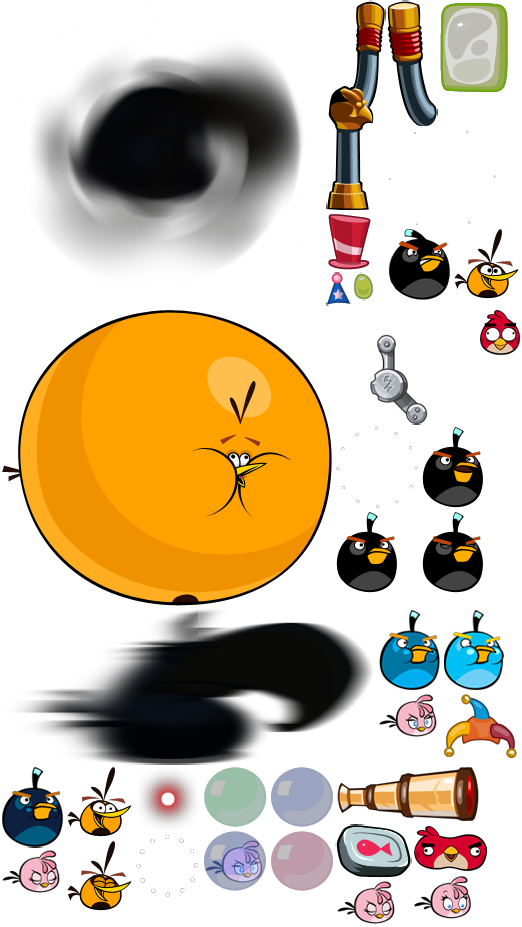
Found in the sprite BIRDS_2 are notable leftovers of things that came from newer versions of Angry Birds. Such as Short Fuse Bomb, and the slingshot if you use the King Sling powerup for it.
Shockwave#
Despite Short Fuse never being added to the game, two button sprites to activate Shockwave can be found within the game files. These sprites also go unused in the original game.

Red's Mighty Feather's Tutorial Sheet#
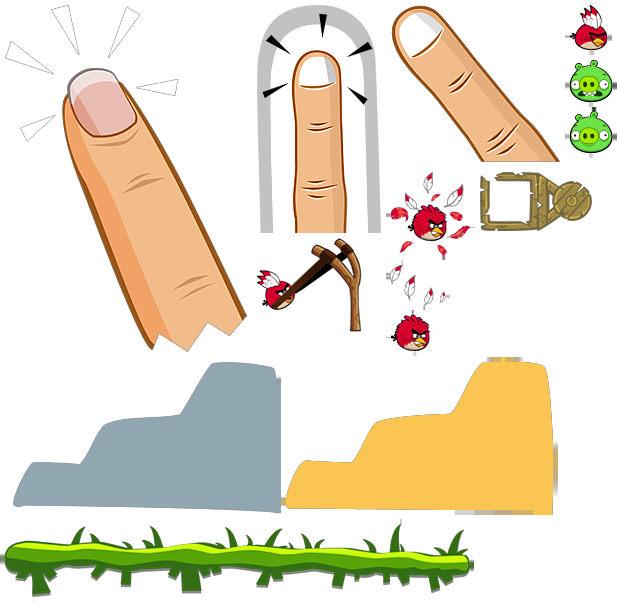
The tutorial sheet for Red's Mighty Feather's can be found in the files as Tutorial_Sheet, in which is a another leftover.
Unused Text#
Angry Birds Reloaded Leftovers#
Enter the VolcanoThe Frozen HeartThe names of episodes 9 and 10 from Angry Birds Reloaded.
Oddities#
Controller Support#
Watch on YouTubeThis game has some controller support leftover from Reloaded. (albeit not fully functional)
====Xbox Controller Controls (Menu)====
- The "Rovio" Screen can be skipped using any button.
- The title screen can be controlled only after you tap another button using your finger.
- The cursor is controlled with the Left Stick or D-Pad.
- You can select an option with "A".
- You can use "B" to go back.
- Episode select can be controlled if an episode is pressed and held but not selected.*
- The level select can be controlled.
- Selecting a level with a controller may cause a loading screen to get stuck (using the incorrect font) afterwards, you can only control the birds with a controller.
- You cannot use a controller to skip level intros.
- The pause menu can be controlled.*
- The results screen can be controlled. However selecting the next level button causes the loading screen bug mentioned above and you can't control the birds at all.*
- *Items labeled with an asterisk have controller support, but do not give any indication that anything is happening when using a controller until something is selected. (As if using an invisible cursor.)
Xbox Controller Controls (Level)#
- You can aim a bird using the Left stick.
- You can use the bumpers to scroll the screen left and right respectively.
- You can use the Left trigger to zoom out and the right trigger to zoom in.
- You can push "A" to launch a bird and use it's ability.
- You can hold "X" to restart the level, which shows a graphic and screen flash that otherwise doesn't get used.
- Pressing Left On the D-Pad allows you to select the Mighty Eagle or the Pause button.* If you activate it, there is no way to launch the item. After this, the only thing you can do is restart with "X", or use the touch screen, which functions perfectly. Restarting with "X" causes the loading screen glitch.
- You can pause the game with the "Menu" or "B" button.
- You can not skip the fanfare with a controller.
- *Items labeled with an asterisk have controller support, but do not give any indication that anything is happening when using a controller until something is selected. (As if using an invisible cursor.)
Smaller Back Button#
When using a controller, if you hover over the back button and then hover over something else, the button becomes smaller. Strangely, it seems like the graphics for the birds seen in the same corner were designed with this button size in mind. 
Internal Project Name#
The game is internally referred to as Classic22 or, Classic 2022 / the other way around, according to the filesystem and app signature which was also possibly suggested by the related level directory in Reloaded. This is however proven by the file names of related images posted on Rovio's website, most having CLASSIC22.
|
The Angry Birds series | |
|---|---|
|
iOS |
Angry Birds (Prototypes) • Seasons • Rio • Friends (Fusion, Unity) • Island • Space (Prototypes) • Bad Piggies (Prototypes) • Star Wars (Prototypes) • Star Wars II • Go! • Epic (Prototype) • Stella • Transformers • POP! • Fight! • Angry Birds 2 • Reloaded • Rovio Classics: Angry Birds • Bad Piggies 2 |
|
Android |
Angry Birds • Epic • Seasons • Space • Rio • Star Wars • Star Wars II • Stella • Transformers • Fight! • Angry Birds 2 • Go! • Friends (Fusion, Unity) • Football! • Bad Piggies • Rovio Classics: Angry Birds • POP! • Racing • Block Quest |
|
Windows |
Angry Birds • Seasons • Space • Rio • Star Wars • Star Wars II • Angry Birds 2 • Bad Piggies • Friends |
|
HTML5 |
Chrome • Pistachios • Friends |
|
Mac OS X |
Angry Birds • Seasons • Space • Rio • Star Wars • Bad Piggies • Reloaded |
|
Adobe Flash |
Breakfast • Ultrabook Adventure • Friends • Vuela Tazos • Heikki • Lotus F1 Team • McDonald's • Social (Earlier Prototype) |
|
Xbox 360, PlayStation 3 |
|
|
Arcade |
|
|
tvOS, visionOS |
|