 This article has a talk page!
Dispatch pits Robert "Mecha Man" Robertson against the most insidious villain to ever grace the superhero genre: Call center office politics. The game's eight episodes were released weekly, with two episodes being added to the game each week after its release.
 Prototype Info
 Prerelease Info
 Notes
Notes
 Unused Graphics
 Unused Videos
 Unused Audio
 Revisional DifferencesDisPatch Notes
 Debug Menu
Unused Models#
coupe_lowpoly#
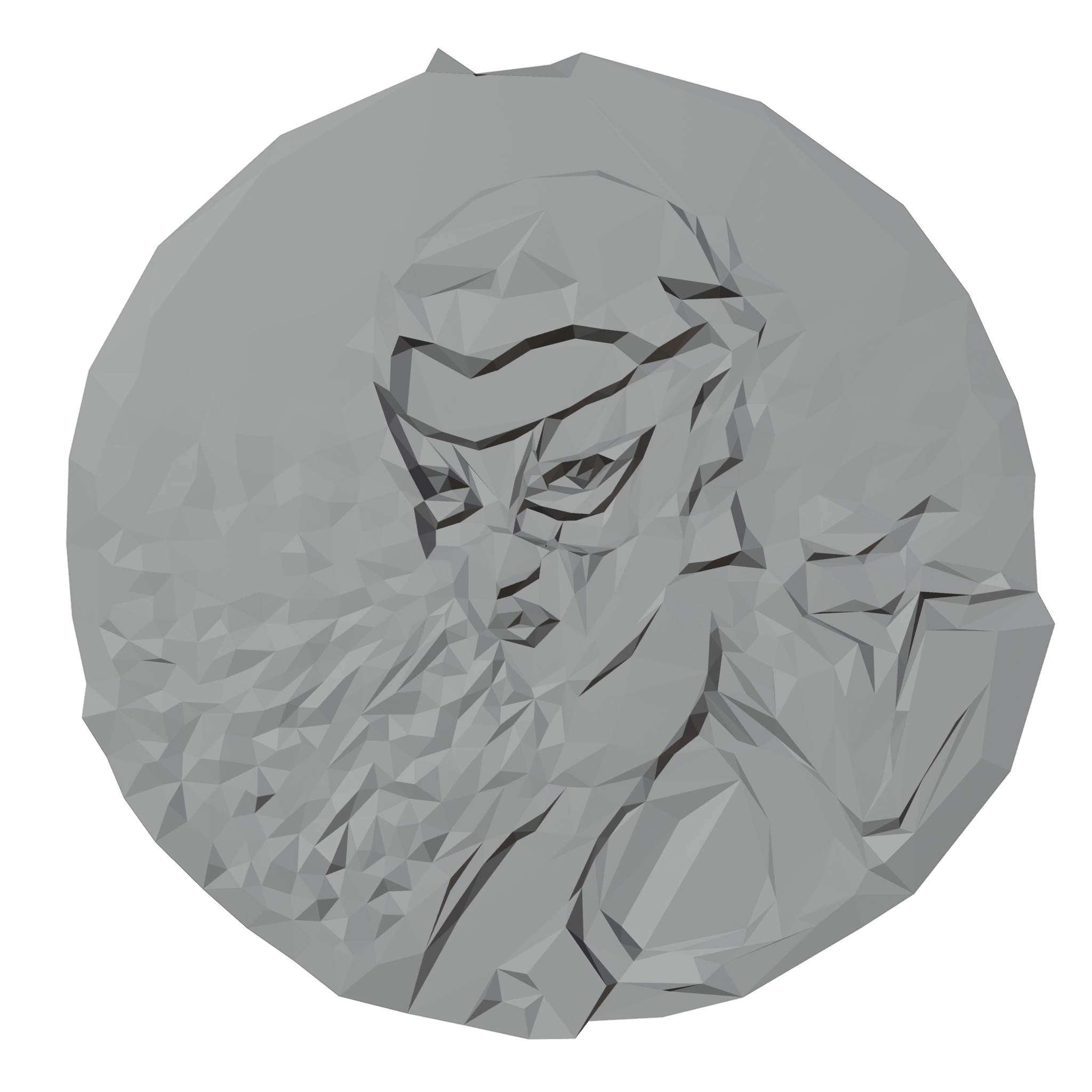
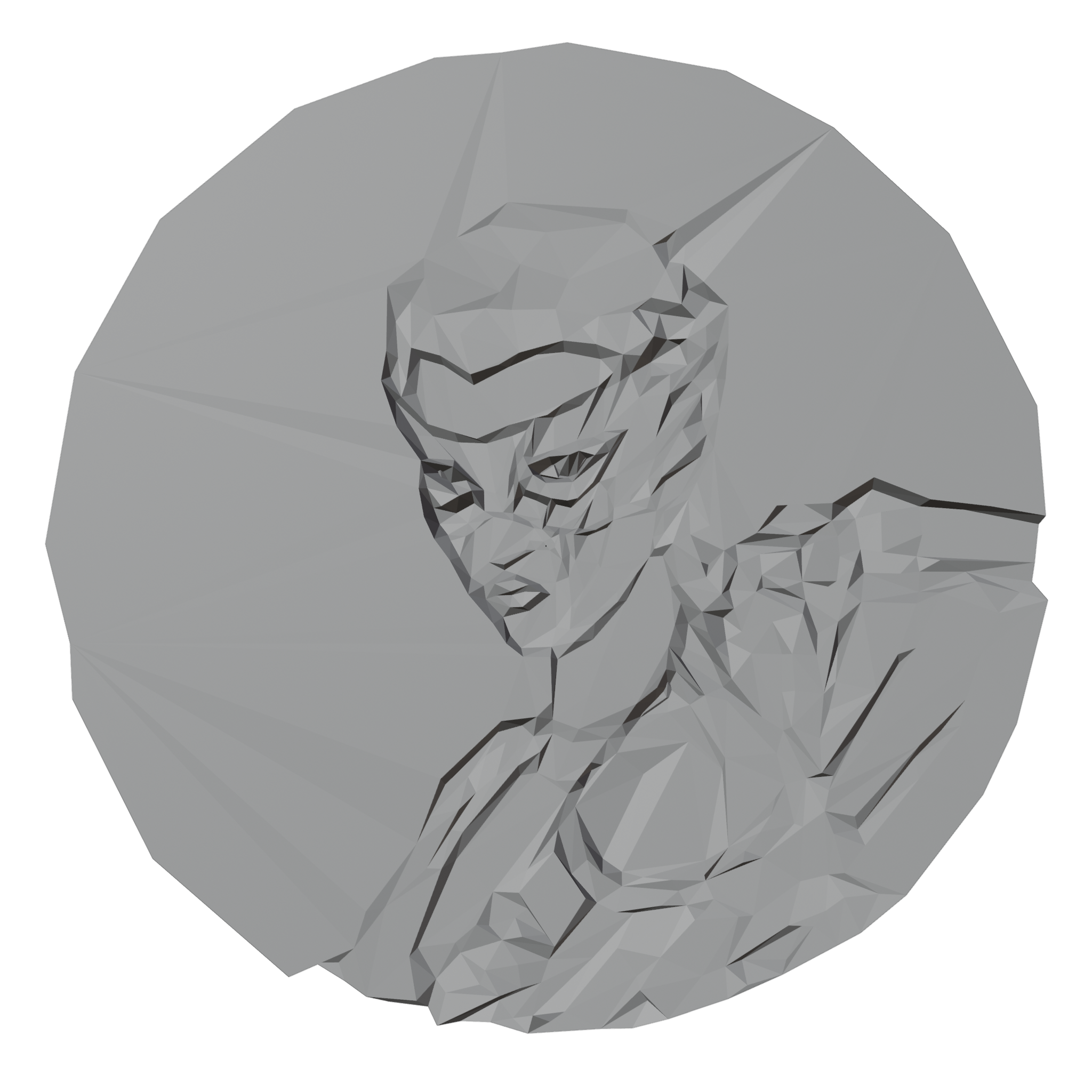
An unused model of Coupe's tracker from Episode 8, apparently a low-poly version. This model was present from the release version until version 1.0.16218, where it was removed. The used model for Coupe's tracker, "coupe_coin" was added in this update.
coupe_lowpoly (Unused) |
coupe_coin (Used) |
|---|---|
 |
 |
coupe_mesh#
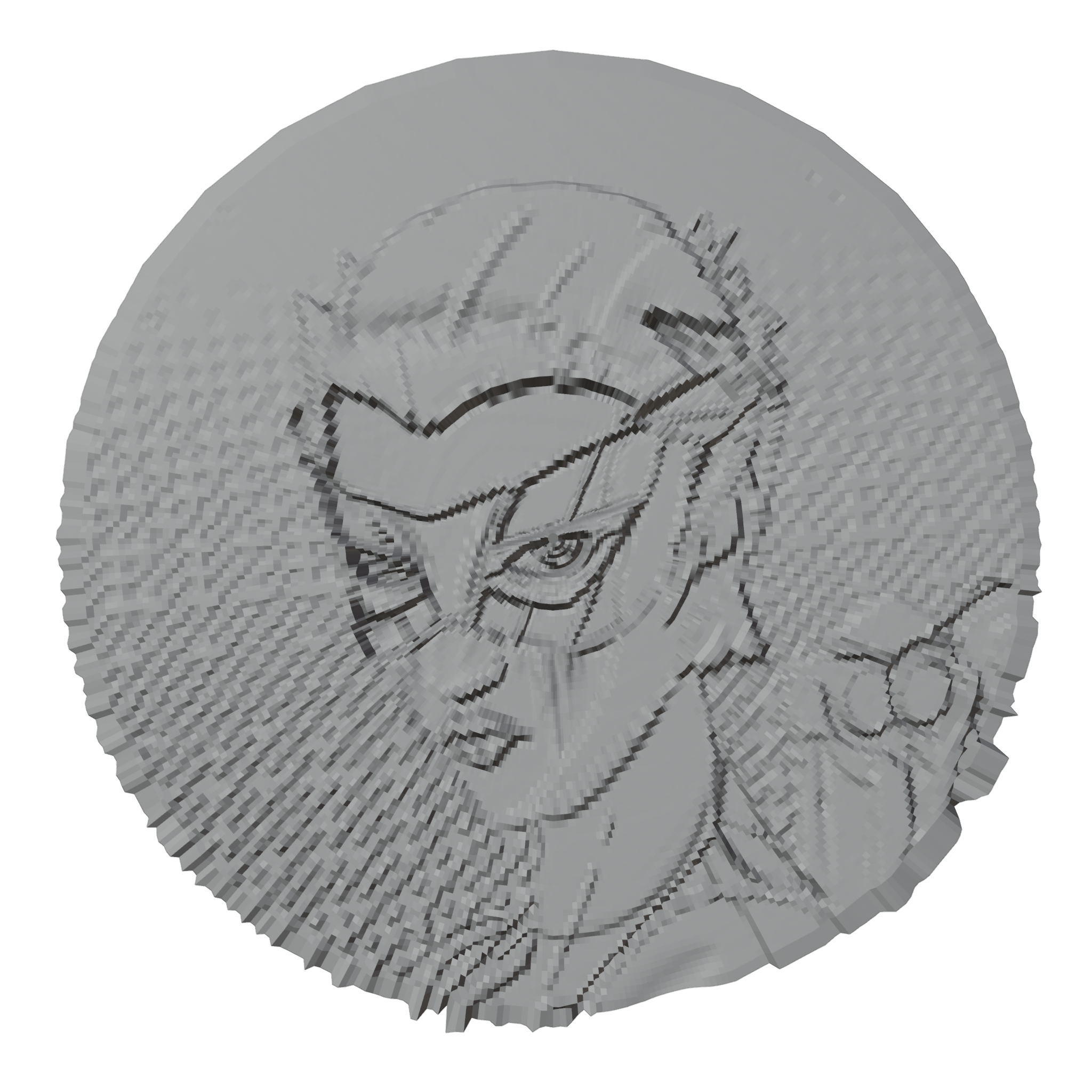
Another unused model of Coupe's tracker from Episode 8, this one with much more detail. This model was present from the release version until version 1.0.16218, where it was removed. The used model for Coupe's tracker, "coupe_coin" was added in this update.
coupe_mesh (Unused) |
coupe_coin (Used) |
|---|---|
 |
|
SM_AntiVirusParts#
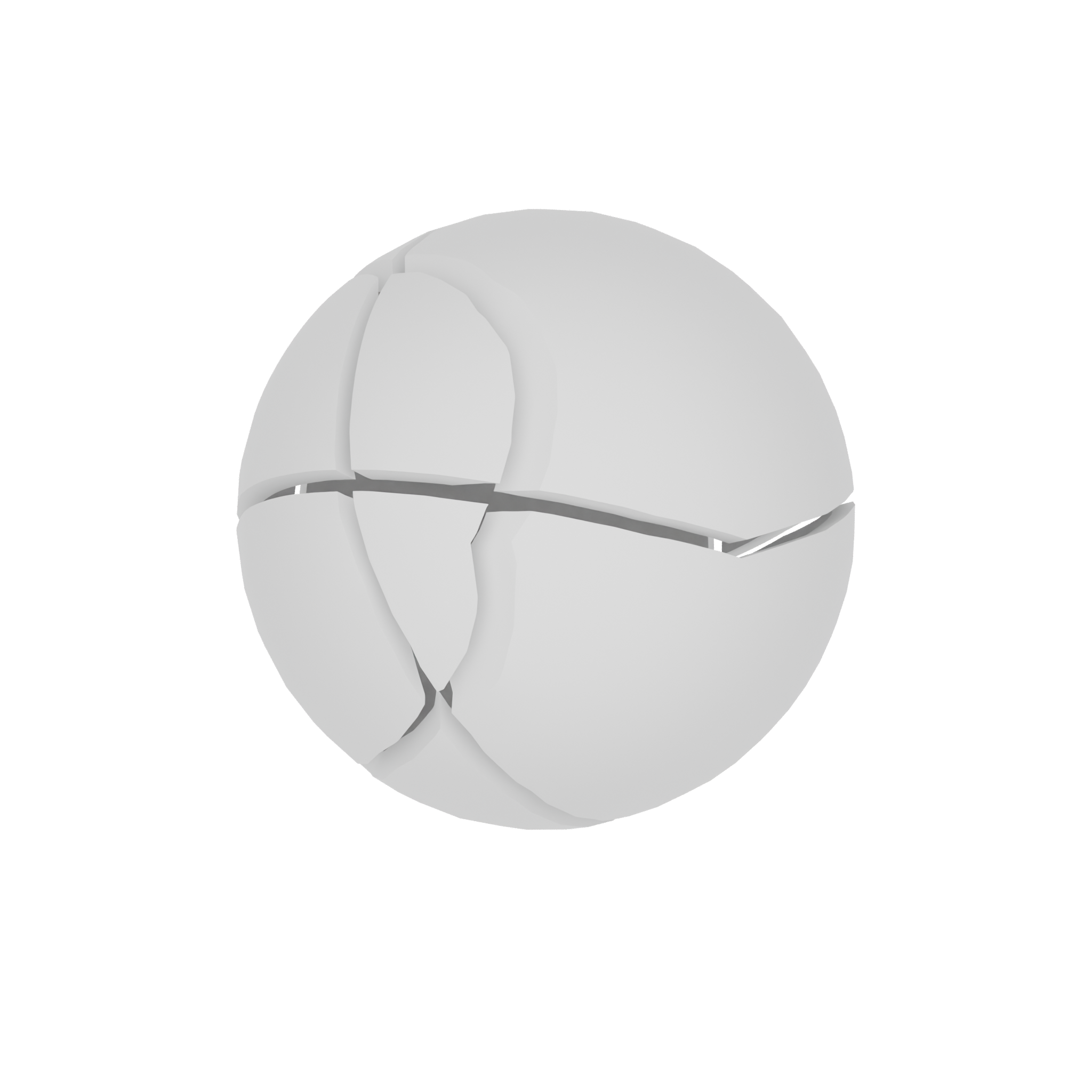
A set of models that are separate parts of an early antivirus. Their names all start with SM_AntiVirusParts_. When combined, they create a fractured sphere.
Object001 |
Object002 |
Object003 |
Object004 |
Object005 |
|---|---|---|---|---|
 |
 |
 |
 |
 |
Object006 |
Object007 |
Object008 |
Combined |
|---|---|---|---|
 |
 |
 |
 |
Unused Areas#
LV_Hacking_101_Part_1_DEPRECATED#
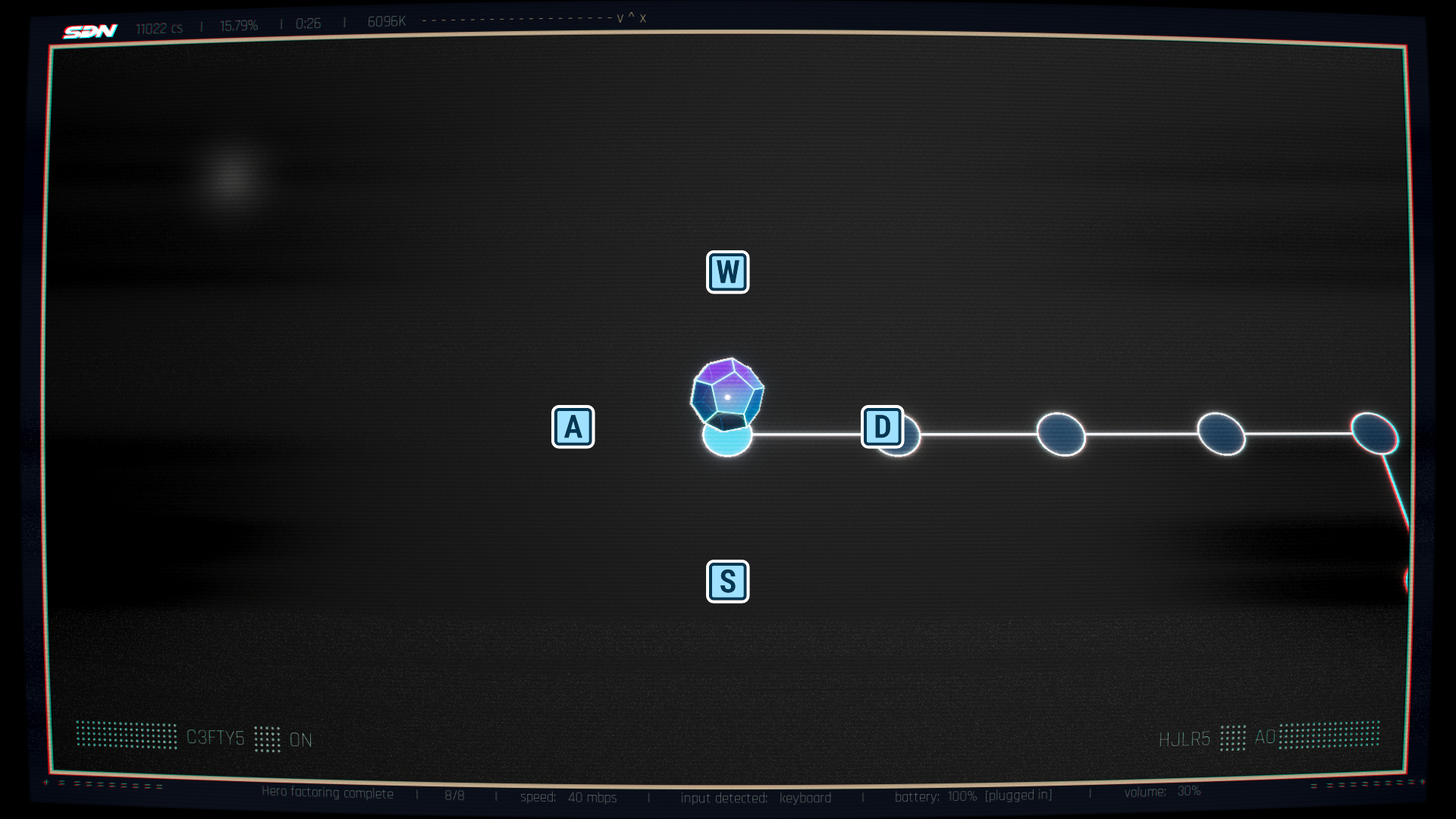
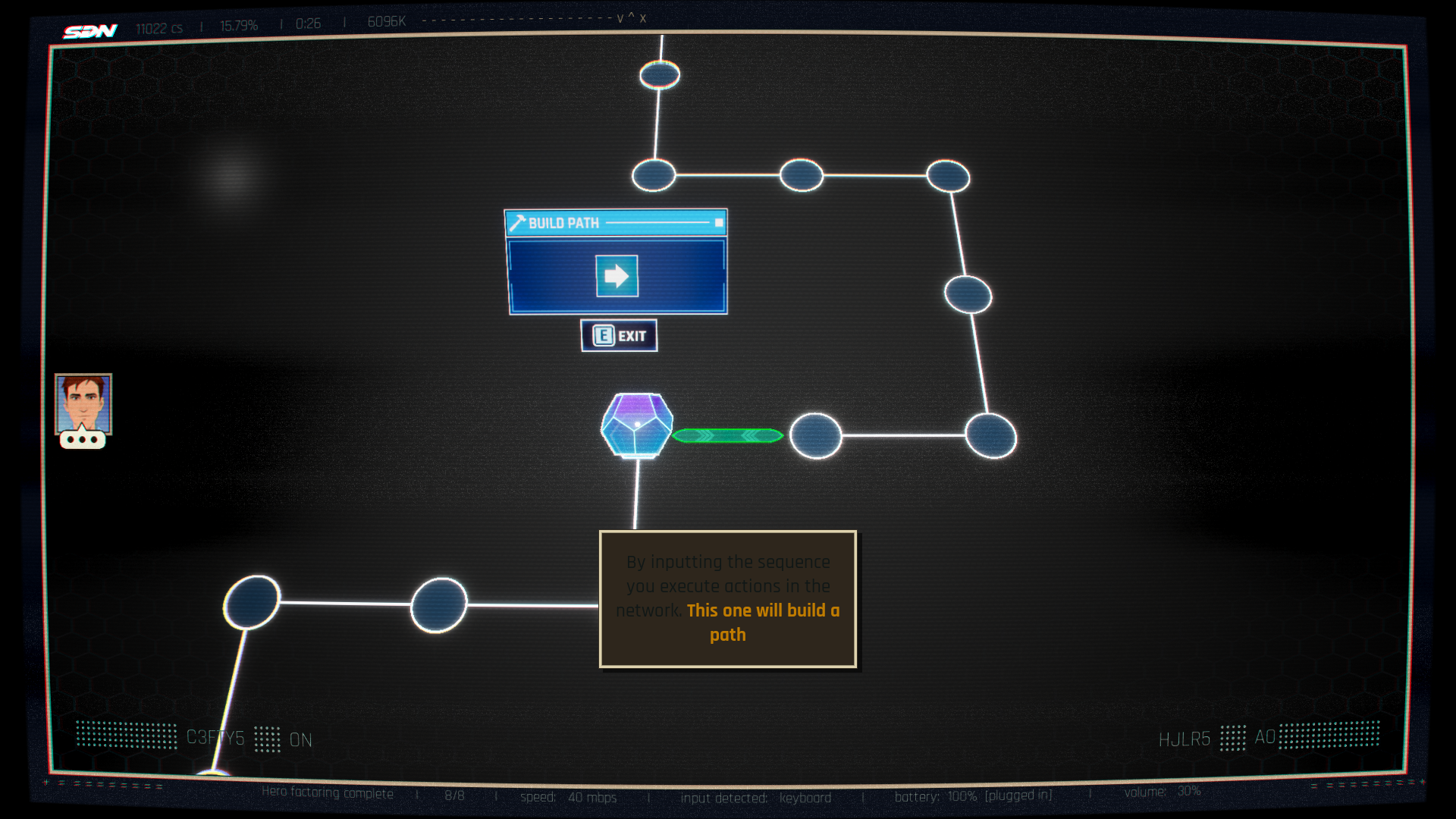
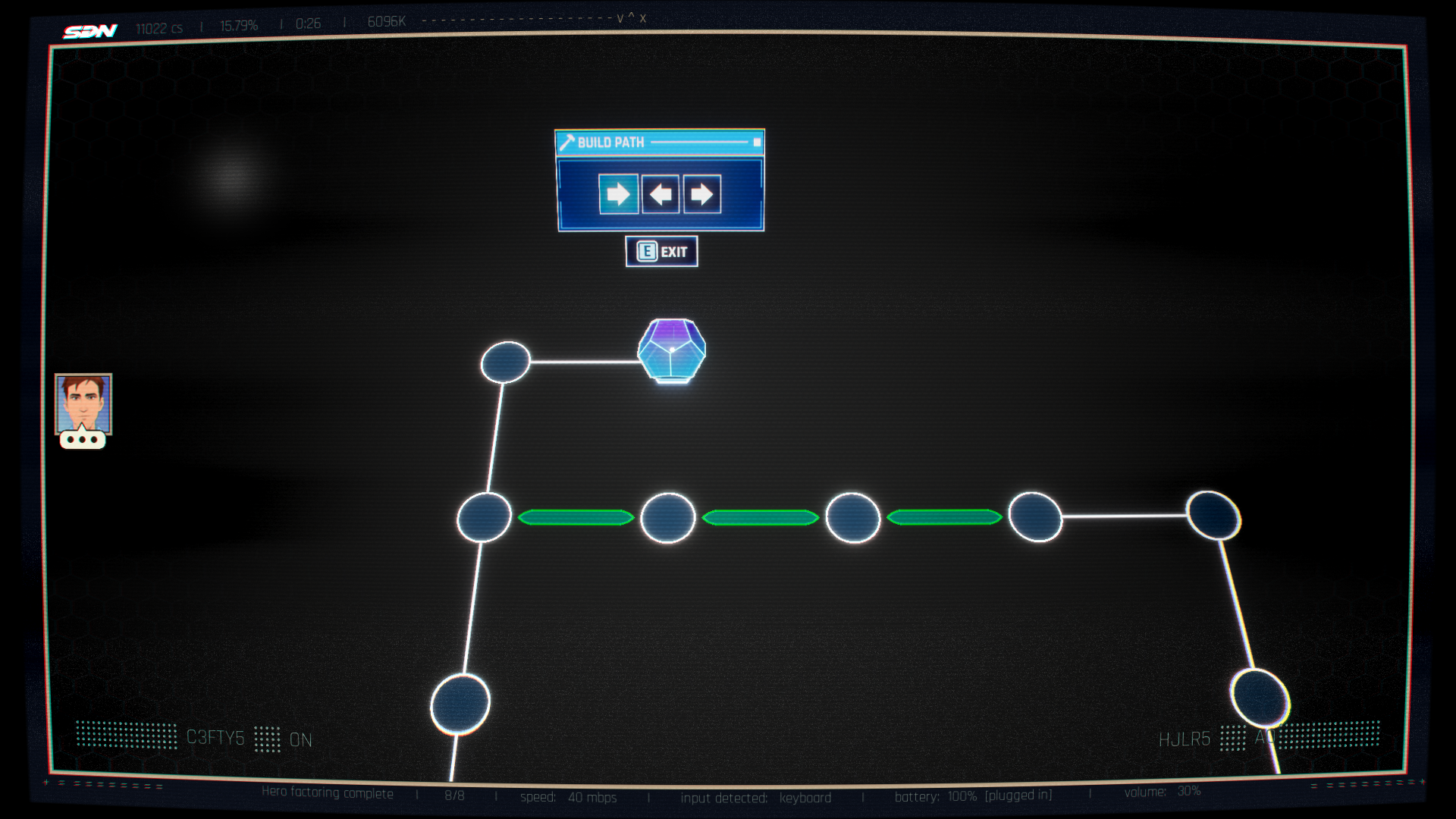
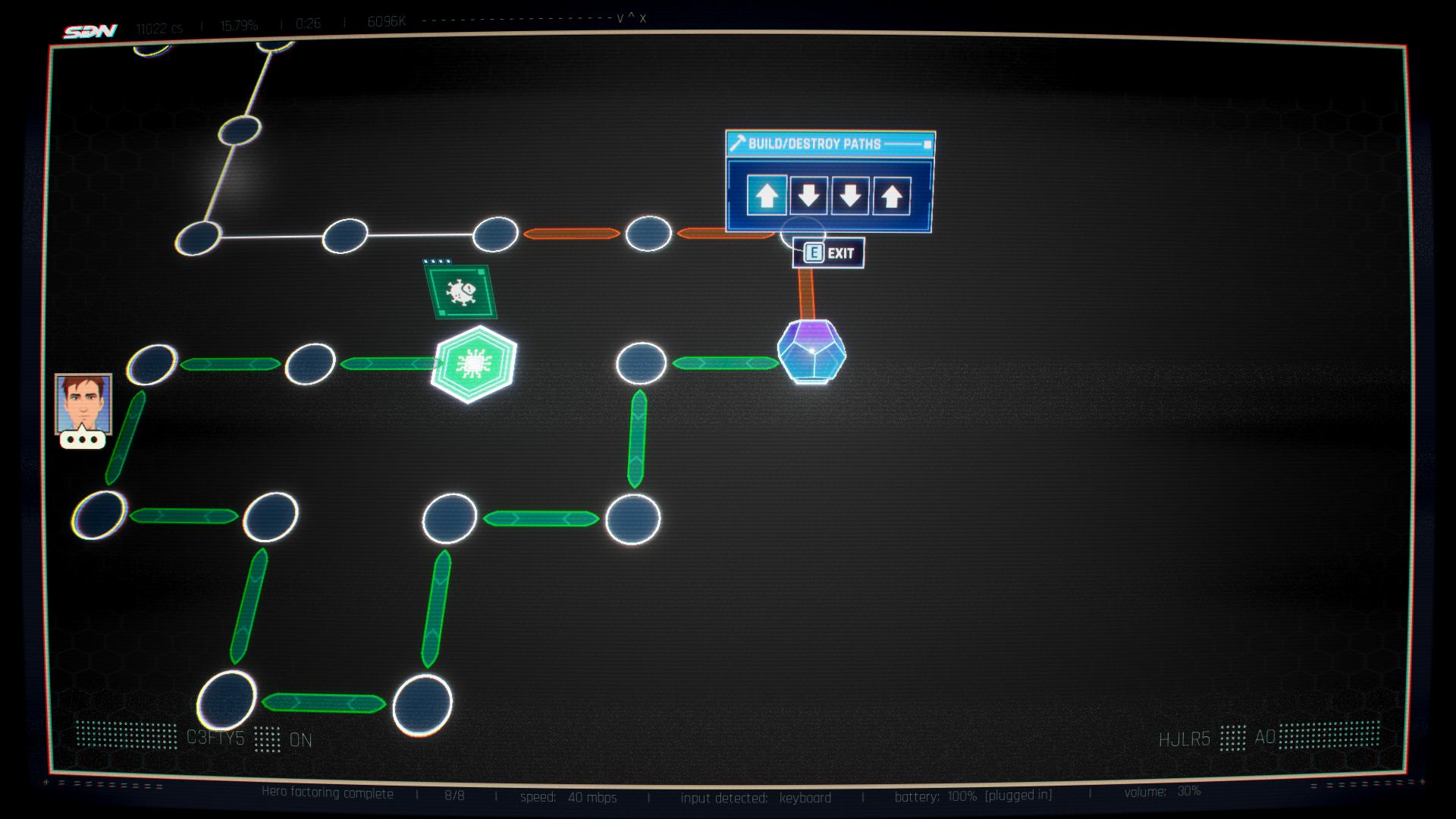
A deprecated hacking level from the first episode. It has a large layout and multiple hackable nodes with tutorial tips. Robert's dice, in contrast to the final game's cube seen in Episode 1, is the standard D12. A dialog cue from Robert's side is also present but does not play due to missing assets.
Completing the hack requires a password instead of a mouse drag, and does nothing in return.


In-game screenshots#
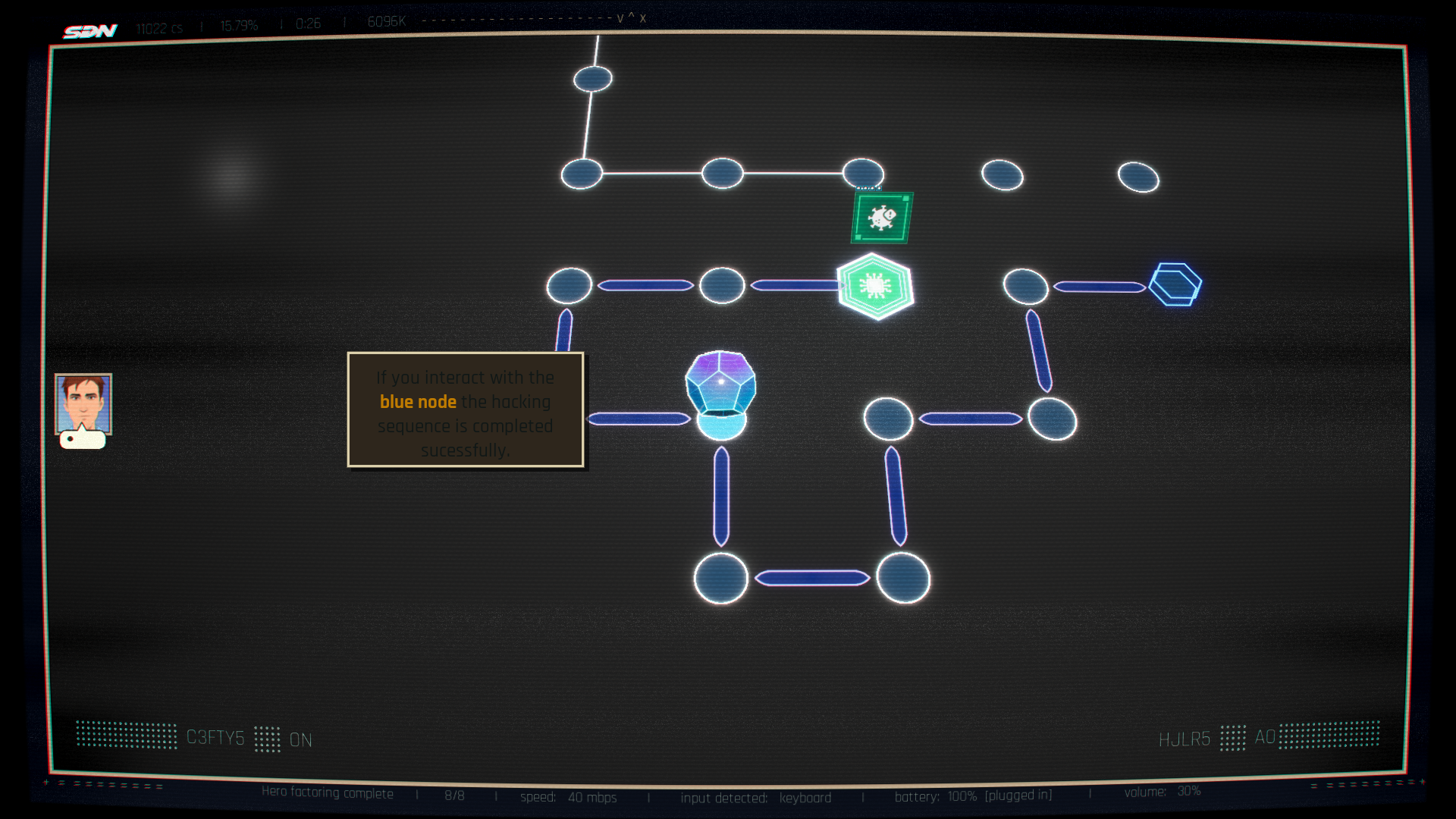
LV_Hacking_DEPRECATED_103#
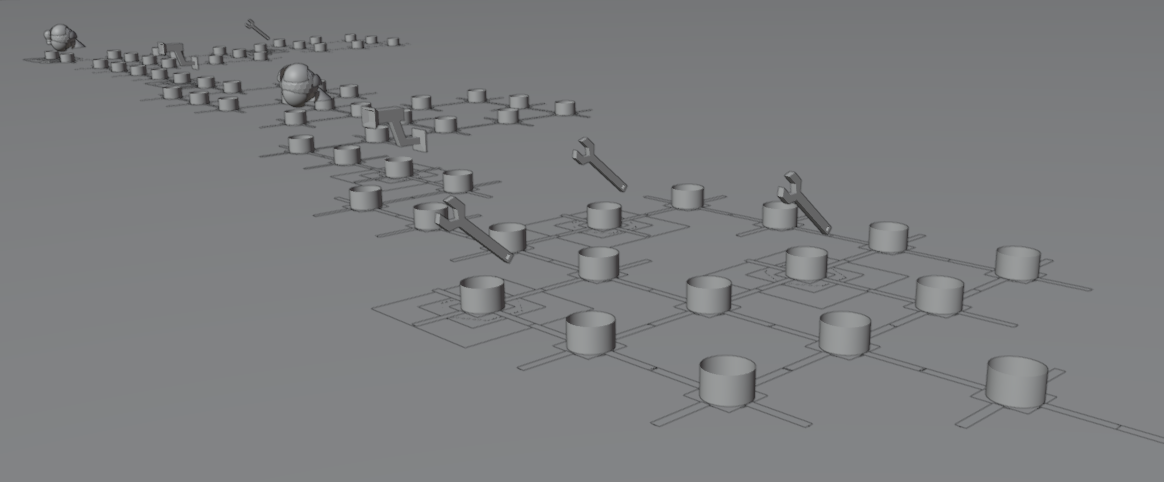
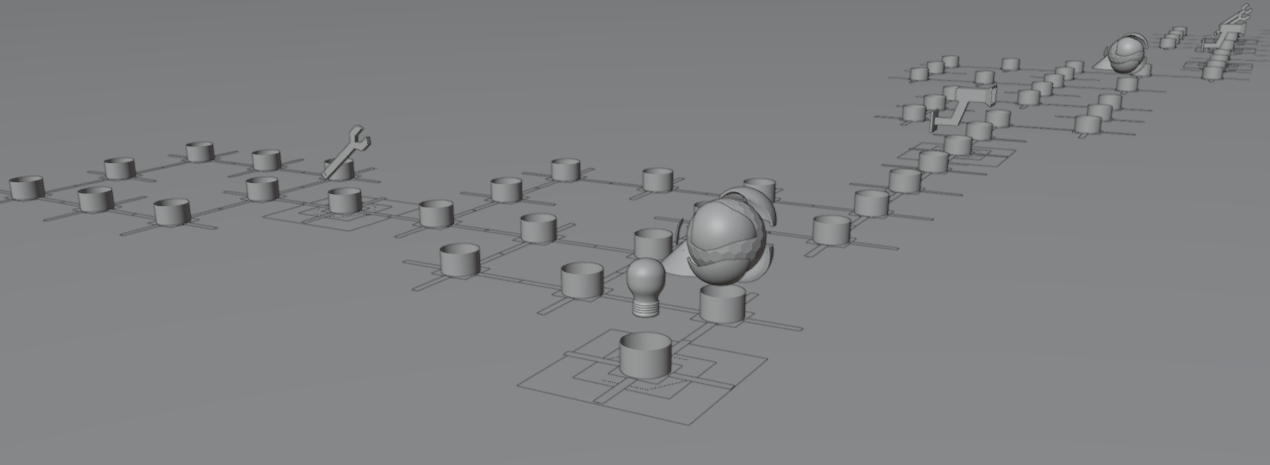
Another deprecated hacking level, this one from the third episode. It has a larger layout, more elements, and a couple of antiviruses. It cannot be completed due to a broken hackable node that immediately closes itself after interaction.
This map is also present in the demo.


Development-Related Text#
OtherContent#
OtherContent is a text file that can be found in the "Localization" folder. It contains many lines of unseen text that likely pertain to the Unreal Editor or some sort of debugging process. Below are the lines that contain text from the file:
+
-
Add learned ability:
Add stat point:
Back
Cancel
Cancel
Distance from start of ribbon that the particle lies.
Episode Locked
Explicit order for linking particles within a ribbon. Particles of the same ribbon id will be connected into a ribbon in incrementing order of this attribute value.
Export non mult 4
Hero Utility
Hero_Hexregion
Hex region
Hex remap
Imagine the texture having an arrow pointing up, this attribute makes the arrow point towards the alignment axis. Must be used with the SpriteRenderer's CustomAlignment Alignment option.
LockIn_Wave
Maintenance Utility
Makes the surface of the sprite face towards a custom vector. Must be used with the SpriteRenderer's CustomFacingVector FacingMode option.
Mass is factored into the Solver Calculations (Solve Forces and Solve Rotational Forces) where forces are converted into a final velocity. The more massive a particle, the more force is required to move it.
OK
OK
Print non mult 4
Rewind
Scenario Utility
Set All UserInterface2D to BC7
Sets the ribbon width for a particle, in UE4 units.
SkipAhead
Sphere
Standard
Starting this episode will skip unfinished episodes. Choices for skipped episodes will be randomly generated. This is not recommended for a first-time play experience!
The XYZ scale of the non-sprite based particle.
The age in seconds divided by lifetime in seconds. Useful for animation as the value is between 0 and 1.
The axis-angle rotation to be applied to the mesh particle.
The color of the particle.
The lifetime of a particle in seconds.
The position of the particle.
The screen aligned roll of the particle in degrees.
The size of the sprite quad.
The velocity in cm/s of the particle.
To rewind to this episode, please select a new save slot to copy into.
To rewind to this scene, please select a new save slot to copy into.
Used to drive the Particle Random node in the Material Editor. Without this set, any Particle Randoms will get 0.0.
VO Utility
debug wave
{0}: Refreshed all nodes.
{0}: Refreshed variables.
{0}: compiled.
{0}: removed unused nodes.
{0}: removed {1} unused variables.ST_TutorialText#
This blueprint contains dialogue from the tutorial, as well as triggers for in-game events. A few of these triggers have notes from the developer:
Event |
Trigger |
Notes |
|---|---|---|
FirstTutorial_1 |
Intro for First Tutorial |
Once the first tutorial is triggered but before it starts |
Shift2EndScreen |
Shift 2 End Screen |
Blazer VO |
FirstModzone |
First Modzone |
Blazer VO |
HackingAntivirus |
Hacking |
anti virus |
HackingElectricityCharge_1 |
N/A |
electricity charge pt 1 |
HackingElectricityCharge_2 |
N/A |
electricity charge pt 1 |
HackingKeyNode |
N/A |
key node |
HackingLockNode |
N/A |
lock node |
HackingUnlockLockNode |
N/A |
unlock lock node |
InitialProtoypeMessage#
Found in the QTE subfolder of the Sandbox folder is this blueprint, which was apparently used for prototyping and testing QTE's. It mostly contains technical stuff, but the following excerpts have some developmental text:
"Type": "TextBlock",
    "Name": "TextBlock",
      "Text": {
        "SourceString": "Press \"2\" to play second action sequence",
        "LocalizedString": "Press \"2\" to play second action sequence"
      },

"Type": "TextBlock",
    "Name": "TextBlock_18",
      "Text": {
        "SourceString": "Press \"1\" to play the first 101 action sequence",
        "LocalizedString": "Press \"1\" to play the first 101 action sequence"
      },
Platform Differences#
Startup Movies#
The startup movies across the platforms are slightly different, with the PS5 version having the logo of Plastic Fern Studios, a studio that specializes in the porting and release of games to different platforms.
Default_Startup |
Default_Startup_PS5 |
|---|---|
DLC Art#
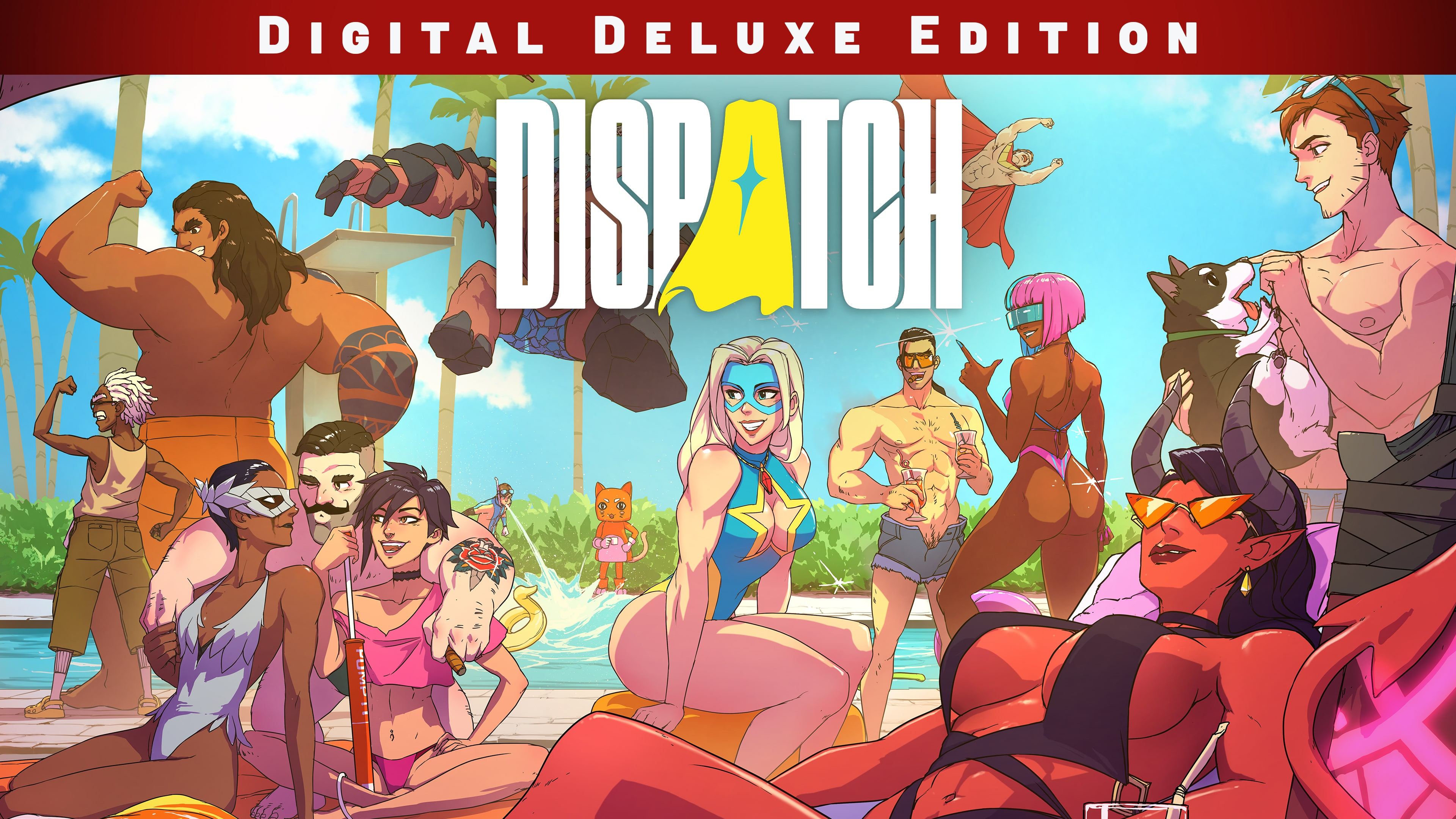
The DLC for Dispatch, known as Digital Deluxe Edition on Steam and PS5, and Dispatch Art and Comics Pack on Switch, contain the same additional paid content. However, the cover image for said DLC has been slightly altered on the Switch version. In it, the outfits of Coupe, Invisigal, Blazer, Flambae, Prism, and Malevola were changed to be less revealing. Also, the title was changed in the image.
Steam/PS5 |
Switch |
|---|---|
 |
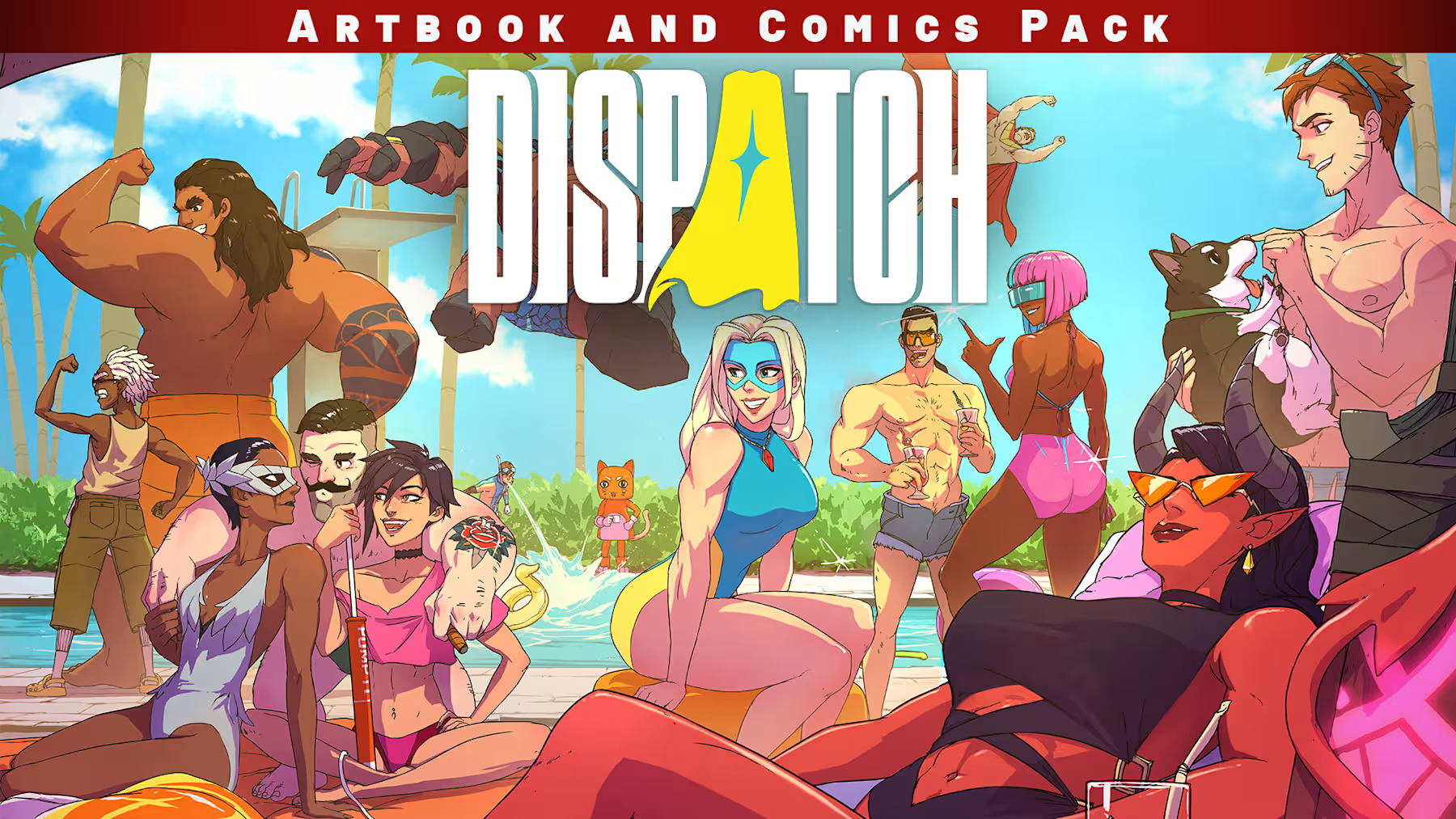 |
Oddities#
Pom Pom's Early Name#
Internally, the hero Pom Pom is referred to as "Speedster" in many different places, including textures, audio, and blueprints. This aligns with an unused texture from the demo, named "T_UI_Hero_FullBody_Speedster". The texture seems to be concept art for Pom Pom, which points to her early alias being "Speedster".
Phenomaman's Internal Name#
Internally, some of Phenomaman's assets (including blueprints and textures) are referred to as "Idaho", giving his internal name. This is also reflected in the debugging menu of the game.
Waterboy's Internal Name#
Internally, some of Waterboy's assets (including blueprints and textures) are referred to as "Florida", giving his internal name. This is also reflected in the debugging menu of the game.
Blonde Blazer's Internal Name#
Internally, some of Blonde Blazer's assets (including blueprints and textures) are referred to as "NewYork", giving her internal name. This is also mentioned in the debugging menu.