This is a sub-page of Dispatch.
Debug Menu#
To enable the debug menu, use a program like Universal Unreal Engine 4 Unlocker to enable the game's console. After doing so, type the command "enablecheats" in the console.
Main Menu#
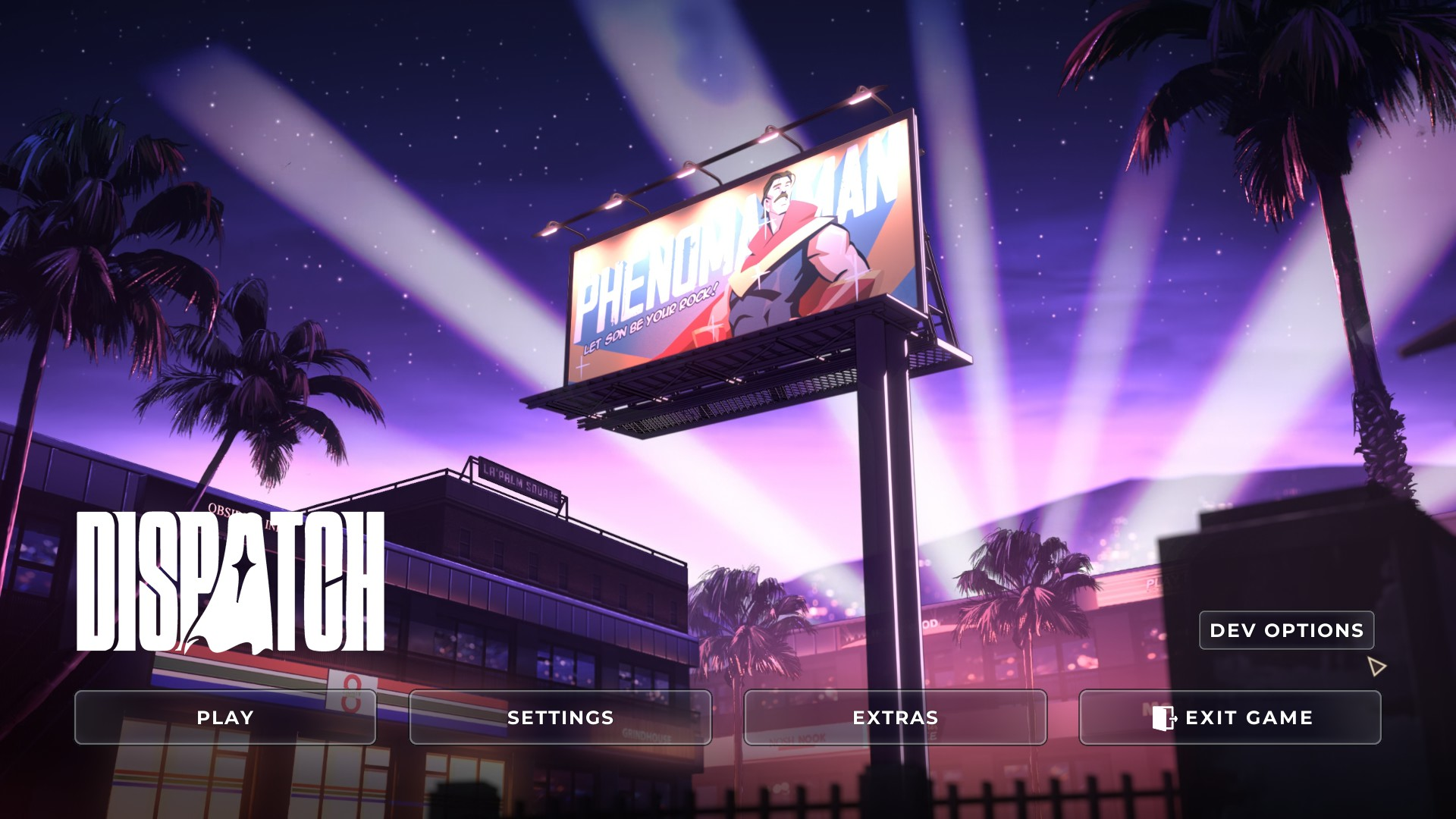
When the debug menu is enabled, a Dev Options button is added to the main menu. Pressing it will lead you to the Dev Launch Options menu.
 |
Dev Launch Options#
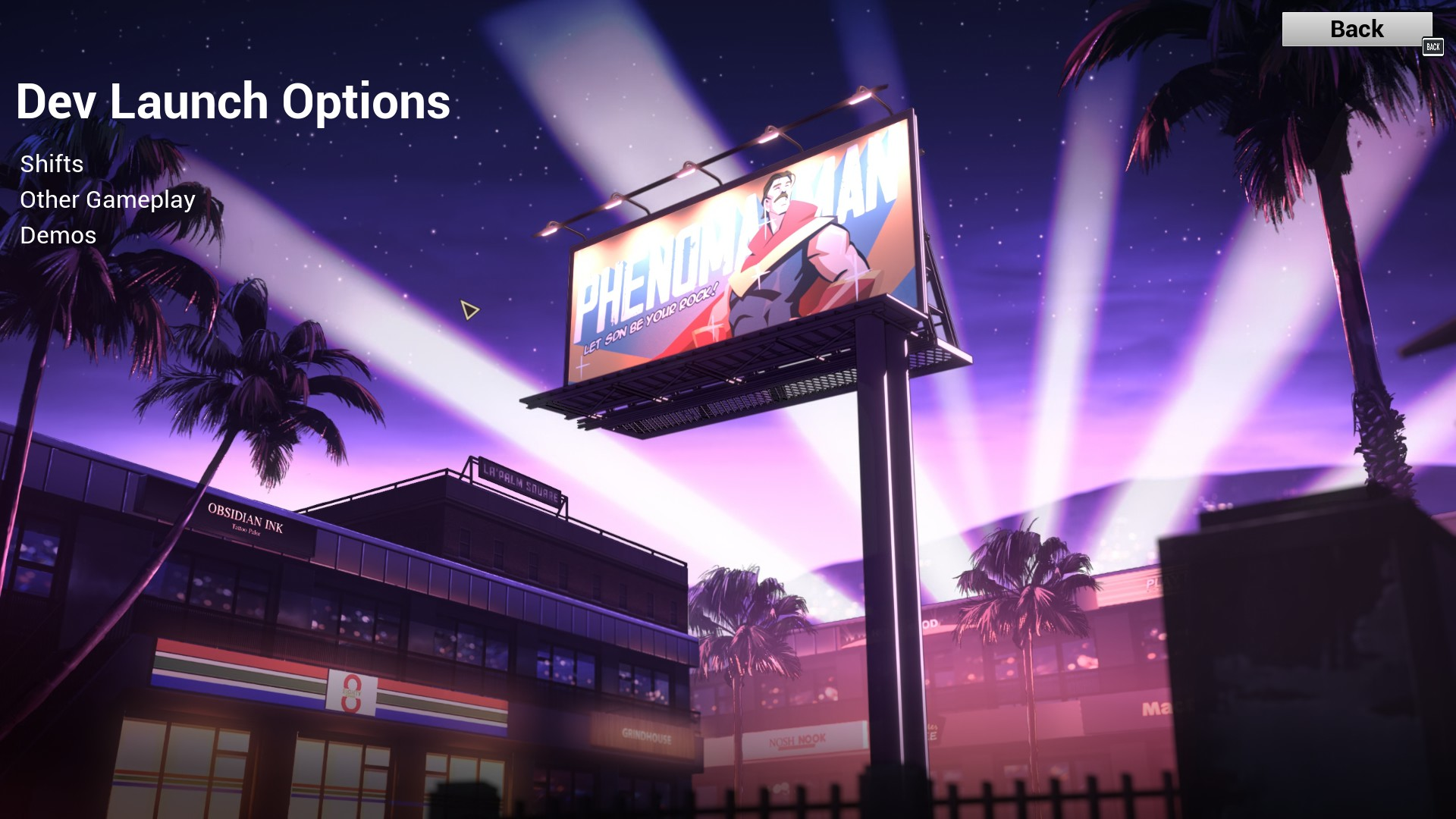
The Dev Launch Options menu, which has three submenus: Shifts, Other Gameplay, and Demos. The Back button in the top right is also new, and looks dissimilar to most other UI elements.
 |
Shifts#
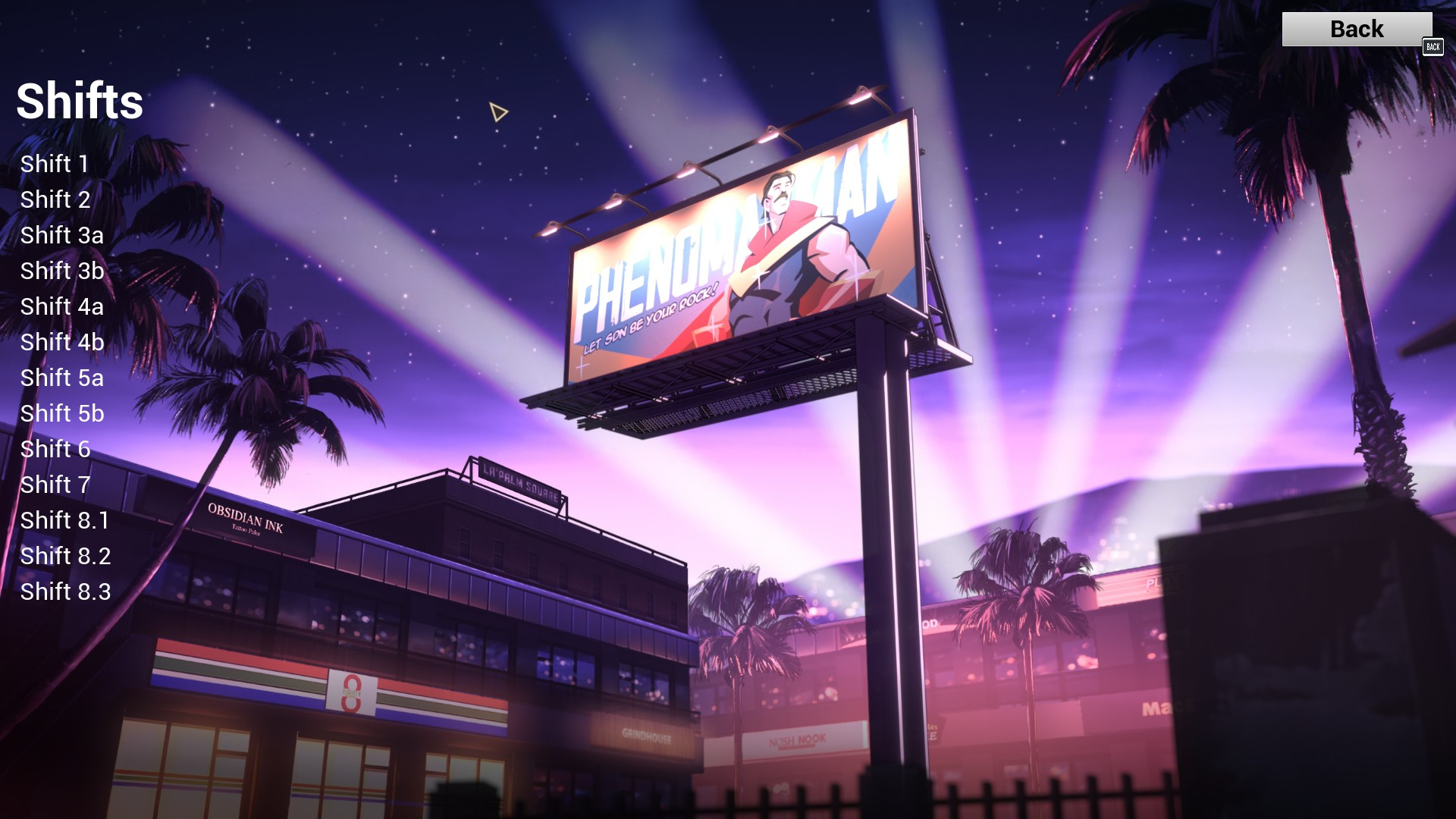
A submenu that lets you choose any of the in-game shifts.
 |
Shift 1#
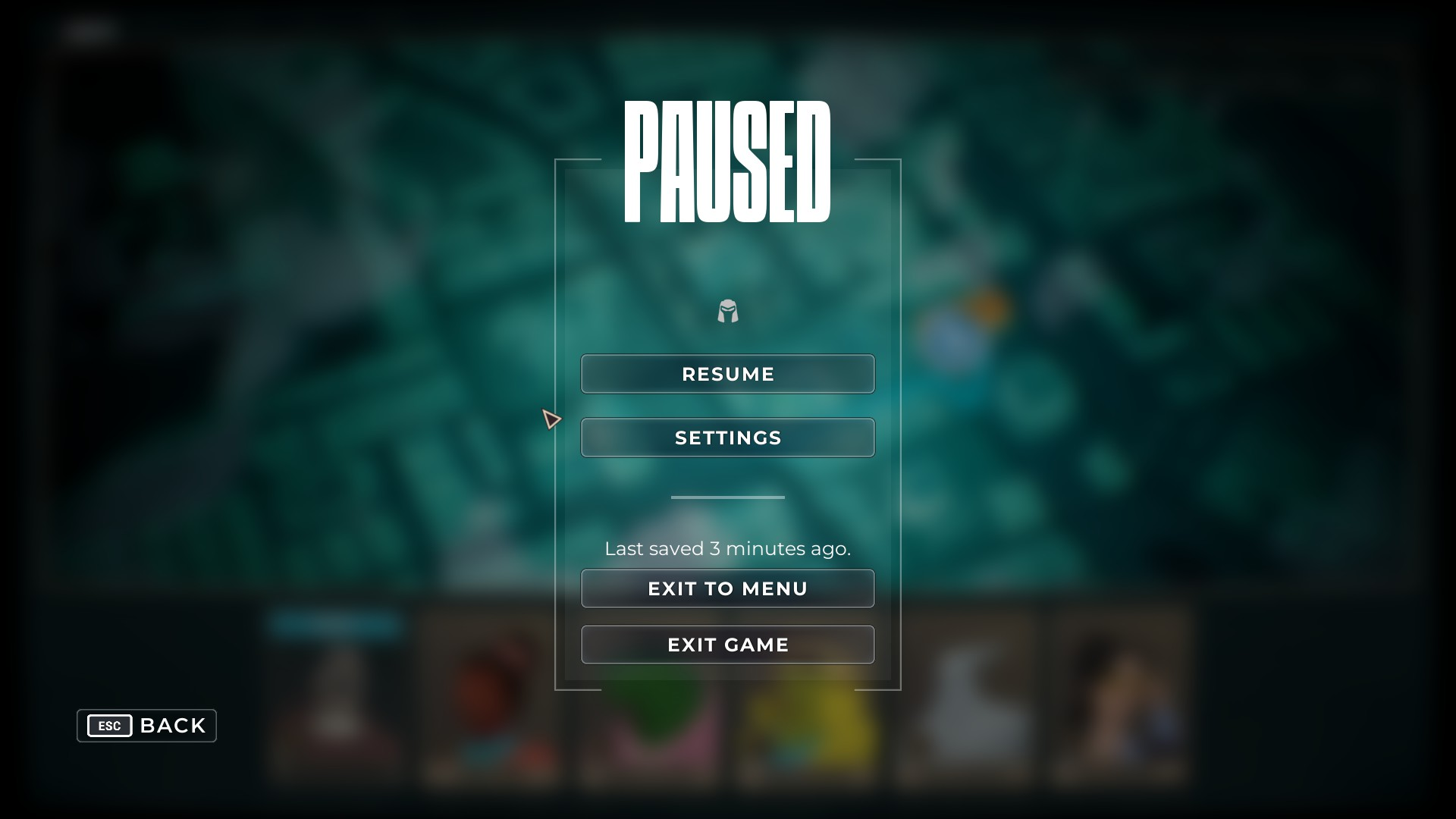
Brings you directly to the tutorial shift of episode 1. The gameplay is the same as in the final game, save for the pause menu having no indicator of the episode. When you finish the shift, you do not progress anywhere, and instead stay on the empty dispatching map.
 |
Shift 2#
Brings you directly to the shift of episode 2. The gameplay is the same, though at the end of the shift, it does not transition into the Granny's Donuts segment, and instead stays on the dispatching map with the granny's donuts mission incomplete. The pause menu also has no episode indicator.
Shift 3a#
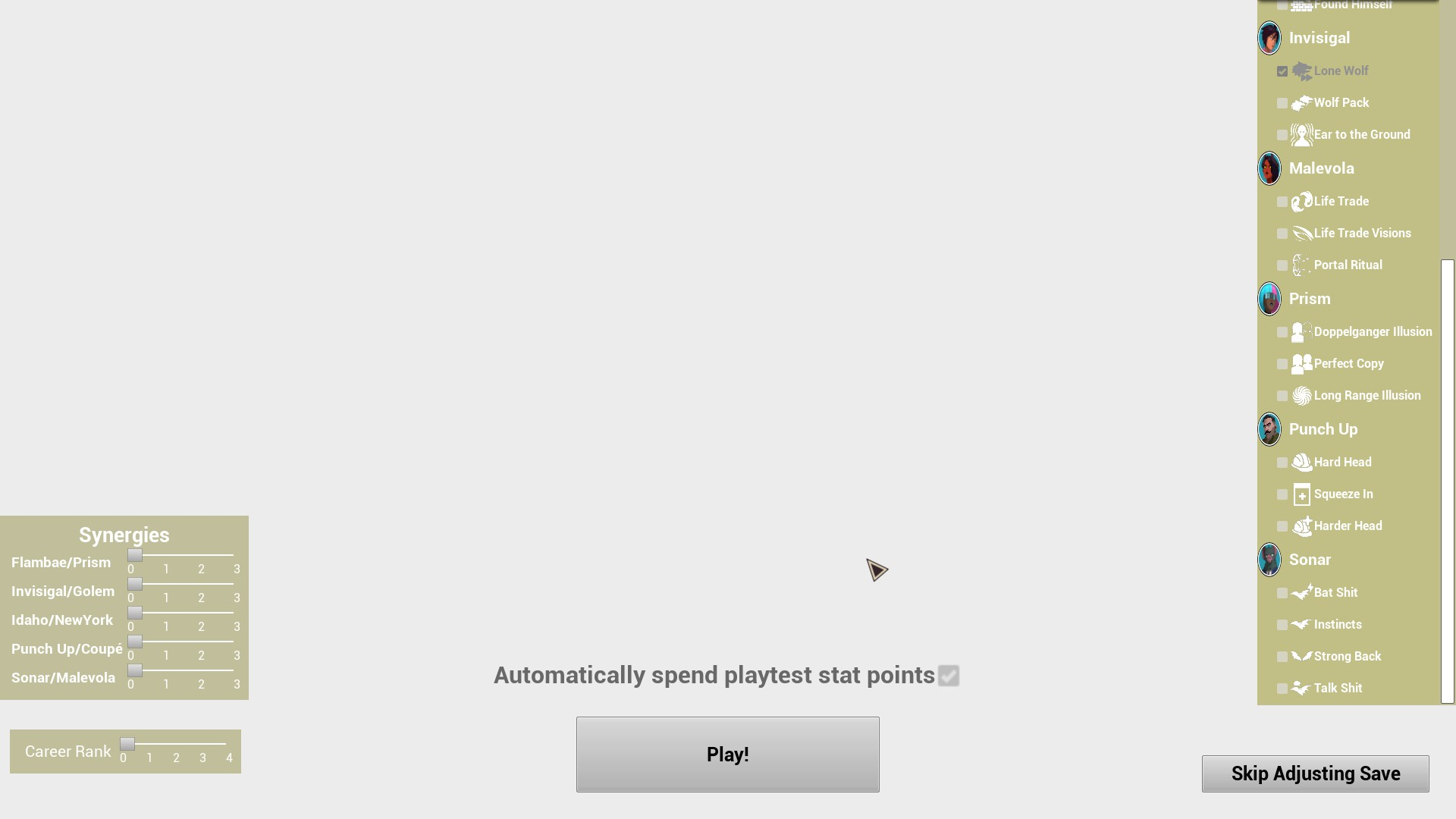
Brings you to the "Save Adjustment" menu, which uses a simple UI and plain colors. To the left, it has sliders for Synergies, which will level up the pairs' Synergy rank. It also mentions two unfamiliar characters, Idaho and New York. Below is the Career Rank slider which will affect your unlocked pharmacy items and bonus rank-up stat point. To the right is a scrollable column that contains a list of the heroes and their abilities, which can be checked or unchecked to select their unlocked abilities. Below this is a "Skip Adjusting Save" button, which will skip this menu and start the shift with your stats from the previous episode. In the center is an option to "Automatically spend playtest stat points". Leaving this checked will automatically upgrade the heroes, while unchecking it will leave the stat points unused for you to decide what to use them on. Below this is a "Play!" button, which will start the shift with your selected adjustments.
After hitting "Play" or "Skip Adjusting Save", you are brought to the episode 3 cutscene of Chase and Robert examining the leaderboard, then the subsequent cutscenes leading up to the first shift of the episode. At the end of the shift, it skips all the following cutscenes and events of the episode, and brings you straight to the credits.
 |
 |
Shift 3b#
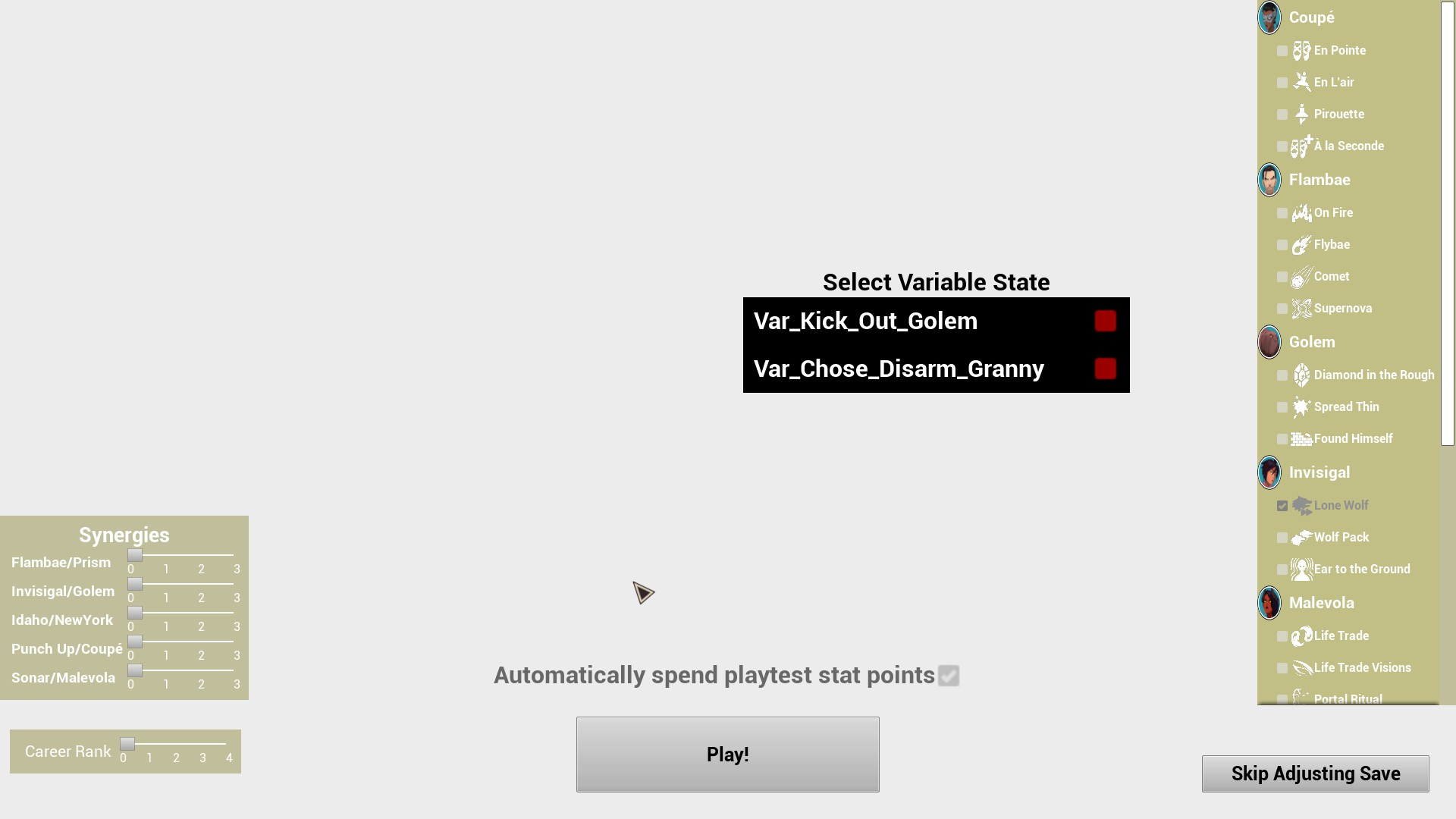
Brings you to the Save Adjustment menu again. This time, there is a new field, that being "Select Variable State". Checking Var_Kick_Out_Golem will make Golem reject his first mission, while checking Var_Chose_Disarm_Granny will make Invisigal reject her first mission. After the Save Adjustment menu, you are brought straight to the second shift of the third episode. At the end of the shift, it skips all the following cutscenes and events of the episode, and brings you straight to the credits.
 |
Shift 4a#
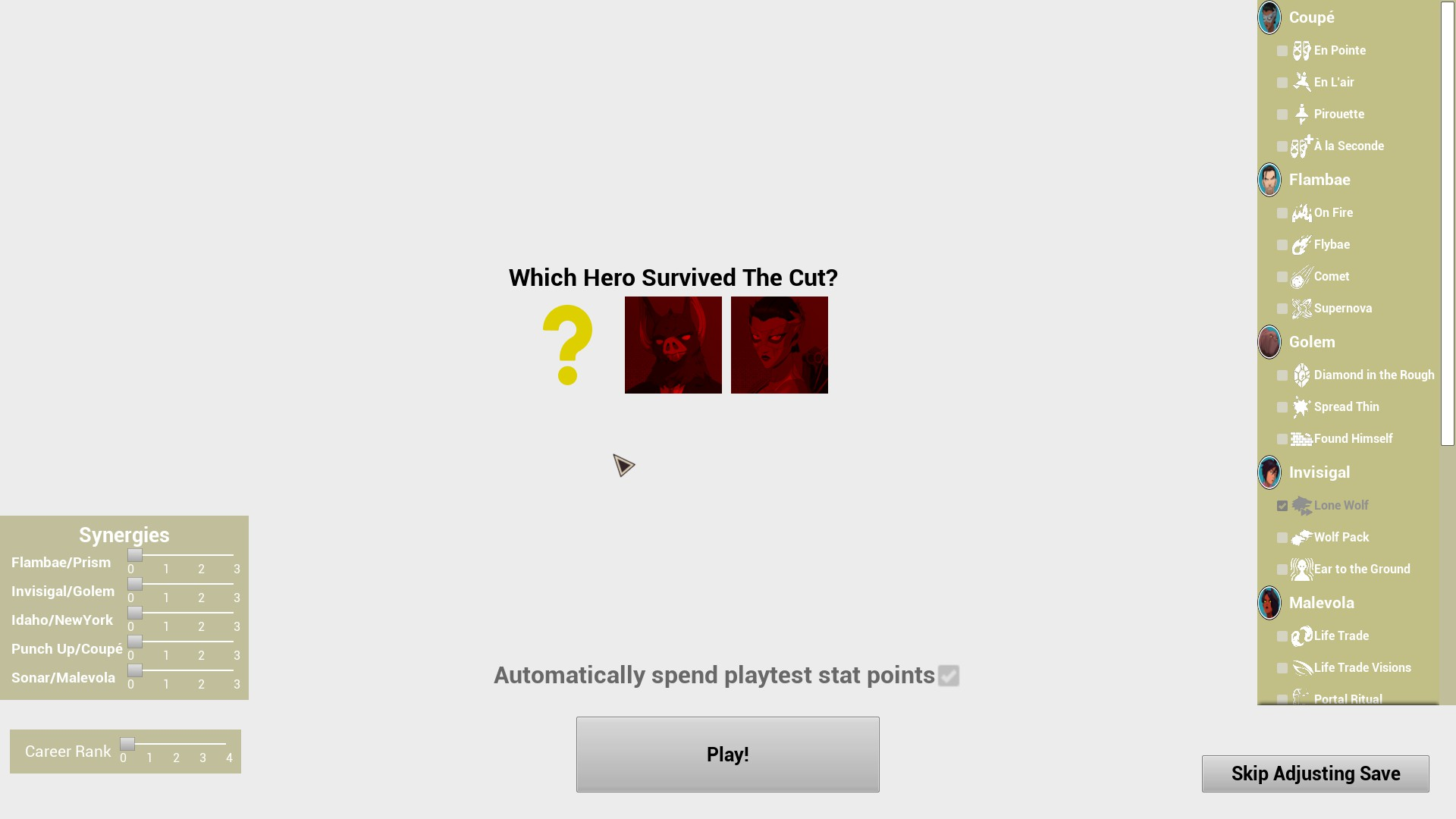
Brings you to the Save Adjustment menu. Again, there is a new field: "Which Hero Survived The Cut?" Selecting Sonar will keep him on the team, and selecting Coupe will keep her on the team. Selecting the question mark will choose randomly between the two. After the Save Adjustment, it brings you to the first shift of episode 4. When the shift ends, it goes straight to the credits.
 |
Shift 4b#
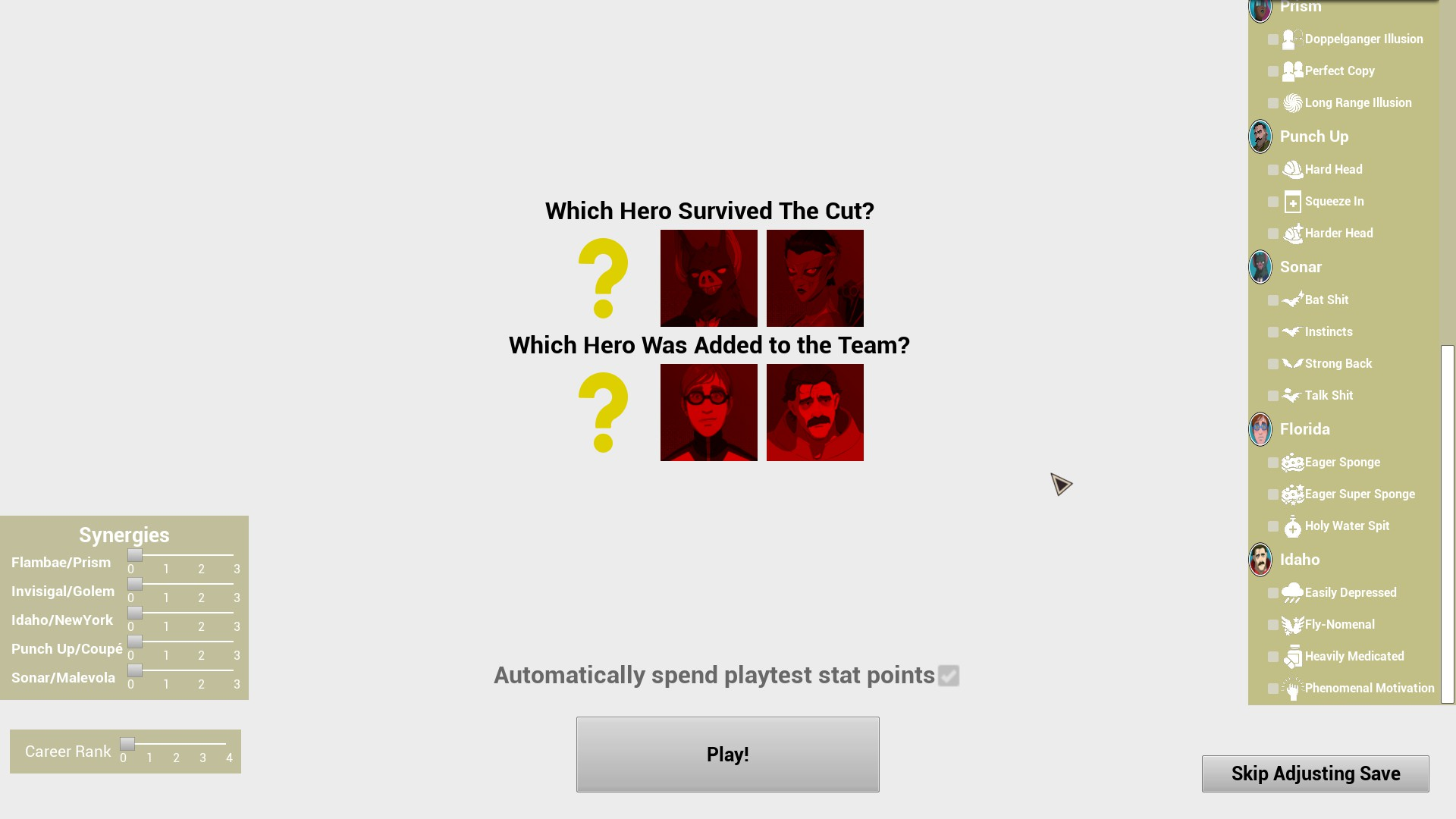
Brings you to the Save Adjustment menu. Again, there is a new field: "Which Hero Was Added to the Team?" Selecting Waterboy will add him to the team, and selecting Phenomaman will add him to the team. Selecting the question mark will choose randomly between the two. Also, in the abilities section, Waterboy and Phenomaman are present, under the names "Florida" and "Idaho". After the Save Adjustment, it brings you to the second shift of episode 4. When the shift ends, it goes straight to the credits.
 |
Shift 5a#
Brings you to the Save Adjustment menu, which has the same options as the previous one. After the Save Adjustment, it brings you to the first shift of episode 5. When the shift ends, it goes straight to the credits.
Shift 5b#
Brings you to the Save Adjustment menu, which has the same options as the previous one. After the Save Adjustment, it brings you to the second shift of episode 5. When the shift ends, it goes straight to the credits.
Shift 6#
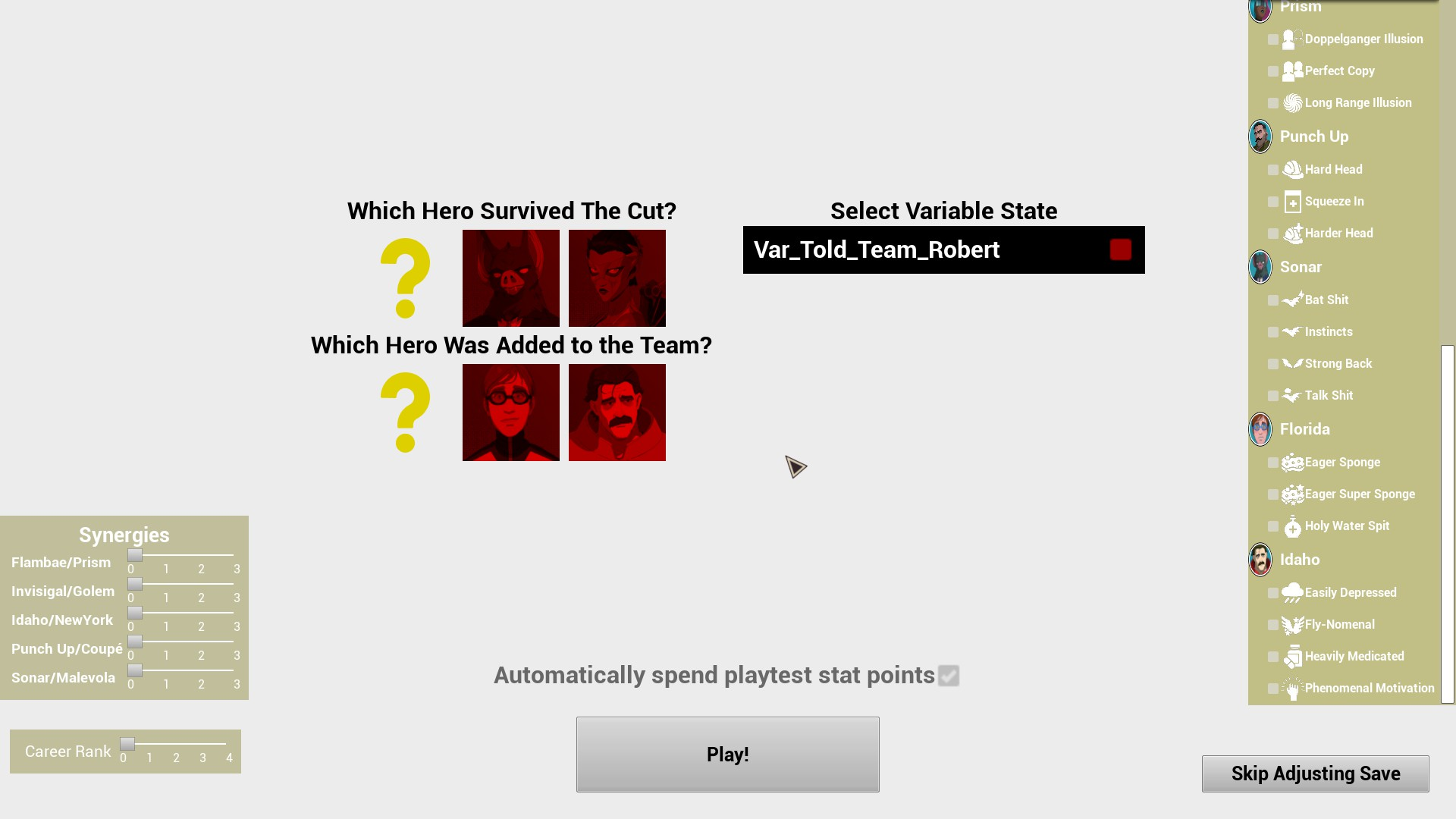
Brings you to the Save Adjustment menu, which has a returning field, "Select Variable State". Leaving the Var_Told_Team_Robert unchecked will result in Flambae's absence, while checking it will have him present for the shift. After the Save Adjustment, it brings you to the only shift of episode 6. When the shift ends, it goes straight to the credits.
 |
Shift 7#
Brings you to the Save Adjustment menu, which now lacks the "Select Variable State" field. After the Save Adjustment, it brings you to the only shift of episode 7. When the shift ends, it goes straight to the credits.
|
Shift 8.1#
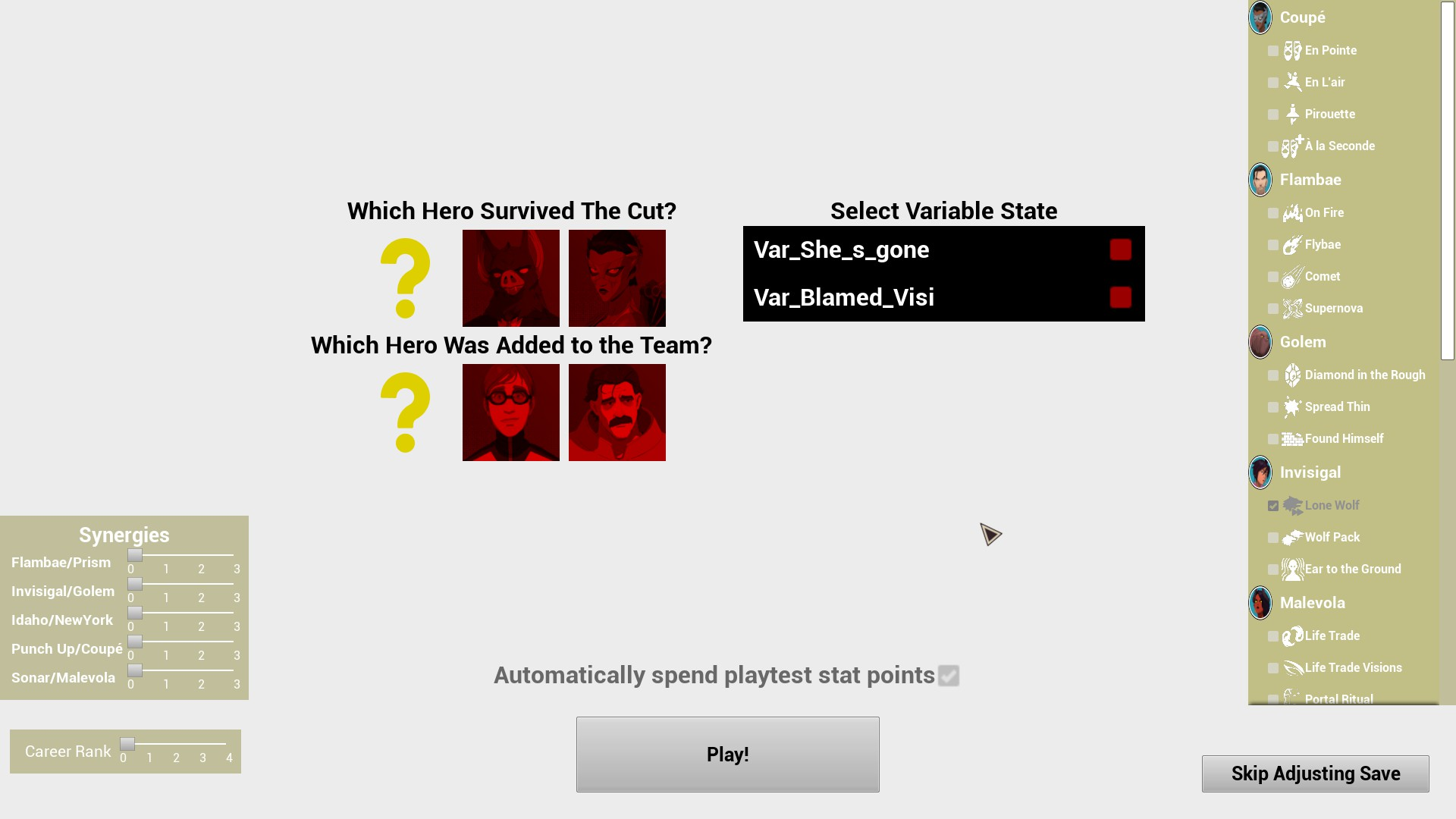
Brings you to the Save Adjustment menu, which readds the "Select Variable State" field, with two new variables. Leaving Var_She_s_Gone unchecked will result in low morale with everyone but Golem and Invisigal, while checking it will not cause low morale. Checking Var_Blamed_Visi will result in no low morale, while leaving it unmarked will cause low morale. Leaving both unchecked will cause Invisigal to join the team during the shift. After the Save Adjustment, it brings you to the first shift of episode 8. When the shift ends, it goes straight to the credits.
 |
Shift 8.2#
Brings you to the Save Adjustment menu, which has the same options as the previous one. Leaving both variables unchecked will result in low morale, and Invisigal will be Present. Checking both will result in no low morale, and Invisigal will be absent. Checking only Var_She_s_Gone will result in no low morale, and Invisigal will be absent. Checking only Var_Blamed_Visi will result in low morale, and Invisigal will be absent. After the Save Adjustment, it brings you to the second shift of episode 8. When the shift ends, it goes straight to the credits.
Shift 8.3#
Brings you to the Save Adjustment menu, which has the same options as the previous one. Leaving both variables unchecked will result in low morale, and Invisigal will be Present. Checking both will result in no low morale, and Invisigal will be absent. Checking only Var_She_s_Gone will result in no low morale, and Invisigal will be absent. Checking only Var_Blamed_Visi will result in low morale, and Invisigal will be absent. After the Save Adjustment, it brings you to the third shift of episode 8. When the shift ends, it goes straight to the credits.
Other Gameplay#
A submenu for different types of gameplay.
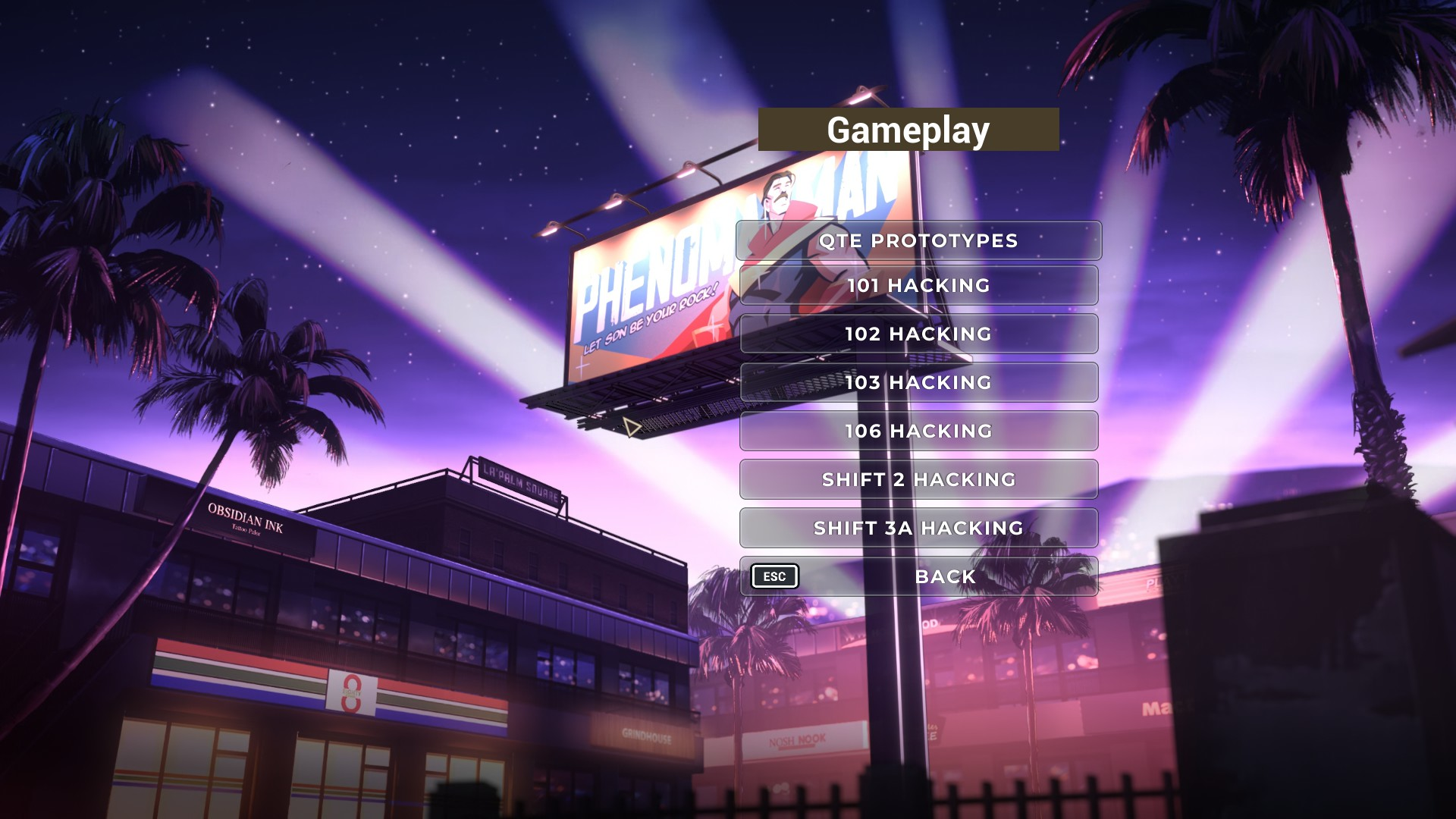 |
QTE Prototypes#
A QTE testing section. Upon selecting it, you are brought to a black screen with text:
 |
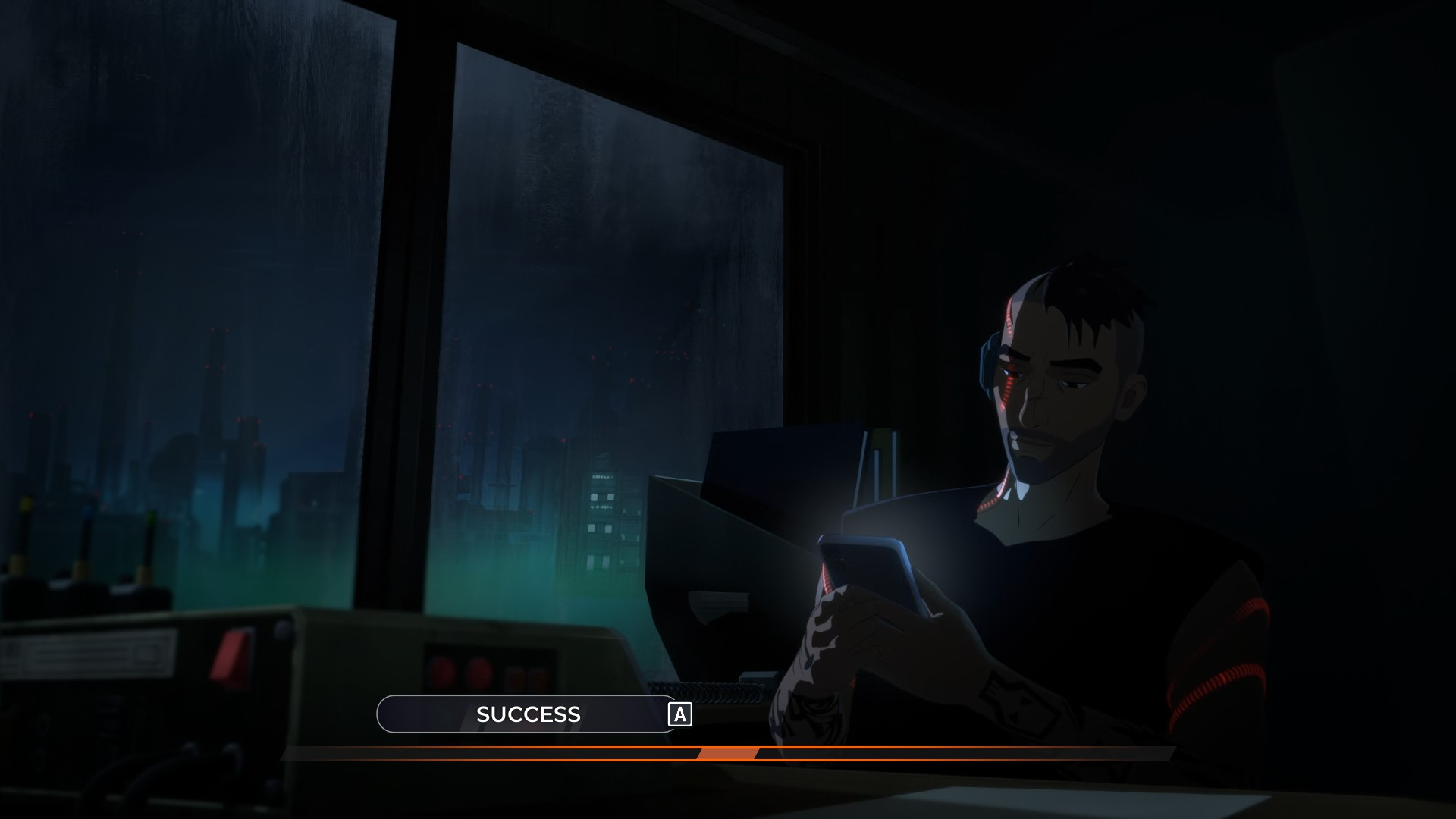
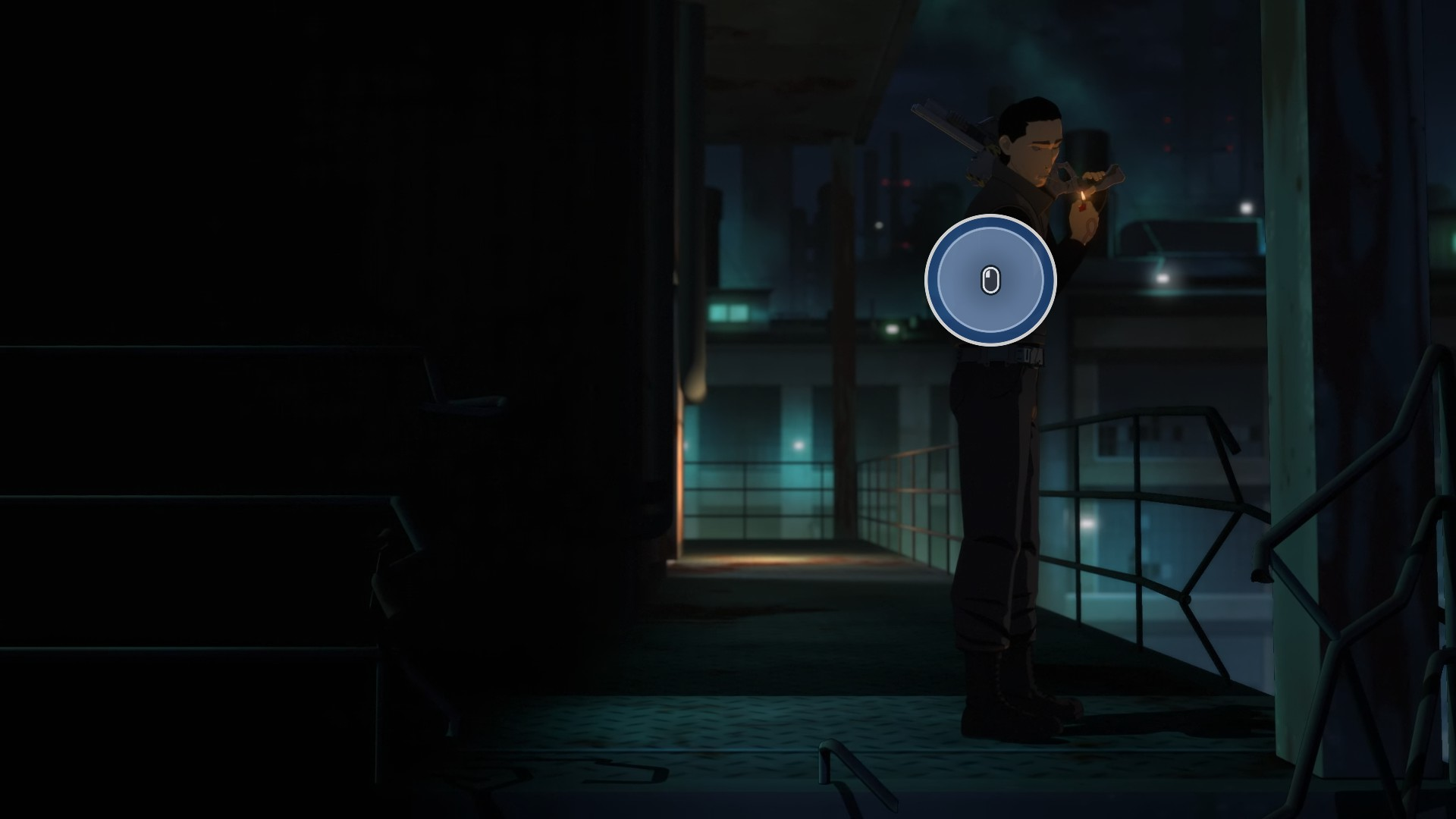
Pressing "1" brings you to the steel mill section of the first episode. Through the cutscenes, there is a dialogue selector at the bottom of the screen, with only one option. Choosing it, or letting the timer run out, both result in taking down the guard on his phone. What follows is the rest of the QTE's of the segment, leading up to the very first hacking section. After completing the hacking, the cutscenes continue up to the one before Toxic's reintroduction, where it then transitions to the credits of the first episode.
 |
Pressing "2" also brings you to the steel mill section of the first episode, though it starts you at the QTE of taking down the smoking guard. From there, the level continues through the entirety of episode 1.
 |
101 Hacking#
Brings you directly to the hacking section of episode 1. After completing the hacking, you are brought to the credits of the episode.
102 Hacking#
Brings you to the Granny's Donuts cutscene of episode 2. The episode continues through the hacking sections and cutscenes of the episode, until after the sprinkler hacking, where you are brought to the episode's credits upon completion.
103 Hacking#
Brings you to the jewelry store cutscene of episode 3. The episode continues through the hacking sections and cutscenes of the episode, until the cutscene of Thunderstruck's defeat, where you are brought to the episode's credits.
106 Hacking#
Brings you to the episode 6 cutscene of Robert and Chase in Robert's apartment. The episode continues through the following hacking sections and cutscenes of the entire episode.
Shift 2 Hacking#
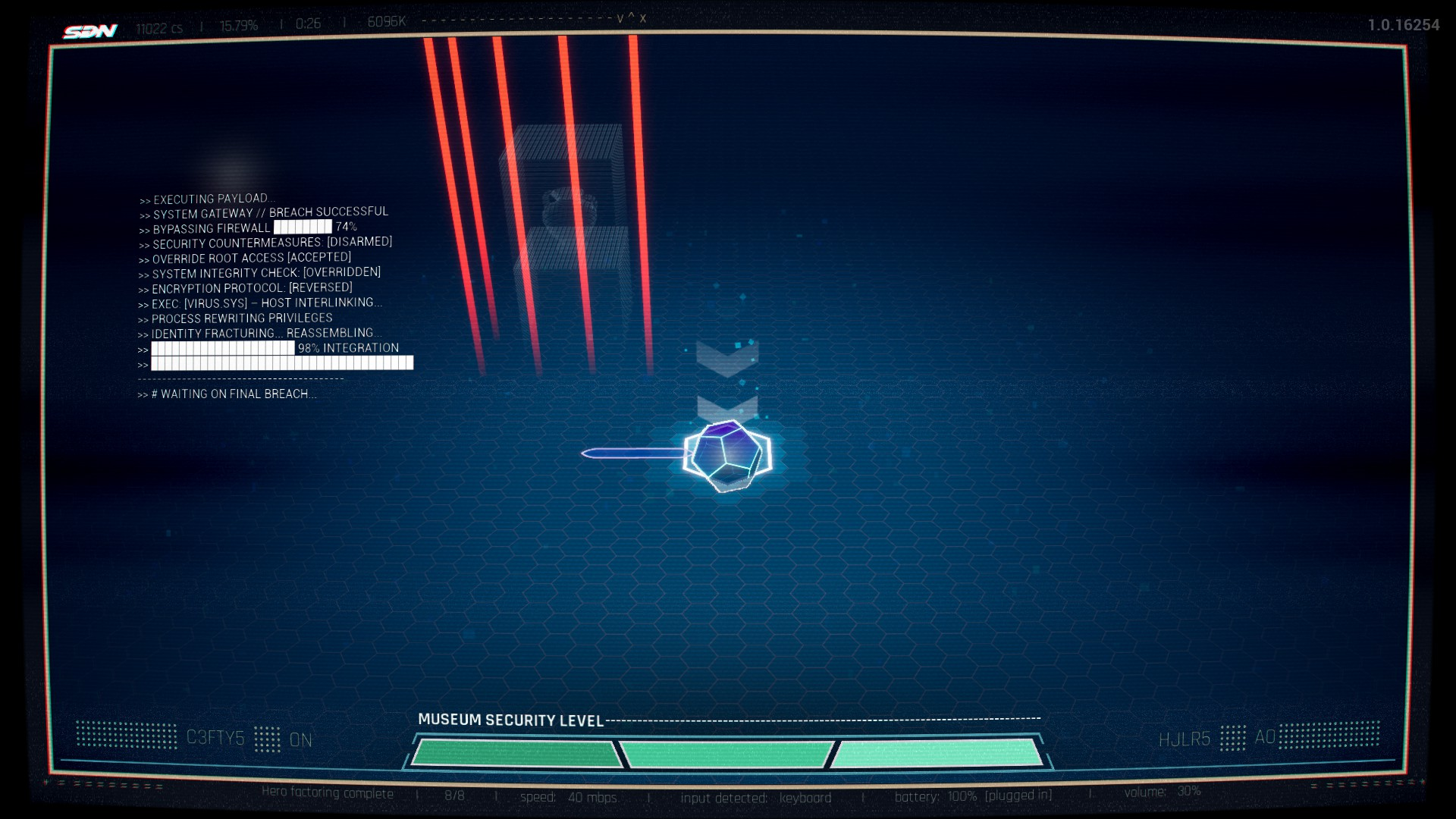
Brings you directly to the museum hacking segment of episode 2's shift. After completing the hack, you are stuck in the "Final Breach" position.
 |
Shift 3a Hacking#
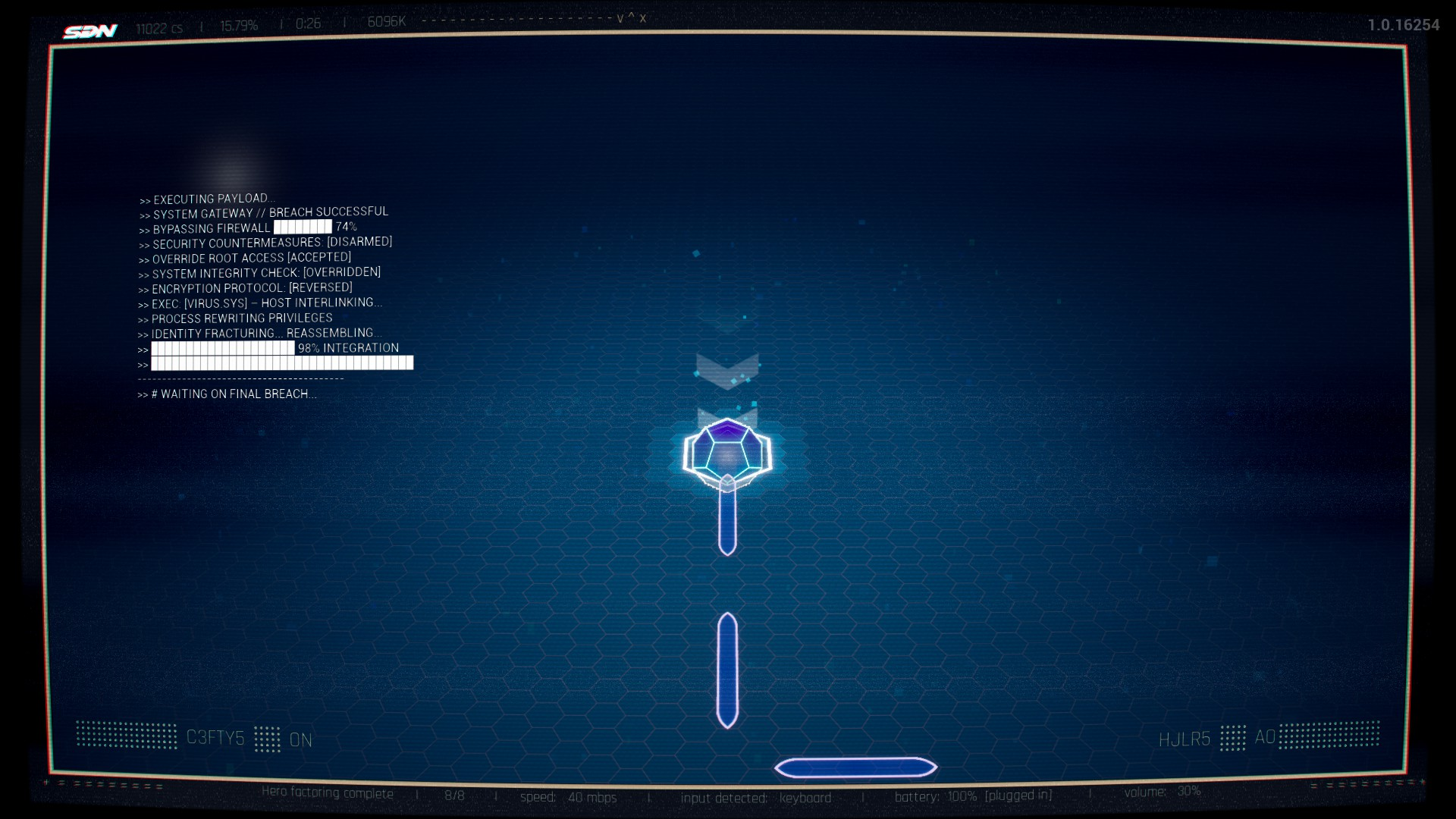
Brings you directly to the Flambae hacking segment of episode 3's first shift. After completing the hack, you are stuck in the "Final Breach" position.
 |
Demos#
A submenu for demos.
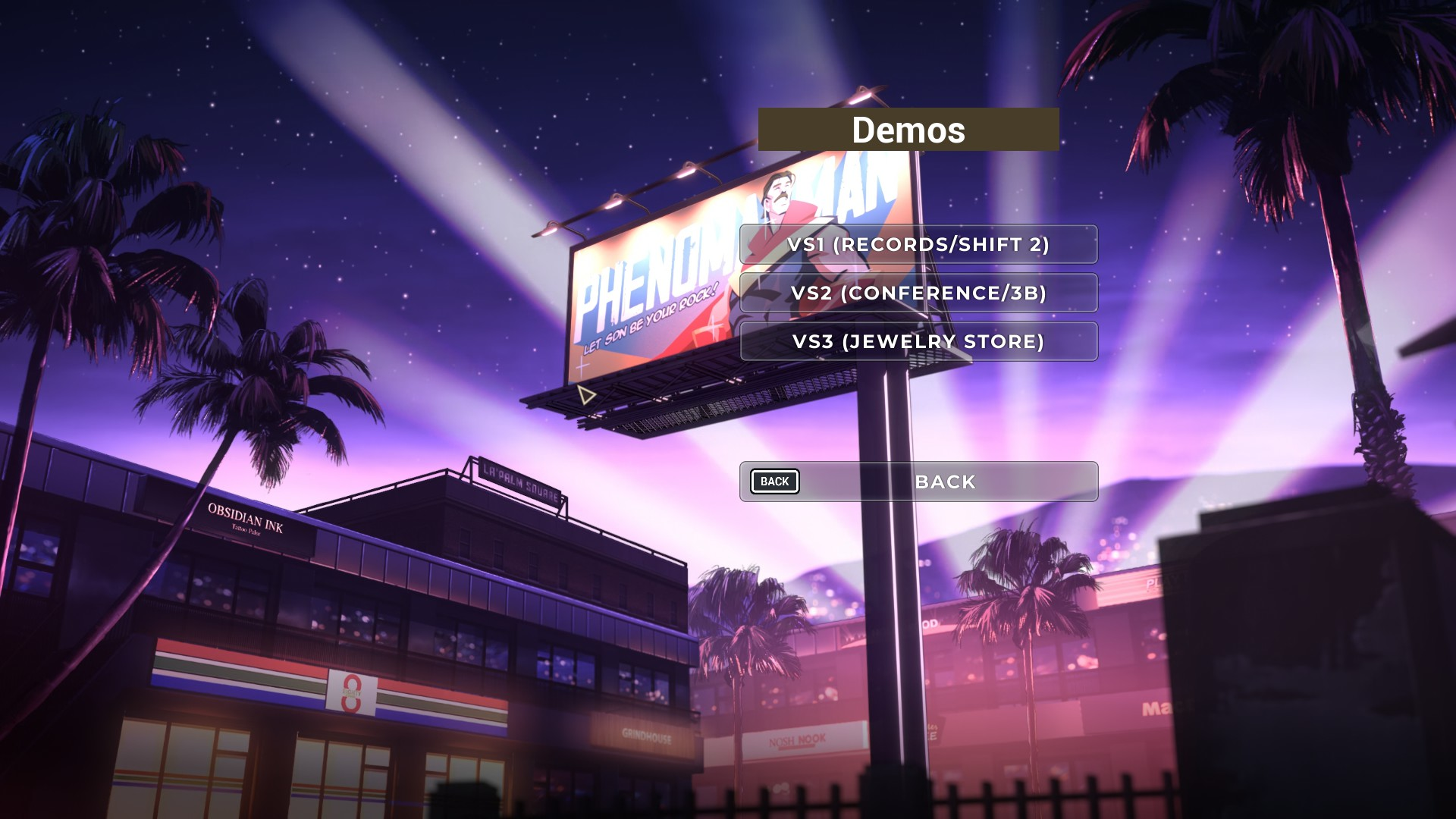 |
VS1 (Record/Shift 2)#
Brings you directly to the Records Room cutscene of episode 2. From there, the entire episode continues normally.
VS2 (Conference/3B)#
Brings you directly to the episode 3 cutscene of Invisigal sabotaging Malevola. From there, the entire episode continues normally.
VS3 (Jewelry Store)#
Brings you directly to the Jewelry Store cutscene of episode 3. From there, the entire episode continues normally.
Settings#
Dev Options#
An additional tab of the settings screen. It has a field for a "User ID".
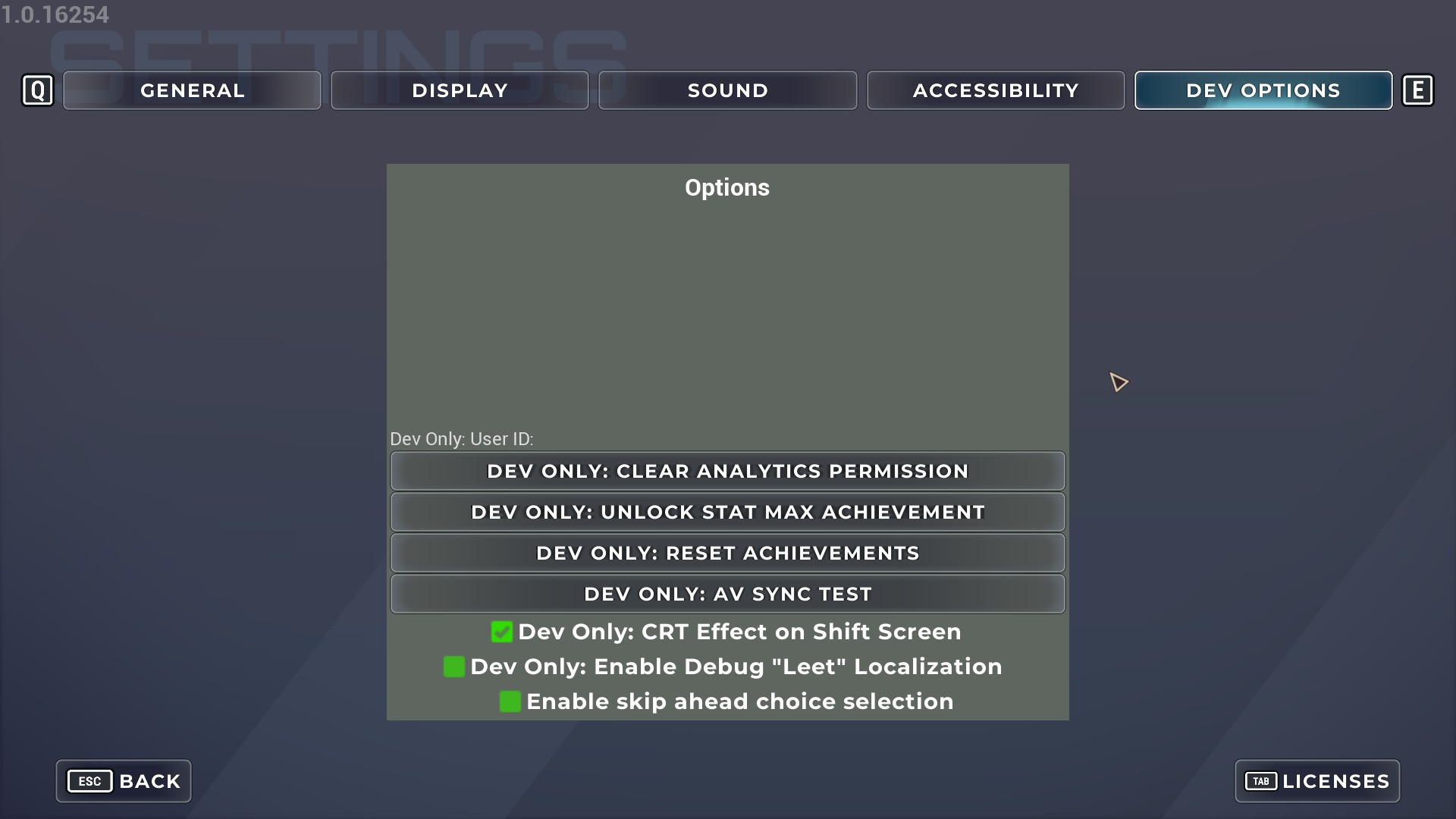 |
Dev Only: Clear Analytics Permission#
Selecting this option turns the non-debugging setting "Allow Remote Analytics" to "OFF".
Dev Only: Unlock Stat Max Achievement#
Selecting this option instantly unlocks the "Min Max" achievement on Steam.
Dev Only: Reset Achievements#
Selecting this option likely resets all Steam achievements.

|
This needs some investigation. |
Dev Only: AV Sync Test#
Selecting this option will bring you to a audio/video sync test screen. It uses these unused videos once started, but there isn't any accompanying audio to go with the test. It also has the statistics for the Global TCR, Frame, and Audio Time in the top left.
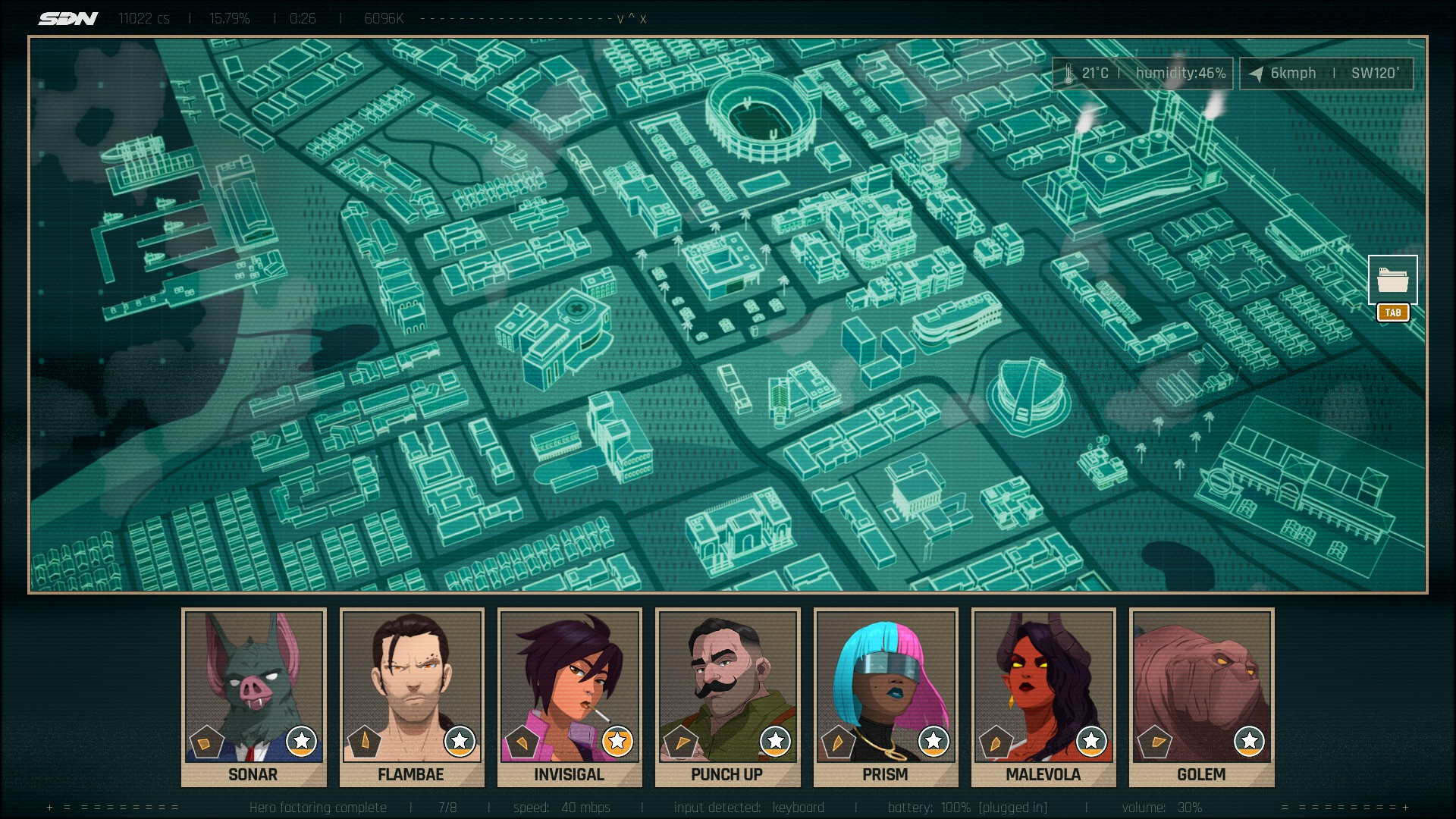
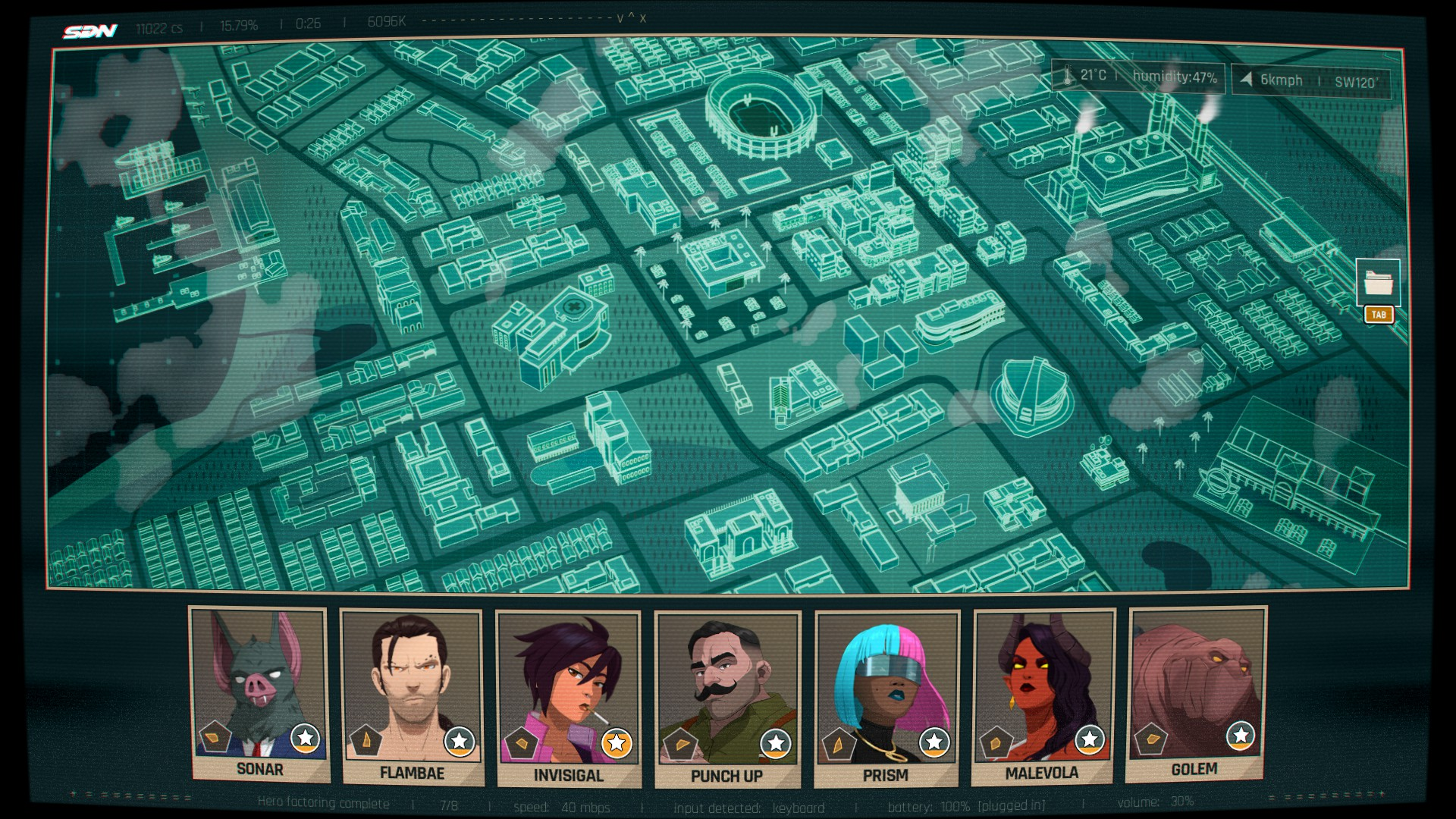
Dev Only: CRT Effect on Shift Screen#
Toggling this option off will disable the curving of the shift screen.
Disabled |
Enabled |
|---|---|
 |
 |
Dev Only: Enable Debug "Leet" Localization#
Toggling this option on will enable the "LEET" localization text. LEET's purpose is to identify UTF-8 Unicode errors with the game's text.
Enable skip ahead choice selection#
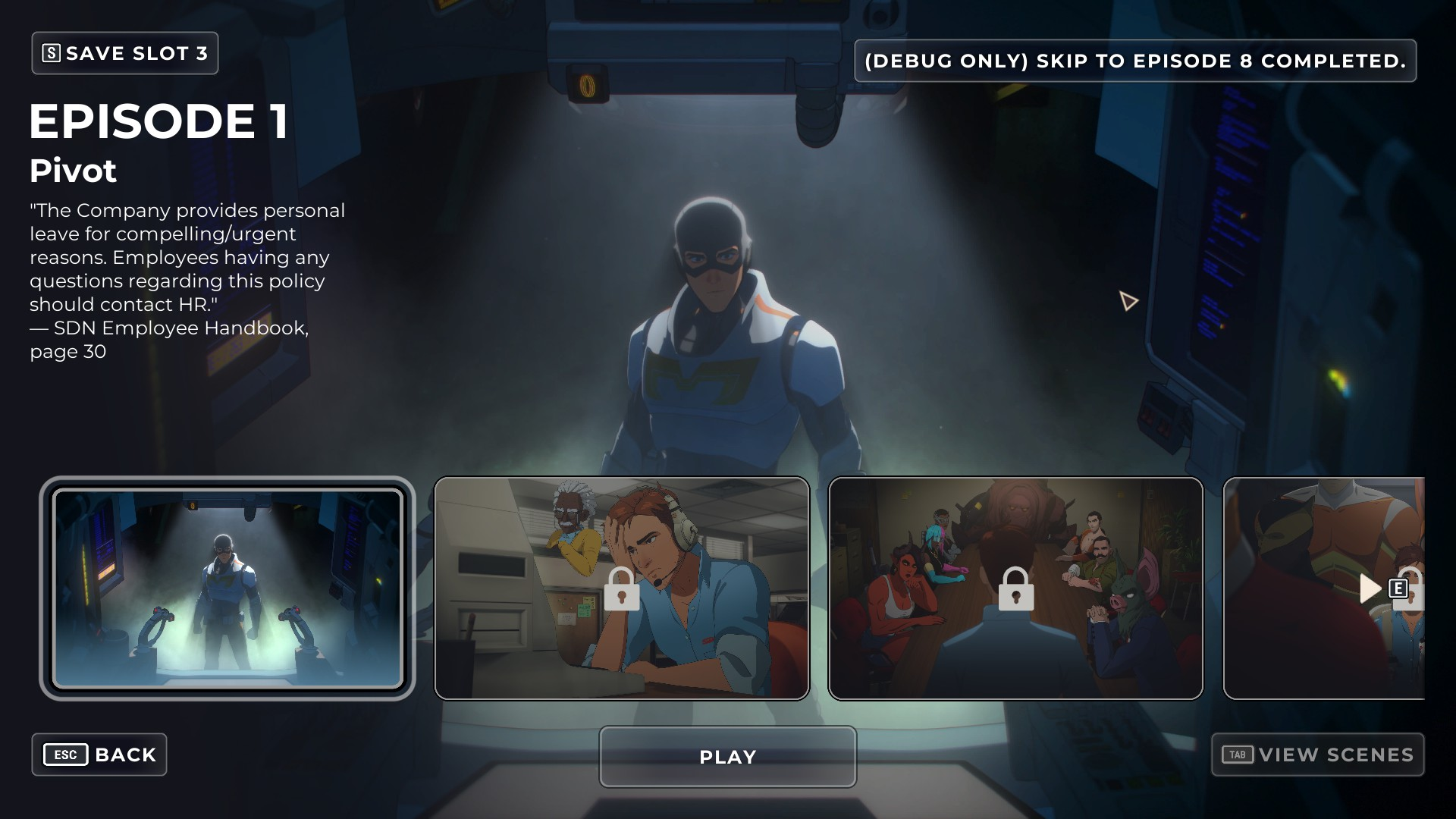
This option seems to only have a use with the (Debug Only) Skip to Episode 8 Completed. function. When enabled, and the previously mentioned function is selected, you can select what variables have been triggered or not when unlocking the episodes. This will alter the save file to fit the variables, up to the final selection, where the game will be stuck. This process can be started from any progress point.
Other Debugging Features#
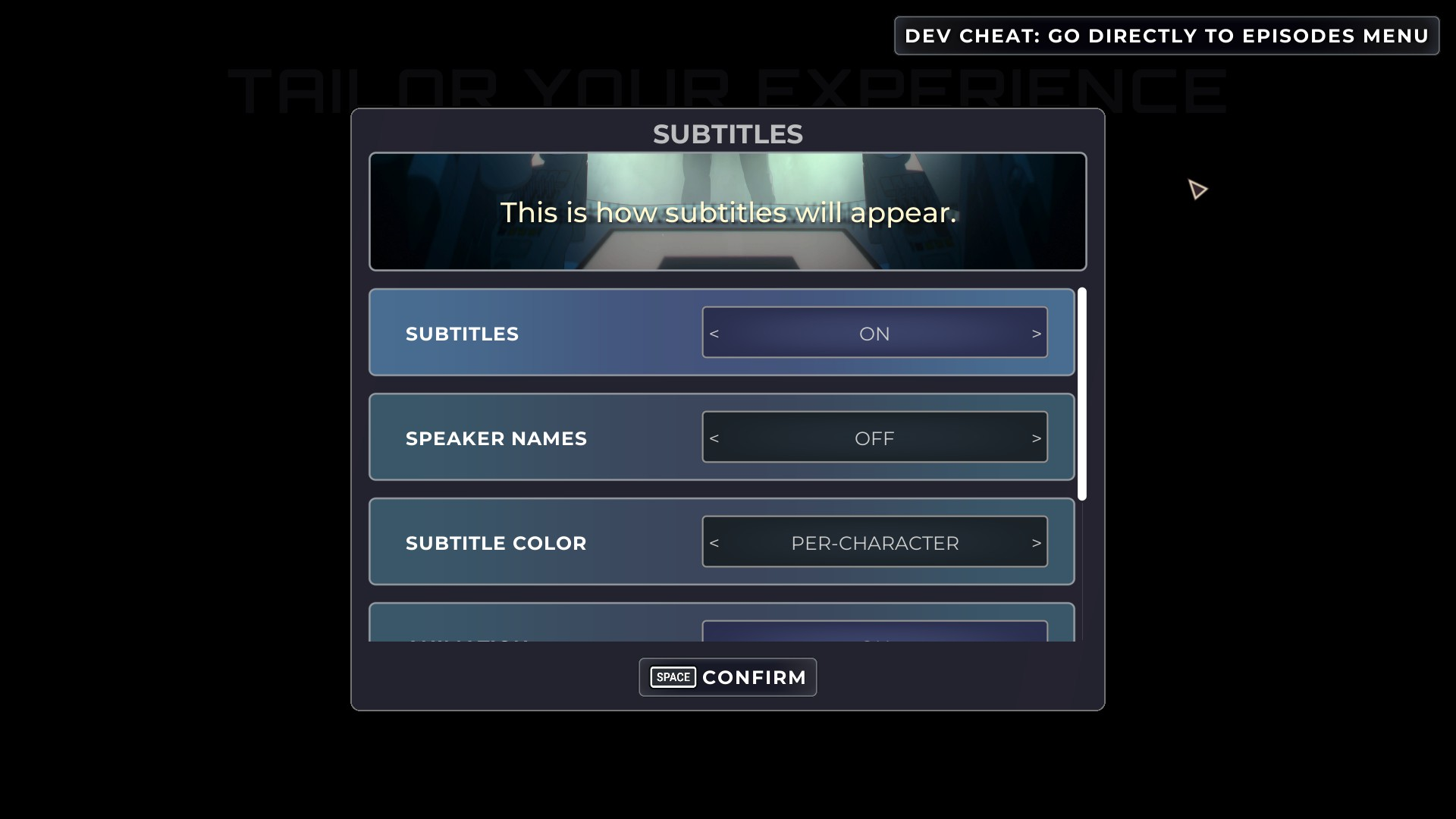
Dev Cheat: Go Directly To Episodes Menu#
When starting a new game with debugging functions enabled, this button is added to the top right of the configuration screen. Selecting it brings you to the Episodes Menu, skipping episode 1.
 |
(Debug Only) Skip to Episode 8 Completed.#
When debugging functions are enabled, this button appears in the top right of the Episodes Menu. Selecting it unlocks all episodes and completes episode 8, regardless of the current progress of the save. Using this in tandem with this function allows you to select what variables have been triggered.
 |