 This article has a talk page!
Burnout 3: Takedown Leftovers#
Given that this game is essentially Burnout 3.5, it's no surprise that some content from that game remains leftover in this game.
Early HUD Graphics#

File Name: GLOBAL.TXD\HUD
A leftover leftover! These graphics were used in the pre-E3 builds of Burnout 3.
Red Boost Flames#
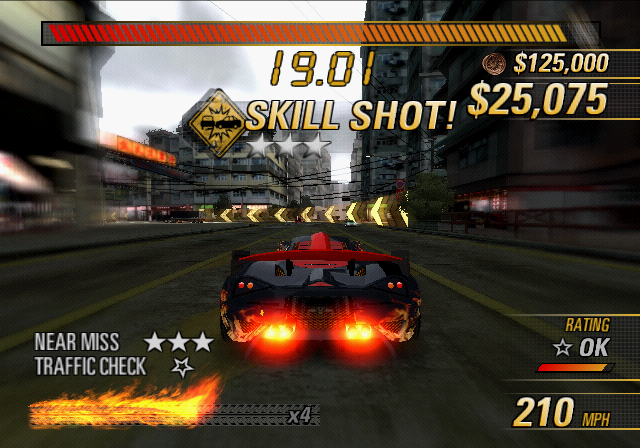
As in Burnout 3, Data/vdb.bin allows any playable vehicle to have their boost flame color set to either blue (default) or red. This behavior was used in Burnout 3 exclusively by the Dominator vehicles. No vehicle in this game uses red boost flames, leaving the behavior unused, though it would shortly be reworked for the 360 version to give certain vehicles, such as the 360 Revenge Racer, green boost flames instead of the default blue color.
Text#
hello world ru paranoid?
BURNOUT3
burnout3-ps2-2004
These strings appear in the game's executable.
In addition, globalXX.bin, where XX varies by the game's region (US for the USA, EN for the UK etc.), is a carbon copy of the same file from Burnout 3. All strings that apply to both games e.g. save/load dialog, display configuration dialog etc. are used, with all strings that can only apply to Burnout 3, like the song list and list of Signature Takedowns from that game going unused.
Debug Options#

|
To do:
|
European Xbox name meanings:
- EUR-M3 – En,Fr,De
- EUR-M6 – Da,Es,Fi,It,Nl,Sv
Quickstart Menu#

A debug quickstart menu that lets you load an event with various custom settings for you to choose from. All of the areas use their real life location names, as a leftover from much earlier in development. The 2nd line for the PS2 codes avoids a crash of an address pointer failing to be loaded in time. This may cause unforeseen problems if it's active during normal gameplay!
The PS2 codes replace the Progressive Scan menu, and the Xbox codes replace the in-game Pause menu.
SLES-53506 |
SLES-53507 |
SLUS-21242 |
|---|---|---|
1049FE4C 00002248 |
1049FECC 000022A8 |
1049FD4C 00002248 |
SLAJ-25066 |
SLKA-25304 |
SLPM-66108 |
1049FDCC 00002258 |
1049FECC 000022A8 |
10432E04 00003A10 |
EUR-M3 |
EUR-M6 |
USA, ASIA |
|---|---|---|
003F90D8 0C70 |
003F9300 0BD0 |
003F8F04 0D30 |
World Time#
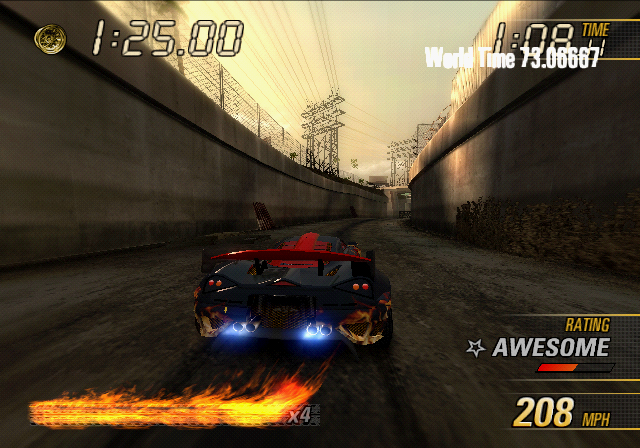
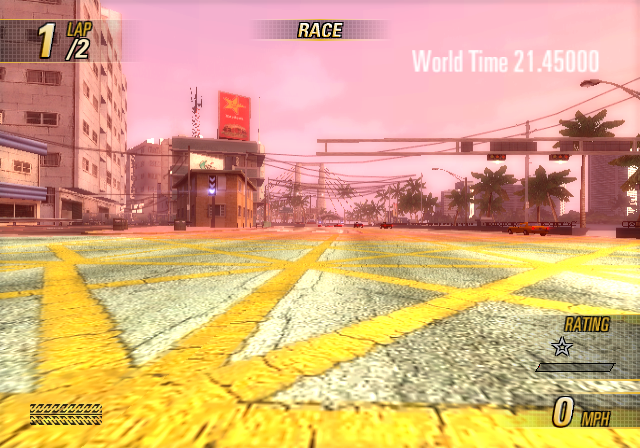 A debug display that shows how much time has elapsed in the upper right corner starting from when the event began. The text used for this is drawn slightly differently on each platform.
SLES-53506 |
SLES-53507 |
SLUS-21242, |
|---|---|---|
2010DDE8 00000000 |
2010DE30 00000000 |
2010DDD0 00000000 |
2010DE90 00000000 |
2010DAF0 00000000 |
EUR-M3 |
USA, EUR-M6, |
|---|---|
0001CAD7 9090 |
0001CAE7 9090 |
Visual Options#
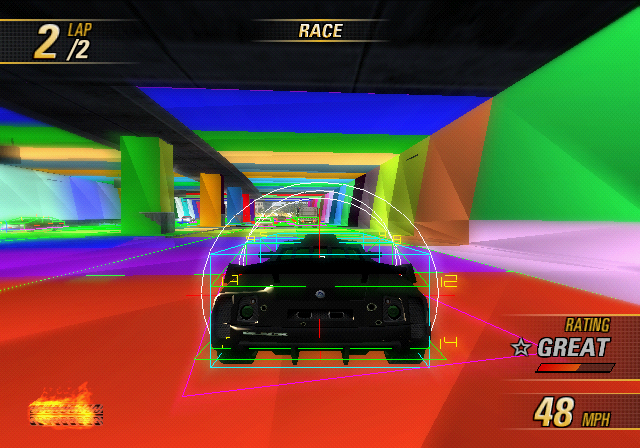
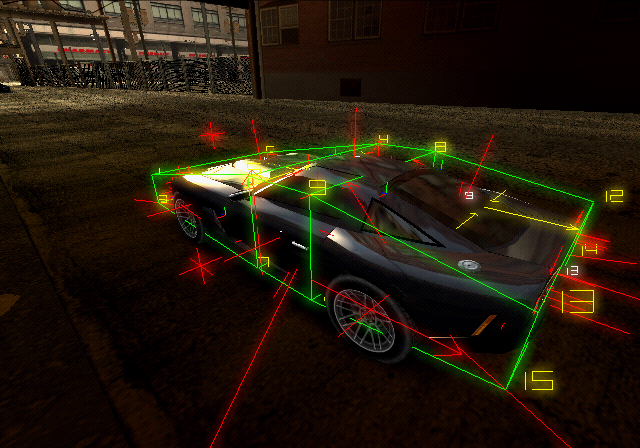 Several visual debugging options that can be toggled. The effect of each individual option can be seen here. The option names in a smaller font written in the same cell only have effect if the code above it is active. The codes under the thicker horizontal line are specific to the Car Viewer gamemode.
PlayStation 2 |
|---|
Option Name |
DrawBodyHulls |
DrawPropCOM |
DrawIntervals |
DrawCollisionWorld |
DrawShockwave |
RenderTrafficLanes |
RenderTrafficVehicleDebug |
RenderNearMissData |
RenderSpatialTriggers |
RenderSignatureData |
DrawBones |
DrawHull |
DrawAttachPoints |
DrawCollisionPoint |
DrawRegions |
DrawTagPoints |
DrawCollisionLine |
Xbox |
|---|
Option Name |
DrawBodyHulls |
DrawPropCOM |
DrawIntervals |
DrawCollisionWorld |
DrawShockwave |
RenderTrafficLanes |
RenderTrafficVehicleDebug |
RenderNearMissData |
RenderSpatialTriggers |
RenderSignatureData |
DrawBones |
DrawHull |
DrawAttachPoints |
DrawCollisionPoint |
DrawRegions |
DrawTagPoints |
DrawCollisionLine |
(Source: Edness)
Unused Tracks#
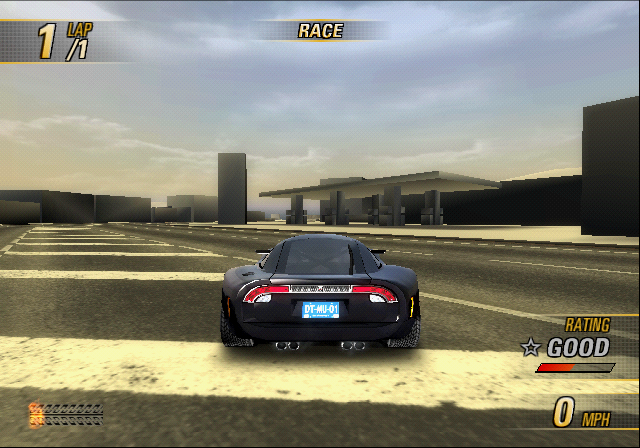
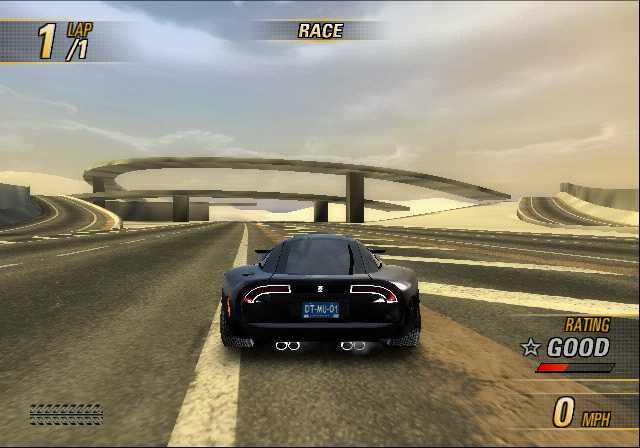
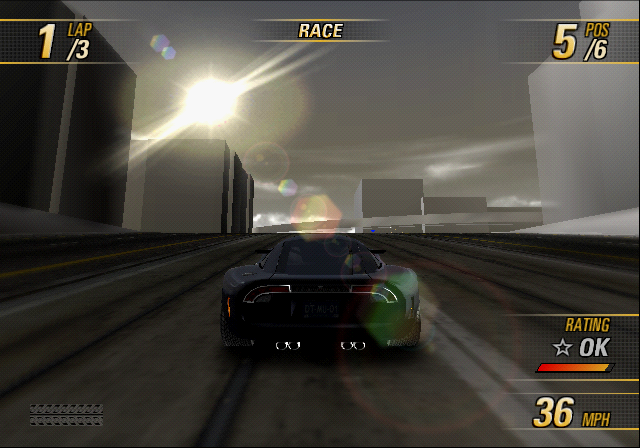
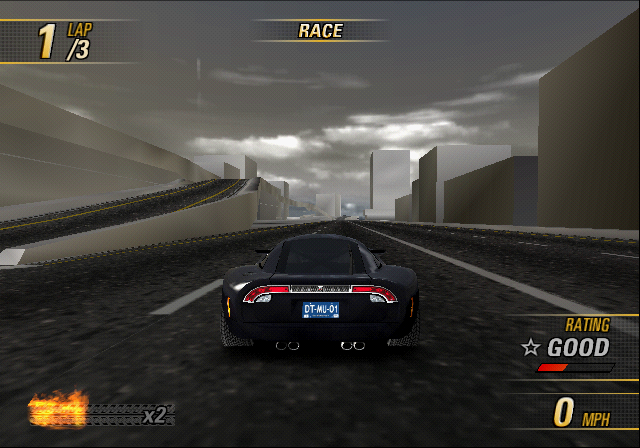
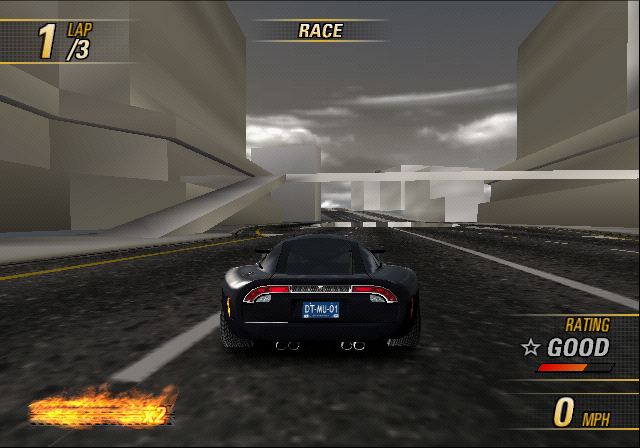
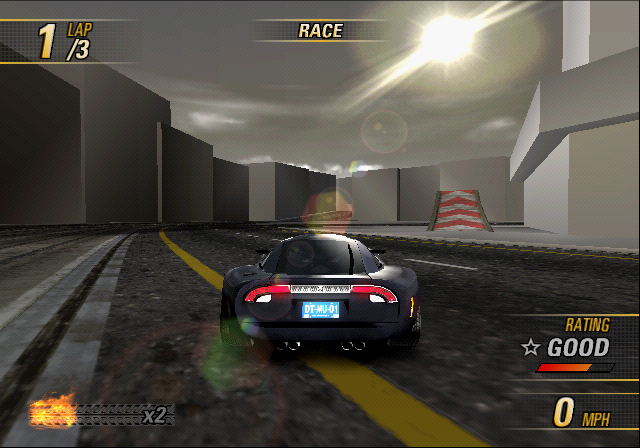
There are two early, incomplete track variants.
Angel Valley#
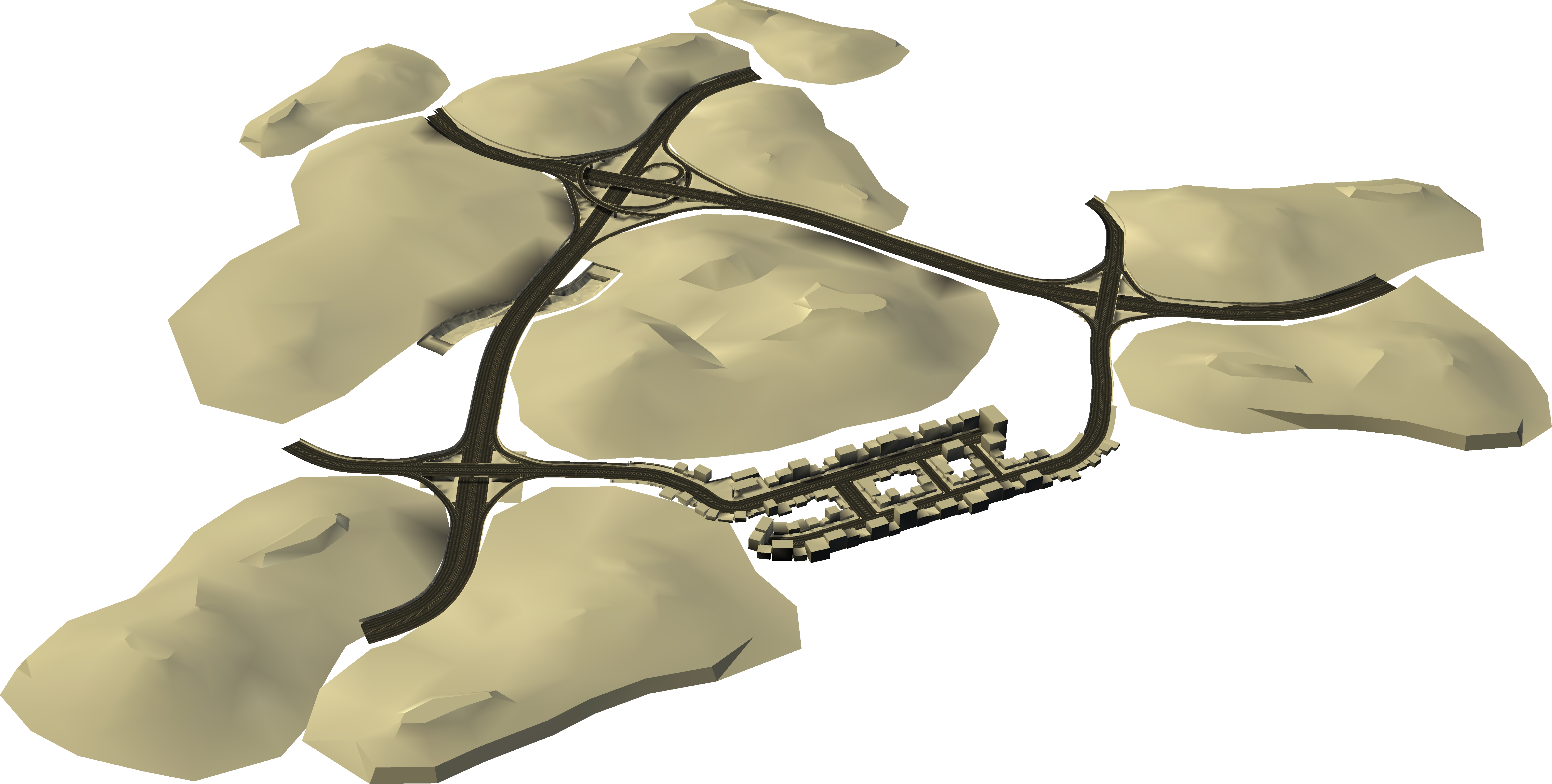
Internally named US_K3_V2 (West Coast – Crash Reverse).
- If entering it as a race, it spawns your car facing the red wall.
- Has a tendency to seemingly randomly reset your car.
Central Route#
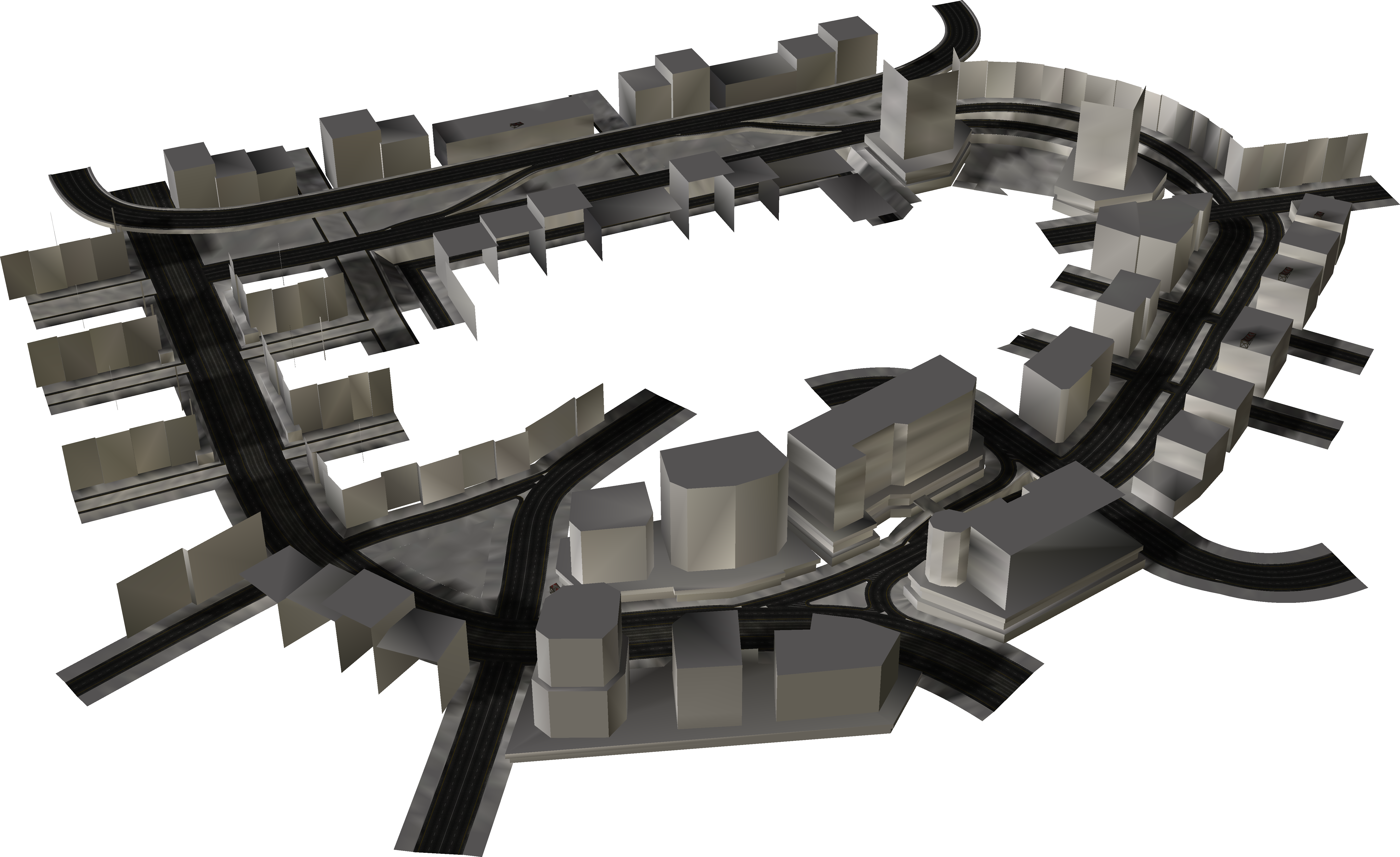
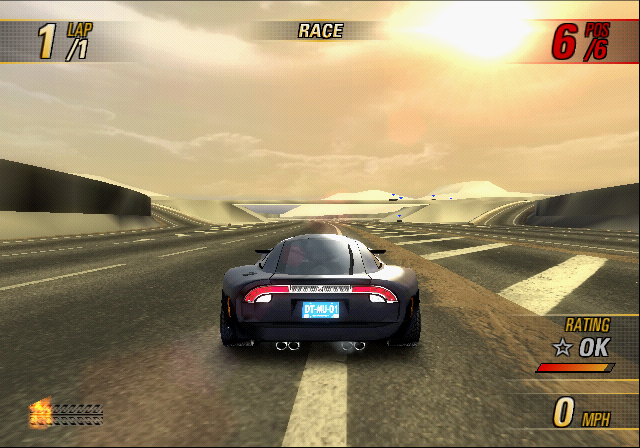
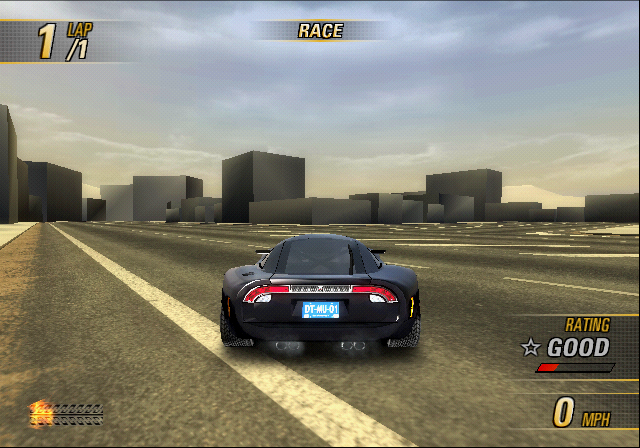
Internally named AS_K1_V2 (Hong Kong – Crash Reverse).
- The sun flare used in this track is the one that ended up being used in Burnout Dominator.
Unused Graphics#
Checkpoint#

File Name: GLOBAL.TXD\check
Graphic for a checkpoint. While checkpoints are present in the game, they are invisible. This would have been used if Time Attack had returned from the previous game. They can be brought back, as seen here.
Crown#

File Name: GLOBAL.TXD\crown
It's a crown. Probably intended for multiplayer.
Crash Tour#

File Name: FEMAIN.BIN\b4choiceiconnav\crashTour.tif
A Crash Tour event button. While Crash Tour was also a singleplayer event earlier in development, it was made multiplayer-only at some point, thus making this icon go unused.
Garage#

File Name: FEMAIN.BIN\b4choiceiconnav\garage.tif
A button that would've taken you to the garage. Quite useless, since selecting an event would automatically take you to the garage anyway.
Dirt Overlays#


File Name: FEMAIN.BIN\b4choiceiconnav\Rank_dirt01.tif; tabDirt.tif
These textures were used as an overlay for the rank icons and challenge sheet tabs to give them more of a dirty look, and is used in earlier Development builds.
Rank Icon Background#

File Name: FEMAIN.BIN\b4mapnav\iconBevel.tif
This icon was used as a background slot where the rank icons would be positioned over, and can also be seen in use in development builds.
Map Marker#


File Name: FEMAIN.BIN\b4maplight\roadLight.tif; lensFlare.tif
These textures were used on the world map to pinpoint where the player would be driving in. The world map got cut from the game, leaving this unused. As above, this can be seen used in earlier builds.
Track Outline#


File Name: FEMAIN.BIN\detroit\Detroit01_L1.tif
Normally the game uses a yellow trailed dot to show the outline of a track, but there's one texture left in that shows the whole outline, along with an early design of Motor City's view from above.
This more closely resembles to how Burnout 3: Takedown would display tracks.
Placeholders#
Input Text#

File Name: CAFE.BIN\stdctrl\inputText.tif
Placeholder box that says "Input Text" what more is there to say. There are more placeholders of this style found in the Demo builds.
Unused Sounds#
"Crashbreaker Unlock Video"#
File Name: Movies.xwb & MOVIES.RWS\33
This is a placeholder audio file for a "Crashbreaker unlock video", which is just a text-to-speech voice saying exactly that. This video would likely have played when Crashbreaker events became available. However, such a video does not exist.
Unused Videos#
There are two files in the game's data, MULTI and PREVEVNT, both of which contain the same identical trailer for the game.
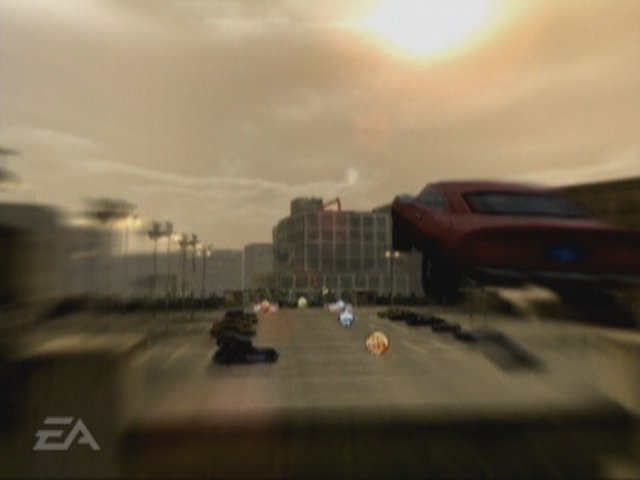
Interestingly, in the part of this trailer that shows the Crash Mode, some elements from Burnout 3 can be seen, such as the Cash pickups and the Heartbreaker. These pickups went unused, as seen here. The red and white ramps from Burnout 3 are also visible in this trailer.
Placeholder Movies#
There are placeholder movies for completing all challenges for a track. However, the track names shown are of their real-life locations. There are no "final build" versions of these movies.
Filename |
Track name |
Unused video |
Filename |
Track name |
Unused video |
|---|---|---|---|---|---|
ALL_DT_N |
Motor City |
ALL_FL_N |
Sunshine Keys |
||
ALL_HK_N |
Central Route |
ALL_LA_N |
Angel Valley |
||
ALL_NP_N |
Lone Peak |
ALL_RM_N |
Eternal City |
||
ALL_SW_N |
White Mountain |
ALL_TK_N |
Eastern Bay |
Early/Unused Text#
Buying Cars#
According to these strings, it would appear that you were originally meant to unlock cars by purchasing them instead of completing events and challenges. This can be seen from early mock-up videos when the game was called “Rush Hour”. This was also advertised in a flyer for the game in Burnout 3, mentioning that having a Burnout 3 save when starting Revenge would give you a bonus on in-game cash. This method of unlock was instead used for getting the Dominator Assassin in the PS2/Xbox versions of the game.
String ID |
String |
|---|---|
4C318102 |
%1 PURCHASED! |
90DD1AFD |
BUY |
BE952B8F |
BUY NOW |
D9F3052A |
BUY THIS CAR FOR $%1 |
F2E73BB1 |
CAR PURCHASED! |
6F2B500F |
YOU NEED TO BUY A %1 CAR TO ENTER THIS EVENT. |
FCCFB1E2 |
YOU NEED TO BUY A CAR FROM %1 TO ENTER THIS EVENT. |
8BC88174 |
YOU NEED TO BUY THE %1 TO ENTER THIS EVENT. |
T-Bone Takedown#
These strings refer to the T-Bone Takedown, which is performed by slamming head-on into the side of an opponent to take them down. While it it's possible to do a T-Bone takedown ingame, it's only referred simply as "Takedown!".
String ID |
String Label |
String |
|---|---|---|
08AE428B |
BigMessageTBoneTakedownPart1 |
T-BONE |
91A71331 |
BigMessageTBoneTakedownPart2 |
TAKEDOWN! |
A066F69F |
FE_RES_TBONETAKE |
T-BONE TAKEDOWNS |
07F5C2BC |
FE_STAT_TOTTBONETD |
TOTAL T-BONE TAKEDOWNS |
936258EA |
??? |
TOTAL T-BONE TAKEDOWNS |
B1E0403D |
??? |
T-BONE TAKEDOWNS |
CECDC015 |
??? |
T-BONED |
Production#
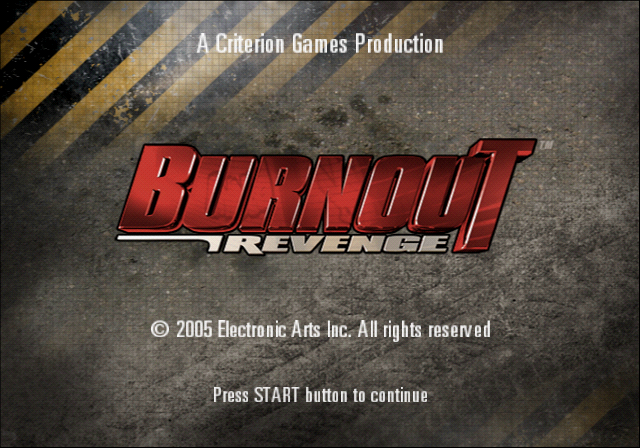
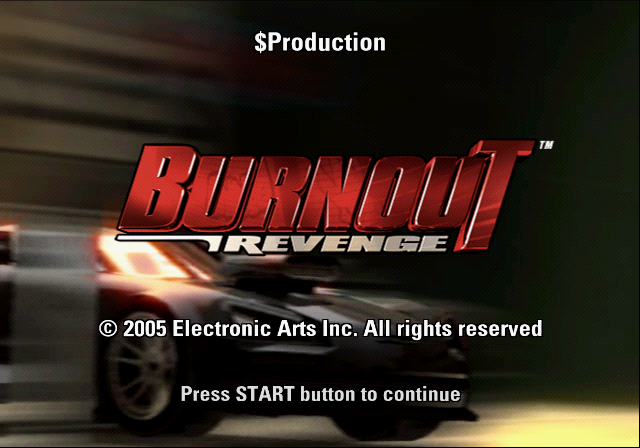
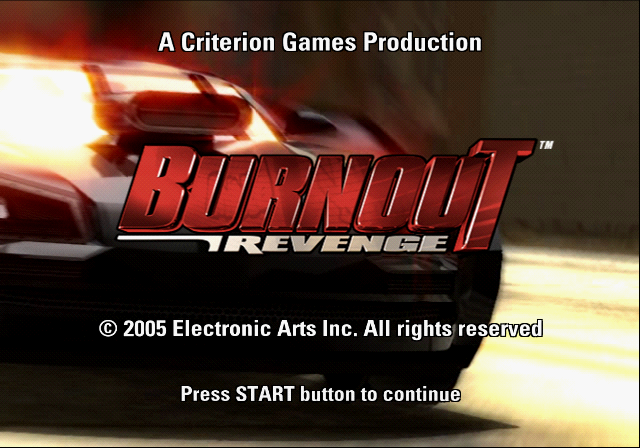
There's an unused blank string in the press start screen with the label "Production" (DE8A05EF). It's a leftover from earlier builds, and can be seen being used in the Demo build.
Demo |
Unused |
Restored |
|---|---|---|
 |
 |
 |
Rank Names#
The original string labels for rank titles show their original names prefixed with FE (Frontend).
String ID |
String Label |
String |
|---|---|---|
4387B974 |
FEMOSTLYHARMLESS |
HARMLESS |
F4789176 |
FELEARNER |
UNSAFE |
C8FD3F3A |
FEAMATEUR |
RECKLESS |
6281407A |
FETROUBLEMAKER |
OFFENSIVE |
2271069D |
FERECKLESS |
FEARLESS |
AAF2233B |
FEANGRY |
DANGEROUS |
BE85355F |
FEDANGEROUS |
INSANE |
717ECB00 |
FEDEADLY |
MANIAC |
43CB751C |
FEBRUTAL |
ASSASSIN |
FE56B799 |
FEREVENGE |
DOMINATOR |
19BF081B |
FEULTIMATEREVENGE |
ELITE |
"Why Smart People Defend Bad Ideas"#
FEMAIN.BIN\news contains the first three paragraphs of Why Smart People Defend Bad Ideas, an essay written by Scott Berkun.
We all know someone that’s intelligent, but who occasionally defends obviously bad ideas. Why does this happen? How can smart people take up positions that defy any reasonable logic? Having spent many years working with smart people I’ve catalogued many of the ways this happens, and I have advice on what to do about it. I feel qualified to write this essay as I’m a recovering smart person myself and I’ve defended several very bad ideas. So if nothing else this essay serves as a kind of personal therapy session. However, I fully suspect you’ll get more than just entertainment value (“Look, Scott is stupider than we thought!”) out of what I have to say on this topic.Success at defending bad ideasThe monty python argument sketchI’m not proud to admit that I have a degree in Logic and Computation from Carnegie Mellon University. Majoring in logic is not the kind of thing that makes people want to talk to you at parties, or read your essays. But one thing I did learn after years of studying advanced logic theory is that proficiency in argument can easily be used to overpower others, even when you are dead wrong. If you learn a few tricks of logic and debate, you can refute the obvious, and defend the ridiculous. If the people you’re arguing with aren’t as comfortable in the tactics of argument, or aren’t as arrogant as you are, they may even give in and agree with you. The problem with smart people is that they like to be right and sometimes will defend ideas to the death rather than admit they’re wrong. This is bad. Worse, if they got away with it when they were young (say, because they were smarter than their parents, their friends, and their parent’s friends) they’ve probably built an ego around being right, and will therefore defend their perfect record of invented righteousness to the death. Smart people often fall into the trap of preferring to be right even if it’s based in delusion, or results in them, or their loved ones, becoming miserable. (Somewhere in your town there is a row of graves at the cemetery, called smartypants lane, filled with people who were buried at poorly attended funerals, whose headstones say “Well, at least I was right.”)Unused Features#
|
|
To do: |
Checkpoints#
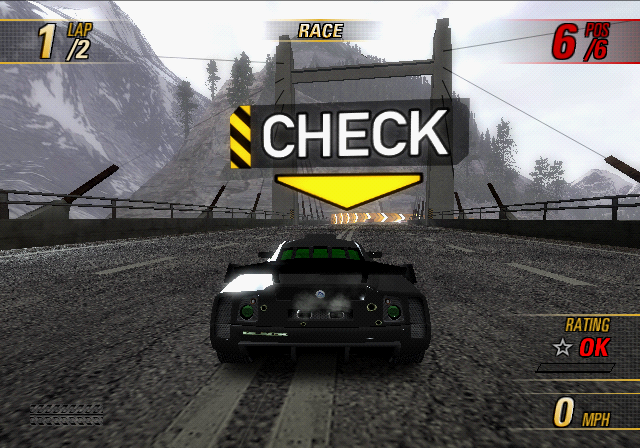
The function to draw these checkpoints still exist, albeit somewhat broken. And they're normally drawn without any texture, making them appear as white squares by default, however this is an easy fix. They only appear right before starting the first lap.
Crash Pickups#
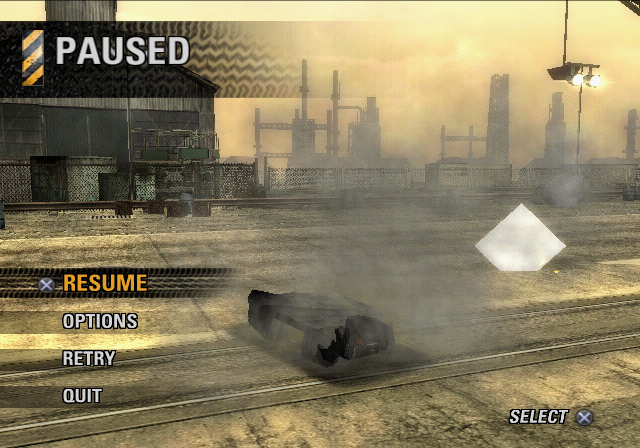
These also have a function to be drawn, and as with the checkpoints above, these normally have no texture assigned to them. They can be given any texture stored in GLOBAL.TXD, however it doesn't have any actual crash pickup textures leftover. There's also another function to draw yellow sparks that would normally be shown when picked up, however these seem to only be visible when the game is paused.
Unused Burning Laps#
Using debug options, set the Game Mode to Burning Lap. Setting to specify a Burning Lap where no location exists, a target time is set for each. Watch on YouTube
Motor City - Short Forwards |
Gold: 1:05.00 / Silver: 1:15.00 / Bronze: 1:30.00 |
|---|---|
Motor City - Long Forwards |
Gold: 1:35.00 / Silver: 1:50.00 / Bronze: 2:05.00 |
Eternal City - Short Reverse |
Gold: 1:20.00 / Silver: 1:35.00 / Bronze: 1:50.00 |
Central Route - Short Reverse |
Gold: 0:58.00 / Silver: 1:08.00 / Bronze: 1:18.00 |
Eastern Bay - Long Reverse |
Gold: 2:15.00 / Silver: 2:30.00 / Bronze: 2:45.00 |
Eastern Bay - Lower Link Reverse |
Gold: 1:22.00 / Silver: 1:35.00 / Bronze: 1:50.00 |
Oddities#
Sunshine Keys Internal ID#
Normally for all tracks the V1 variant is the forward version of the track, and V2 is the reverse version. This is true for all tracks of all the Takedown-era games, except for Sunshine Keys, where V1 is the reverse track, and V2 is the forwards track.
String ID |
String Label |
String |
|---|---|---|
EA624F27 |
US_L2_V1 |
SUNSHINE KEYS R |
736B1E9D |
US_L2_V2 |
SUNSHINE KEYS F |
Missing Multiplayer Crash Junctions#
The Multiplayer Crash gamemodes index all but two Crash events you get to play in the World Tour.
String ID |
String Label |
String |
|---|---|---|
78991EB8 |
US_K1_V1_3H |
RETURN OF THE SEMI |
03C78A8F |
US_K1_V1_9E |
JUMP ON THE JAM |
Blank EA Trax Album#
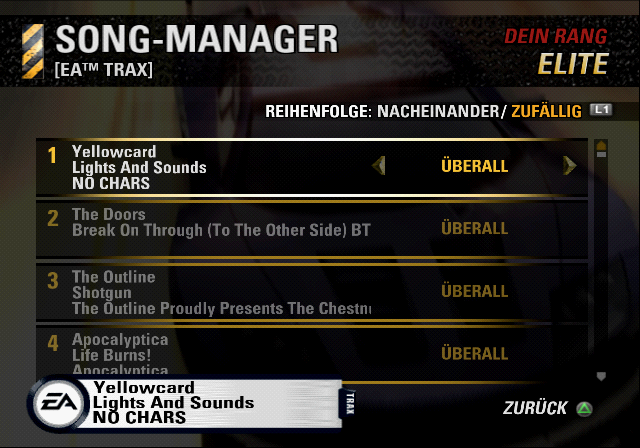
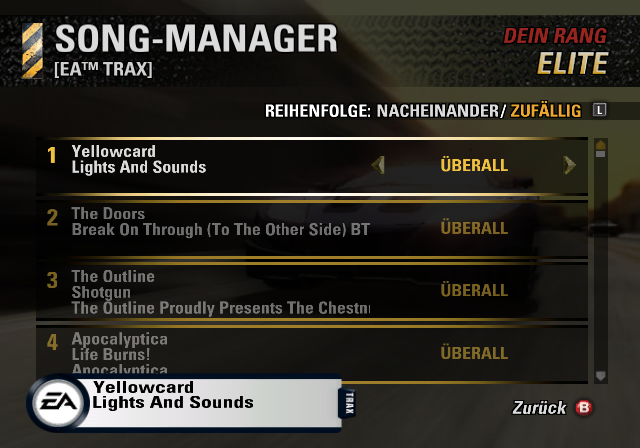
Normally blank strings would have a single space in them to avoid them displaying "NO STRING" or "NO CHARS" in-game. The string with the label "EATraxAlbum1" (A23F2339) which is used for the 1st EA Trax album was accidentally left fully blank in the PlayStation 2's German localisation. This is not present in any other localisation, nor on the Xbox version.
PlayStation 2 |
Xbox |
|---|---|
 |
 |
Regional Differences#
Online Mode#
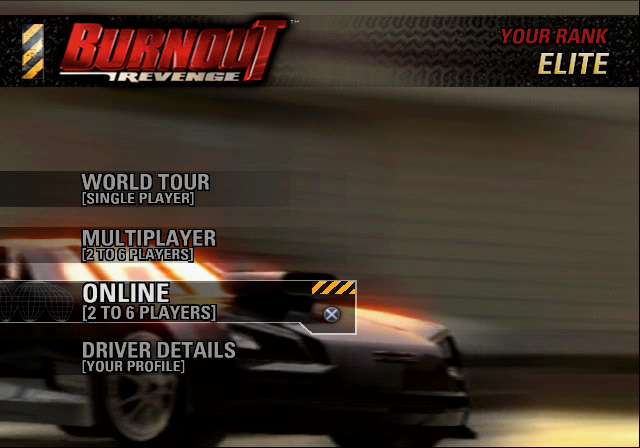
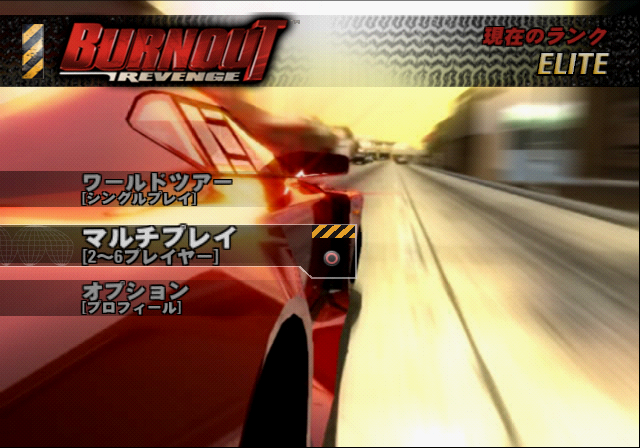
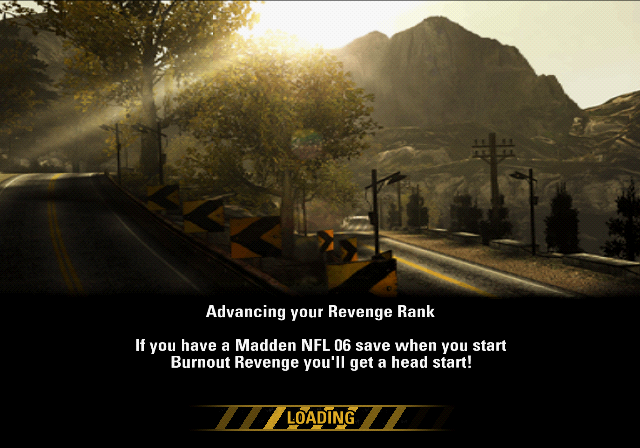
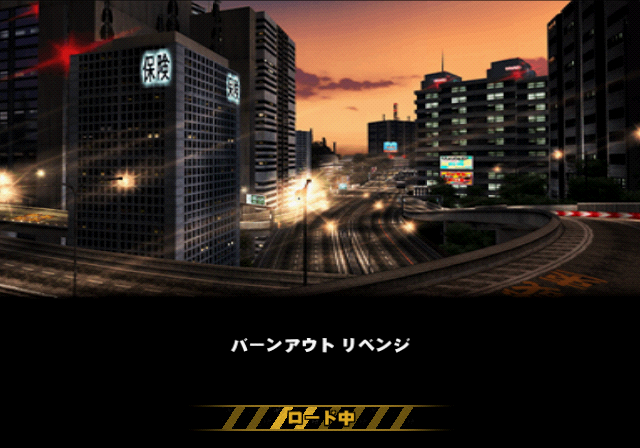
The Online option was removed from the Japanese release of Burnout Revenge. This also means 8 of the loading screen strings that start with Burnout Revenge Online, which don't show up in-game anymore, as well as one other loading screen text mentioning the use of Madden NFL 06 for a bonus car which does appear, have their text replaced to simply say バーンアウト リベンジ, which is "Burnout Revenge" written in Katakana.
String ID |
String Label |
English String |
Japanese String |
|---|---|---|---|
F1975D46 |
genBeatGameTip8 |
Advancing your Revenge Rank |
|
C73514B1 |
onlineTip1 |
Burnout Revenge Online |
|
5E3C450B |
onlineTip2 |
Burnout Revenge Online |
|
293B759D |
onlineTip3 |
Burnout Revenge Online |
|
B75FE03E |
onlineTip4 |
Burnout Revenge Online |
|
C058D0A8 |
onlineTip5 |
Burnout Revenge Online |
|
59518112 |
onlineTip6 |
Burnout Revenge Online |
|
2E56B184 |
onlineTip7 |
Burnout Revenge Online |
|
BEE9AC15 |
onlineTip8 |
Burnout Revenge Online |
|
English |
Japanese |
|---|---|
 |
 |
 |
 |
Different Text#
Car Select Menu#
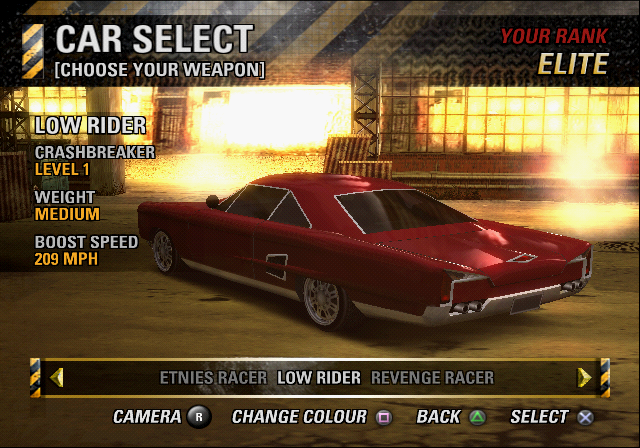
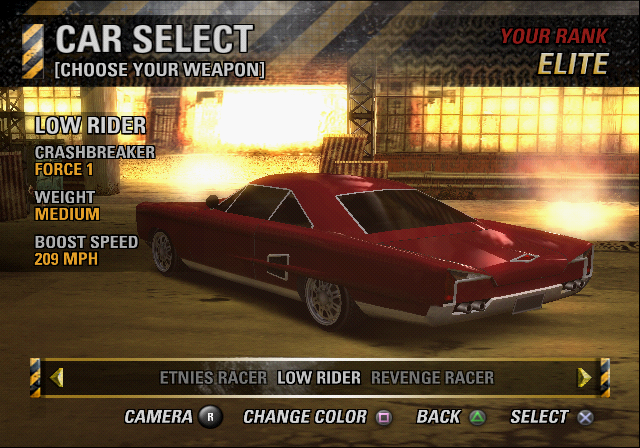
The line that shows the strength of a car's Crashbreaker is different between the North American and European releases. The word "Colour" has also been re-spelled as "Color" for the American release as games released in Europe usually use British English for said word.
European |
American |
|---|---|
 |
 |
Crash Courses#
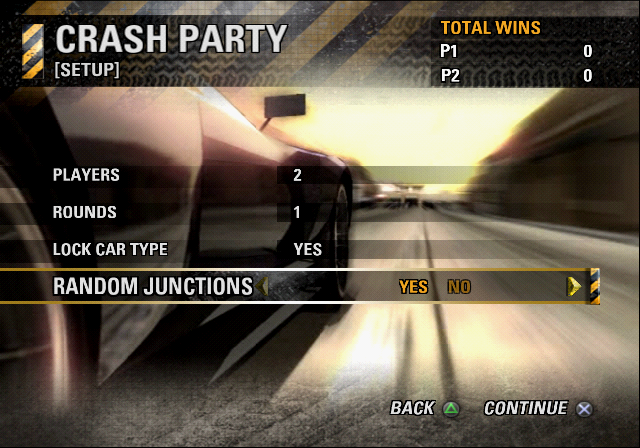
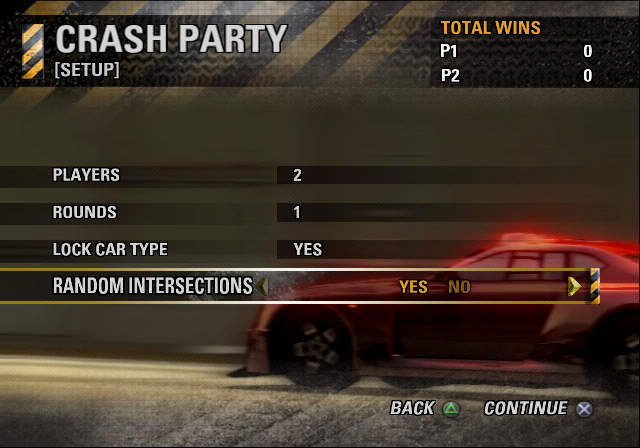
Crash Junctions are named Crash Intersections in the North American release.
European |
American |
|---|---|
 |
 |
Platform Differences#
Despite being pretty much the same game all around, there are a few very minor differences still spotted between the PlayStation 2 and Xbox versions.
Loading Screen#
The initial loading bar is white in the PlayStation 2 release and pink in the Xbox release. The people at Criterion must've had a field day with the loading bar color, because in the pre-release Demo builds they had at least three other colors used for the loading bar.
PlayStation 2 |
Xbox |
|---|---|
 |
 |
Danish Language#
The European Non-English SKU contains Dutch, Finnish, Italian, Spanish, and Swedish for both platforms. But the Xbox version has one additional language - Danish, which is for some reason gone from the PlayStation 2 release. Even stranger, a pre-release PlayStation 2 build just two and a half weeks before the final build still has Danish present and playable.
PlayStation 2 |
Xbox |
|---|---|
 |
 |
Car Select Menu#
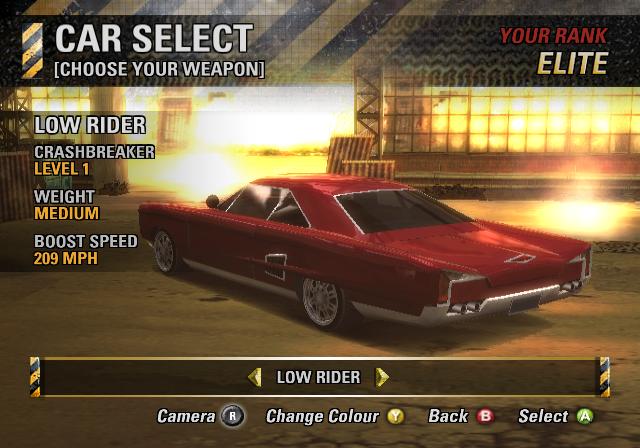
The Xbox version only lists one car at a time in the Car Select menu, unlike PlayStation 2, where you can see the name of one car in each direction of the list. Another thing to note is that the Xbox version doesn't have button text in all capital letters.
PlayStation 2 |
Xbox |
|---|---|
|
 |
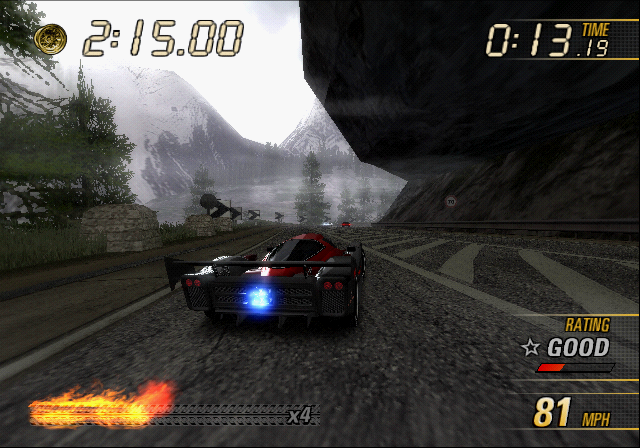
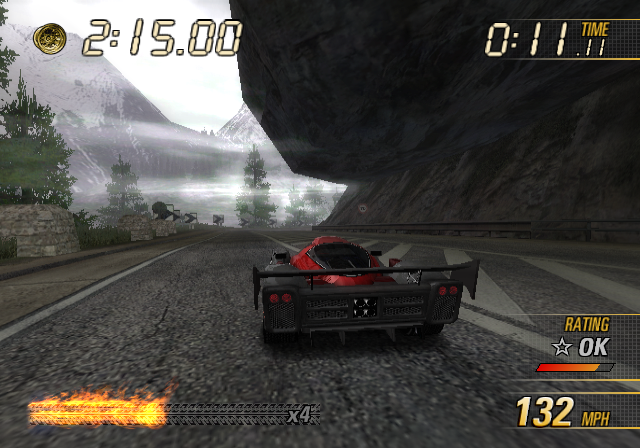
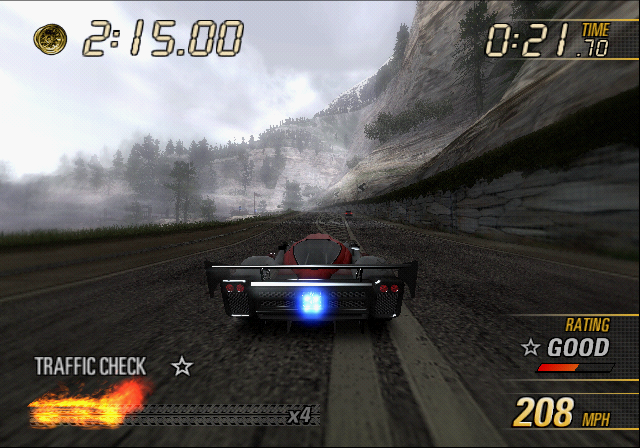
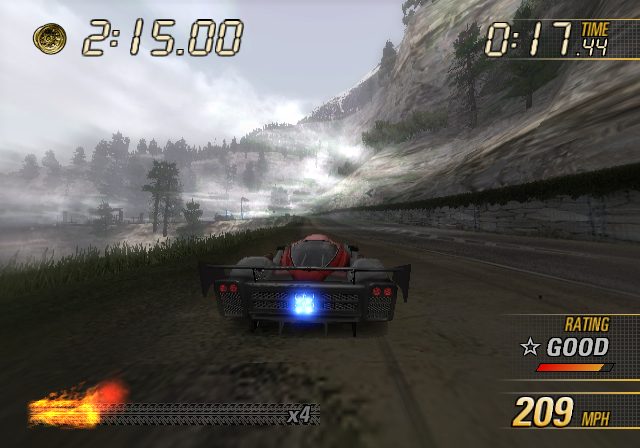
White Mountain Clouds#
The clouds that are located in White Mountain have a way higher level of intensity on Xbox. This was likely an oversight, since in the later Xbox 360 release, the cloud intensity was reduced back to the amount that's used on PlayStation 2.
PlayStation 2 |
Xbox |
|---|---|
 |
 |
 |
 |
|
The Burnout series | |
|---|---|
|
GameCube |
Burnout (Prototypes) • Burnout 2: Point of Impact (Prototypes) |
|
PlayStation 2 |
Burnout (Prototypes) • Burnout 2: Point of Impact (Prototypes) • Burnout 3: Takedown (Prototypes) • Burnout Revenge (Prototypes) • Burnout Dominator (Prototype) |
|
Xbox |
Burnout (Prototypes) • Burnout 2: Point of Impact (Prototypes) • Burnout 3: Takedown (Prototypes) • Burnout Revenge (Prototypes) |
|
PlayStation Portable |
|
|
Nintendo DS |
|
|
Xbox 360 |
Burnout Revenge (Prototype) • Burnout Paradise • Burnout Crash! (Prototypes) |
|
Windows |
|
|
PlayStation 3 |
|
|
iOS |
|
|
PlayStation 4, Xbox One, Nintendo Switch |
|