Debug Options#

|
To do:
|
The codes under All other releases work for all the known regional releases*, with the exception of SKU ID 06 (Traditional Chinese and Korean) that have different addresses and no additional Title Update.
-
* The tested releases are as follows:
- Both European SKUs 02 (French, German, Italian) and 07 (Dutch, English, Finnish, Spanish, Swedish)
- Japanese SKU 03
- American SKU 04
- Asian English SKU 05
Quick Start#

A debug quick start menu that lets you enter any map in any event. All of the locations use their real life names for easy reference, and is a leftover from early builds of the game.
Visual Options#
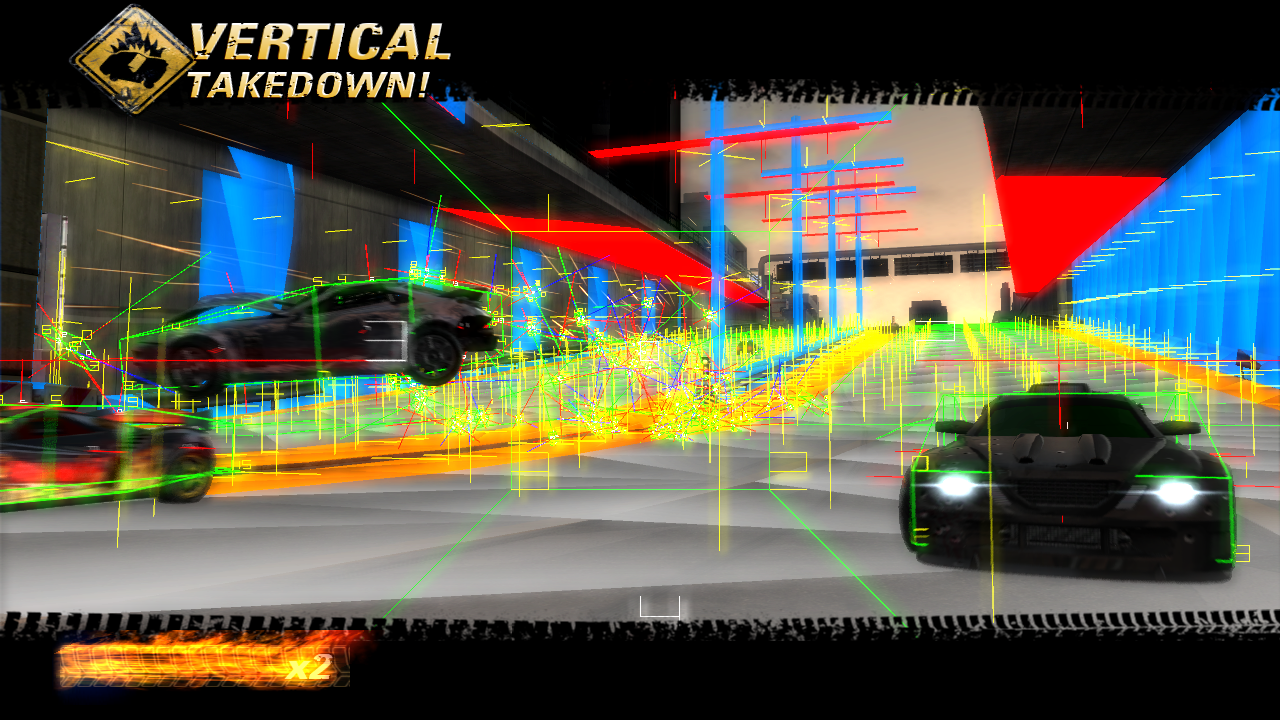
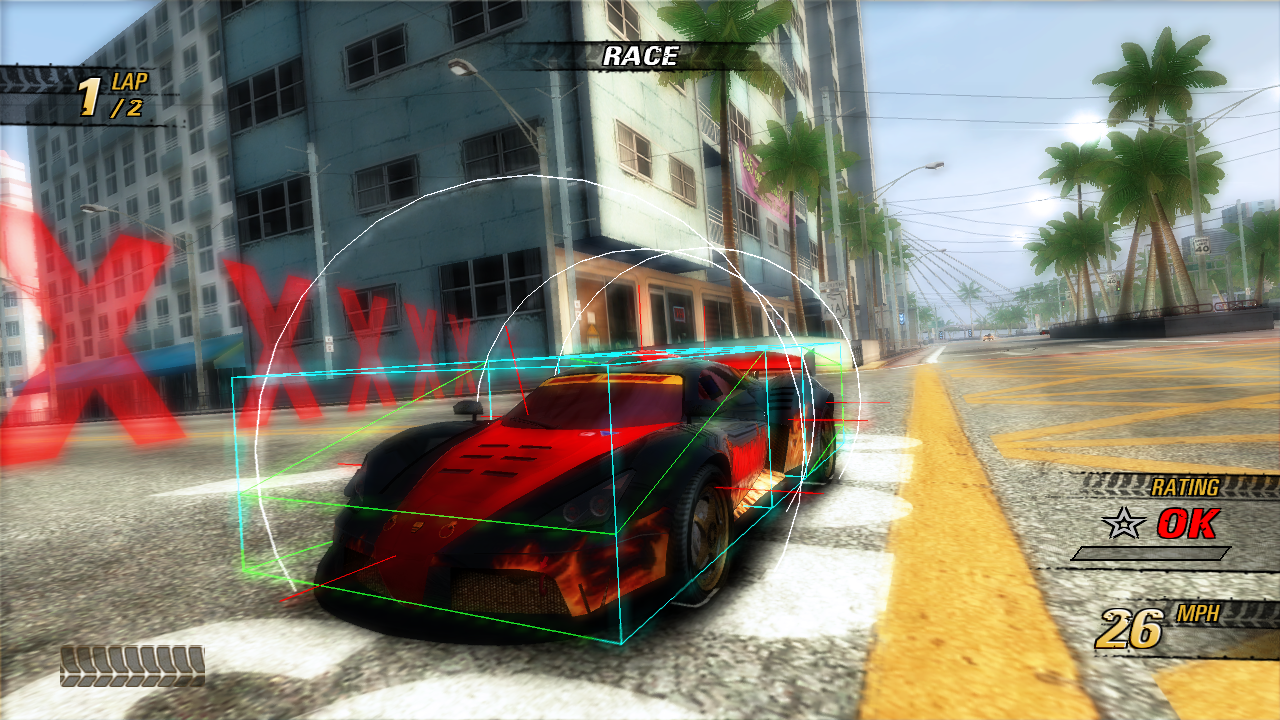
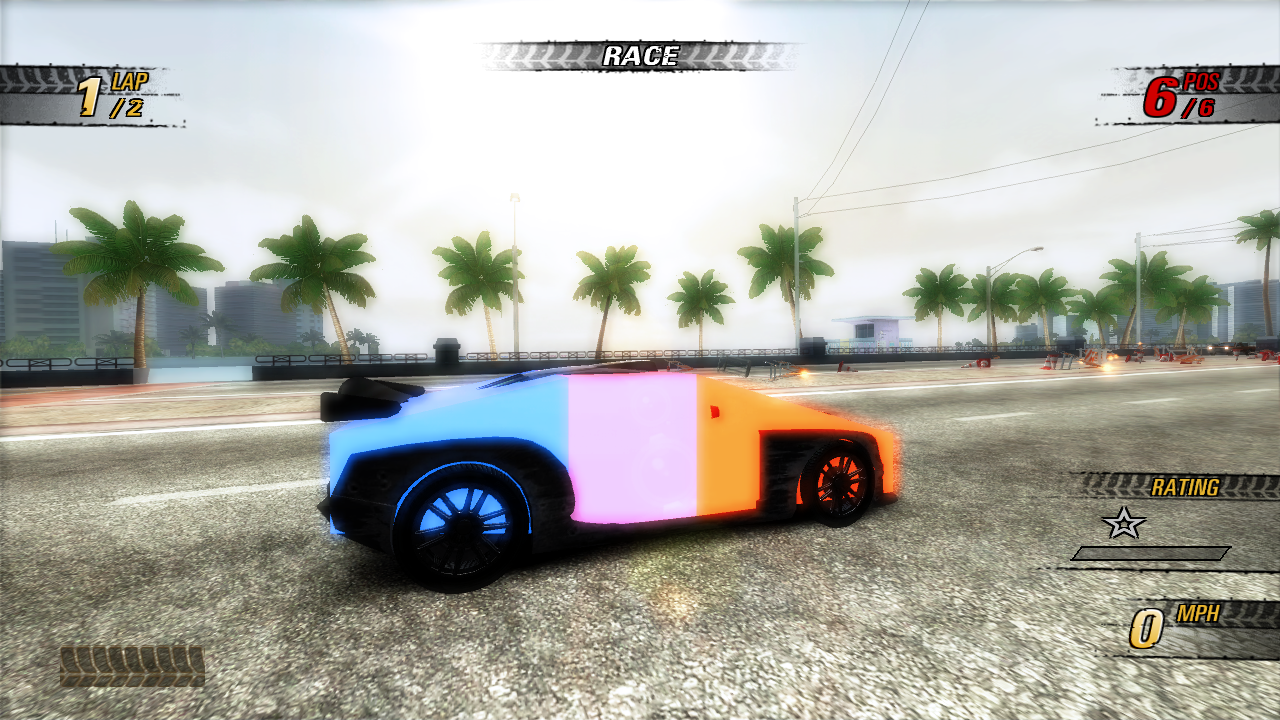 Many different visual debugging options. Each option's effect can be seen individually here, except for CB4PhysicsManagerDebug::DrawVehicleAsHull which is exclusive to this version. DrawCircle and DrawBox are normally enabled by default on the previous generation release.
The codes that are in a smaller font written in the same row only have any effect if the code above it is active.
All other releases |
||
Title Update 0 |
Title Update 1 |
|
DrawBodyHulls |
825E8AF8 01 |
825E8B48 01 |
DrawPropCOM |
825E8AF9 01 |
825E8B49 01 |
DrawCollisionWorld |
825E8AF7 01 |
825E8B47 01 |
DrawShockwave |
825E8B08 01 |
825E8B58 01 |
DrawVehicleAsHull |
825E8B0F 01 |
825E8B5F 01 |
RenderTrafficLanes |
825E9E15 01 |
825E9E65 01 |
RenderTrafficVehicleDebug |
825E9E16 01 |
825E9E66 01 |
RenderNearMissData |
825E9E10 01 |
825E9E60 01 |
RenderSpatialTriggers |
825E9E11 01 |
825E9E61 01 |
RenderSignatureData |
825E9E17 01 |
825E9E67 01 |
(Source: Edness)
Unused Graphics#
Logo#
An unused cleaner variant of the Burnout Revenge logo. Compared with the used logo.
Unused |
|---|
FeMain.bin\b4title\title_01_new.tif |
 |
Used |
FeMain.bin\title\logo_title_screen.tif copy |
 |
Props and Items#
Various (mostly licensed, and therefore edited) props and items in Global.txd that go unused.
 |
ball_of_paper |
|
banana_peel, banana_peel2 |


|
beer_bottle, water_bottle_1 The logo on the beer label is removed, but the Spring Water logo is not. |


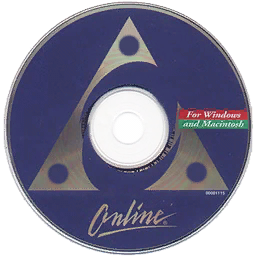 |
cd_ad The word "AMERICA", and the SM service mark is removed, as well as the logo having 3 dots added in each corner of the triangle. |
|
cokecan, sprite_can The whole Coca Cola logo and the P in Sprite is removed. |
|
paper_cup, plastic_cup |




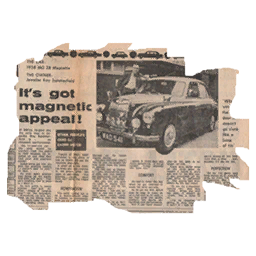
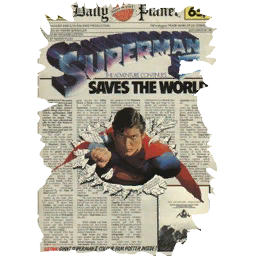
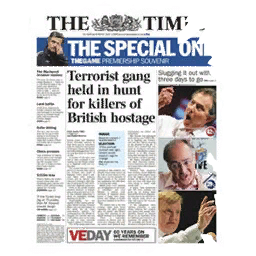
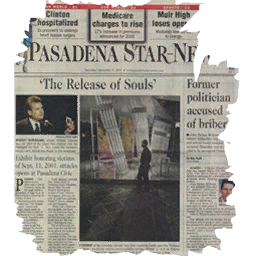
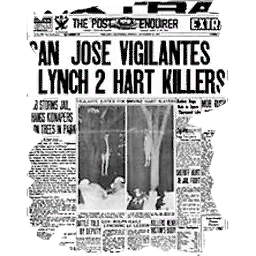
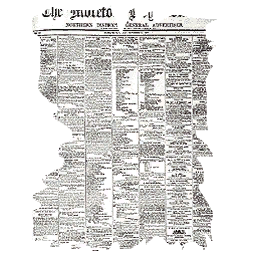
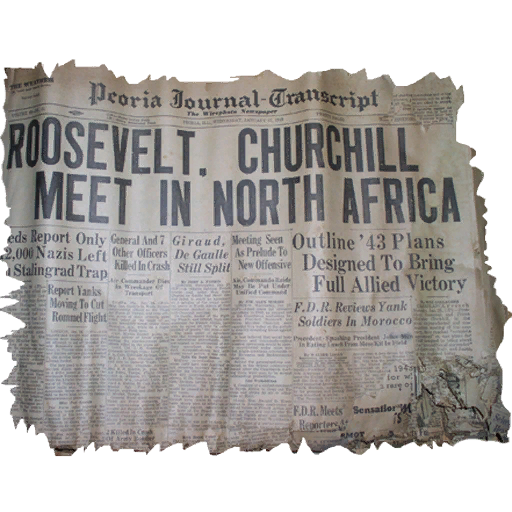
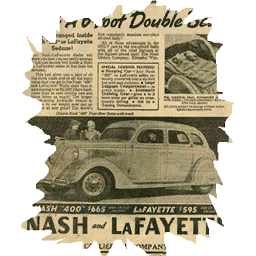
Various newspaper cutouts.
|
news1, news6 |
|
news8, news9 |
|
news10, news11 |
|
news12, news13 |
Color Calibration#

Global.txd\ColourCalibration
Unused PlayStation 2 & Xbox Leftovers#
A few unused textures from the previous generation ended up making its way onto the Xbox 360 release here. Some were even redesigned to be higher quality, despite being unused.
Crash Tour#
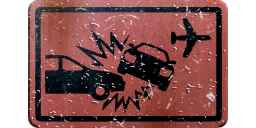
FeMain.bin\b4choiceiconnav\crashtour.tif
During the development of the PS2 and Xbox version, Crash Tours were meant to have a singleplayer variant as well, before being cut and only left as a multiplayer only gamemode. This texture for some reason was still redesigned to be higher resolution, despite going unused yet again.

Early Burnout 3: Takedown HUD#
Global.txd\HUD
It's a leftover of a leftover of a yet another leftover!

Checkpoint#
Global.txd\check
The same unused checkpoint texture found in the previous release, but with extra dithering this time.


Map Marker#
FeMain.bin\b4maplight\roadLight.tif
FeMain.bin\b4maplight\lensFlare.tif
During earlier stages of development, there used to be a world map graphic that'd display what location the selected track is based on, and it'd be pinpointed on the map with this marker with a lens flare.
Early Motor City#
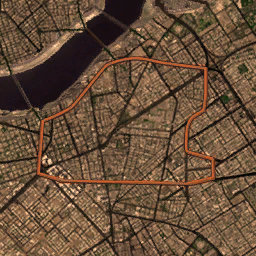
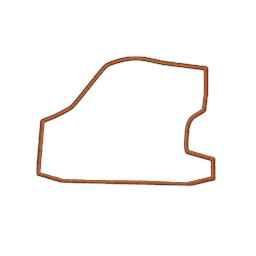
FeMain.bin\detroit\Detroit01_L1.tif
This texture is left over from very early development stages of Burnout Revenge. The final Xbox 360 release uses various shots of the area and the final previous generation release uses a yellow trailed dot over the track overviews. This more closely resembles to how Burnout 3: Takedown would display tracks.
Normally the background would be hidden and only the actual track would be seen, but they have been exported both with and without the alpha channel masking, to get a look at the early city overview.
PlayStation 2 & Xbox Leftovers#
Track Overviews#
As mentioned above, the previous generation had an overview texture to show the track. Those graphics are still present in the Xbox 360 release. These are stored as two separate textures, 1st one being 128×256 and the other one being 512×256. They're meant to go together, with the 2nd larger texture coming first and create a single 640×256 overview graphic.
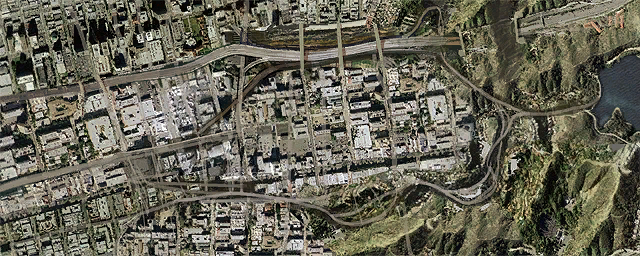
Angel Valley
FeMain.bin\losangeles\LA_03_02.tif
FeMain.bin\losangeles\LA_03_01.tif
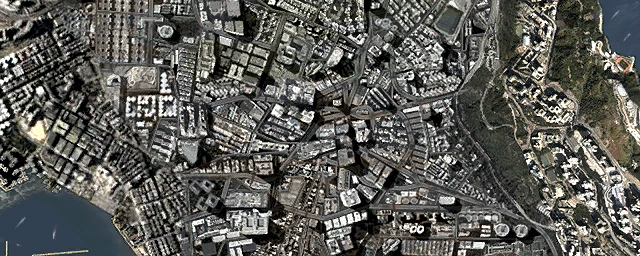
Central Route
FeMain.bin\hongkong\Hong_Kong03_02.tif
FeMain.bin\hongkong\Hong_Kong03_01.tif
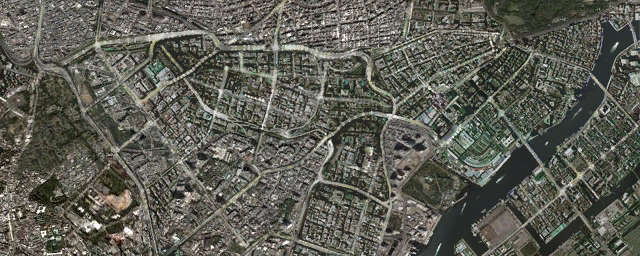
Eastern Bay
FeMain.bin\tokyo\Tokyo04_02.tif
FeMain.bin\tokyo\Tokyo04_01.tif
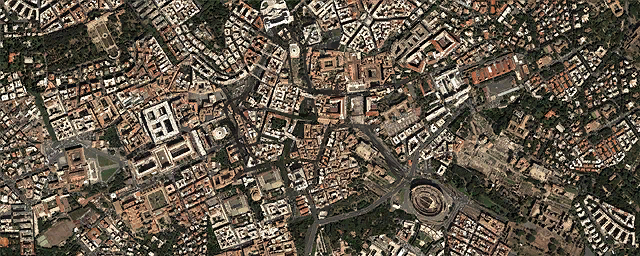
Eternal City
FeMain.bin\rome\Rome_03_02.tif
FeMain.bin\rome\Rome_03_01.tif
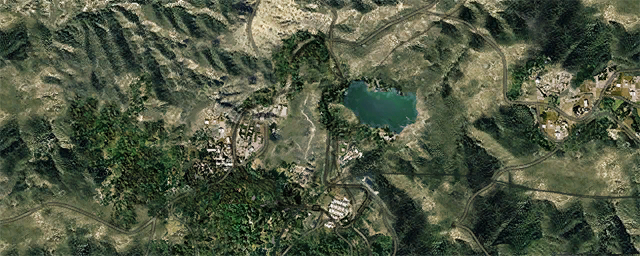
Lone Peak
FeMain.bin\montana\NationP03_02.tif
FeMain.bin\montana\NationP03_01.tif
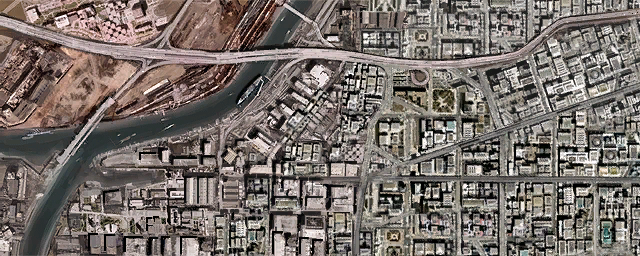
Motor City
FeMain.bin\detroit\Detroit03_02.tif
FeMain.bin\detroit\Detroit03_01.tif
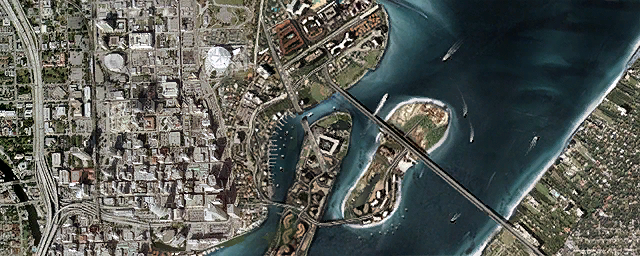
Sunshine Keys
FeMain.bin\florida\Florida03_02.tif
FeMain.bin\florida\Florida03_01.tif
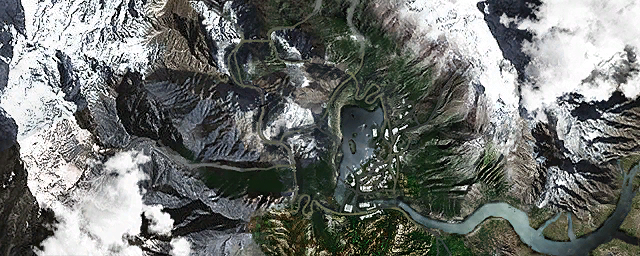
White Mountain
FeMain.bin\switzerland\switzerland03_02.tif
FeMain.bin\switzerland\switzerland03_01.tif

Revenge Bar#
Global.txd\REVENGEbar
The old revenge ranking bar, redesigned to be higher quality, yet it went unused in favor of a different revenge bar.
Background UI Elements#
A good amount of the previous generation releases UI is still present in the files. Some textures have more to show when exported without the alpha channel masking, those are shown on the opposite side of the texture.
InGame##.bin\* refers to InGameCR.bin, InGameCT.bin, InGameGP.bin, InGameM2.bin, InGameMP.bin, InGameOn.bin and InGameSP.bin.
FeMain.bin\b4bghardedge\bg03_01.tif
FeMain.bin\b4bghardedge\bg03_02.tif
FeMain.bin\b4bghardedge\bg03_03.tif
This graphic is normally split in three 256×256 chunks, creating a single 768×256 texture when combined.
 FeMain.bin\b4bggradient\bg02_01.tif
FeMain.bin\b4bggradient\bg02_02.tif
FeMain.bin\b4bggradient\bg02_03.tif
FeMain.bin\b4bggradient\bg02_04.tif
FeMain.bin\b4bggradient\bg02_05.tif
FeMain.bin\b4bggradient\bg02_06.tif
This graphic is normally split in six 256×256 chunks, creating a single 768×512 texture when combined.
 FeMain.bin\b4chevron\Chevron.tif
InGame##.bin\b4chevron\Chevron.tif
 FeMain.bin\boxtextures\cornerChevron.tif
InGame##.bin\boxtextures\cornerChevron.tif
 FeMain.bin\boxtextures\metalSmall.tif
InGame##.bin\boxtextures\metalSmall.tif

FeMain.bin\boxtextures\borderLine.tif
InGame##.bin\boxtextures\borderLine.tif

FeMain.bin\boxtextures\lineGrad.tif
InGame##.bin\boxtextures\lineGrad.tif
 FeMain.bin\boxtextures\roundCorner.tif
InGame##.bin\boxtextures\roundCorner.tif
HUD Elements#
Various in-game HUD elements are also present.


Global.txd\anchor; box_end; box_tile; grid_corn; grid_tile; ta_bg_end; ta_bg_tile.


Global.txd\Star_empty; Star_full.
 |
Cafe.bin\x\x.tif |
 |
Cafe.bin\lan\lan.tif Cafe.bin\ran\ran.tif |
 |
Cafe.bin\t\t.tif |
 |
Cafe.bin\l1\l1.tif Cafe.bin\r1\r1.tif |
 |
Cafe.bin\c\c.tif |
 |
Cafe.bin\l2\l2.tif |
 |
Cafe.bin\s\s.tif |
 |
Cafe.bin\r2\r2.tif |
 |
Cafe.bin\lft\lft.tif |
 |
Cafe.bin\l3\l3.tif |
 |
Cafe.bin\rht\rht.tif |
 |
Cafe.bin\r3\r3.tif |
Cafe.bin\str\str.tif |
|||

Unused Sounds#
PlayStation 2 & Xbox Leftovers#
There's a decent amount of sounds found in this release that are remnants of the original PlayStation 2 and Xbox release. A few of the filenames seem to indicate they were meant to be reused for online, but are likely just placeholders.
Filename |
Unused sound |
Additional information |
|---|---|---|
FE.xwb\gamestart |
Menu & Event select sound. |
|
FE.xwb\chatgot |
Rank select sound. |
|
FE.xwb\mailgot |
||
FE.xwb\PlayerLeft |
Location select sound. |
|
FE.xwb\paint_l |
Car color select sound. |
|
FE.xwb\paint_r |
||
Elim.xwb\aggneg |
Rating decrease sound. |
|
RoadRage.xwb\aggneg |
||
FE.xwb\timersml |
Single tick timer sound. |
|
Elim.xwb\timer |
||
crash.xwb\timer |
Double tick timer sound. |
|
Elim.xwb\heart |
||
Revenge.xwb\timer |
||
RoadRage.xwb\timer |
||
Single.xwb\timer |
||
FE.xwb\timer |
Unused/Early double tick timer sound. |
|
Revenge.xwb\trafpanic |
Fast timer sound. |
Medal Awards#
The game normally uses an identical award sound for all three, Bronze, Silver and Gold medals that are located in Gen_HUD.xwb\MDL0#____L11, where # is replaced with either 1, 2 or 3. The individual event containers have completely different medal sounds that aren't used in-game.
Interestingly, while they do work as intended in-game if they are edited back into Gen_HUD.xwb, during the ranking screen it only plays MDL01____L11 for some odd reason.
Filename |
Unused sound |
Additional information |
|---|---|---|
MDL01____L11 |
These are all found in crash.xwb, Elim.xwb, Revenge.xwb, RoadRage.xwb and Single.xwb |
|
MDL02____L11 |
||
MDL03____L11 |
Unused Text#
$Production#
There is an unused string with the ID DE8A05EF that's meant to display on the main menu. It can be seen being used in the early PS2 & Xbox demo builds, but in all subsequent builds and releases, the string remained blank.
Unused |
Restored |
|---|---|
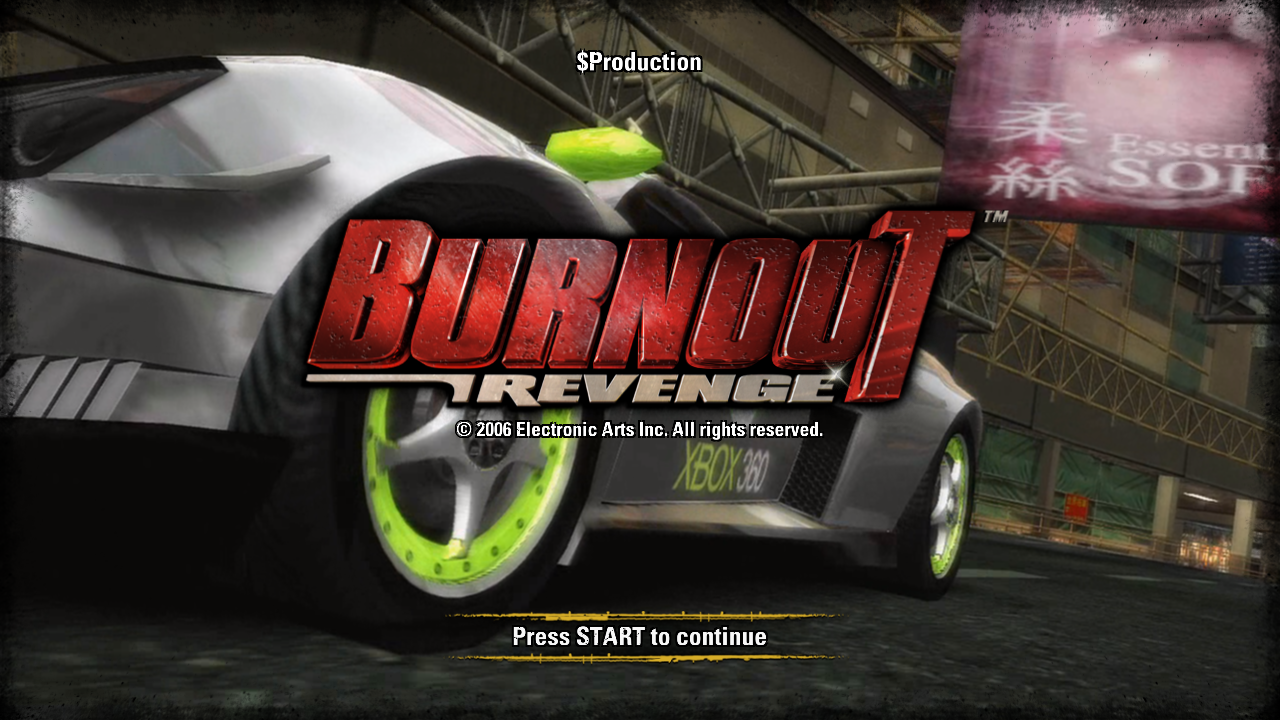 |
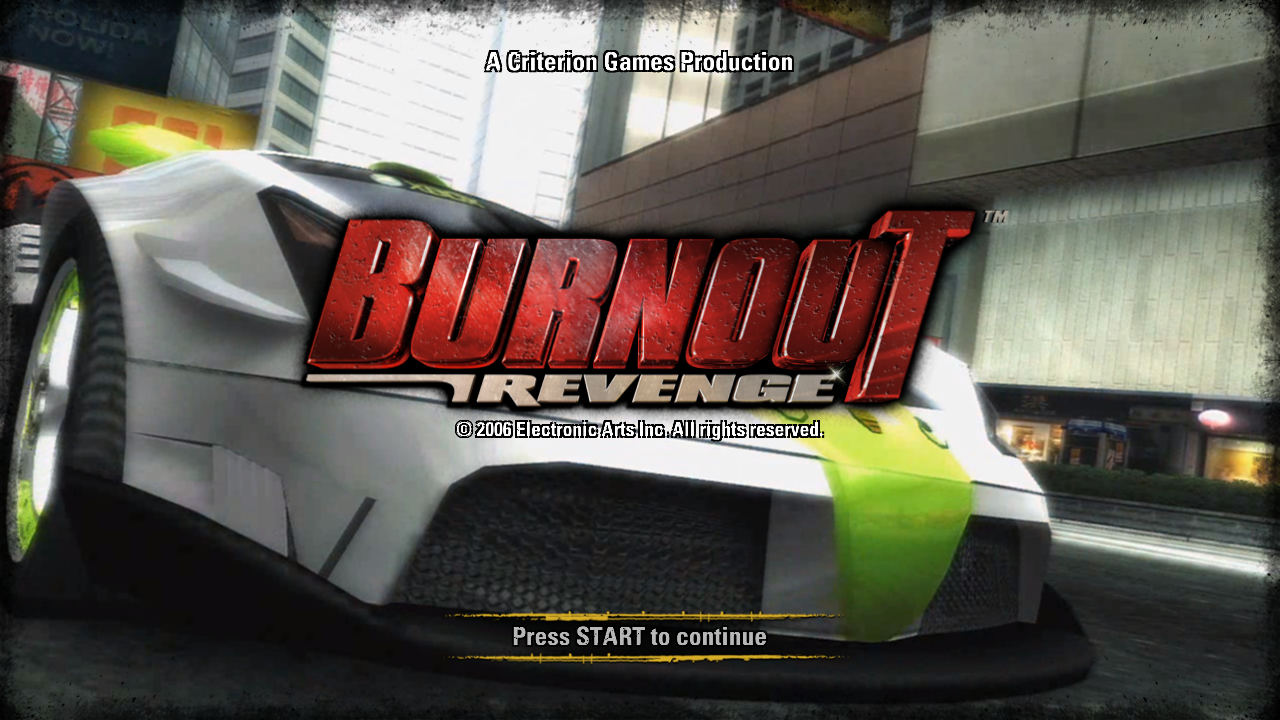 |
"Why Smart People Defend Bad Ideas"#
FeMain.bin\news contains the first three paragraphs of Why Smart People Defend Bad Ideas, an essay written by Scott Berkun which was also present in the PlayStation 2 and Xbox release.
We all know someone that’s intelligent, but who occasionally defends obviously bad ideas. Why does this happen? How can smart people take up positions that defy any reasonable logic? Having spent many years working with smart people I’ve catalogued many of the ways this happens, and I have advice on what to do about it. I feel qualified to write this essay as I’m a recovering smart person myself and I’ve defended several very bad ideas. So if nothing else this essay serves as a kind of personal therapy session. However, I fully suspect you’ll get more than just entertainment value (“Look, Scott is stupider than we thought!”) out of what I have to say on this topic.Success at defending bad ideasThe monty python argument sketchI’m not proud to admit that I have a degree in Logic and Computation from Carnegie Mellon University. Majoring in logic is not the kind of thing that makes people want to talk to you at parties, or read your essays. But one thing I did learn after years of studying advanced logic theory is that proficiency in argument can easily be used to overpower others, even when you are dead wrong. If you learn a few tricks of logic and debate, you can refute the obvious, and defend the ridiculous. If the people you’re arguing with aren’t as comfortable in the tactics of argument, or aren’t as arrogant as you are, they may even give in and agree with you. The problem with smart people is that they like to be right and sometimes will defend ideas to the death rather than admit they’re wrong. This is bad. Worse, if they got away with it when they were young (say, because they were smarter than their parents, their friends, and their parent’s friends) they’ve probably built an ego around being right, and will therefore defend their perfect record of invented righteousness to the death. Smart people often fall into the trap of preferring to be right even if it’s based in delusion, or results in them, or their loved ones, becoming miserable. (Somewhere in your town there is a row of graves at the cemetery, called smartypants lane, filled with people who were buried at poorly attended funerals, whose headstones say “Well, at least I was right.”)Xbox Live Tutorial#
A tutorial video for the Xbox Live mode can found in the Information menu when connected to Xbox Live. However since the servers were shut down (twice, most recently on October 24, 2017), this tutorial video becomes unused.
Oddities#
|
|
To do: |
Filenames#
Some of the loading screen texture filenames name a different color than what's actually used.
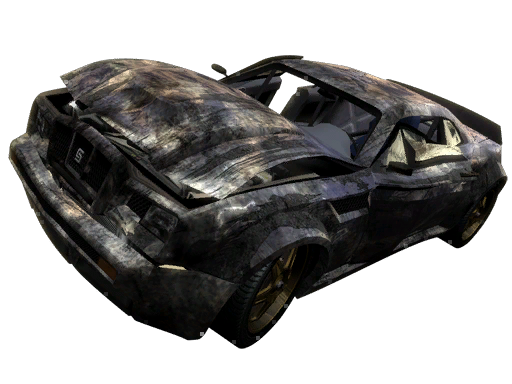
Modified M-Type DX
LoadSc12.bin\loading12\Foreground_white.tif
LoadSc12.bin\loading12\Foreground_white2.tif
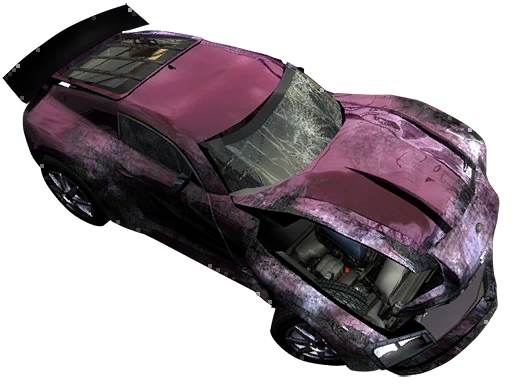
Tuned M-Type DX
LoadSc14.bin\loading14\Foreground_red1.tif
LoadSc14.bin\loading14\Foreground_red2.tif
There are a few other loading screen cars that are named Yellow but appear orange, however while these particular vehicles may seem yellow in the garage, they also appear more orange-ish in-game.
- Limited M-Type ST
LoadSc1.bin\loading1\Yellow_F_03.tif; Yellow_F_04.tif - Limited R175 ST
LoadSc5.bin\loading5\Yell_front03.tif; Yell_front04.tif - Limited R175 ST
LoadSc6.bin\loading6\Yell_Back01.tif; Yell_Back02.tif - Custom R202 GT
LoadSc14.bin\loading14\Yellow_Back03.tif; Yellow_Back04.tif - Limited R205 GT
LoadSc20.bin\loading20\Foreground_yell.tif; Foreground_yell2.tif
|
The Burnout series | |
|---|---|
|
GameCube |
Burnout (Prototypes) • Burnout 2: Point of Impact (Prototypes) |
|
PlayStation 2 |
Burnout (Prototypes) • Burnout 2: Point of Impact (Prototypes) • Burnout 3: Takedown (Prototypes) • Burnout Revenge (Prototypes) • Burnout Dominator (Prototype) |
|
Xbox |
Burnout (Prototypes) • Burnout 2: Point of Impact (Prototypes) • Burnout 3: Takedown (Prototypes) • Burnout Revenge (Prototypes) |
|
PlayStation Portable |
|
|
Nintendo DS |
|
|
Xbox 360 |
Burnout Revenge (Prototype) • Burnout Paradise • Burnout Crash! (Prototypes) |
|
Windows |
|
|
PlayStation 3 |
|
|
iOS |
|
|
PlayStation 4, Xbox One, Nintendo Switch |
|