 This article has a talk page!
Touhou Reiiden ~ The Highly Responsive to Prayers is the first game in the long-running Touhou series. Being a PC-98 game, it never gained much recognition outside of Japan, and is now mainly notable for being the only game in the mainline Touhou series that isn't a vertical shooter.
Fortunately, ZUN found a better formula shortly afterward with The Story of Eastern Wonderland, and the rest was history.
Unused Sprites#
There are two unused player sprites for Reimu in the game's folder.
 |
 |
(Source: Rec98, Touhou memories)
Music#
Shrine of the Wind#
ZIPANGU.MDT contains a music track not used in gameplay. It is titled 風の神社 (translated as Shrine of the Wind) in the music test, and is listed second after the title theme. It is the only track from the PC-98 Touhou games not to be remixed for Mystic Square, and has never been rereleased or remixed by ZUN elsewhere.
This track plays if an invalid stage is entered in the stage selection screen; it is a fallback for when there is no music associated with a stage.
'Zipangu' is an archaic name for the country of Japan.
Eternal Shrine Maiden#
ST0.MDT and ST6.MDT are identical - both contain the track 永遠の巫女 (Eternal Shrine Maiden) and both were last modified at the same date and time. ST0.MDT is the file that plays in-game, whereas ST6.MDT appears nowhere in code.
Since ST0.MDT plays in both stages 1-4 on the common route and stages 16-19 on the Jigoku/Hell route, it could be that ST6.MDT was intended to play in the latter before being deemed unnecessary.
Magic Mirror#
Two tracks named 魔鏡 (Magic Mirror) exist: KAMI.MDT plays for Kikuri's boss fight in stage 15 of the Jigoku/Hell route, whereas KAMI2.MDT plays for Elis' in the same stage of the Makai/Demon World route. Only the former is listed in the music test.
(Sources for the above: Rec98, touhou-memories, original TCRF fact-checking)
Bomb Option#
Unlike several later games in the series, The Highly Responsive to Prayers lacks an option to select how many bombs you start with. However, the setting still exists in the (non-human-readable) configuration file, suggesting it once was or was planned to be an option at some point.
Open REIIDEN.CFG in a hex editor and change the ninth byte to between 0 and 5 to change the initial number of bombs.
(Source: Original TCRF research)
Debug Features#
The game has some leftover code used for debugging, consisting of an in-game display and a memory info screen. These can be activated by starting the game with an additional command-line parameter from the DOS prompt:
Prompt |
Stage selection screen |
Test mode |
Debug mode |
|---|---|---|---|
|
✔ |
||
|
✔ |
✔ |
|
|
✔ |
✔ |
✔ |
Note that quitting a game in progress will cause all of these to be disabled.
Level Select#

After starting the game, the player can enter a level value and assign a "select_flag" value.
The effect of level value is as follows:
- 0-19: Standard level 1 to 20. They can be played normally.
- 20-32767: Some unused levels with color reversed such that everything red in normal game becomes green. There are only 5 unique levels in a looping manner. These levels do not have default music and may play "Shrine of the Wind" if possible.
- 32768-65535: Some unused levels in normal color palette. There are also 5 unique levels in a looping manner. The standard music "Eternal Shrine Maiden" is played.
- Any number beyond follows the same loop between 0 and 65535.
- Any non-numeric value will be considered as Level 1.
The "select_flag" will determine whether the later levels are in "魔界/Makai/Demon World" or "地獄/Jigoku/Hell" route. It works as follows:
- 0, 128-255: Makai
- 1-127: Hell
- Any number beyond follows the same loop between 0 and 255.
- Any non-numeric value will be considered as Makai route.
Note that the Hell flag only applies to equivalent level values 5-19 (standard level 6-20 respectively).
Unused Levels#
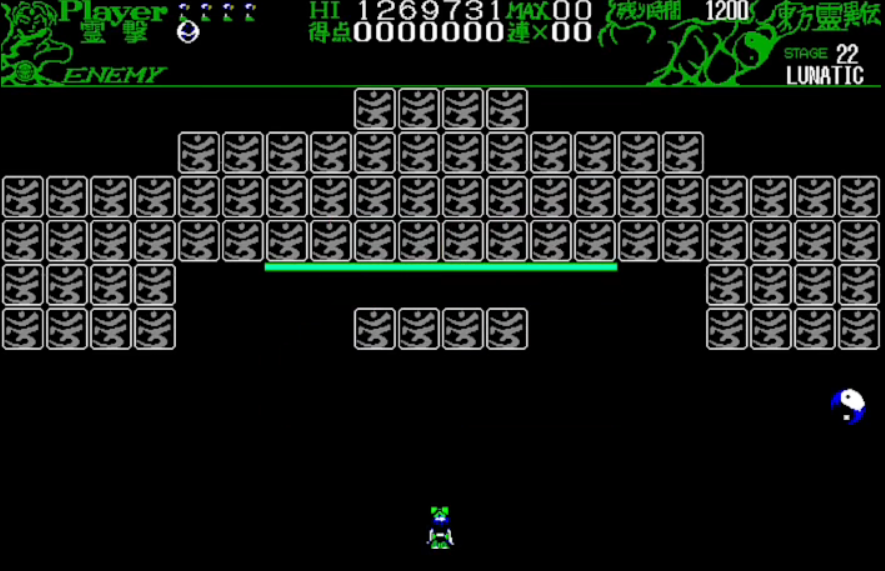
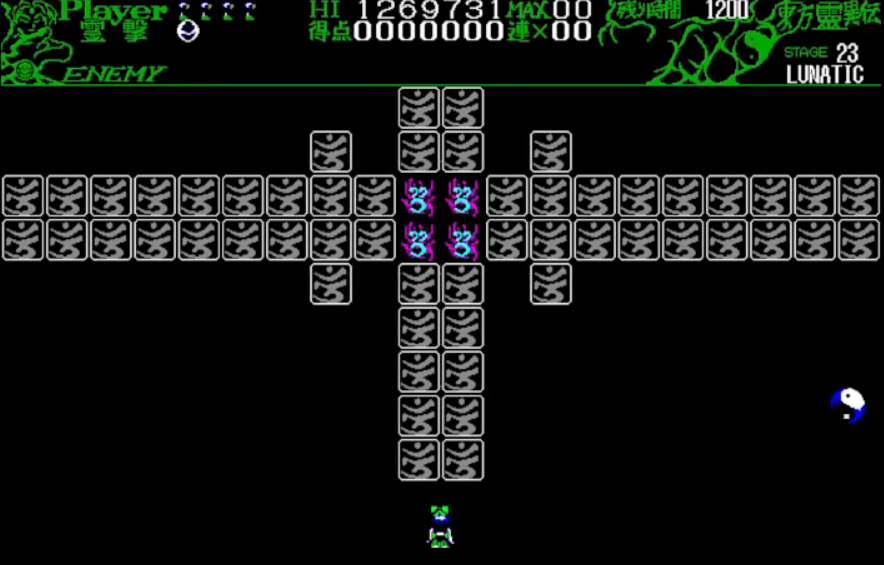
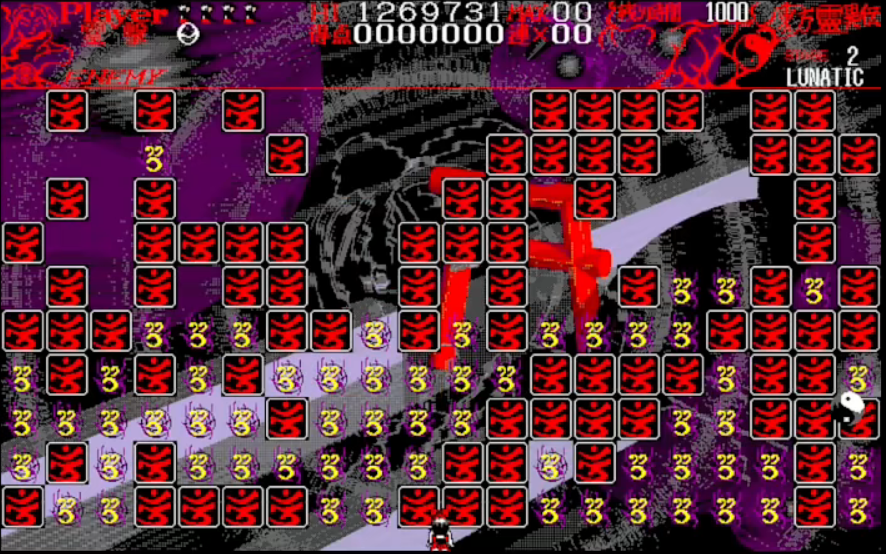
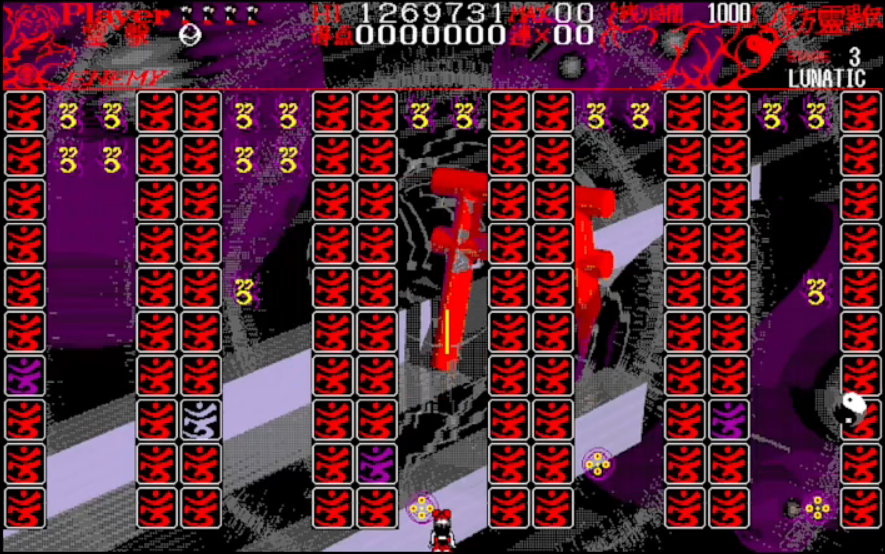
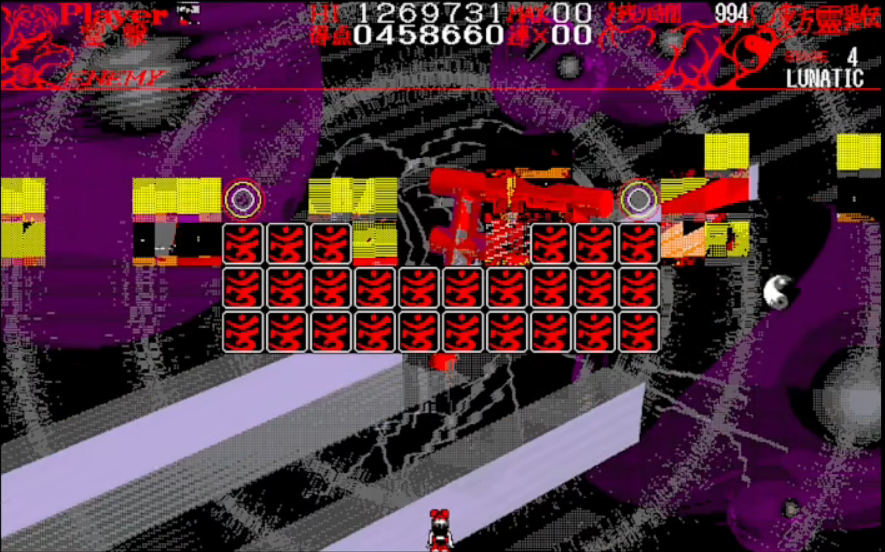
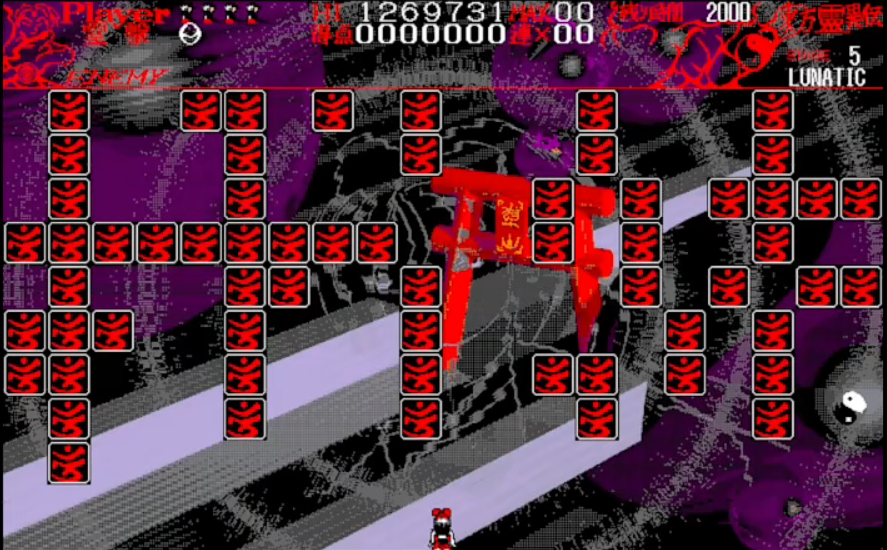
Here is an overview of the unused levels. Note that the game can continue correctly even in unused levels.
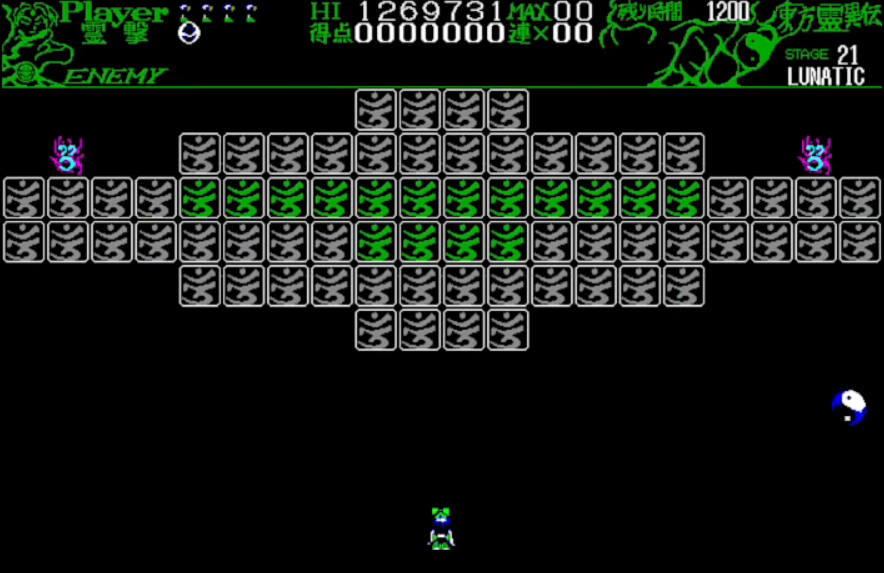


- Green 1: A straightforward level with some 2-layer tiles. Clearing the level will fail to move to next level.
- Green 2: All tiles have only 1 layer. Clearing the level will fail to move to next level.
- Green 3: Similar to Level 18 of Makai route. Clearing the level will fail to move to next level.
- If value is 32767 however, the game will move to Red 1 (and terminate).
- Green 4: Simple level but timer starts at 0 such that random bullets will fall. Clearing the level will move to Green 5.
- Green 5: An empty level. It seems to be a boss level without a boss. Cannot be completed.
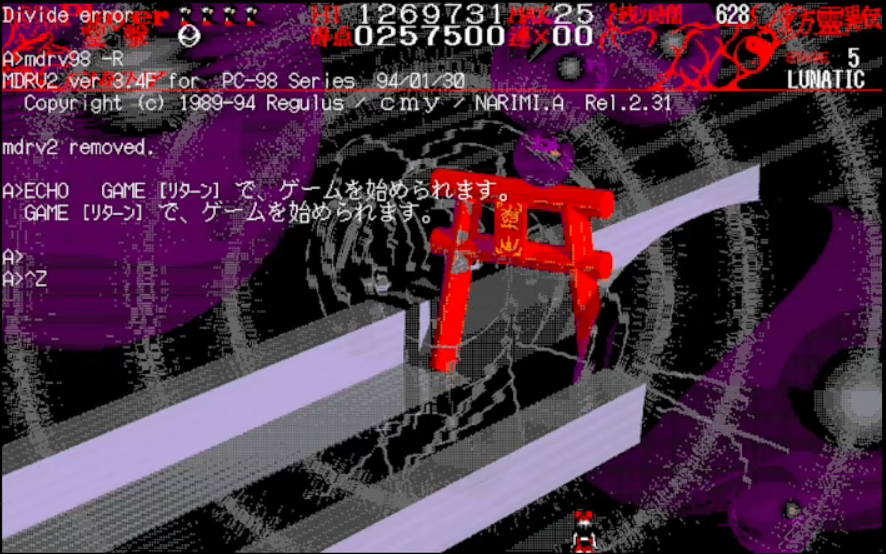
- Red 1: The game throws a "Divide error" and terminates.
- Red 2: Many turrets in the lower half of the field. Some tiles will cause a wrong sprite to appear. Clearing the level will fail to move to next level.
- Red 3: Upper 2 rows are swarmed with turrets, with some at the same place of tiles. Some tiles have 3 layers. Clearing the level will move to Red 4.
- If value is 65535 however, the game will move to standard Level 1 and work normally afterwards.
- Red 4: A copy of Level 1, but clearing the level will fail to move to next level.
- Red 5: Straightforward level. Clearing the level will move to "Red 1" and terminate.
(Source: Video)
Test Mode#

Enabling test mode allows you to automatically finish the current stage by pressing Return.
Also, pressing Roll Up (PgDn) during gameplay displays a screen with information about currently allocated memory. The available actions here:
- Z - frees all currently allocated memory for panel graphics. This causes any further panels cleared to draw garbage onto the screen instead of revealing part of the background.
- X - frees all currently allocated memory for boss graphics, resulting in garbage sprites appearing during boss battles.
- Up - clears all bullets from the screen.
- Down - unknown.
- Return displays another screen with info about specific memory regions.
- Roll Down (PgUp) - returns to the game. Sometimes, two presses are required for gameplay to resume fully.
Debug Mode#

In debug mode, some game state information is displayed under the status bar:
- gx is Reimu's current on-screen position.
- coreleft is the amount of remaining memory available to the game.
- HEAP Cheak displays the status of the free store (empty/OK/corrupt).
- kbhit: unknown.
- dir is the player's current direction of movement or 0 if standing still.
- sp is 1 if the player is currently firing, 0 otherwise.
- sh is 1 if the player is currently swinging, sliding, or otherwise using the X button, 0 otherwise.
- exit: unknown.
- end is 1 during end-of-level sequences and game over screens, 0 otherwise.
- main increments constantly, resetting to 0 after the player performs an action (at the end of the animation).
- rand is a frame counter likely used for random number generation.
- bomb increments constantly, resetting to 0 as soon as the player performs an action.
- timer measures the number of frames that have elapsed in the current stage, occasionally followed by one or two more digits of unknown purpose.
(Source: Original TCRF research)