 Featured article
 This article has a talk page!
 Prototype Info
 Notes
Notes
 Unused TextThat ship just doesn't stop talking!
 Early English ScriptWhat's a Psychotic Jumper?
 Unused CavesThese caves were simply too treacherous for our brave captain.
 Unused Floor LayoutsThe walls are shifting.
 Unused & Early TreasuresItems not even a Dweevil would want.
 Unused MusicTotaka's leftover goodies!
 Unused Sound EffectsCute Pikmin noises to improve your day.
 Version DifferencesThis sub-page was brought to you by National Hi-Top®
Test Map#
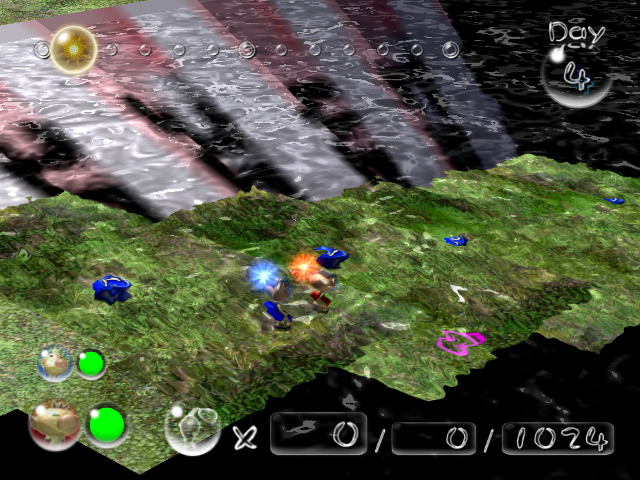
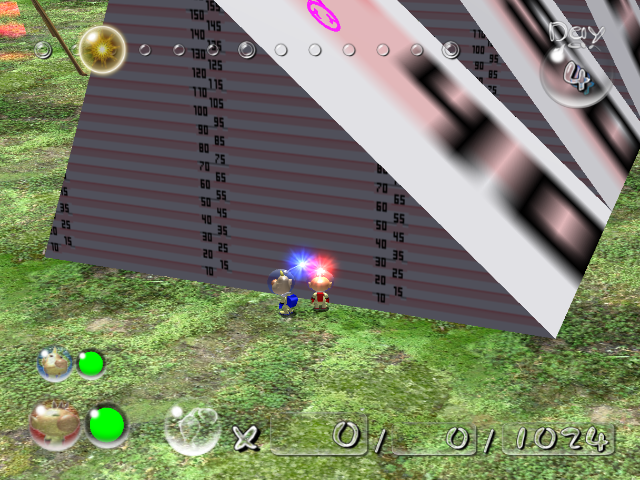
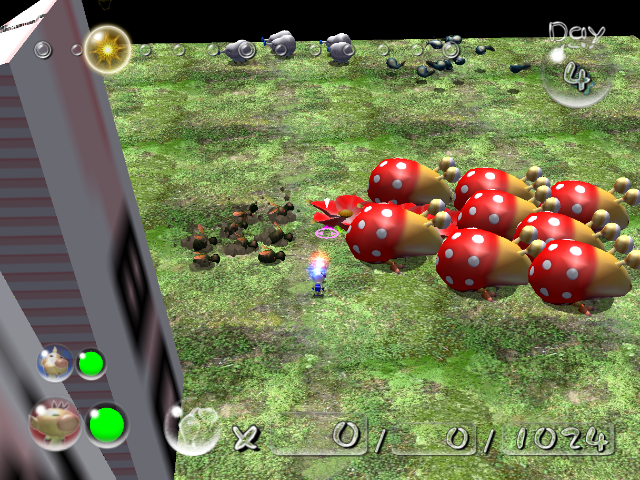
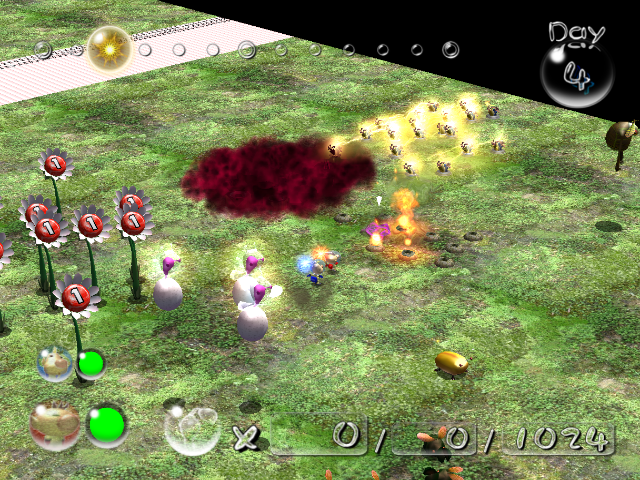
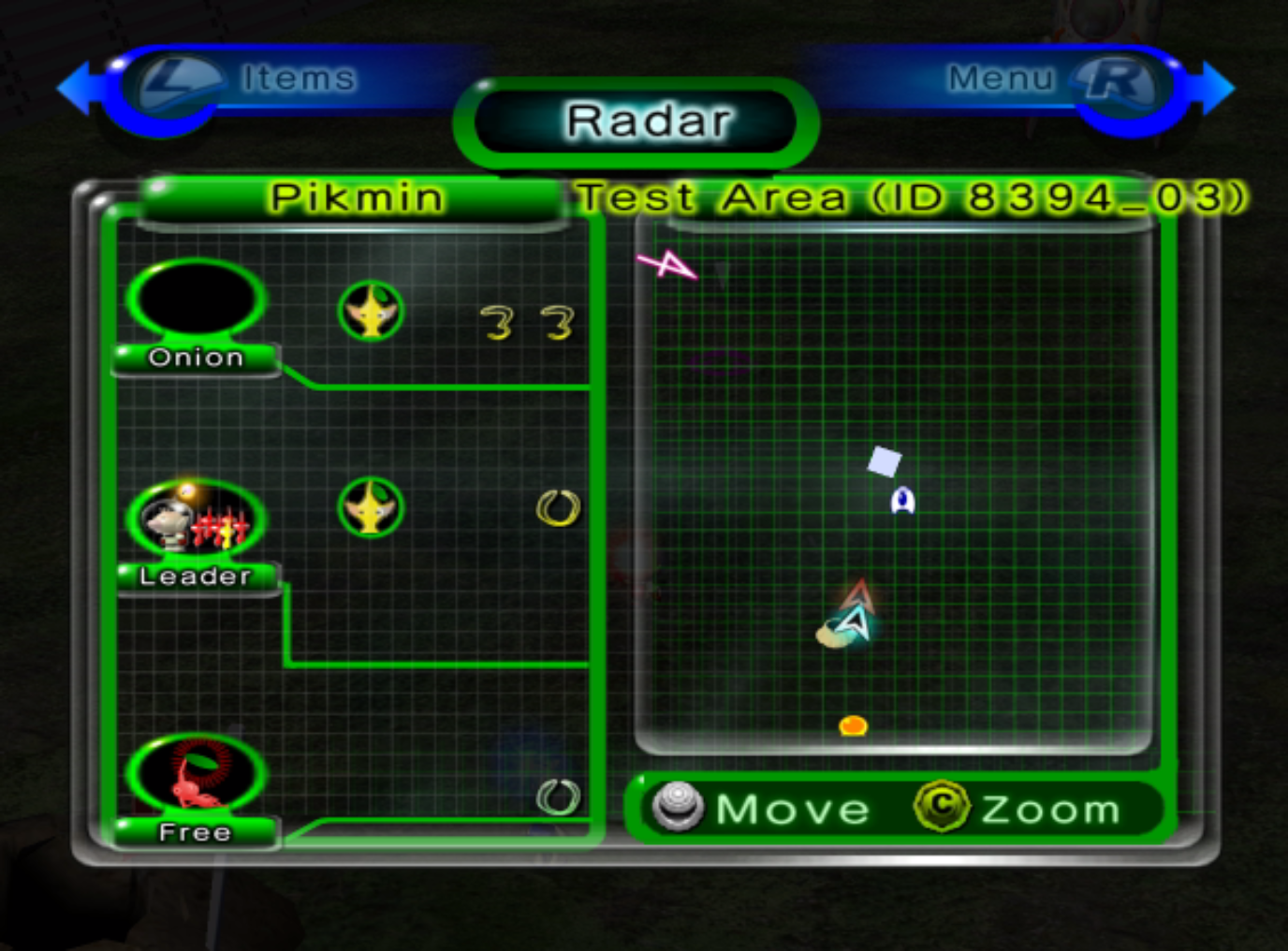
Watch on YouTubeA fully functional test map can be found on the disc at /user/Kando/map/newtest. The level can be accessed as its own proper world by following this video, or by swapping the level model and object data with The Perplexing Pool's (yakushima) on the disc with this RAR file:
 |
Download Pikmin 2 Newtest Files File: Pikmin2YakushimaReplace.rar (8 KB) (info) |
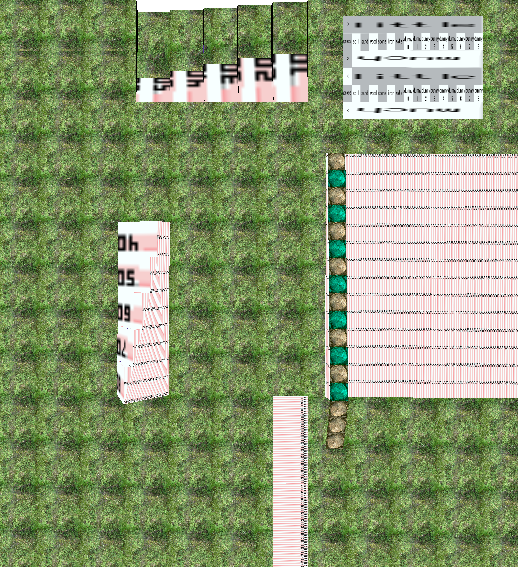
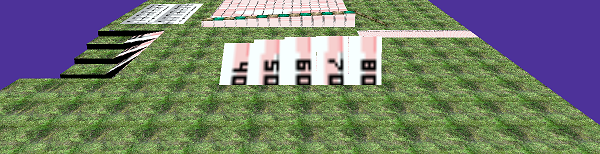
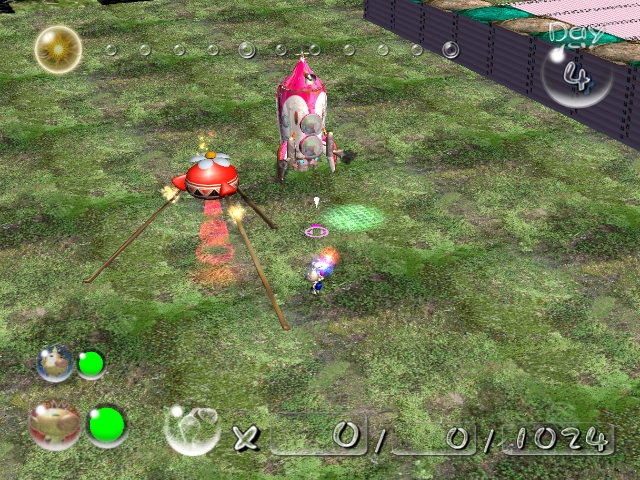
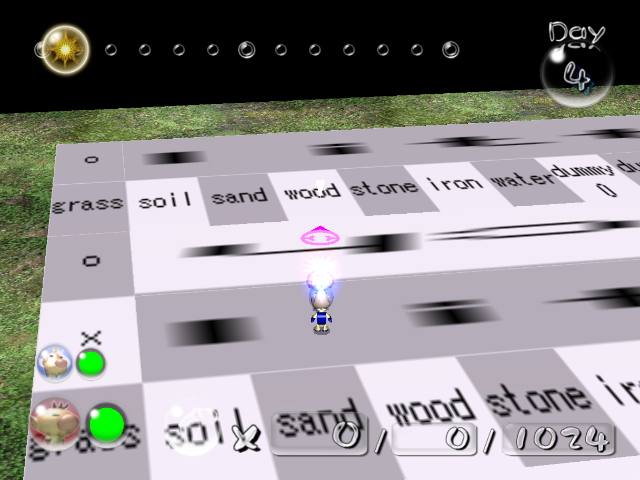


Alternate Version#
|
|
To do: |
|
Kando\map\newtest |
Kando\zukan |
|---|---|
|
|
|
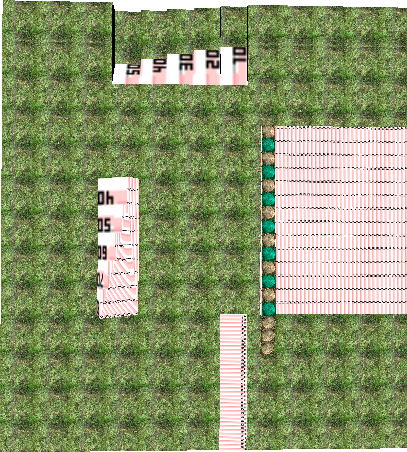
A slightly different version of the test map can be located in /user/Kando/zukan. This map is identical to the other version, with the exception of the footstep sound test tiles being removed, and the texture map being very, very slightly shifted.
Unused Map Units#

|
This needs some investigation. |
Caves are made up of randomly laid out map units (located on /user/Mukki/mapunits/units), specific to each sublevel. These units are unused:
Image |
Name |
Description |
|---|---|---|
 |
|
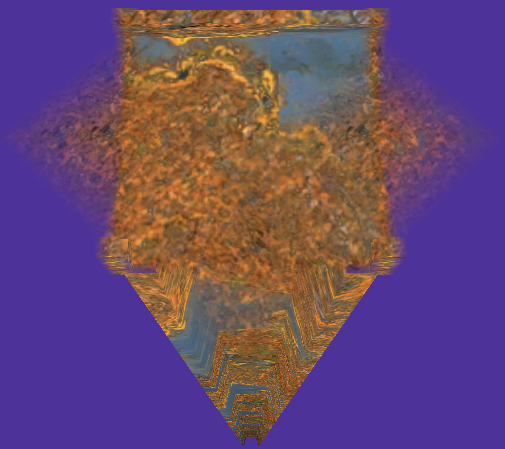
A concrete three-way crossing, presumably with an item in the middle, judging by the name. The sand texture is different from the final game. |
 |
|
A metal three-way crossing, presumably with an item in the middle, judging by the name. |
Visually the same as the used dirt three-way crossing |
|
A dirt three-way crossing, presumably with an item in the middle, judging by the name. |
 |
|
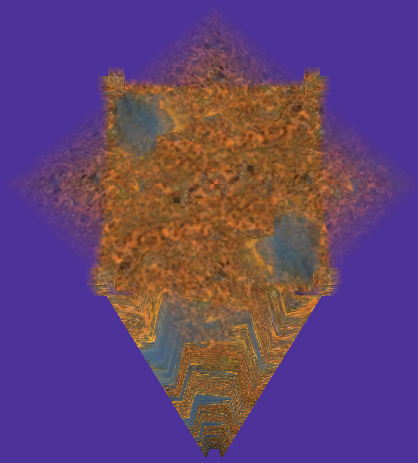
A concrete four-way crossing, presumably with an item in the middle, judging by the name. The sand texture is different from the final game. |
 |
|
A metal four-way crossing, presumably with an item in the middle, judging by the name. |
Visually the same as the used dirt four way crossing |
|
A dirt four-way crossing, presumably with an item in the middle, judging by the name. |
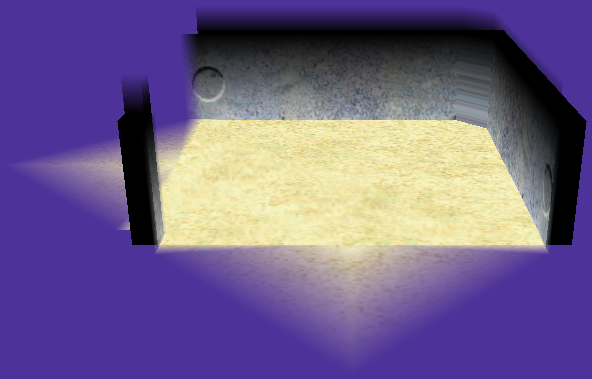 |
|
A concrete turning corridor, presumably with an item in the middle, judging by the name. The sand texture is different from the final game. |
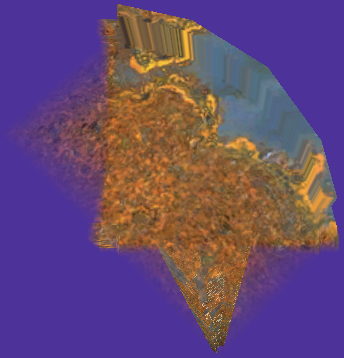 |
|
A metal turning corridor, presumably with an item in the middle, judging by the name. Note that this has higher walls than usual. These high walls can be seen in a 2-Player Battle prerelease screenshot. |
Visually the same as the used dirt turning corridor |
|
A dirt turning corridor, presumably with an item in the middle, judging by the name. |
Visually the same as the used 4-exit circular dirt room |
|
A dirt circular room with four exits. A near-duplicate of room_cent_4_tsuchi, but differing on layout.txt. |
Visually the same as the used metal zigzagging corridor room |
|
A metal zigzagging corridor room, near duplicate of room_nobo2_4_metal, but differing on layout.txt. |
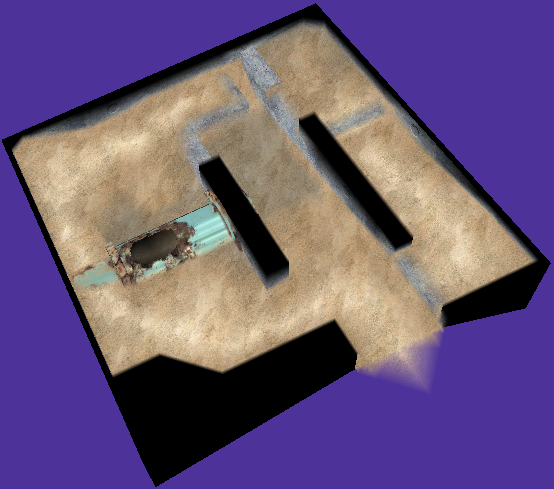 |
|
The same as the room that sublevel 2 of the Submerged Castle ends in, but part of the tube is above ground. Is thought to be part of an unused Bomb Rock puzzle, hence its name "bomb_conc". |
 |
|
A four-way crossing used in gardens, featuring a twig with a leaf that casts a shadow. This unit is used in all garden layouts, but all garden layouts generate in such a way that unexpectedly leaves this unit unused. |
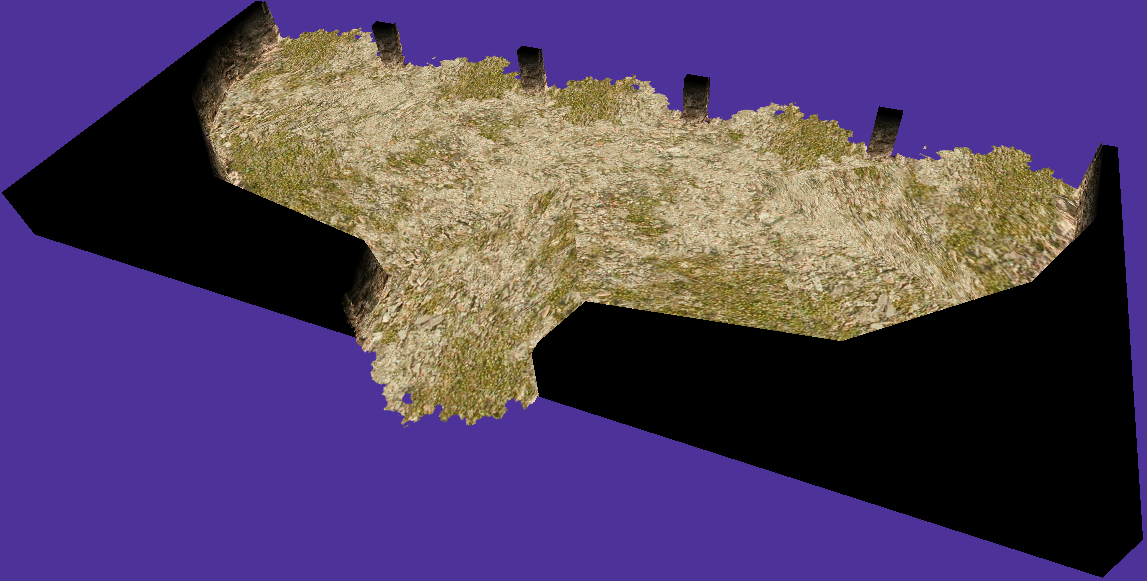 |
|
This unit belongs on the dirt-type levels (_tsuchi), and is meant to split a single path into five different ones. This unit is only incorporated on the list of all units, but that list is referenced by no cave. Even though it looks like it contains all of the necessary map unit data, its strange floor texture is further indication of its exclusion from the game. |
Unused Cinematics#
Internal Name |
Video |
Description |
|---|---|---|
g02_boot_onyonR |
A short cutscene of the Red Onion booting up...but the Red Onion is always active in the final version, meaning there's no use for this cutscene. |
|
g1E_boot_onyonY |
Similar to the above, but with the Yellow Onion. |
|
g20_boot_onyonB |
It's the Blue Onion's turn. This has the right text and the right camera coordinates. |
|
g33_camera_demo |
A tutorial for the camera controls. It goes on for a while. |
Unused Graphics#
Alternate Title Graphics#
Present in /user/Kando/develop/sysres.arc.
Japanese Title#
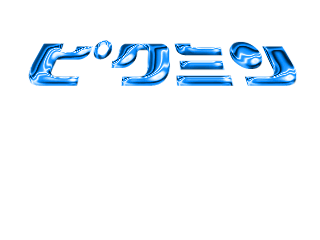
Title.bti
This is the word "Pikmin" in blue chrome(?).
English Title#
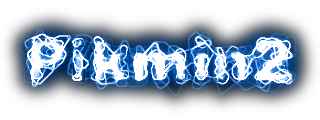
Title2.bti
A very blue and electrified "Pikmin 2" title.
Development Graphics#
Graphics for two development programs are present in /user/Kando/develop.
(Source: gabrielwoj)
Map Editor#


mapeditor.arc
Map editor icons, including a mouse and zoom button, as well as GameCube buttons.


mapcode_tex.arc
Graphics for every type of surface on the main fields.
Route Manager#


routeMgr.arc
Arrows to indicate the Pikmin's route settings.
Miscellaneous Icons#

rocket.00.bti
An unused early version of the ship icon that is present in the world map graphics.
Unused .Blo#
|
keyedit.blo |
test.blo |
|---|---|

|

|
|
keyedit.blo Textures |
test.blo Textures |
|---|---|


|
|


Found in anmedit2d.arc is keyedit.blo. Found in j2dtest.arc is test.blo.
These .blo use the format "scrnblo1" while the rest of Pikmin 2 uses "scrnblo2", meaning these are likely from an early point in development.
- Interestingly, test.blo's graphics are from Mappy, a game developed by Namco.
Map Screen Mockup#
|
Mockup |
Final |
|---|---|
|
|
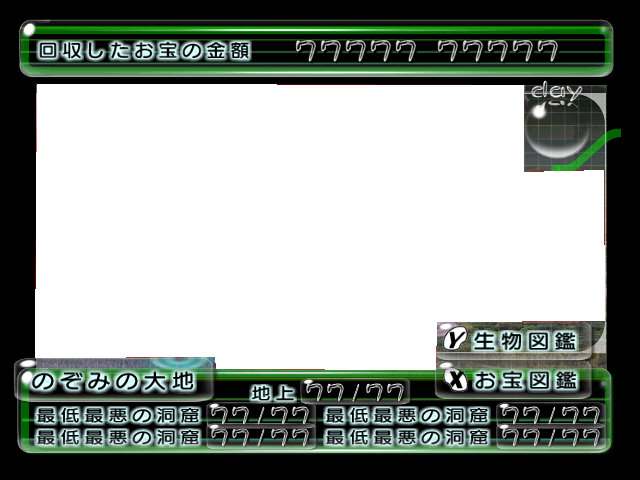
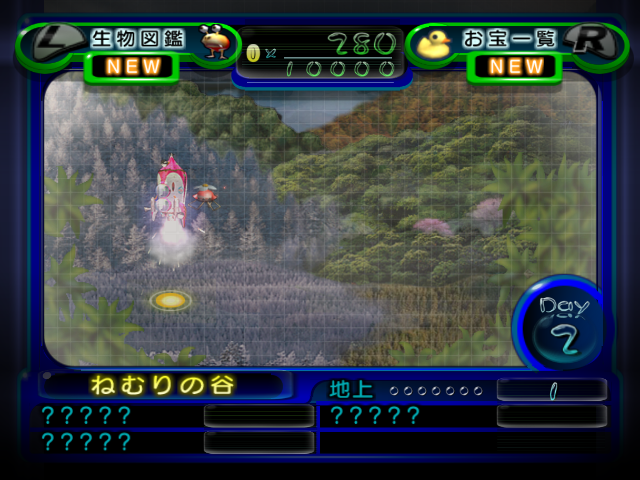
An early map screen is stored in /new_screen/jpn/worldmap.szs, texture name world_map_info_00. It is very different from the final map screen:
- The top bar is entirely occupied by a Pokos counter. 回収したお宝の金額 translates as "Number of recovered treasures".
- The day graphic was moved to the lower-right, which is occupied by the Treasure Hoard and Piklopedia buttons in the mockup.
- The buttons to access the Piklopedia and Treasure Hoard were changed from Y and X to L and R. The Treasure Hoard is called お宝図鑑, or "Treasure Encylopedia", in the mockup.
- There are four caves with the same name: 最低最悪の洞窟, or "Absolute Worst Cave". This is an early name for the Dream Den, and is referred to as such in the configuration files. The map name is のぞみの大地, or "Land of Hope", the Japanese name for the Wistful Wild.
(Source: divingkataetheweirdo (translations))
Perplexing Pool Wire-frame#

This is a wire-frame image of the Perplexing Pool found in the Piklopedia. It can be faintly seen decorating the background on the Piklopedia, but only a portion of it is shown. It's also on the file selection menu's files, for whatever reason.
The wire-frame is based on the Piklopedia/Treasure Hoard version of the Perplexing Pool, where the starting area is noticeably different. But even then, it looks like it depicts an even earlier version of the Perplexing Pool. The Shower Room section is missing, and so is the pipe sticking out of the floor nearby, and there seems to be geometry for land and islands to the south and southeast of the landing site, which are missing from the in-game Piklopedia model. They're likely remnants from The Distant Spring in Pikmin.
Piklopedia Dummy Image#

This dummy image is found in the Piklopedia, probably used in development for creatures that did not have a finished icon. It can also appear as a failsafe when an enemy's icon fails to load in properly.
Dummy Transparent Texture#

A dummy texture present in many models that use transparent effects, like the Marble treasures or the Waterwraith. Because their main look is created with frame buffer shaders, this underlying texture is never normally seen, and may have been present to warn the modeler that the shader is missing.
This texture is also used in The Legend of Zelda: Twilight Princess, where it presumably had the same purpose.
Unused Roulette Wheel slots#


When you collect a cherry in 2-Player Battle, you get to use one power. These 3 textures, featuring an Antenna Beetle, a Spotty Bulbear, and a red and blue Dweevil are found alongside the possible powerup textures. It seems like they would drop the corresponding enemies on the opponent's army, but they might have been removed for being too cheap. (The dweevil likely would've been either an Fiery or Caustic Dweevil matching the colors of the team that used the powerup, as opposed to being a new enemy.) These can be found in /user/Kando/vstex/arc.szs, and there's also a duplicate of teki_otakara.bti (the Dweevil one) under the name teki_otakara_old.bti. These textures also exist upscaled in the Nintendo Switch port of the game.
Cave Title Error Icon#

An error icon to be shown on a cave's loading screen. If the current font does not support a certain character, it gets replaced with this. This can be seen, for instance, by running a Japanese game and using a code to force the use of the early English text. The icon's text translates to "error", as you'd expect. Found in /newscreen//res_floor_name_eng_pal.szs/timg/err.bti.
Game Over#

Data for a game over screen exists in-game, in /new_screen/<any language>/res_gameover.szs. Most of the graphics within are the same as in other screens, but two of the textures are the words "GAME OVER" (one of them is just an alpha channel of sorts). This texture is present in all versions of the game, and in the res_gameover.szs of all region folders inside /new_screen.
Area names#
When an area is loading, you're shown the area's name and behind it, you have some graphic being distorted in a flame-in-the-wind effect. You also get this on the "Today's Report" title at the end of a day. You'd expect the graphics behind the text to be exactly the same as the text itself, but since you can't really understand what it says, the developers took the lazy route and used vastly different graphics.

"Valley of Repose". This is the texture used on the Valley of Repose's loading screen, which is fair enough, but also on the Today's Report title.

"今日の成績". This translates to "Today's Results". This is the texture used on the Awakening Wood's loading screen. To note is that in Japan, the Today's Report screen actually shows the title "今日の報告" ("Today's Report").

"Challenge Cave". Not only is this name not seen anywhere else in the game, but its font is also a bit different in that it has a border. This is the texture used on the Perplexing Pool and Wistful Wild's loading screens.
Pause Map Fourth Page#
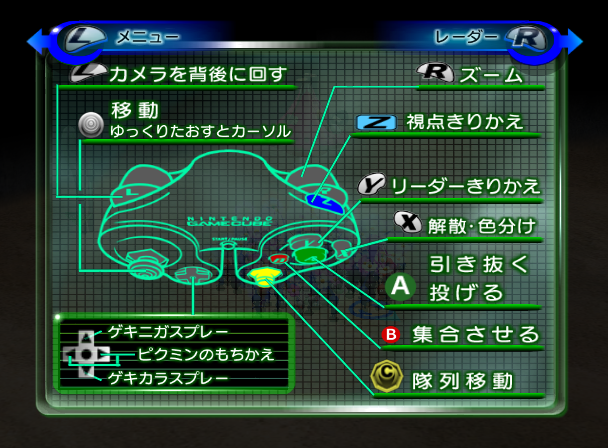
An unused fourth page of the pause menu is still fully implemented in the game, and can be re-enabled with a simple flag change. It depicts the controls, and while similar to the screen in Pikmin 1, it includes how to use to sprays and other new features. It seems to have been scrapped before the other 3 menus got their final design, considering its simpler appearance. The text was blanked out for all English releases, but it is present in the original Japanese version. The following codes re-enable the page without any text.
USA Final |
USA Demo 1 |
USA Wii |
|---|---|---|
|
|
|
Return to Last Save#
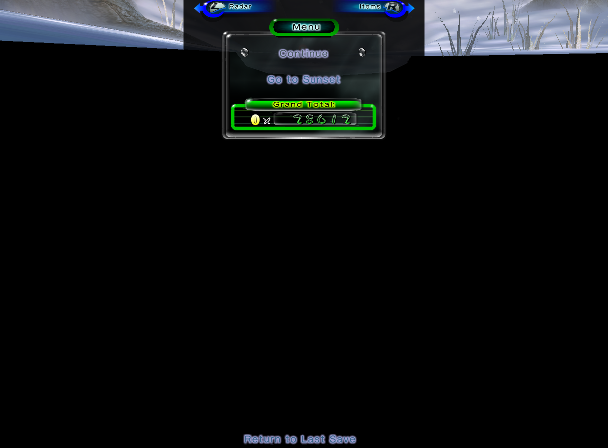
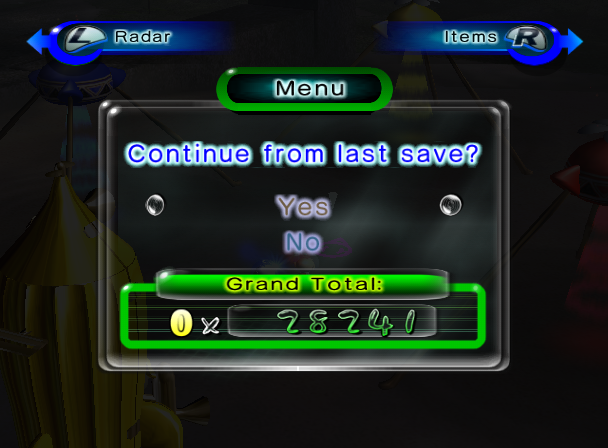
In the first game, one could return to file select at any time from the pause menu. This was removed in Pikmin 2, although it seems that was not always the case. Hidden far below what's normally visible, the third option hides out of sight from the player. It can be re-enabled with a minor code edit, and is fully functional. When selected, it creates a new, completely unused option page. Here, the player can confirm their return to file select, or cancel to return to the main pause menu. Note that in the Wii version of the game that the text for the previously mentioned unused option page will be completely invisible due to the unused text strings for the menu being removed for that version, despite still being fully mechanically functional. See here for more details. The text can even be restored as seen in the following video:
USA Final |
USA Demo 1 |
USA Wii |
|---|---|---|
|
|
|
Blue Figwort Flowers#


Present in the textures for both the big and small dying Figwort plants are blue flowers for both of them. Goes unused as the dying Figworts don't have any flowers modeled on them, and the live Figworts that do have flowers use pink ones instead. Either this was likely just a leftover from the first game where blue Figwort flowers were seen, or it could also be that blue Figworts were suppose to return in this game and even coexist with the pink ones at some point in development until ultimately being scrapped and replaced.
Unused Models & Animations#
Pikmin Animations#
|
|
To do:
|


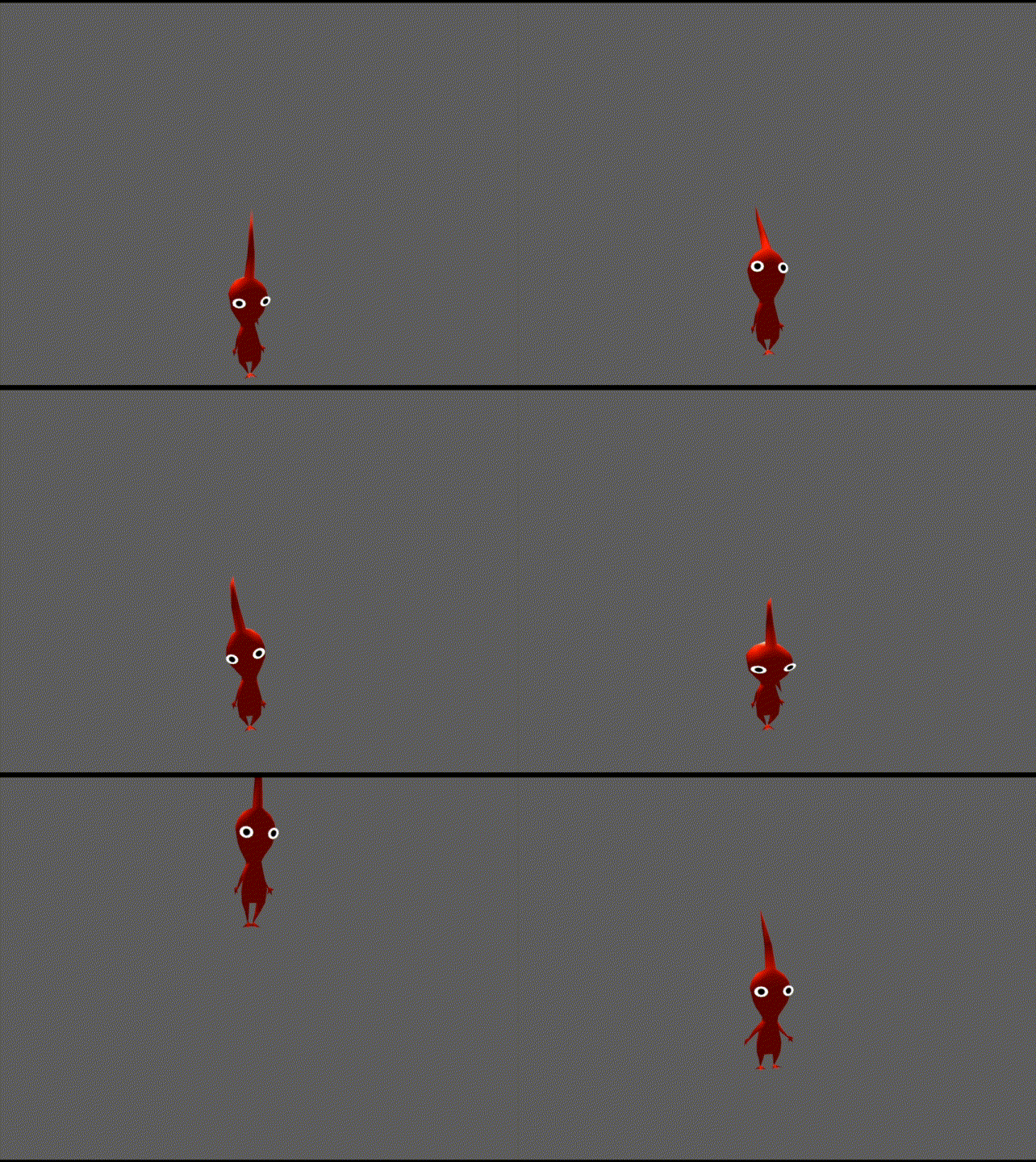
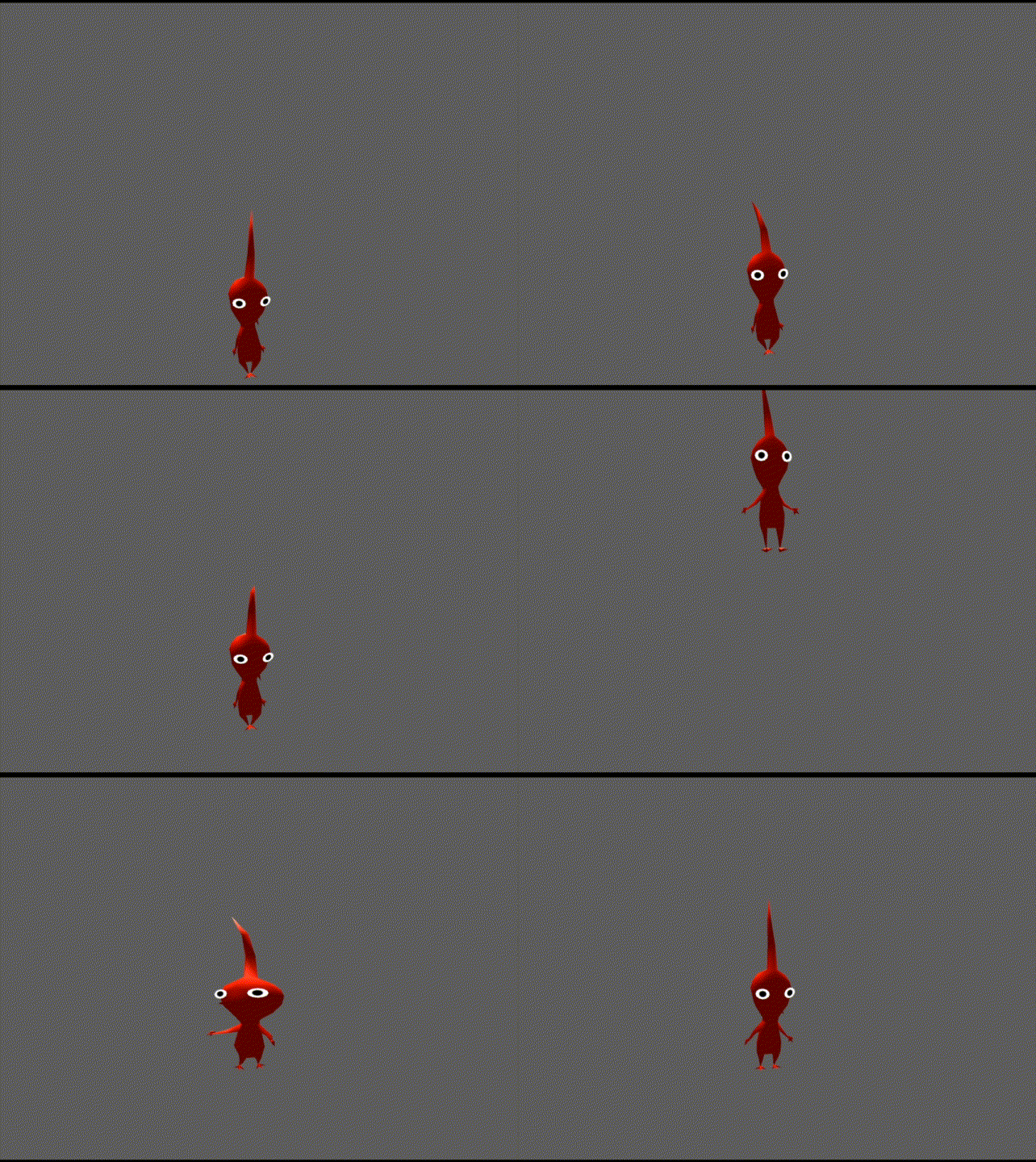



A handful of unused animations for the Pikmin are present in pikis.szs, some are leftover from the first game, while one is new. Note that Pikmin and captains share animations, so these could have been meant for either.
Weighted Platform Test Model#
Model |
"down" |
"on" |
Texture |
|---|---|---|---|
 |
 |
 |
 |
Found in two locations, \user\Kando\objects\downfloor\backup\downfloor.arc and \user\Kando\objects\downfloor_back\backup\downfloor.arc- A test model for the weighted platforms exist, along with three animation files; "down.bck", "on.bck", and "wait.bck" (stationary).
Early Olimar Model#
Model |
"wait" |
"walk" |
"damage" |
"akubi" |
"dead" |
|---|---|---|---|---|---|
 |
 |
 |
 |
 |
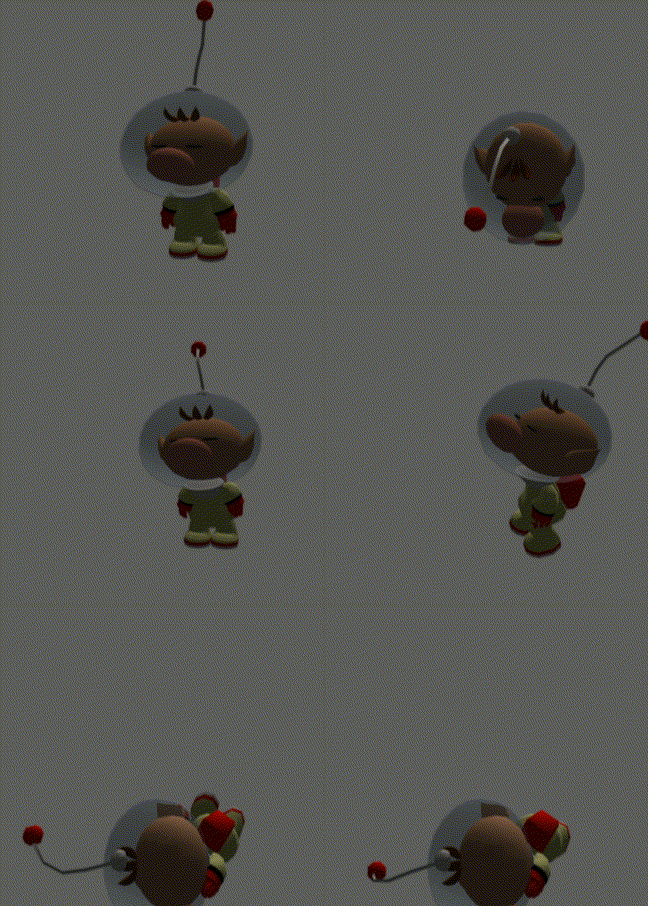 |
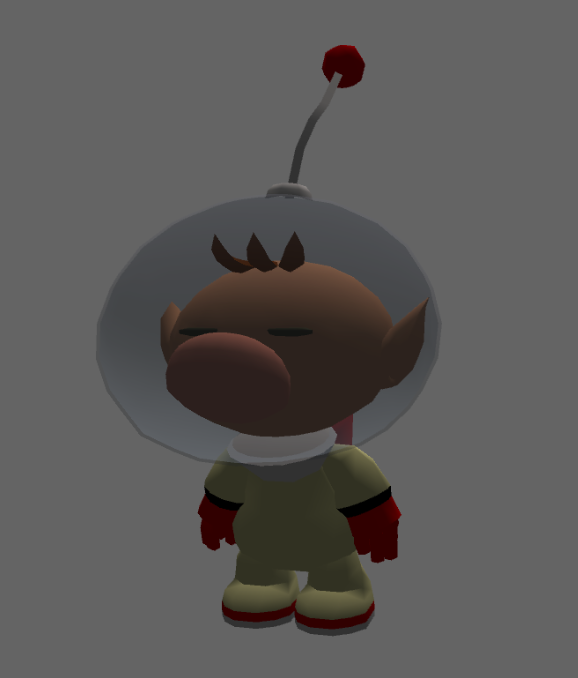




Found in \user\Kando\develop\anims.arc\newnavi.bmd- An early testing model for Olimar can be found. It is a direct conversion of his model from the first game, as evidenced by the lack of a mouth, darker lighting, and the red ball on his antenna. Due to using a different skeleton compared to the final model, it is not compatible with its animations, but it does luckily contain a few animations of its own that work fine.
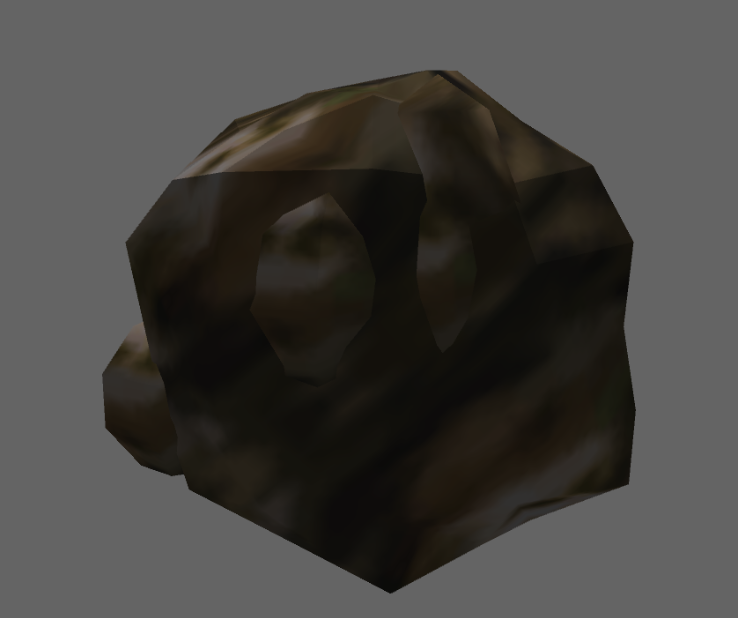
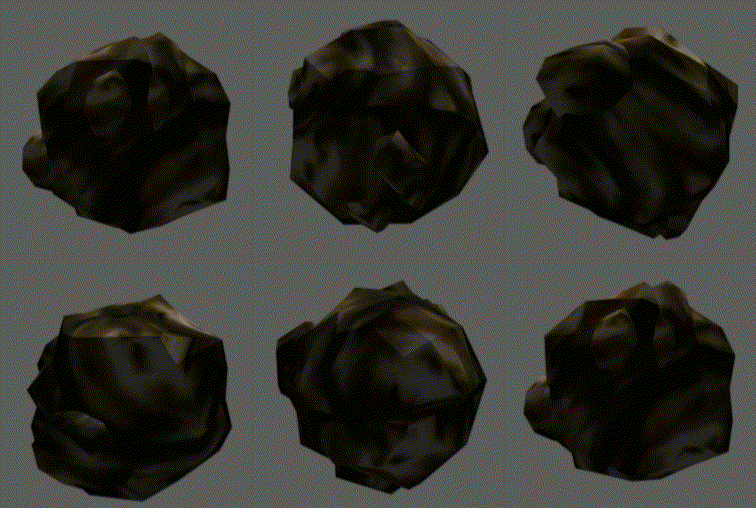
Kesimasu#
Model |
"roll" |
"dead" |
|---|---|---|
 |
 |
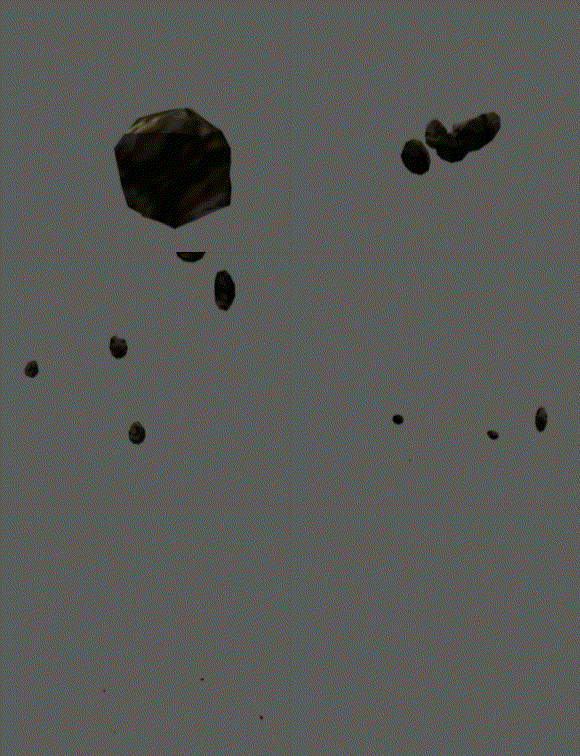 |
Found in \user\Kando\objects\barrel\kesimasu\arc.arc- A completely scrapped object type. It seems to be a port of the rocks shot by Armored Cannon Beetle in the first game. In this game, the rocks shot by Cannon Beetle Larva are a proper enemy of their own, although this model appears to be very similar regardless.
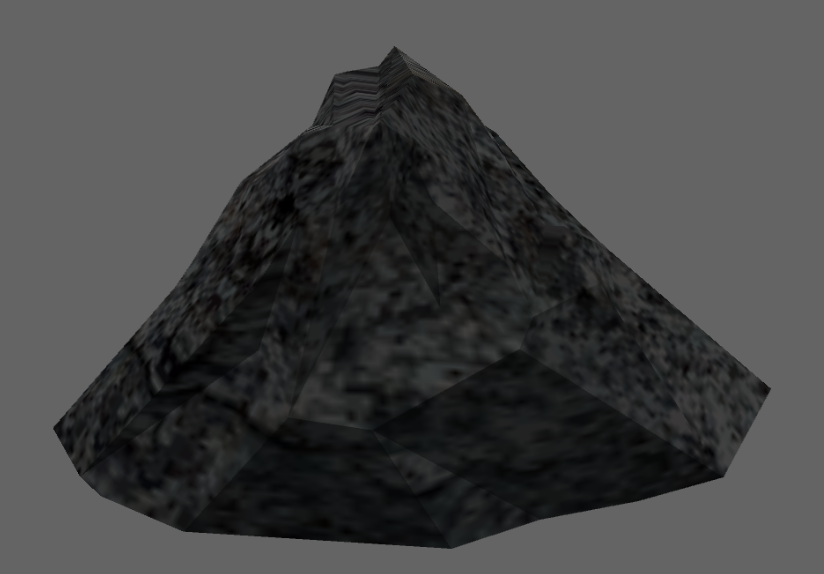
Rock#
Model |
"down" |
"up" |
|---|---|---|
 |
 |
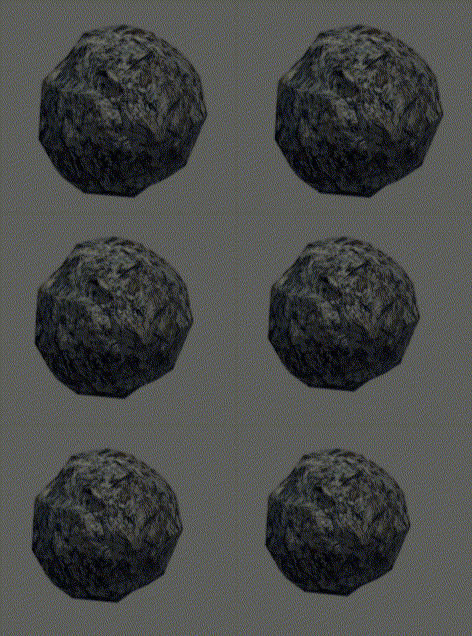 |

Found in \user\Kando\objects\rock\arc.szs- Another scrapped object, not to be confused with the previous model, which is also a rock. This one appears to be an early version of the geyser. It has a much simpler model and only two animations, for moving up and down. Note that there is a copy of this model in \user\Kando\objects\rock\kesimasu, although it appears to be identical.
Early Bridge Models#
brg_sample |
slope_u |
|---|---|
 |
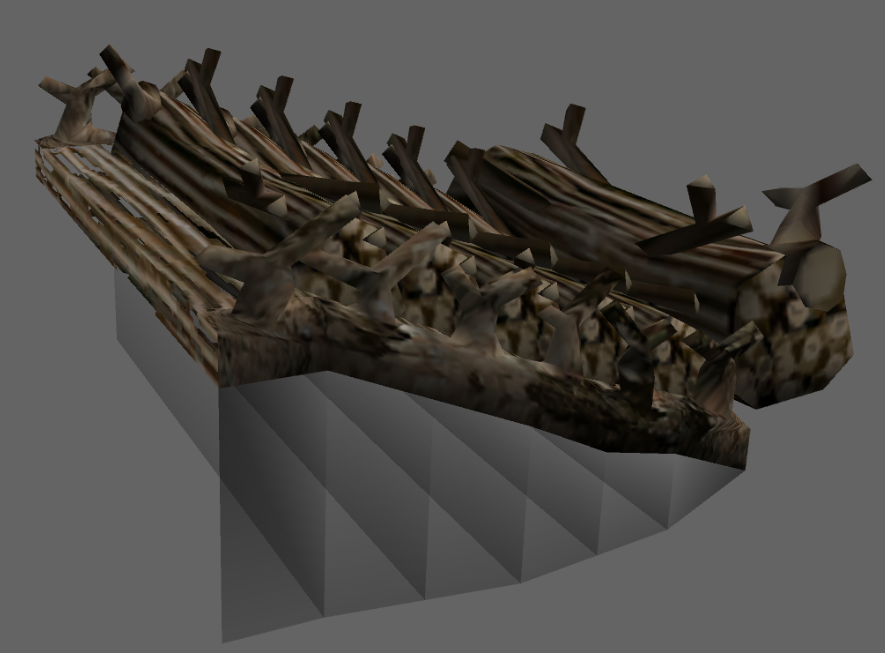 |
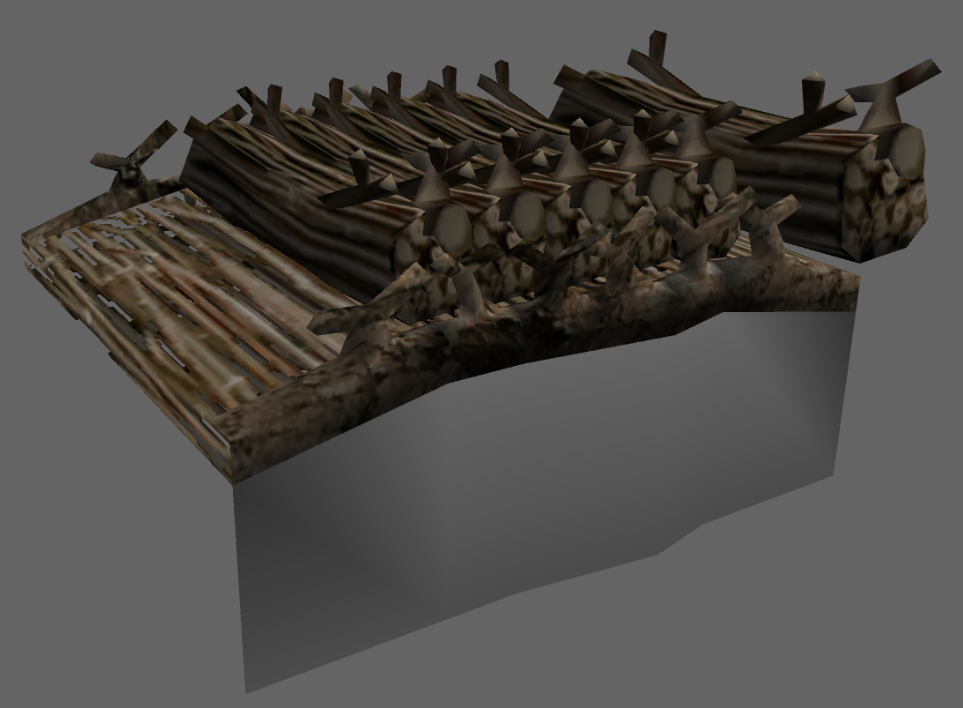
Found in \user\Kando\objects\bridge\arc.szs- Are a couple of directly ported bridge models from the first game. Oddly, only two of the four types from the first game are present (2 would go on to drop the downward slope bridge anyway). The extra shading under the bridge is a detail from the first game that was removed for the final Pikmin 2 bridge models.
Early Cave Hole#
model.bdl |
|---|
 |
Found in \user\Kando\objects\dungeon_hole\arc.arc\model.bdl- Is an early concept for the cave entrance hole. This one seems to take a very different approach to the final one, where the hole would have been a literal hole in the floor instead of being more of a dirt mound. Also notable for being the only .bdl model in the whole game. Being that this model is unused, it could be said that the .bdl support itself is unused code in this game.
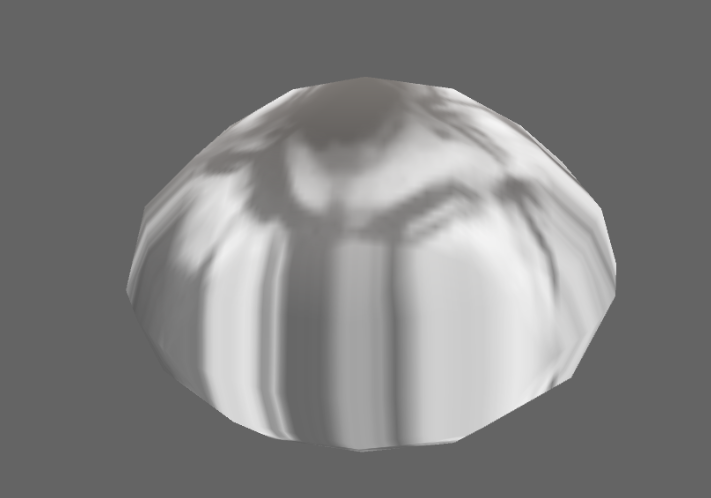
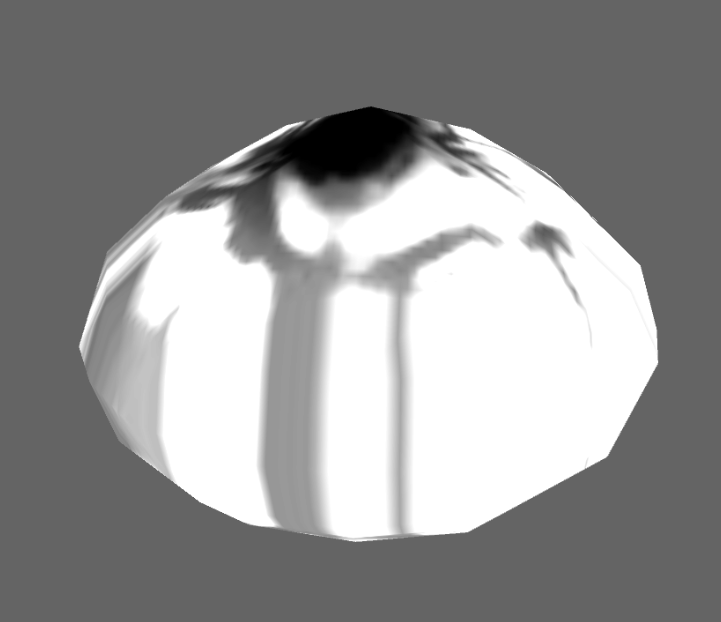
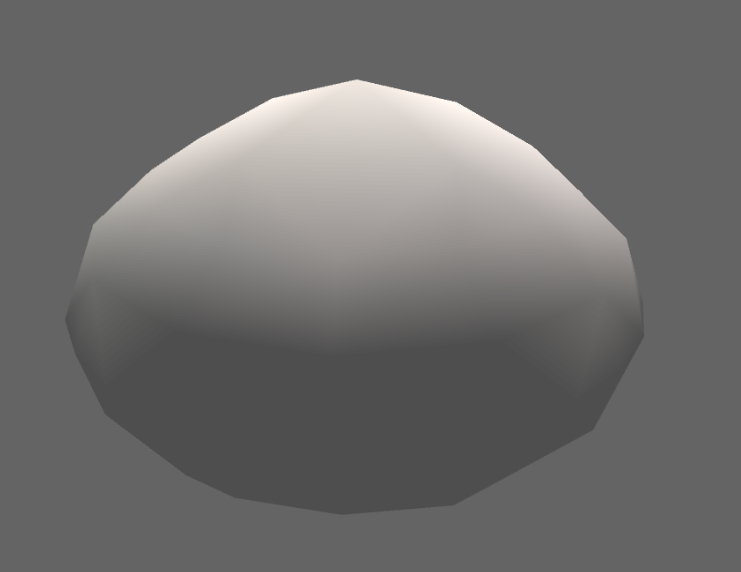
Early Nectar Models#
mitu_1.bmd |
mitu_no_ras.bmd |
mitu_ras.bmd |
model.bmd |
|---|---|---|---|
 |
 |
 |
 |
Found in \user\Kando\objects\honey\arc.szs- Is not one, but FOUR whole unused versions of the nectar model, along with the one that actually does get used. All of them are very basic and lack color, probably being meant for testing. The first three are still compatible with the final model's animations, but not the last one.
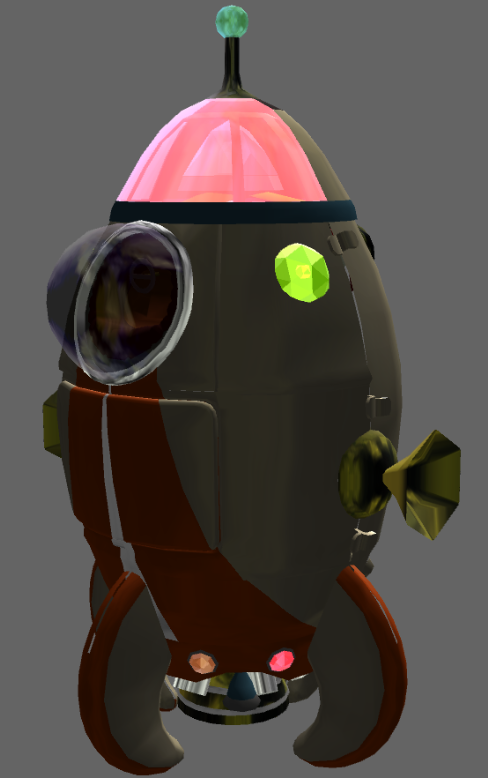
S.S. Dolphin#
Found in \user\Kando\ufo\ufo.arc\model.bmd is a model for the S.S. Dolphin from Pikmin labelled ufo.bmd. This model comes with an animation ufo.bck, showing parts on the ship moving. Notably, its inside is largely empty, implying it was reworked with the idea of always being a complete ship in mind. Despite this, it is also missing a few important components, such as the Geiger Counter, the extra lights that change color as you progress through the game, and the large spinning antenna that appears after unlocking The Distant Spring.
|
Model |
Animation (Back) |
|---|---|
|

|
Unseen Model Features#
Cockpit TV Screen#

If you look at the President's cockpit in the golden version of the Hocotate ship, you'll see a nice sofa and a TV. The TV's screen is actually animated, but because of the way the game renders transparency (and because of the angle of the television), you can't see this in-game. By using a free camera mode to place the camera inside of the cockpit's glass, and aiming at the television screen, you can see the animation: the screen pulsates between a dull gray and a strong cyan color.
Awakening Wood Triangle#
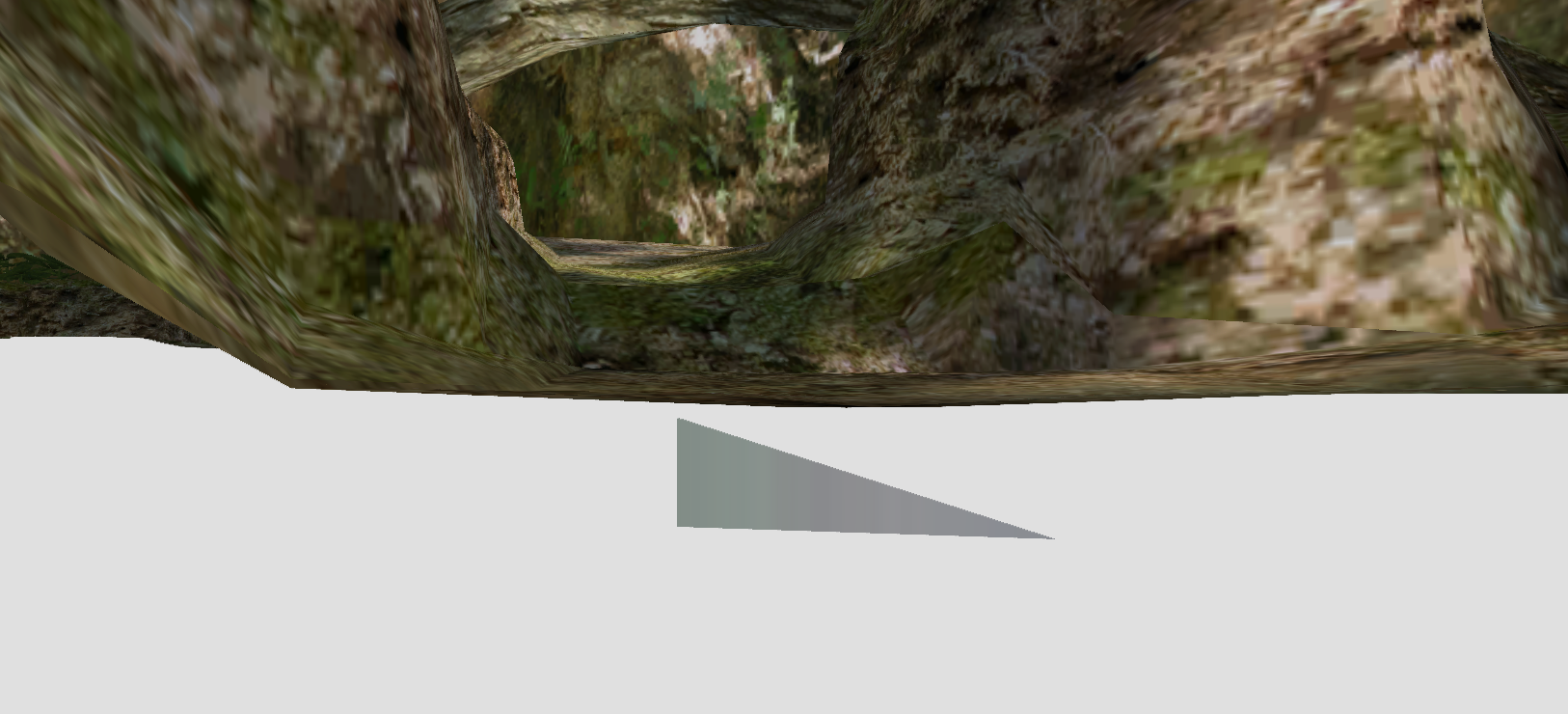
A single rogue one-sided triangle is floating under the dirty plate near the landing site in both the normal and Piklopedia version of the Awakening Wood. It's likely related to the modelling process of the plate, since it's situated directly under it and it has the texture of the plate itself.
Perplexing Pool Obscured Texture#
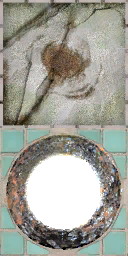
This texture in the Perplexing Pool is used, but it's practically impossible to see some of its details.
The top half can be seen in the chipped parts of concrete/tile in the landing site/Shower Room entrance area, but only parts can be seen at a time. The middle part always gets covered by a metal pipe. The bottom half is under the entrance to the Shower Room cave, so it's obscured by the cave entrance proper. While this can be seen in the Piklopedia version of the Perplexing Pool, it's always underwater, seen through the Piklopedia's bloom filter, and never with a convenient camera angle.
Perplexing Pool Block#
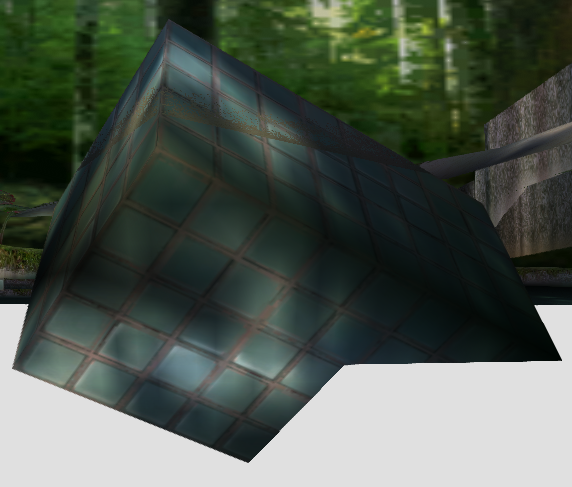
]
To the right of the landing site is a buried block with only a corner visible during gameplay, but the block is actually a bit more modeled underneath the surface. This block's odd shape suggests it was originally oriented upright on the shore, and is large enough that a treasure could fit on it if this were the case.
- This oddity is also present in the Piklopedia version of the same area.
Volatile Dweevil#
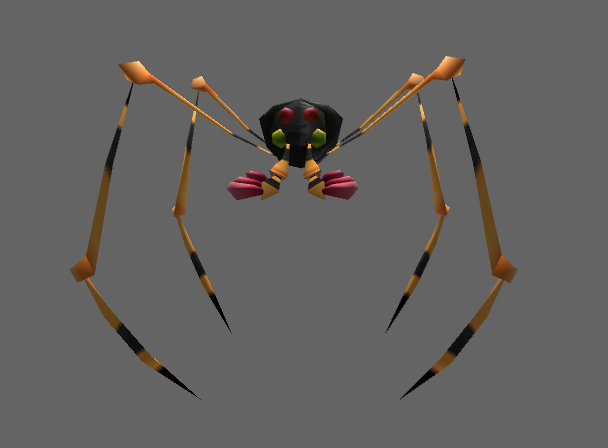
The Volatile Dweevil is normally only seen with a bomb rock covering its head. But because it uses the same model data as the other Dweevils, its head is still fully present underneath, un-seeable in normal gameplay. Strangely, its texture isn't set to horizontally mirror, which causes a noticeable line going down the center of its head that isn't present on the other Dweevil models.
Yellow Burgeoning Spiderwort Berries#
In the game's code, there exists a third unused yellow type of Burgeoning Spiderwort berries. The yellow sprays that would have been extracted from these berries are actually visible in the game's UI in several pre-release screenshots. The following Gecko codes replace the mixed berry Spiderwort plants with ones that contain all yellow berries:
USA Final |
USA Demo 1 |
USA Wii |
|---|---|---|
|
|
|
Unused Lighting#
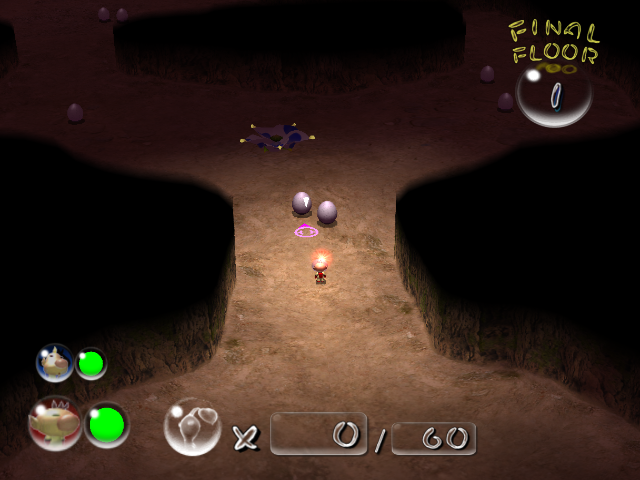
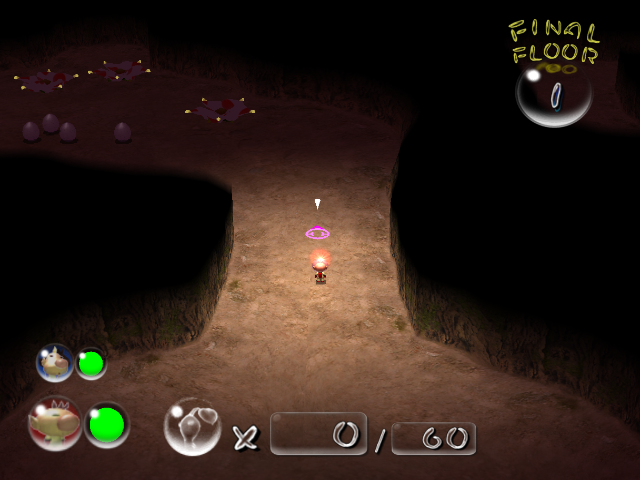
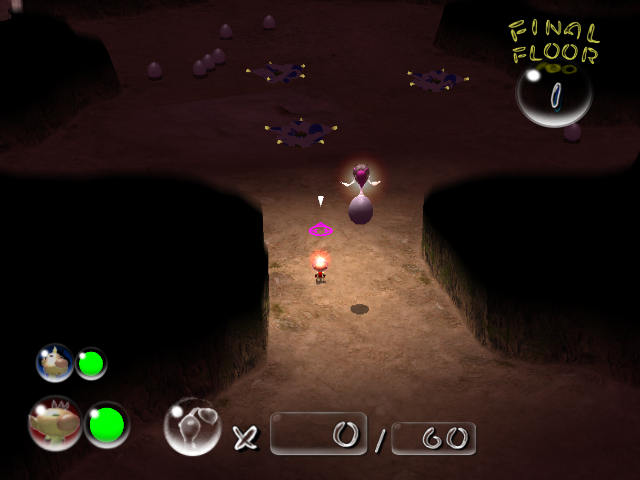
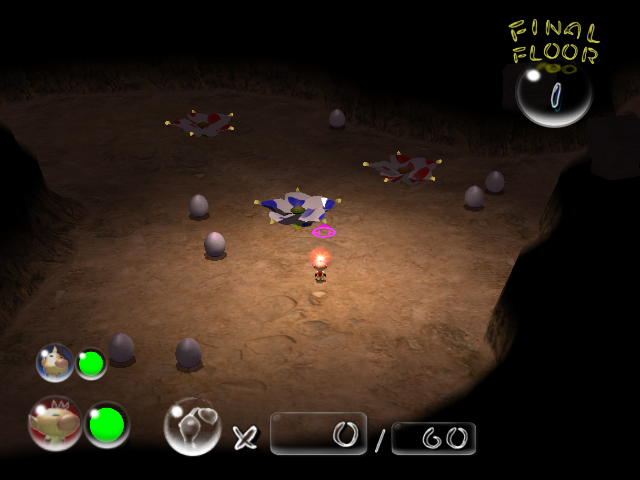
All lighting files can be found in /user/Abe/cave.
Jyoou_light#
"Jyoou" translates as "queen", meaning these lighting files were likely used for the Hole of Beasts.
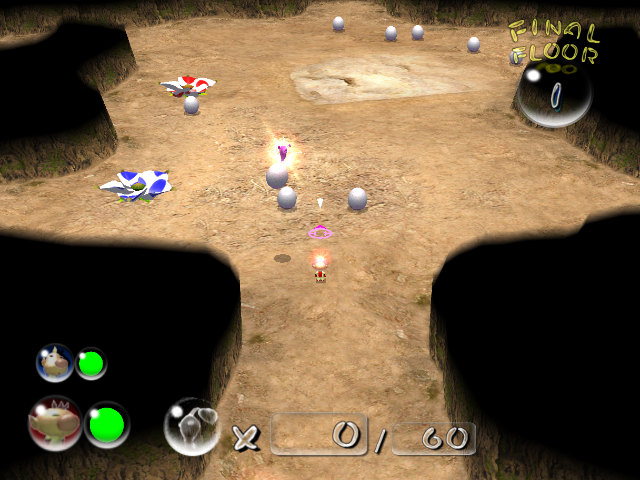
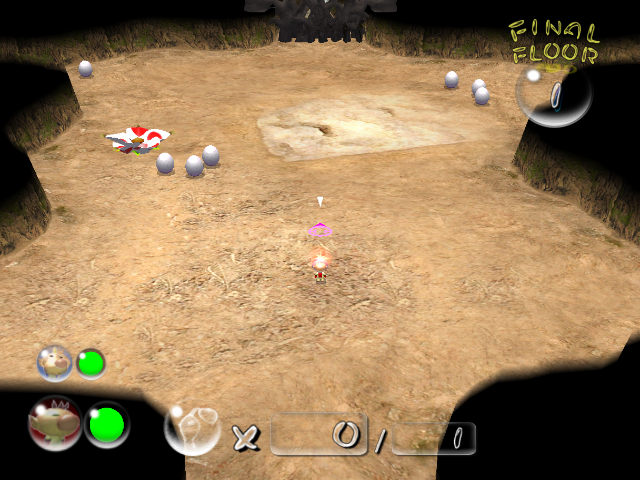
Sirohana_light#
"Sirohana" translates as "white flower", so it's a safe bet that these files were once intended for the White Flower Garden.
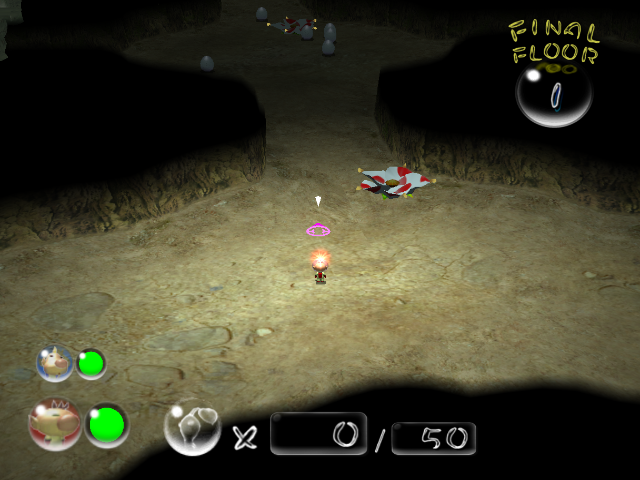
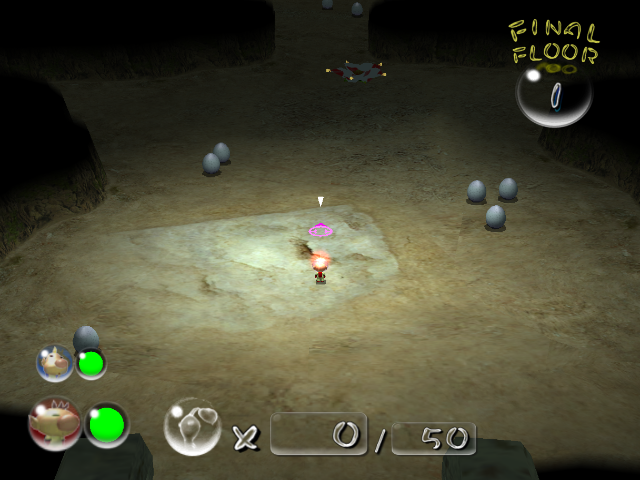
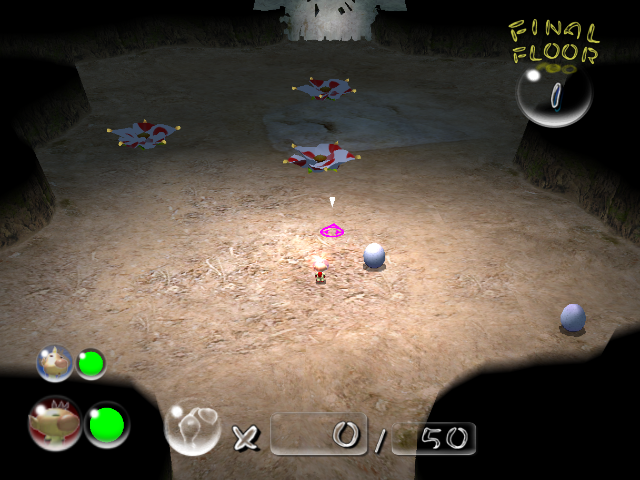
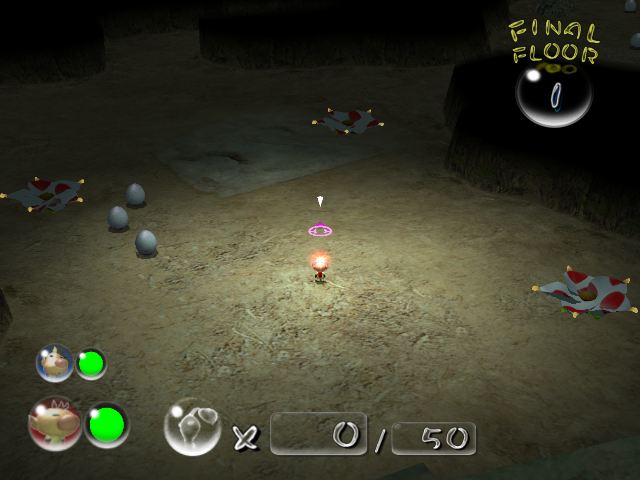
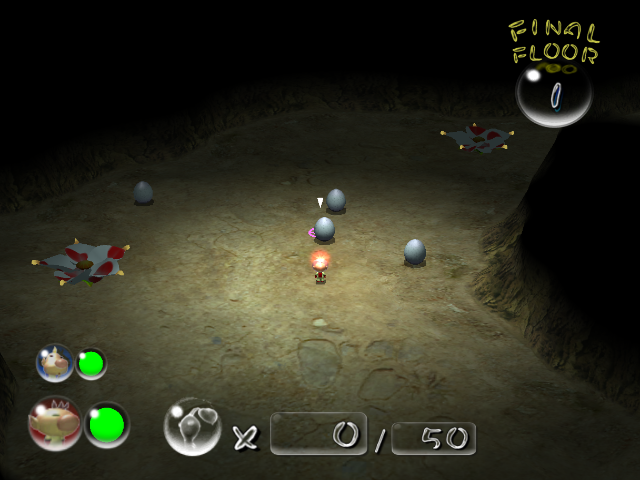
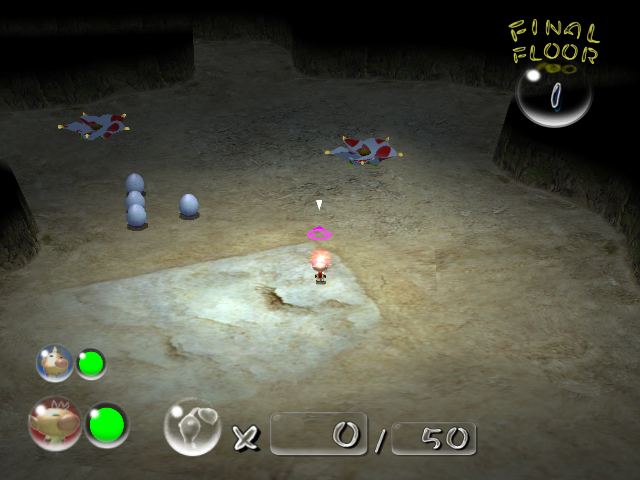
Other#
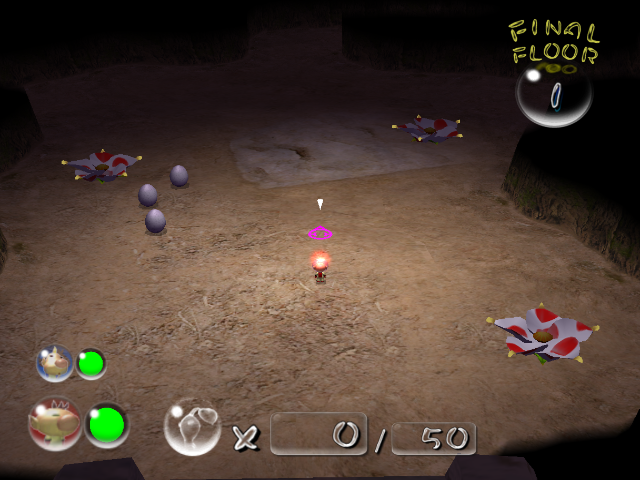
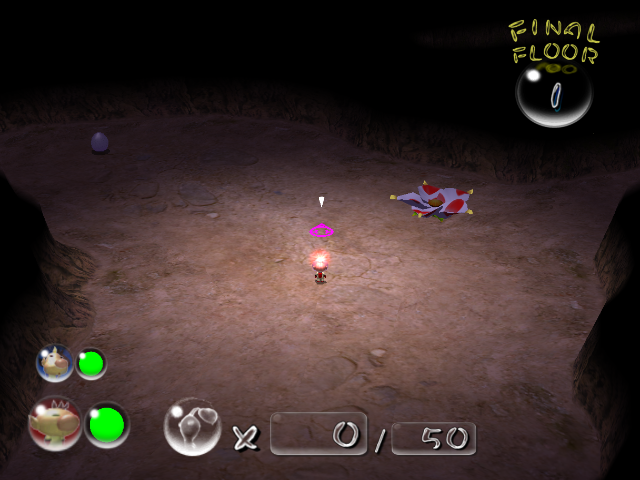
muraon_light_lv0 and muraon_light_lv3
While "muraon_light" files 1, 2, and 4 are used, these variants are not.
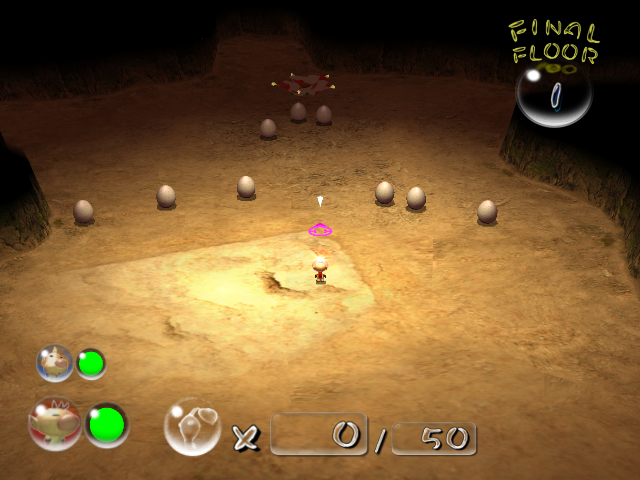
key_light_lv0
A slightly brighter version of the lighting used in the Snack Pit challenge level.
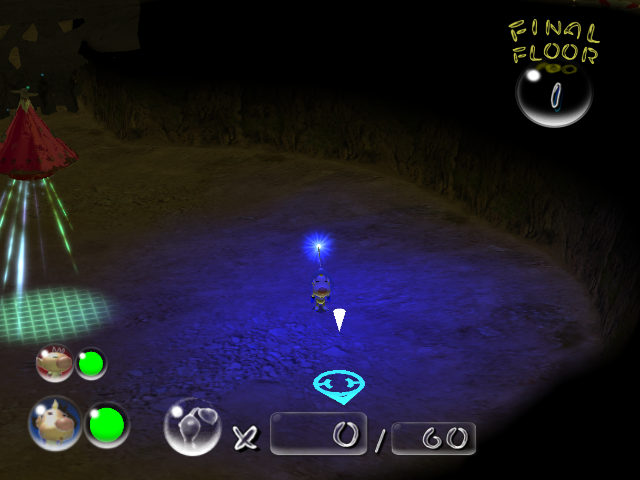
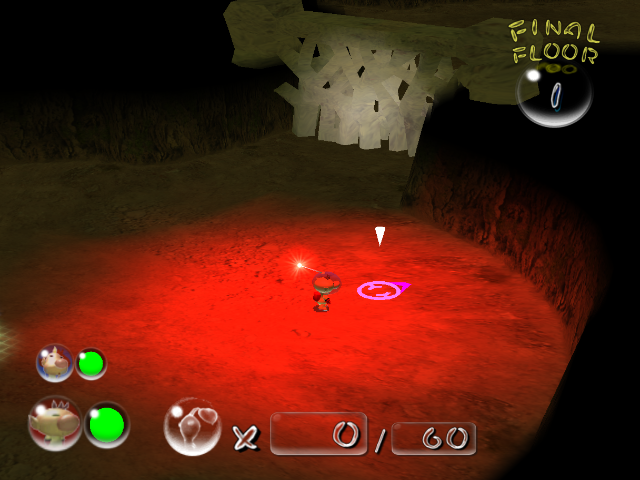
light_blue and light_red
It's possible that these settings were meant for Olimar and Louie, who would light the caves with their tracking beacons. Or they could just be test files.
- These lighting files use an earlier format than the others, so the only way to get these to work right is to import the RGB and light settings into a different file.
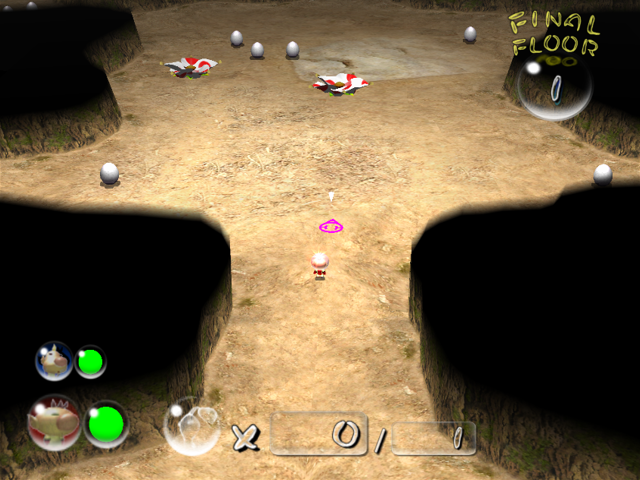
bluefog00
This lighting file has the version code "0000" rather than "0001" which almost every cave light uses.
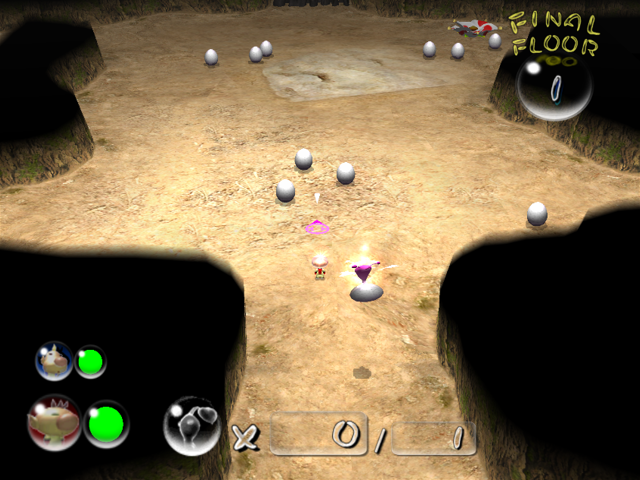
hiroba_light
This lighting file also has the version code "0000", and is almost the same as "bluefog00" but slightly darker.
Unused Code#
Early Tutorial Leftovers?#
- Despite not being able to enter it until day 2 at the earliest, if you're inside the Emergence Cave on day 1, the pause menu will have the "Give Up and Escape" option grayed out and unusable for unknown reasons.
- If you're able to reach day 2 without unlocking any entry in the Piklopedia or Treasure Hoard (achievable only through glitches, such as the day 1 extinction glitch), the game will show constant static on the monitor and write dashes in all fields.
Enemies and Other Objects#
- In
Game::Egg::Obj::genItem(), there is logic to override an egg's random content picking with a specific fixed outcome. All eggs in the final game will have random contents.- Also in
Game::Egg::Obj::genItem(), there is logic for eggs to spawn random 1 pellets and to spawn random 5 pellets. These will be produced if the egg content ID variable ends up as 0 and 1, respectively.
- Also in
- In
Game::EnemyBase::onKill(), there is logic to decide what petrification blobs to spawn based on one of the creature's attributes. If the value is3, the creature will spawn 3 blobs, with a 90% chance of nectar. However, no object in the game has this value set to3. - Enemies and objects have a few settings that work, but aren't given any real use since they always use the same values:
- fp16 controls the chance of a latched Pikmin successfully falling off when the enemy shakes, but it is always set to 1 (100%) for objects that shake, and 0 otherwise.
- fp35 multiplies the duration of the object's petrification, but it is always set to 1.
- There are 7 behaviors for the objects that fall from cave ceilings, 2 of which are not used:
$3(makes the object only fall if a leader is nearby; Pikmin are ignored) and$0(not supported; triggers a cave object generation failsafe that ends up transforming it into a normal Common Glowcap). - Gas pipes have logic to turn on and off, like fire geysers, but their "off" state is set to last for 0 seconds. Additionally, the "on" state does have a unique value of 3 seconds, which is even different from the fire geyser's 2 seconds, despite being pointless.
- The Beady Long Legs normally drops nothing upon death if it doesn't have a treasure, but it was actually programmed to spawn 25 Unmarked Spectralids. The code to make them fails because the Spectralids are not accounted for in the table for what enemies allocate other enemies. While this could've just been a simple mistake, this also could've been done on purpose to avoid high memory allocation issues, specifically when Beady Long Legs spawns in the Perplexing Pool, an already very memory heavy map.
USA Final |
USA Demo 1 |
USA Wii |
PAL |
JPN |
|---|---|---|---|---|
|
|
|
|
|
- Unmarked Spectralids have 200 HP (as much as a Dwarf Red Bulborb), and Honeywisps have a ridiculous 99999 HP, but both values are moot since these enemies die in one hit.
- Unmarked Spectralids also have code to use a random scale between a min and max value, yet both the min and max are set to 1.0.
- Unmarked Spectralids have their fp16 Shake Rate value set to 1, meaning they could shake off attacking Pikmin successfully, coupled with a unique fp17 Shake Knockback value of 150. But they can't ever shake at all and die instantly on contact with a Pikmin anyways, making these values rather pointless.
E3 Leftovers#
- There is an unused flag in the game related to an E3 Demo in all versions, but there's currently only an Action Replay code for the Japanese version.
Turning the code on will replace all menu options with "Main Game" ( starts the "demo" ) and 2-Player Challenge Mode ( crashes Dolphin ). All Pikmin colors are near their respective Onions/Ship, caves cannot be entered, the BGM is broken, and the HUD is gone.
NKQ6-ZGTX-EZ9MN
W6H4-7RZZ-PPJXBOther#
- Some cave sublevels have the "skybox" property set to the value
vrbox(Dream Den 8; Hot House 1 and 2; Collector's Room 1, 2, 4, 5, 6 and 7), and two have it set tof010(Green Hole 1 and 2). Both of these values are invalid, so the game defaults to having no skybox.- In addition,
/user/Kando/map/vrbox/also contains ameck.szsfile, but it only contains an empty folder namedmeck.
- In addition,
- Pikmin has an unused feature where the longer you hold a Pikmin for, the higher its throw will be. However, the starting values and the "fully charged" values are the same, so the feature has no gameplay impact. In Pikmin 2, these parameters return, and are equally set to the same values between the normal and full-charge parameters, but the feature itself is missing.
- All sublevels of the Submerged Castle are set to play the song
new_01_0.cnd(the theme from Hole of Heroes' 6th sublevel), but the game is hardcoded to play the Submerged Castle's theme on them all, instead. - There are waypoints for carrying objects out of the cave unit for the Titan Dweevil's arena, but Pikmin are never seen carrying objects out of the room in-game.
A Whimsically Unused Radar Feature#
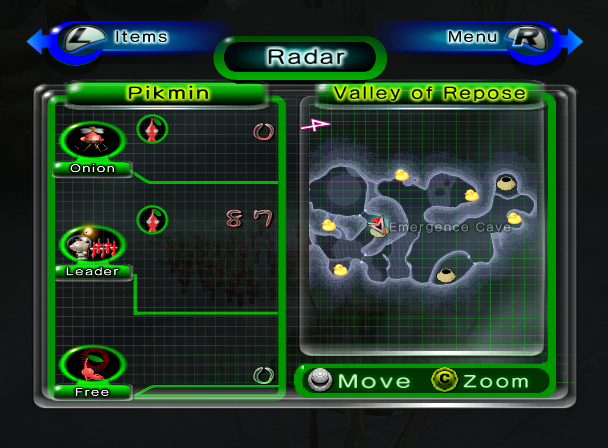
- Like Pikmin, this game was originally planned to show treasures on the radar map. It was scrapped relatively late, as it still remains fully functional in the final game and can be re-enabled. It uses a yellow tinted Rubber Ugly icon for normal treasures, and a red tinted one for explorer kit items.
USA Final |
USA Demo 1 |
USA Wii |
|---|---|---|
|
|
|
Unused Purple Pikmin Data#
Enemies and some other objects have properties that control how much damage a Purple Pikmin stomp causes (default is 50), their stun chance (default is 30%), and stun duration (default is 5 seconds). For various reasons, some of these values are unused:
- Honeywisps, Cannon Beetle rocks, and rubble have the damage setting set to 10, despite handling taking damage differently.
- Honeywisps, Cannon Beetle rocks, eggs and bomb-rocks also have a 10-second stun, but Honeywisps don't get stunned and the rest aren't enemies.
- Honeywisps, Cannon Beetle rocks, rubble, and the Waterwraith's rollers have a 5% stun chance, but paradoxically can't be stunned.
- Waterwraiths and their rollers could be stunned for a staggering 60 seconds...but the Waterwraith's stun chance is 0% and the rollers aren't technically enemies, so they can't be stunned.
- Empress Bulblaxes could be stunned for 10 seconds despite having a 0% stun chance.
- Mitites, Toady Bloysters, Ranging Bloysters, Men-at-Legs, Beady Long Legs, Volatile Dweevils, Titan Dweevils and Raging Long Legs have a 0% stun chance, but still have a stun time of 5.
- Fire geysers, gas pipes, and electrical wires have a stun time of 5, but a chance of 0%, and wouldn't be stunnable regardless since they aren't considered enemies.
Unused Corpse Values#
The following enemies leave corpses and are only found in caves, leaving these seed values unused.
Enemy |
Seed value |
|---|---|
Giant Breadbug |
4 Seeds |
Anode Dweevil |
5 Seeds |
Antenna Beetle |
5 Seeds |
Caustic Dweevil |
5 Seeds |
Fiery Dweevil |
5 Seeds |
Munge Dweevil |
5 Seeds |
Bumbling Snitchbug |
8 Seeds |
Mamuta |
8 Seeds |
Bulbmin |
10 Seeds |
Pileated Snagret |
25 Seeds |
Ranging Bloyster |
25 Seeds |
Emperor Bulblax |
30 Seeds |
Empress Bulblax |
30 Seeds |
Segmented Crawbster |
30 Seeds |
There is exactly one enemy in the game with the opposite problem, only existing in overworlds, and therefore having an unused poko value. This value can be seen in the Piklopedia, despite the player having no way to actually observe it in gameplay.
Enemy |
Poko value |
|---|---|
Ravenous Whiskerpillar |
1 Poko |
Ignored Cave Settings#
|
|
To do: |
- Some sublevels have data to play a certain song, but end up playing a different one in-game:
- In all sublevels of the Submerged Castle, the track that plays on Hole of Heroes sublevel 6 should play, but the cave's hardcoded logic makes the Submerged Castle's theme play instead.
- In Dream Den sublevel 9, the same track from the Hole of Heroes should play, but the rest sublevel hardcoded logic makes the rest sublevel theme play instead.
- Some cave units are defined to be used in sublevels, but the game can never generate a sublevel that uses them:
- In Emergence Cave sublevel 1, the list of cave units includes corridors, crossways, and dead ends, even though the sublevel only ever contains 2 circular rooms facing one another.
- In Dream Den sublevel 14, the list of cave units includes pipe corridors, pipe crossways, and a pipe dead end, even though the sublevel is just the main room and a concrete dead end.
- All garden-themed sublevels include the unused four-way garden cave unit with a twig, but all those sublevels generate in such a way that it can never be used.
- Some sublevels define in their data that certain objects should spawn, but the sublevel can never generate in a way that accommodates them:
- In Cavern of Chaos sublevel 2, 1 green Glowstem is meant to spawn, but none can ever appear.
- In Cavern of Chaos sublevel 4, 24 bomb-rocks are meant to spawn, but only 21 can appear at most.
- In Dream Den sublevel 8, 2 Fiddleheads are meant to spawn, but none can ever appear.
- In Cave of Snarls sublevel 2, 99 Glowstems are meant to spawn, but it is only possible for 28 to appear.
- In Breeding Ground sublevel 1, 20 Dandelions and 60 Margarets are meant to spawn, but it is only possible for 16 Dandelions to appear and 0 Margarets.
- In Sniper Room sublevel 1, 2 Armored Cannon Beetle Larvae are meant to spawn, each with a Tear Stone, but it is only possible for 1 Armored Cannon Beetle Larva (with its Tear Stone) to appear.
- The game files state that the skyboxes used for the 8th sublevel of the Dream Den, all sublevels of the Hot House, and Collector's Room is a skybox called "vrbox". "vrbox" is not a valid skybox, but is the name of the folder containing all the skybox models. Additionally, all levels of the Green Hole use a skybox known as "f010". Since "vrbox" and "f010" do not exist, the game uses no skybox as a result.
Waterwraith Oddities#
- As mentioned above, the Waterwraith has a dummy texture.
- In the game's files, all sublevels of the Submerged Castle contain a
BlackMan_fue_pulloutobject. This is the Waterwraith (BlackMan) holding the Professional Noisemaker (pullout). This is likely just due to it being copy-pasted on all floors, but something of note is that if Purple Pikmin are forced onto sublevels 1-4 and the player defeats the Waterwraith on those floors, it will drop the Professional Noisemaker. Odder still is that the treasure radar won't acknowledge it, and will still deactivate it if every other treasure is collected before it. - All cave sublevels have a timer setting that makes the creature spawn when it reaches 0, if applicable. This timer is normally set to 0 everywhere except for Bully Den (60) and the Submerged Castle (300, Sublevels 1-4). Submerged Castle's final sublevel also has it set to 15 seconds, but it can't spawn until you trigger its appearance manually, leaving it unused.
- Every animation file for the Waterwraith has the name "Kagebōzu" (or "shadow monk") in it, suggesting that this was the original Japanese name. It is called "Amebōzu" (or "rain monk") in the final game.
Misc. Oddities#
- The image files used in the high scores screen at the end of the game (
/new_screen/cmn/result_final_image.szs/result_final_image/timg/) are calledbest5_<number>. The final game only keeps track of the top 3 scores for any category, which means that the limit got changed from 5 to 3 at one point.

- The Fiery Bulblax has an icon in the Piklopedia that is 80px wide, despite the fact that it is listed as a regular enemy (standard size 40px) and not a boss enemy (standard size 80px). This suggests that, early in development, the Fiery Bulblax was intended to be a boss enemy. This is further supported by its name: the two other enemies that also have "Bulblax" in their name are both boss enemies.
- Hairy Bulborbs and Orange Bulborbs, along with their dwarf counterparts, are referred to as "yellowchappy" and "bluechappy" respectively in many of the game's files and code. Yellow and Blue Bulborbs were featured very extensively in many prerelease material for the game, making it very likely the final Hairy and Orange Bulborbs are just reskins or retextures of their scrapped Yellow and Blue counterparts. Though even their final designs arguably still have remnants of their older designs, with Orange being a shade of Yellow and the Hairy and Snow Bulborbs having Blue spots on their backs. The reasons behind these changes are unknown, but it is likely related to narrative and immersion reasons; having a species of enemies magically match up with the colors of the titular Pikmin probably seemed a tad too coincidental.
- That said, the concept of bulborbs having colors corresponding to Pikmin would be somewhat revisited in the Pikmin Adventure gamemode from Nintendo Land, which featured robot bulborbs with colored weakpoints that could only be destroyed by the Pikmin type of the similar color.
Playable Pikpik Carrots#
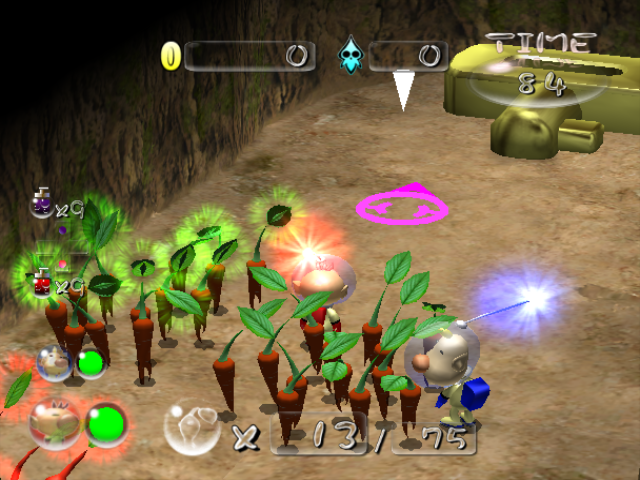
The Challenge Mode caves have data for the starting number of Pikmin, with a 6th unseen one for Bulbmin. There's also a number for a 7th type, and by giving yourself Pikmin of this type, you'll be given Pikpik carrots. They aren't very animated articulation-wise, and they float a bit above ground. Their stems always have a leaf on top, even if a bud, flower, or spicy glow overlaps it; it also glows green when idle, like Bulbmin. They act, react, and sound like any other non-Bulbmin Pikmin, and have no special attributes or defenses. Finally, on the HUD, their "standby Pikmin" icon doesn't exist, and they get skipped over when calculating the closest Pikmin.
The developers likely made the carrots a Pikmin type in order to reuse code in the Piklopedia (where you can throw pikpik carrots at the enemy in each entry.) Making them count as Pikmin would let the enemy AIs use their regular behavior to hunt and eat the carrots, rather than requiring additional logic.
Crash Handler#
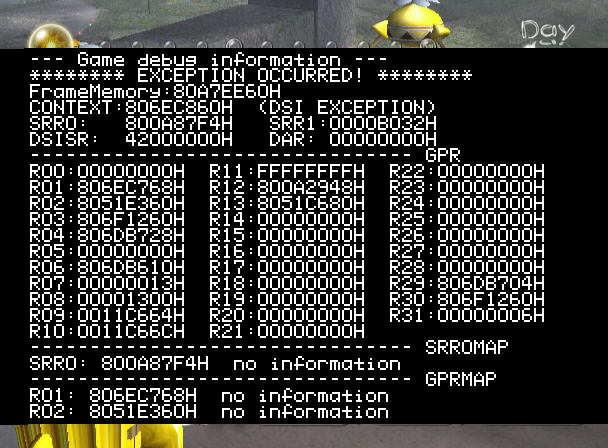
If the game crashes, you can input a button sequence to make a crash handler show up: A, B, X, R, L, D-pad left, D-pad down, D-pad up, D-pad right, Z. You should input it slowly to make sure you get it.
Since the game itself is frozen due to the crash, the handler will draw directly into the framebuffer, which makes the entire thing slow and choppy. When it opens, it starts auto-scrolling line by line, and when it reaches the bottom, the player can take control. D-pad up and D-pad down scroll up and down, A goes to the end, and B goes to the start.
The first few lines contain some information about what went wrong. The rest of the report consists of information about the type of error, and the state of some important addresses. Because the map file included in the game files has been overwritten with garbage at some point during development, most of the address decoding simply returns "no information".
The following Gecko codes also make the error handler show up right away without any button sequence.
US |
EU |
JPN |
US WII |
|---|---|---|---|
|
|
|
|
(Source: UnclePunch)
Build Dates#
Present exclusively in the PAL release is an additional debug button input that can entered on the title screen. If A, B, X, R, L, D-pad left, D-pad down, D-pad up, D-pad right, Z is entered on the second controller (it's the same combo as the crash handler one), what is most likely meant to be a build date is printed on screen. The date is a hard-coded string, likely meaning July (07) 21st.
In addition to this, all Pikmin 2 releases have several build date text files in the main root. The ones starting with J represent different JPN builds, the P files represent PAL builds, and the ones starting with U represent US builds. It's not clear what the second letter stands for, but at the very least the P probably stands for production, and is generally the latest date for all regional groups. The included text in the files also contains a unique Japanese character translating to different elements, such as fire, water, earth, and gold. Its possible these symbols were used to represent how far along the build was. The majority of these files had their date change between the different releases of the game, giving some insight to when different builds of the game were last updated. The Kiosk Demo build in particular has the oldest date on here (the only one from 2003), and it's for one of the PAL builds, oddly enough. The PD build appears to be consistently the oldest build in general, and was never updated past January 16th, 2004.
JPN Disc#
timeStampJP.txt |
timeStampJR.txt |
timeStampJV.txt |
timeStampPD.txt |
timeStampUR.txt |
timeStampUV.txt |
|---|---|---|---|---|---|
|
|
|
|
|
|
US Disc#
timeStampJP.txt |
timeStampJR.txt |
timeStampJV.txt |
timeStampPD.txt |
timeStampPV.txt |
timeStampUP.txt |
timeStampUR.txt |
timeStampUV.txt |
|---|---|---|---|---|---|---|---|
|
|
|
|
|
|
|
|
US (Kiosk Demo) Disc#
timeStampJP.txt |
timeStampJR.txt |
timeStampJV.txt |
timeStampPD.txt |
timeStampPV.txt |
timeStampUP.txt |
timeStampUR.txt |
timeStampUV.txt |
|---|---|---|---|---|---|---|---|
|
|
|
|
|
|
|
|
PAL Disc#
timeStampJP.txt |
timeStampJR.txt |
timeStampJV.txt |
timeStampPD.txt |
timeStampPV.txt |
timeStampPP.txt |
timeStampPR.txt |
timeStampUP.txt |
timeStampUR.txt |
timeStampUV.txt |
|---|---|---|---|---|---|---|---|---|---|
|
|
|
|
|
|
|
|
|
|
Early Sequenced Music Config#
Present on the disc is an early version of the games music list file, which lists all of the games sequenced music files. It is located in the /AudioRes folder, while the used one is in /user/Totaka. It appears to be from relatively early in development, as it is missing several songs. Additionally, the early file has 40 set as the volume of every entry, whereas the final game uses varying volumes.
Early File |
Final File |
|---|---|
2pbattle.bms |
2pbattle.bms |
a_iron.bms |
a_iron.bms |
a_zawinul01.bms |
a_zawinul01.bms |
caveboss.bms |
caveboss.bms |
caveconc.bms |
caveconc.bms |
caveglass.bms |
caveglass.bms |
cavemetal.bms |
new_00.bms |
caverelax.bms |
cavemetal.bms |
cavesoil.bms |
caverelax.bms |
cavetile.bms |
cavesoil.bms |
cavetsumiki.bms |
cavetile.bms |
comp_result.bms |
cavetsumiki.bms |
c_menu.bms |
comp_result.bms |
c_result.bms |
c_menu.bms |
ff_annihi.bms |
c_result.bms |
ff_doped.bms |
ff_annihi.bms |
ff_doping.bms |
ff_doped.bms |
ff_keyget.bms |
ff_doping.bms |
ff_playerdown.bms |
ff_keyget.bms |
ff_treasureget.bms |
ff_playerdown.bms |
forest.bms |
ff_treasureget.bms |
f_result.bms |
forest.bms |
hiscore.bms |
f_result.bms |
id_test.bms |
hiscore.bms |
last.bms |
id_test.bms |
m_boss.bms |
last.bms |
n_tutorial.bms |
m_boss.bms |
result.bms |
n_tutorial.bms |
se.bms |
result.bms |
u_result.bms |
se.bms |
worldmap.bms |
u_result.bms |
yakushima.bms |
worldmap.bms |
yakushima.bms |
|
cavekeyget.bms |
|
l_boss.bms |
|
book.bms |
|
battle_t.bms |
|
new_00.bms |
|
new_01.bms |
|
new_02.bms |
|
new_03.bms |
|
new_04.bms |
|
new_05.bms |
|
new_06.bms |
|
new_07.bms |
|
new_08.bms |
|
kuro_pre.bms |
|
kuro_post.bms |
|
worldmap_intro.bms |
|
n_tutorial_1stday.bms |
Quite a few significant songs are completely missing from the early file, including the Titan Dweevil, Piklopedia, Submerged Castle, 2 Player Battle (2pbattle.bms is not used), the Key Collected theme in Challenge Mode, and all 9 "new" cave themes. This implies all of these songs were added relatively late in development.
Totaka's Song#
|
|
To do: |
Totaka's song appears in two different places in this game:
Waiting on the Treasures Salvaged screen, |
Waiting while the cave transition music is playing, |
(this video is clipped to play it immediately) |
(wait until 3:45) |
Of note is that the memory card version can also play in the unused save question screen, since it plays the same ambience.
References#
|
The Pikmin series | |
|---|---|
|
GameCube |
|
|
Wii |
|
|
Wii U |
|
|
Nintendo 3DS |
|
|
Nintendo Switch |
|
|
iOS, Android |
|