 This article has a talk page!
I guess we spoke too soon on forgetting Hocotate Freight's petty debt. A rerelease of the Wii U's Pikmin 3, Pikmin 3 Deluxe features all the original DLC content from the original game plus a new co-op option for the main story mode, selectable difficulty modes, achievements in the form of badges, as well as a whole new side story where you play as Olimar and Louie before and after the events of the main game!
This article was brought to you by Hocotate Freight. We have plenty of money and are totally not constantly in debt!

|
To do:
|
Unused Graphics#
Test Graphics#
Two test images can be found in the games files. One appears to showing an early version of the Side Stories results menu, and the other an early version of the scrapped Bonus menu.

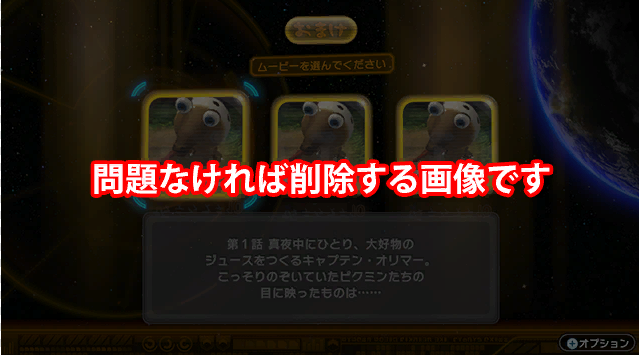
Both images have Japanese text that means "This is an image that will be deleted if there are no problems". The first image also has Japanese text that reads "Planned for deletion" in large characters.
Unused Menus#
Bonus Menu#
It appears a Bonus menu like the one in Pikmin 2 was planned to make it into the game, this time instead playing the Pikmin Short movies. In the final game, they do not appear anywhere, and the Pikmin Short Movies are hosted on Nintendo's YouTube channel instead.
The menu appears unfinished, with actions such as selecting the manual in the pause screen locking the game up entirely. Selecting an unlocked movie causes the game to fade out, only to fade back into the same menu but with the music paused. The text at the bottom also does not update when the cursor is moved, and does not wrap to fit the textbox.
The placeholder graphic for the short movie thumbnails depict a Whiptongue Bulborb, with text in japanese for "Placeholder Texture".
Test Menu#
An unused debug menu for selecting story mode saves.
The top half of the menu lets you select from days in save file 3. The bottom half contains preset debug saves for different points in the story. When loading into an area from a debug save the loaded into map will be in a completely fresh sate, with all walls and enemies being present, this is because the debug saves do not load a generator cache.
Unused Enemies#
arikui_old#

An early version of the Whiptongue Bulborb. Due to its low polycount and relative simplicity, it can either be assumed that this is from the days Pikmin 3 was being developed on the Wii or as a placeholder. It has some different stats from its final counterpart
Stat |
Old |
Final |
|---|---|---|
Health |
1350 |
1300 |
Bomb rock explosion to kill |
1.5 |
1 |
White Pikmin ingestions to kill |
1.20000005 |
5 |
Mass |
10 |
100 |
Poko Value |
20 |
50 |
Damage to Leaders |
N/A |
10 |
Territory Radius |
N/A |
300 |
tank_old#


Early versions of the Fiery and Watery Blowhogs, which use the model and textures from Pikmin 2. This file also contains a third green coloration for a Blowhog that may have possibly been associated with an unused AI for a Blowhog that shoots bubbles.
Stat |
Old |
Final |
|---|---|---|
Health |
1500 |
1000 |
Rock Pikmin throw hits to kill |
20 |
30 |
Mass |
10000 |
50 |
Damage to Leaders |
N/A |
10 |
Territory Radius |
N/A |
150 |
Unused Objects#
gate_soft_old#
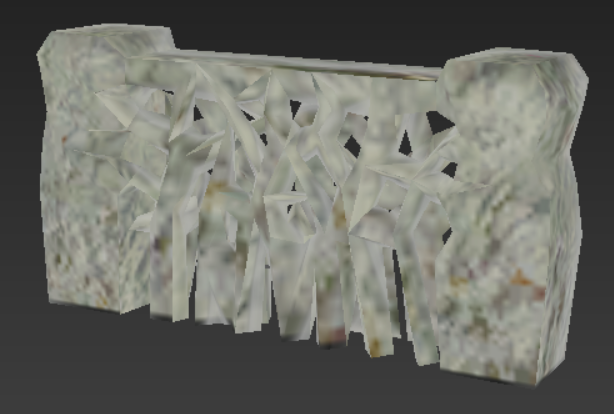
An early version of the dirt wall which uses its model from Pikmin 2.
Stat |
Old |
Final |
|---|---|---|
Hitpoints |
10000 |
20000 |
Rock Pikmin throw hits to destroy |
50 |
200 |
crystal_gate_old#
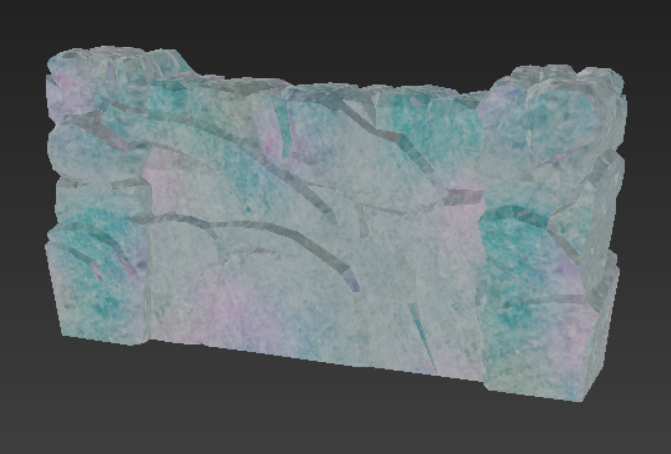
An early version of the crystal wall. This uses the animations of breakable walls from Pikmin 2.
Stat |
Old |
Final |
|---|---|---|
Hitpoints |
10000 |
4000 |
Rock Pikmin throw hits to destroy |
100 |
20 |
Bomb rock explosions to destroy |
3 |
2 |
Unused Maps#
|
|
To do: |
Unused Mission Data#
There exists leftover data for unused Mission Mode and Bingo Battle maps located in the mission_set and vs_set folders in the system folder. These contain info such as time limits, difficulty, and ranking scores. Some of these are for unused mission categories, such as growing Pikmin or constructing things.
Mission Mode#
File |
Map |
Time Limit |
Ranking Scores |
Mission Type |
Starting Pikmin |
|---|---|---|---|---|---|
miset_mis_chappy_a.szs |
mis_chappy |
5:00 |
Platinum: 1500 |
Collect Treasure |
|
miset_mis_dun_conc_a.szs |
mis_dun_conc |
5:00 |
Platinum: 1500 |
Collect Treasure |
|
miset_mis_dun_conc_p.szs |
mis_dun_conc |
5:00 |
Platinum: 150 |
"PikminNumMission" |
|
miset_mis_dungeon_a.szs |
mis_dungeon |
5:00 |
Platinum: 1500 |
Collect Treasure |
|
miset_mis_dungeon_p.szs |
mis_dungeon |
7:00 |
Platinum: 100 |
"PikminNumMission" |
|
miset_mis_dungeon_t.szs |
mis_dungeon |
13:00 |
Platinum: 1600 |
Collect Treasure |
|
miset_mis_dungeon_t2.szs |
mis_dungeon |
13:00 |
Platinum: 1600 |
Collect Treasure |
|
miset_mis_E3_a.szs |
mis_E3 |
7:00 |
Platinum: 1600 |
Collect Treasure |
|
miset_mis_E3_n.szs |
mis_E3 |
10:00 |
Platinum: 1600 |
"ConstructionMission" |
|
miset_mis_E3_n2.szs |
mis_E3 |
10:00 |
Platinum: 1600 |
"ConstructionMission" |
|
miset_mis_E3_n3.szs |
mis_E3 |
10:00 |
Platinum: 1200 |
"ConstructionMission" |
|
miset_mis_E3_n4.szs |
mis_E3 |
10:00 |
Platinum: 1000 |
"ConstructionMission" |
|
miset_mis_E3_s.szs |
mis_E3 |
7:00 |
Platinum: 1000 |
Collect Treasure |
|
miset_mis_E3_z.szs |
mis_E3 |
10:00 |
Platinum: 1 |
Battle Enemies |
|
miset_mis_island_a.szs |
mis_island |
5:00 |
Platinum: 1 |
Collect Treasure |
|
miset_mis_jungle_a.szs |
mis_jungle |
5:00 |
Platinum: 1500 |
Collect Treasure |
|
miset_mis_kinoshita.szs |
enemy_00 |
7:00 |
Platinum: 1600 |
Collect Treasure |
|
miset_mis_kuma_a.szs |
mis_kuma |
5:00 |
Platinum: 1500 |
Collect Treasure |
Red: 20 |
miset_mis_kuma_p.szs |
mis_kuma |
7:00 |
Platinum: 100 |
"PikminNumMission" |
|
miset_mis_maruta.szs |
maruta |
30:00 |
Platinum: 1 |
Collect Treasure |
|
miset_mis_miniland_a.szs |
mis_miniland |
5:00 |
Platinum: 1 |
Collect Treasure |
|
miset_mis_miniland_p.szs |
mis_miniland |
7:00 |
Platinum: 150 |
"PikminNumMission" |
|
miset_mis_miniland_z.szs |
mis_miniland |
10:00 |
Platinum: 1 |
Battle Enemies |
|
miset_mis_morita.szs |
morita |
30:00 |
Platinum: 1 |
Collect Treasure |
|
miset_mis_novemb_a.szs |
mis_novemb |
10:00 |
Platinum: 1500 |
Collect Treasure |
|
miset_mis_novemb_p.szs |
mis_novemb |
10:00 |
Platinum: 150 |
"PikminNumMission" |
|
miset_mis_shoot_a.szs |
mis_shoot |
5:00 |
Platinum: 10100 |
Collect Treasure |
|
miset_mis_slider_a.szs |
mis_slider |
5:00 |
Platinum: 1 |
Collect Treasure |
|
miset_mis_slider_n.szs |
mis_slider |
10:00 |
Platinum: 2000 |
"ConstructionMission" |
|
miset_mis_slider_n2.szs |
mis_slider |
10:00 |
Platinum: 1600 |
"ConstructionMission" |
|
miset_mis_slider_p.szs |
mis_slider |
10:00 |
Platinum: 100 |
"PikminNumMission" |
|
miset_mis_takemura_00.szs |
takemura |
59:00 |
Platinum: 1 |
Collect Treasure |
|
miset_mis_takemura_01.szs |
takemura01 |
59:00 |
Platinum: 1 |
Collect Treasure |
|
miset_mis_takemura_02.szs |
takemura02 |
59:00 |
Platinum: 1 |
Collect Treasure |
|
miset_mis_y_test_a.szs |
mis_y_test |
5:00 |
Platinum: 800 |
Collect Treasure |
|
miset_mis_yanma_a.szs |
mis_yanma |
5:00 |
Platinum: 1 |
Collect Treasure |
Unused Music#
Menu Music#
Unused menu music similar to the one used in the Side Stories mode. Likely would've been used in the cut menu for the Pikmin Short Movies.
Unused gen Files#
|
|
To do: |
Revisional Differences#
Version 1.1.0#
Released on November 24, 2020.
- Fixed an issue where collected fruits were not being saved under certain conditions. Unfortunately, the update does not adjust the number to account for this error. Instead, going back to the date with no fruits recorded and collecting a fruit will fix the issue.
- Fixed an issue where acquired badges became unacquired under certain conditions. The lost badges can be reacquired after the update.
Version 1.1.1#
Released on June 23, 2023.
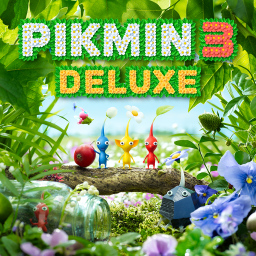
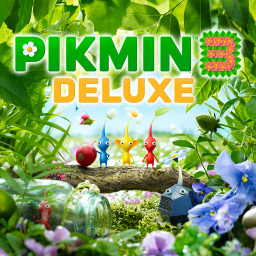
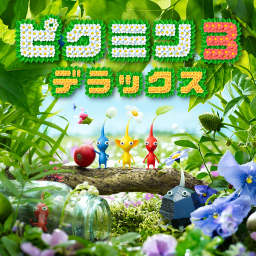
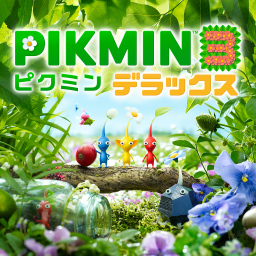
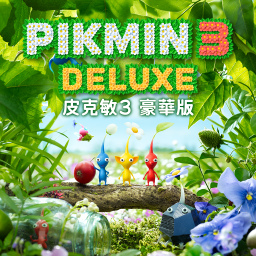
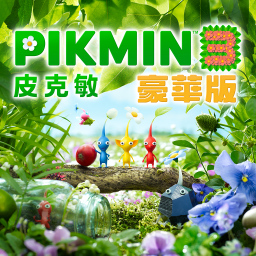
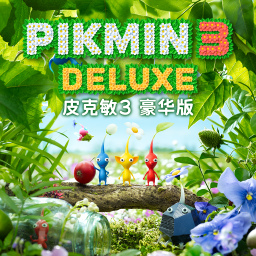
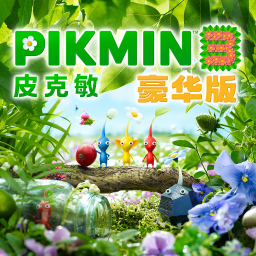
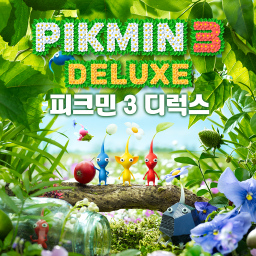
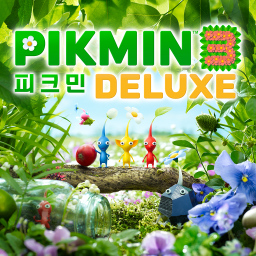
- Revised the software icon that appears in the HOME menu. The fonts of the titles were changed to reflect the modern fonts used in the current modern Pikmin Logos.
Pre-1.1.1 |
1.1.1 |
|---|---|
 |
 |
 |
 |
 |
 |
 |
 |
 |
 |
Version 1.1.2#
Released on June 3, 2025.
- Partially fixed a screen flickering issue that occurs on certain scenes when playing on Nintendo Switch 2.
Version 1.1.3#
Released on June 16, 2025.
- Fully fixed the screen flickering issue that occurs on certain scenes when playing on Nintendo Switch 2.
- Made additional fixes to improve play on Nintendo Switch 2.
(Source: Nintendo)
Version 1.2.0#
Released on August 31, 2026.
- Added support for the Nintendo Switch 2 display and high-resolution televisions, resulting in a sharper image.
- Added support for GameShare.
- From “Bingo Battle” on the title screen, options for “Local Play” and “Via GameChat” have been added.
(Source: Nintendo)
|
The Pikmin series | |
|---|---|
|
GameCube |
|
|
Wii |
|
|
Wii U |
|
|
Nintendo 3DS |
|
|
Nintendo Switch |
|
|
iOS, Android |
|