Crash Team Racing is the first of several Crash Bandicoot racing games and Naughty Dog’s swan song to their series, in which Crash, along with his friends and foes, are pitted against each other in a race to save the planet. In 2019, the game received a remake titled Crash Team Racing Nitro-Fueled.
Sub-Pages#
 Prototype Info
 Prerelease Info
 Notes
Notes
 Unused AudioUnused lines and sound effects.
 Unused TextBabytalk and Esperanto?!
 Regional DifferencesDon't you know how popular Crash is in Japan by now?
Placeholder Dialogue#
The North American version of the game contains some placeholder dialogue for character sounds that weren't implemented yet. While most of these were removed from the retail disc before release, two samples are particularly noteworthy for not just existing within the game's data, but actually playing in-game due to an oversight.
During development, programmer Gavin James recorded voice lines for all of the actions of each character as placeholders until the final lines were recorded and ready to be implemented. Because Penta Penguin was added late in development and kept secret, he went somewhat untested, ending up in a rather unfinished state in this version. His most notable quirk being his audio bank featuring two voice samples of Gavin James uttering "Penguin yay one" and "Penguin yay two" in a deadpan tone.
According to Naughty Dog developer Rob Titus, this was not caught until the developers played the retail copy for themselves. At that point, it was too late to fix this, as the game was well into mass production. However, as the European and Japanese versions were still in development at this time, it was fixed for those versions. The North American version never received an update, so this mistake can still be heard in the re-releases for the PS3, PSP, and PS Vita, via the PlayStation Network Store.
Placeholder (North America) |
Final Voice (Europe) |
|---|---|
The "Penguin Yay One" placeholder was referenced in the game's 2019 remake, where Penta Penguin himself says "Penguin yay one" when unlocking him using his classic cheat code, and sometimes during gameplay. He also says "Yay penguin, I won!" when winning a race.
Playable Nitros Oxide#
Nitros Oxide was planned to be a playable character for most of early development, as indicated by placeholder voice lines for player-controlled actions being recorded for him along with the other characters. As development progressed, he began to not fit into memory due to his complex model, and with the developers already battling to fit everything else into memory, not to mention his large model making him difficult to play with, the idea was ultimately scrapped in order to finish the game on time.4
Despite him being unfinished, he is still playable through hacks. He shares the Intermediate class with Crash Bandicoot, Dr. Neo Cortex, Komodo Joe, and Fake Crash. He was in fact so close to being finished, that he has a full set of voice clips that are only heard when a player is controlling him, such as when boosting, spinning out of control, or catching big air. Apart from his issues fitting into memory, his unfinished aspects include using the regular kart's shadow, tire skid marks, and exhaust smoke placement. He also lacks a reversing animation, has only one frame of animation when bumping into a wall, and disappears for a few frames when falling out of bounds.
Nitros Oxide would later become a playable character in the game's remake.
The following GameShark codes will make him playable where otherwise mentioned below:
North America |
Europe |
Japan |
|---|---|---|
|
|
|
Replace XX with your chosen character, you can refer to the character values here to find which value you need to use.
Press Select + L2 when on the track selection screen to set his value for Time Trial and Arcade modes. For Adventure mode, press Select + L2 before entering a portal or boss challenge, and Select + R2 before returning to the hub to prevent the game from crashing. The only hub Nitros Oxide can load into is Citadel City, but for some reason, this is only possible in the North American version, while the game will crash trying to load him there in the European and Japanese versions.
He will crash the game with a red screen due to memory overflow when trying to enter the following tracks in both Adventure mode and Arcade mode: Mystery Caves, Tiger Temple, Polar Pass, N. Gin Labs, Cortex Castle, Hot Air Skyway, and Oxide Station. However, he will work on all of the tracks in Time Trial and Relic Race modes.
Unused Items#
Spring#
The Spring power-up, which can be seen in early footage of the game, is still present in the final version of all three regions and is fully functional, although it no longer has an icon. Changing the item ID to 05 will load the unused item. When used, it will make the kart perform a high jump, making it easier to reach some shortcuts. It was likely disabled because it was considered pointless, and former Naughty Dog developer Rob Titus even made a comparison to similar power-ups in other games, where players would use the power-up immediately to obtain a better one.
Another possibility for it being disabled, is due to unloaded track geometry becoming visible that is normally hidden from the players view. The tracks are loaded in such a way where hills obstructing the road ahead will be hiding unloaded geometry so as to not draw more tris than needed. This is rarely seen with the normal jump height, but when using the power-up, it raises the camera up high enough to easily reveal these unloaded sections.
Interestingly, even if the item is restored in the RNG system, there is an extra piece of code preventing it from being used. It will be automatically changed to the Turbo power-up whenever it would be obtained.
North America |
Europe |
Japan |
|---|---|---|
|
|
|
Unused Code#
Removed Functions and Objects#
Overlay 231 stores all of the thread code for objects that spawn on the track. Interestingly, it contains text strings related to unused functions and scrapped track hazards.
- The Man-eating plants in Papu's Pyramid have an unused function to lean forwards and destroy items dropped in front of them without chewing it and spitting it out.
- There is a Skunk hazard mentioned as
DYNAMIC_SKUNK. This was likely the hazard in Dingo Canyon before it was changed to an Armadillo. - An Orca hazard is mentioned as
DYNAMIC_ORCAandorca. A pre-release screenshot reveals that an Orca was to appear jumping over the wooden bridge while racing on Polar Pass. Leftover sound effects for jumping out of and back into water also exist in the prototype versions of the track. - The code also mentions
DYNAMIC_VONLABASSandbaron, which would have likely been lab assistants flying biplanes while racing on Hot Air Skyway, making it even more similar to the Baron levels of Crash 3. It also shares the same codename the lab assistant enemies have in Crash 3 (obj_von_lab_ass).
Multiplayer Race Camera Intro#
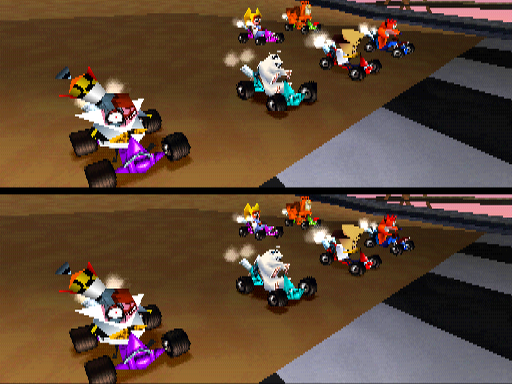
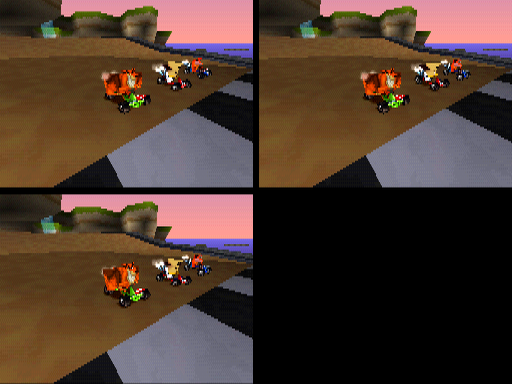
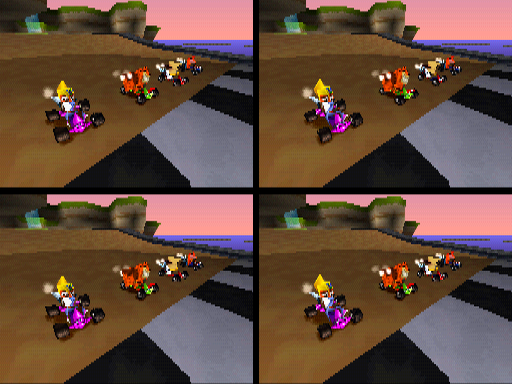
Unlike the single player race modes, the camera does not fly around the players in multiplayer mode, instead skipping straight to the countdown. However, the function related to it in this mode does exists, but is programmed to show the last frame only. Restoring it will reveal the camera will fly in on each player's screen, although with no title bars. This feature can be seen in the prototype versions.
The camera fly-in can be reactivated with the following GameShark codes:
North America |
Europe |
Japan |
|---|---|---|
|
|
|
First-Person View#
There are two unused camera types which puts the player in a first-person perspective. This view is positioned above the characters and is mostly functional, wobbling according to the kart's movements. It also follows the player when going out of bounds.
0F - In the first type, the camera is affected by the kart's rotation, so sliding or spinning out will make the camera turn in response to the character's head.
10 - In the second type, the camera moves is only affected by the kart's velocity, which means the view is mostly fixed forward.
Replace the XX with one of the values in the following GameShark codes for each type:
North America |
Europe |
Japan |
|---|---|---|
|
|
|
Press Select to enable it, and L2 to reset to the normal perspective.
Unused Mask Subtitles#

|
To do: |
There is unused code to display the titles of the hints whenever Aku Aku or Uka Uka is talking to the player. In the final game, this was replaced by the generic replay text after the masks appear once.
(Source: Niko)
Unused Graphics#
Placeholder Thumbnail#
Among the thumbnail textures for the tracks and battle arenas is an image of a blue skybox internally named movie1, which is a placeholder for the video previews.

Unused Models#
Coco's Hologram Head#
Present within the level data of Coco Park is the hologram model of Coco Bandicoot's head from Crash 2. Earlier builds featured the head floating in the sky just before the final corner, although it couldn't normally be seen due to a thread making it invisible. Its purpose is currently unknown, but it's possible that it would have shown as a hologram in the sky when the track had an even more Coco focused theme, such as when her name was written in purple flowers on the corner before the tunnel.
It appeared only once in officially released gameplay during a Japanese pre-release trailer. The model and textures of the head still exist in the track data of the final game for all three regions, but as there is no longer any code for it to be placed anywhere on the map, even hidden, it cannot be unhidden and viewed in the final game.


Oxide Station Multiplayer Models#
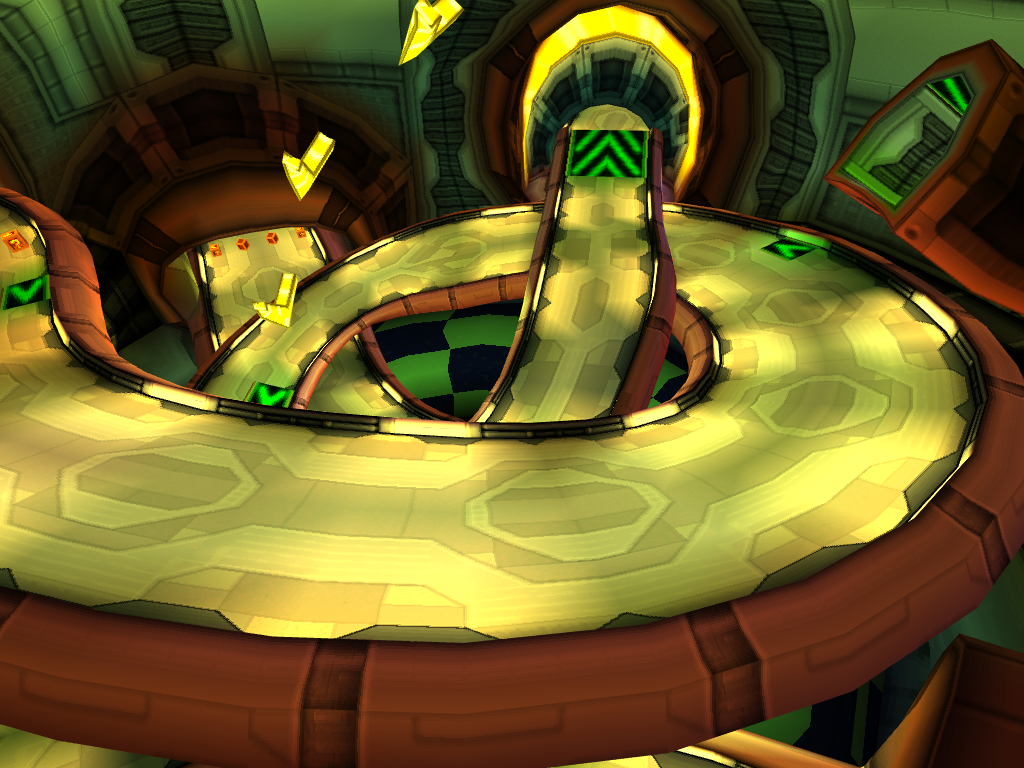
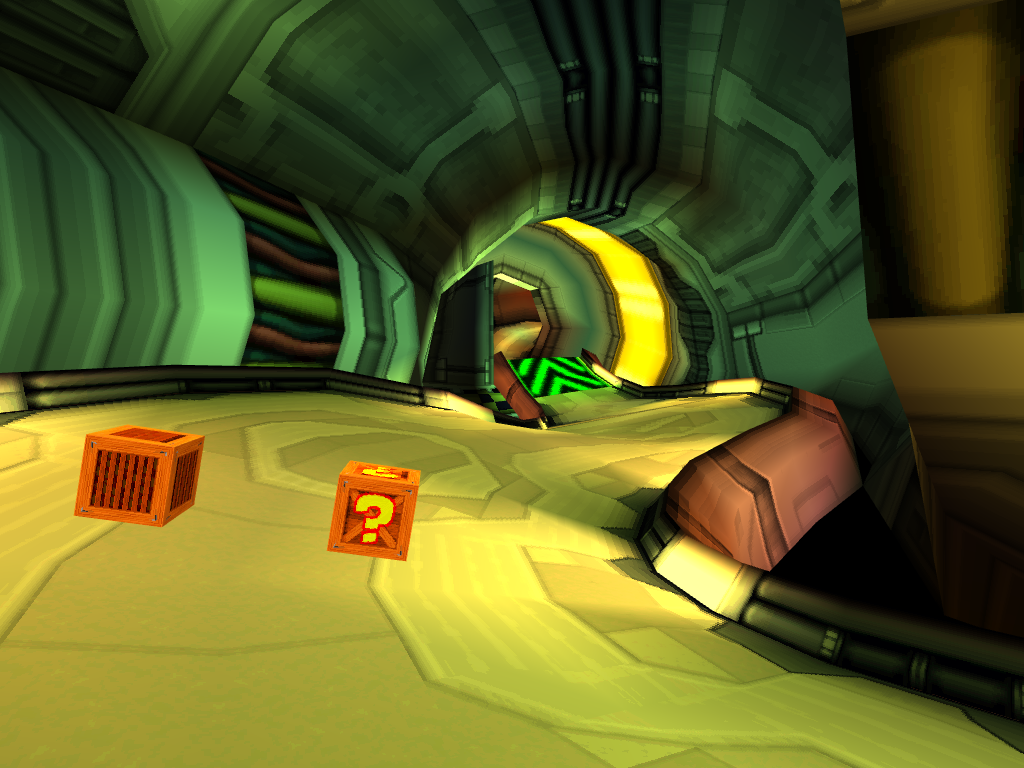
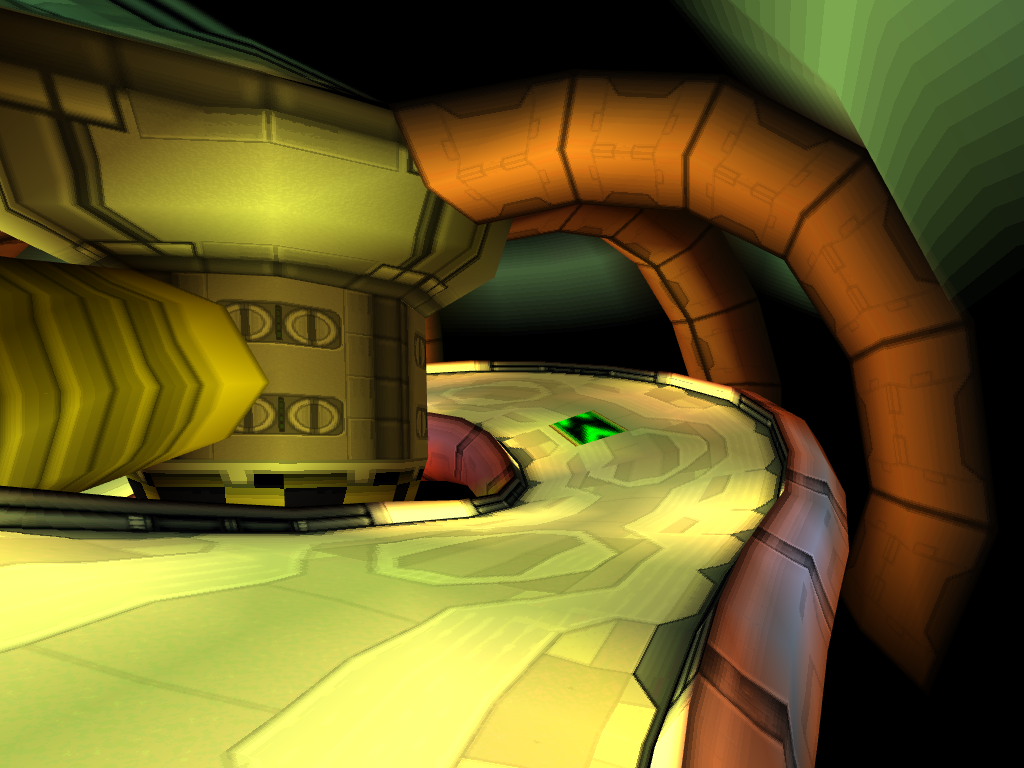
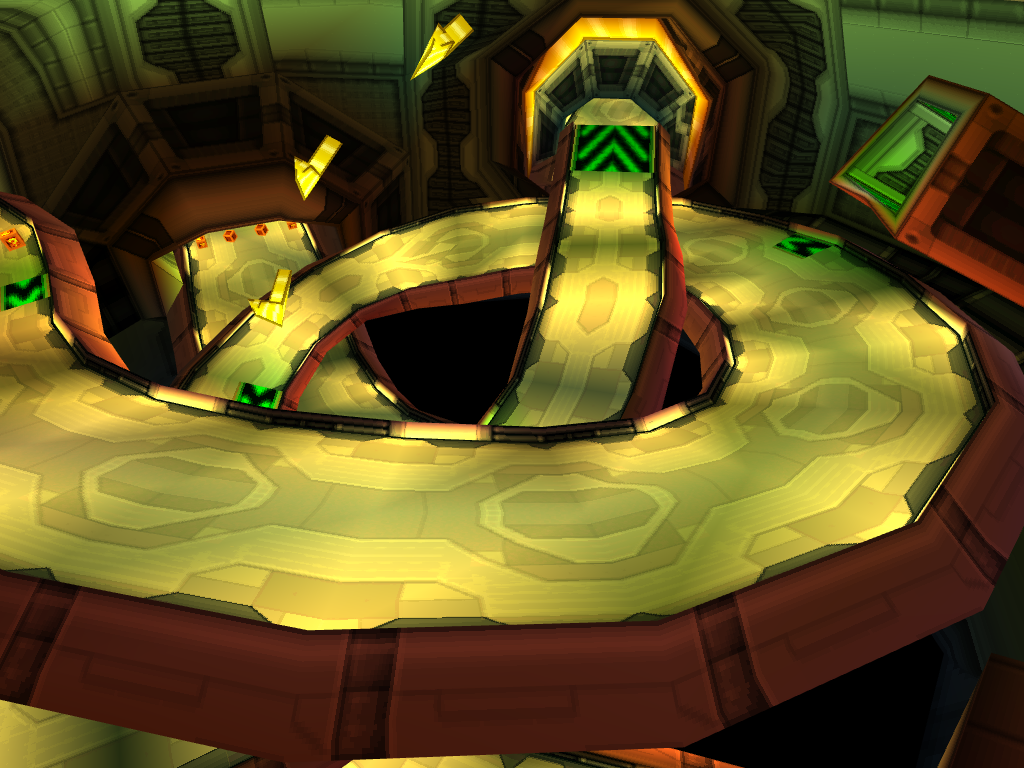
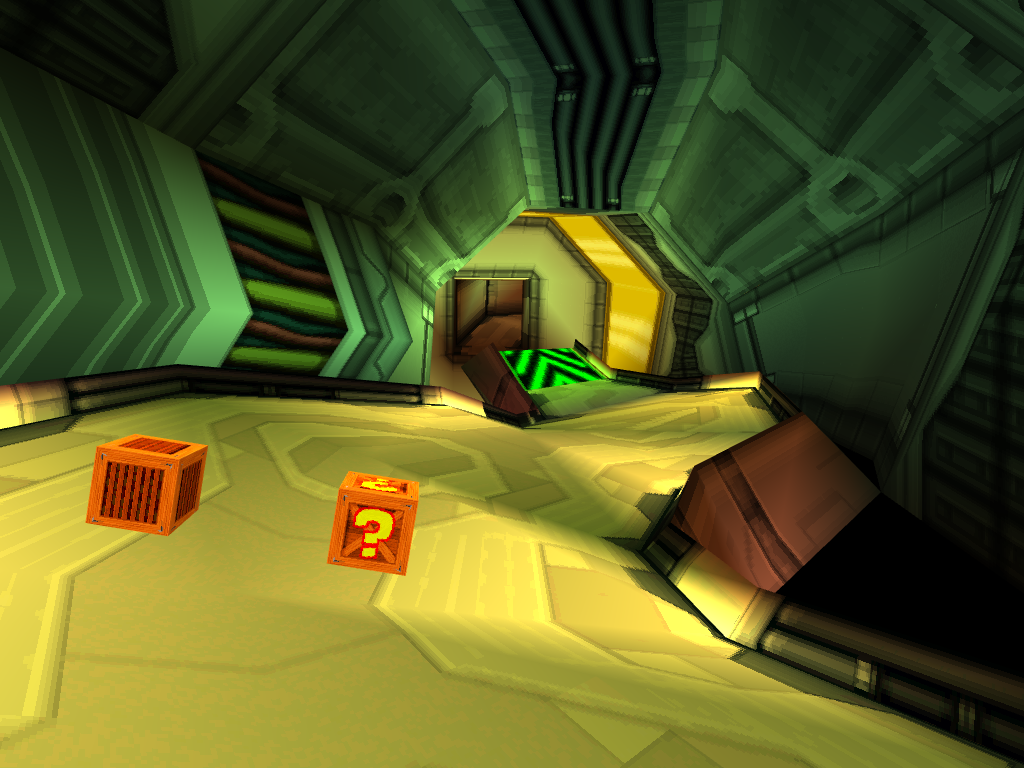
Oxide Station is the only track in the game that cannot be accessed in multiplayer modes. However, there are two unused models planned for 2 player and 3-4 player modes, which even exist in the prototype builds, that were left unfinished due to time constraints. Through hacks, the track can be loaded in 2 player mode, though there will be occasional dips in frame rate. Trying to load the 3-4 player track, however, causes the game to crash with a red screen due to memory overflow.
The following GameShark code will continuously set Oxide Station as the currently selected track, allowing it to be played in 2-player mode when selecting any track:
North America |
Europe |
Japan |
|---|---|---|
|
|
|
These screenshots were captured in a model viewer to showcase some of the differences.
2 Player |
|---|
|
3-4 Player |
|---|
|
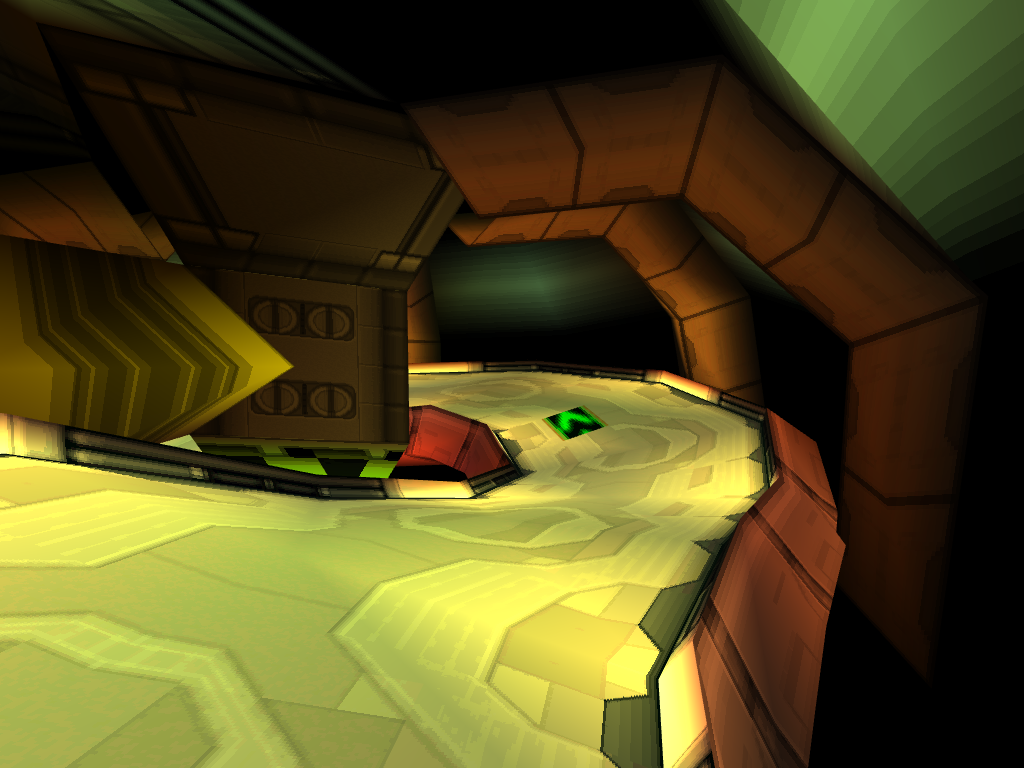
Unlockable Arenas High-Poly Models#
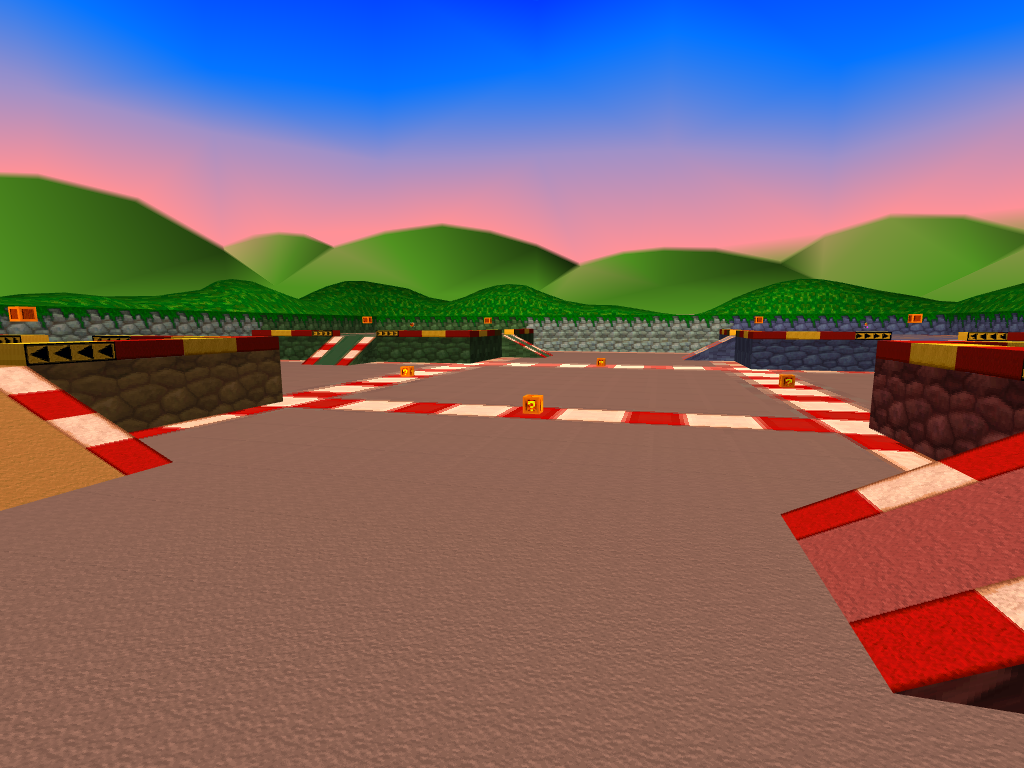
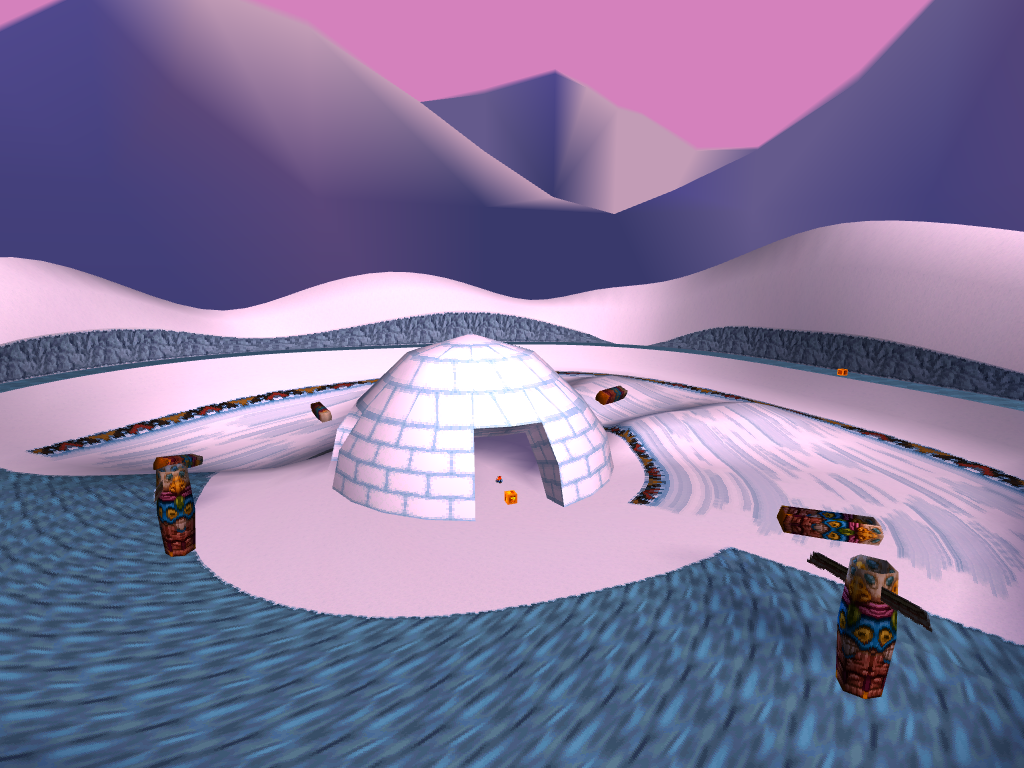
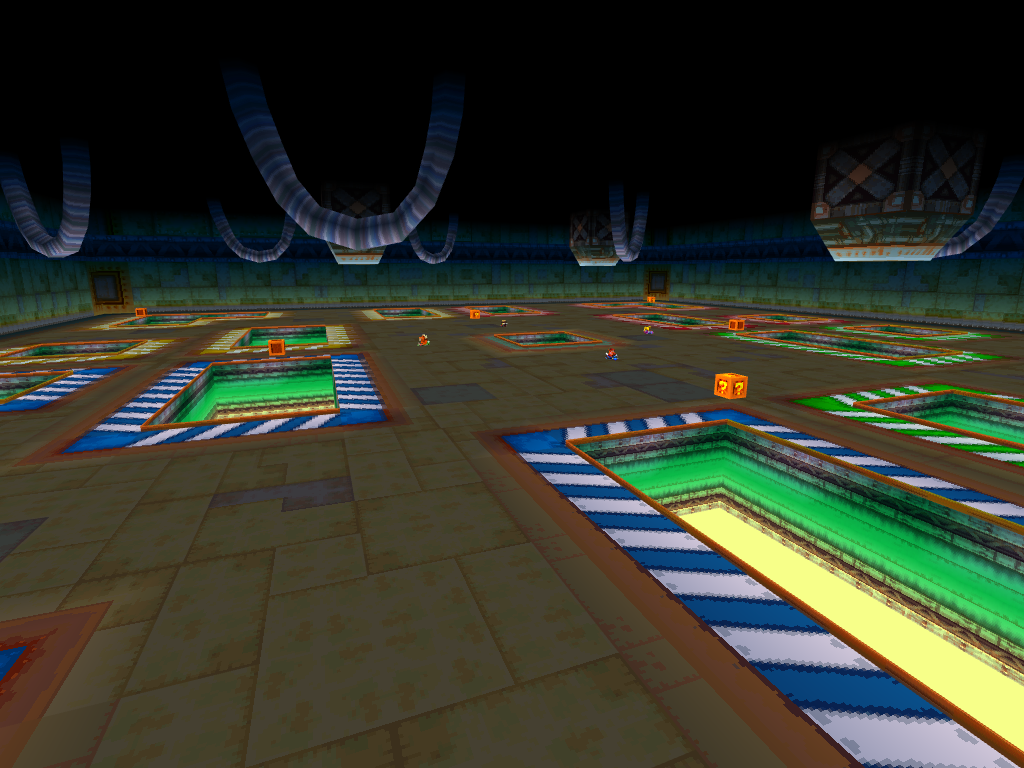
Detailed single player models exists for Parking Lot, The North Bowl, and Lab Basement, but these arenas can only be played in multiplayer modes where the maps will always use either the mid or low LOD models. The high LOD models are only seen in-game as part of the preview videos when choosing an arena.
It's likely the reason single player models even exist, is because when these were made, the final Bonus Round levels for each hub had not yet been decided. Having all of them with single player ready models meant Naughty Dog could have chosen any one of them to use, should they have changed their minds later in development.
The single player models of these tracks can be viewed in Arcade mode if their value is forced to be the currently selected track. There are CPU paths for all three of them, but as there is no lap progression, you will remain in 1st place in a never ending race. Also, Parking Lot doesn't have its void color set correctly for the skybox it uses. It should be blue, as it uses the skybox from Coco Park, but due to it being black in the 2 player and 3-4 player maps, it also makes the sky black for single player.
The following GameShark code will continuously set the track to the selection below, allowing it to load into Arcade mode.
Replace XX with the value of each track. Parking lot is 14, The North Bowl is 16, and Lab Basement is 18.
North America |
Europe |
Japan |
|---|---|---|
|
|
|
Parking Lot |
The North Bowl |
Lab Basement |
|---|---|---|
 |
 |
 |
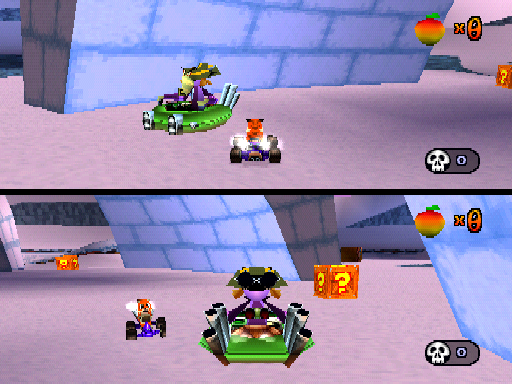
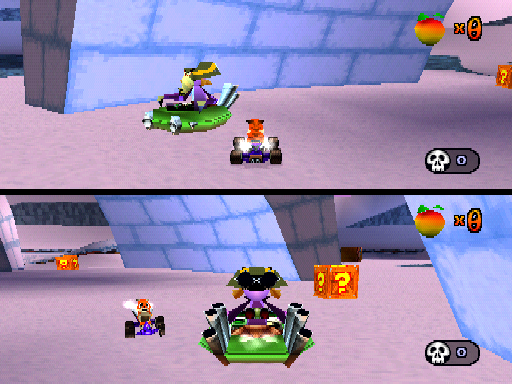
Nitros Oxide LOD Models#
Nitros Oxide's model is always set to its highest LOD during his boss race and for his Time Trial ghost. However, if he is hacked into the multiplayer modes, he will use less detailed models that aren't usually seen. It's unknown why this was changed, as his model did switch LODs in the August 5th Prototype. Unlike the other characters, Oxide's model doesn't have the even lower poly textured block version for when he gets very far away, even in the prototypes, instead, his model stays at its lowest LOD.
2 Player |
|---|
|
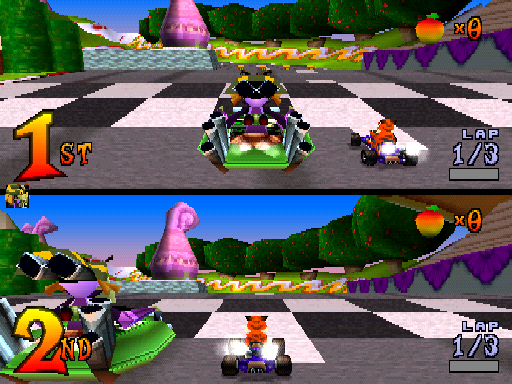
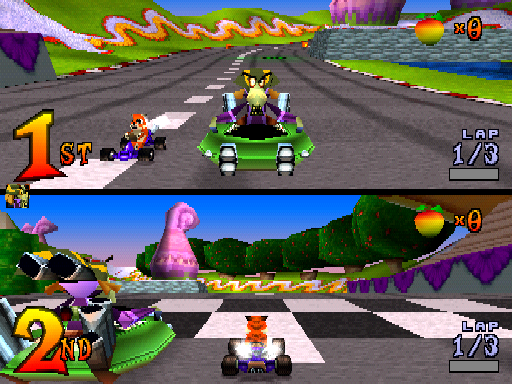
3-4 Player |
|---|
|
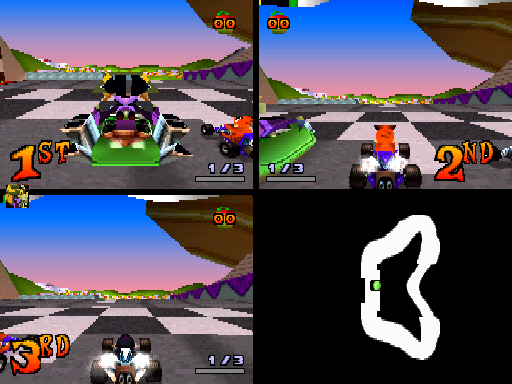
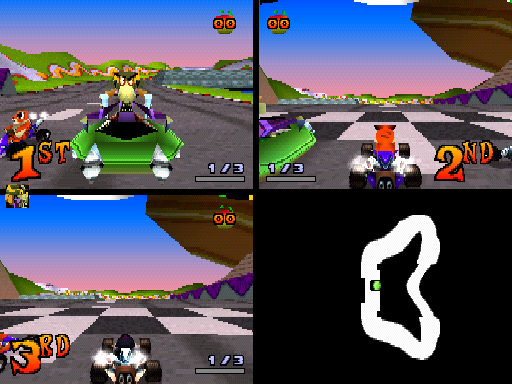
|
Battle Mode Mid-Poly |
Battle Mode Low-Poly |
|---|---|
|
|
Unseen Objects#
Misplaced Item Boxes#
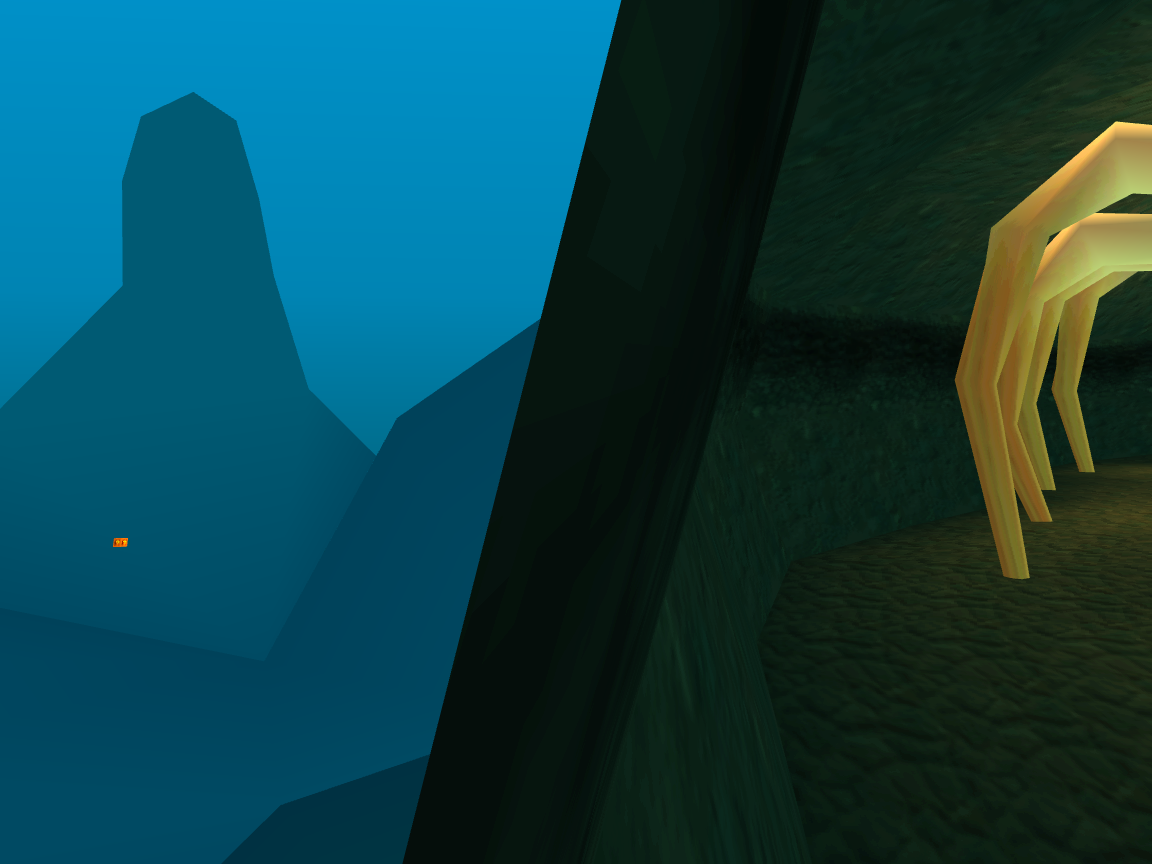
Roo's Tubes#
To the right of the starting line, there is a ? crate floating far out of bounds. It cannot be seen in-game if you clip the camera though the wall, as it does not render.
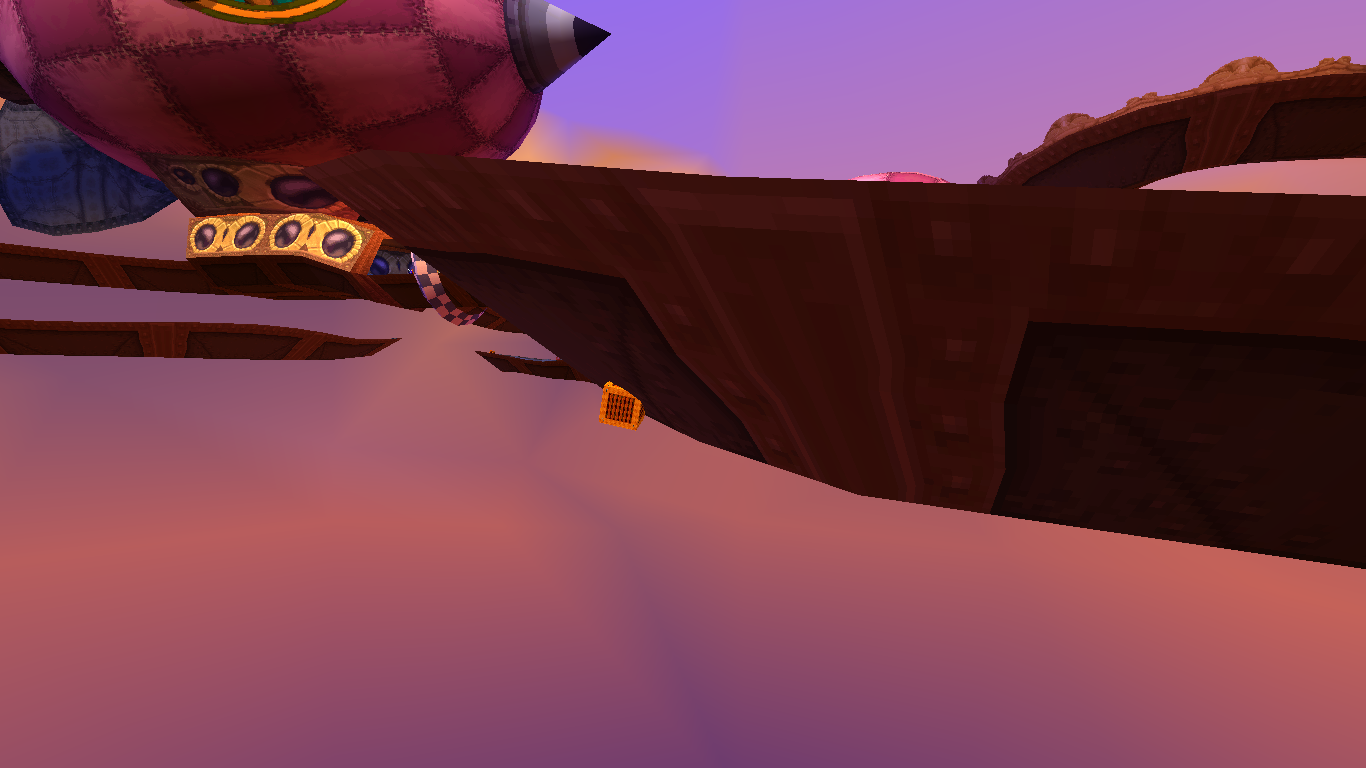
Hot Air Skyway#
On the left path after the large ramp, there is a Wumpa crate misplaced under the track. The crate was later restored in the game's remake.
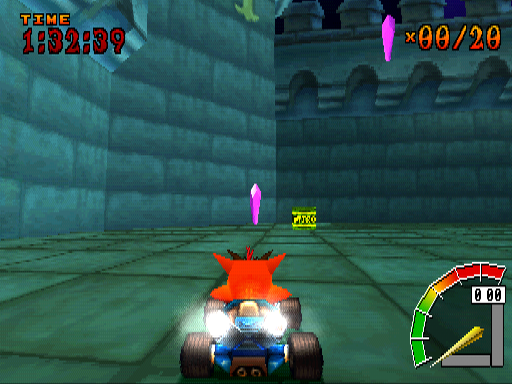
Nitro Crate in Nitro Court#
When entering the Bonus Round to Nitro Court, there is a Nitro crate that is never seen during normal gameplay. A Nitro explosion can be seen in the background in the first second each time the level starts. This happens because even though the memory can hold a limit of 50 objects, the limit within the level itself is set to 40 objects. Since there are 41 explosive crates in the arena, it exceeds the object limit, so the oldest thrown object is automatically destroyed to allocate the newest one in memory.
|
In-game |
Restored |
|---|---|
|

|
(Discovery by: Niko)
Internal Names#
Levels#
Internal names for every level in the game can be found in the files, following the structure of [theme][number]. Notably, a good amount of them are numbered, despite there being only one track for the majority of the themes. This was evidently done this way for when they made a new track that was similar enough to share a theme.
Internal Name |
Level |
Notes |
|---|---|---|
|
Dingo Canyon |
These two tracks still retain "proto" in their names from being some of the earliest tracks developed. Given |
|
Dragon Mines |
|
|
Blizzard Bluff |
While this name doesn't seem to match the tracks theme at first glance, the final track is in fact a half-desert, half-taiga hybrid. |
|
Crash Cove |
|
|
Tiger Temple |
|
|
Papu's Pyramid |
|
|
Roo's Tubes |
|
|
Hot Air Skyway |
|
|
Sewer Speedway |
|
|
Mystery Caves |
|
|
Cortex Castle |
|
|
N. Gin Labs |
|
|
Polar Pass |
|
|
Oxide Station |
There is no number with this name, despite the other tracks having a number while being the only one of their respective themes. |
|
Coco Park |
|
|
Tiny Arena |
Strangely, this name doesn't match the track's theme at all. In earlier builds, it was internally named |
|
Slide Coliseum |
This name is a leftover from earlier builds when this track was going to be like Turbo Track and be unlockable, instead of being available right away. |
|
Turbo Track |
|
|
Nitro Court |
|
|
Rampage Ruins |
|
|
Parking Lot |
|
|
Skull Rock |
|
|
The North Bowl |
|
|
Rocky Road |
|
|
Lab Basement |
Trophy Girls#
The names used for the files storing the model data and instances of Ami, Isabella, Liz, and Megumi are tawna1, tawna2, tawna3, and tawna4 respectively.
Game Version#
The memory card header contains a version number, which is set to 18. All retail releases share the same versioning.
Obscure Controller Setup Menus#
Namco neGcon#
The neGcon is supported in all three regions of the game, as well as any controllers that use its protocol, such as Racing Wheel controllers. Its setup menu appears in place of the option that is used to toggle vibration on DUAL SHOCK controllers.
This option slightly differs for each region when it is connected. In the North American version, this option changes to "CONFIGURE ANALOG: CONTROLLER 1" and in the European version, it changes to "CONFIGURE: CONTROLLER 1".
The setup menu itself is near identical between these versions, but instead of the button icon being X, as it is in the North American version, the European version was corrected to be I. Although, this is only seen in the setup menu, it's still X for the rest of the game.
There are two settings to configure the neGcon. The first is for the dead zone, which has options for 0, 3, 5, and 7 degrees. The second is the range setting for the steering, which can be set to 30, 45, 90, and 135 degrees. The menu will also update automatically if a Racing Wheel controller is plugged in that supports multiple modes. For example, if it's switched from DUAL SHOCK mode to neGcon mode, you don't need to reconnect the controller for the setup menu to appear.
Only the Japanese release officially supports the neGcon. There is a small logo for it on the back of the case, and the manual has a page about the controller giving details of its buttons and their functions, along with some text explaining how to use the setup menu. As it was fully integrated into this release, the button prompts show as colored letters that correspond with the buttons on the controller itself, these being a blue A and a red I, which show this way for the full game.
There is no mention of the neGcon in the manuals or on the backs of the cases for the North American and European releases. It's possible there were licensing issues with Namco that interrupted progress on the setup menu, which would explain why it wasn't finished for these versions, but the controller itself remained fully functional.
The English releases supporting this controller was mentioned only once in a text document from August 1999 that went over the technical features of the game, which was featured on a few press CDs. There is also a mention of Mad Catz, who made Racing Wheel controllers for the PlayStation which used the neGcon protocol.
While the game supports analog input for acceleration and brake, the analog I and II buttons register as digital inputs. This was likely done as the full travel of the button is restricted by the shell of the controller with a normal press. Play testing likely revealed that trying to hold the buttons fully pressed down was uncomfortable, so they were set to only require a light press. This had the side effect of making Racing Wheel controller pedals also act as digital inputs, removing their realistic play feature.
neGcon Setup Menus |
|---|
|


Namco JOGCON#
The JOGCON is supported only in the North American release of the game. It is fully functional with force feedback while steering, and the wheel will self-center when released mid-turn. Just like the neGcon, support for this controller is not mentioned in the manual or on the back of the case, but was mentioned as being supported in the same text document going over the technical features of the game from August 1999.
Its setup menu works almost the same, but instead features an animated model of the wheel that is on the controller, made of high-poly 2D geometry. This wheel rotates back and forth to demonstrate the different range settings. Since the wheel can fully rotate, it supports an additional option of 180 degrees of range for each direction.
Support for this controller was removed for the European release, likely to save disc space for the additional languages. The only remnants of this menu are lines of text for the instructions, which are present for all six languages. It's also not supported in the Japanese release, as it retained the changes made for the European release.
When this controller is connected for these regions, it will act as a digital controller, with the wheel having no function at all, but it can be used if it's set to neGcon mode. This is done by holding down the mode button while powering on the console, however, force feedback and self-centring are disabled in this mode.
JOGCON Setup Menus |
|---|
|


Anti-Piracy#
The North American and Japanese versions of the game use anti-modchip/Red Hand Protect copy protection.
The European version of the game is LibCrypt protected. If LibCrypt is tripped, the game will crash at the loading screen if the player selects any of the levels, or if the attract demo attempts to load a track. Additionally, in Adventure mode, the player can drive around the hub level, but the game will crash on the loading screen when the player enters any of the available levels.
However, this measure does not occur on the European version if played on a PlayStation 3 as the software emulation config stores an entry for the game, being one of the few games to do so.
(Source: Copy Protected PlayStation games list, MVG's video about copy protection schemes on PS, software emulation configuration list, tested through Mednafen emulator)
References#
- GameFAQs↩︎
- GDR プレイステーション ソフト一覧 1999年 - PlayStation Software List 1999↩︎
- Four men. One bandicoot. Lots of fruit - PlayStation Plus Issue 50 (November 1999)↩︎
- Pop Fiction: Season 3: Episode 27: Crash Course↩︎
|
The Crash Bandicoot series | |
|---|---|
|
PlayStation |
Crash Bandicoot (Prototypes) • Cortex Strikes Back (Prototypes) • Warped (Prototypes) |
|
PlayStation 2 |
The Wrath of Cortex (Prototypes) • Crash Twinsanity (Prototypes) • Crash of the Titans • Mind Over Mutant |
|
Xbox |
|
|
Xbox 360, Wii |
|
|
GameCube |
|
|
Game Boy Advance |
|
|
PlayStation Portable |
|
|
PlayStation 4, Xbox One |
|
|
Nintendo Switch, Windows |
|
|
PlayStation 5, Xbox Series X |
|
|
Android, iOS |
|
|
Racing Games | |
|
PlayStation |
|
|
GameCube, Xbox, PlayStation 2 |
Crash Nitro Kart (Prototypes) • Crash Tag Team Racing (Prototypes) |
|
Game Boy Advance |
|
|
PlayStation Portable |
|
|
PlayStation 4, Xbox One, Nintendo Switch |
|
|
Party Games | |
|
PlayStation |
|
|
Nintendo DS |
|
|
Misc. | |
|
Game Boy Advance |
Crash Bandicoot Purple: Ripto's Rampage • Spyro Orange: The Cortex Conspiracy |
|
Nintendo DS |
|
|
Adobe Flash |
|
|
Adobe Shockwave |
|