 This article has a talk page!
 Development Info
 Prototype Info
 Prerelease Info
Archived Versions25 years of development.
Prerelease Info
Archived Versions25 years of development.
 LeftoversBeep! Beep!
 Revisional Differences
Unused Graphics#

|
To do: |
Amy T-Posing#

As of Version 2.2, this sprite of Amy T-posing can be seen in the player sprite files.
SRB1 Sprite#

A remake of Sonic's head from Sonic the Hedgehog Robo-blast! (similar to the OMAKE pictures from Sonic CD). It's stored in the Graphics folder of the srb2.pk3 file. The name of the file, "Sonikku", is a reference to the creator of the original 'Sonic Robo-Blast!' and director of SRB2 until the Final Demo series of releases, Johnny "Sonikku" Wallbank.
STJr Baby#

A frame of Sonic on the title screen found in the Tutorial folder.
SSNTails Easter Egg#

The same as the previous sprite but with Tails. SSNTails was the Programmer, Director, and Artist of SRB2 up until Version 2.0's release.
Tutorial Monitors#
Present in the folder containing Tutorial assets is an unused monitor with an image of a dialog box.
This would presumably be used to display tutorial dialog in development versions of the tutorial.


Unused Points#
There are graphics of 10 points being received, which is impossible since the enemies always give between 100 and 8000 points.

Unused Emblem Graphics#
Various emblem graphics found in the Graphics/Emblems folder and Sprites/Emblems folder in srb2.pk3. Most likely for modding purposes. Interestingly, these are lower resolution sprites than the ones used in the release.


8th Emerald Graphics#
In the files is a gray box that would be used for an eighth Chaos Emerald. This may either correspond to the 8th Emerald you get for clearing Black Hole Zone, or it may be a reference to the 8th Emerald you got back in Final Demo as part of an Easter egg.

Unused Bonuses#


SRB1 Textures#

When Version 2.2 released, the SRB1 Remake was removed from the game, but its textures were left in the files for modding purposes.

In 2.2, almost every level received new, entirely redrawn textures. Despite this though, some levels like Greenflower have a sub-directory labeled "OLD" with the textures featured in previous versions of the level.
In the internal files, there are textures for stages such as "Star Light", "Hidden Palace", etc. These are not documented here as they are for modding purposes, and, in the context of the HPZ textures, used as a "Default texture" in Doom Construction Kit.
Unused Code#
|
|
To do: |
Enemy Infighting#
Doom's monster infighting behavior is still functional, and enemies will attempt to fight back if damaged by another enemy's attack. However, there are no instances where this can be observed without object spawning commands; there are no enemies fought alongside bosses, and the only regular enemy that can survive a hit is the Crawla Commander.
Unused Enemies#
Pointy#

It is surrounded by spiked balls and cannot be defeated by normal means, so it must be either avoided or attacked while invincible. When the player moves, it mirrors their forward and backwards movement, and stops when the player stops. This enemy was previously used in the 2.0 version of Egg Rock Zone, but was removed in 2.1.
Banpyura#

This enemy acts like a Crushstacean, except a blue spring replaces its claw. It is usable in modding, as it remains fully functional.
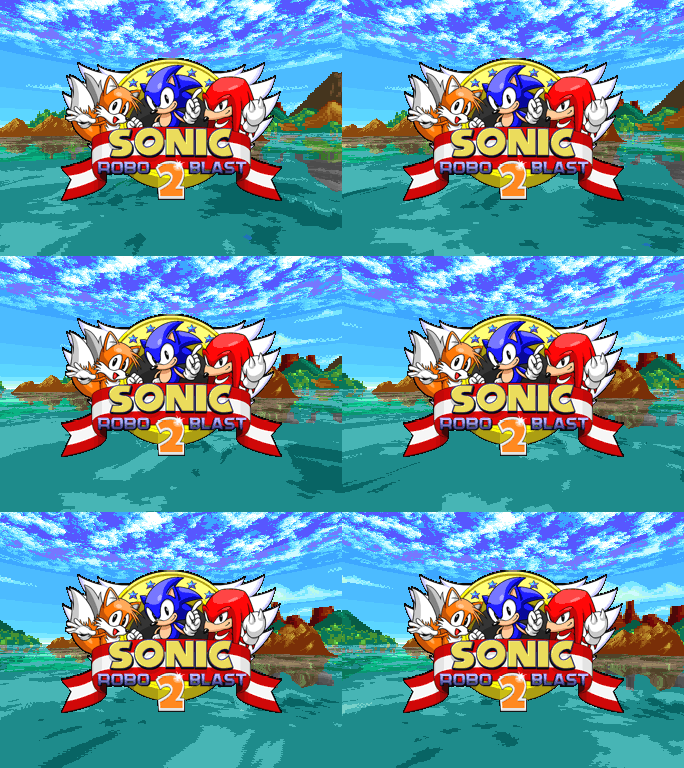
Unused Title Screen#
An old static title screen graphic with a harsh black outline that was used during the development of version 2.2.
Unused |
2.2 |
|---|---|
 |
 |
Ultimate Mode#

In earlier versions of SRB2, there were difficulty modes a player could select; a remnant of Doom. However in Version 2.0, all difficulty options were removed, with one very notable exception, that being the ever infamous Ultimate Mode. In Version 2.2, if the user types ultimate on the title screen (not as a console command), one of four sound effects of Eggman laughing can be heard as an indication that the player has toggled Ultimate Mode. The No File option in the "Select Game" menu will now be replaced with new graphics and the Don't Save! text now says Ultimate. in red. Ultimate Mode can also be found as an option in the Marathon Mode.
Pressing Enter on the No File option will give you a warning before going to the character select, indicating that this difficulty is deliberately unfair, and that there is no reward for completing it.

During Ultimate Mode:
- The player is given one life and no continues.
- All rings and ring monitors are removed.
- All shield monitors are removed, with the exception of Gold monitors which respawn their shield after a few seconds.
- Extra life monitors will not give any lives despite still being present in the game. When popped, they will instead play an error sound to indicate that they do nothing. You're also unable to gain any 1-ups or
Continuesthrough score. (Continues are obtainable through Special Stages, and are even usable.) - Both types of Jetty-Syns (and any other Objects using A_JetChase) will have doubled speed and will fly higher above the target player.
- Both types of Buzzers (and any other objects using A_BuzzFly) will be 1.25 times faster.
- All Objects using the actions A_LobShot, A_FireShot, A_SuperFireShot, A_JetgShoot, A_MultiShot and A_BrakFireSho] will have half the usual reaction time set afterwards.
Although this can only be accessed using cheats, a command line prompt, or Marathon Mode, Ultimate Mode can be used as custom unlockable conditions for modding purposes.
Easter Eggs#
|
|
To do: |
Killingdead Mode#
Opening the console and typing killingdead will activate a mode that is a reference to a glitch from the original Sonic Robo Blast and the TGF
(The Games Factory) versions of SRB2, in which due to hitbox errors, hitting an enemy would sometimes still cause you damage and even kill you if you don't have any rings.
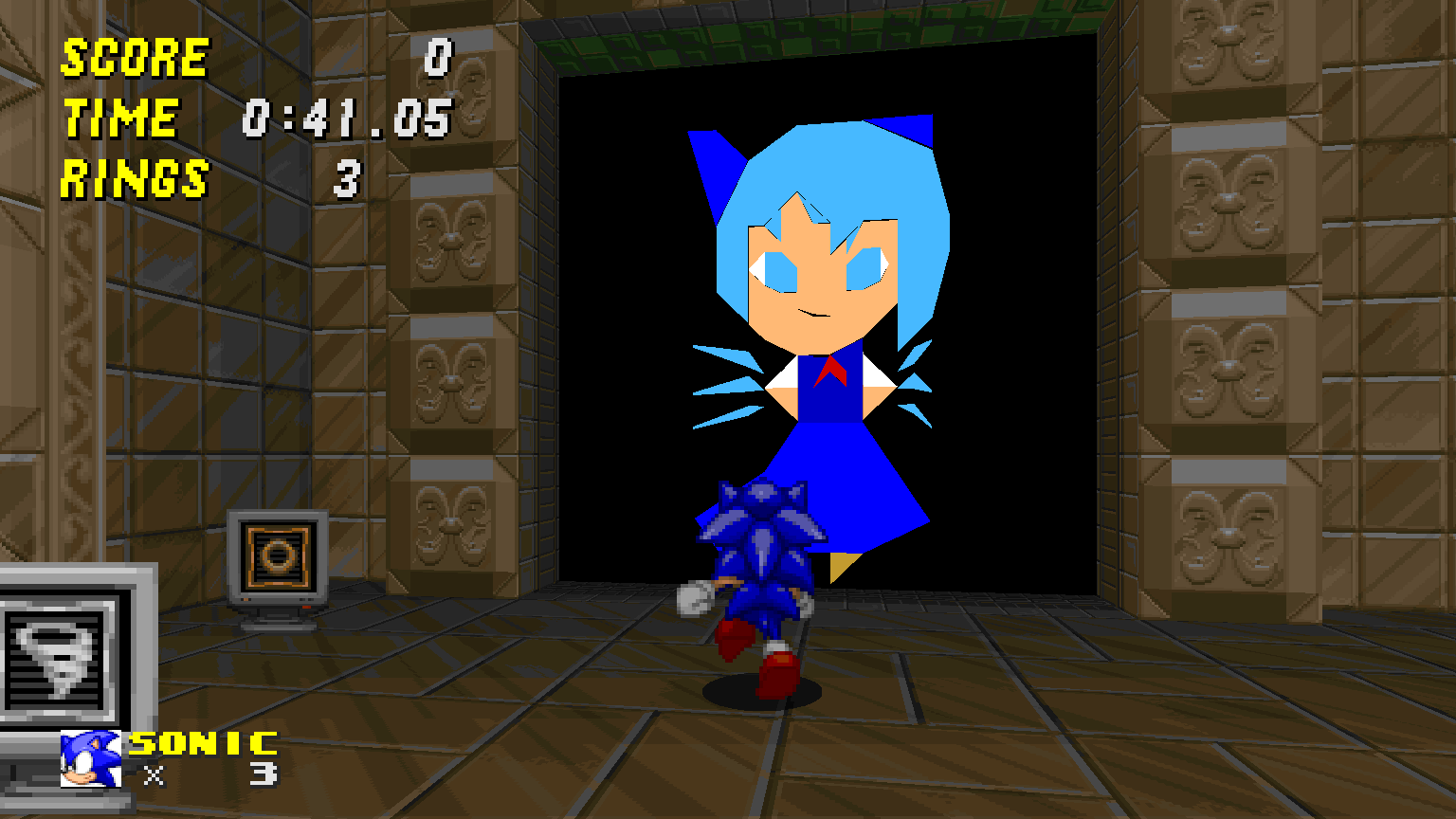
Cirno#
In Deep Sea Zone Act 1, There's an Easter egg blocked by a door, behind it there is an amateure-ish animated image of Cirno, a character from the Touhou Project.
Cashrida#
Typing cashrida in the console on the title screen will make a ring sound effect play. This is another reference to the original Sonic Robo Blast, where cashrida was a cheat code in that game.
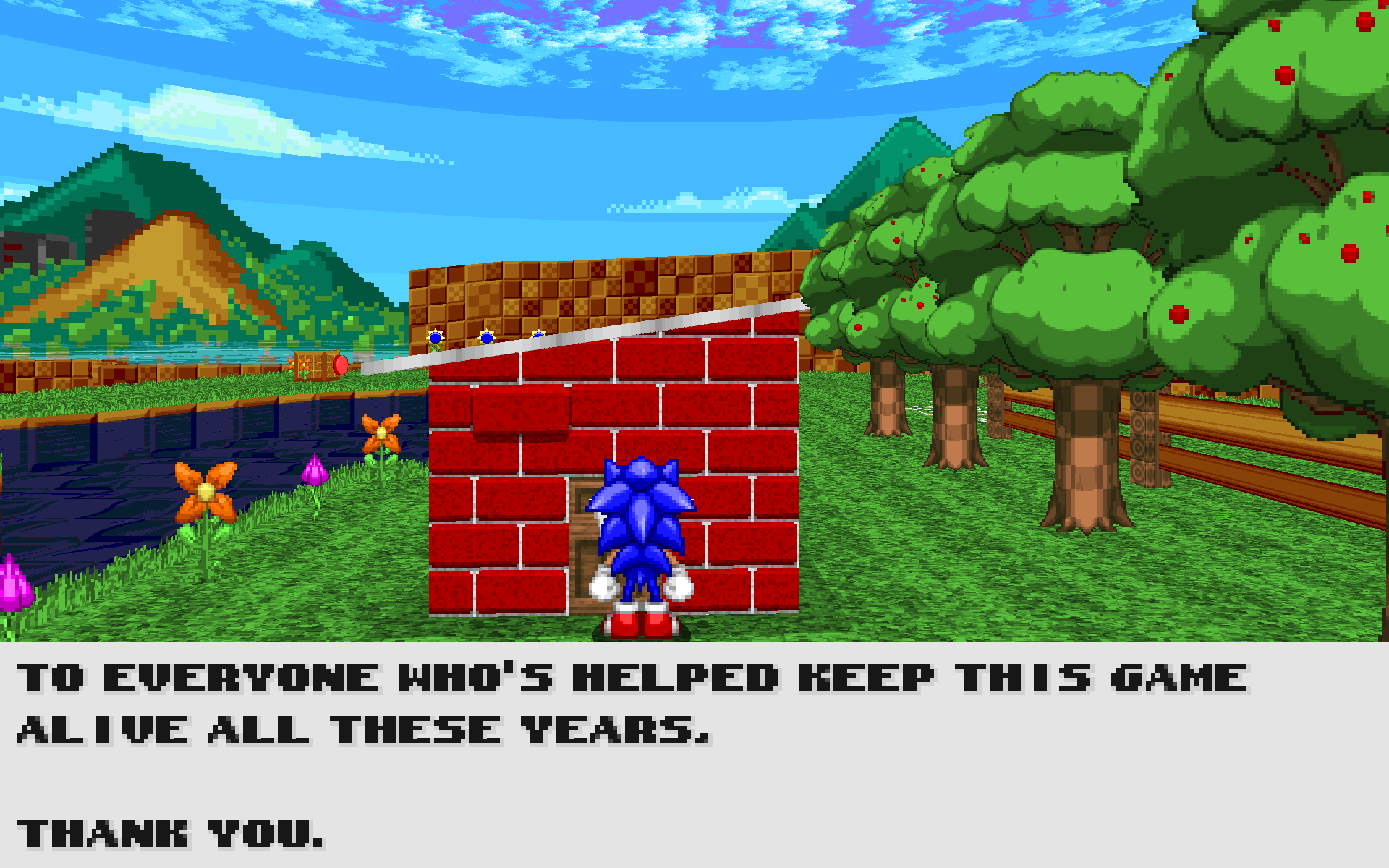
Greenflower Act 1 House#
When you collect all 200 emblems in the game, on one of the houses in Greenflower Zone Act 1, a small note appears on the door, that when stepped up to, thanks the player for playing the game. This is a reference to SRB2 Final Demo 1.09.4, where an Easter egg that allowed you to play Red Volcano Zone Act 1 was present at this house.
Deep Sea Act 1 Secret Rooms#
Black Eggman Posters#
|
|
To do: |
As of 2.2, the unused poster of Black Eggman can be found if you use the noclip cheat to clip through walls in various levels.
Techno Hill Act 1#
At the start of the level, the first slime pit will have metal bars that block off a cave. If you use the NOCLIP cheat to go behind these bars, poster of Black Eggman greets the player.


Techno Hill Act 2#
When you fall after the start, there will be a closed door on the right. If you use the NOCLIP cheat to clip through the door, there is not only a poster of Black Eggman, but a single Eggman monitor as well.


Deep Sea Act 1#
Alternate Ending#
|
|
To do: |
After defeating Brak Eggman in Black Core Act 2, typing soundtest 413 into the console before entering the escape pod will alter the ending cutscene to resemble a Flash page from the webcomic "Homestuck". This is possibly a reference to how Malcolm "RedXVI" Brown, the composer for the Mystic Realm level pack, also did significant work on Homestuck's soundtrack.
Unused Areas#
Many of these areas were likely cut due to a lack of time, although they could be added back in, or expanded upon in future releases.
Arid Canyon Act 2#
There is a full section for Knuckles that leads to the section to the right.
An unused section that appears to be there for no reason, although in development videos of this level it looks like it was once connected to the map.
An alternate level ending seems to have been made for characters that could get there, like Tails or Knuckles. A part of it can be seen at the end of the original level.
|
|
To do: |
Very far from the map, there is an area where minecarts were tested.
Egg Rock Act 2#
Near the end of Egg Rock Act 2, behind the windows of the last elevator, there are some slopes, likely for testing the physics when interacting with slopes.

Unused Player Abilities#
These are all available for modding, but go unused in the vanilla game.
Value |
Ability |
Description |
|---|---|---|
|
Homing attack. |
A weakened version of the speed thok ability, but with the addition of a homing attack feature similar to that of Sonic Adventure and beyond – if an enemy, spring, or monitor is close enough to the player when triggering the ability, the player will home in towards the target object until they touch/destroy it. If the character fails to reach the object within 3 seconds, the homing attack is automatically cancelled. |
|
Double jump. |
Pressing the jump key/button a second time in mid-air will make the player do a second jump. |
|
Floating with slow descent. |
Pressing the jump key/button a second time in mid-air and holding the button down will cause the player to fall at a fixed speed downwards, slowing the rate at which the character falls. This is similar to E-102 Gamma's booster upgrade from Sonic Adventure. |
|
Telekinesis |
Pressing the jump key/button in mid-air will push enemies and players within a set radius around the player away; pressing spin in midair will pull them closer instead. |
|
Fall switch |
Reverses the player's vertical momentum when pressing the jump key/button in mid-air, thrusting them in the opposite direction instead. |
|
Jump boost |
The faster the player moves about, the higher the player's jump speed will be. Pressing the jump key/button in mid-air has no effect otherwise. |
|
Air drill |
Pressing the jump key/button a second time in mid-air will initiate an air drill, thrusting the player forward at the angle they're facing. The player will fly in an arc, eventually finishing the drill when the player is falling down to the ground. Holding the spin button while drilling will cause the player to descend more swiftly. |
|
Jump-thok |
A hybrid between the thok and the double jump. Gives the player a burst of speed and an extra jump with each use. |
Development Mode#
|
|
To do: |
Development mode itself has twelve different modes, each displaying different information, multiple of which can be displayed at once by combining the values of them together. Either the decimal or hexadecimal values can be used with the devmode command – e.g. devmode 4095 (or devmode 0xfff) will activate all development modes, and devmode 0 will turn all of them off.
Decimal |
Hexadecimal |
Mode name |
Description |
|---|---|---|---|
1 |
|
Basic |
Displays basic information on the HUD, such as the player's map coordinates and angle. |
2 |
|
Detailed |
Displays more detailed information on the HUD, such as the player's XYZ momentum, scale, and ceiling/floor heights, etc. |
4 |
|
Randomizer |
Displays information for PRNG seeds on the HUD. |
8 |
|
Render |
Prints rendering-related debugging messages into the console. |
16 |
|
NiGHTS Basic |
Displays basic information for NiGHTS mode on the HUD, such as timers for powerups, links and bumpers, amount left in the drill meter, and displaying milliseconds as well as seconds for the time left as NiGHTS. Also prints messages into the console signalling when the Ideya Drone displays the GOAL sign or not. |
32 |
|
NiGHTS |
When playing as NiGHTS Super Sonic, axis transfers are displayed in-game as a rail ring sparkle trail stretching outwards from the point of the axis transfer and at the height of the player. (Such trail actually hurts you though, so the |
64 |
|
PolyObj |
Prints PolyObject-related debugging messages into the console. |
128 |
|
Gamelogic |
Prints miscellaneous game logic debugging messages into the console. |
256 |
|
Netplay |
Prints multiplayer-related debugging messages into the console. |
512 |
|
Memory |
Prints memory-related debugging messages into the console, and displays the memory heap used. |
1024 |
|
Setup |
Prints setup/initiation-related debugging messages into the console. This includes information for level-loading, loading files into the game, loading ghosts for Record Attack, MD5 computing, etc. |
2048 |
|
Lua |
Prints Lua-related debugging messages into the console. |