
Hidden Developer Credit#
Present at 0xD8C in tssioprog.ic3 (I/O board ROM) is a hidden credit.
Programmed by Kikuchi!(Source: Original TCRF research)
Development Menu#
There is a hidden debug menu. To access it, use one of the following commands in the MAME debugger, then reset the game (for example, by pressing F3).
Set |
Command |
|---|---|
timecrs2 |
bpset 8000a4cc,1, { maincpu.d@8000a548 = 24020003; g } |
timecrs2v1b |
bpset 8000a5bc,1, { maincpu.d@8000a638 = 24020003; g } |
timecrs2v2b |
bpset 8000a42c,1, { maincpu.d@8000a4a8 = 24020003; g } |
timecrs2v4a |
bpset 8000a43c,1, { maincpu.d@8000a4b8 = 24020003; g } |
timecrs2v5a |
bpset 8000a4dc,1, { maincpu.d@8000a558 = 24020003; g } |
(Source: Ferrox for finding text relating to the debug menu, jrra for finding the codes to reach it)
Main Menu#

Game Mode#
Starts the game as normal, in attract mode.
Hana#
Goes to the Hana menu (see below).
Kawakami#
Goes to the Kawakami menu (see below).
Hayac#
Goes to the Hayac menu (see below).
Polygon View#

Apparently allows for viewing any polygonal object in the game, but it doesn't seem to do anything. Maybe it works but the controls are obscure.
Sound Test#

Play any sound effect or song in the game.
Voice Test#

Play any voiceover in the game.
Gun Adjust#

Presents a white screen with a crosshair in the middle. The guns can be fired on this screen to check their calibration.
Test by Pad#

Allows changing various game options such as the number of coins required to play. This is very similar to the service menu which is accessible to operators, but the layout is different.
Hana menu#

The Hana menu contains a number of options related to connected peripherals.
How Many?#
This option freezes the game on a black screen.
Shot#
Shows a white screen. Guns can be fired on this screen to check their function.
Usr Init#
Freezes on a black screen.
Comtest#

Shows an ongoing test, presumably testing the cabinet link-up function. Time Crisis II supports linking 2 cabinets together for co-operative play.
Subtest#

Shows an ongoing test of the sub-CPU on the System 23 MOTHER PCB. This chip controls both the sound and I/O functions of the system. In addition, Time Crisis II uses the sub-CPU to interface with the extra I/O board used to interface with the lightguns.
Memory Edit#

A standard memory hex-editor. Any memory location in the system can be read or modified.
Map View#
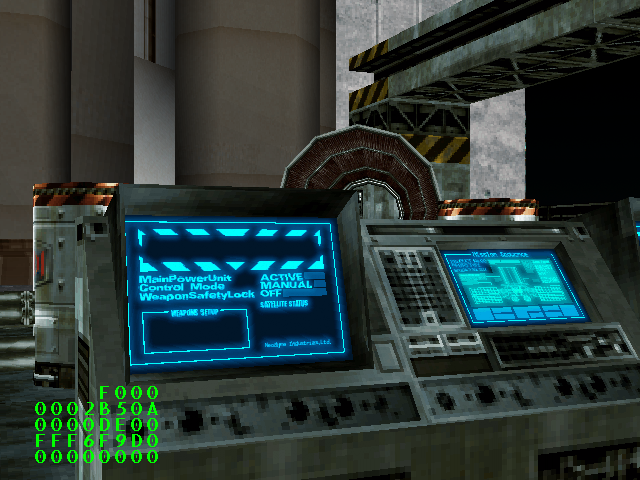
A map viewer. Any map can be selected, and the player can fly through the scene without restrictions.
Kawakami menu#
Every single function of this menu is broken.
Motion View#

This option shows "DATA ERROR!" and that's it.
Camera Check#

This option shows "DATA ERROR!" and some numbers. The numbers can be changed via player input, but they do not seem to do anything.
Blink Test#
The screen blinks briefly, then returns to the main menu.
UV Scroll Test#
The screen blinks briefly, then returns to the main menu.
FEP Error Check#
The screen blinks briefly, then returns to the main menu.
Experiment#
The screen blinks briefly, then returns to the main menu.
Hayac menu#
Dove Test#

Shows a flock of doves flying around. The camera can be moved and the flock focus point can be moved.
Name Entry Test#

Jumps to the normal name entry screen.
Ranking Test#
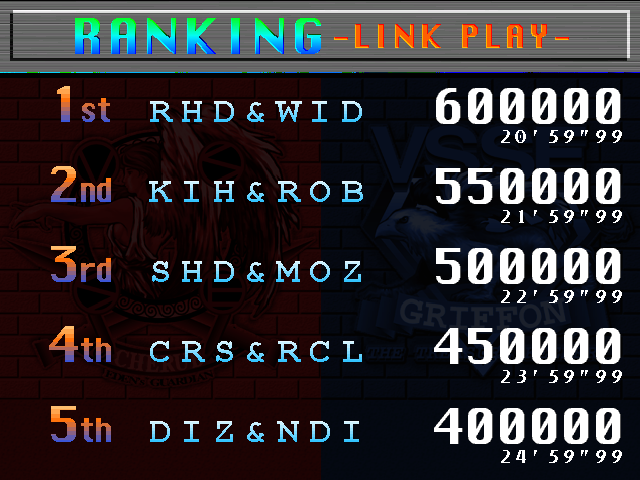
Jumps to the normal ranking screen.
Random Test#

Shows a bunch of hex values on screen which are randomly incremented over time.
Comdrv Test#

Shows a bunch of numbers. Their meaning is unclear.
Start Area Set#
This option shows a blank screen which can be exited.
References#
|
The Time Crisis series | |
|---|---|
|
Arcade |
Time Crisis • Time Crisis II • Crisis Zone • Time Crisis 3 • Time Crisis 4 • Time Crisis 5 |
|
PlayStation |
|
|
PlayStation 2 |
|
|
PlayStation 3 |
|