The Last of Us is a universally acclaimed Uncharted-like third-person action-adventure game starring Joel, a smuggler tasked with escorting a teenage girl, Ellie, across a post-apocalyptic United States in a journey to defend themselves against hostile humans and cannibalistic creatures infected by a mutated strain of the Cordyceps fungus.

|
To do:
|
Debug Menu#
To enable this, you'll need a Jailbroken PS3 (Custom Firmwares) or a Homebrew enabled (HEN) PS3 with Version 1.00 or 1.11 of the game (with region BCES01584/BCES01585).
The offsets to unlock it through ProDG Debugger or PS3API are 0x3B2A0 419E for v1.00 and 0x3BF9C 419E for v1.11.
A premade EBOOT.BIN for version 1.11 can be found here.
Download the EBOOT.BIN, place the file in dev_hdd0/game/BCES01585/USRDIR/, then start the game.
The 1.00 EBOOT will need to go in dev_hdd0/GAMES/[BCES01585]-The Last Of Us.

|
This needs some investigation.
|
Dev Menu#
The files debug-menu.bin and debug-menu.dci, which can be found in bin.psarc\dc1, are not used for the Dev Menu. They can be deleted without the game crashing, which means they are never called by script-manager.cpp.
After you enable the debug menu, you'll see the FPS text at the top-right of the screen. Press L3 + Start to open the Dev Menu, L3 + Select for the Quick Menu, or L3 + R3 for Debug Fly (player will need to be spawned in a level to use this). The Net... and Profile... Sub-menus are empty.
The Memory section is only useful when connected with the ProDG Debugger via TMAPI (ProDG Target Manager), and with quite a bit of experience modding the PS3 version of the game. 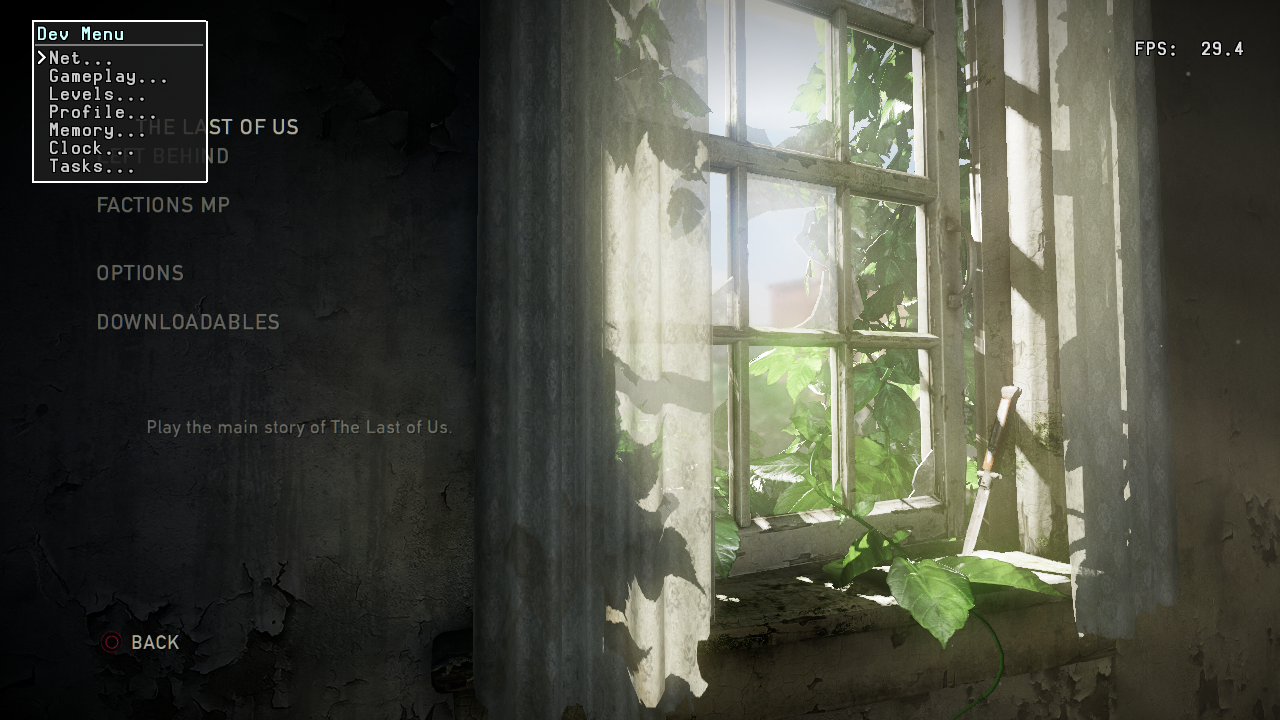
Clock allows you to change the game's speed. 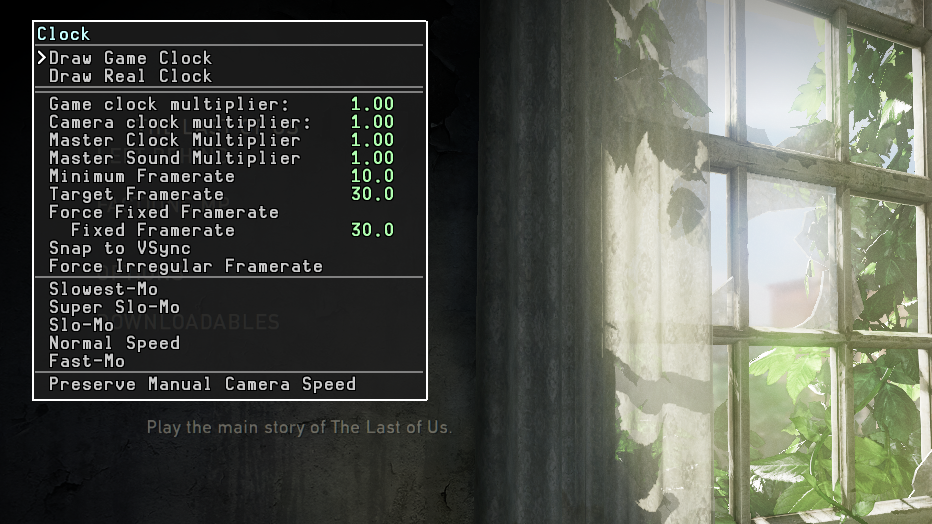
Tasks allows you to choose any task or cutscene you want to play in both the single-player campaign and DLC chapters. Attempting to load a DLC task without DLC installed will crash the game. 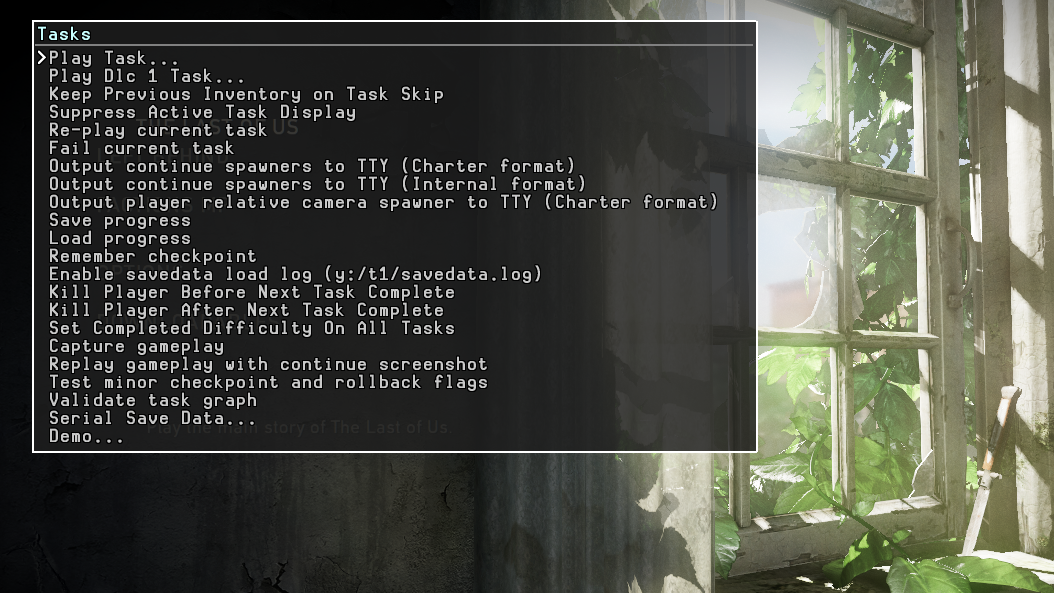
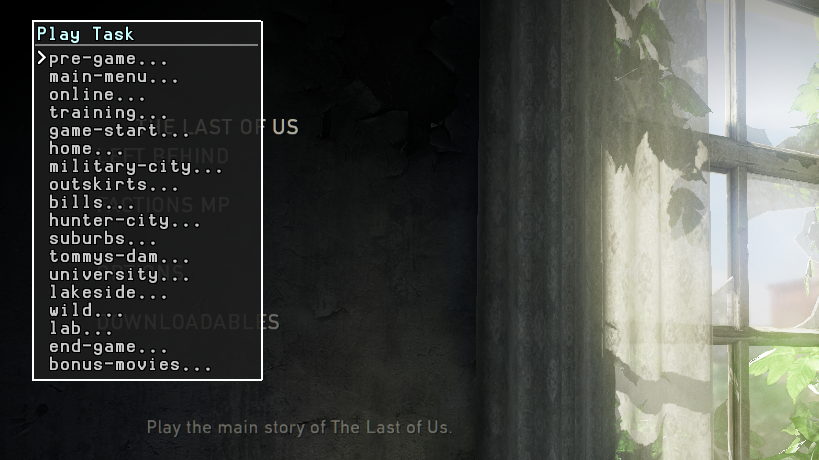
The Tasks list has every notable point in the game broken down, with larger sections having their own sub-menus such as bookstore fight or Lab fight. Options with sub-menus are shown with "..." at the end of the name. 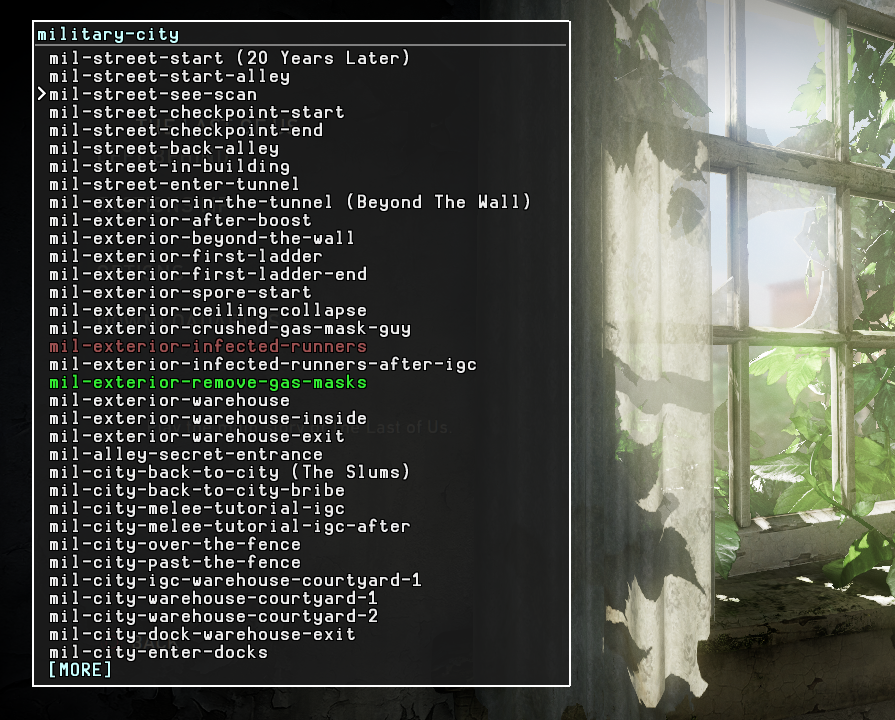
Quick Menu#
Enabled with L3 + Select.
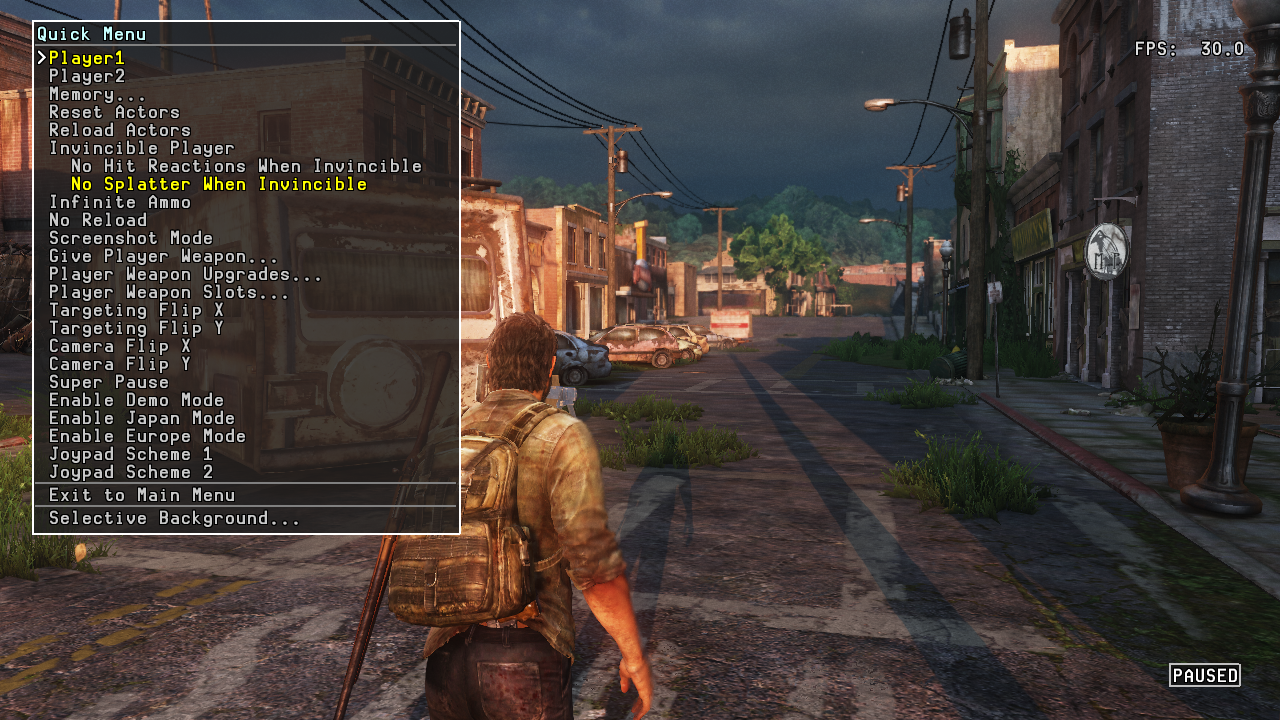
This has some additional options such as Infinite Ammo, Invincible Player, No Reload, and Selective Background which is used to hide assets in-game. Once enabled, press X to select the object you're looking at and O to hide/show it. There will not be any text on the screen for guidance as Debug Text has been stripped from the retail eboot.bin. Hiding an asset does not delete and unload it, only stops rendering it. The "Give Player Weapon..." sub-menu is, hilariously enough, only useful for removing all weapons from the player. Attempting to select one of the blank spaces where the weapons are supposed to show up will crash the game.
The "Player2" option will crash the game when selected, as does "Player Weapon Upgrades..." if the player is spawned in; "Player Weapon Slots..." gives the 2nd long gun and short gun holsters if the bottom two options are selected. The other entries will crash the game.
- "Enable Demo Mode" - Disables pickup icons and hides the weapon HUD.
- "Enable Japan Mode" - Disables all gore.
- "Enable Europe Mode - Disables gore only in Factions mode, making this option useless due to the servers going permanently offline.
Joypad Scheme 1 and 2 seem to do nothing.
Training Debug Rooms#
There are some secret debug rooms/test maps that can only be accessed with the Debug Menu or by a save file that can be found here. These maps were created by the developers so they can test the gameplay's mechanics, combat sequences, and NPC AI.
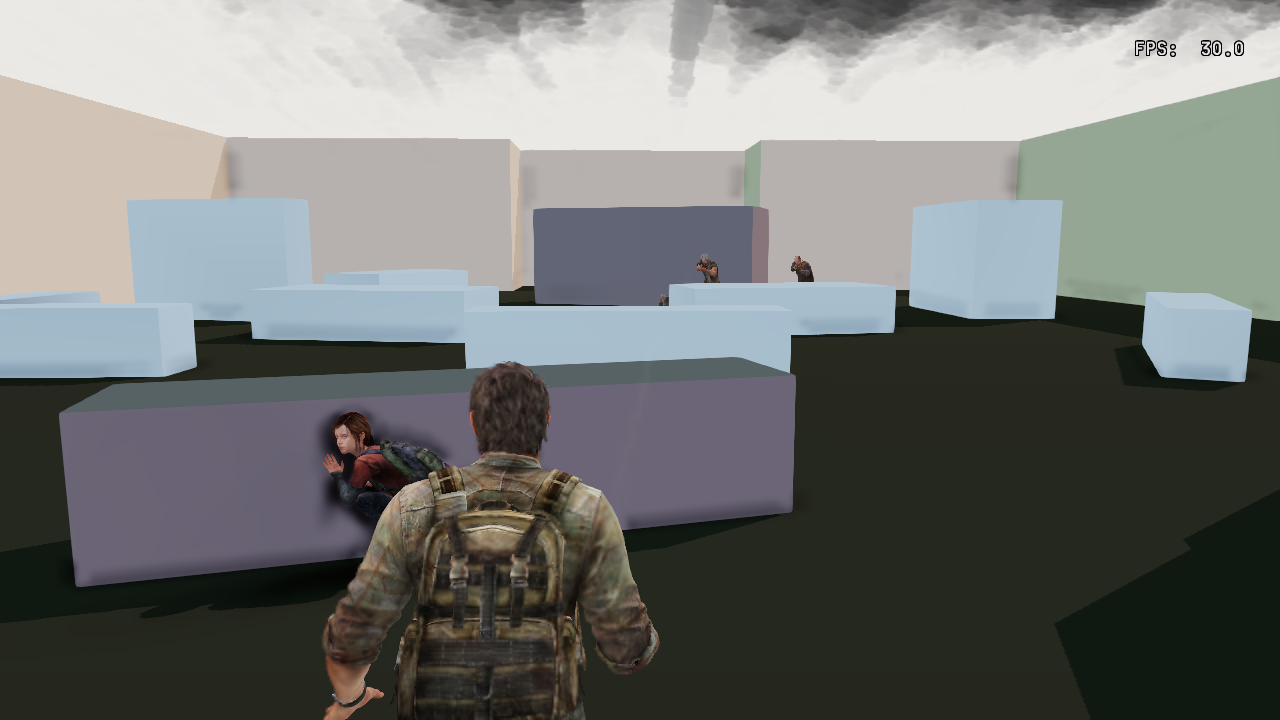
The player will need to press L3 + R3 for Debug Fly to get to all of the rooms or use the Tasks menu to skip to the ones that work. Any that involve equipment will not be possible to complete due to the required assets not being loaded into the level.
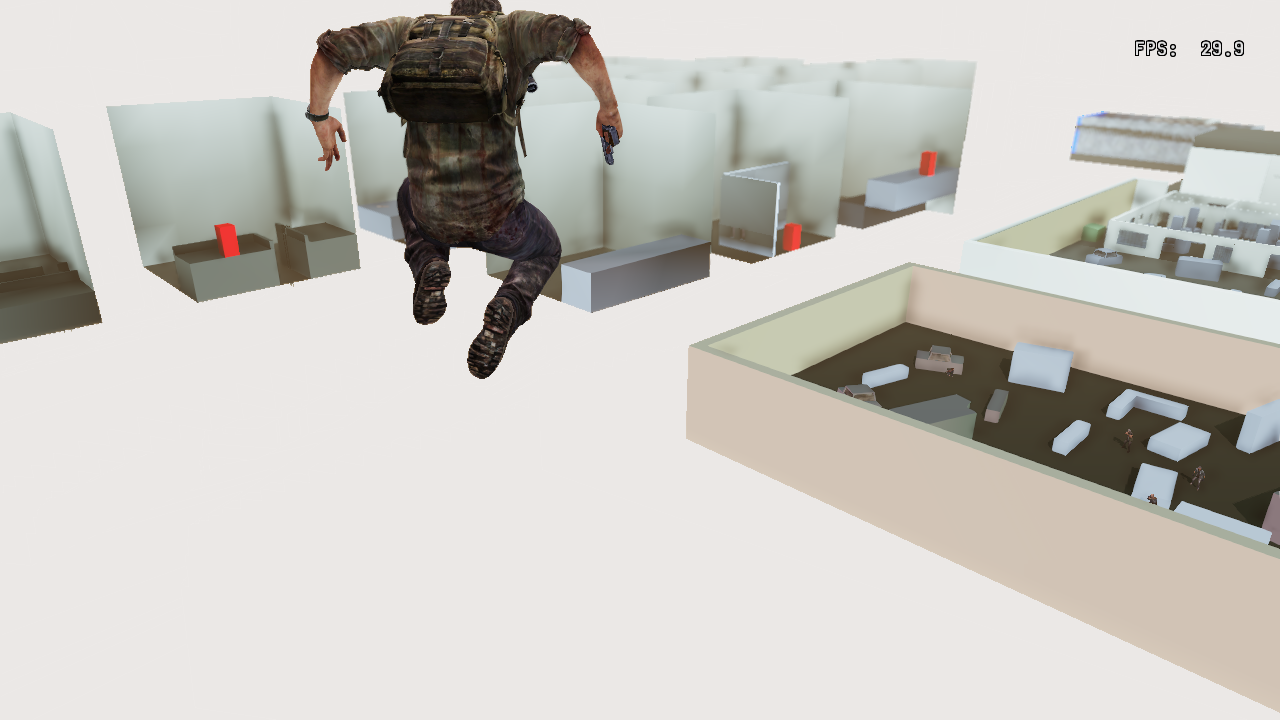
You can access these rooms by the Tasks option in the Dev Menu: Tasks > Play Task > training).

Full Debug Menu#
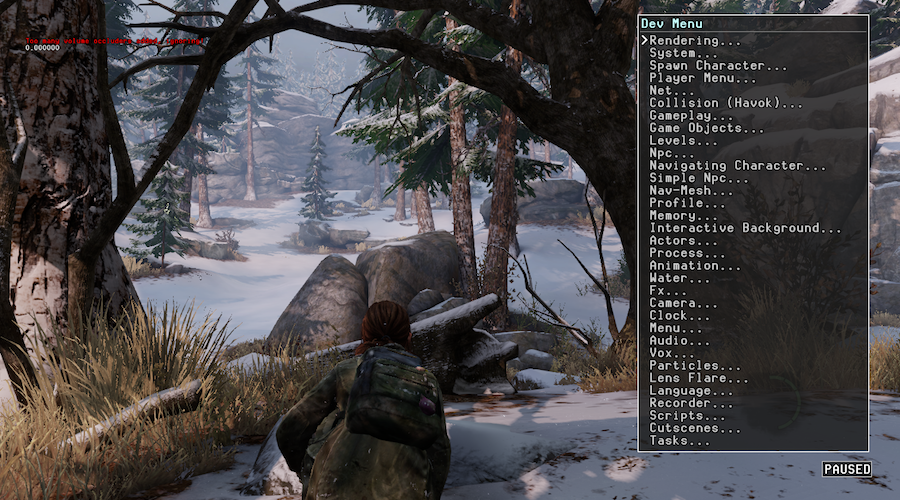
This is the full development Debug Menu similar to the current menu. This is not in the retail eboot.bin, to access it, the Dev eboot.bin would need to be released. Uncharted 1 and 2 have the full menu in their retail eboot.bin's, which can be seen here (Dev Kit required to access).
Engine Features#
Memory Edit the below address to enable the engine features.
Address:
- Version 1.00 - 0x14C7E25
- Version 1.11 - 0x1571CC9
Wireframe 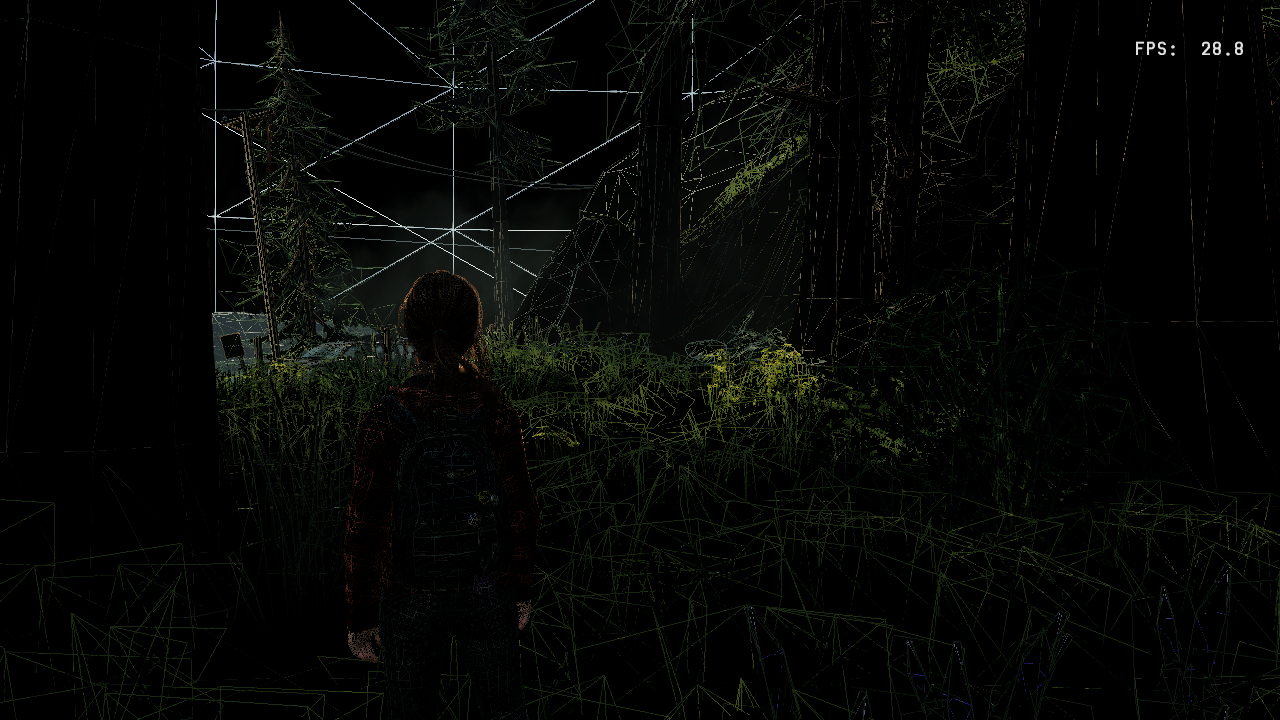
Wireframe See-Through
- Version 1.00 - 0x14C7E26
- Version 1.11 - 0x1571CCA
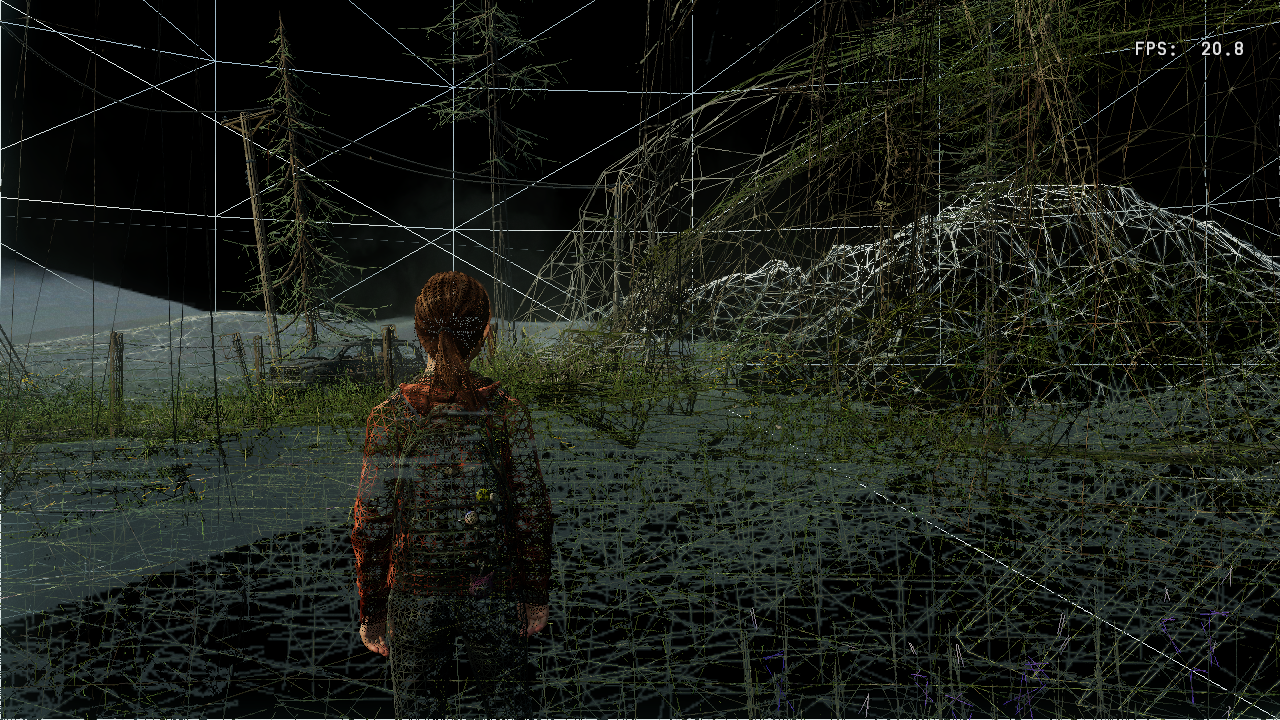
Point Mode
- Version 1.00 - 0x14C7E27
- Version 1.11 - 0x1571CCB

Normally, leaving the playable area causes the level geometry to stop rendering. This setting allows geometry to be rendered outside of the designated zone, which causes a drop of ~5 FPS.
Disable Visibility: Disabled 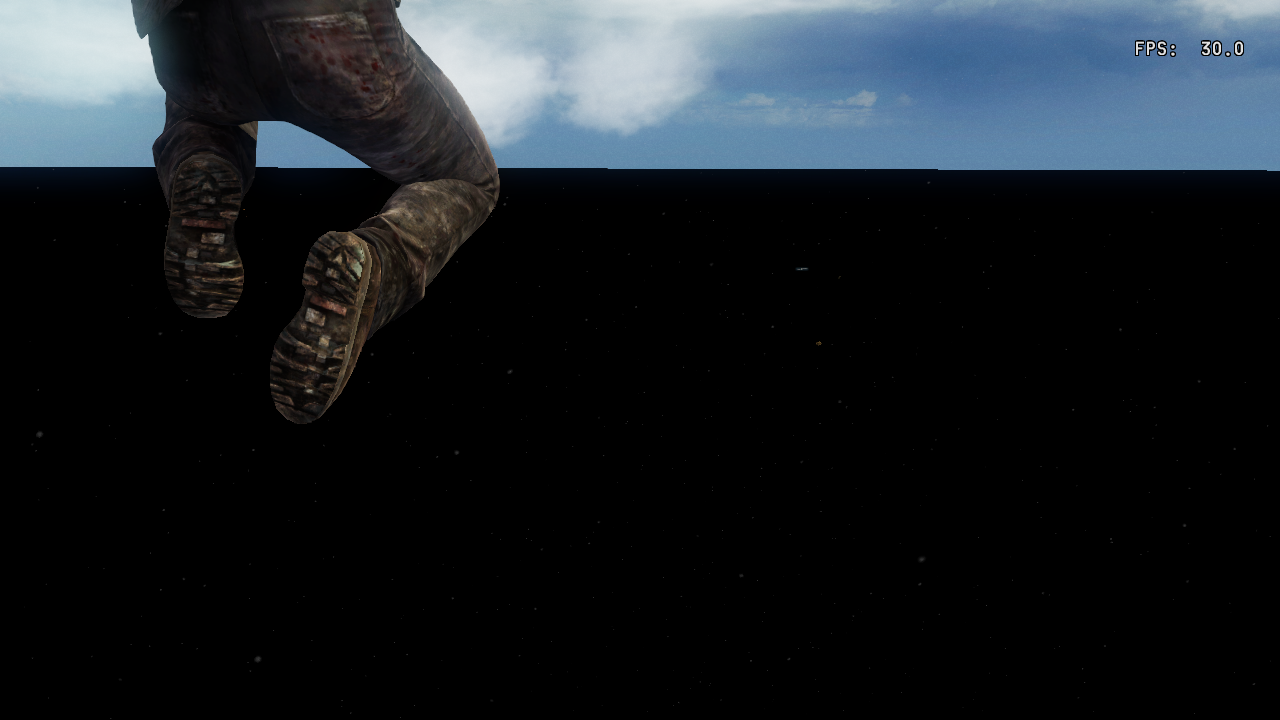
- Version 1.00 - 0x14C7732
- Version 1.11 - Now possible with the Dev Menu+ EBOOT by Illusion, linked at the top of the article.
Disable Visibility: Enabled 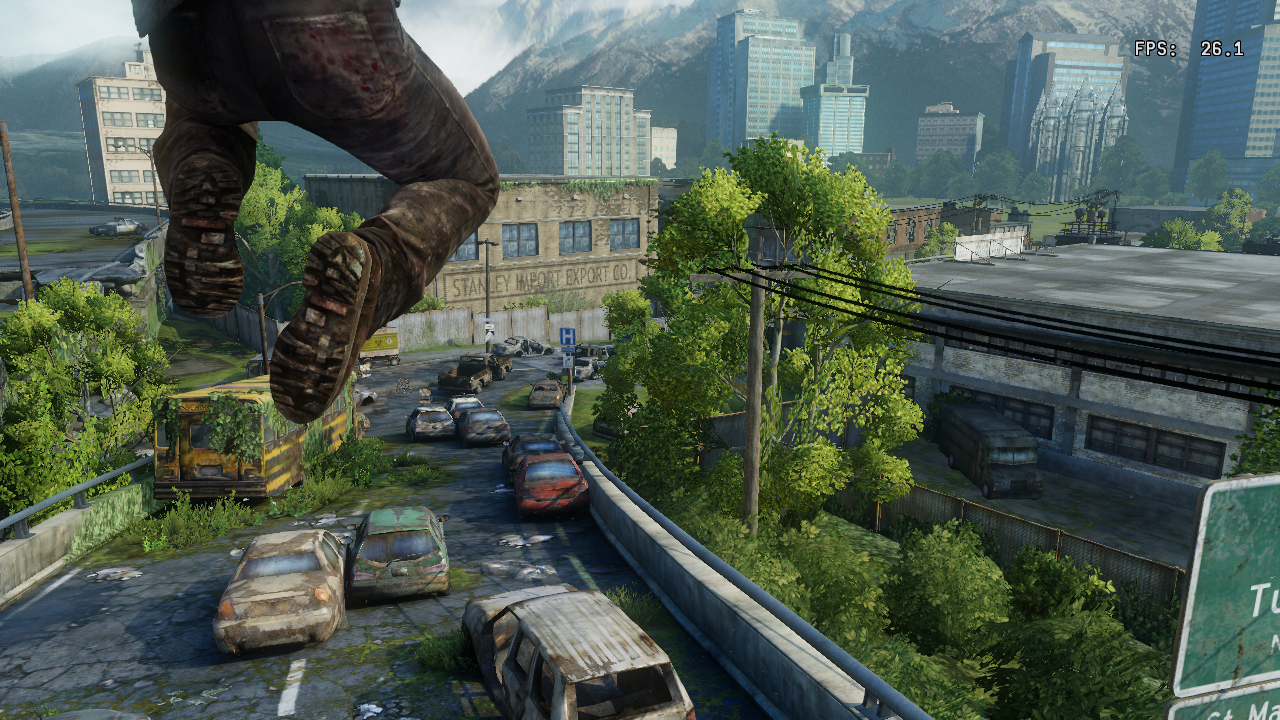
The framerate lock of 30 FPS can be changed at 0x14C7BCF (v1.00) or 0x1571A6F (v1.11).
The Frame lock setting has been set to 06 in memory. 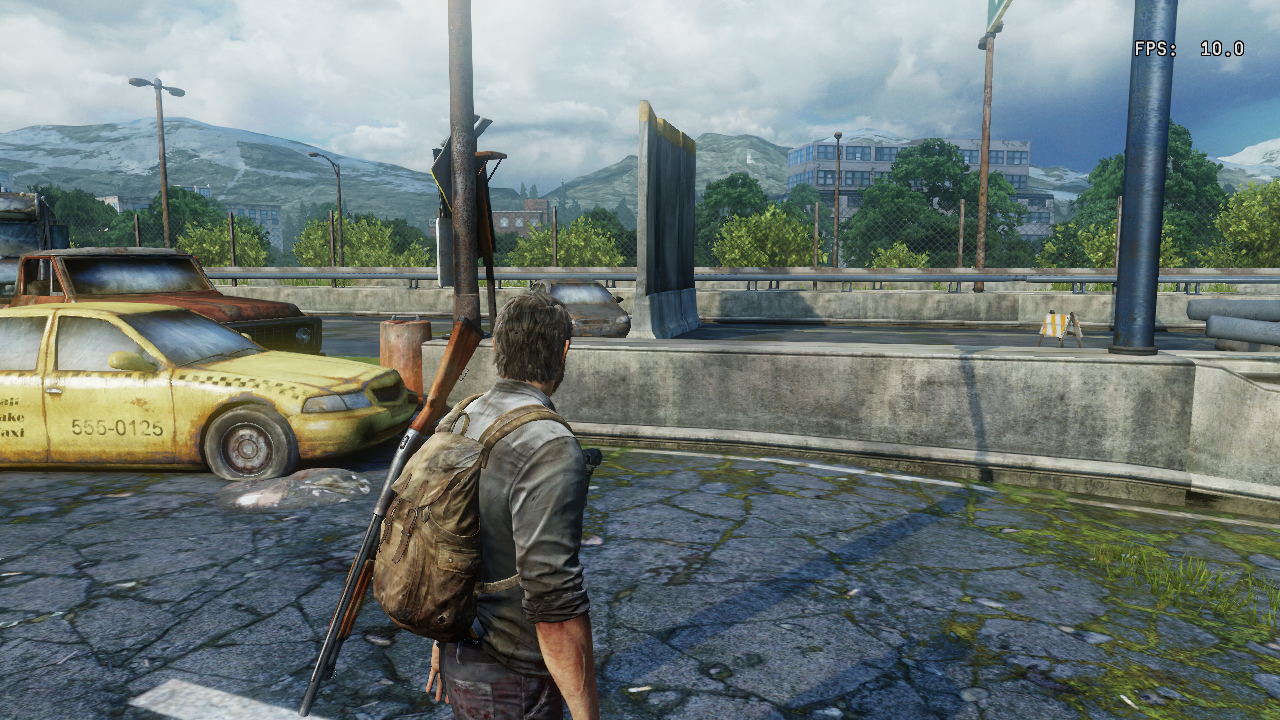
- 00 = No Framerate Lock
- 01 = 60 FPS
- 02 = 30 FPS (default)
- 03 = 20 FPS
- 04 = 15 FPS
- 05 = 12 FPS
- 06 = 10 FPS
Splitscreen#
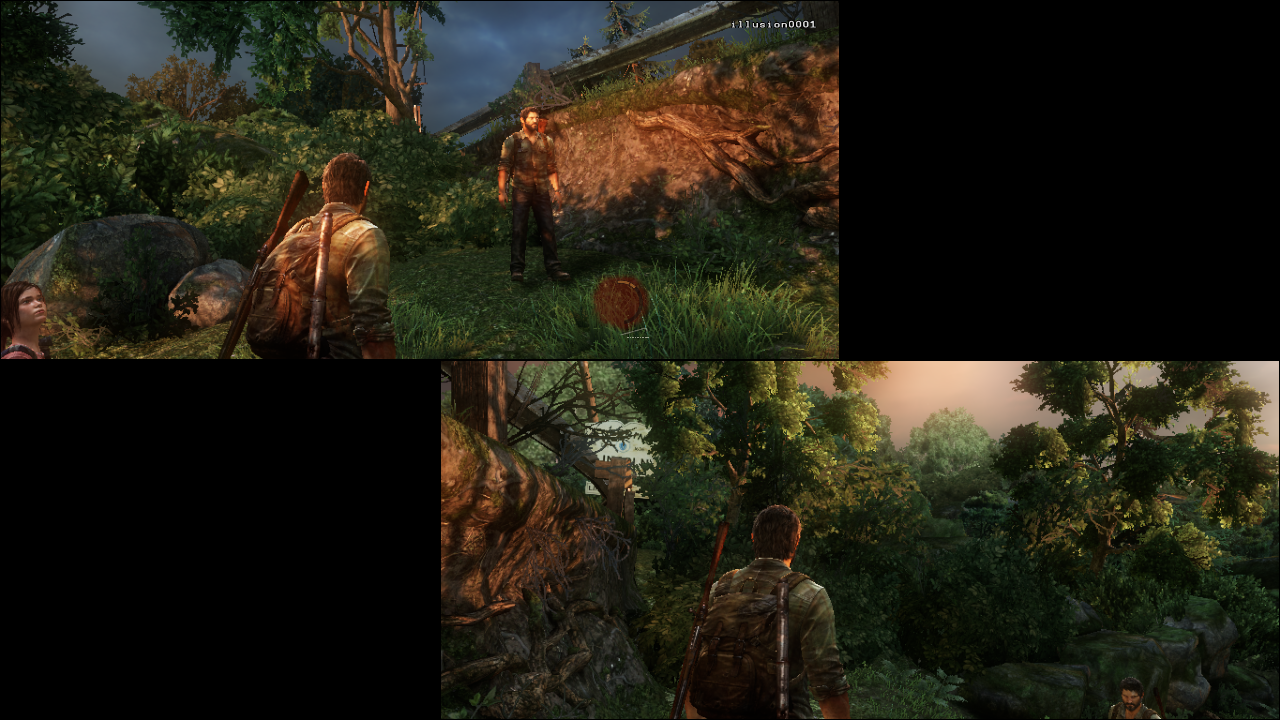
Splitscreen is possible in single-player, but it is very unstable. Expect performance improvements if the full debug eboot is released.
The offsets to enable it through ProDG Debugger or PS3API are 0x00A7994C 0x60000000 v1.00 Only!
Address: 0x14C7BB0 cycles through multiple screen modes.
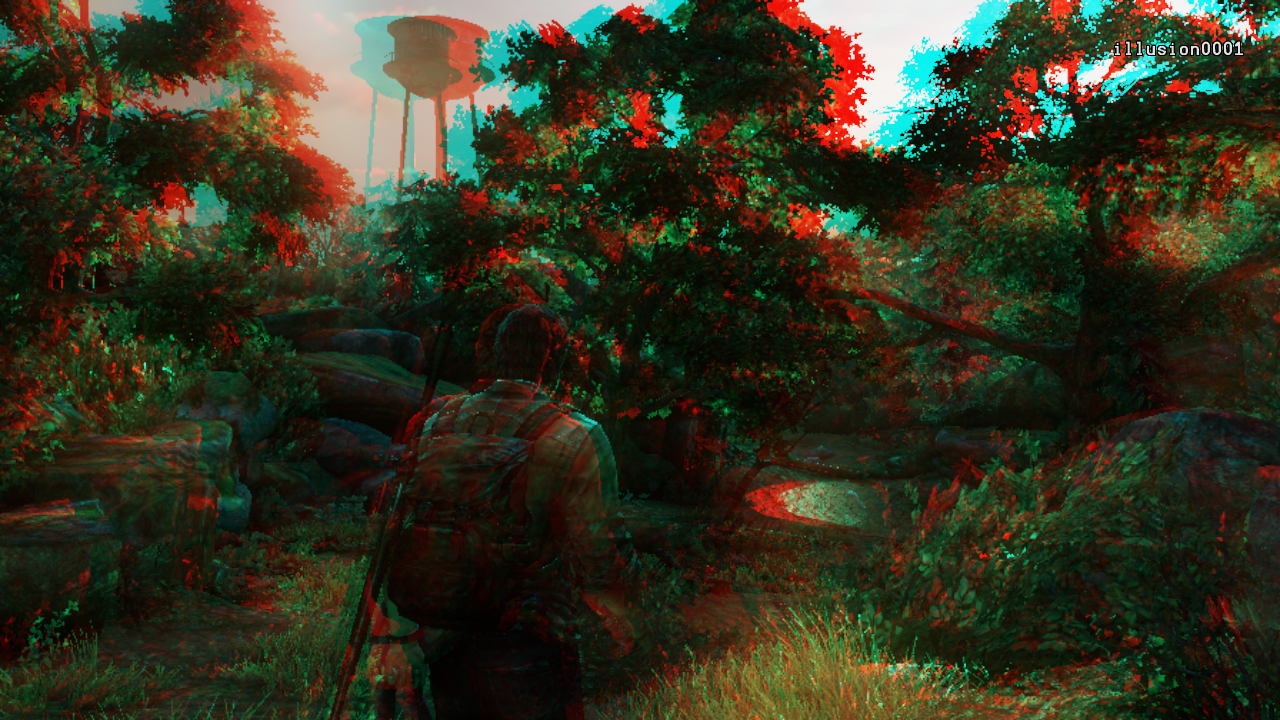
Additional Engine Features#
This section lists other engine features that have been stripped from the retail debug menu but do still work in-game. They will need to be enabled with memory editing. The addresses listed will only work on v1.00.
Show User Spotlight
This option renders a volumetric spotlight test above the player. It will remain above the player's position until disabled.
Address: 0x14C7C2C 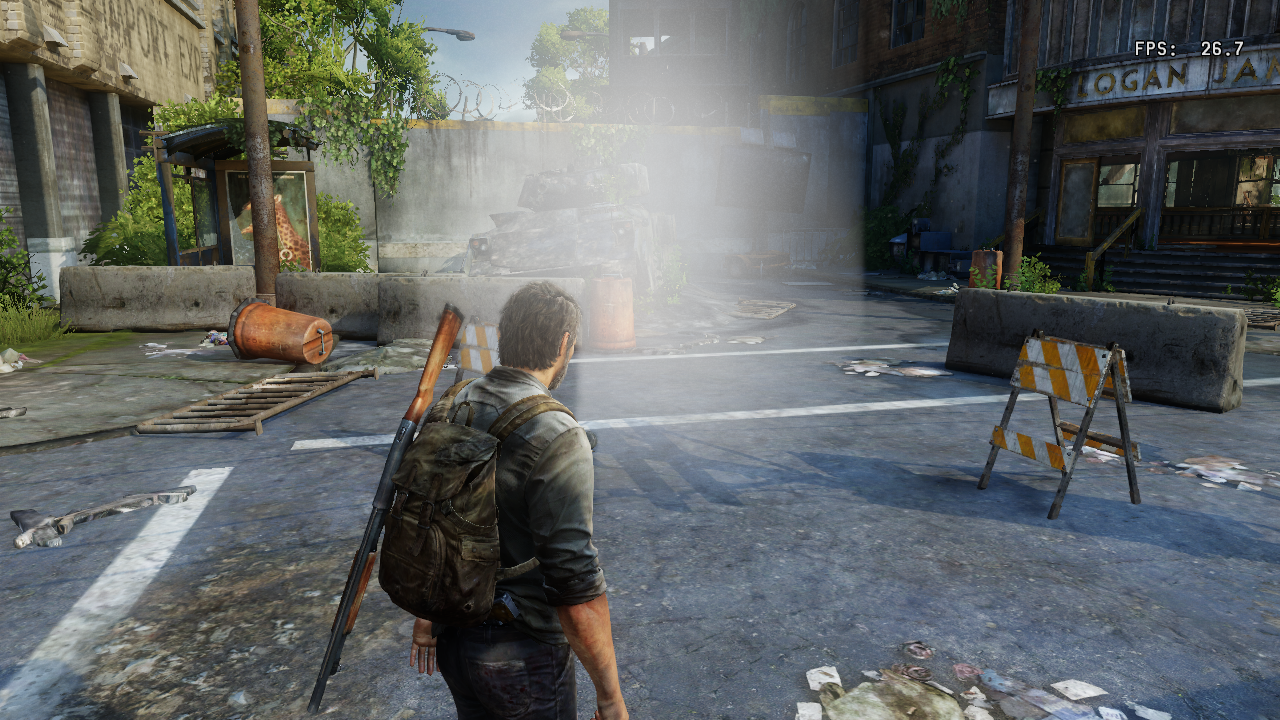
No Description, but the game remains functional.
Address: 14C7C38 
Version Differences#
This video goes over some of the version differences, mostly censorship; most of these changes are covered by either "Enable Japan Mode" (for single player) or "Enable Europe Mode" (for Factions) Quick Menu settings described above.
|
The Last of Us series | |
|---|---|
|
PlayStation 3 |
|
|
PlayStation 4 |
|