This is a sub-page of Roblox (Engine).
 Removed Unused ContentTextures and icons that aren't in use that ended up getting removed.
 Left-over AssetsLeft-over assets from older Roblox versions.
Unused Graphics#
While these graphics aren't used by the actual developers of Roblox, anyone can use them in their games, which is why some of these files are still shipped with the engine.
Textures#
All of these textures are found under content\textures.
Image |
Name |
Info |
|---|---|---|
 |
blackBkg_round |
|
 |
blackBkg_square |
|
 |
Blank |
|
 |
blockUpperLeft |
|
 |
chatBubble_bot_notifyGray_dotDotDot |
|
 |
collapsibleArrowDown |
|
 |
collapsibleArrowRight |
|
 |
grid16 |
|
 |
grid2 |
|
 |
grid4 |
This texture looks like the one used for newly created baseplates, but a site uploaded version is used instead of this one. |
 |
menuDownArrow |
|
 |
meshPartFallback |
|
 |
rotationArrow |
|
 |
smallTriangle |
|
 |
smallWhiteCircle |
|
 |
SurfacesDefault |
|
 |
transformFiveDegrees |
|
 |
transformNinetyDegrees |
|
 |
transformOneDegree |
|
 |
transformTwentyTwoDegrees |
|
 |
triangle |
UI Textures#
All of these textures are found under content\textures\ui. When the game received a massive UI redo, a bunch of graphics from before the UI redo remained in the game's files.
Image |
Name |
Info |
|---|---|---|
 |
clb_robux_20 |
Appears to be an early redesign for what would replace the older icon (seen above) for the Robux currency. |
 |
clb_robux_20@2x |
clb_robux_20, but 2x the resolution. |
 |
clb_robux_20@3x |
clb_robux_20, but 3x the resolution. |
 |
icon_premium-16 |
It seems like the player list icon for Roblox Premium (the membership that replaced Builders Club) was originally going to be a diamond, but it was replaced with a P. |
 |
Plastic |
Seems to be a single green stud taken from the old Stud surface enabled on a plastic part. |
 |
Motor |
Possibly an old icon for the Motor surface. |
 |
account_over13 |
Label for accounts above 13. |
 |
account_under13 |
Label for accounts under 13. |
 |
AvatarContextMenu_Arrow |
|
 |
Backpack_Close |
|
 |
Backpack_Close@2x |
Backpack_Close, but twice the resolution. |
 |
Backpack_Open |
|
 |
Backpack_Open@2x |
Backpack_Open, but twice the resolution. |
 |
chat_teamButton |
Might have been a button to access the chat for your team. |
|
chat_teamButton |
chat_teamButton, but 2x the resolution. |
 |
CloseButton |
|
 |
CloseButton_dn |
Red version of CloseButton, probably showed when the cursor hovered over the button. |
 |
SelectionBox |
Neon/glowing selection box. |
 |
SelectionBox@2x |
SelectionBox, but 2x the resolution. |
|
chat_teamButton |
|
 |
chat_teamButton@2x |
|
 |
ErrorIcon |
|
 |
ErrorIconSmall |
Legacy Chat Graphics#
All of these textures are found under content\textures\ui\Chat. These graphics were used by or meant for the Legacy Chat.
Image |
Name |
Info |
|---|---|---|
 |
VRChatBackground |
This image is a gray square with rounded corners. It can be assumed that this is a 9-square image, which is used in Roblox development to give objects rounded corners, as up until recently, the GUI engine did not natively support rounded corners. The image was probably going to give the chat box rounded corners when the user is in VR, however, this wasn't used and the chat box is the same as the desktop and mobile chat box, with square corners. |
Emotes#
All of these textures are found under content\textures\ui\Emotes. These graphics were meant for the Emote wheel.
Image |
Name |
Info |
|---|---|---|
 |
EmotesIcon |
A different version of the icon used to toggle the wheel through a button found in the top-bar. |
 |
EmotesIcon@2x |
EmotesIcon, but 2x the resolution. |
 |
EmotesIcon@3x |
EmotesIcon, but 3x the resolution. |
 |
EmotesRadialIcon |
An alternative EmotesIcon. |
 |
EmotesRadialIcon@2x |
EmotesRadialIcon, but 2x the resolution. |
 |
EmotesRadialIcon@3x |
EmotesRadialIcon, but 3x the resolution. |
 |
ErrorIcon |
Would've been shown if there was something wrong with the emotes, instead the emotes are just invisible. |
 |
ErrorIcon@2x |
ErrorIcon, but 2x the resolution. |
 |
ErrorIcon@3x |
ErrorIcon, but 3x the resolution. |
Scrapped Emotes Editor#
All of these textures are found under content\textures\ui\Emotes\Editor. These graphics were meant for an Emote wheel editor. These graphics show that they might have originally planned to give users the ability to edit their emote wheel in-game.
Image |
Name |
Sub-folder |
Info |
|---|---|---|---|
 |
Small_Wheel |
Small |
Graphic for a "small" emote wheel. |
 |
Small_Wheel@2x |
Small |
Small_Wheel, but 2x the resolution. |
 |
Small_Wheel@3x |
Small |
Small_Wheel, but 3x the resolution. |
 |
Small_OrangeHighlight |
Small |
Graphic meant to be shown when an emote was selected. |
 |
Small_OrangeHighlight@2x |
Small |
Small_OrangeHighlight, but 2x the resolution. |
 |
Small_OrangeHighlight@3x |
Small |
Small_OrangeHighlight, but 3x the resolution. |
 |
Large_Wheel |
Large |
Graphic for a "large" emote wheel. |
 |
Large_Wheel@2x |
Large |
Large_Wheel, but 2x the resolution. |
 |
Large_Wheel@3x |
Large |
Large_Wheel, but 3x the resolution. |
 |
Large_OrangeHighlight |
Large |
Graphic meant to be shown when an emote was selected. |
 |
Large_OrangeHighlight@2x |
Large |
Large_OrangeHighlight, but 2x the resolution. |
 |
Large_OrangeHighlight@3x |
Large |
Large_OrangeHighlight, but 3x the resolution. |
 |
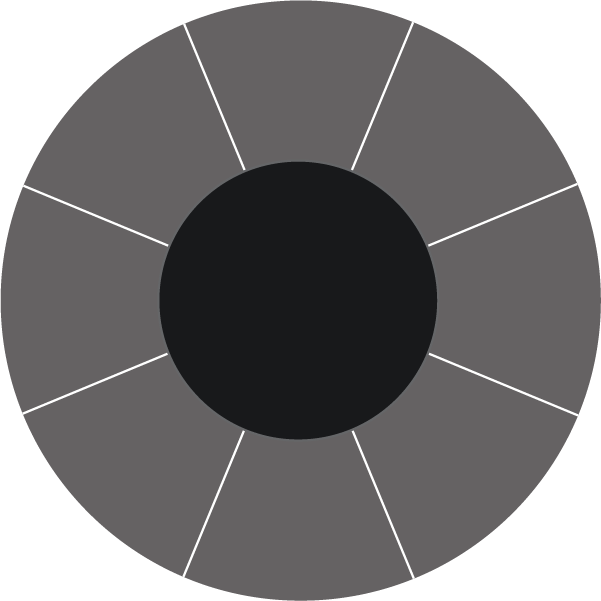
TenFoot_Wheel |
TenFoot |
Graphic for a "TenFoot" emote wheel. |
 |
TenFoot_Wheel@2x |
TenFoot |
Small_Wheel, but 2x the resolution. |
 |
TenFoot_Wheel@3x |
TenFoot |
Small_Wheel, but 3x the resolution. |
 |
TenFoot_OrangeHighlight |
TenFoot |
Graphic meant to be shown when an emote was selected. |
 |
TenFoot_OrangeHighlight@2x |
TenFoot |
Small_OrangeHighlight, but 2x the resolution. |
 |
TenFoot_OrangeHighlight@3x |
TenFoot |
Small_OrangeHighlight, but 3x the resolution. |
Menu#
All of these graphics were found in the Roblox Engine at content\textures\ui\Menu. These icons were meant for some older Roblox CoreGui's.
Image |
Name |
Info |
|---|---|---|
 |
hamburger3D |
This thing never got used. (What part of this is 3d, maybe used in the VR version?) |
MenuBar#
All of these graphics were found in the Roblox Engine at content\textures\ui\MenuBar. From what we know, these graphics never got used.
Image |
Name |
Info |
|---|---|---|
 |
arrow_down |
|
 |
arrow_left |
|
 |
arrow_right |
|
 |
arrow_up |
|
 |
dropdown-arrow |
|
 |
icon_home |
Scrapped icon that would've opened up the home menu also known as the Esc menu. |
 |
icon_more |
The three dots that would've opened another menu when clicked on. |
 |
icon_seated |
Would've been shown when the player was seated. Could have been meant to be used for the VR release. |
 |
icon_standing |
Would've been shown when the player was standing. Could have been meant to be used for the VR release. |
 |
divider |
Duplicate of an image with the same name located in textures/MenuBar. Was probably added to this folder on accident, as both folders have the same name. |
 |
dropdown-arrow |
Duplicate of an image with the same name located in textures/MenuBar. Was probably added to this folder on accident, as both folders have the same name. |
 |
icon_chat |
Duplicate of an image with the same name located in textures/MenuBar. Was probably added to this folder on accident, as both folders have the same name. |
 |
icon_emote |
Duplicate of an image with the same name located in textures/MenuBar. Was probably added to this folder on accident, as both folders have the same name. |
 |
icon_leaderboard |
Duplicate of an image with the same name located in textures/MenuBar. Was probably added to this folder on accident, as both folders have the same name. |
 |
icon_maximize |
Duplicate of an image with the same name located in textures/MenuBar. Was probably added to this folder on accident, as both folders have the same name. |
 |
icon_menu |
Duplicate of an image with the same name located in textures/MenuBar. Was probably added to this folder on accident, as both folders have the same name. |
 |
icon_minimize |
Duplicate of an image with the same name located in textures/MenuBar. Was probably added to this folder on accident, as both folders have the same name. |
 |
icon__backpack |
Duplicate of an image with the same name located in textures/MenuBar. Was probably added to this folder on accident, as both folders have the same name. |
Stream Icons#
All of these icons were found in the Roblox Engine at content\textures.
Image |
Name |
Info |
|---|---|---|
 |
Icon_Stream_Off |
Like the hamburger menu icon, but with a cool border. |
 |
Icon_Stream_Off@2x |
2x as big as the normal one. |
 |
Icon_Stream_Off@3x |
3x as big as the normal one. |
Cursors#
All of these icons were found in the Roblox Engine at content\textures or at content\textures\Cursors.
Image |
Name |
Info |
|---|---|---|
 |
advancedMove |
Weird cursor for some advanced move thing that might have never been released. |
 |
advancedMove_joint |
advancedMove, but with text accompanying the cursor. |
 |
advancedMove_keysOnly |
advancedMove, but with text accompanying the cursor. |
 |
advancedMove_noJoint |
advancedMove, but with text accompanying the cursor. |
 |
advancedMoveResize |
advancedMove, but with text accompanying the cursor. |
 |
MaterialCursor |
There is currently no way to get a cursor for applying materials. |
 |
FillCursor |
Modernized cursor for the "Click to change color" feature. Weirdly enough, the old one listed as DEPRECATED in the game files, but is still used instead of the new one. |
 |
AnchorCursor |
Modernized cursor for the Anchor feature. Weirdly enough, the old one listed as DEPRECATED in the game files, but is still used instead of the new one. |
 |
UnanchorCursor |
Modernized cursor for the Unanchor feature. Weirdly enough, the old one listed as DEPRECATED in the game files, but is still used instead of the new one. |
 |
LockCursor |
Modernized lock cursor. Weirdly enough, the old one listed as DEPRECATED in the game files, but is still used instead of the new one. |
 |
UnlockCursor |
Modernized unlock cursor. Weirdly enough, the old one listed as DEPRECATED in the game files, but is still used instead of the new one. |
 |
FlatCursor |
Old cursor for some sort of flattening feature. |
 |
CrossMouseIcon |
A cross-mouse. Found under |
AssetManager#
Found in content\textures\AssetManager as explorer.png. This icon is likely related to some function related to the workspace.

AnimationEditor#
All of these graphics were found in the Roblox Engine at content\textures\AnimationEditor. Some of these graphics were once used by the old Animation Editor.
Image |
Name |
Info |
|---|---|---|
 |
btn_clearText |
Button that when clicked would have removed all typed in text. |
 |
btn_collapse |
|
 |
btn_delete |
|
 |
btn_edit |
|
 |
btn_expand |
|
 |
btn_removeEvent |
Button that would've removed an event. |
 |
button_collapse |
|
 |
button_control_firstframe |
Similar to the used control button, but this one is higher resolution and has a different name. |
 |
button_control_lastframe |
Similar to the used control button, but this one is higher resolution and has a different name. |
 |
button_control_record |
|
 |
button_curve_editor |
The used curve-editor graphic has a box around it. |
 |
button_expand |
|
 |
button_hierarchy_closed |
|
 |
button_hierarchy_opened |
|
 |
button_lock |
|
 |
button_popup_close |
|
 |
button_radio_background |
|
 |
button_radio_default |
|
 |
button_radio_innercircle |
|
 |
button_search |
|
 |
Checkmark |
|
 |
Circle |
|
 |
Close |
|
 |
fbximportlogo |
|
 |
ic-checkbox-active |
|
 |
ic-checkbox-off |
|
 |
icon_dark_warning |
|
 |
icon_error |
|
 |
icon_hierarchy_end_white |
|
 |
icon_pin |
|
 |
icon_warning |
|
 |
icon_warning_ik |
|
 |
icon_whitetriangle_up |
|
 |
img_dark_scalebar_arrows |
|
 |
img_dark_scalebar_bar |
|
 |
img_dark_scrubberhead |
|
 |
img_dark_timetag_bg |
|
 |
img_eventGroupMarker_border |
Event groups don't exist in the editor. |
 |
img_eventGroupMarker_border_selected |
Event groups don't exist in the editor. |
 |
img_eventGroupMarker_inner |
Event groups don't exist in the editor. |
 |
img_eventMarker_min |
|
 |
img_forwardslash |
|
 |
img_scalebar_arrows |
|
 |
img_scalebar_arrows_border |
|
 |
img_scrubberhead |
|
 |
img_timetag |
|
 |
img_timetag_border |
|
 |
img_triangle |
|
 |
Pin |
|
 |
rigbuilder_blue |
Rig-builder is separate from the Animation Editor. |
 |
rig_builder_32x32 |
Rig-builder is separate from the Animation Editor. |
 |
RoundedBackground |
|
 |
RoundedBorder |
|
 |
TangentHandle_Automatic_9x9 |
|
 |
TangentHandle_SelfDefined_9x9 |
|
 |
menu_shadow_bottom |
The Animation Editor UI doesn't have a shadow. |
 |
menu_shadow_side_left |
The Animation Editor UI doesn't have a shadow. |
 |
menu_shadow_side_right |
The Animation Editor UI doesn't have a shadow. |
 |
menu_shadow_top |
The Animation Editor UI doesn't have a shadow. |
ControlsEmulator#
All of these graphics were found in the Roblox Engine at content\textures\ControlsEmulator. These icons are meant for the Controls Emulator in studio.
Image |
Name |
Info |
|---|---|---|
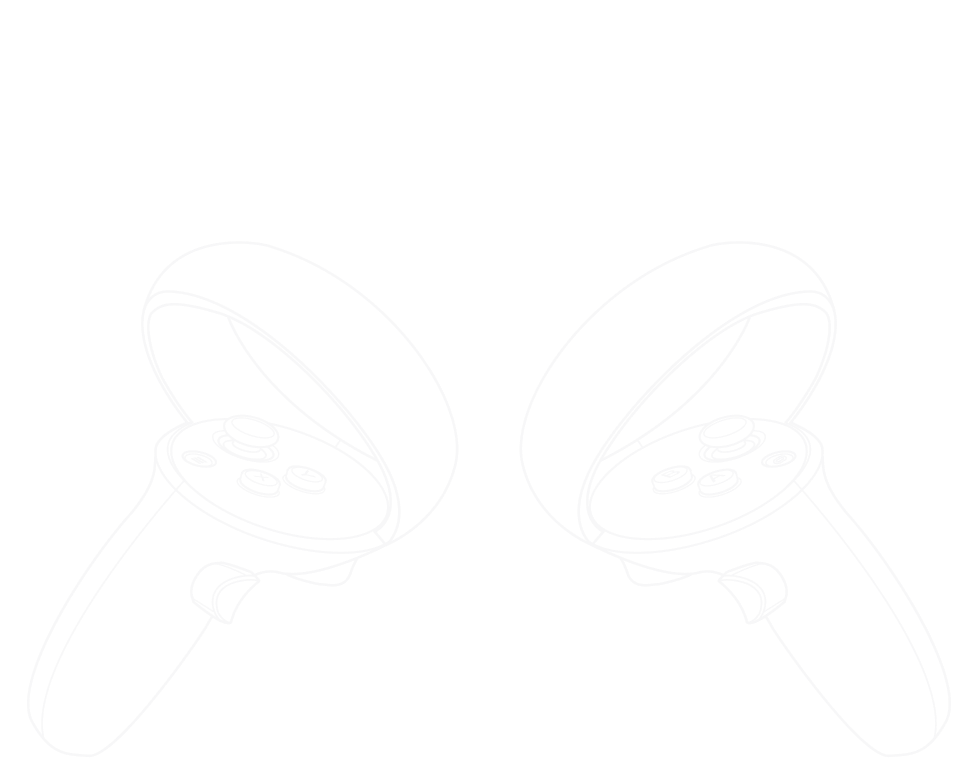 |
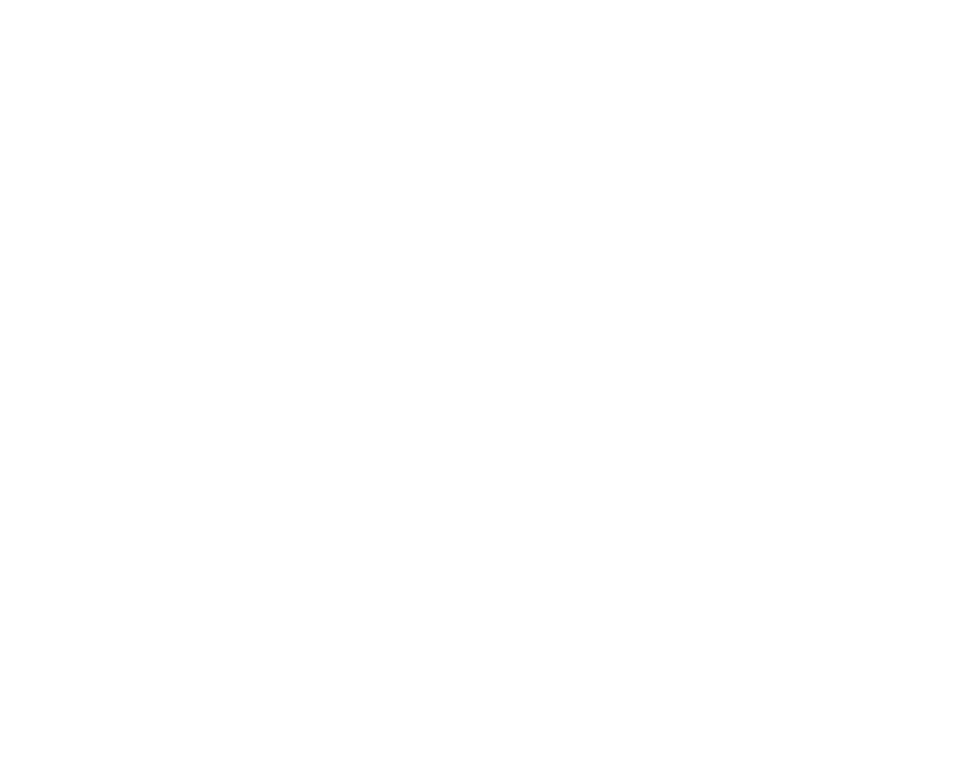
Quest2_Dark |
Graphic that would've been behind labels showing keybindings to different parts of the emulated controller. This graphic would've been shown when using dark-mode. |
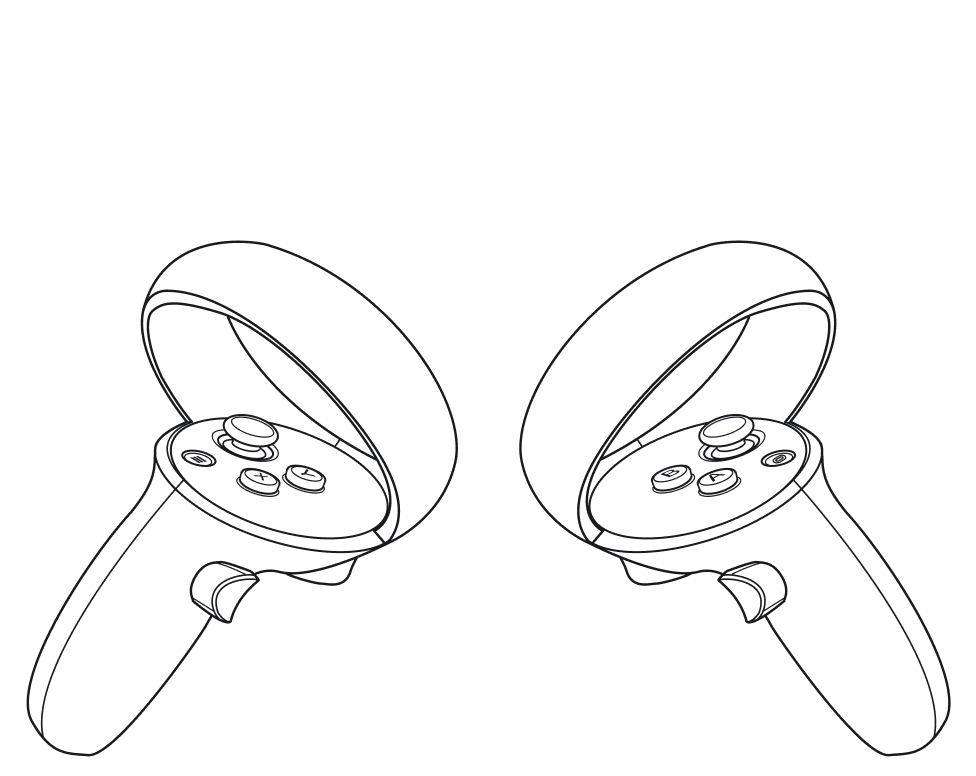 |
Quest2_Light |
Graphic that would've been behind labels showing keybindings to different parts of the emulated controller. This graphic would've been shown when using light-mode. |
 |
Quest3_Dark |
Graphic that would've been behind labels showing keybindings to different parts of the emulated controller. This graphic would've been shown when using dark-mode. This graphic is interesting due to the fact that Quest 3 support hasn't officially been added yet. |
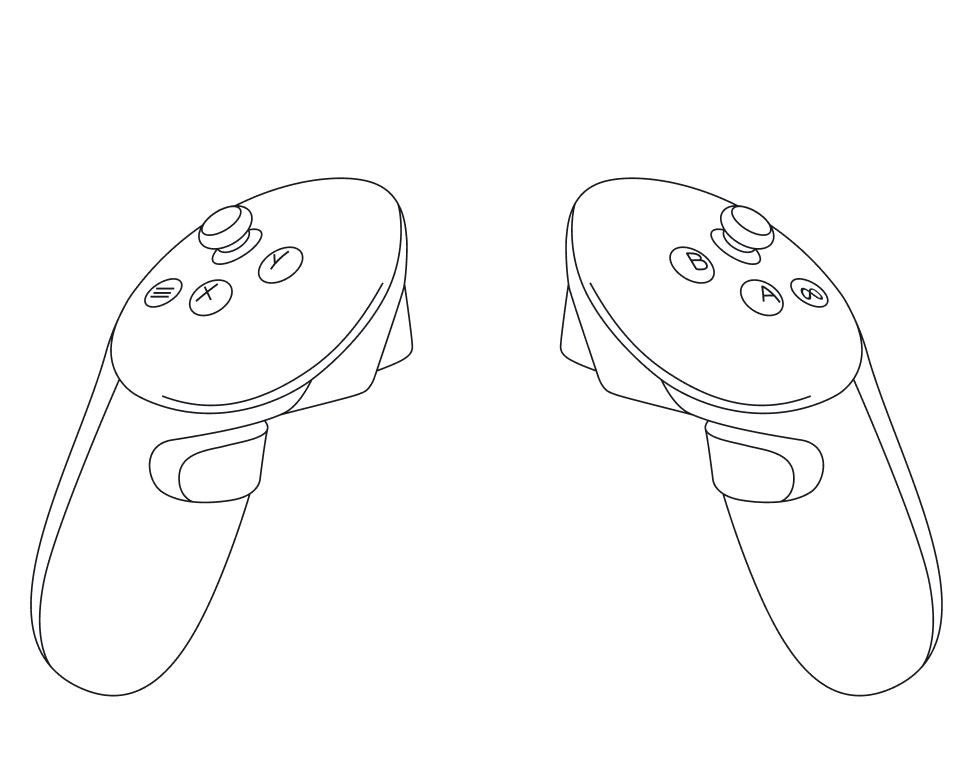 |
Quest3_Light |
Graphic that would've been behind labels showing keybindings to different parts of the emulated controller. This graphic would've been shown when using light-mode. This graphic is interesting due to the fact that Quest 3 support hasn't officially been added yet. |
 |
Reset_Dark |
Would've probably been used for a button to reset custom keybinds. This graphic would've been shown when using dark-mode. |
 |
Reset_Dark@2x |
Reset_Dark, but twice the resolution. |
 |
Reset_Dark@3x |
Reset_Dark, but thrice the resolution. |
 |
Reset_Light |
Would've probably been used for a button to reset custom keybinds. This graphic would've been shown when using light-mode. |
 |
Reset_Light@2x |
Reset_Light, but twice the resolution. |
 |
Reset_Light@3x |
Reset_Light, but thrice the resolution. |
menuDownArrow#
Found in the Roblox Engine at content\textures.

DevConsole#
All of these graphics were found in the Roblox Engine at content\textures\DevConsole. The DevConsole is the same as the Output UI in Studio.
Image |
Name |
Info |
|---|---|---|
 |
Filter-filled |
Button that would've filtered outputs. |
 |
Filter-stroke |
Button that would've filtered outputs. |
 |
Info |
Icon for an info label. |
 |
Sort |
DeveloperFramework#
All of these graphics were found in the Roblox Engine at content\textures\DeveloperFramework.
Image |
Name |
Info |
|---|---|---|
 |
arrow_right |
|
 |
arrow_right@2x |
|
 |
button_arrow_down |
|
 |
button_arrow_right |
|
 |
checkbox_unchecked_hover_dark |
The checkboxes don't show a different texture when hovered over. |
 |
checkbox_unchecked_hover_light |
The checkboxes don't show a different texture when hovered over. |
 |
close |
|
 |
close@2x |
|
 |
icon_backward |
|
 |
icon_forward |
|
 |
slider_bg |
|
 |
slider_knob |
|
 |
slider_knob_light |
|
 |
slider_knob_ouline |
AssetPreview#
All of these graphics were found in the Roblox Engine at content\textures\DeveloperFramework\AssetPreview.
Image |
Name |
Info |
|---|---|---|
 |
close_button |
|
 |
Flag |
Probably meant for a report button. |
 |
flag_rounded |
Probably meant for a report button. |
 |
more |
|
 |
package |
AssetRender#
This graphic was found in the Roblox Engine at content\textures\DeveloperFramework\AssetRender.
Image |
Name |
Info |
|---|---|---|
 |
hierarchy.png |
AudioPlayer#
This graphic was found in the Roblox Engine at content\textures\DeveloperFramework\AudioPlayer.
Image |
Name |
Info |
|---|---|---|
 |
audioPlay_BG.png |
Favorites#
These graphics were found in the Roblox Engine at content\textures\DeveloperFramework\Favorites. These are the old icons used for the Favorite button in the toolbox.
Image |
Name |
Info |
|---|---|---|
 |
star_filled |
Shown when asset was favorited. |
 |
star_stroke |
|
 |
star_stroke_white |
Shown when not yet added to favorites. |
MediaPlayerControls#
These graphics were found in the Roblox Engine at content\textures\DeveloperFramework\MediaPlayerControls.
Image |
Name |
Info |
|---|---|---|
 |
pause_button |
|
 |
play_button |
PageNavigation#
These graphics were found in the Roblox Engine at content\textures\DeveloperFramework\PageNavigation.
Image |
Name |
Info |
|---|---|---|
 |
button_control_end |
|
 |
button_control_next |
|
 |
button_control_previous |
|
 |
button_control_start |
StudioTheme#
These graphics were found in the Roblox Engine at content\textures\DeveloperFramework\StudioTheme.
Image |
Name |
Info |
|---|---|---|
 |
clear |
|
 |
clear_hover |
|
 |
search_12 |
|
 |
search_16 |
|
 |
search_20 |
Table#
This graphic was found in the Roblox Engine at content\textures\DeveloperFramework\Table.
Image |
Name |
Info |
|---|---|---|
 |
sort_arrow |
Votes#
These graphics were found in the Roblox Engine at content\textures\DeveloperFramework\Votes. The engine uses different vote icons. The different colours are also pretty interesting, as Roblox only ever used red and green vote buttons.
Image |
Name |
Info |
|---|---|---|
 |
rating_down_red |
|
 |
rating_small |
|
 |
rating_up_gray |
|
 |
rating_up_green |
|
 |
rating_up_red |
|
 |
rating_up_white |
|
 |
rating_up_yellow |
|
 |
rating_up_yellow_darker |
DraftsWidget#
These graphics were found in the Roblox Engine at content\textures\DraftsWidget. Might have something to do with collaborations / team create.
Image |
Name |
Info |
|---|---|---|
 |
deletedSource |
|
 |
newSource |
FaceControlsEditor#
These graphics were found in the Roblox Engine at content\textures\FaceControlsEditor. FaceControlsEditor is apart of the Animation Editor.
Image |
Name |
Info |
|---|---|---|
 |
checkbox_checked |
Custom checkbox, the normal Studio ones are used instead. |
 |
checkbox_unchecked |
Custom checkbox, the normal Studio ones are used instead. |
LayeredClothingEditor#
These graphics were found in the Roblox Engine at content\textures\LayeredClothingEditor. Currently, the LayeredClothingEditor isn't used. Users instead use the Import 3d Menu and the Properties menu to configure Layered Clothing.
Image |
Name |
Info |
|---|---|---|
 |
LayeredClothingEditorIcon |
Icon for the tool in the style from around 2017. |
 |
Add Icon |
|
|
AddIcon |
|
 |
AddMore_Big_50X50_Dark |
|
 |
AddMore_Big_50X50_Light |
|
 |
Default_Preview_Animation |
|
 |
Default_Preview_Avatars |
|
 |
Default_Preview_Clothing |
|
 |
Icon_AddMore_Dark |
|
 |
Icon_AddMore_Light |
|
 |
Icon_MoreAction_Dark |
|
 |
Icon_MoreAction_Light |
|
 |
Icon_Pause |
|
 |
Icon_Play_Dark |
|
 |
Icon_Play_Light |
|
 |
Icon_Preview_Animation |
|
 |
Icon_Preview_Avatars |
|
 |
Icon_Preview_Clothing |
|
 |
RemoveIcon |
|
 |
SwitchButtonIcon |
WorkspaceIcons#
These graphics were found in the Roblox Engine at content\textures\LayeredClothingEditor\WorkspaceIcons.
Image |
Name |
Info |
|---|---|---|
 |
Weight |
|
 |
Cage Mode |
|
 |
Cage Visibility |
|
 |
Center Camera to Mannequin |
|
 |
Inner Cage |
|
 |
Mesh Visibility Icon |
|
 |
Option Dots |
|
 |
Outer Cage |
ManageCollaborators#
These graphics were found in the Roblox Engine at content\textures\ManageCollaborators. These assets were meant for the Collaborations also known as Team Create feature.
Image |
Name |
Info |
|---|---|---|
 |
arrowDown_dark |
|
 |
arrowDown_light |
|
 |
arrowRight_dark |
|
 |
arrowRight_light |
|
 |
OrgRoleIcon_mask |
MaterialFramework#
This graphic was found in the Roblox Engine at content\textures\MaterialFramework.
Image |
Name |
Info |
|---|---|---|

|
PlasticWithBorder |
Similar to the used icon for the Plastic texture, but this one has a weird black border around the ball. |
MaterialGenerator#
These graphics were found in the Roblox Engine at content\textures\MaterialGenerator. These assets were meant for the Material Generator (probably not the AI one.)
Image |
Name |
Info |
|---|---|---|
 |
AddImage_48x48 |
(This hints at this not being for the AI generated one as adding your own images to the AI generator wouldn't make any sense.) |
 |
AddImage_64x64 |
(This hints at this not being for the AI generated one as adding your own images to the AI generator wouldn't make any sense.) |
 |
Copy_16x16 |
|
 |
material_uploaded |
Little check that would tell the user the material was uploaded successfully. |
 |
More_Menu |
Temporary#
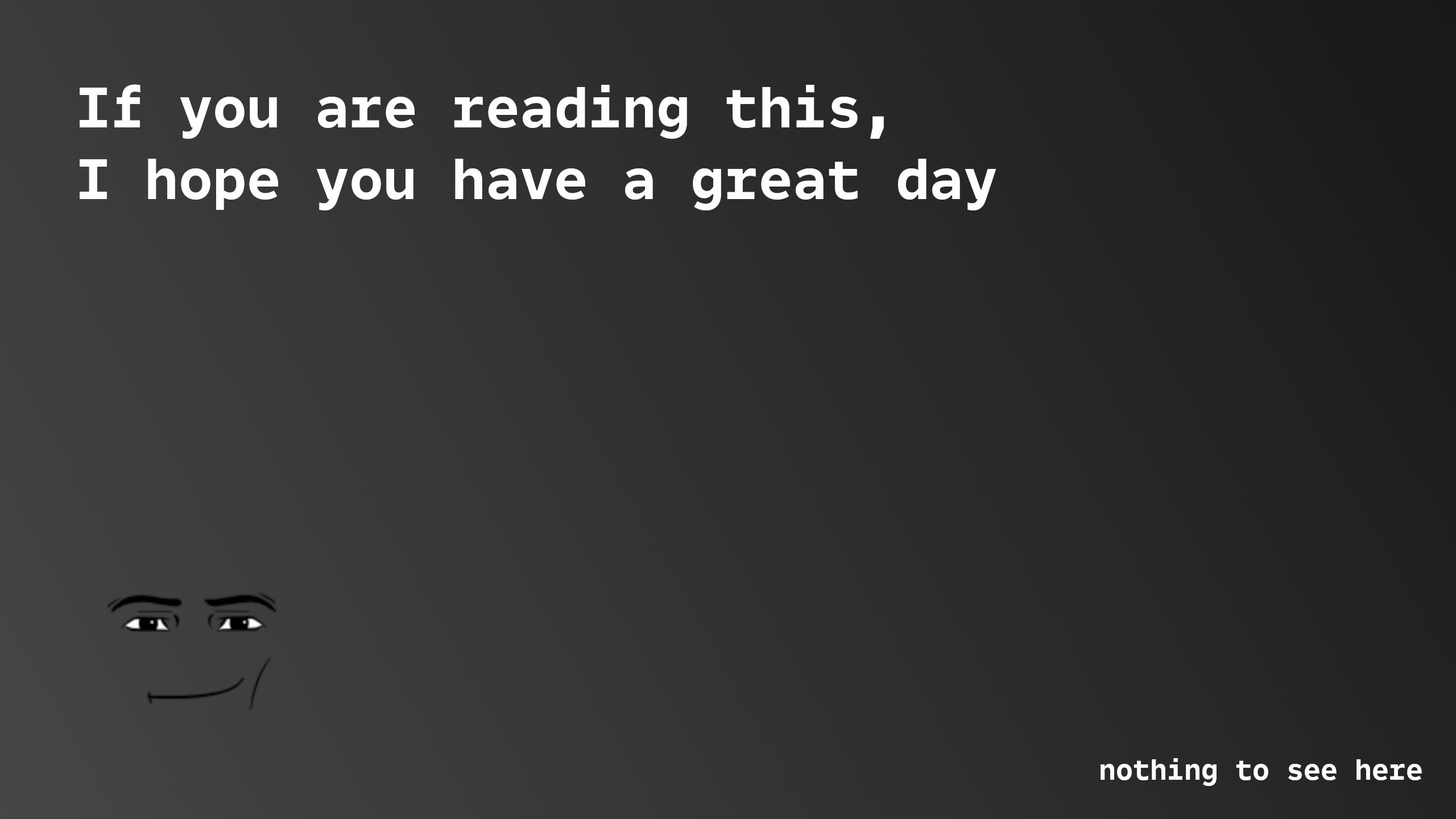
These two images are found under ExtraContent\textures\temporary. These images are very clearly meant as an Easter egg for data miners to find.
|
placeholder-image-xxl.png |
placeholder-image2-xxl.png |
|---|---|

|
|