 This article has a talk page!
Naruto: Ultimate Ninja Storm is the first entry of the Naruto: Ultimate Ninja-series. As ninja you are walking around doing missions, training sessions and fighting against other ninjas.
Debug Version#

Via Steam's client it's possible to download a debug version of the game by right-clicking the game entry, clicking to properties and selecting "ns3_debug - ns3_debug". According to the menu the version is from the 14th March 2017 02:29:58. The menu is mostly in Japanese, but some options are in English. Weirdly, a Dualshock controller is required to navigate through the menus even though every controller graphics in the game are based on Xbox layout.
Game Debug#
Free Battle#
This option allows to create Free Battles without any limitations.
Mode Select
This menu is used to determine which team is controlled by COMs and which isn't available options are:
- 1 Player vs 2 Player
- 1 Player vs CPU
- CPU vs CPU

Character Select
In this menu the teams for player 1 and player 2 are built and every character is unlocked. First the team of player 1 is built by selecting the main character, then the jutsu the character should have, then support character 1 and their jutsu and then support character 2. After the first team is built the same is done for the second team. The support character can have their real jutsu instead of the support jutsu.
Pressing the Triangle button will do a random selection and holding L1 while selecting a character will give the character their alternative costume.
Stage Select
After selecting the teams a menu will appear for selecting one of nine stages to fight. A random selection can be done by pressing Triangle. Available stages are:
- Survival Exercise Ground
- Wild
- Plain
- 44th Battle Training Zone: The Forest of Death
- Hidden Leaf Forest
- Chunin Elimination Exam Stadium
- Chunin Exam Stadium
- Hidden Leaf Village Yagura
- Valley
Ultimate Mission#

|
This needs some investigation. |
Stage Select
The game gives two options for the Ultimate Mission menu. Both load the game as normal, it's unknown what the option does. Available options:
- Hidden Leaf Village for RPG
- Normal Play
Big Chara Battle#
In this mode boss battles with giant characters can be started. There are three battles which can be started here.
Huge Battle Gamabunta
This option starts a fight with Naruto against Gamabunta.
Huge Battle Syukaku
This option starts a fight with Naruto against Gaara who controls Shukaku.
Huge Battle Manda
This option starts a fight with Tsunade, Jiraiya, Katsuyu and Gamabunta against Orochimaru who controls Manda.
Mission#

|
'...But what does it mean?' |
The mission menu allows to play any mission inside the game. Opening this menu allows to choose between two sub-menus.
- Story Mode Mission
Selection Story Mode Mission opens a menu with 50 story missions.
- Free Mode Mission
Selecting Free Mode Missions opens a menu with 37 free mode missions.
Puppet Check#
|
|
'...But what does it mean?'
|
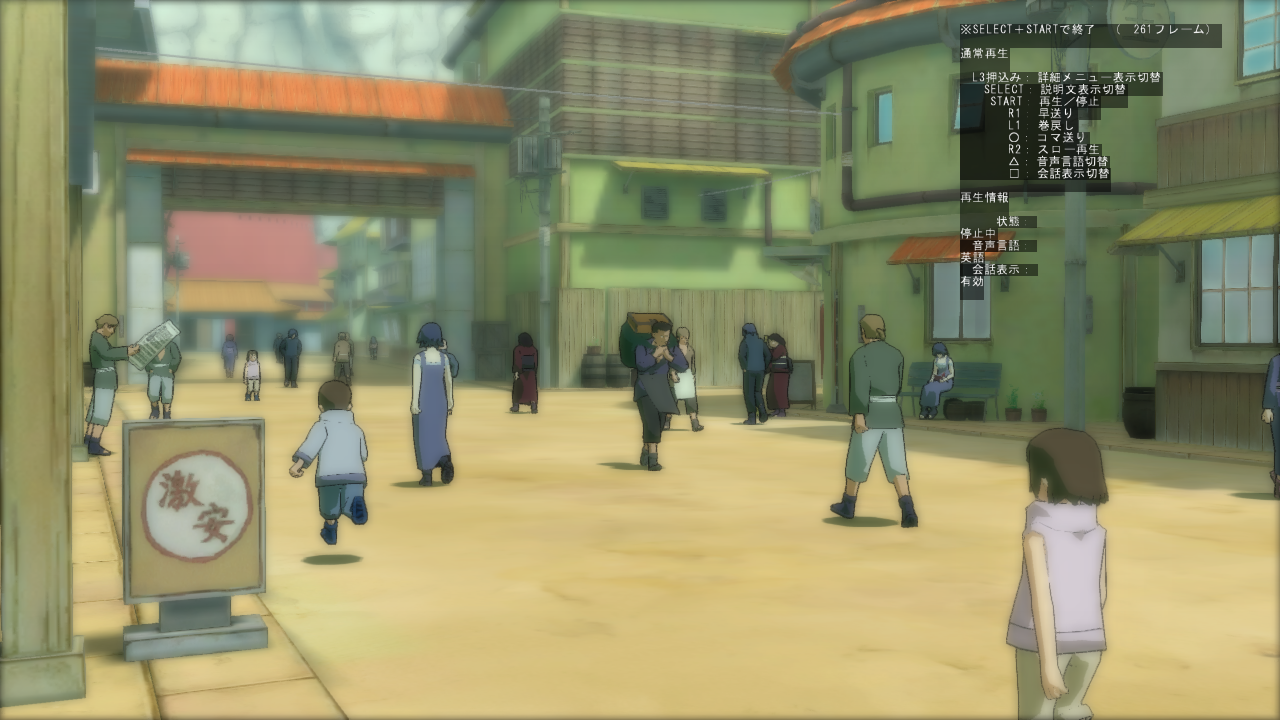
Puppet Check allows to play cutscenes which are rendered in-game as well as going through them frame by frame to be able to debug them. Opening the menu lets the player choose one of the cutscenes.
While a cutscene is playing several information on the screen are displayed. One of them being a frame counter and the others current display options and information about what button input does what.
- SELECT + START: opens the general debug settings.
- L3 / X: Pause and go to next frame.
- SELECT: unknown
- START: unknown
- R1: Jump to next scene change.
- L1: Go back to previous scene change.
- Circle: unknown
- R2: Pause/Unpause cutscene.
- Triangle: unknown
- Square: unknown
Forest Race#
|
|
'...But what does it mean?' |
The option Forest Race opens a menu in which the player can select any forest race mission in which the character needs to chase something through the forest. These missions only include the races themselves, not the dialogues before and after these races. In these races the player is always forced to use Naruto.
Kinobori Race#
|
|
'...But what does it mean?' |
Kinobori Race allows to start the training minigame in which the character needs to run to the treetop of a tree. These missions only contain the races themselves as well, dialogues before and after are removed.
Training Select
There are three types of trainings the player can select. There are three difficulties to choose:
- Newbie Training
- Medium Training
- Superior Training
Mode Select
This option allows to choose what the player is playing. There are five options:
- 1 Player
- 1 Player vs 2 Player
- 1 Player vs CPU
- 1 Player vs CPU vs CPU
- 1 Player vs 2 Player vs CPU
Character Select
Last the character is selected. There are three characters the player can choose from and when a character is already used, another player can't use this character anymore:
- Naruto
- Sasuke
- Sakura
There seems to be a bug within the character select. When choosing one of the 1vs1 options the character of the second player is set wrong which can cause the game to crash or allows to use the same character for both players.
Collection#
This option sends the player into the gallery of the game and automatically unlocks all collectibles so the player has 100%.
Game Normal#
Starts the game normal.
Model Viewer#

In this mode the player is able to see the 3D models of all important characters as well as being able to watch their animations.
Character Select The character models which can be viewed are:
Naruto |
Guy (Gates opened) |
Naruto (Kyubi) |
Temari |
Sakura |
First Hokage (Reincarnated) |
Kakashi |
First Hokage (Living Form) |
Sasuke |
Second Hokage |
Sasuke (Level 2) |
Asuma |
Neji |
Jiroubou |
Lee |
Kimimaro |
Lee (Gates opened) |
Kimimaro (Level 2) |
Kankurou |
Tayuya |
Karasu |
Kidomaru |
Kuroari |
Kurenai |
Shino |
Sakon |
Kiba |
Sizune |
Hinata |
Anko |
Orochimaru |
Naruto (Alternated Costume) |
Tenten |
Sasuke (Alternated Costume) |
Shikamaru |
Shikamaru (Alternated Costume) |
Ino |
Gaara (Alternated Costume) |
Choji |
Kankurou (Alternated Costume) |
Jiraiya |
Temari (Alternated Costume) |
Kabuto |
Kamatari |
Third Hokage |
Enma |
Tsunade |
Pakkun |
Gaara |
Ninken 1 (Shiba) |
Itachi |
Ninken 2 (Urushi) |
Kisame |
Akamaru |
Guy |
Tonton |
Model Viewer
The viewer has some information about the current player model.
- LOD: Shows the level of detail of the character model.
- Color: Current player color of the character model.
- Model: Current character model.
- Animation: Current character animation.
- Character: Makes character model visible.
- Ground: Makes ground visible.
Also some buttons have specific functions:
- Square while highlighting the animation information will play that animation.
- L1 zooms out, the speed increases the longer the button is held down and will be very fast when R1 is pressed while holding.
- R1 zooms in, the speed increases the longer the button is held down and will be very fast when L1 is pressed while holding.
- L2 changes the character color to the other player (wrongly labeled as SELECT).
- L2 + R2 goes back to the character select (wrongly labeled as SELECT + START).
- R3 vanishs the controls.
- Right Stick moves the camera round the character.
- Holding X freezes the light.
Special Skill Play#
|
|
'...But what does it mean?' |
This menu allows to test the animations of the special attacks. There are several settings which can be changed:
- Triangle: Opponent dodges the attack.
- Circle: The player which uses the special attack (wrongly labeled as Square).
- L1 / R1: Switches the opponent character.
- L3 / R3: Switches the map the attack is used in (wrongly labeled as L2 and R2).
- R3 on 2nd Controller: Switches the costume of the attacking character.
- START: Animation starts when pressing X (wrongly labeled as R3).
- R2: Animation can be skipped by pressing L2 + R2 (wrongly labeled as START).
Movie Test#
|
|
This needs some investigation. |
In this mode all pre-rendered cutscenes can be watched which includes the game intros and the stage intros. Like in the Puppet Check these cutscenes can be stopped and played frame by frame.
- Triangle: Pause/Unpause the cutscene.
- R1 while paused: Skip one frame.
- Circle: Turn the controls on/off.
- X: Ends cutscene.
There are two cutscenes called "logo_cc2" and "Dolby" which don't start when being selected.
Debug Settings#
|
|
This needs some investigation. |
By pressing SELECT and START at the same time an additional menu pops up allowing to manipulate settings for debugging.
Game related#
Framework related#
Drawing related#
System related#
Debug menu settings (Trash)#
Garbage Can#
Game Settings#
Option |
Effect |
|---|---|
BGM |
Switch option with: RB / R1 Activates/Deactivates the background music.
|
VOICE |
Switch option with: LB / L1 Changes the language of spoken dialogs.
|
REGION |
Switch option with: RT / R3 Changes the text language of the game.
|
LANGUAGE |
Switch option with: LT / L3 Changes the dialog text language.
|
FrameRate |
Switch option with: Y / Triangle Changes the framerate of the game.
|
StaticSpeedRate |
Switch option with: A / X unknown effect
|
LB + RB + BACK + START |
Pressing this button combination deletes all achievements; needs restart to apply the changes. |
Unused Stages#
Within the files, 3 unused stages are referenced in stageareainfo.xfbin.
s1ball_04.xfbin - "AREA_TEST_TRAINING"#
This is an early version of the training field stage that can be seen in trailers for the game. It has less background detail in it compared to the final, but seems to be a bit bigger. It has no barriers, so when a character reaches the edge of the map, they fall under it then respawn at the start point. When entering the stage, there's no camera pan across the stage like every other stage, you see the characters drop in, their intros, then the fight begins.
On the PS3 version of the game, fighting in this stage can cause the frame rate to take a nose-dive. This could be why they decided to scrap it.
Shown in the video.
s2aalltest3.xfbin - "AREA_TEST_AKATSUKI"#
This is a strange one, it's an unused stage of the Five-seal barrier from Shippuden. It's unclear why this resides in Storm 1, considering the game takes place exclusively in Part 1 of Naruto.
Just as with the previous stage, it lacks barriers and a camera pan when the stage is loaded.
Shown in the video.
s0z.xfbin - "AREA_TEST_KONOHA"#
This stage unfortunately has been removed from the game, and is only referenced in StageAreaInfo.xfbin.
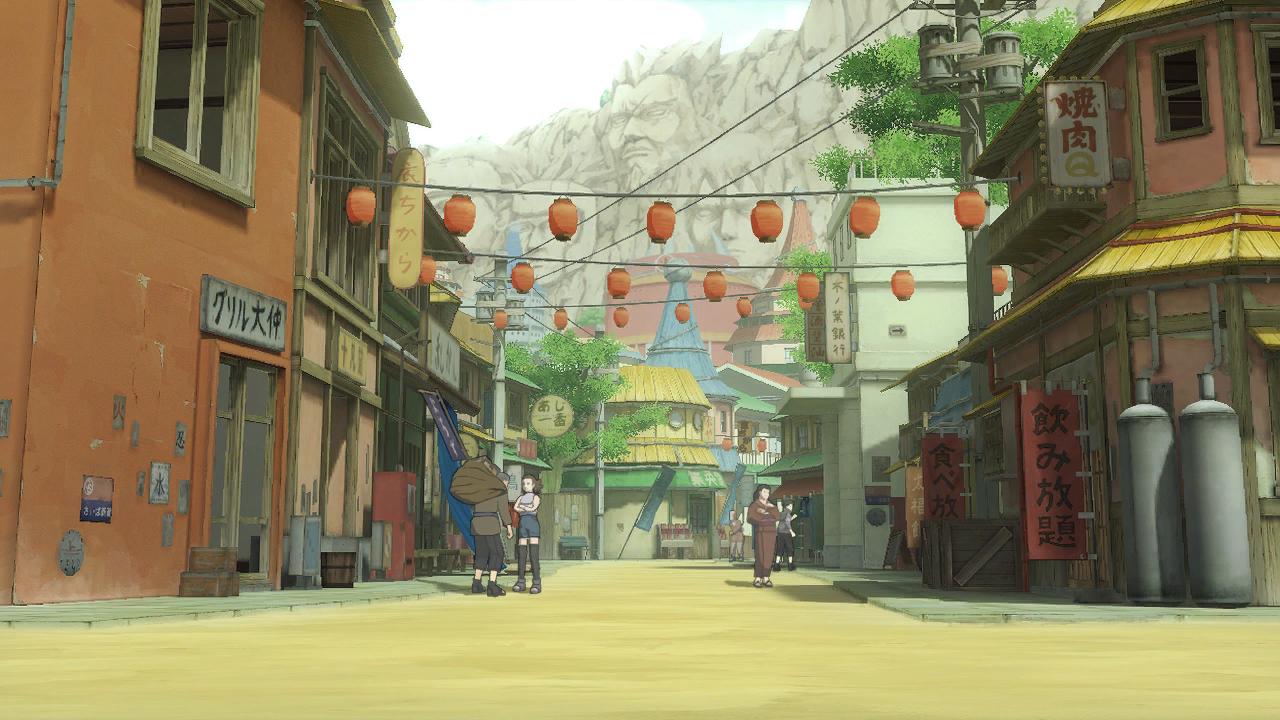
The stage took place in the middle of the Leaf Village streets, NPCs were also in the background as players fought. It can be seen in this early trailer.
Strangely, the demo of the game has a preview image of this stage over where the training field should be. Of course, you wouldn't be able to see this under normal circumstances, as the demo doesn't let you select a stage.
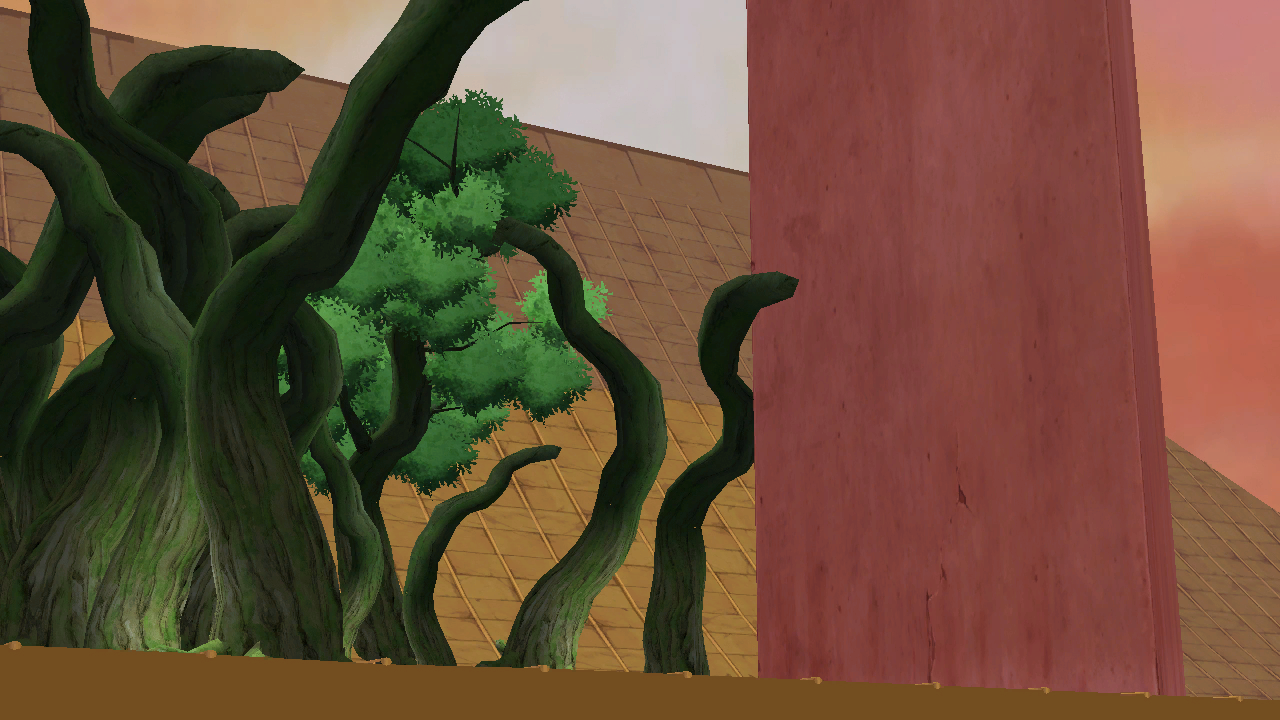
The demo has preview images for nearly every stage in the final game, and all but one look pretty much similar or the same. The preview image for the lookout tower shows an early unfinished version of it.
|
Scrapped Map Select Preview Image For Leaf Village Stage |
Early Lookout Tower Preview Image From Demo |
|---|---|
|
|
|
The Naruto series | |
|---|---|
|
PlayStation |
|
|
PlayStation 2 |
|
|
GameCube |
|
|
Game Boy Advance |
Naruto: Ninja Council 2 • Naruto RPG: Uketsugareshi Hi no Ishi |
|
Nintendo DS |
|
|
Wii |
|
|
Nintendo 3DS |
|
|
Android, iOS |
|
|
Ultimate Ninja | |
|
PlayStation 2 |
Naruto: Ultimate Ninja • Naruto: Ultimate Ninja 2 • Naruto: Ultimate Ninja 3 • Naruto Shippuden: Ultimate Ninja 4 • Naruto Shippuden: Ultimate Ninja 5 |
|
Ultimate Ninja Storm | |
|
Windows |
Naruto: Ultimate Ninja Storm • Naruto Shippuden: Ultimate Ninja Storm 3 • Naruto Shippuden: Ultimate Ninja Storm 4 |