
|
This needs some investigation.
|
FIFA Soccer 2005 is the 2,005th FIFA game... Maybe...
Debug Options#
Applying the codes below will enable a few debug features. Normally these options would be part of a config file, however the entries are blank.
USA codes:

Enable DEBUG_MAINLOOP
201308D0 00000000

Enable NIGHTRUN_INFO
2016D794 00000000

Display Game Number
20307F60 00000000

Enable Physics Display
2057FE48 00000001

Enable System Stats
2057FF90 00000001
2058942C 00000001

Debug Free Camera (L1 + D-Pad Up = On, L1 + D-Pad Down = Off)
20134354 00000000
D0708B42 0000FBEF
20134368 00000000
D0708B42 0000FBBF
20134368 14430007
(Source: Original TCRF research)
DEBUG_MAINLOOP#

Enables system time statistics.
NIGHTRUN_INFO#
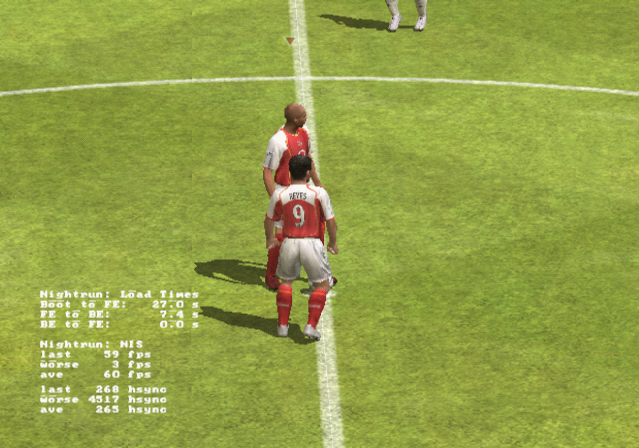
Enables another set of system statistics.
Display Game Number#
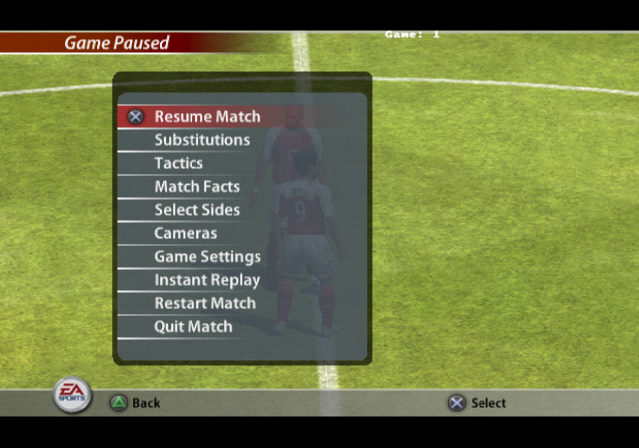
Enables game mode ID display on-screen.
Physics Display#
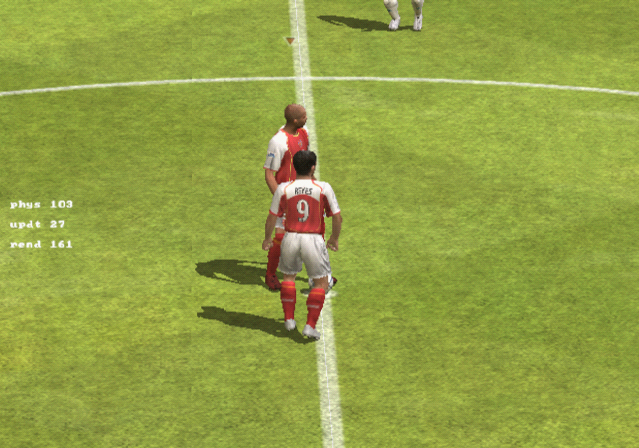
Enables some basic physic information.
System Stats#
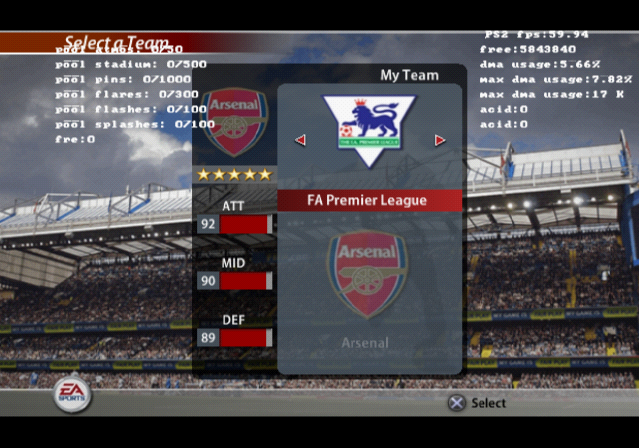
Enables another set of system statistics.
Debug Camera#
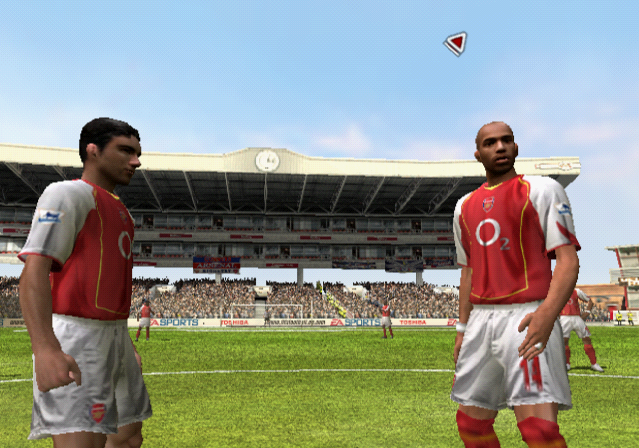
Enables a free camera mode. This would have part of the camera settings menu under a camera setting called "Free cam".
printf Logging#
Several stubbed printf functions can be re-enabled with the below code. A unique printf function was also replaced which was removed from the game, however it doesn't separate text with this method properly.
Re-enable printf Messages
20471BE8 080E707E
20471BEC 00000000
2016C9A0 080E707E
2016C9A4 00A0202D
20390DE0 080E707E
If you are playing the game on a regular PlayStation 2, you will need to use a TOOL, RDB, or a debug version of OPL to view the logs. If you are playing on an emulator, you can see this information by enabling the option "Show Console".
(Source: Original TCRF research)
|
The FIFA/FC series | |
|---|---|
|
CD-i |
|
|
SNES |
|
|
Genesis |
FIFA Soccer '95 • FIFA Soccer '96 • FIFA '97 • FIFA Road to World Cup 98 |
|
Game Boy (Color) |
FIFA International Soccer • FIFA '96 • FIFA 97 • FIFA Road to World Cup 98 |
|
Game Gear |
|
|
DOS |
FIFA Soccer '96 (Prototype) |
|
Sega Saturn |
|
|
PlayStation |
|
|
Nintendo 64 |
|
|
PlayStation 2 |
|
|
GameCube, Xbox |
|
|
Nintendo DS |
FIFA Soccer 06 • FIFA World Cup: Germany 2006 • FIFA Soccer 07 • FIFA Soccer 08 • FIFA Soccer 09 |
|
Wii |
|
|
Windows |
FIFA Soccer 2005 • FIFA Soccer 06 • FIFA 11 • FIFA 14 • FIFA 15 • FIFA 17 |
|
Xbox 360, PlayStation 3 |
|
|
Xbox One, PlayStation 4 |
|