
|
To do: |
Castle Shikigami 2 is an overhead shooter that was released on multiple platforms in Japan, but only saw a PlayStation 2 release overseas. The English releases are infamous for their hilariously bad voice acting.
A properly-localized and enhanced version was released on PC and Switch in 2021 as Castle of Shikigami 2.
Debug Menu#
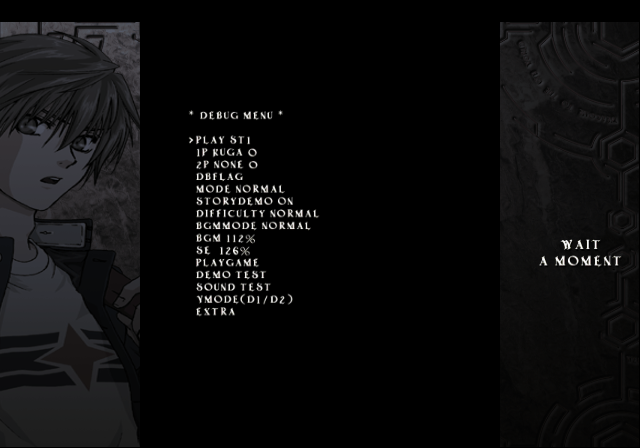
Much like the first game, a debug menu remains in the game as well. This game's debug menu is considerably larger than the first game. You can do a few more neat things in it this time around. Apply the code below to access the debug menu when starting Arcade Mode. If you are using a emulator, you will need to restart your game with the code on.
USA Codes:

Master Code (For use on an actual PlayStation 2 only)
9020C3A0 0C083090
Debug Menu Enable
D022FBC0 000000D2
2022FBD0 00000001
0015351A 00000023
Text |
Effect |
|---|---|
PLAY |
Allows you to select the level to start on. |
DBFLAG |
Allows you to set various debug options on or off. |
MODE |
Allows you to set the game mode type. |
STORYDEMO |
Allows you to skip the opening stage demo on or off. |
DIFFICULTY |
Allows you to set the game difficulty. |
BGMMODE |
Allows you to set either remix music or normal music. |
PLAYGAME |
Starts the game normally. |
DEMOTEST |
Allows you to view stage opening demos. |
SOUNDTEST |
Allows you to play BGM, SFX, and voices. |
YMODE |
Allows you to set the screen type. |
EXTRA |
Opens a sub-menu with more goodies to choose from. |
(Source: Original TCRF research)
MODEL TEST#
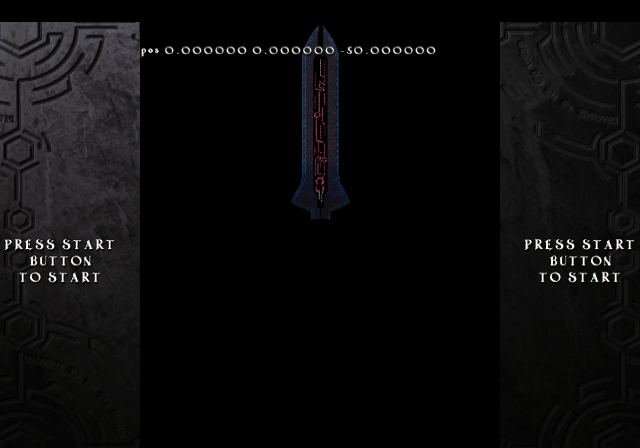
A model test option. Setting PLAY to MODEL TEST will allow you to enter here. You can change the parameters by pressing either L1 or R1. Doing this will allow you to change the shader type, position of the model, rotate it, or change its size.
DBFLAG#

This sub-menu will allow you to set various options, such as toggle invincibility on or off, or display debug info among others.
Text |
Effect |
|---|---|
DBMENU |
Sets the debug menu on or off. Setting to off will disable it when exiting. |
STAGEONE |
It is unclear what this does. |
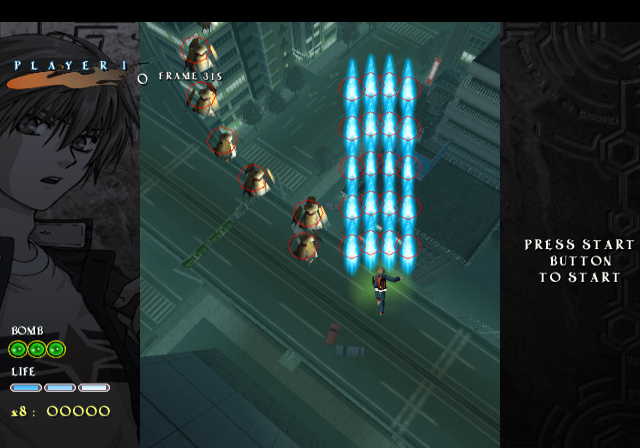
HITDISP |
Toggles debug boxes on projectiles on or off. |
CPULOAD |
It is unclear what this does. |
MAPCTRL |
When on, this will allow you to view entire stages when pressing L1 in game. |
SECSEL |
Enabling this will allow you to skip to certain level sections when starting a level. |
MUTEKI |
Grants invincibility when on. Also gives you unlimited bombs. |
FUJIMI |
Grants unlimited bomb usage. |
PRINTF |
It is unclear what this does. |
A screenshot of HITDISP and MAPCTRL on:
DEMOTEST#
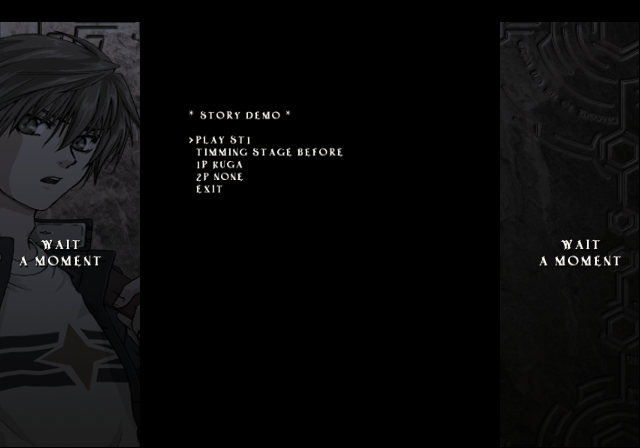
Allows you to view stage cutscenes here.
SOUNDTEST#
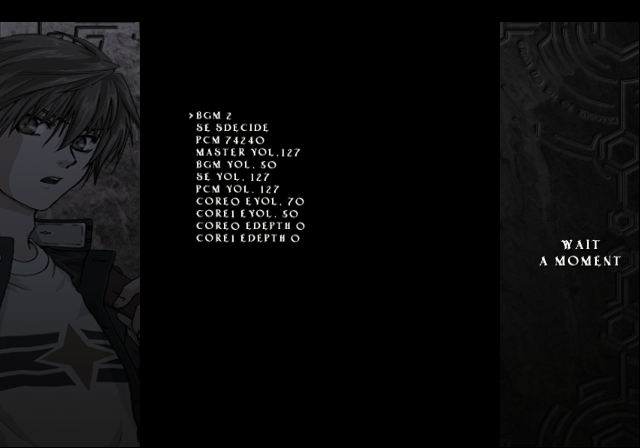
Allows you to play all SFX, BGM, and voices here.
EXTRA#

This menu will allow you to set the overall game speed, bullet speed, or bullet size. It is unclear what the latter two options do.
Debug Menu 2#
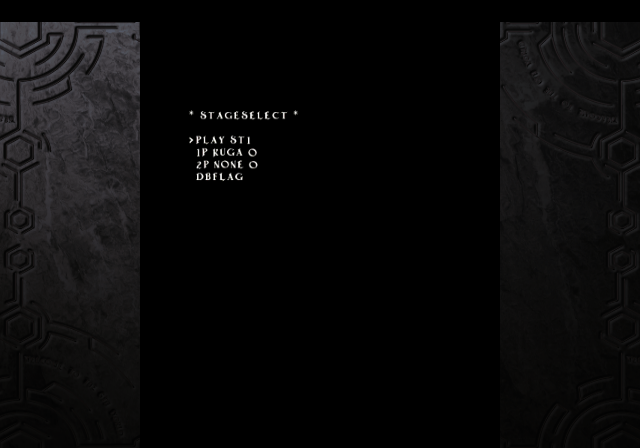
Presumably an early version of the main debug menu. It doesn't work as intended. A point of interest in this menu is ST0 and STMODEL. These aren't found in the main debug menu. You can only select ST0, STMODEL and MODEL TEST. ST0 and STMODEL both bring you to the first stage. You can't move correctly when entering a stage using this debug menu. Progressing in either of these levels will lead you to a unwinnable, glitched boss fight.
To appear here, activate the below code with the debug menu enable code above. This will replace the main debug menu.
Enable Other Debug Menu
2023728C 001CA1A0
(Source: Original TCRF research)
Debug Display#
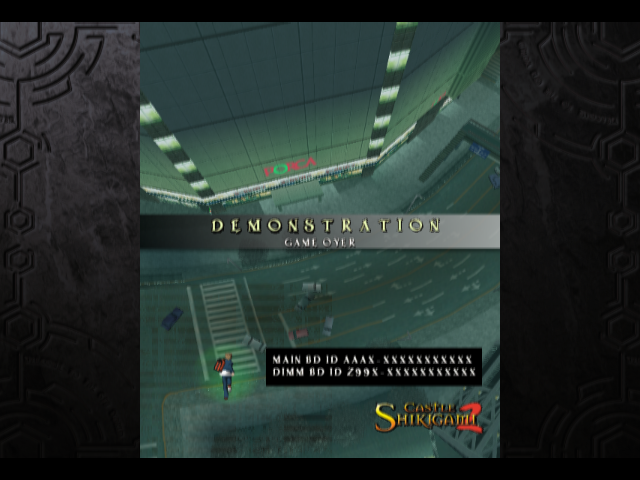
During the demonstration screen, press Right, Right, Left, Left, Up, Down, Up, Down to bring up a debug display.
High-Score Name Filter#
|
|
To do: |
Present at 0x197738 in the SLES file. It's stored near the text for the high score table.
VOVO
BOBO
SHIT
ANAL
FUCK
 ASS
ASS
 KKK
KKK
 SEX
SEX
Regional Differences#
The European version removed the story cutscenes and has different music.
|
The Castle of Shikigami series | |
|---|---|
|
PlayStation 2 |
Mobile Light Force 2 • Castle Shikigami 2 • Nanayozuki Gensoukyoku |