

Unused Objects#

This object is never seen in-game, but it is mostly functional, and as expected it can calculate frames per second and memory stored. Much like the one unused in Bloons Tower Defense 3.
Unused Graphics#
Bloons 2 Christmas Expansion Button#


An advertisement for the Bloons 2 Christmas expansion that appeared when it released. It was removed in an update, but still exists in the files.
Unused Text#
TEH ZONE NAMEPlaceholder text for zone names.
Here is A test for this Dialogue Box thing. Here are some symbols we may use: +-=\*? Hopefully this works...Placeholder text for dialogue boxes. Needless to say, that did work.
Your Score: 10000 Your Score: 10000 arryfyjyiouand aLooks like a developer smashed their keyboard a couple times to make the placeholder text for when a level is completed.
FROSTYFUN FJORDSCROUCHING TIGER HIDDEN BLOON12345678901234567/890Placeholders for the level selection screen.
Unseen Graphics#
|
No Values |
Values Up |
|---|---|
|
|
|
The Kiwi, building, Bloon, and trees in the intro when starting the game all appear pitch black, but they actually have complete sprites in the files. The reason they aren't seen is because all values are set to zero. If the values are increased, the sprites are restored. Above is likely what the full animation would have looked like. The sprites for the moon, trees, and building were removed in future games with the same animation, but the ninja kiwi and Bloon sprites still exist.
Also, in this game, unlike other games, the Ninja Kiwi animation is part of the .swf file instead of having its own separate one.

The moon graphic. Seems it was ripped from the internet, as it is a JPEG.
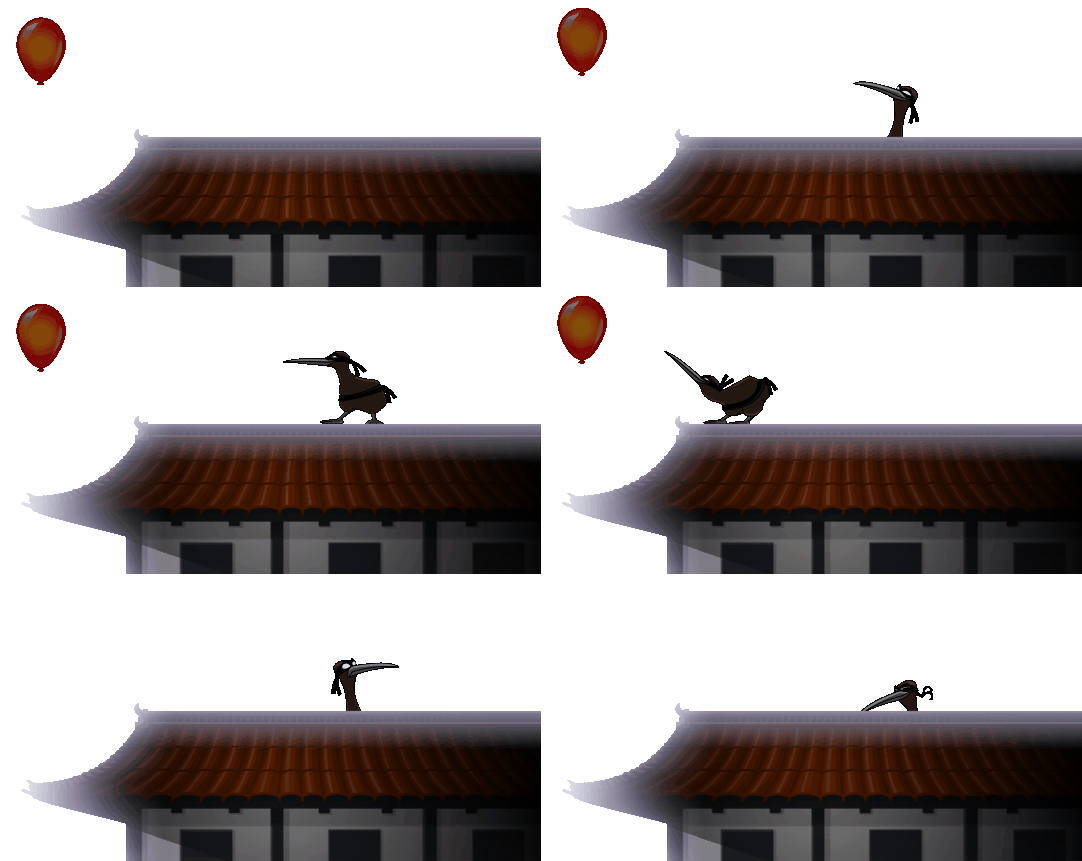
A separate animation for the Bloon, building, and the ninja kiwi. In other games, everything in the intro animation is kept in one sprite rather than being separate.

The trees that appear at the bottom left of the animation. The graphic is much bigger than what can be seen in-game, and there are some trees that go unseen due to this.

The Bloon that the kiwi pops. It is a red bloon and has what is seemingly a firefly on it.


Sprites from the kiwi. There are sprites for every movement, so here is a selection. Its design is an updated version of the one found in Bloons TD 4.

The logo can also be brightened, but it is not likely that this is how it was supposed to be, as the animation suggests that it transitions to black.
Oddities#
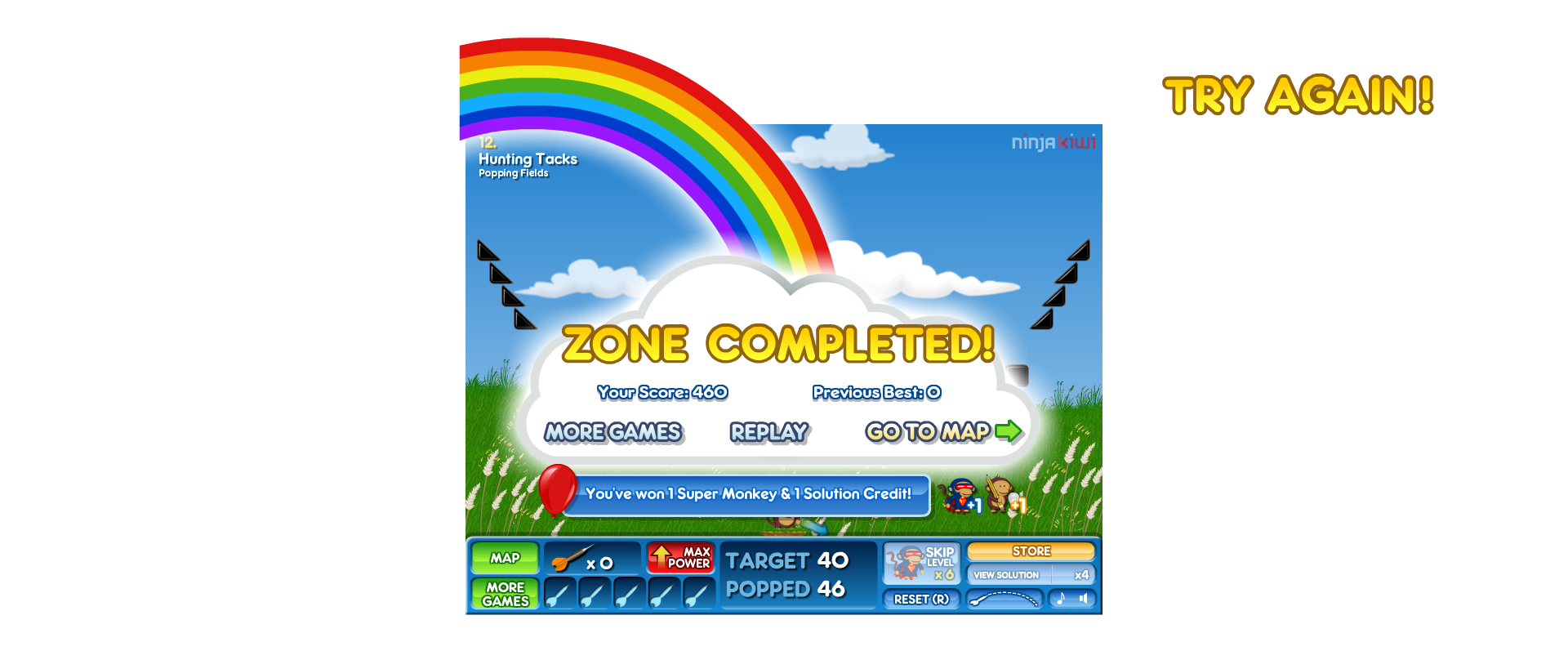
- For whatever reason, when a zone is completed, the "Try Again!" text when the player loses appears offscreen at the right. It may have been used in development to ensure that the game could not be completed.
- For some reason, the Bee Bloon is internally named
BirdBloon, meaning it was originally birds that would come out instead of bees.- In fact, it is called a bird everywhere; even when the bees come out, it is called a
Flockinternally! This means it was changed very late in development.
- In fact, it is called a bird everywhere; even when the bees come out, it is called a
References#
|
The Bloons series | |
|---|---|
|
Adobe Flash |
Bloons (Prototypes) • Bloons Pop Three • Hot Air Bloon • Bloons 2 (Level Builder) • Bloons Super Monkey 2 |
|
iOS |
Hot Air Bloon • Bloons 2 • Bloons Supermonkey 2 • Bloons Pop! • Bloons Card Storm |
|
Android |
Bloons 2 • Bloons Supermonkey 2 • Bloons Pop! • Bloons Card Storm |
|
Windows, Mac OS X |
|
|
Tower Defense | |
|
Adobe Flash |
Bloons Tower Defense • Bloons Tower Defense 2 • Bloons Tower Defense 3 • Bloons Tower Defense 4 (Track Editor) • Bloons Tower Defense 5 • Bloons TD 5 Deluxe • Bloons TD Battles • Bloons Monkey City |
|
iOS, Android |
Bloons Tower Defense 5 (Prototypes) • Bloons TD Battles • Bloons Monkey City • Bloons TD 6 • Bloons Adventure Time TD • Bloons TD Battles 2 |
|
Windows, Mac OS X |
Bloons TD 5 Deluxe • Bloons Tower Defense 5 • Bloons TD Battles • Bloons Monkey City • Bloons TD 6 • Bloons Adventure Time TD • Bloons TD Battles 2 |