This is a sub-page of Bloons 2 (Adobe Flash)/Level Builder.

|
To do:
|
Like the Bloons Tower Defense 4 Track Editor, an early prototype of the level builder can be found within the files of the builder.
Programs like FFDec or an Adobe Flash Projector can be used to open it.
{| style="border-radius: 10px; border: 1px solid #aaa; padding:.5em 1.5em; margin:1em 0; box-shadow: 0px 1px 10px 0px rgba(0,0,0,.25);" |- |align="left" width="50px"| |Download Bloons 2 Level Builder (Internal Prototype)
File: Bloons2Editor-ProtoBloons2Editor.swf (4.14MB) (info)
|}
When opening the above SWF file, pressing the yellow Level Editor button will send you to the early Editor screen, shown below. But before you click it, you will need to go to the game map and select any level first (such as level 1 in Popping Fields), to avoid bugs.
Overview#
|
Early |
Final |
|---|---|

|
|
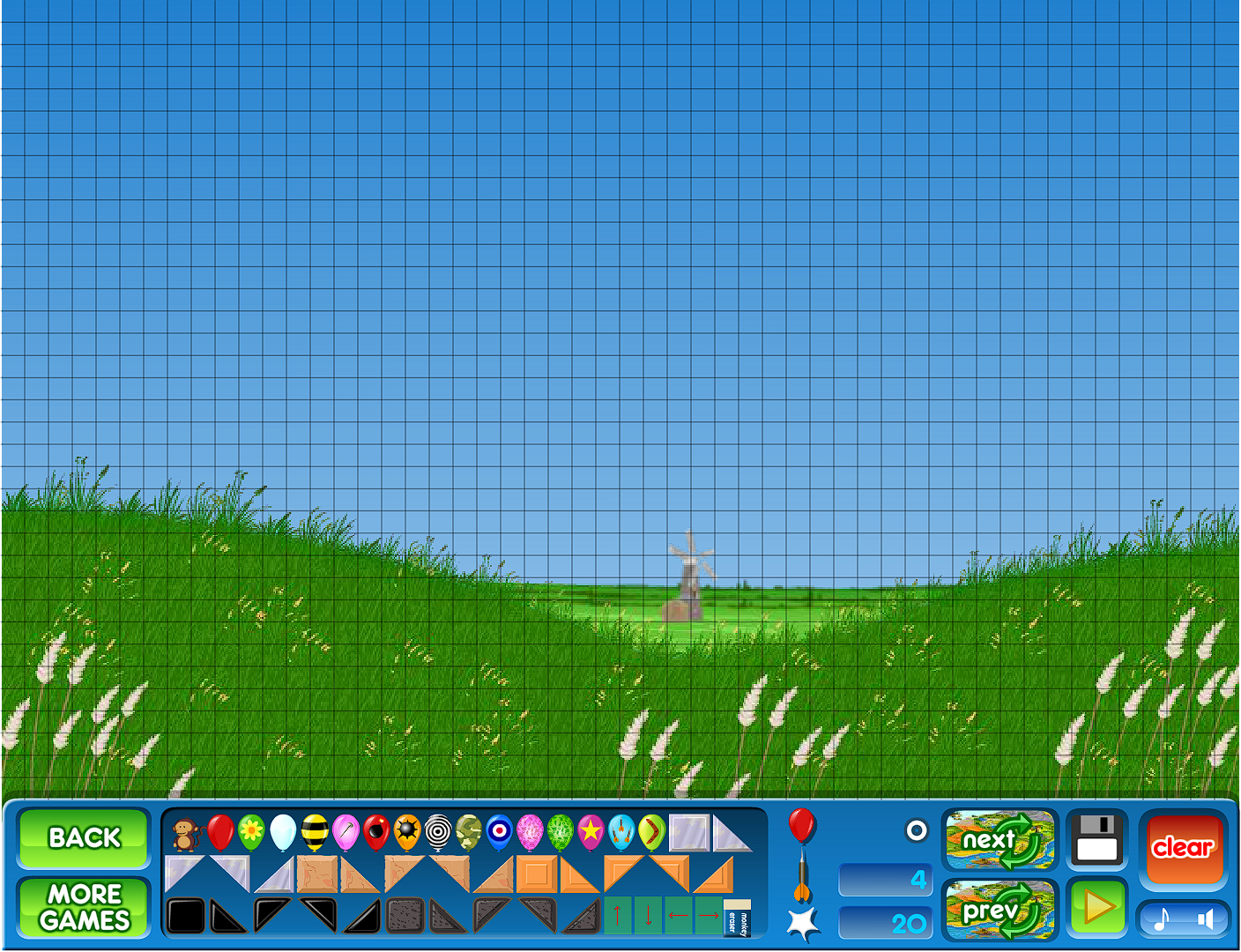
The early editor, for the most part, functions the same as the final editor, although still incomplete with many placeholder graphics. But there are differences that need to be pointed out.
Differences#

- A print button with crude text exists that doesn't have an equivalent in the final editor. It is programmed to set the level data of the editor to their default values (dart count, level name, etc.) if nothing is filled out. Its code was removed in the Bloons 2 Level Builder and later Bloons 2 versions' files.
- The eraser has an early placeholder graphic, which is a yellow cube, but it functions like final.
- When a level is being tested using the "Test" button, if the View Solution button is clicked, it will act as if the level is the level you selected from the map (if you didn't select a level from the map, the testing screen will be bugged), while in the final editor, the View Solution button doesn't do anything.
- There is a Load button, which doesn't have an equivalent in the final editor, as there is a separate section for loading saved levels.
- The Publish screen has a level name field, unlike the final editor where the Publish screen brings up the Save Level panel with the level name field.
- There are no zone backgrounds to select, as the Editor instead shows the zone background of the level you chose from the map.
- There is a Main Menu button which sends you back to the Bloons 2 title screen, suggesting that the editor would have originally been available while playing Bloons 2 rather than being its own application, much like the Bloons Tower Defense 4 Track Editor.
- There are no options to control sound or music while in the editor.
- There is no "More Games" button for the editor.
- The "Clear" button is instead called the "NEW" button.
- The editor's UI appears to have a 800x600 aspect ratio, rather than the Bloons 2's 780x600 aspect ratio.