 This article has a talk page!

|
To do:
|
It's BROK: The Brawl Bar, but now playable on your home console.
Due to various limitations on the console platforms, some features from the PC version have been taken out such as sharing custom challenges along with other things.
But hey, at least Atlasian Madness still exists, playable on consoles. (Even if it's a very old outdated version).
An Android version of the game was released on September 3, 2026, albeit accidentally.
BROK The InvestiGator Leftovers#
Due to the game being built on the same engine as the previous game, a large amount of leftovers still exist in the files.
- Brok still has portraits for his Elephant Disguise in img\CHAR\BROK, one with the bath towel, and old Brok from one of the main game's endings, they also exist in Natal Tail's files.
- img/back/COMMON still has a bunch of leftover assets, such as gameover screens from the main game, title screen logos, the summary screen, and many more.
- Likewise, every folder inside img/back except for PC01 and certain removed folders has leftover cutscene images from the original game.
- access\ACOMMON still has a bunch of leftover accessibility voice clips from the previous game, many of them still mentioning the mobile controls and names of the chapters from said game.
- \txt has a bunch of leftover dialogue text from the previous game's chapters.
Unused Graphics#
spr_error.png#

An error graphic for missing sprite graphics. 
Unused Gameover Screens#
Found in img/DLC/GAMEOVER are two unused gameover screens for Brok and R.J if they were to get defeated by the acid obstacle in the sewers stage, these do not appear at all. Leaving them unused.


DLC_BM03_ARENA_WATER.png#

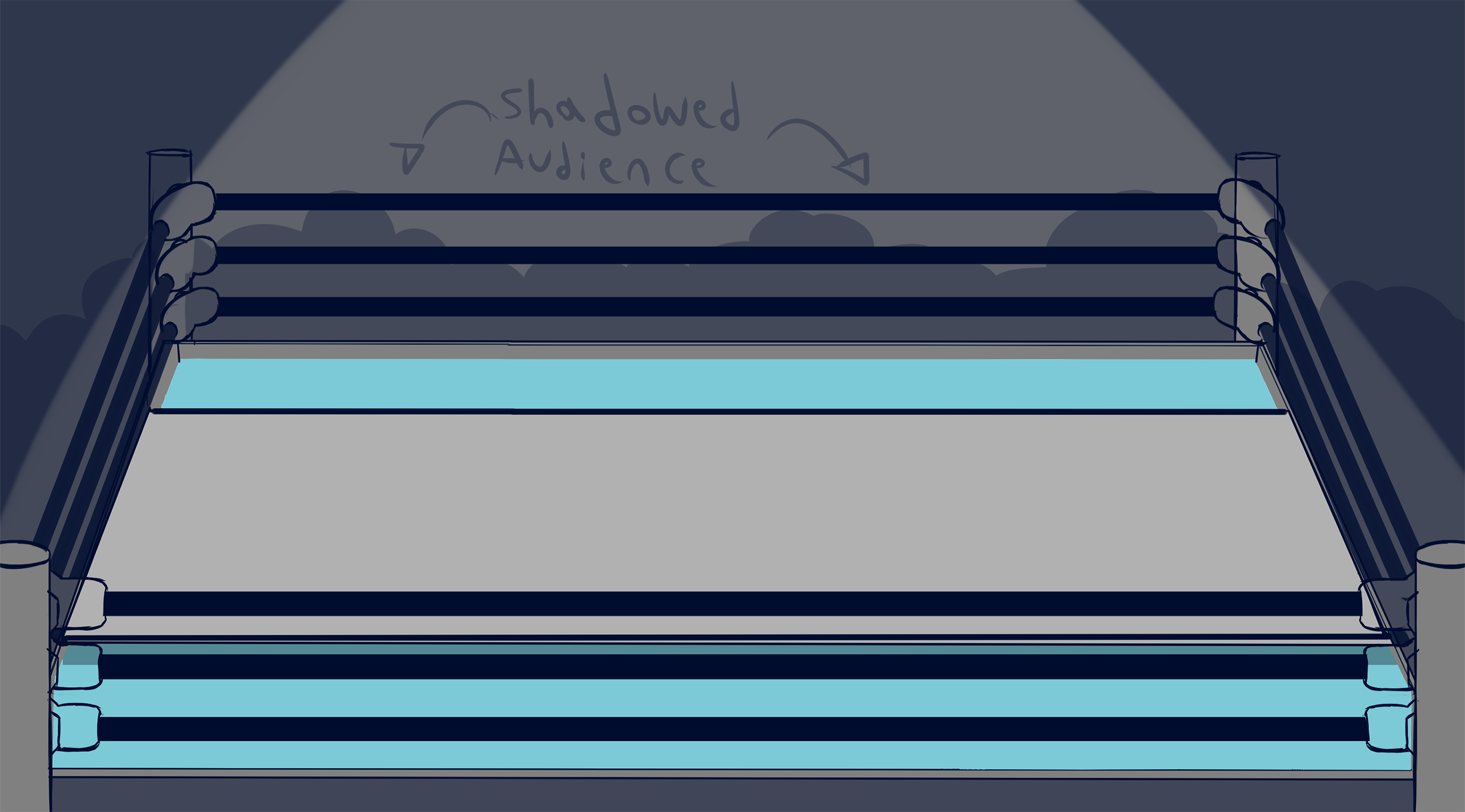
Found in img/DLC is a placeholder arena stage.
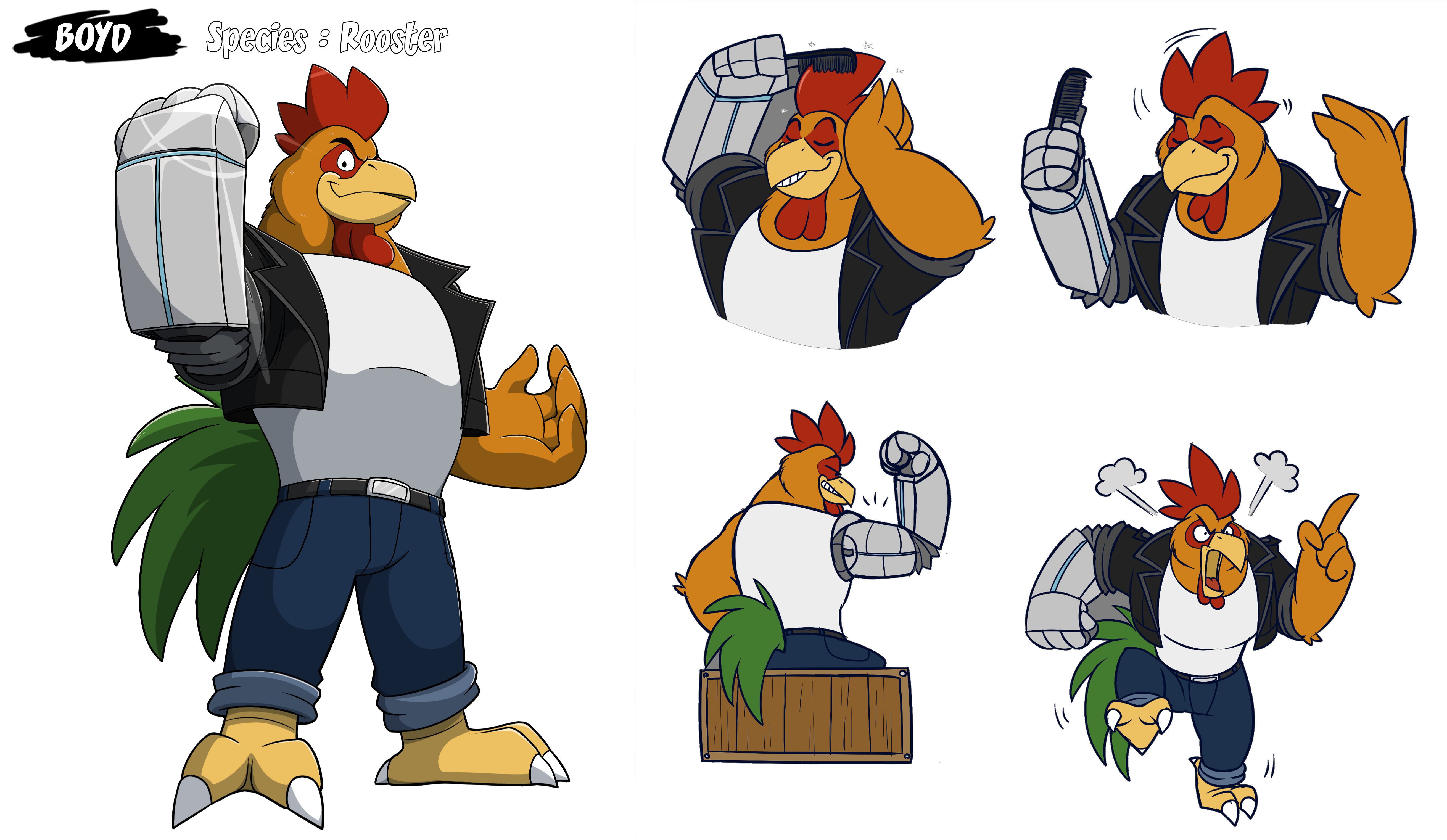
DLC_PC21_BAR_PICTURE_GROUP_FINAL.png#

Found in img/DLC is an image of Boyd that's taken from reference art.
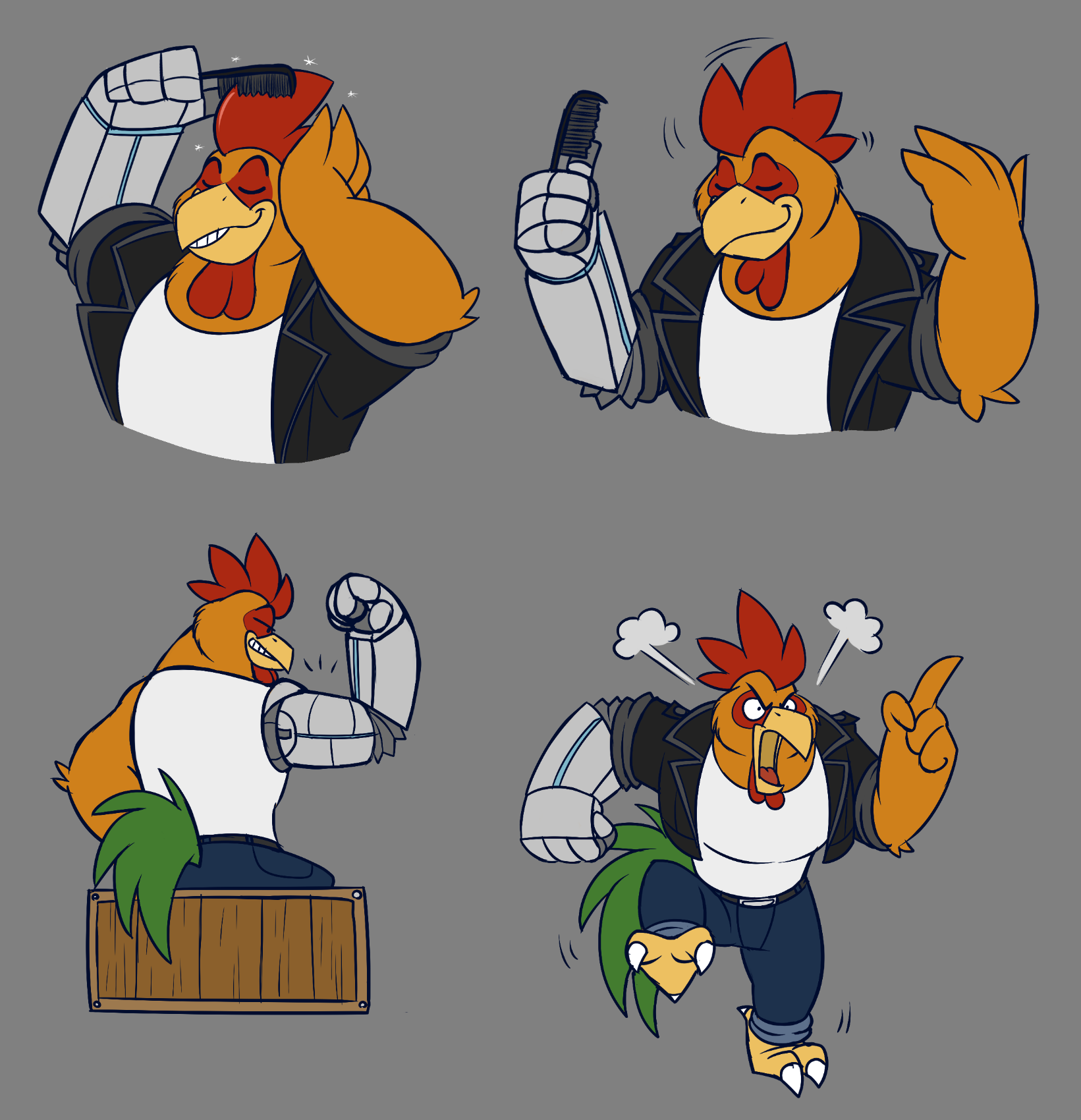
It shares a similar file name to a used "Thanks For Playing" graphic that the player receives from finishing all of the challenges "DLC_PC21_BAR_PICTURE_FINAL.png"
Duplicate Graphic#
A duplicate copy of Clint's happy mouth for his portrait can be found in his folder in img\DLC\CLINT as "DLC_CHAR_MOUTH_CLINT_HAPPY - Copie".
Partially Unused Music#
The Brawl Bar theme, while used, has an unused ending to the track as the music will end around 2 minutes and 17 seconds and then it restarts from the beginning in-game, leaving 20 seconds of it unused.
Unused Text#
PC Leftovers#
Found in txt/eng/TDLC are various text strings leftover from the creator mode in the PC version with some removed creator mode options that are not in the console version.
BM04_OPTION_CHALLENGESHARETITLE=Title for the workshop
BM04_OPTION_CHALLENGESHAREDESCR=Description for the workshop
BM04_OPTION_CHALLENGESHAREPICTURE=Thumbnail picture for the workshop
BM04_OPTION_CHALLENGESHARETAGS=Tags for the workshop
BM04_OPTION_CHALLENGESHARETAGS_TITLE=Enter a list of tags, separated by commas
BM04_OPTION_CHALLENGESHAREDIFFICULTY=Difficulty recommendation
BM04_OPTION_CHALLENGESHAREEXPORTCHALLENGE=Export the challenge?
BM04_OPTION_CHALLENGESHAREEXPORTCHARMODS=Export the character mod(s)?
BM04_OPTION_CHALLENGESHAREEXPORTENVIRONMENT=Export the custom environment?
BM04_OPTION_CHALLENGESHAREEXPORTMUSIC=Export the custom music?
BM04_OPTION_CHALLENGESHAREUPDATETHUMB=Update the thumbnail?
BM04_OPTION_CHALLENGESHAREUPDATEDESCR=Update the description?
BM04_OPTION_CHALLENGESHAREUPDATETAGS=Update the tags?
BM04_OPTION_CHALLENGESHARESUBMIT=Submit

BM04_SHARE_WORKSHOP=Share (Workshop)

CHOICE_DELETE_ITEM_WORKSHOP=(You can download it again from the workshop)

BM04_ENVIRONMENT_TITLE=Environment Title
BM04_ENVIRONMENT_TITLE_HELP=Name your new environment.

BM04_ENVIRONMENT_PICTURE=Environment Main Picture
BM04_ENVIRONMENT_PICTURE_HELP=Upload the main background (<col=BOLD>PNG</col> or <col=BOLD>JPG</col>) Also determines the default room dimensions.##It should fill the screen (<col=BOLD>1920 x 1080px</col> minimum) The maximum width/height is <col=BOLD>4096px</col>.

BM04_ENVIRONMENTIMAGE_DEPTH=Depth
BM04_ENVIRONMENTIMAGE_DEPTH_HELP=Determines the layering of graphics (characters, images...) based on vertical position.##Example: 0 = background (behind characters), 1080 = foreground (in front).

BM04_ENVIRONMENTIMAGE_ALPHA=Alpha transparency
BM04_ENVIRONMENTIMAGE_ALPHA_HELP=Defines how much transparency to use. <col=BOLD>(Percent)</col>##10 = almost invisible, 100 = fully visible

BM04_ENVIRONMENTIMAGE_FRAMES=Frames number
BM04_ENVIRONMENTIMAGE_FRAMES_HELP=If this image is animated (several frames back-to-back inside the file uploaded), set the number of frames here.

BM04_ENVIRONMENTIMAGE_FRAMESPEED=Frames speed
BM04_ENVIRONMENTIMAGE_FRAMESPEED_HELP=If this image is animated, define the speed. <col=BOLD>(Percent)</col>##100 = normal speed, 200 = faster, 50 = slower

BM04_ENVIRONMENTIMAGE_DELETE=Delete this image
BM04_ENVIRONMENTIMAGE_DELETE_HELP=Delete the image from this environment.

BM04_ENVIRONMENT_SUBMIT=Submit the environment
BM04_ENVIRONMENT_SUBMIT_HELP=Validate and generate the environment.

BM04_ERROR_TITLE=Error
BM04_ERROR_CHARACTER=One character mod could not be retrieved: {name}
BM04_ERROR_ENVIRONMENTBACK=One environment image could not be retrieved: {name}


BM04_ENVIRONMENT_CREATE=Environment assigned
BM04_ENVIRONMENT_DESCR=The environment has been assigned with this main background picture. Environments are saved alongside the challenge.##You will find a new <col=BOLD>Add environment image</col> option with the <col=BOLD>More</col> button to insert more images at various depths.

BM04_ENVIRONMENT_DESCR2=The room dimensions have been adapted automatically to the picture provided. Feel free to change the <col=BOLD>room information</col> in the <col=BOLD>challenge properties</col>. In particular, the min/max vertical positions to define the area where characters can move.

BM04_ENVIRONMENT_MISSINGTITLE_TITLE=Title missing
BM04_ENVIRONMENT_MISSINGTITLE_DESCRIPTION=Please enter the title of the environment.

BM04_ENVIRONMENT_MISSINGPICTURE_TITLE=Picture missing
BM04_ENVIRONMENT_MISSINGPICTURE_DESCRIPTION=Please import a picture.

BM04_ENVIRONMENT_WRONGDIMENSION_TITLE=Picture dimensions
BM04_ENVIRONMENT_WRONGDIMENSION_DESCRIPTION=The dimensions of this picture are incorrect.

BM04_ENVIRONMENT_MISSINGNAME_TITLE=Name missing
BM04_ENVIRONMENT_MISSINGNAME_DESCRIPTION=Please enter a name for this image.

BM04_WORKSHOP_TITLE=Steam Workshop page
BM04_WORKSHOP_DESCR=Access Steam Workshop to see your creations shared and download more


BM04_WORKSHOP_NOTHING_EXPORT=Nothing selected
BM04_WORKSHOP_NOTHING_EXPORT_DESCR=You have not selected anything to export.

BM04_WORKSHOP_PICTURE_EXPORT=Picture required
BM04_WORKSHOP_PICTURE_EXPORT_DESCR=A thumbnail picture is required in order to export. Please add one.

BM04_WORKSHOP_WORKSHOPCHARS_EXPORT=Workshop elements
BM04_WORKSHOP_WORKSHOPCHARS_EXPORT_DESCR=Your challenge contains workshop elements you did not create. Please note that <col=BOLD>they will not be included</col>.##After the export, it is recommended you go to the Workshop page and click on <col=BOLD>Add Required Items</col> to link them.

BM04_WORKSHOP_ITEMS_EXPORTPROGRESS=Export in progress
BM04_WORKSHOP_ITEMS_EXPORT=Item(s) exported
BM04_WORKSHOP_ITEMS_EXPORTOVER=It may take a few minutes to appear on the Workshop.
BM04_WORKSHOP_ITEMS_STEAM=Your items are exporting to Steam Workshop. A notification will be displayed when it is complete.
BM04_WORKSHOP_ITEMS_DRMFREE=Your items were exported as a ZIP archive in:##<col=BOLD>{path}</col>##Give this file to your friends (or upload it online somewhere) and ask players to extract it into their own directory.

BM04_WORKSHOP_SELECT_PICTURE_NOTSELECTED=No picture selected
# MODIFIED
BM04_WORKSHOP_SELECT_PICTURE_WRONGSIZE=The picture selected is too big (should be less than {size} MB)
BM04_WORKSHOP_SELECT_PICTURE_COPYFAIL=The picture selected could not be copied
BM04_WORKSHOP_SELECT_PICTURE_WRONGFORMAT=The picture selected has a wrong extension. (should be .png or .jpg)
BM04_WORKSHOP_SELECT_PICTURE_THUMB=The thumbnail failed to be created

BM04_WORKSHOP_SUBSCRIPTIONS=Workshop subscriptions
BM04_WORKSHOP_NB_SUBSCRIBED={number} workshop item(s) installed
BM04_WORKSHOP_NB_UNSUBSCRIBED={number} workshop item(s) removed
BM04_WORKSHOP_STEAM_NOTCONNECTED=You are not currently connected to Steam. Please try again later.

BM04_CREATE_CHARACTER=Create character mod
BM04_CREATE_ENVIRONMENT=Create environment
BM04_CREATE_IMAGEENVIRONMENT=Add an image to the environment
BM04_UPDATE_ENVIRONMENT=Update environment
BM04_CREATE_MUSIC=Create music
BM04_ENVIRONMENTIMAGE_NAME=Name
BM04_ENVIRONMENTIMAGE_PICTURE=Image file
BM04_ENVIRONMENTIMAGE_SUBMIT=Submit image

BM04_CREATE_CHARACTER_HELP=Use one of the playable characters as base model, and replace the files.##Ott is the most simple one to mod (the least number of frames/animations)
BM04_UPDATE_ENVIRONMENT_HELP=Update your current custom environment.
BM04_CREATE_ENVIRONMENT_HELP=An environment has a background, collisions, room dimensions and potentially some foreground elements.
BM04_CREATE_IMAGEENVIRONMENT_HELP=Add a picture on another layer to the environment. For example, a tree in the foreground, or a trash can in background.
BM04_ENVIRONMENTIMAGE_NAME_HELP=Give a name to this new image. Make sure it's not identical to a previous one.
BM04_ENVIRONMENTIMAGE_PICTURE_HELP=Upload an image file.##Same technical restrictions as the main background one, but they can be smaller than the size of a screen.
BM04_ENVIRONMENTIMAGE_SUBMIT_HELP=Place it in the environment

BM04_TRAP_AUTOMATICSCALE=Automatic size
BM04_TRAP_AUTOMATICSCALE_HELP=If yes, the scale depends on the vertical position. Otherwise, it's fixed.
BM04_TRAP_MANUALSCALE=Manual size
BM04_TRAP_MANUALSCALE_HELP=If automatic scale is disabled, set the scale here. <col=BOLD>(Percent)</col>

BM04_MORE_FEATURES=More features
BM04_DIRECTORY_CHARACTER_EXISTS=The character directory already exists

BM04_DIRECTORY_CHARACTER_TITLE=Files exported
BM04_DIRECTORY_CHARACTER_POPUP=The animation files have been exported as PNG pictures to the folder: (copied into the clipboard)##<col=BOLD>{path}</col>##Feel free to modify them with a picture editor, then test by placing this character in a room.

BM04_DIRECTORY_CHARACTER2_TITLE=Files exported (next)
# MODIFIED
BM04_DIRECTORY_CHARACTER2_POPUP=You can also replace the <col=BOLD>OGG audio</col> files.##Important: Keep the pictures the same dimensions as the original.
BM04_DIRECTORY_CHARACTER2_POPUP_MODIF=<col=BOLD>For advanced modifications</col> to alter the dimensions and more, check the documentation provided in DOCMOD/ in the game root directory.

BM04_CHARACTERNAME_ENTER=Enter your character name
BM04_CHARACTERMODEL=Choose a character model to base your character on
Unused Voice Clips#
BROK the InvestiGator Leftovers#
VPC14 Folder#
Found in voices\VPC14 are various leftover dialogue from the original game, in which the Brawl Bar can be accessed through Hacker Street if the player owned the BROK: The Brawl Bar DLC, since the console versions of BROK: The Brawl Bar will start you off in the Brawl Bar area, these go unused.
PC14_ENTER_BAR
PC14_00_PREBAR
PC14_NOTFINISHED
PC Version Leftovers#
Anti-Cheat Dialogue#
Found within the files of the console version are voice clips for an anti-cheat dialogue, for when the player modifies their save file, this dialogue was retained from the PC version of the game.
It goes unused on most console platforms as many of them don't allow save file transfers for modification, leading for the dialogue to be unobtainable.
First Conversation
Answering Yes
Answering No
Creator Mode Dialogue#
The second creator mode dialogue with Brok and Bubbles was also retained from the PC version.
It goes unused as creations cannot be shared on the console versions.
Bubbles#
Found in the files are earlier voice clips for Bubbles for the wheel, the wheel was originally going to be 50 C-Tokens per spin instead of just 10. There's also an earlier take of said voice clip as well.
She also has an earlier take of her dialogue when the player doesn't have any C-Tokens for the wheel, being similar to her final one but with long pauses.
Early |
Final |
|---|---|
Brok#
Also found in the files are two alternate takes for Brok's lines.
Early |
Final |
|---|---|
Early |
Final |
|---|---|
Sharpteeth#
Sharpteeth has an alternate take of one of his voicelines.
Early |
Final |
|---|---|
Development Leftovers#
Found in the files is a batch file named makeDemo.bat.
Also found in the Switch version is a file called AppleIncRootCertificate, which is very likely a leftover from the iOS version of the original game.
Oddities#
Atlasion Madness End Screen#
Due to the fan-game originally being released on PC, most of the mentions of the game's controls were mostly changed within the console versions, except for the end screen after you finish 5 stages, which still says "Press Any Key To Leave".
PC Leftovers#
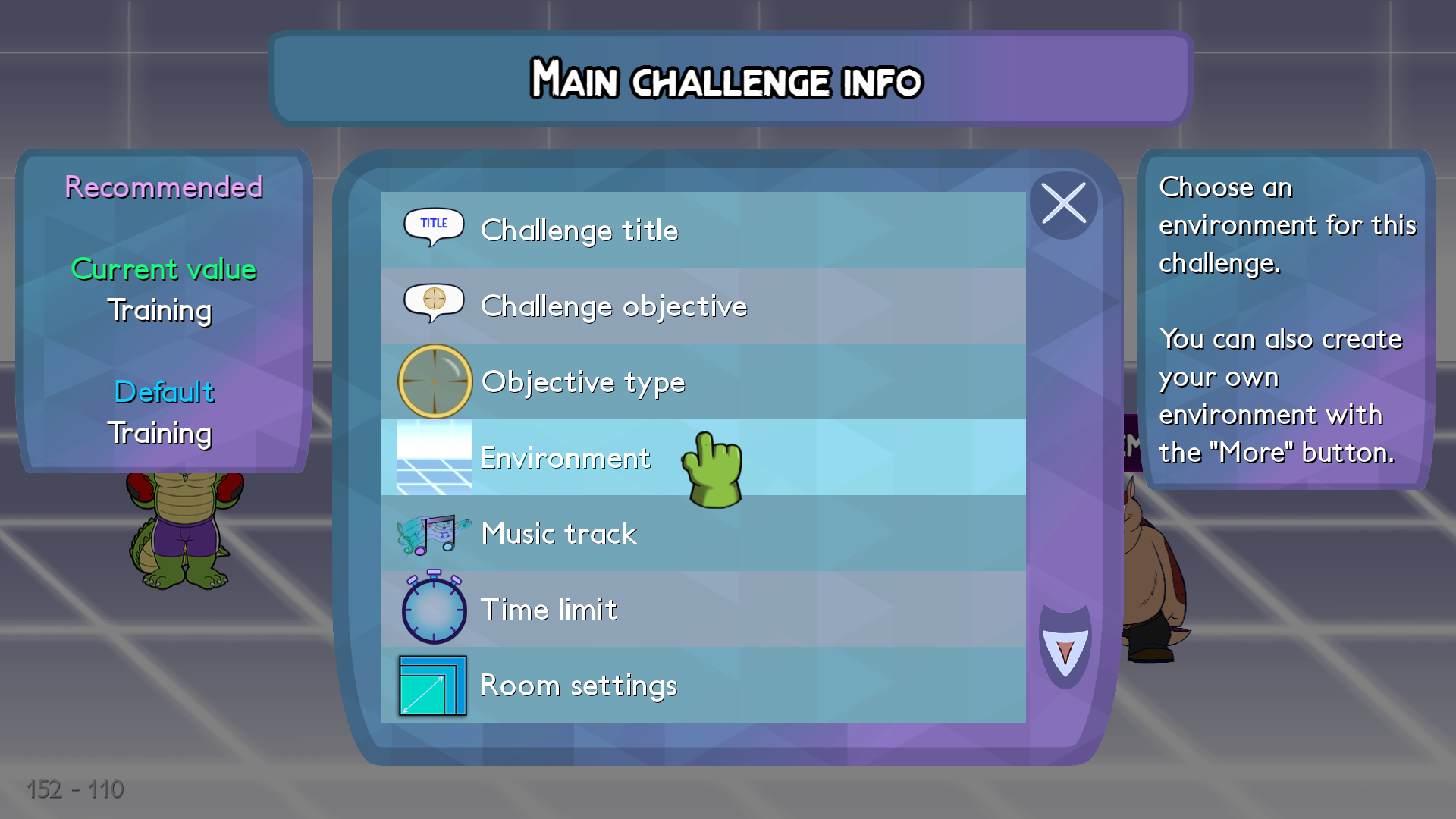
While creating a challenge in Creator Mode on these versions, despite the lack of creation features.
The environment text still says that "You can create your own environment with the 'More' button", which such option doesn't exist within these versions.
Development Oversights#
The achievement images for the Normal and Hardcore difficulties are swapped in the Xbox One version, it was eventually fixed in a recent update.
Console Differences#
Since the Nintendo Switch doesn't have an achievement system, the achievement notifications is built into the game itself for that version.
Revision Differences#
Version 1.5.6.2#
Version 1.5.6.2 of the DLC added various new content to the game for the game's first year anniversary, the console versions recieved the update 1-2 weeks later.
- Added 15 "packaged workshop characters" to use in creation mode, versus, or for replaying challenges after finishing the game!
- Bearnando
- Boyd
- Squealer Chief
- Dart
- Dr Gherkin
- Dr. Mink
- Ivy
- Kins
- Klay
- Kooltrix
- Rebel
- Sharpteeth
- Swan
- Tenderjaw
- 10 new bonus challenges were added.
- 3 new gameover pictures were added, one for Brok and two for R.J if they were to get defeated by Clint and Squealer Chief.
- Various features were added to the creator mode.
- Battle Royale mode
- New extra modifiers: Grab more often, Food is weapon, Weapons disappear, AI doesn't fear traps, Low guard defense, Ally Invisible, Players invisible, Lose if an ally dies, Friendly fire with allies, Player gains HP, Eat food immediately, Food can be thrown and hurts, Enemies can only be hurt by thrown items
- Per-character win/lose conditions: when character dies, gets hit or lands a hit
- Option for enemies target a specific team
- Option for a character to get targetted in priority
- Option to set the skin of a character (skin number)
- Options for some modifiers
- Various bug fixes.
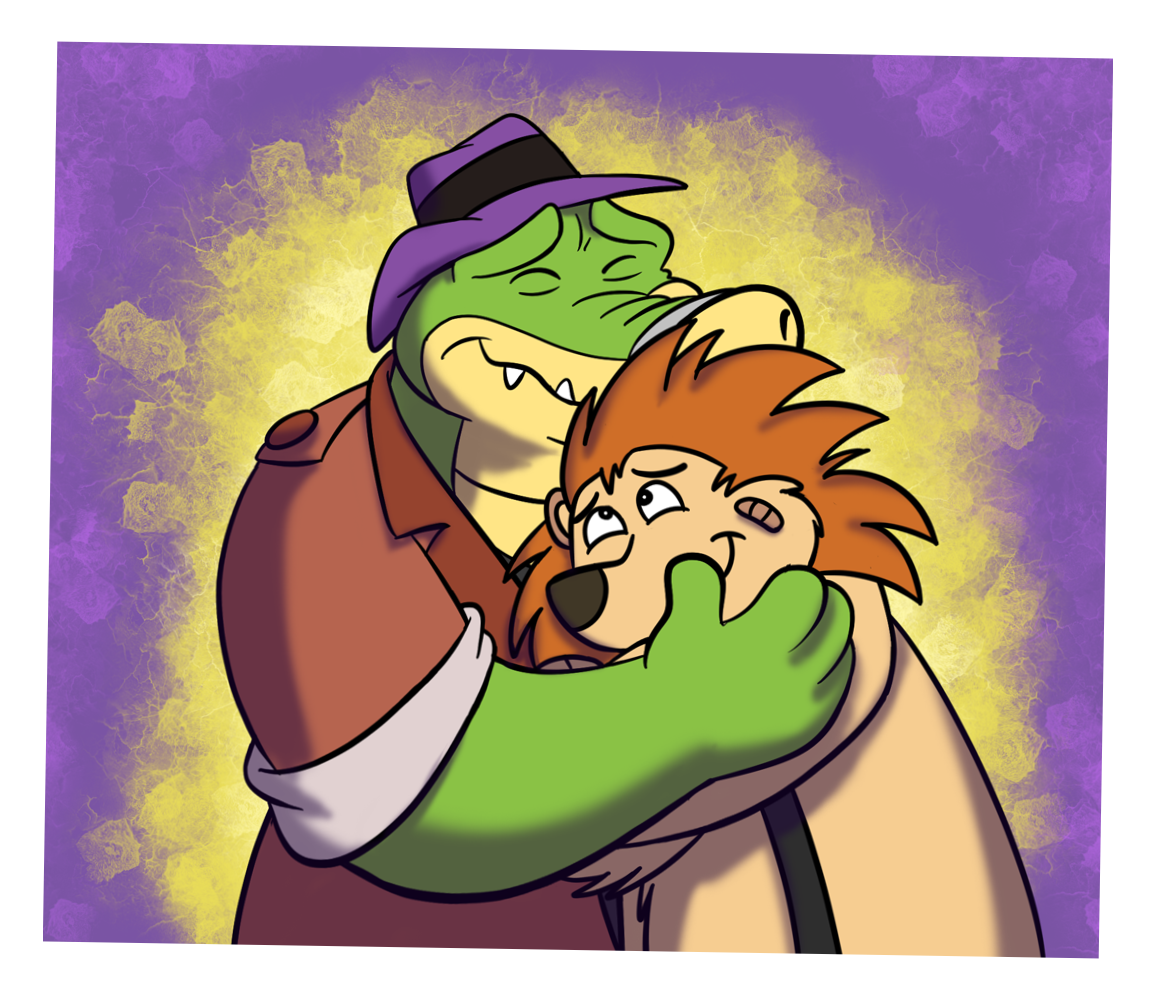
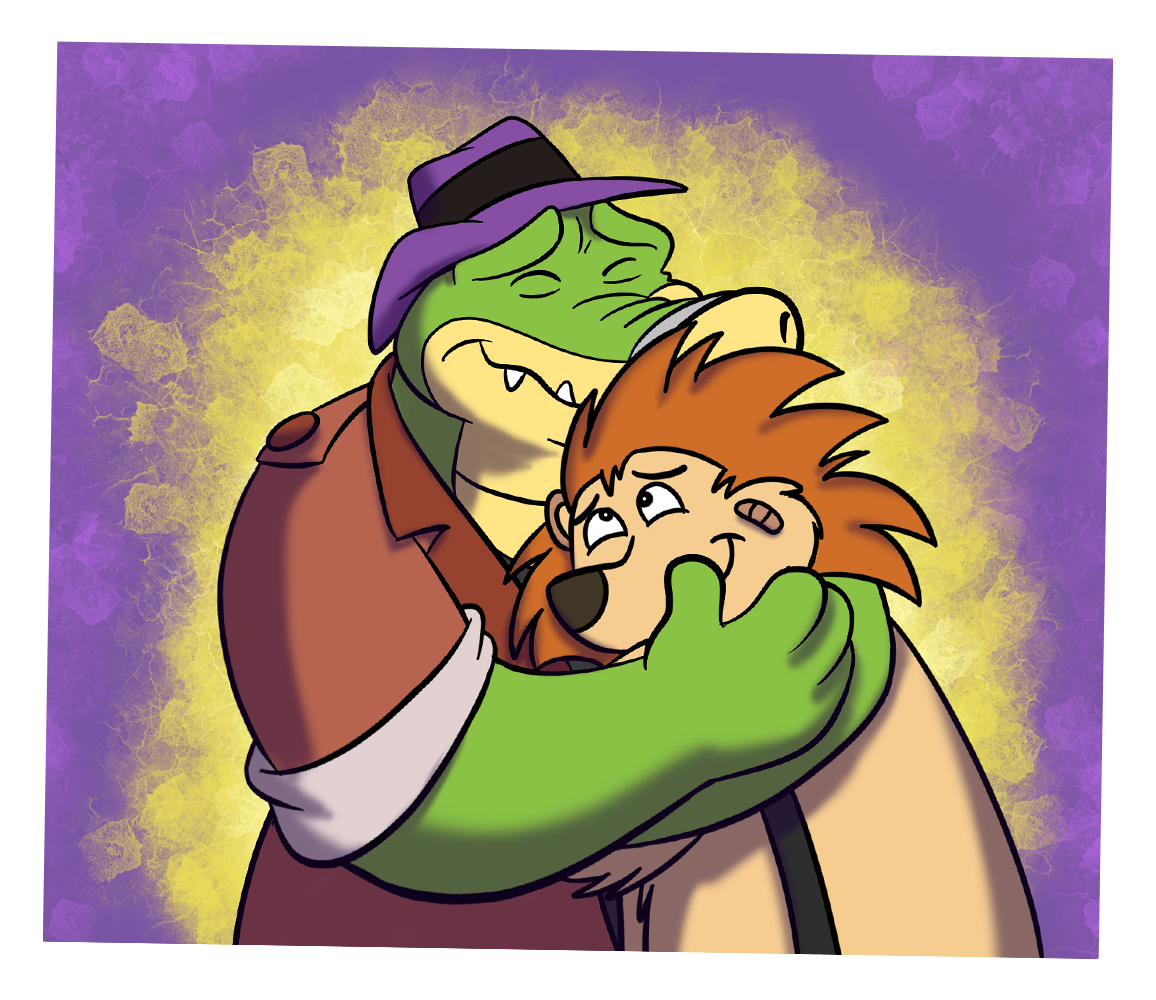
This version of the DLC also fixed Brok's miscolored arm for the graphic where Puzzles hugs Brok.
|
Pre-Patch |
1.5.6.2 |
|---|---|
|
|
|
The BROK the InvestiGator series | |
|---|---|
|
Windows, Android, iOS |
BROK the InvestiGator (Prologue) • BROK: Natal Tail, A New Christmas • BROK: First Hat |
|
Xbox One, PlayStation 4, PlayStation 5, Nintendo Switch, Android |
BROK the InvestiGator • BROK: The Brawl Bar • BROK: Natal Tail, A New Christmas Special |
|
Spinoffs |
|