 This article has a talk page!
This is a sub-page of Proto:Halo: Combat Evolved.
 CharactersSeveral cut and early characters and wild-life.
 WeaponsVarious guns that never made it into the final game.
VehiclesSome vehicles eventually made it into the sequel, others didn't.
WeaponsVarious guns that never made it into the final game.
VehiclesSome vehicles eventually made it into the sequel, others didn't.Controls#
Escape - Quit game prompt
Num Lock - Toggle console
Shift + C - Overhead map view
On foot#
W A S D - Move
Space - Jump. Hold to charge up a higher jump.
Ctrl - Crouch
Mouse 1 - Primary Fire
Mouse 2 - Alt Fire
R (Hold) - First person view
Mouse Wheel - Zoom (Only on certain weapons or in third person)
QE - Cycle weapons
⇧ Shift (Hold) - Walk Modifier: When held, the player can freely look around while walking in the same direction
Z - Enter vehicle
` - Switch camera mode
G - Cycle bipeds
1 - 0 - Play animation
In a vehicle#
Mouse 1 - Attack
Ctrl - Reset vehicle (if flipped over)
Space - Handbrake
Editor#
- = - Cycle through object lists
F1 - Save changes
` - Toggle isometric camera (uses Myth II: Soulblighter camera controls)
Free camera mode#
Mouse 3 (Hold) - Control camera
W A S D - Move camera
R F - Ascend / descend
Interface#
Upon opening the game, the player is greeted with a basic map selection screen, listing all the maps in the build. By default, the players name is "manhorsedemon," the online username of a Bungie employee. The screen also allows maps to be opened in the editor. 
Pressing Escape brings up a prompt to quit the game, referencing another Bungie employee. 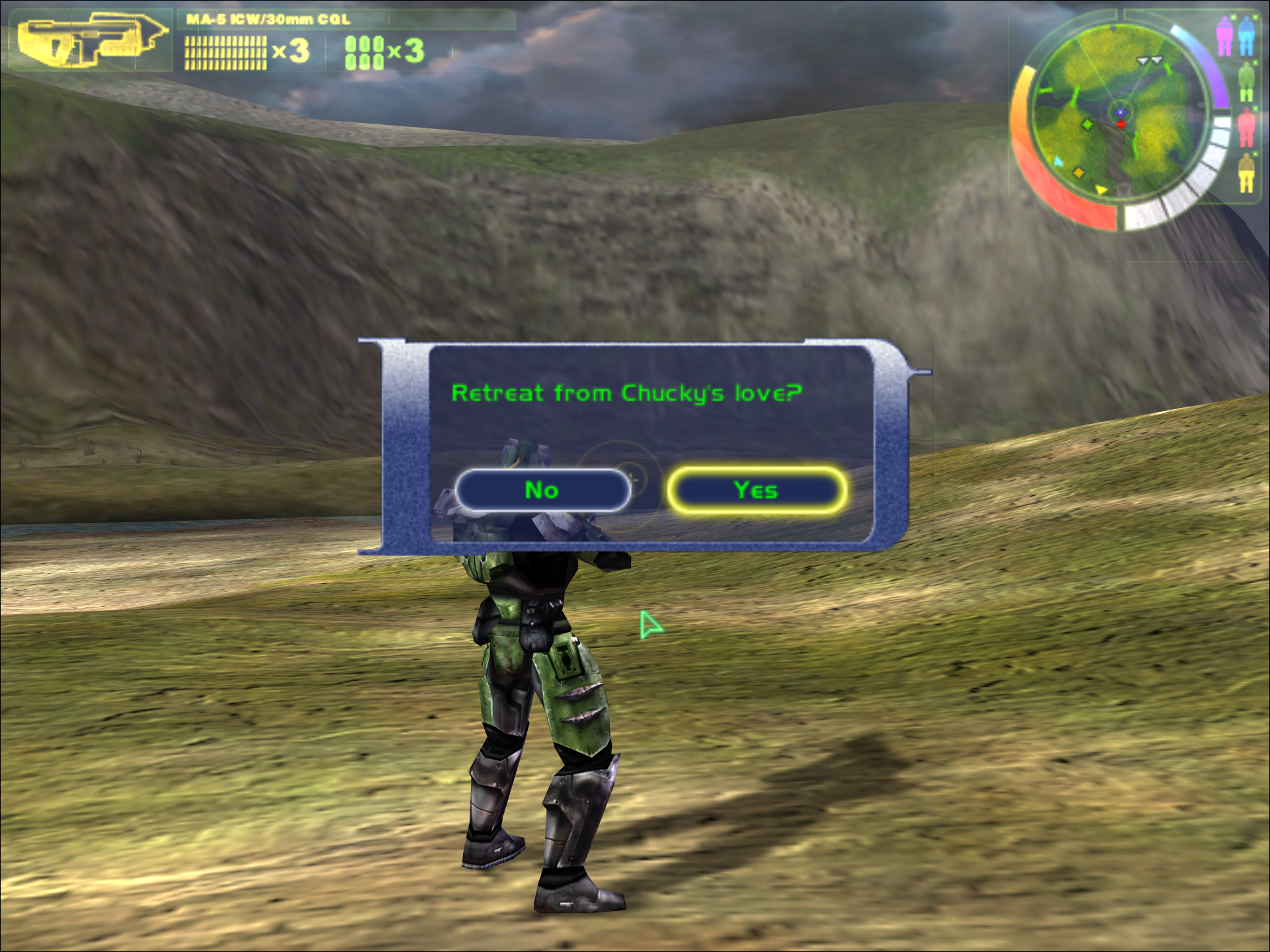
Gameplay#
None of the enemies have any AI, and many of the weapons are hardly functional. Meaning the only thing the player can do is roam around the map and drive vehicles.
Editor#
The build features a level editor. The editor allows the player to edit the height and materials of the island, in addition to placing units and items. 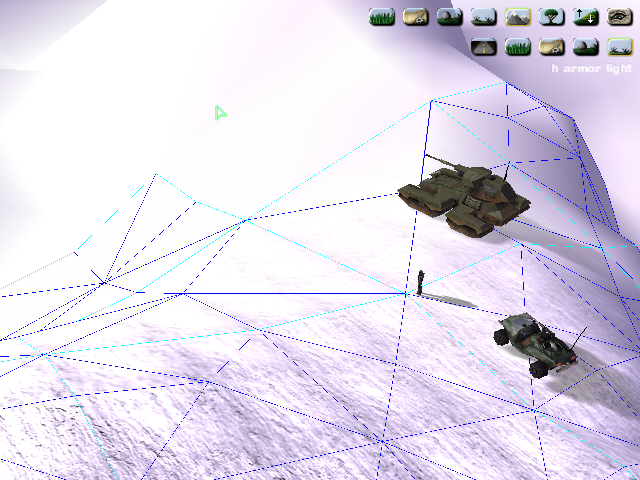
Islands#
Rather than the .bsp format used by the final games maps, the game uses "islands", with simple height-map terrain, that can be filled with structures. There are three islands in the game.
Spasm#
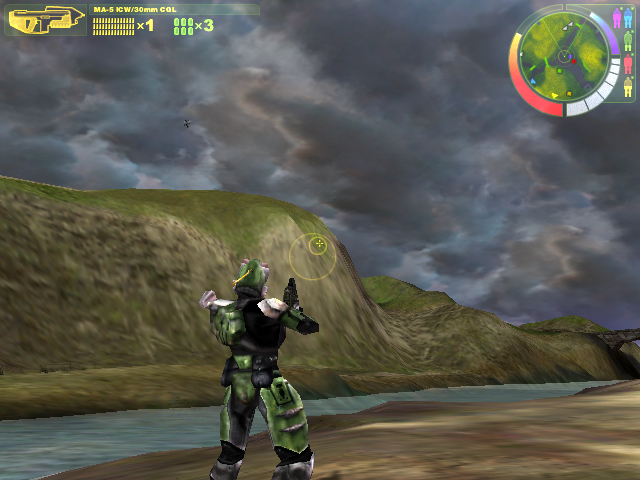
Spasm is the map seen in many early promotional screenshots for the game, it's a large mountainous island. The map was used for the famous MacWorld 1999 trailer. By default, the cavern leading to the control room and hangar is not visible.
A minimap graphic exists in the HUD for this island, and correctly tracks the player when moving.
St. Marcus#
St. Marcus is a large terrain using default textures. It's likely named after one of the developers, Marcus Lehto. 
Swamp#
Swamp is a dark, ominous, swamp. Seen in a few promotional images for the game. 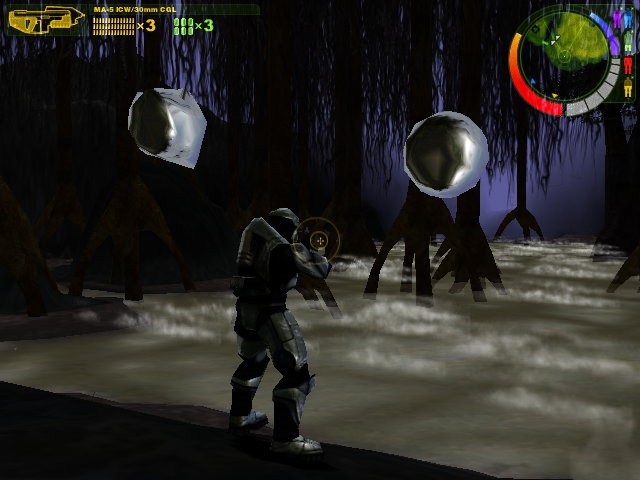
Developer Tools#
In-game Console#
Num Lock toggles the in-game console. Below is a list of valid commands:
debug_shadows <boolean>
debug_shadows_only <boolean>
debug_sprites <boolean>
lod_contrail <real variable>
lod_detail_object <real variable>
lod_fog <real variable>
lod_interface <real variable>
lod_lighting <real variable>
lod_media <real variable>
lod_mesh_detail_map <real variable>
lod_mesh_terrain <real variable>
lod_object <real variable>
lod_particle <real variable>
lod_scenery <real variable>
lod_shadow <real variable>
lod_sky <real variable>
lod_structure <real variable>
lod_weather <real variable>
lod_widget <real variable>
nudge <real variable> <horizontal/vertical> <increment>
render_throttle <real variable>toolbeta#
toolbeta.exe does not function by default, but if an era-appropriate LSRD.dll file is supplied, it can be used to import models, animations and textures and start a network server.
usage: toolbeta.exe verb <options..>
  model source-directory
  animations source-directory
  strings source-directory
  bitmaps source-directory
  import-height-map source-directory
  export-height-map source-directory
  import-color-map source-directory
  import-overlay source-directory
  export-overlay source-directory
  clear-overlay island-name
  fix-mesh island-name
  shade-color-map directory h-min h-max light-yaw light-pitch shade-fraction
  shade-mesh
  plate source-path scale[2,8] alpha[0.0,1.0] desired_sequence_count
  myth-fonts source-directory
  myth-tags root-directory file[0=sml,1=med,2=lrg,3=sml int,4=lrg int]
  lightmaps lightscape-solution[.ls]
  structure structure-name
  redshift <pathname>
  real_test
  collision-model source-directory
  physics source-file
  sound directory-name compression [0= none, 1= ima adpcm]
  fix-tag-group group-name
  check-bitmaps
  camera-track source-file
  rename group old-name new-name
  network-server <name>
network-client <name>guerillabeta#
The UI of guerillabeta.exe looks nearly identical to the Guerilla shipped in the editing kits of all Halo games until Halo 3: ODST. Similar to versions for Halo 2 and later, a filetree view is present on a sidebar.
It does not yet have the ability to view imported bitmaps.