 This article has a talk page!
Zuma Deluxe is a ball shooter puzzle game developed by PopCap.
Sub-Pages#

Partner.xml File#

|
To do: |
Present in almost every PopCap game is partner.xml. partner.xml enables PopCap, as well as PopCap's partners, to easily modify small details of the game without needing to recompile the game or access the game's source code. This file has been edited numerous times by multiple partners and PopCap themselves, and later revisions of the PopCap framework have added additional features to it. Also present is a checksum check, so not every user can make any changes they want. If the checksum fails, an error message appears, and the game either fails to boot up or boots up with default values, typically enabling the trial or registration system. Below is an attempt to list the features for partner.xml in Zuma Deluxe. Some features may not be present in earlier revisions.
Boolean Value |
Effect |
|---|---|
DefaultWindowed |
On a fresh installation, start the game in Windowed or Full Screen. |
DontUpdate |
Toggle the in-game update system. |
NoReg |
Toggle the registration system. Configurable through MaxPlays |
MoreGamesHelp |
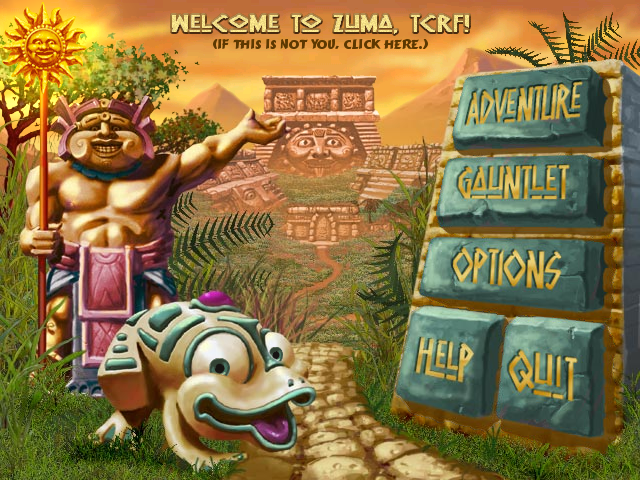
Changes behavior of the More Games button to Help. Graphics need to be manually replaced. |
EyeblasterEnabled |
Enables an intermission screen before playing. |
Integer Value |
Effect |
|---|---|
MaxPlays |
Max amount of times allowed to play before forcing registration. |
MaxTime |
Trial duration in minutes. |
String Value |
Effect |
|---|---|
RegistryKey |
Path to the game's registry. |
MoreGamesLink |
The URL for More Games. If not present, sends the user to the in-game More Games UI. |
Noteworthy is EyeblasterEnabled which was introduced (for a short time) in 2007. Later installers still support it, but have scrapped it. MoreGamesHelp was introduced in the 2007 version as well.
UFO and Developer Credits Easter Egg#
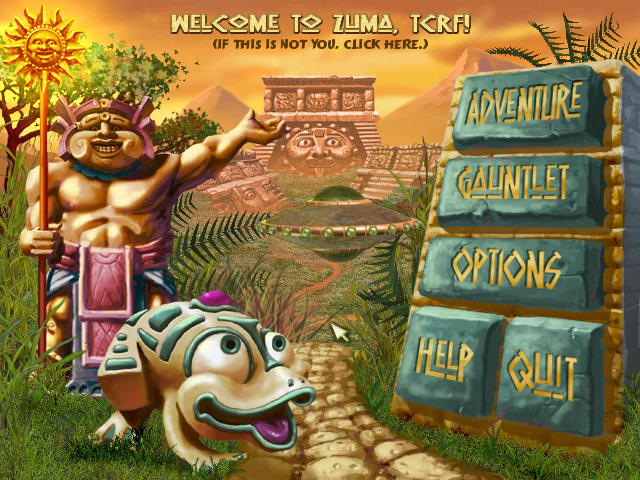
To trigger the developer credits, hover the mouse over these buttons in this order three times in the main menu:
- Adventure
- Gauntlet
- Options
- More Games (or Help)
- Quit
A clickable UFO appears that takes the player to the developer credits. Disappears after a short time if not clicked.
Revision List#
Version History
- 1.0 = Initial release!
As with most PopCap games, versions are a mess. Multiple compiles of v1.0 were made, which include numerous changes.
1.0 (Installer, Popcap.com, December 5, 2003)#
- First known compiled version of the game.
- The only version of Zuma Deluxe with a proper -version timestamp
- The build information using -version marks version 1.0 (2003) as build 101 dated Thursday, December 4, 17:05:02, 2003
1.0 (Installer, Zylom.com, November 9, 2004)#
- Partner version.
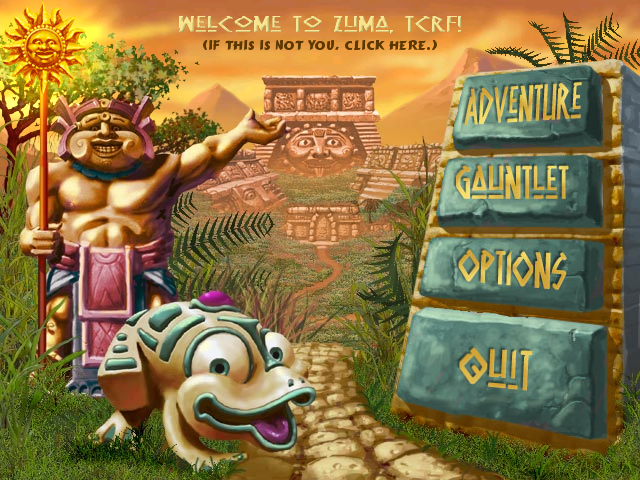
- Removed the More Games button directly, rendering the UFO easter egg inaccessible.
- Strangely, it comes with a pre-release readme.txt that still has README INFO GOES HERE! RIBBIT! dated October 3, 2003.
1.0 (Installer, PopCap.com, April 4, 2007)#
- Updated PopCap game framework.
- Implemented opening the game through main.pak. However, this was never used in Zuma Deluxe and seems unsupported.
- Implemented EyeblasterEnabled and MoreGamesHelp in partner.xml
- Introduced numerous other things related to ads and advertising.
Title Screen#
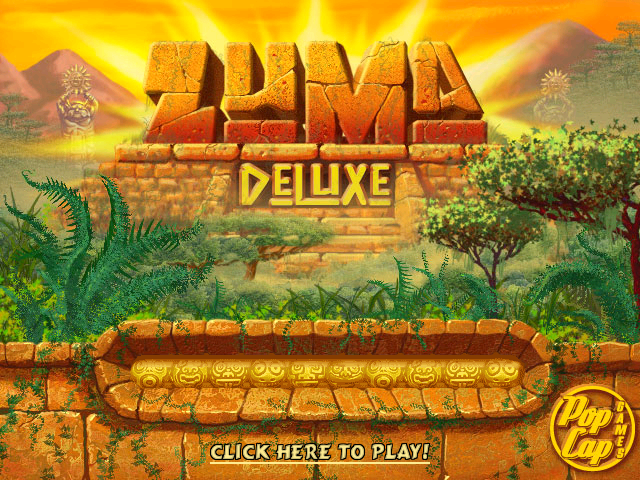
October 14, 2003 |
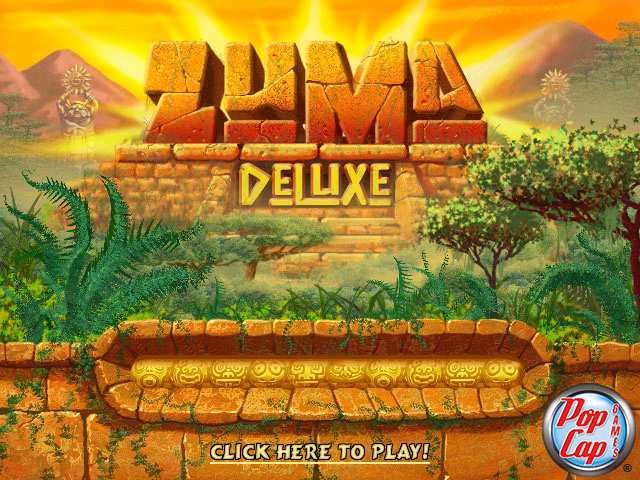
October 4, 2006 |
October 10, 2007 |
|---|---|---|
 |
 |
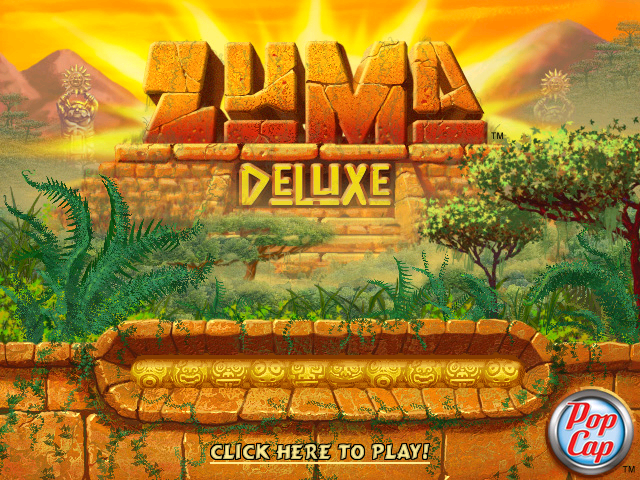 |
Traditionally, installers from 2003 to 2006 used the old PopCap logo. For a period, the second revision of the logo was used, and in October 2007, the final logo was used, with some minor tweaks.
Main Menu#
Original |
MoreGamesHelp Enabled |
Zylom |
PopCap Localised |
|---|---|---|---|
 |
 |
 |
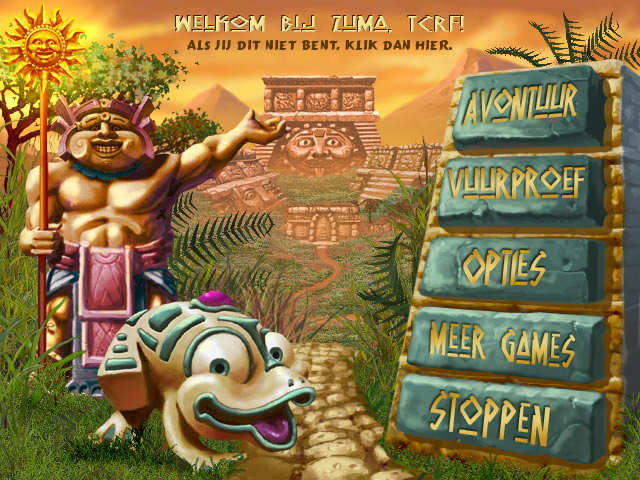 |
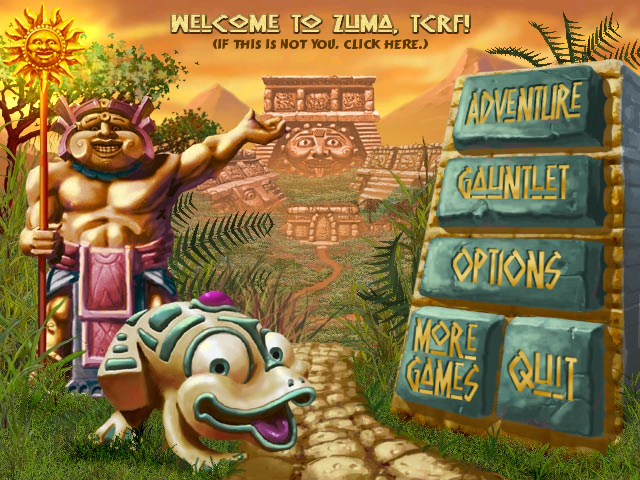
Numerous different versions of the main menu exist. Since MoreGamesHelp didn't exist in the 2003 version, Zylom removed the More Games button and recompiled the game. The UFO easter egg was not updated to account for this change, so it's inaccessible in the Zylom version. Some late localised versions from PopCap separated the More Games and Quit buttons. Interestingly, Adventure Mode's button is named mmARCADEBUTTON, which might have been the old name.
More Games Menu#
Some PopCap games, such as Zuma Deluxe and Pixelus Deluxe, contain a menu named More Games. Numerous things control this menu.
First, it checks if the entry MoreGamesLink is present in partner.xml. If it is, the menu is disabled, and the button will direct the person to the linked URL instead.
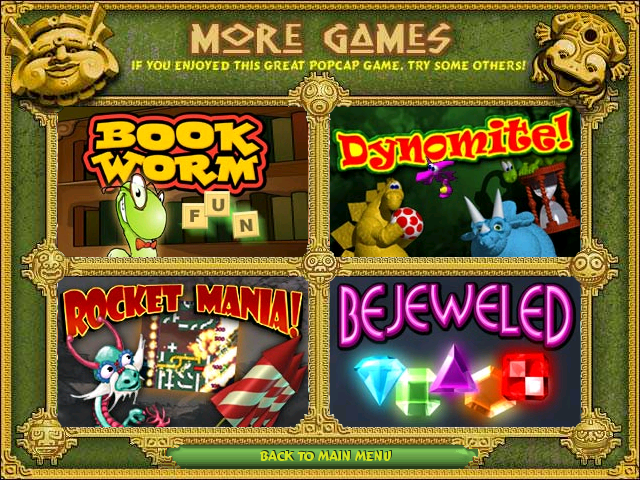
Earlier installers of both Zuma Deluxe and Pixelus Deluxe don't have an entry yet, and instead open a completely functional, more games menu, which advertises four PopCap games you can click on, and then download. It functions as follows:
- The folder win32ads contains the assets for the More Games menu.
- The text file adlist.txt contains all the data, such as which menus link to which assets, and where they redirect you to. The limit of games is four.
The More Games menu (PopCap) |
The More Games menu (WildTangent) |
|---|---|
 |
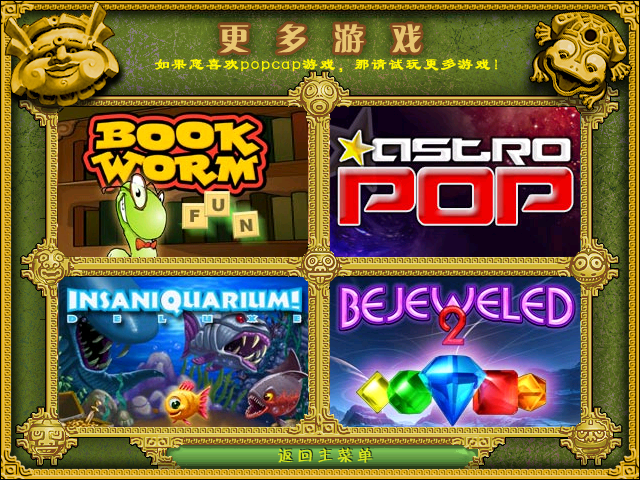 |
Later installers completely scrapped this menu and made the partner.xml change to push you to Popcap.com instead, likely because they felt advertising only four games wasn't enough. Interestingly, even though WildTangent's version is in simplified Chinese, the ads are complete in English and match PopCap's.
Intermission Menu#
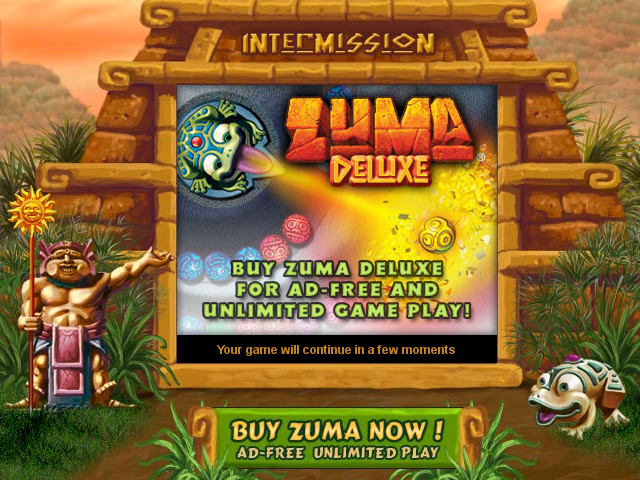
Used for only a very brief period, the intermission menu. Internally known as "EyeBlaster"
EyeBlaster is a brief intermission break you get upon starting a game. The game will feature in-game advertisements and a button to buy the full version of the game. This is completely baked into the executable.
It functions as follows:
- First of all, boolean EyeblasterEnabled needs to be enabled in partner.xml in version 2007 and above.
- In the root directory, there's an Eyeblaster folder featuring scripts and images.
- Currently, it's unknown if it could even feature online ads, because there's a folder named offline present.
- Picks a random ad from the offline folder after briefly showing Buffering1 to Buffering7
The Intermission screen |
|---|
 |
PopCap removed everything related to EyeBlaster not much after, but kept its functionality.
Partner Versions#
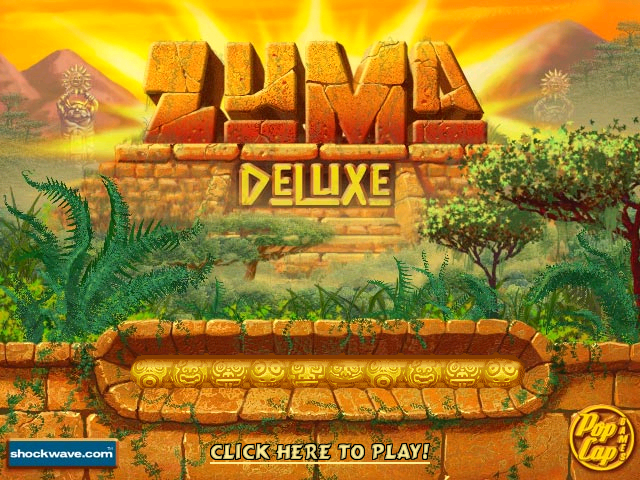
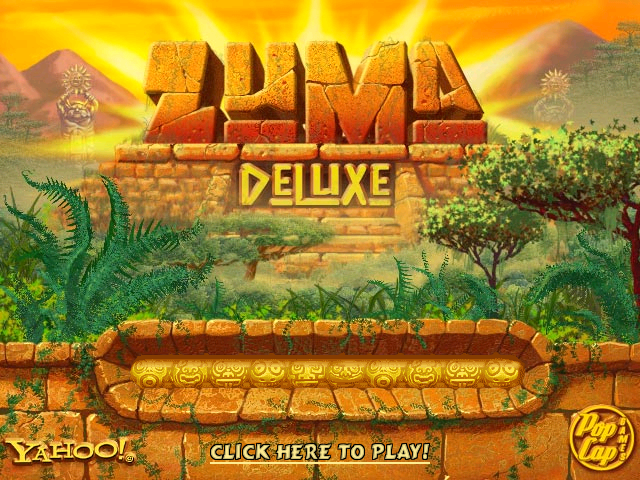
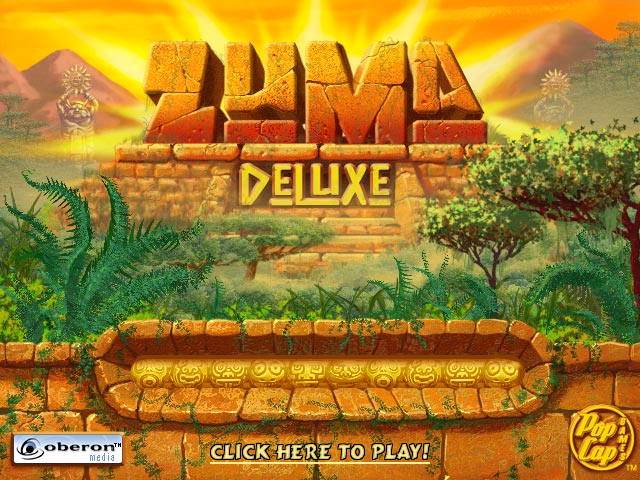
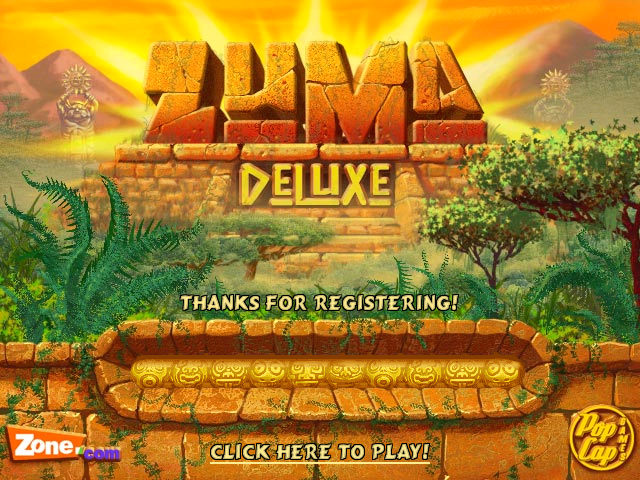
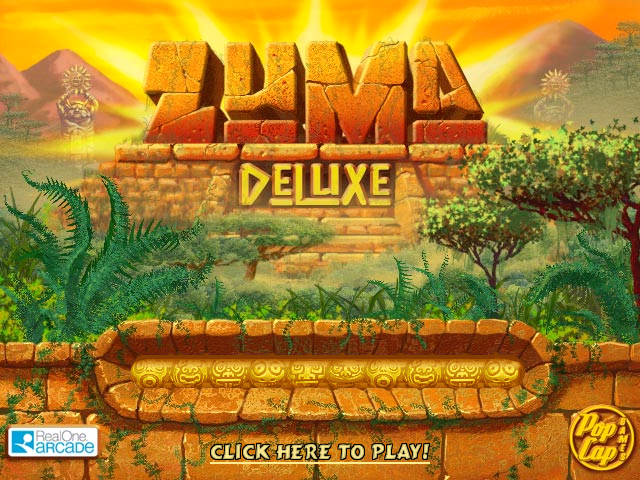
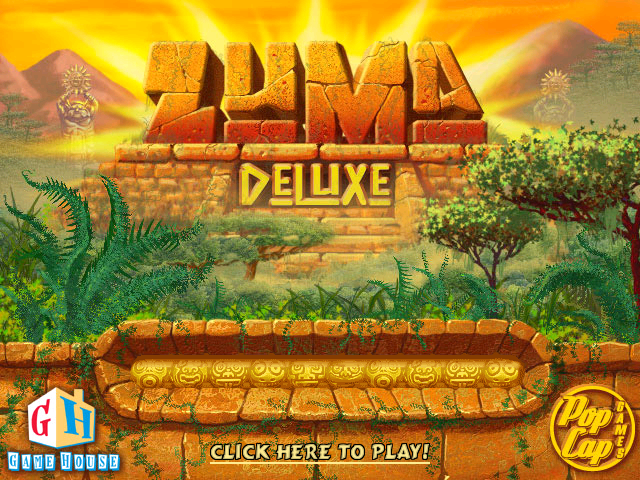
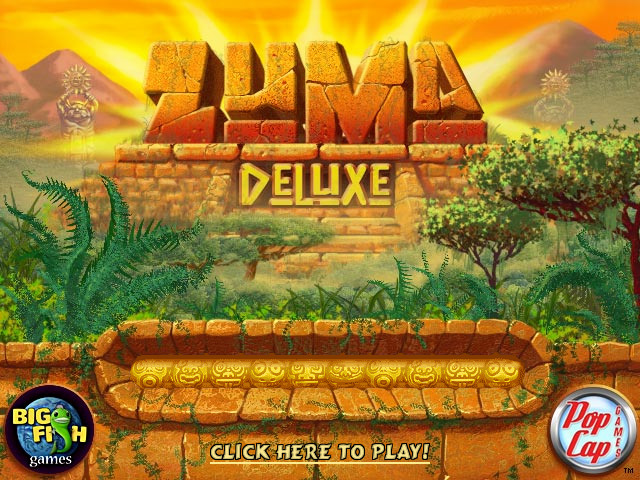
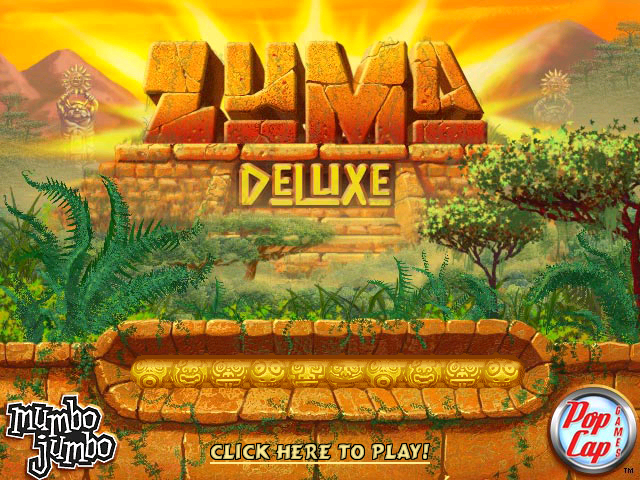
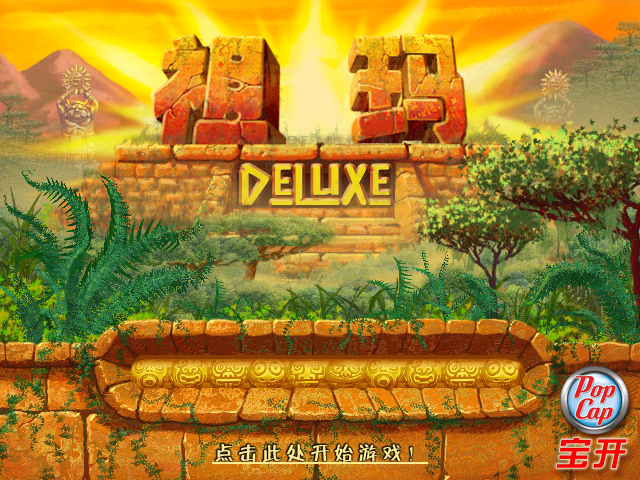
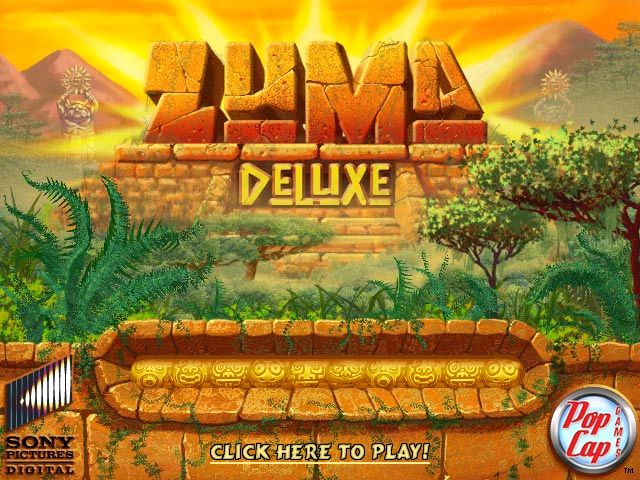
Partner versions are setups of the game distributed by other companies that have partnered with PopCap. These setups typically have a similar or special build of the game that makes use of the partner.xml file to make small changes to the game. Furthermore, upon booting the game, the partner's company logo can be found on the bottom left of the title screen, which was added by editing the loadingscreen image. Often, these partner versions come with the company's own DRM system, which forces users to purchase the game after a short period of free time. Some partner versions are also full versions of the game, distributed through physical media, such as Mumbo Jumbo.
Shockwave.com |
Yahoo! |
Oberon Media |
Zone.com |
RealOneArcade |
|---|---|---|---|---|
 |
 |
 |
 |
 |
Game House |
Big Fish Games |
Mumbo Jumbo |
WildTangent (Simplified Chinese) |
SonyPictures.com |
 |
 |
 |
 |
 |
Dynamically Modifiable Values#
The game on Windows was compiled with ModVals enabled, allowing the framework to reload constant variables on the fly from a copy of source code, without rebuilding the game. They also reveal line numbers in the game's source code.
 SEXY_SEXYMODVALC:\GameSrc\cpp\CircleShoot\AdScreen.cpp0,200
 SEXY_SEXYMODVALC:\GameSrc\cpp\CircleShoot\AdScreen.cpp1,200
 SEXY_SEXYMODVALC:\GameSrc\cpp\CircleShoot\AdScreen.cpp2,200
 SEXY_SEXYMODVALC:\GameSrc\cpp\CircleShoot\AdScreen.cpp3,205
 SEXY_SEXYMODVALC:\GameSrc\cpp\CircleShoot\AdScreen.cpp4,210
 SEXY_SEXYMODVALC:\GameSrc\cpp\CircleShoot\AdScreen.cpp5,210
 SEXY_SEXYMODVALC:\GameSrc\cpp\CircleShoot\AdScreen.cpp6,210
 SEXY_SEXYMODVALC:\GameSrc\cpp\CircleShoot\AdScreen.cpp7,215
 SEXY_SEXYMODVALC:\GameSrc\cpp\CircleShoot\AdScreen.cpp9,552
 SEXY_SEXYMODVALC:\GameSrc\cpp\CircleShoot\AdScreen.cpp8,552
 SEXY_SEXYMODVALC:\GameSrc\cpp\CircleShoot\AdScreen.cpp10,552
 SEXY_SEXYMODVALC:\GameSrc\cpp\CircleShoot\AdScreen.cpp11,553
 SEXY_SEXYMODVALC:\GameSrc\cpp\CircleShoot\AdScreen.cpp12,553
 SEXY_SEXYMODVALC:\GameSrc\cpp\CircleShoot\AdScreen.cpp13,553
 SEXY_SEXYMODVALC:\GameSrc\cpp\CircleShoot\AdScreen.cpp14,559
 SEXY_SEXYMODVALC:\GameSrc\cpp\CircleShoot\LevelLockScreen.cpp0,64
 SEXY_SEXYMODVALC:\GameSrc\cpp\CircleShoot\LevelLockScreen.cpp1,65
 SEXY_SEXYMODVALC:\GameSrc\cpp\CircleShoot\LevelLockScreen.cpp2,67
 SEXY_SEXYMODVALC:\GameSrc\cpp\CircleShoot\LevelLockScreen.cpp3,74
 SEXY_SEXYMODVALC:\GameSrc\cpp\CircleShoot\LevelLockScreen.cpp4,75
 SEXY_SEXYMODVALC:\GameSrc\cpp\CircleShoot\LevelLockScreen.cpp5,77
 SEXY_SEXYMODVALC:\GameSrc\cpp\CircleShoot\LevelLockScreen.cpp6,101
 SEXY_SEXYMODVALC:\GameSrc\cpp\CircleShoot\LevelLockScreen.cpp7,102
 SEXY_SEXYMODVALC:\GameSrc\cpp\CircleShoot\LevelLockScreen.cpp8,103
 SEXY_SEXYMODVALC:\GameSrc\cpp\CircleShoot\LevelLockScreen.cpp9,104
Official Variable Names#
properties/default.xml in the Traditional Chinese while used to scale UI elements and change text for a translation mentions names of local variables of source code that could be useful for reverse engineering. Note they do not match the English version.
 int FONT_ADVENTURE
 int ADV_SCREEN_YPOS
 int ADV_SCREEN_XPOS
 int SCORE_SCREEN_YPOS
 int SURVIVAL_SCREEN_YPOS
 int LASTLIFE_SCREEN_YPOS
 int CHECKBOX_TEXT_YPOS (Y position of text for checkmark buttons)
 int CREATE_USER_SCREEN_YPOS (Y position of create user textbox)
 int HELP_SCREEN_YPOS1 (Y position of the bottom text of the help screen)
 int HELP_SCREEN_YPOS2 (Y position of the top text of the help screen)
 int LOADING_SCREEN_CLICK_ULINE (Underline position of "Click Here To Play!")
 int LOADING_SCREEN_REG_ULINE (Underline position of "Click Here To Register!")
 int MOREGAMES_SCREEN_YPOS (Y position of back button text on More Games)
 int STATS_SCREEN_YPOS
 int STATS_SCREEN_YPOS1
 int STATS_SCREEN_YPOS2
 int STATS_SCREEN_YPOS3
 int TRANS_LEVEL_YPOS
 int TRANS_DISPNAME_YPOS
Developer Leftovers#
File Signer Scripts#
pushd "%~dp0"
\bin\SignFile -setsigcode="../Zuma.exe" "partner.xml"
popd
Present in the Traditional Chinese release is a file called dosign.bat.
pushd "c:\gamesrc\cpp\circleshoot\properties"
\bin\SignFile -setsigcode="../ZumaCheat.exe" "partner.xml"
popd
The same file is also present in the original Xbox Live Arcade version on the install disc, but instead referring to different directories and a possible debug build of the game. Most likely SignFile is the tool PopCap used to sign most files for their trial wrapper to deter full game cracking.
CVS Directories#
Multilingual distributions for the game on PopCap.com/depots on Steam have leftover CVS directories from version control for each level in the levels directory, only Entries.extra files have readable data, being just the location of the files.
Source Code#
The Mac OS X version of the game (beyond March 31 2005) left over some (but not all) source header files and a precompiled header file in the sounds directory, how exactly the developers did such a mistake is better a unsolved mystery. A Zuma.rsrc file in the folder also exists and does not even mention Zuma in any way, but instead mentions Bejeweled 2, a title that wasn't even known until a year after.
 |
Download Zuma (Mac OS X) Source files File: ZumaMacOSX_SourceFiles.zip (15,471 KB) (info) |
#define FRAME_W     34
#define DIALOG_W    410
#define BUTTON_W    150
There's also this in the Traditional Chinese release in a file called s.cpp.
Leftover Debug Variables#
|
|
To do: |
Like nearly all retail PopCap games, their debug code is inaccessible from normal means or mostly flat out removed, however a few variables are actually referenced, being one that toggles collision detection, forcing a coin spawn with a given number, speeding up the game logic, forcing a stage completed transition and unlocking all stages in the practice screen. The addresses are based on version 1.1.0.0 and an unknown MAC version.
Function |
Address (Win/MAC) |
|---|---|
Force Stage Complete |
0042E108 / 0049E780 |
Collision Detection |
005A3009 / 0049E0F4 |
Color Override |
005A3009 / 0049E0EC |
Force Treasure |
005A97B1 / 0049E0E4/ |
Unlock all |
00447F4A / __text:00029286 |
Speed Modifier |
00426762 / 0049E0E1 |
- Force Stage Complete overwrites the level-up transition after beating a level. To enable it, change the byte at the memory address to 1.
- Collision Detection toggles exactly that, the collision. To disable it, change the byte at the memory address to 0.
- Color Override sets the maximum number of ball colors, regardless of level configuration. Change the byte at the memory address to any number greater than 0 to enable
- Force Treasure forces a coin spawn at the position from the treasure point index (set to 0) for the level (the game uses 3 for each). To enable change the byte at the memory address to 1, it will immediately change back after the effect triggers. To override the index, add 2 to the memory address and only edit the second byte of the value; there will only be an effect if set before enabling.
- Unlock all unlocks all levels and difficulties for Gauntlet mode. Choosing this does not write to save data, and levels unlocked by it won't have a difficulty set automatically. To enable, change the byte at the memory address to 1.
- Speed up doubles the speed of the game board logic, regardless of whether it is already updating or not. To enable it, change the byte at the memory to 1.
Unused Music#
Pattern 3 in the zuma.mo3 file close to the beginning of the level theme, although similar to a later part in the track.
Unused Level Settings#
|
|
To do: |
At offset 0030C3F0 in the exe file there's a bunch of settings that are used for the levels.xml file. Some of these being unused.
Every setting here needs to be added manually (with code blocks to help you where to place them).
slowspeed
slowfactor
slowdistance
danger
mergespeed
single
repeat
backfreq
accfreq
slowfreq
bombfreq
accrate
skullrot
score
balls
colors
start
maxspeed
speed
destroyall
drawtunnels
drawcurve
curvecolor
curve3
curve2
curve1
curve
powerfreq
partime
treasurefreq
huerot
reloaddelay
firespeed
Debug Display#
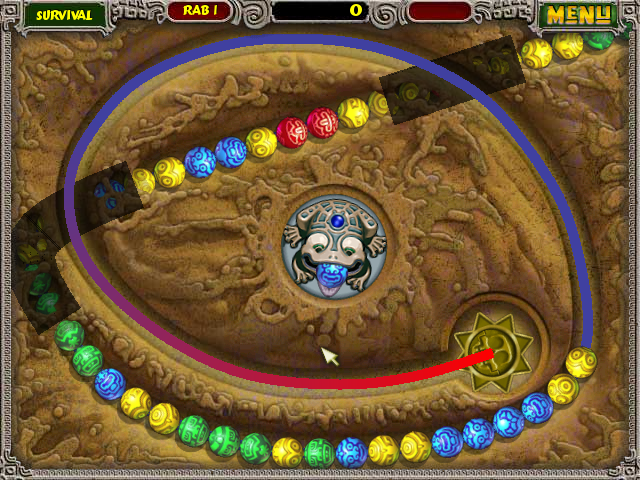
Adding the drawtunnels property draws thick translucent lines that follow the path's tunnels. Adding the drawcurve property draws a line(s) of the path(s), and the color changes every level session.
<Graphics id="underover" curve="underover" image="underover" dispname="Mud Slide" gx="334" gy="247" drawtunnels="true" drawcurve="true">
    <Cutout image="left" pri="1" x="0" y="118" />
    <Cutout image="right" pri="1" x="311" y="0" />
    <TreasurePoint x="76" y="431" dist1="32" />
    <TreasurePoint x="590" y="437" dist1="50" />
    <TreasurePoint x="584" y="100" dist1="60" />
</Graphics>
Powerup Frequencies#
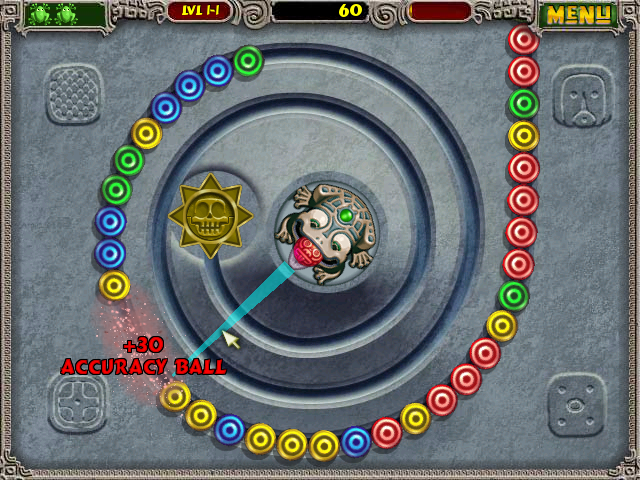
Aside from powerfreq which determines how frequently a powerup appears, accfreq (Accuracy ball), backfreq (Backwards ball), bombfreq (Bomb) and slowfreq (Slowdown ball) are in the game's code and determines how accuracy/backwards/bomb/slowdown frequently appear more than other powerups. The lower the count (all 5 freq properties), the more frequent powerups spawn.
<Settings id="lvl11" speed=".5" start="35" score="1000" repeat="40" accfreq="1000"/>Longer/Shorter Danger Zone Radius#
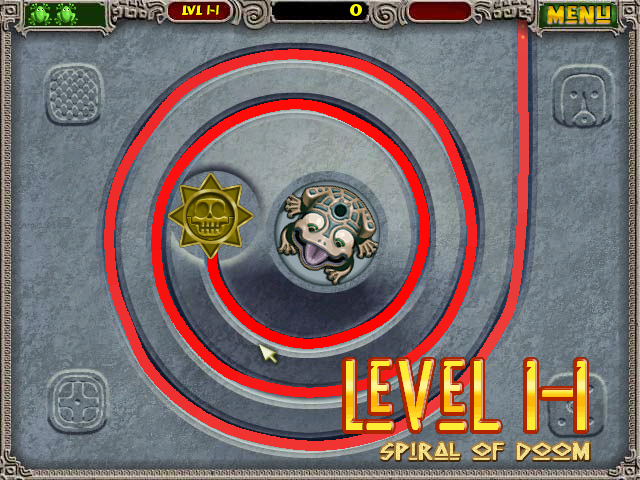
Adding the danger property allows you to edit the radius of the danger zone. The higher the count, the further the radius.
<Graphics id="spiral" curve="spiral" image="spiral" dispname="Spiral of Doom" gx="327" gy="233" drawtunnels="true" drawcurve="true" danger="10000">
    <TreasurePoint x="574" y="403" dist1="0" />
    <TreasurePoint x="75" y="400" dist1="30" />
    <TreasurePoint x="71" y="93" dist1="40" />
</Graphics>
Ball Count#
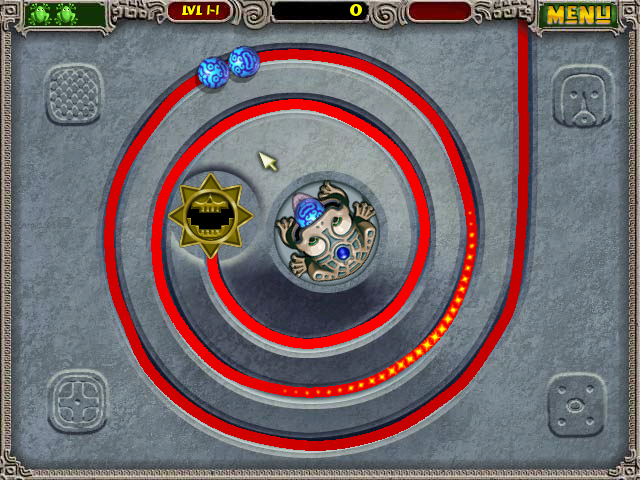
Adding the balls property sets the exact ball count. Completing a level with limited balls without the win condition (the number of points to fill the gauge) fulfilled wins the level regardless if the gauge was filled or not. Negative values give you an instant win.
<Settings id="lvl11" speed=".5" start="35" score="1000" balls="2"/>Destroy All Balls#
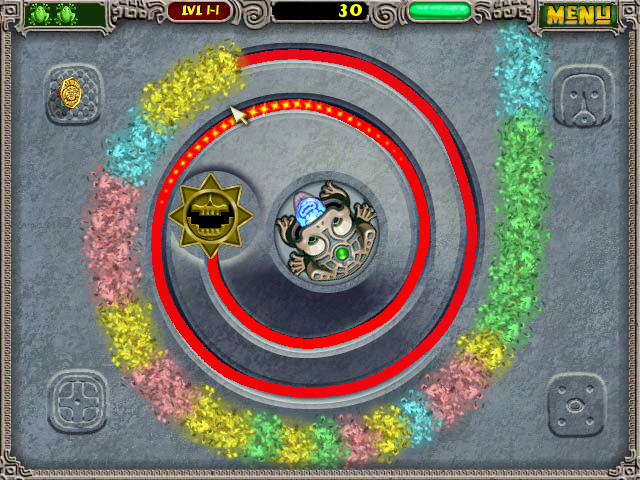
Adding the destroyall property (any value, including 0 and negatives) will destroy all balls in screen once the gauge has been filled.
<Settings id="lvl11" speed=".5" start="35" score="1000" destroyall="1"/>Coin Frequency#
Adding the treasurefreq property determines the chance of a coin appearing. This property uses division, and the value is the divisor (2nd number), meaning 0 as the value crashes the game because it's attempting to divide by zero. The first number (dividend) is unknown. The lesser the value, the higher chance a coin appears.
<Settings id="lvl11" speed=".5" start="35" score="1000" treasurefreq="1"/>Acceleration Rate#
Watch on YouTubeAdding the accrate property (not to be confused with accfreq, which determines accuracy powerup frequency) determines the acceleration rate. Negative values freeze the balls after rolling. If the acceleration rate is in a negative value and the gauge is filled, all of the balls will roll backwards one by one.
<Settings id="lvl11" speed=".5" start="35" score="1000" accrate="1"/>Regional Differences#
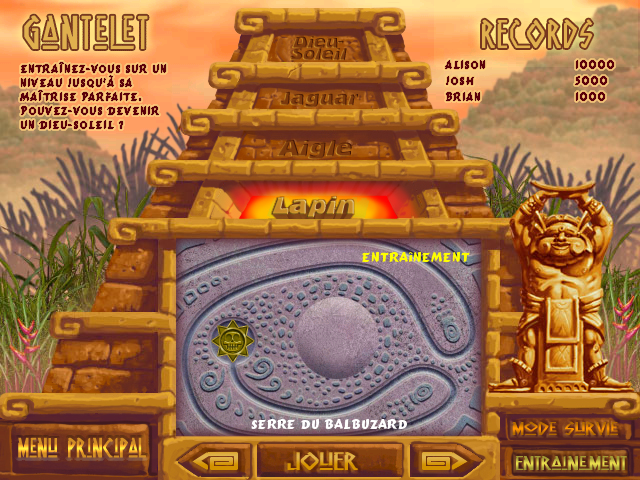
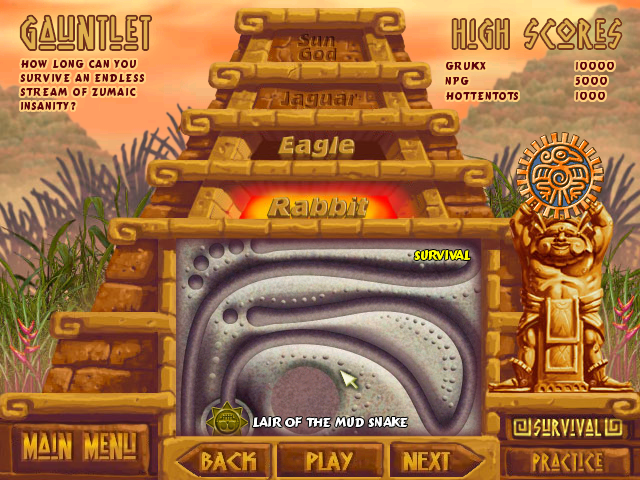
In non-English versions of Zuma, some of the assets have been changed. French is used here for comparison.
Gauntlet Screen#
The English version has text in all of the three buttons (more precisely "BACK", "PLAY" and "NEXT"), while in the French version, only "PLAY" has text and is wider.
French |
English |
|---|---|
 |
 |
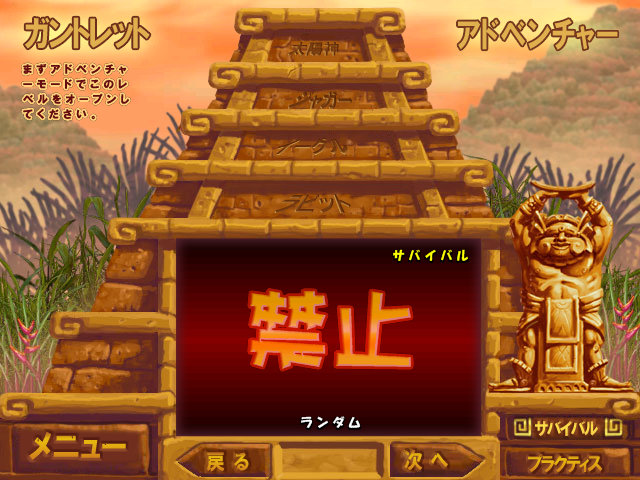
Japanese Version#
The Japanese version of Zuma Deluxe has the Random level locked. Furthermore, the "Locked" text layer is below the red gradient.
Japanese |
English (and other languages) |
|---|---|
 |
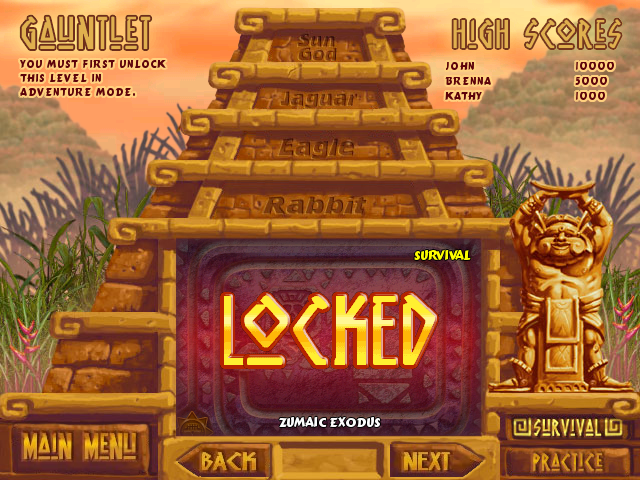 |
Furthermore, the texts below "ガントレット" (Gauntlet) that change depending on the level and mode selected (Locked, Random, etc) are images instead of strings.
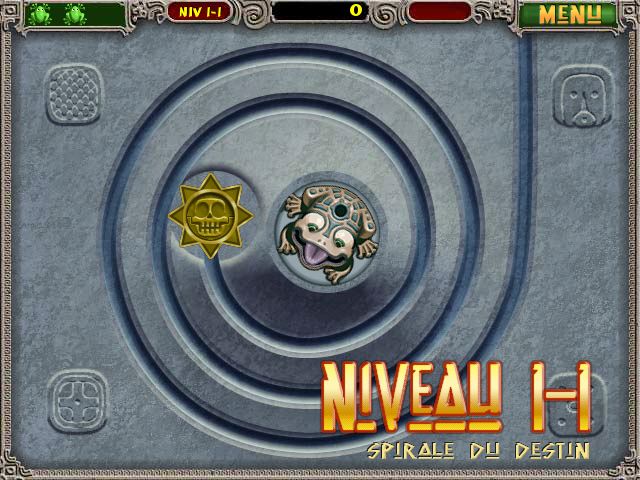
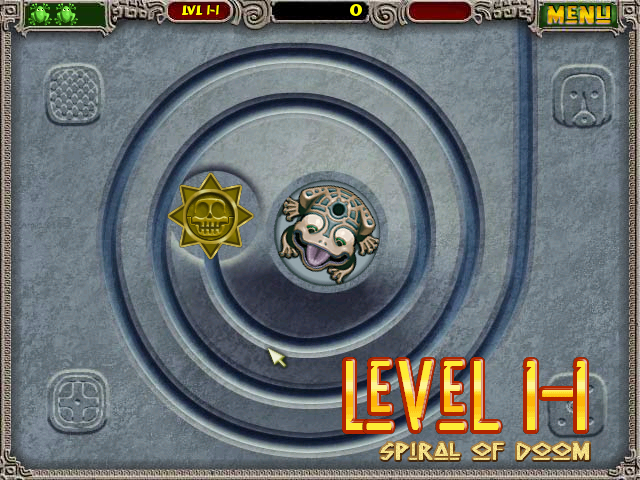
HUD and Fonts#
The French version of NativeAlien48 is more glossy, no font spacing after breaks, and some fonts are "flat".
French |
English |
|---|---|
 |
 |
Internal Project Name#
The game is internally called CircleShoot1.
References#
- CircleShootApp class↩︎
|
The Zuma series | |
|---|---|
|
Windows |
|
|
Mac OS X |
|
|
Adobe Flash |
Zuma • Zuma High Speed Challenge! • Zuma's Revenge! • Zuma Blitz: Kroakatoa Island |
|
Nintendo DS |
|
|
PlayStation 3, Xbox 360 |
Zuma's Revenge! (Prototype) |
|
PopCap Loader |
|