 This article has a talk page!
Debug Options#
Debug Infos#
A few debug displays can be found in this game. Input any of the following GameShark / CodeBreaker codes to enable them.
If activating these codes on a PlayStation 2 console, input this into a cheat device that supports RAW codes. If the cheat device doesn't support RAW, skip this step.
Enable code: 9018F1D0 0C063C1C
USA |
EU |
|---|---|
Enable Debug Info display |
Enable Debug Info display |
Enable Debug Overlay |
Enable Debug Overlay |
Enable Spyro Collision Overlay |
Enable Spyro Collision Overlay |
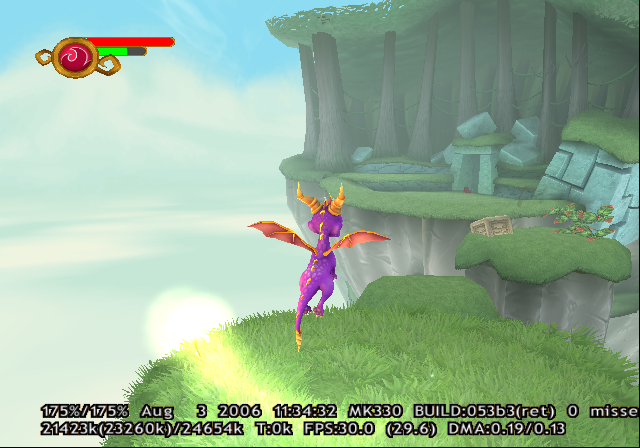

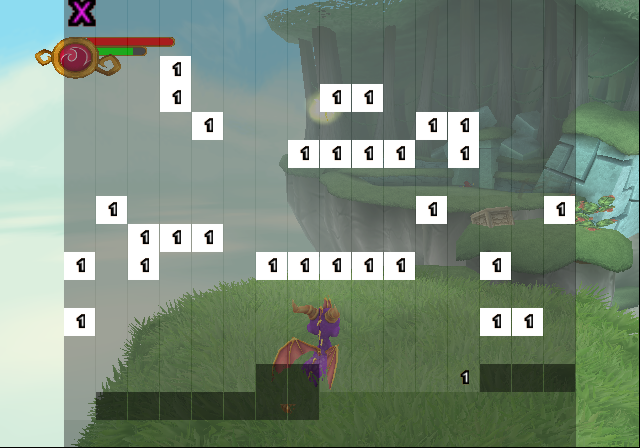
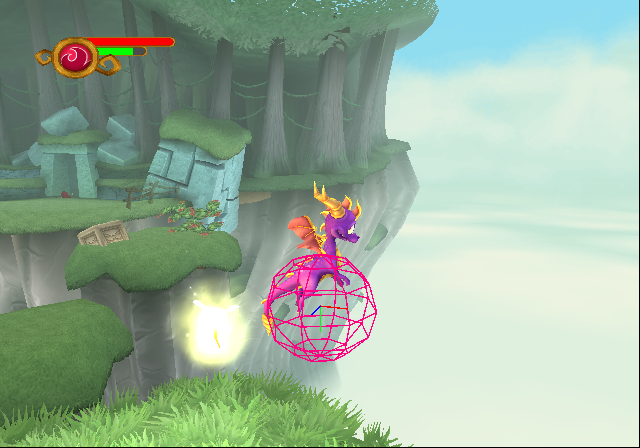
(Source: Original TCRF research)
To show or hide the debug info display at any time in the GameCube version, press D-Pad Up + Z with this Gecko code enabled:
USA |
EU |
|---|---|
0430ea44 60000000 |
0430f294 60000000 |
(Source: Original TCRF research)
Additionally, the GameCube version also has a debug display option for the structure MKCloth. It can be enabled with the following gecko code:
USA |
EU |
|---|---|
0458b7b4 00000001 |
0458c374 00000001 |
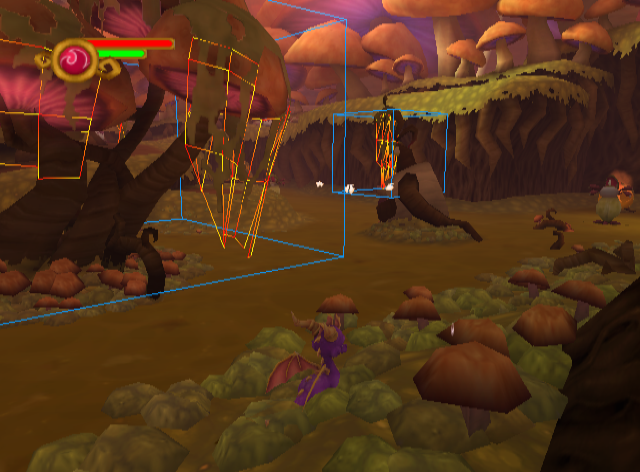
(Source: Original TCRF research)
The GameCube USA and EU release has a full debugging symbol map embedded into spyro06.elf.
Level Select#
A level select menu is available in the game, both inside the main menu and inside the pause screen, along with an option to enable cheats, allowing the player to go to any level in the game (as most level selects do). The player's unlocks change from level to level. The level select can be unlocked using the following GameShark / CodeBreaker codes for the PS2 version of the game.
USA |
EU (English) |
EU (French/German/Italian) |
EU (Spanish) |
EU (Dutch) |
|---|---|---|---|---|
00B24794 00000001 |
00AA5594 00000001 |
00A01594 00000001 |
00A01594 00000001 |
00A01594 00000001 |
It can also be unlocked in the Gamecube version using the following decripted Action Replay codes.
USA |
EU (English) |
EU (French/German/Italian) |
EU (Spanish) |
EU (Dutch) |
|---|---|---|---|---|
00819bb4 00000001 |
0081b334 00000001 |
007cb094 00000001 |
007cb094 00000001 |
007cb094 00000001 |
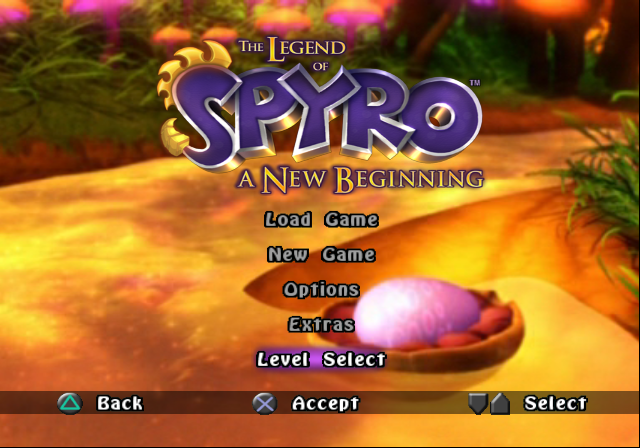
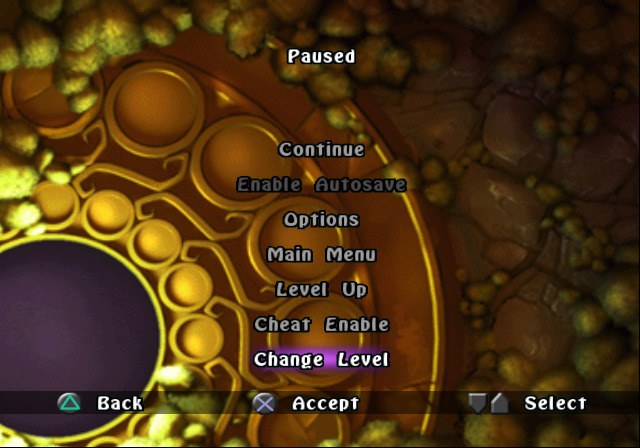
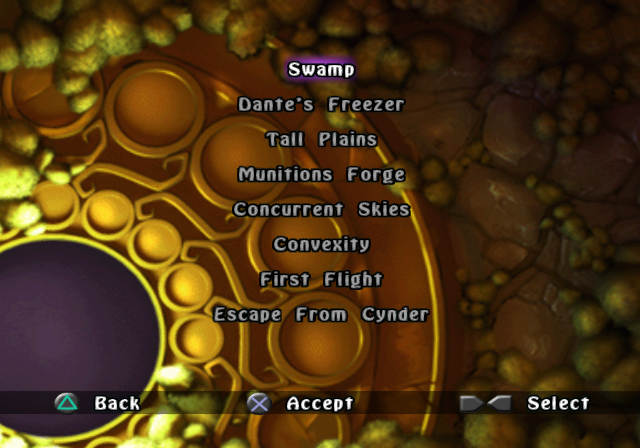
(Source: Original TCRF research)
Autolevelswitch#
Watch on YouTubeThere exists an unused function that loads every chunk in the game in the order they appear in the Level Select before attempting to exit the program. 803e5bc0 (EU) or 803e5100 (USA) needs to be set to 1 in the GameCube version for this to work. It has an effect whenever a level is loaded, and is effective immediately if a level is already loaded. It also displays "Autolevelswitch running..." if enabled before or during a loading screen. Alternatively, if the value is set to 2, Autolevelswitch will stop after the last chunk of the current level instead of loading the next level.
Fast Forward Cutscenes#
Watch on YouTubeThere also exists an unused function that fast forwards most run-time cutscenes, which includes audio modification. 803e5bc4 (EU) or 803e5104 (USA) needs to be set to 1 in the GameCube version for this to work.
(Source: Original TCRF research)
Unused Difficulty Setting#
The game contains an unused difficulty setting called "DDA" (Dynamic Difficulty Adjustment). By default it's set to "2", which doesn't change any of the game's base values. However, by using the cheat code below, you can change the difficulty to be easier or harder.
It's possible that this feature is a leftover from development of the Ty the Tasmanian Tiger games.
Replace the ? with the difficulty number

NTSC PS2
2073d500 0000000?

PAL PS2
2073de78 0000000?

NTSC GameCube
04588198 0000000?

PAL GameCube
04588d50 0000000?
Below are the values for each difficulty setting dumped from the "EnemySettings.ini.bni" file.
Difficulty |
Health |
Armour |
DefensiveMax |
DefensiveHitWeight |
DefensiveDecayRate |
AttackDamage |
AttackDelay |
AttackDefensiveThreshold |
AttackDefensivePenalty |
|---|---|---|---|---|---|---|---|---|---|
0 |
0.25 |
0.25 |
0.25 |
0.25 |
1.5 |
0.25 |
1.5 |
1.0 |
1.5 |
1 |
0.75 |
0.75 |
0.75 |
0.75 |
1.25 |
0.75 |
1.25 |
1.0 |
1.25 |
2 |
1.0 |
1.0 |
1.0 |
1.0 |
1.0 |
1.0 |
1.0 |
1.0 |
1.0 |
3 |
1.5 |
1.5 |
1.5 |
1.5 |
0.75 |
1.5 |
0.75 |
1.0 |
0.75 |
4 |
2.0 |
2.0 |
2.0 |
2.0 |
0.5 |
2.0 |
0.5 |
1.0 |
0.5 |
(Source: Original TCRF research)
Unused Comet Dash Ability#
Watch on YouTubeAn early version of the Comet Dash ability from The Eternal Night exists within the game's code. Instead of being a B-attack for the Fire element, it is instead just a normal melee attack. It posesses the same animation as Spyro's charge, but instead of bonking when colliding with an enemy, it instead pushes through them. It also appears to create a big hitbox that can lunge through a group of enemies.
Below is a cheat code which replaces the function pointers for Spyro's knockup ability with the Comet Dash functions.
Replaces Spyro's knockup ability with the comet dash.

NTSC GameCube
0437d480 800deadc
0437d48c 800dea94
0437d498 800de9bc
(Source: Original TCRF research)
Hidden Cheat#

|
To do: |
Seemingly undiscovered until September 27th 2017, this cheat can be inputted while inside the pause menu.
PS2:
Pause Screen Inputs |
Reward |
|---|---|
Up, Up, Down, Down, Left, Right, Left, Right, R1, L1, R1, R1, Start. |
Grants unlimited Level Up points. |
GameCube:
Pause Screen Inputs |
Reward |
|---|---|
Up, Up, Down, Down, Left, Right, Left, Right, R, L, R, R, Start. |
Grants unlimited Level Up points. |
(Source: Original TCRF research)
Unused Graphics#
A few unused graphics can be found inside the game's files.
Unused Logo#
Prototype Logo |
Hero's Tail Logo |
Final Logo |
|---|---|---|
 |

|
 |
A placeholder prototype logo can be found inside the game's files. One very interesting part is that it is just the logo for Spyro: A Hero's Tail, but with the subtitle replaced with "Quest".
UI Splash#
Splash Image |
Season of Flame Cover Art |
|---|---|
 |
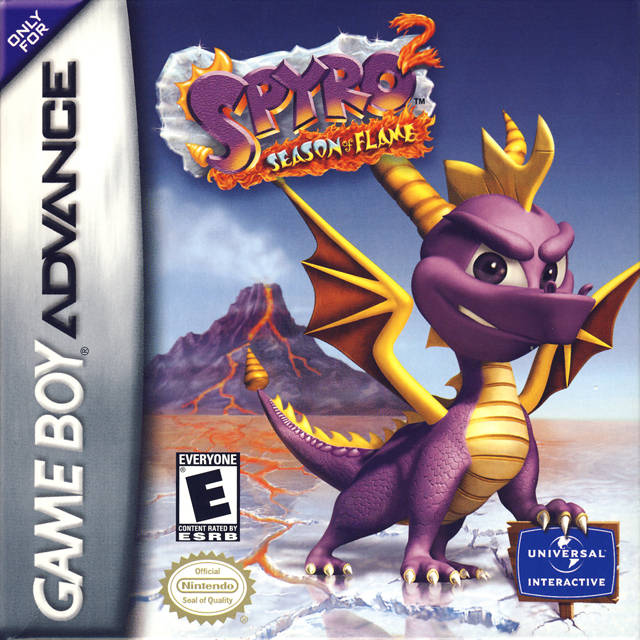 |
An unused UI splash image can be seen in the game's files. This exact render of Spyro can be found on the cover art for Spyro 2: Season of Flame.
UI Gem#

This might've been used as a gem counter early on. However, in the final game, gems are mainly used for health and mana. This icon is the Clear Gem icon lifted from Crash Twinsanity, possibly as a placeholder.
Debug Font#

A debug font texture can be found in the game's files.
(Source: Original TCRF research)
Unused Music#
music_demo.mus#
This is actually the main menu theme from Dawn of the Dragon, but it is in fact in the files of A New Beginning too. However, this version has a few differences in effects and instruments. This might've been used in a demo for the game since it isn't used in the final game.
music_convexity.mus#
This was originally supposed to play in Convexity. Instead, in the final game, no music plays here except during the final boss fight, which uses a different soundtrack. A few seconds of it were used in a cutscene during the final boss fight in The Eternal Night.
Unused Text#
translations.English.txt#
In the fourth section of the translations.English.txt file, is this piece of text. Note that this text is translated through every language that the game is translated into.
TEXT_LEVEL_DEMO=4 Testinggamesounds.inc#
Not very significant, but in the very first line, this piece of text is present.
SOUND_ID(PLACEHOLDER)debugfont10.FontInfo#
Font info for the debug font that can be seen in the unused graphics section.
CharMap = !"#$%&'()*+,-./0123456789:;<=>?@ABCDEFGHIJKLMNOPQRSTUVWXYZ[\\]^_`abcdefghijklmnopqrstuvwxyz{|}~
AspectRatio = 2.5
CharSpacing = -2.0
FontXScale = 1.0
FontYScale = 1.0
Language Files#
There are six language files for English, Spanish, Italian, French, Dutch and German in A New Beginning intended for the EU release. Although there's no option to change the language in the US release, they're still present, and wholly accounted for in the game's files.
(Source: Original TCRF research)
|
The Spyro series | |
|---|---|
|
PlayStation |
Spyro the Dragon (Prototypes) • Ripto's Rage! (Prototypes) • Year of the Dragon (Prototypes) |
|
Game Boy Advance |
|
|
PlayStation 2, GameCube |
Enter the Dragonfly (Prototypes) • A Hero's Tail (Prototypes) |
|
Xbox |
|
|
Nintendo DS |
|
|
PlayStation 4, Xbox One, Nintendo Switch, Windows |
|
|
J2ME |
|
|
Adobe Flash |
|
|
The Legend of Spyro | |
|
PlayStation 2 |
|
|
Xbox, GameCube |
|
|
Wii |
|
|
PlayStation 3, Xbox 360 |
|
|
Game Boy Advance |
|
|
Nintendo DS |
|
|
J2ME |
|
|
Adobe Flash |
|
|
Windows |
|
|
Skylanders | |
|
Wii, Wii U |
Spyro's Adventure (TFB) • Giants (Prototypes) • Swap Force (Prototypes) • Trap Team |
|
Nintendo 3DS |
|
|
Adobe Flash |
|
|
PlayStation 3, Xbox 360 |
Spyro's Adventure (XPEC) (Prototypes) • Giants (Prototypes) • Swap Force • Trap Team • SuperChargers • Imaginators |
|
Xbox One, PlayStation 4 |
|
|
Nintendo Switch |
|
|
HTML5 |
Panel Panic • Mini Mission: Jail Break! • Light & Dark Puzzle Passage! • Splash Circuit |
|
iOS |
|
|
Android |
|
|
Fire OS |
|
|
tvOS |
|
|
Other | |
|
Game Boy Advance |
Spyro Orange: The Cortex Conspiracy • Crash Bandicoot Purple: Ripto's Rampage |
|
Adobe Flash |
|