
|
This needs some investigation. |
TOKIMEKI RunRuns is a casual mobile game featuring members of Nijigasaki High School Idol Club.
Debug Features#
Debug Button#

The title screen has an invisible debug button in the right bottom corner. There's currently no known way to enable it in-game.
Debug Menu#
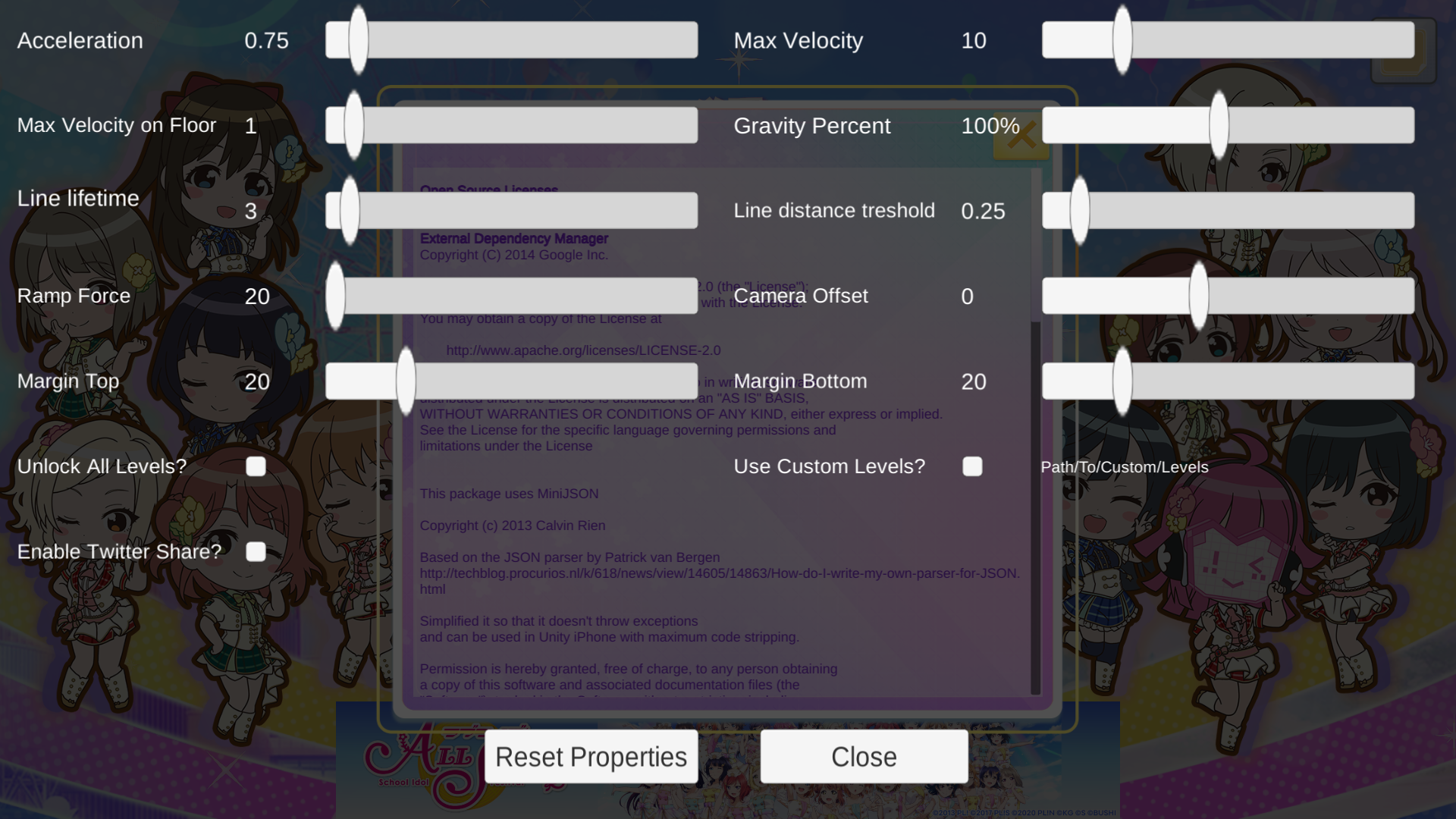
The debug menu is located in the Debug scene. All options are pretty self-explanatory. The custom levels option path is set by the parameter in the Unity Editor and probably activates CustomLevelSelect scene.
Currently the only way to activate the menu is modifying the game code to execute function ScreenManager.ShowDebug(), but it makes buttons unresponsive and moving any slider doesn't change a displayed value.
FPS Counter#
Nearly all scenes (excluding Debug and Splash) contains an invisible FPS Counter in the left bottom corner. As with the debug button, there's currently no known way to enable it in-game.
Unused Sounds#
Results#
As the name suggests, this music would be used after finishing a level when a result screen appears. Instead a level music (InGame.ogg) keeps playing. file:TOKIMEKI_RunRuns-Results.ogg
Oddities#
A platform texture is internally named "Ayumu_tile", which suggests that separate textures for each character were planned.
(Source: Original TCRF research)
References#
- Release announcement on the official website - Love Live! Official website, February 10, 2022↩︎
- App page on Google Play - Google Play, February 7, 2022↩︎
- App page on App Store - App Store, February 10, 2022↩︎
|
The Love Live! series | |
|---|---|
|
Arcade |
|
|
iOS, Android |
Love Live! School Idol Festival ALL STARS • TOKIMEKI RunRuns |
|
Yohane the Parhelion | |
|
Windows, PlayStation 5, Nintendo Switch |
|