 This article has a talk page!
Pretty Soldier Sailor Moon is an alright but rushed beat-em-up released well after fighting games had stolen the genre's thunder, developed by a company that was circling the drain when it was being made and was on its last legs by the time they released it.
Needless to say, the game's a gold mine of unused stuff.

|
To do:
|
Debug Menu#

With any version of the game, enter the following cheat code in sailormnu.xml, sailormnj.xml, sailormno.xml, or any xml file matching up with the ROM's name inside the cheats folder.
<cheat desc="Display Hidden Debug BPSM Test Mode Menu">
    <comment>
        For best clarity, use on the Game Settings menu (F2).
    </comment>
    <script state="on">
        <action>maincpu.pd@10819A=00010001</action>
        <action>maincpu.pb@10A489=00</action>
    </script>
</cheat>
The cheat works best when enabled on either service mode or the ROM check screen upon start-up. Note that after enabling the code, the address automatically changes upon entering any of the submenus below. After leaving the submenus, the game will place the player back to the service mode screen and they have to re-enable the cheat.
The player can enter the submenus by pressing Player 1's Button 1.
BG0, BG1, and BG2 Character Tests#

These allow the player to see the individual tiles that make up the backgrounds. Pressing Left and Right changes the palette, while Up and Down change the offset the player is looking at by 0x80.
Object Test#

This allows the player to look at all of the sprites. Player 1 changes the sprite on the left, while Player 2 changes the sprite on the right. Up and Down change the sprite the player is looking by 0x10, while Left and Right change it by 0x1.
Map Area Test#

The player can look at the various background layers and can combine multiple layers. Player 1 controls the BG0 layer, while Player 2 controls the BG1 layer.
World Map Test#

See the assembled maps. Player 1 controls which screen to see, while Player 2 controls where the screen is positioned with the joystick.
Animation Frame Test#

See the animation frames that make up the animations seen below.
Animation Test#

Play the animations as they would in game with Button 1. 39 unique options are listed, though the ones after 30 don't seem to work.
Windows Test#

See the game's portraits and dialogue boxes. Interestingly, out of the 116 viewable portraits, only one is actually used in the game itself (and only in the Japanese version). Some of the dialogue boxes seem to list 4 blank options, which may indicate the game was intended to have selectable dialogue options at some point.
Sound Test#

Play the game's assortment of music. To the left of the screen are volume bars representing the individual sound channels.
Exit to Game Mode#
As the name implies, the player goes back to the regular game.
(Source: Abystus)
Unused Music#
Quite a few songs can be found in the Sound Test that never play in-game.
Sound Test ID |
Music |
Notes |
|---|---|---|
0001 |
Listed between the character select theme and first level theme in the Sound Test. May have been intended as an intro cutscene theme. |
|
0006 |
An extended rendition of Tuxedo Mask's theme. May have been intended for a cutscene. |
|
000F |
A unique song about the same length as the prior themes. May have been intended for a cutscene. |
|
0016 |
A unique somber composition. May have been intended for the scrapped ending cutscene. |
|
001A |
A composition about as long as the stage themes that seems to quote Tuxedo Mask's theme. |
|
001B |
A unique composition. Purpose unknown. |
|
0021 |
A version of the credits theme without the intro. |
|
0022 |
A sped up version of the credits theme. |
|
0023 |
Another sped up version of the credits theme. |
|
0024 |
Tuxedo Mask's theme. This is used during the Morga boss cutscene in Round 2, but the latter 10 seconds are cut off in-game. |
|
0027 |
An alternate rendition of the credits theme. Is notably listed right next to said credits theme in the Sound Test. |
|
0028 |
A song that starts with Tuxedo Mask's theme before cutting to an intro-less version of the Morga boss theme. Separate versions of the two songs are used in-game. |
|
Unused Graphics#
|
|
To do: |
Magic Attacks#


Originally, the Sailor Guardians were supposed to perform their magic attacks with their in-game sprites. The final game instead uses cels from the 90s anime.
(Source: The Spriters Resource)
Sailor V#
|
Full Sprites |
Isolated Sprite Layer |
|---|---|
|

|
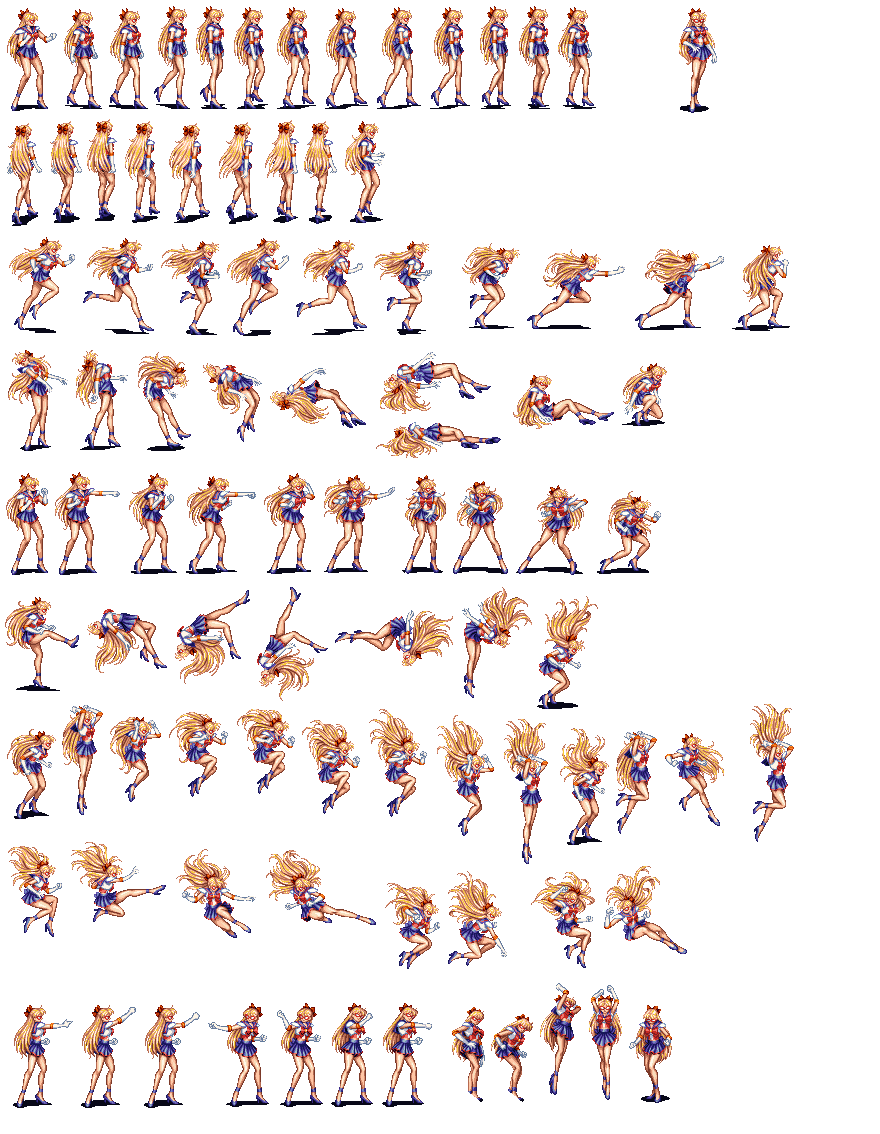
A curious set of sprites that can be overlaid on Sailor Venus to form a complete spriteset of her alternate alias, Sailor V. May have been intended for a specific level in Venus' campaign or as a secret bonus costume for her.
Dialogue Portraits#
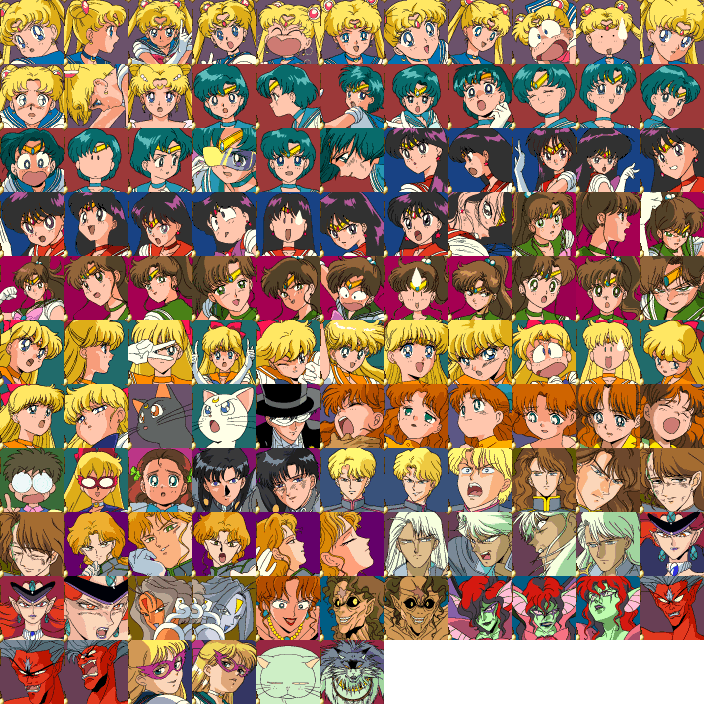
A massive assortment of portraits meant for dialogue in cutscenes. Of the 116(!) portraits seen here, only one is used for the final game's singular cutscene (mentioned below). The existence of all these portraits suggests that the game was intended to have a great many more cutscenes between levels, and/or dialogue displayed during levels.
Ending Cutscene Graphics#
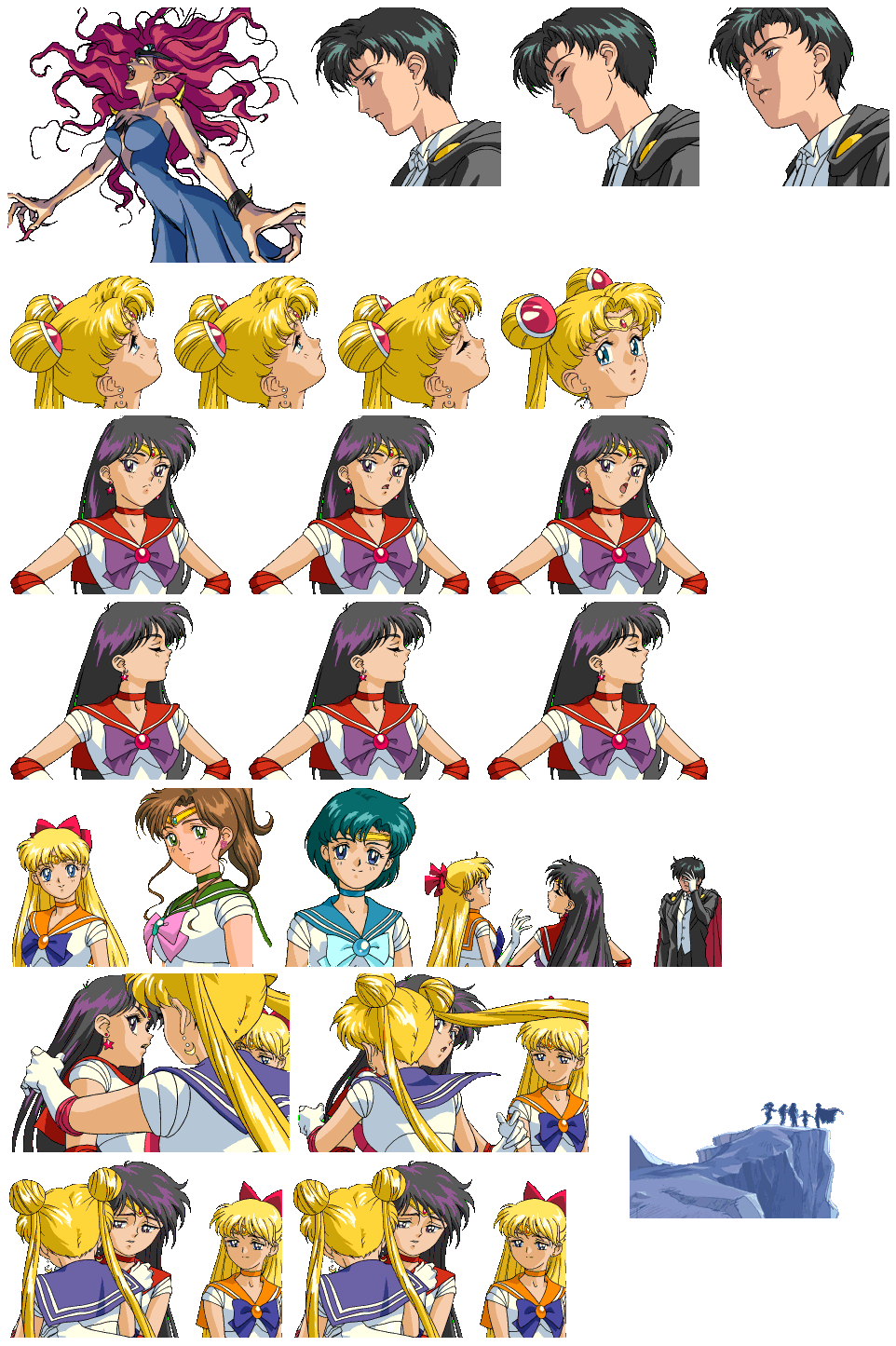
A set of sprites meant for a scrapped ending cutscene. The final game immediately cuts to credits after defeating the final boss, Queen Beryl. Curiously, the Animation Test contains a Queen Beryl option and 8 Ending options at the end of the list that do not seem to do anything when selected. They were likely intended to use these sprites.
Regional Differences#
Round 3 Intro#
Between Rounds 2 and 3 is an unskippable cutscene of Queen Beryl watching your Sailor through a crystal ball with Jadeite in the background. The Japanese version notably features the only two lines of dialogue used in the game, specifically between Beryl and Jadeite, including a dialogue portrait for the latter. These are not used in any other version of the game.


Transcript |
Translation |
|---|---|
セーラー戦士だと・・・ |
Who are the |
その者たちの始末、この |
Leave this one for Jadeite |
(Source: Gaming Hell)
|
The Sailor Moon series | |
|---|---|
|
Game Boy |
|
|
SNES |
|
|
TurboGrafx-CD |
Bishoujo Senshi Sailor Moon • Bishoujo Senshi Sailor Moon Collection |
|
Genesis |
|
|
Game Gear |
|
|
Arcade |
|
|
Windows |
|
|
Nintendo DS |
|