
|
This page contains no introduction. |
Debug Menu#

|
This needs some investigation. |
(Source: ImJustATester)
A debug menu can be enabled with the following CWCheat codes:
ULUS10129 (US) |
ULES00368 (Europe) |
|---|---|
|
|
When enabled, pressing Start will open a debug menu instead of the typical pause menu.

Several of the entries yield additional options when selected:
 |
 |
 |
 |
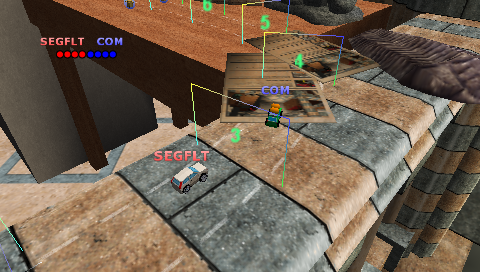
Show Lap Data#
When enabled, the Show Lap Data option draws numbered checkpoint information on the track.
Havok#
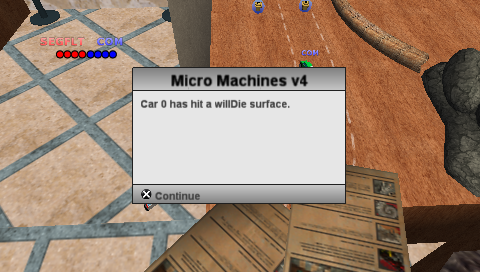
Message on Willdie#
When this option is enabled within the Havok menu, a message will appear when a car falls off the level.
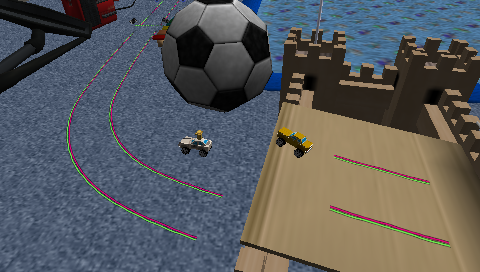
Panel Render#
Disabling Panel Render removes all panels from the in-game display.
Win/Lose Race#
As expected, selecting these options makes you immediately win or lose the current race.
|
The Micro Machines series | |
|---|---|
|
NES |
|
|
SNES |
|
|
Game Boy (Color) |
Micro Machines • Micro Machines 1 and 2: Twin Turbo (Prototypes) • Micro Machines V3 |
|
Sega Master System |
|
|
Game Gear |
|
|
Nintendo 64 |
|
|
PlayStation |
|
|
Game Boy Advance |
|
|
Nintendo DS |
|
|
PlayStation Portable |
|