This is a sub-page of Mario Super Sluggers.

|
To do:
|
Stadiums#
Mario Stadium#
Day Chalk Letters#
Day |
Night |
Main Menu |
Challenge Mode Map |
|---|---|---|---|
 |
 |
 |
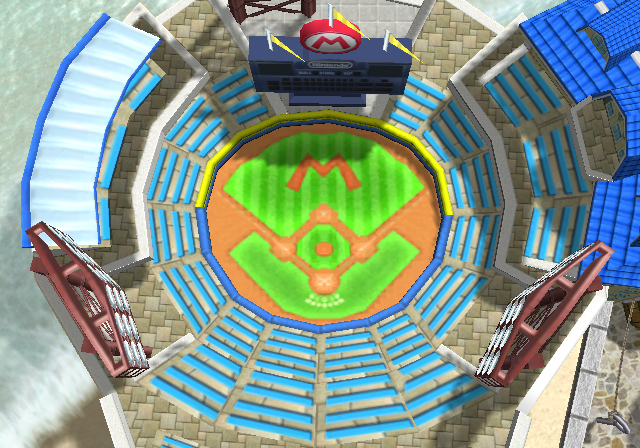 |
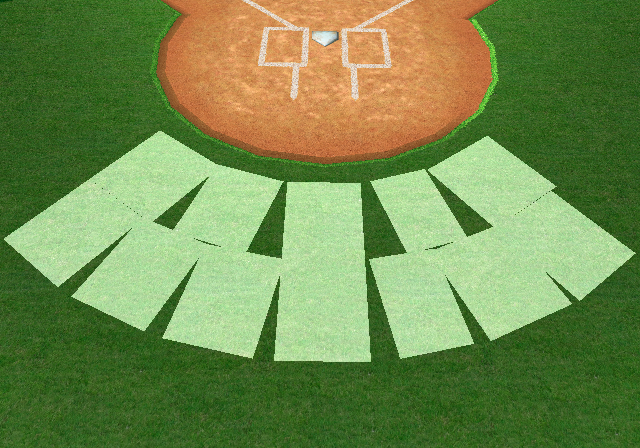
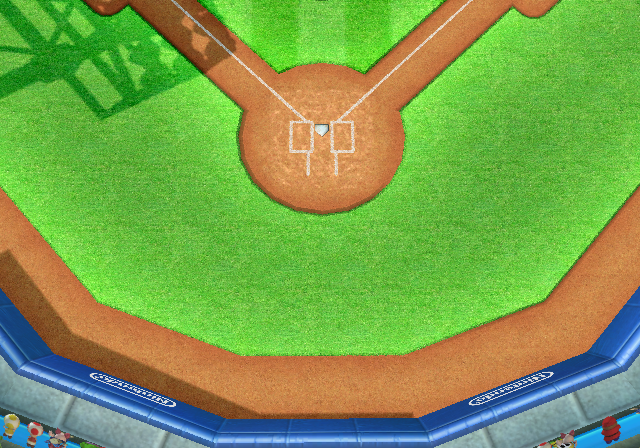
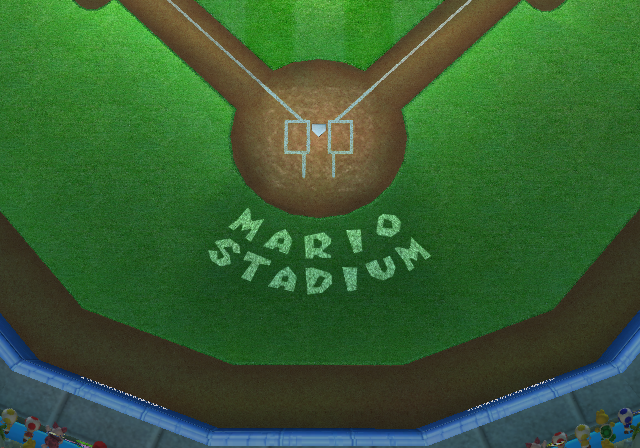
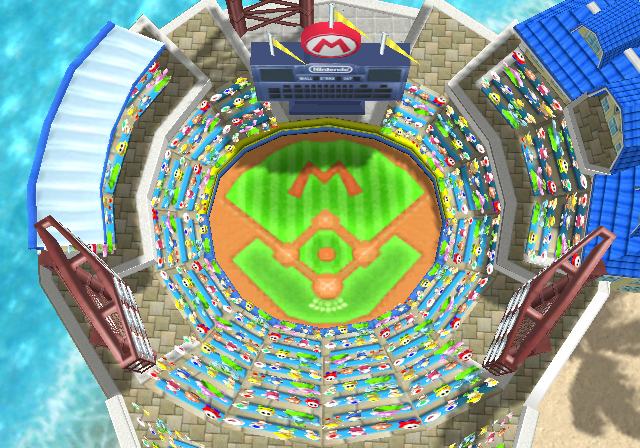
In the night, main menu, and Challenge Mode versions of Mario Stadium, there are stencil letters visible behind home plate that spell out "MARIO STADIUM". For some odd reason, these stencil letters aren't present in the day version. The geometry for the stencil letters exist in both the night and day versions, but the day version places the letters underneath the grass, hiding it. The day version also contains no textures for the stencil letters, even though the texture for the stencil letters still exist in the files for the day version, albeit unused.
Night Preview Image#
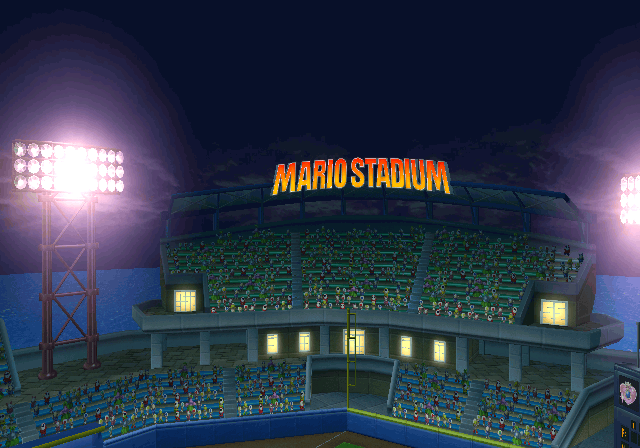
In the bottom right corner of the preview image for the night version of the stadium, the scoreboard displays the team logo for the Peach Monarchs as the opposing team. This will show up whenever the stadium loads, no matter which team the player uses. This is unlike the day version, which has the logo part of the scoreboard empty in place where the logos will load in-game.
Vertex Coloring Error#
|
Normal |
Vertex Colors |
|---|---|
|
|
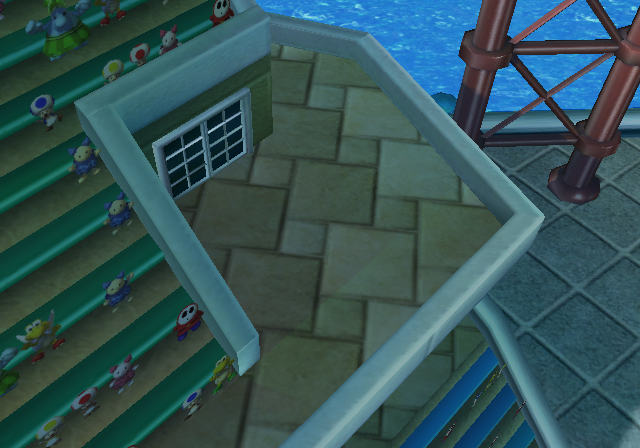
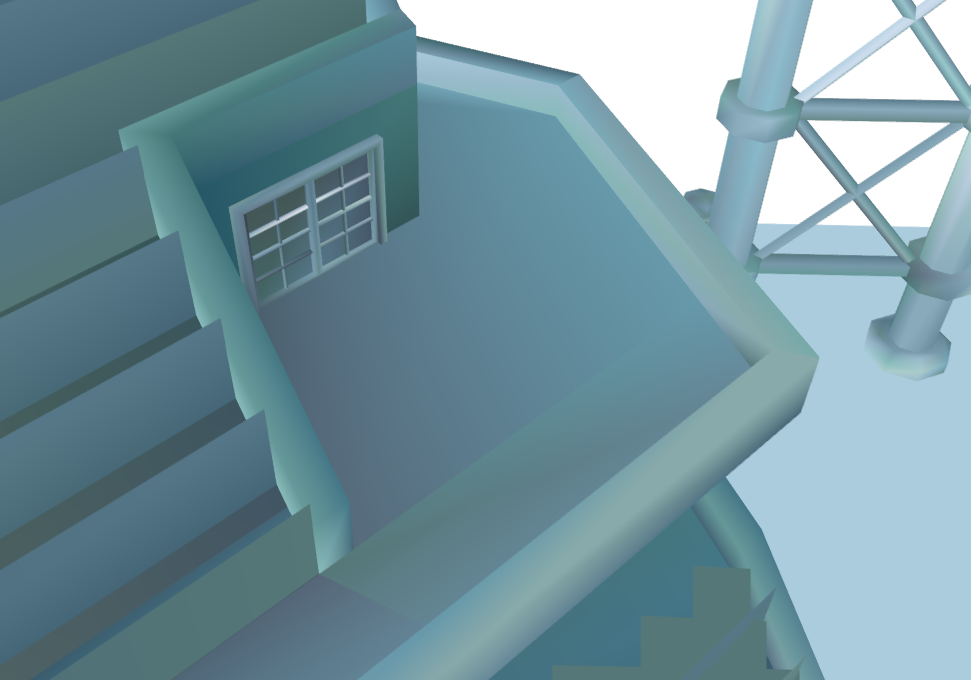
There is a single polygon on the top-left side of the stands that is incorrectly vertex colored, which doesn't match with the rest of the bricks. This can be easily seen when viewing the vertex colors of the stadium model.
Beach House Ridge UV Mapping Error#
|
Day |
Night |
|---|---|
|
|
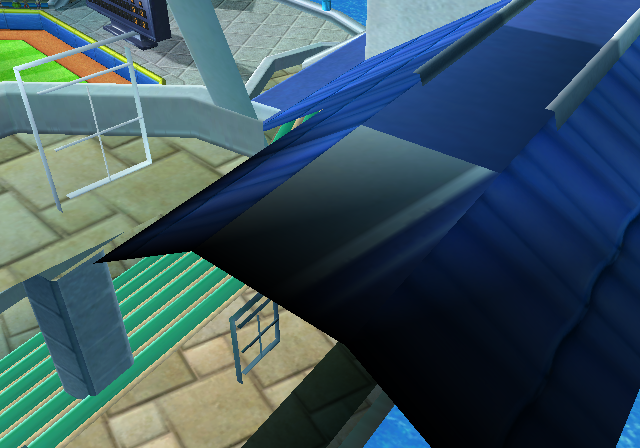
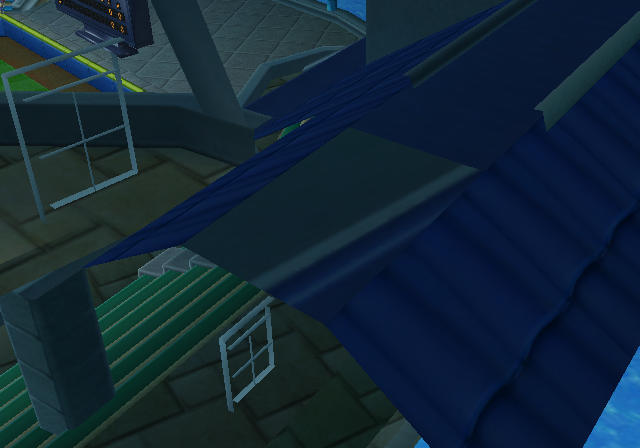
In both the day and night version of the stadium, there is a single part of the ridge inside of the beach house which has its texture incorrectly mapped, revealing the sides of the beach house.
Main Menu Audience Texture#
|
Main Menu |
Stadium |
|---|---|

|
|
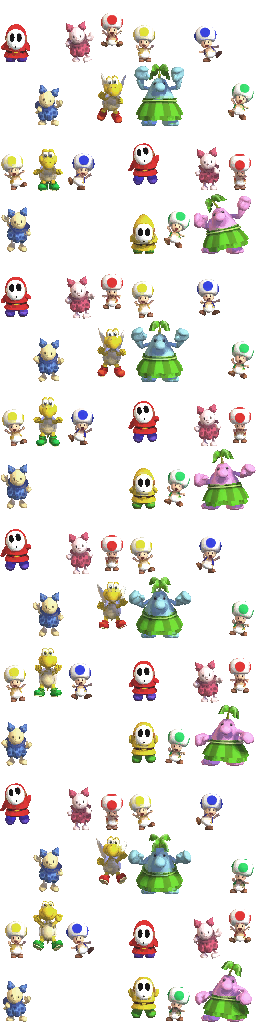
In the Main Menu, the audience texture seen in Mario Stadium has Goomba and Boo. The stadium, both the day and night version, does not have Goomba and Boo in the audience texture. This is a leftover from the early version of Mario Stadium (Night), as said texture was reused from Mario Superstar Baseball. Notably, the final audience texture has a few gaps in place where Goomba and Boo would be placed.
Peach Ice Garden#
Purple Vest Green Toad#
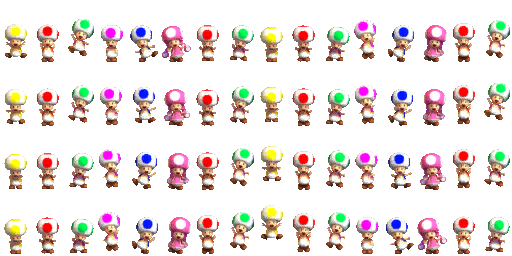
In Peach Ice Garden, the green Toad seen in the audience has a purple vest instead of a green one.
Backface Culled Trees#
|
Day |
Night |
|---|---|
|
|
|
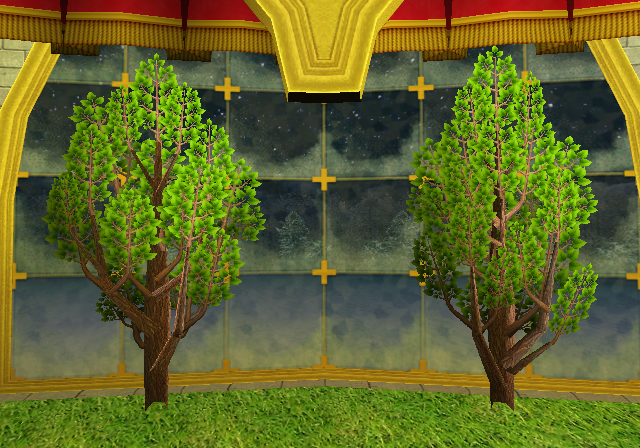
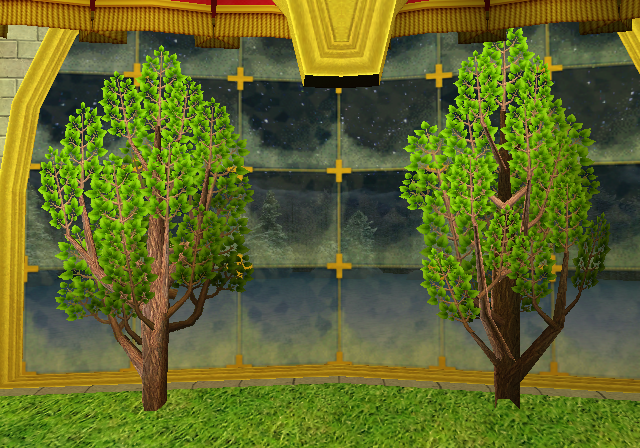
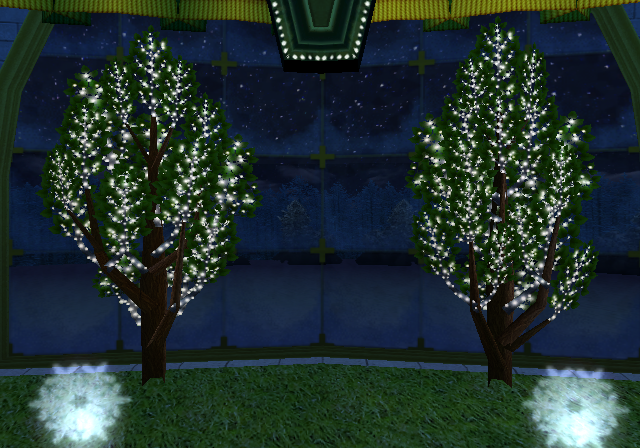
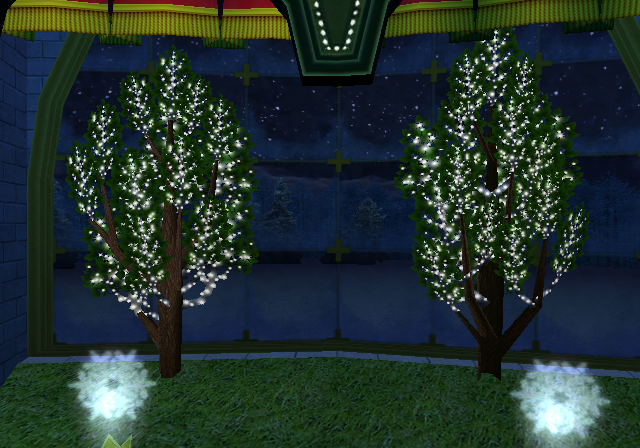
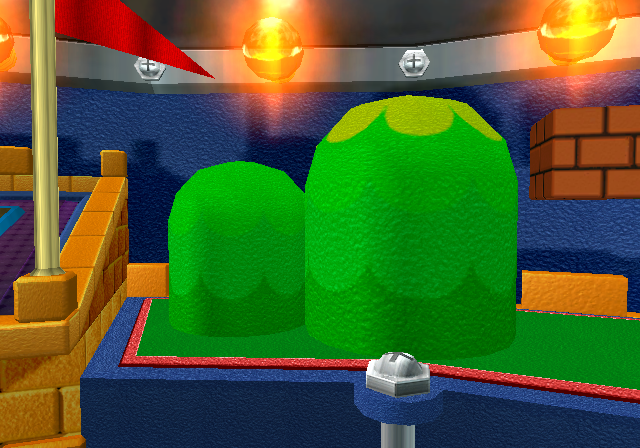
Three trees seen in the background of Peach Ice Garden have their normals flipped, meaning that the inside of the trees can be seen instead of the outside. Not every tree has this culling error, as the one on the right side of the stadium closest to the banner has it's normals set correctly, so that the inside isn't seen during gameplay. This oddity is present in the night version as well.
Night Reflection Vertex Coloring#
|
Normal |
Vertex Colors |
|---|---|
|

|
In the night version, although hard to see due to the ice texture obscuring it in-game, some dark areas can be noticed in the reflection of the stadium's ceiling. When viewing the vertex colors of the stadium, the dark areas are caused by the reflection texture being incorrectly vertex colored to be red instead of white. This is not present in the day version, as the reflection has no vertex colors in it.
Wall Collision Model#
|
Visual Model |
Collision Model |
|---|---|
|
|
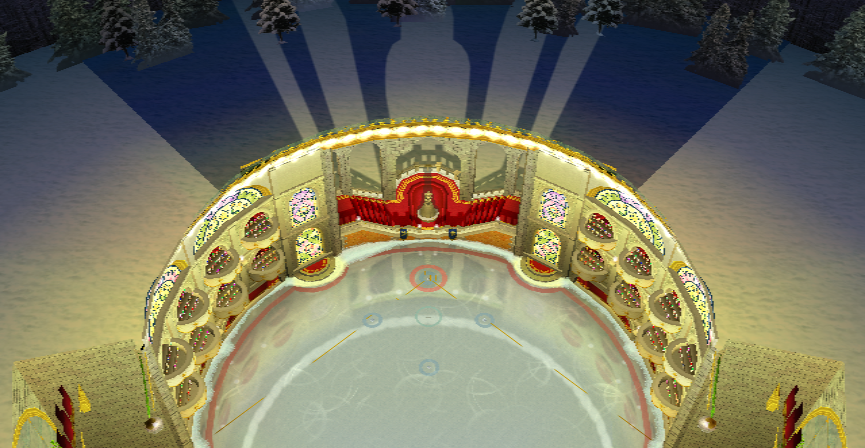
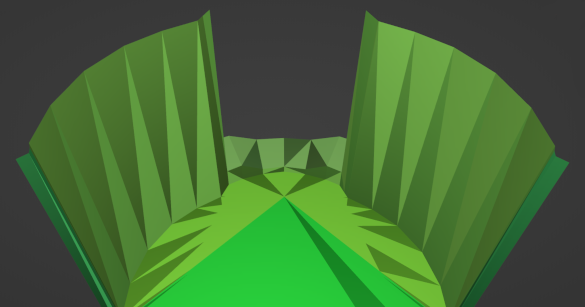
When viewing the collision model for the stadium, the foul boundaries for the walls on the sides extends farther up than the Ice Garden itself. This goes for both the day and night version, since the collision model is shared between both versions.
Yoshi Park#
Shadow Textures#
|
Model (Without Vertex Colors) |
Model (With Vertex Colors) |
|---|---|
|
|
|
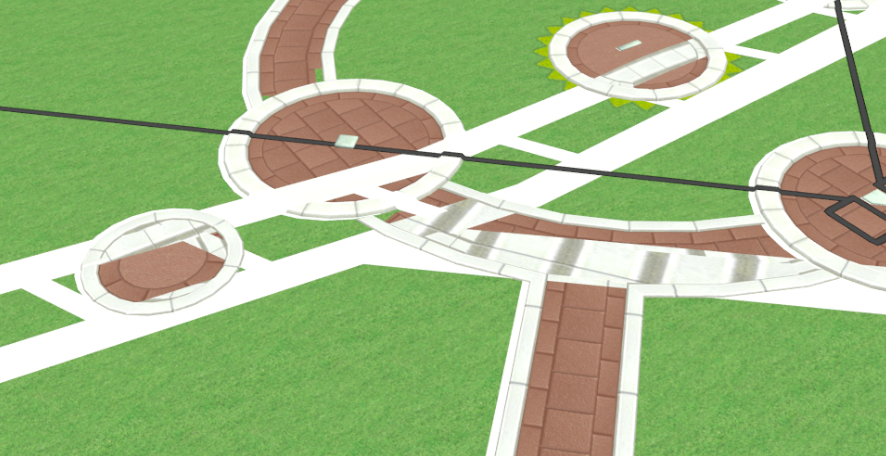
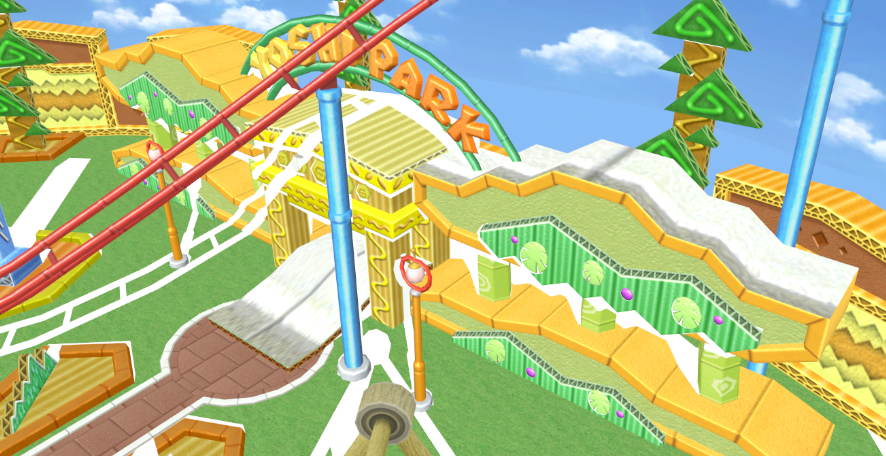
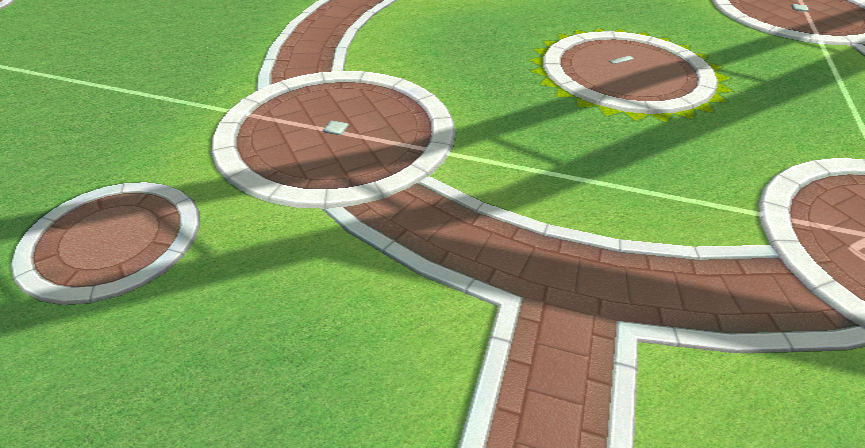
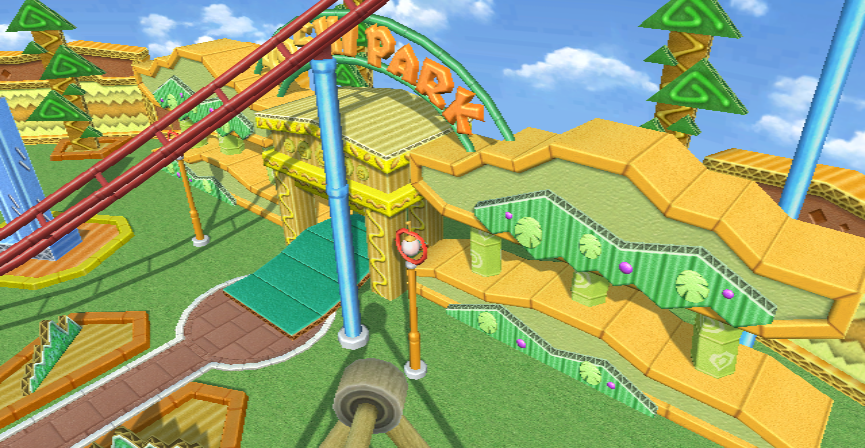
The texture for the shadows in Yoshi Park (Day) are a white circle (reused for the shadows for the purple berries in the background), but there are a few exceptions to this. Instead of using the same texture, the shadows seen in the brick trail inside the infield, as well as the background structure with the "YOSHI PARK" sign reuse the white brick texture.
Notably, the brick texture shadows in the background structure aren't seen in-game, due to the alpha vertex coloring being set to be fully transparent.
Structure Pillars#
|
Day |
Night |
|---|---|
|
|
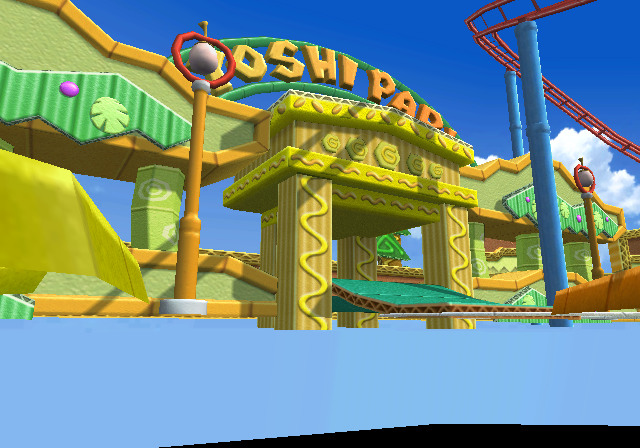
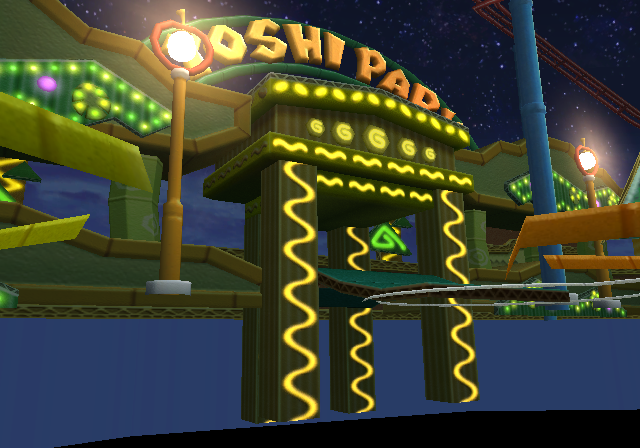
In the night version of Yoshi Park, the background pillars for the structures in the background extend father though the ground, than in the day version.
Wario City#
Discolored Canopy#
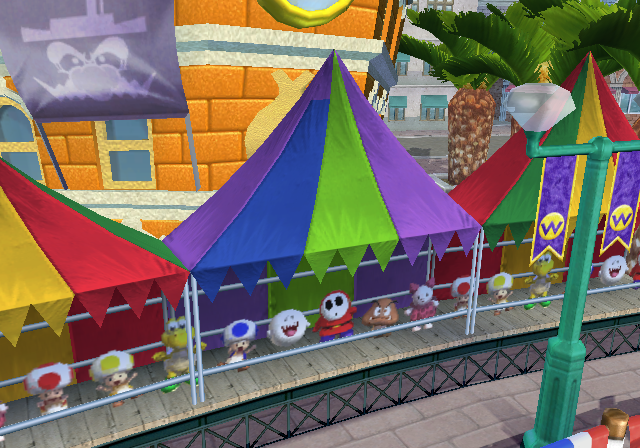
In the day version of Wario City, there is a canopy on the right side of the stadium that appears discolored. This is due to the fact that the canopies are vertex colored, and the top of the blue side of this canopy is incorrectly colored to appear purple.
Garlic Reflection Texture#
Day |
Night |
|---|---|
 |
 |
 |
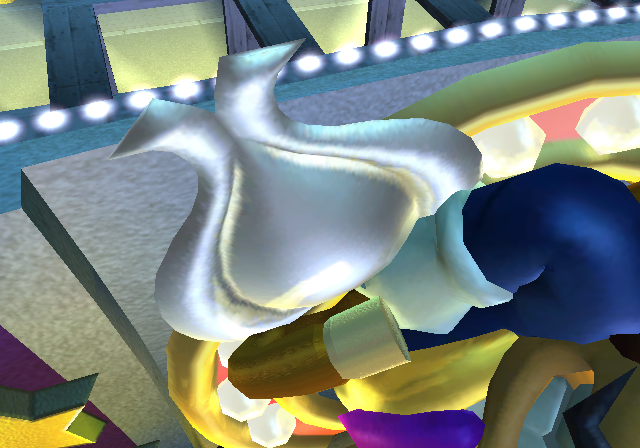 |
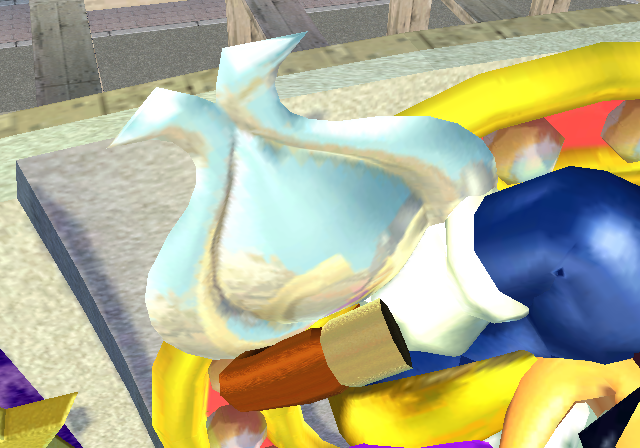
In both the day and night versions of the stadium, the reflection texture for the garlic has the vertex colors for the cane missing.
Luigi's Mansion#
Mansion Gate Shadows UV Error#
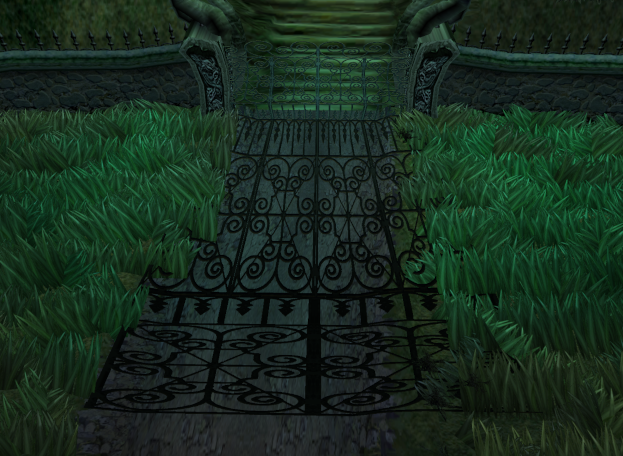
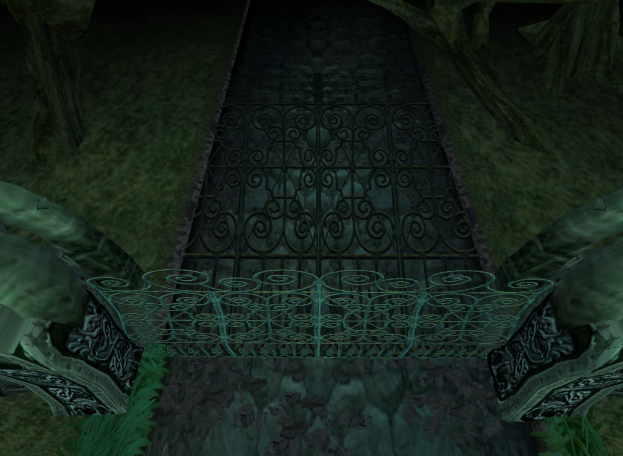
In Luigi's Mansion, the shadows for the mansion aren't casted correctly. The bottom half of the mansion gate shadows are casted correctly, with the exception of the top half of the gate. Instead, the shadow for the top of the gate simply repeats the bottom of the gate texture. This is most likely a UV mapping error with the gate texture.
Ghost K Baseball Filenames#
In the Ghost K Minigame, the colored baseballs each player throws at the ghosts are internally named daisy_ball_red, daisy_ball_blue, daisy_ball_yellow, and daisy_ball_green for each colored baseball respectively. This suggests that the Ghost K Minigame was originally going to be a minigame that may have taken place in Daisy Cruiser, before being changed to a minigame located in Luigi's Mansion.
Daisy Cruiser#
Mid-Inning Camera Transitions#
For some reason or another, the day version of Daisy Cruiser is the only stadium to not fade between camera angles during the mid-inning flyovers while changing sides, instead abruptly cutting to the next camera during the flyover.
Night Cruiser Reflection Rendering Error#
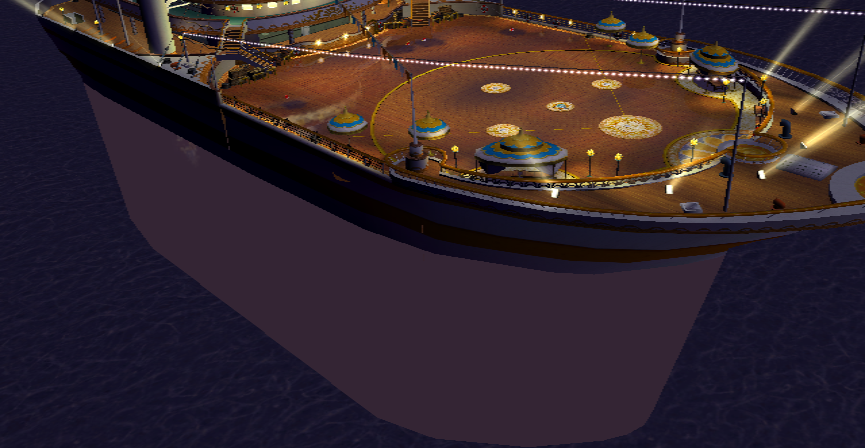
The reflection seen in the night version clips and renders through the water, something which the day versions reflection doesn't do, as the water in that version renders in front of the reflection. This can be seen easily when the camera flies over the side of the cruiser during the start of an Exhibition game.
Bowser Jr. Playroom#
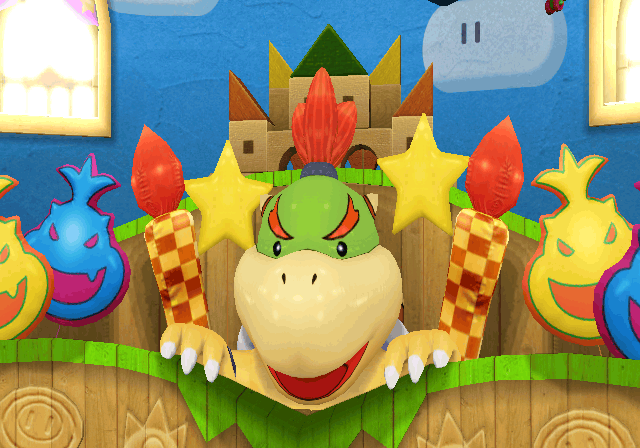
Unseen Wall Clouds#
Preview Image |
In-game |
Clouds (In-game) |
|---|---|---|
 |
 |
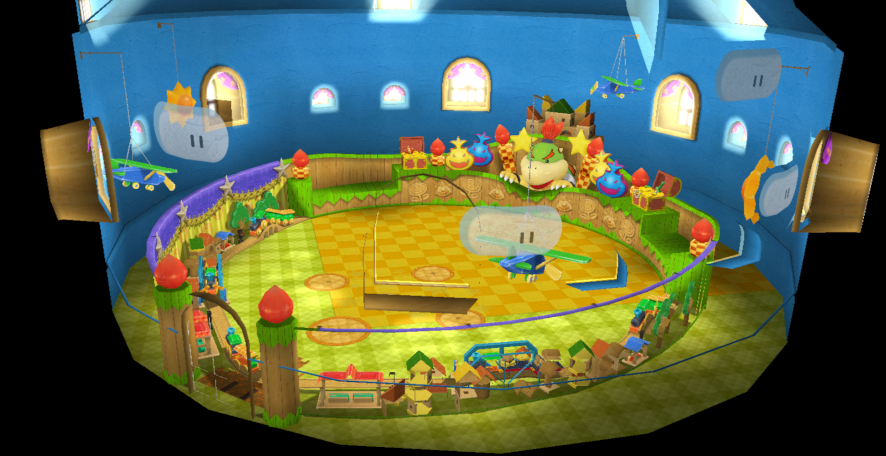 |
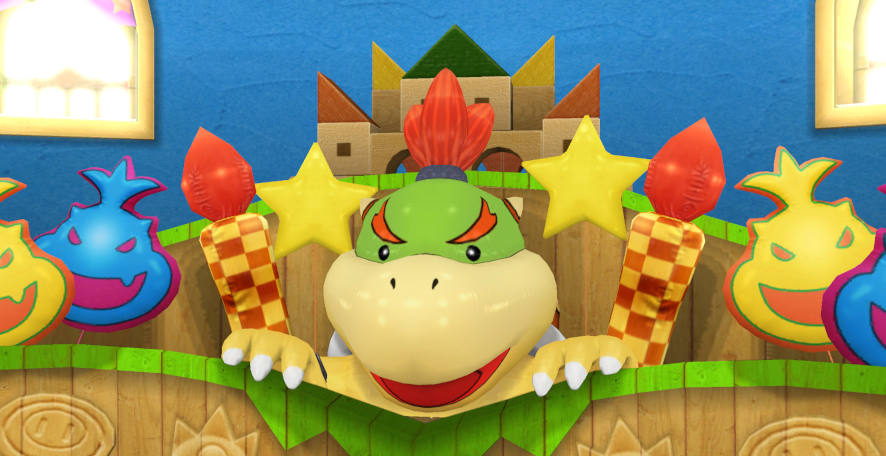
In the preview image for Bowser Jr. Playroom, there are clouds on the walls that can be seen behind the Bowser Jr. statue. However, the stadium model, when loaded in-game, does not have the clouds present. The toy airplane in the preview image is placed down a bit, but is placed father high up in the stadium model. The model for the clouds can be seen by zooming out of the stadium model. The model name for the clouds is oddly named D02_ground04, and has it's culling set to "Backface", which explains why it can only be seen outside of the stadium instead of the inside.
Misplaced Objects#
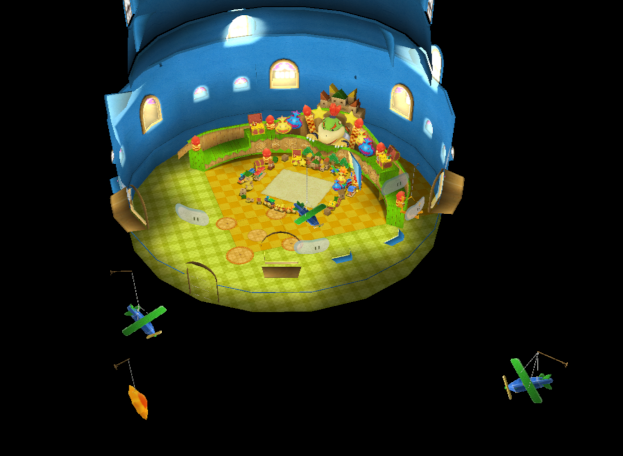
In the minigame version of Bowser Jr. Playroom used in the Graffiti Runner minigame, there are a few misplaced toy airplanes and toy suns from the normal version of the stadium that can be seen out of view, and outside of the stadium model.
Toy Field#
Hill Texture#
|
Ripped Texture |
In-game Texture |
|---|---|

|
|
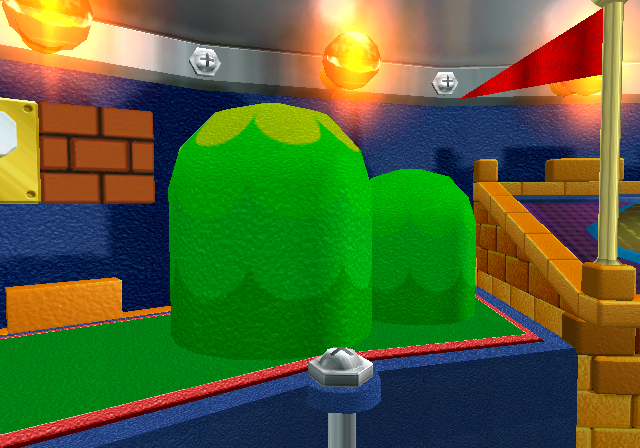
The texture for the hills in Toy Field is strangely inverted, but has it's colors reverted to appear green in-game. This texture oddity goes for the early version of Toy Field as well.
Coin Panel Filenames#
In Mario Superstar Baseball, the panels in Toy Field would advance the runner lights depending on the number the ball landed on. In Mario Super Sluggers, this was changed to the amount of coins you can earn. Although the panel functions were changed in this game, their filenames still reference their function in Mario Superstar Baseball when landed on.
Panel Type |
Filename |
Panel Type (Mario Superstar Baseball) |
|---|---|---|
30 Coins |
G_HIT_01 |
Base Hit (HIT) |
60 Coins |
G_2BHIT_a_01 |
Two-Base Hit (2B HIT) |
90 Coins |
G_3BHIT_01 |
Three-Base Hit (3B HIT) |
150 Coins |
G_HR_01 |
Homerun (HR) |
Playable Characters#
Mario#
Shoe UV Mapping Error#
Model (Low-Poly) |
Texture (UV Map) |
|---|---|
 |
 |
Model (High-Poly) |
Texture (UV Map) |
|---|---|
 |
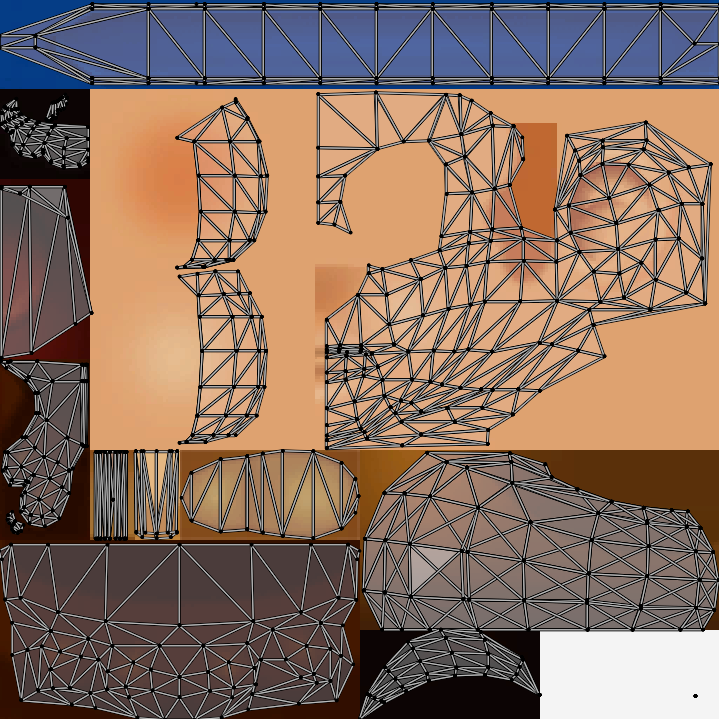 |
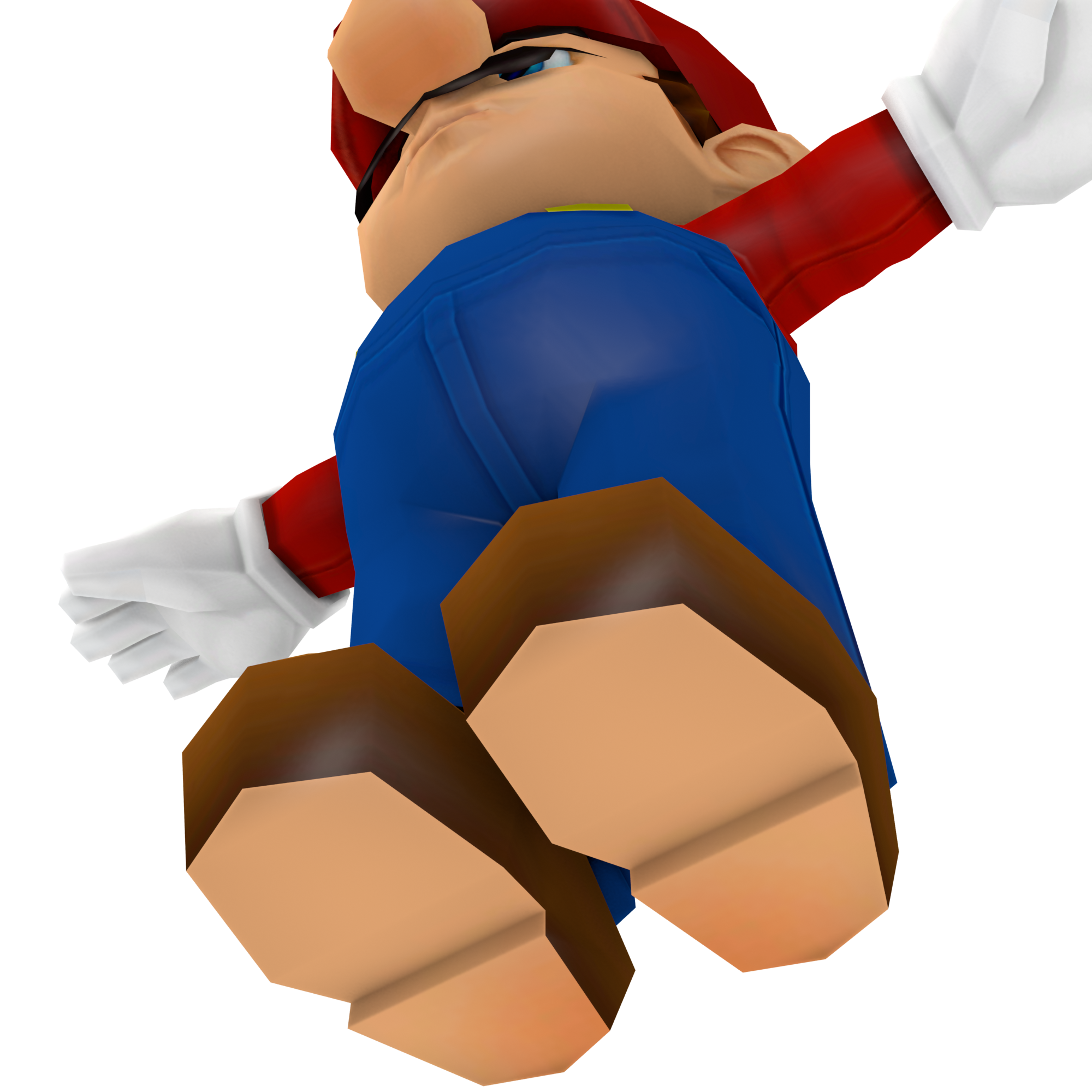
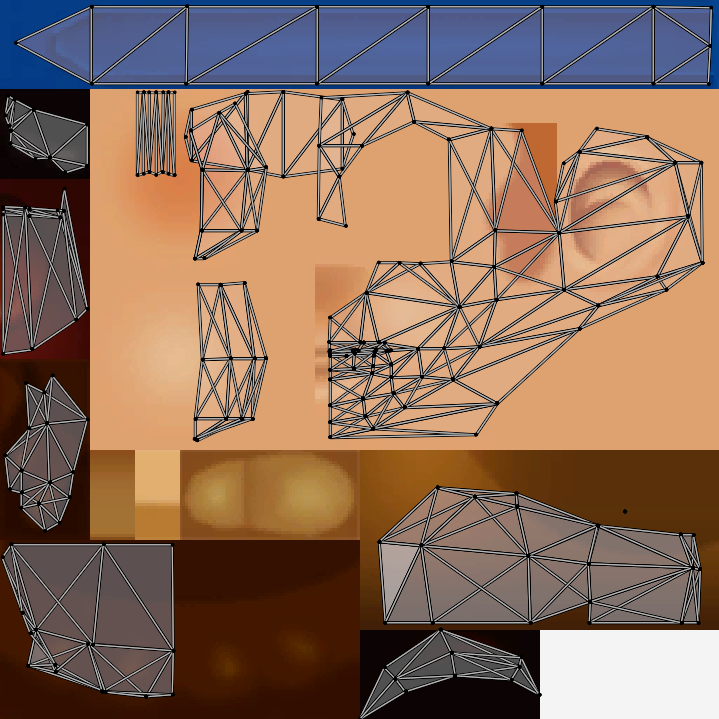
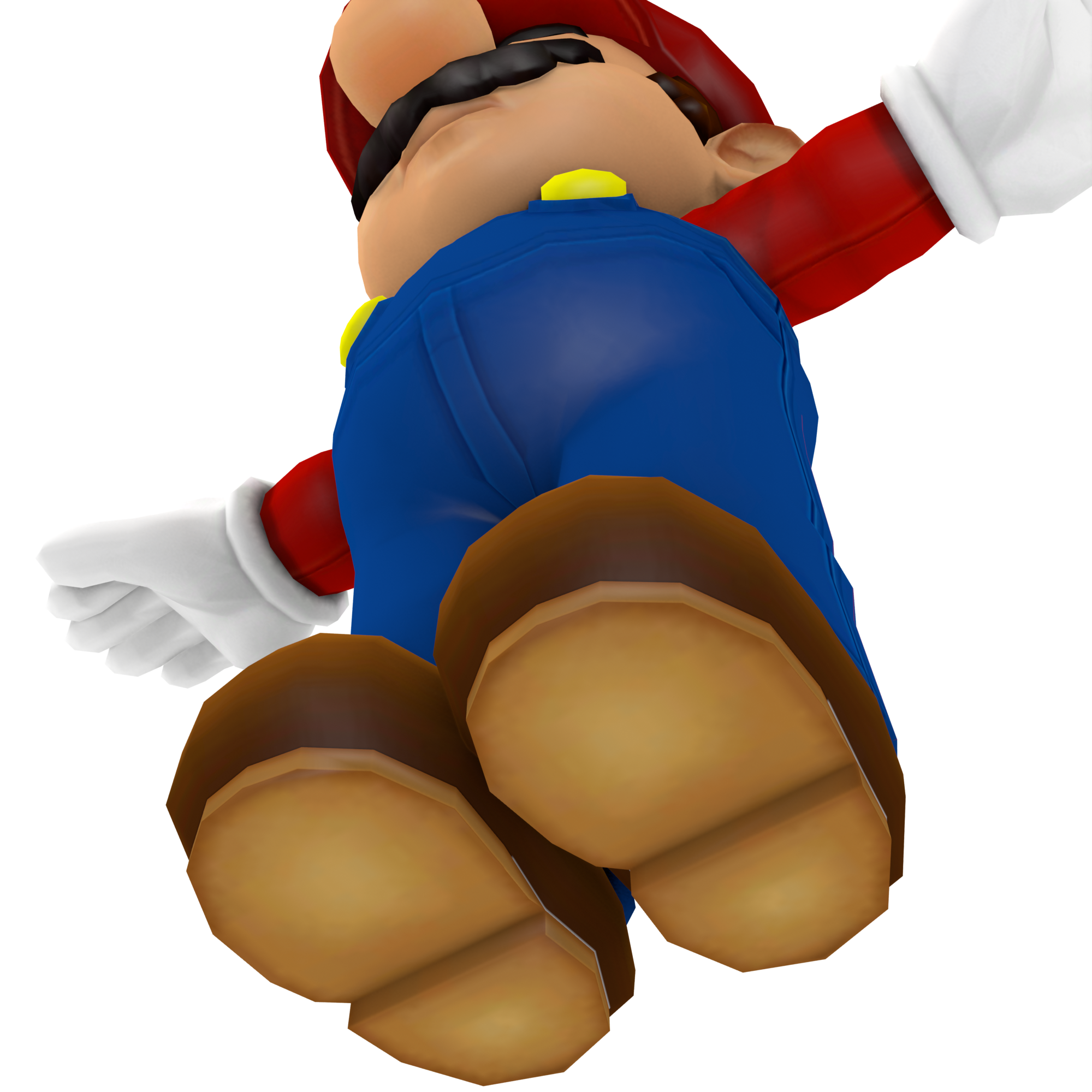
The soles of Mario's shoes in his low-poly model uses the face texture instead of the shoe sole section. This error is caused by the UV map for the soles being moved up to the face section where the shading for the bottom of Mario's nose is. This error is not present in Mario's high-poly model, where the UV map for the soles of his shoes isn't located in the skin section.
Star Swing Facial Expression#
|
Regular |
Replay |
|---|---|
|
|
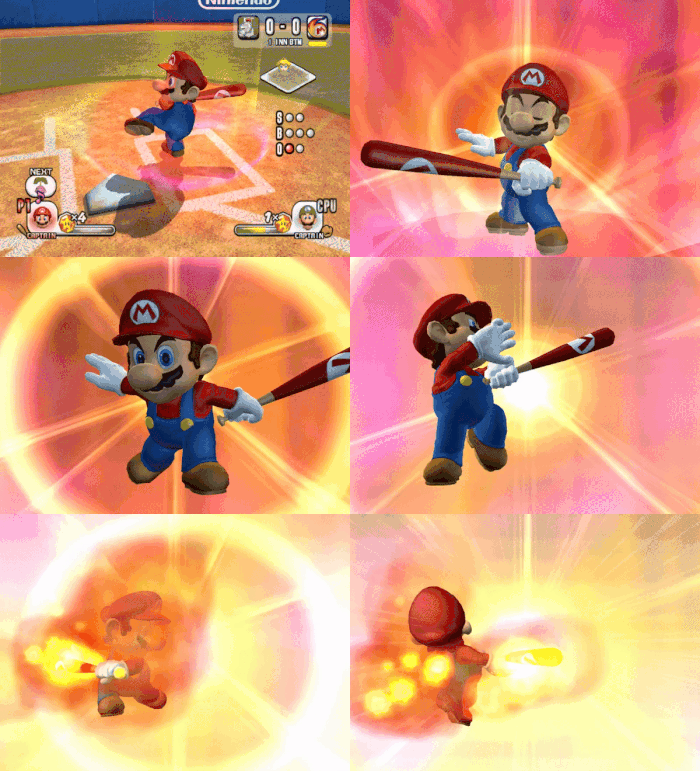
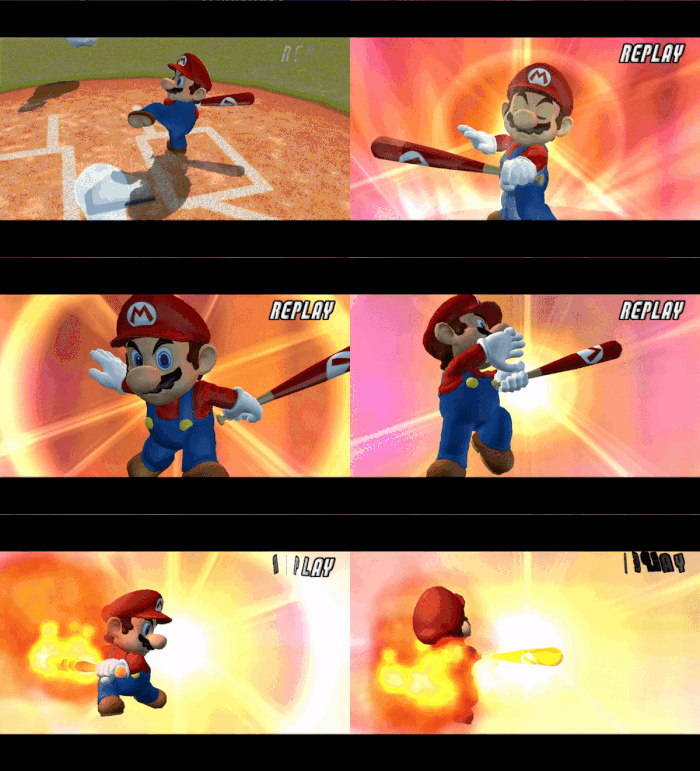
Normally, when Mario uses Fire Swing, he will show a neutral expression on his face. But if a replay occurs where Mario used Fire Swing in the play, he will instead show a frown on his face.
Donkey Kong#
Star Swing Facial Expression#
|
Regular |
Replay |
|---|---|
|
|


Normally, when Donkey Kong uses Barrel Swing, he will show a neutral expression on his face. But if a replay occurs where Donkey Kong used Barrel Swing in the play, he will instead show an angry expression.
Star Swing & Star Pitch Barrel#
|
Barrel Swing |
Barrel Ball |
|---|---|
|

|
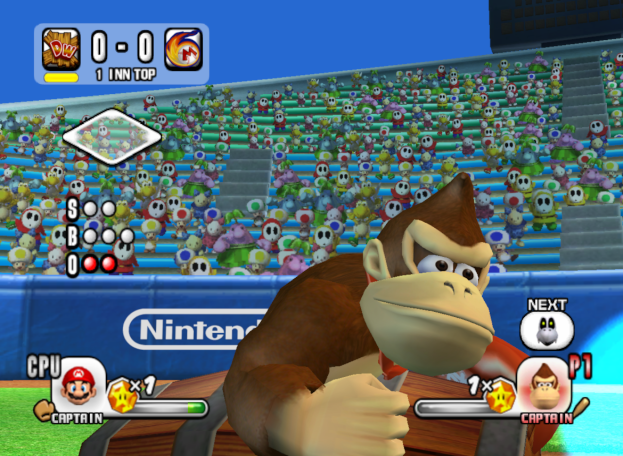
When both Barrel Swing and Barrel Ball are activated during gameplay, and in a replay, the barrel that Donkey Kong prepares to swing at appears submerged in the ground for a few frames before the animations plays.
Diddy Kong#
Challenge Mode Icon#
|
Mugshot |
Challenge Mode |
|---|---|

|

|
Diddy Kong uses a different mugshot portrait in Challenge Mode, compared to the one used in the rest of the game. The Challenge Mode version of Diddy Kong's mugshot has his arms farther apart from each other, as well as the brim of the hat being curved upward.
Peach#
Challenge Mode Select & Unlock Animation#
|
Challenge Mode |
Character Select |
|---|---|
|
|


Peach uses a different animation when selecting or unlocking her in Challenge Mode compared to her animation when selected on the character select screen, where she spins around and does a princess bow.
Corrupted Eyelash#
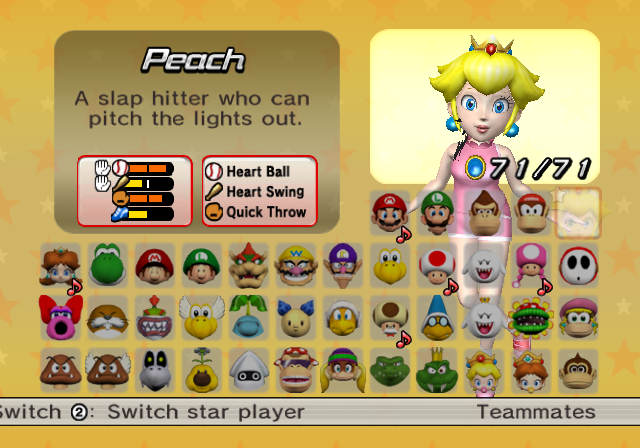
Also in Peach's challenge mode select and unlock animation, her left eyelash appears mangled across her face. This animation error is caused from her left eyelash set to oddly play the closing animation for when Peach closes her eyes, with the deform value for the animation set to a bizarrely high value, rendering the eyelash to appear near her cheek and chest.
Daisy#
Hair UV Mapping Error#
Model (High-Poly) |
Texture (UV Map) |
|---|---|
 |
 |
Model (Low-Poly) |
Texture (UV Map) |
|---|---|
 |
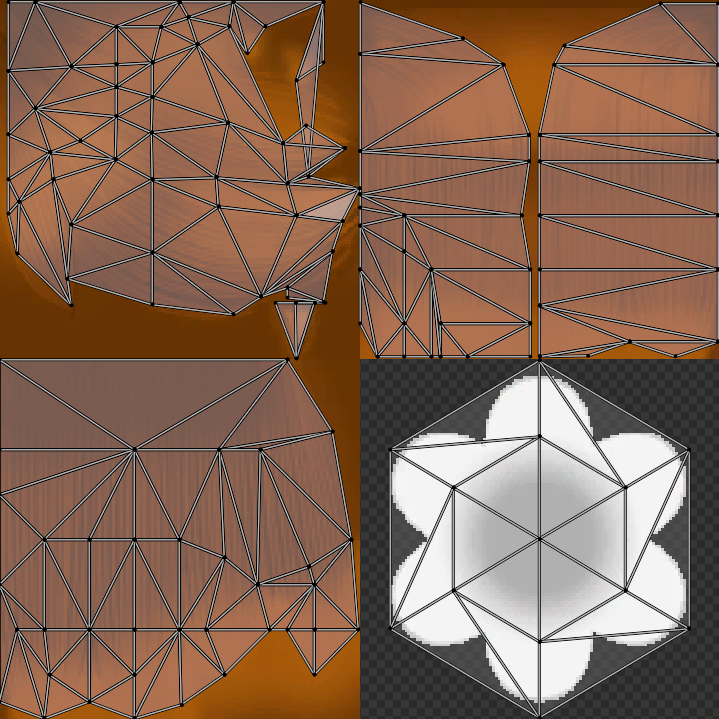 |
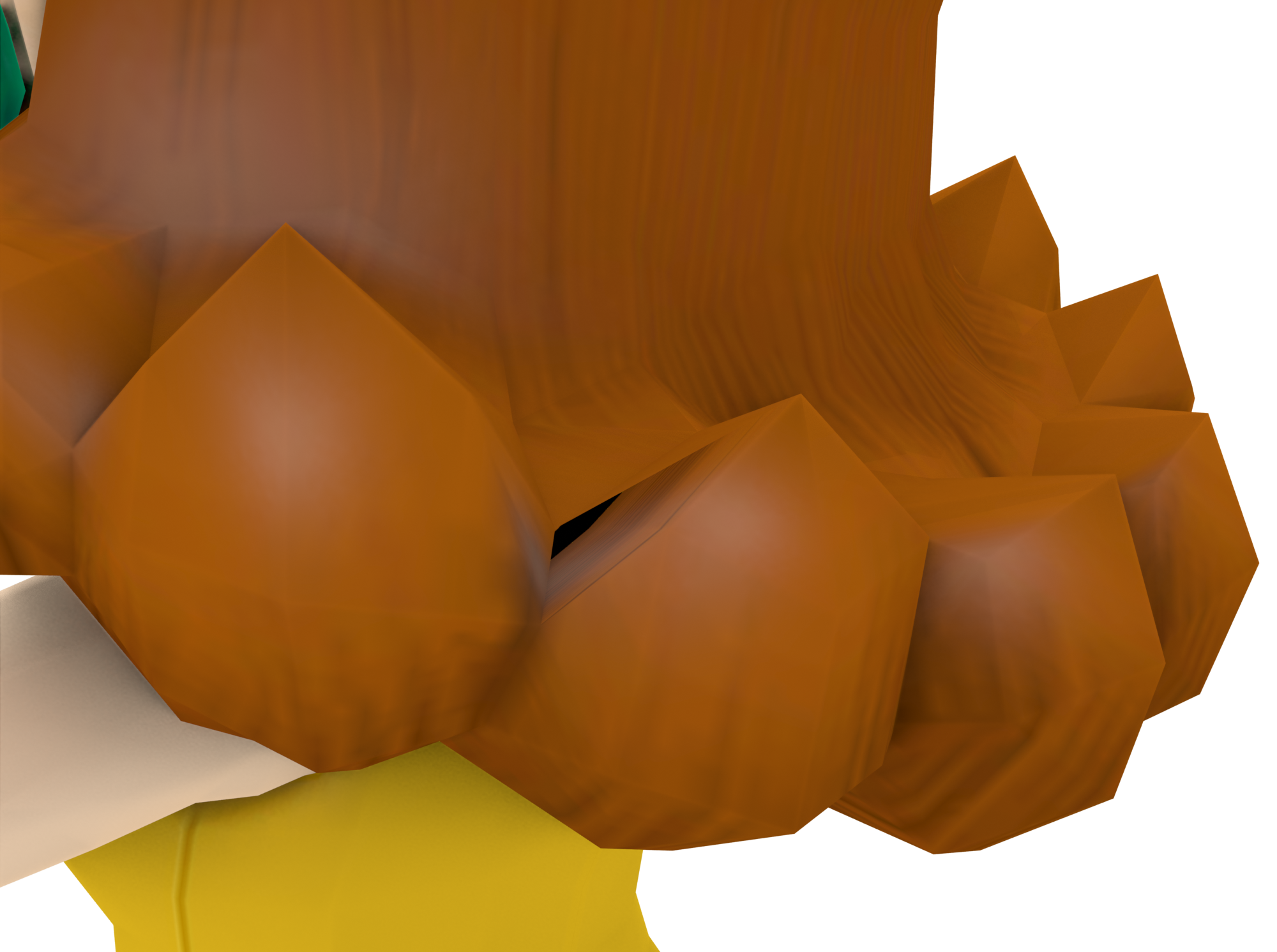
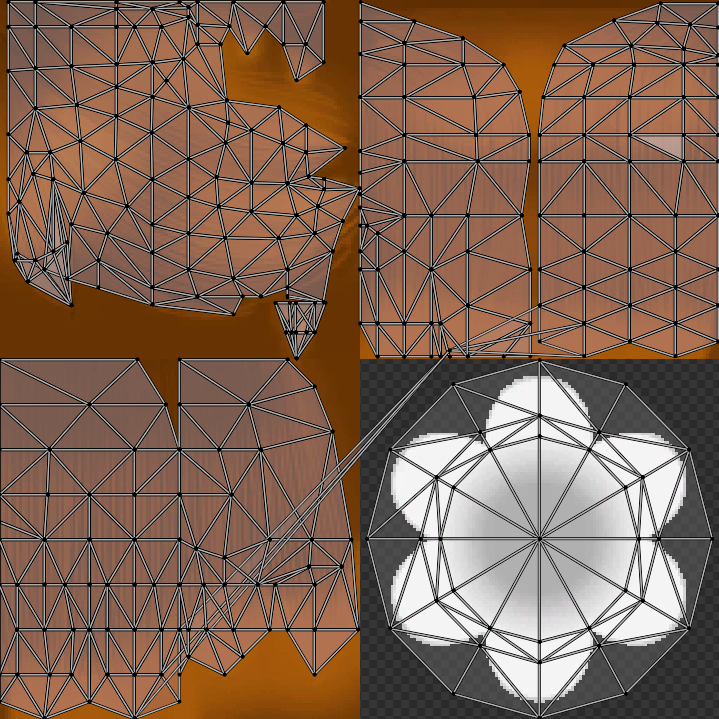
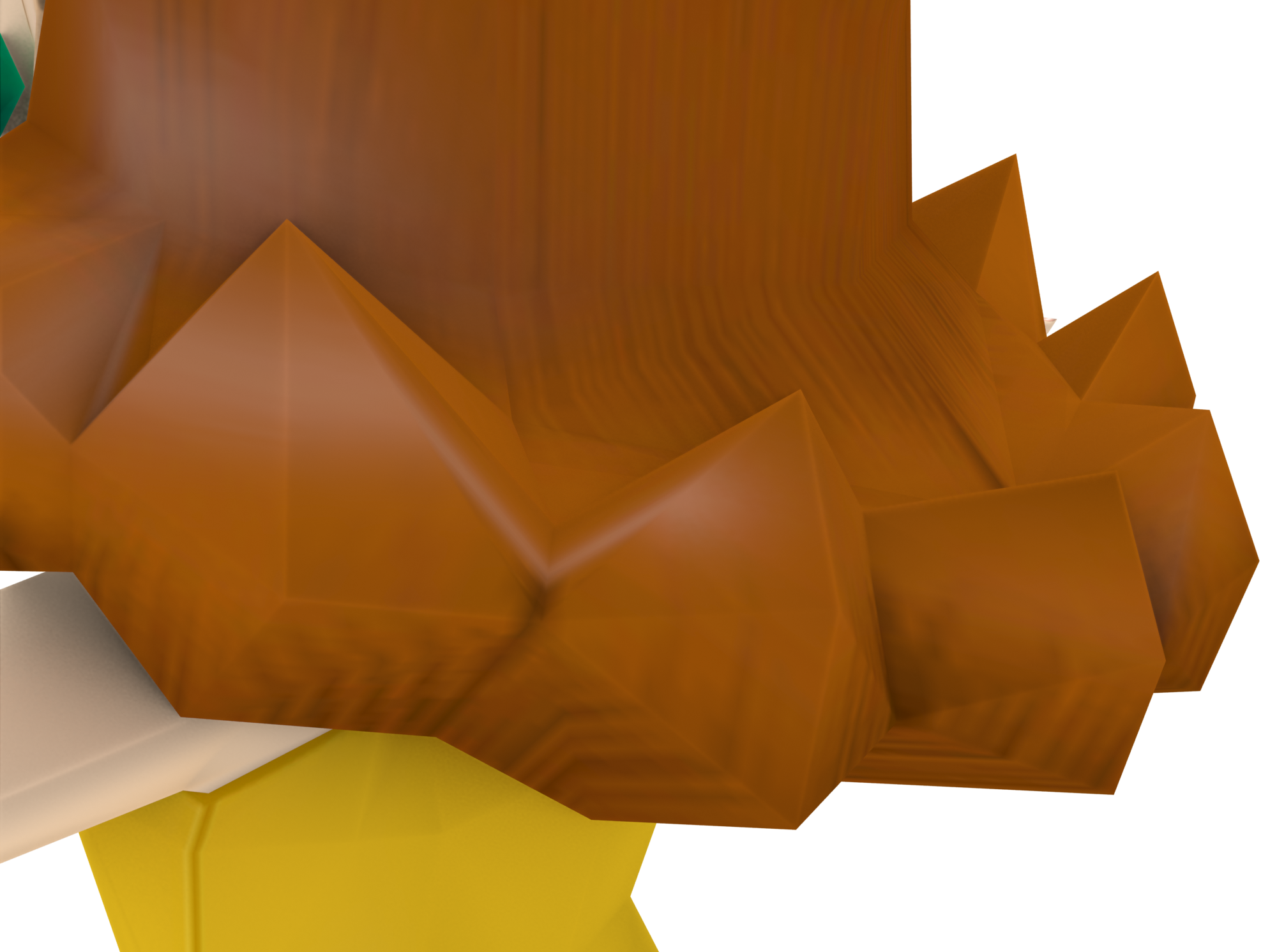
Daisy's model has a UV mapping error on one of the ends in the back of her hair. The error is caused by one point of the UV map for the hair connecting across the collar area, leaving the transparent area to show on the back of Daisy's hair. This error does not exist in Daisy's low-poly model, as the UV points for the hair are not connected.
This oddity is also present in Daisy's early model.
Star Swing Facial Expression#
|
Regular |
Replay |
|---|---|
|
|
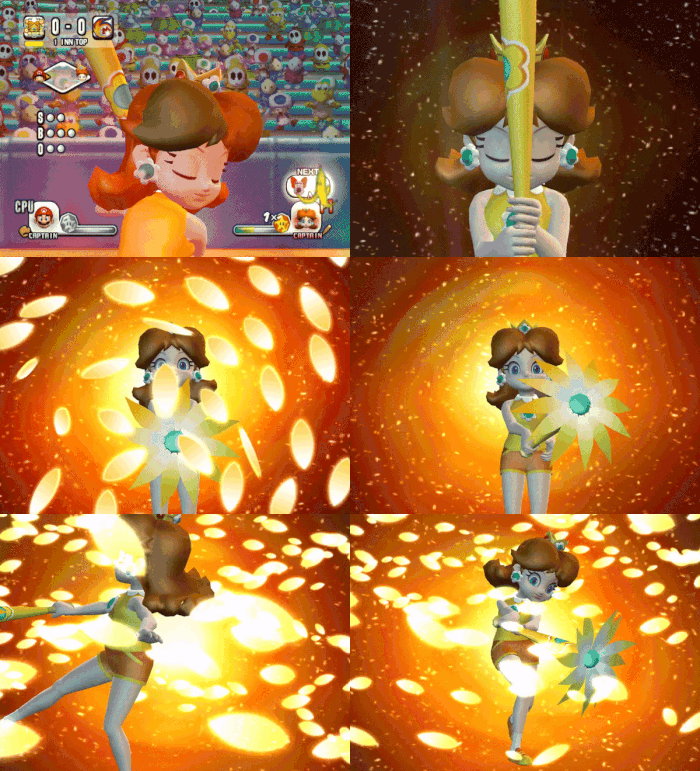
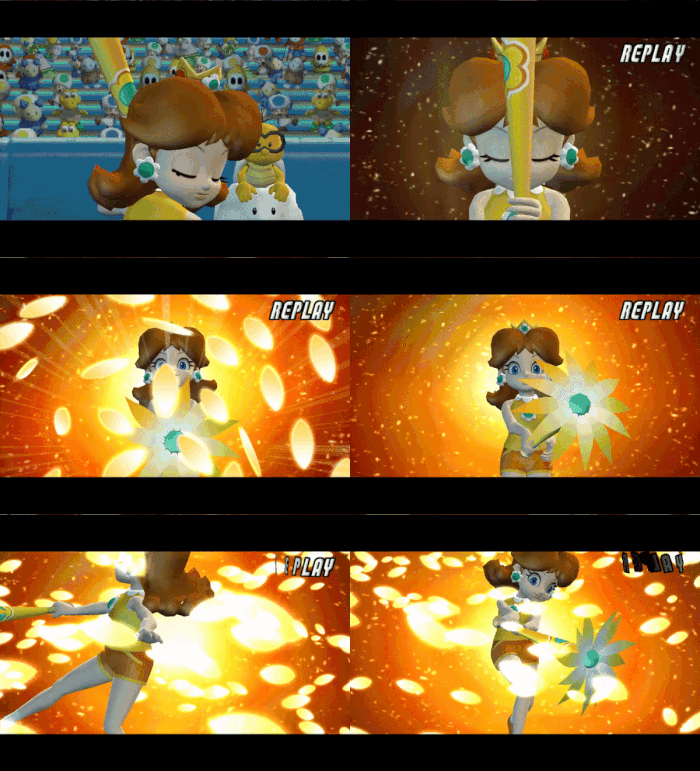
Normally, when Daisy uses Flower Swing, she will show a neutral expression on her face. But if a replay occurs where Daisy used Flower Swing in the play, she will instead have her mouth open throughout the animation.
Yoshi#
Outfielding Throw Bug#
|
Yoshi |
All of Yoshi's alternate colors |
|---|---|
|
|


When Yoshi does his outfielding throw animation, the ball comes out a few frames earlier before Yoshi throws the ball. This isn't the case for the alternate colors for Yoshi, as the ball comes out as soon as the alternate colored Yoshis throw the ball.
Egg Swing Reflection Texture Oversight#
|
Regular |
Fixed |
|---|---|
|
|
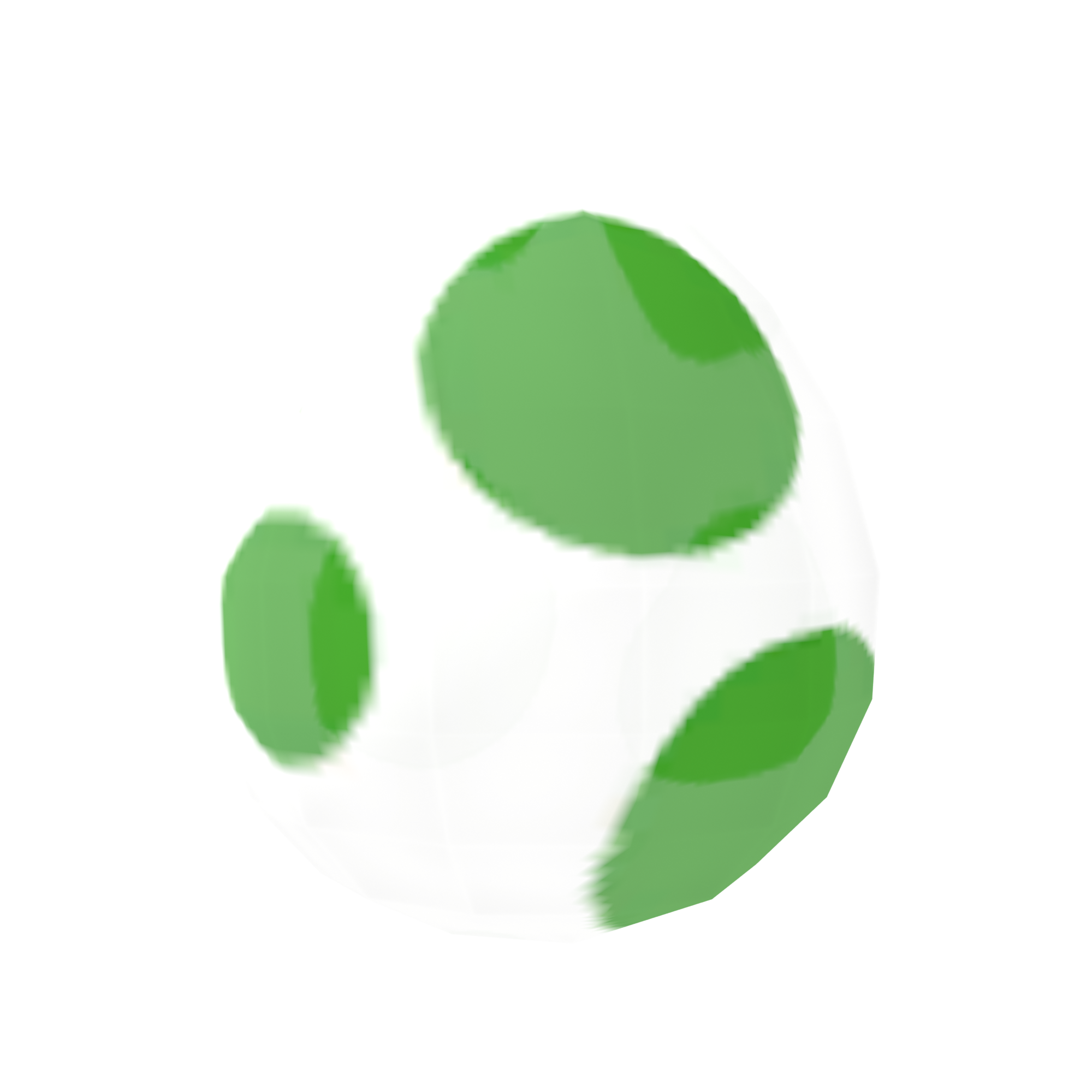
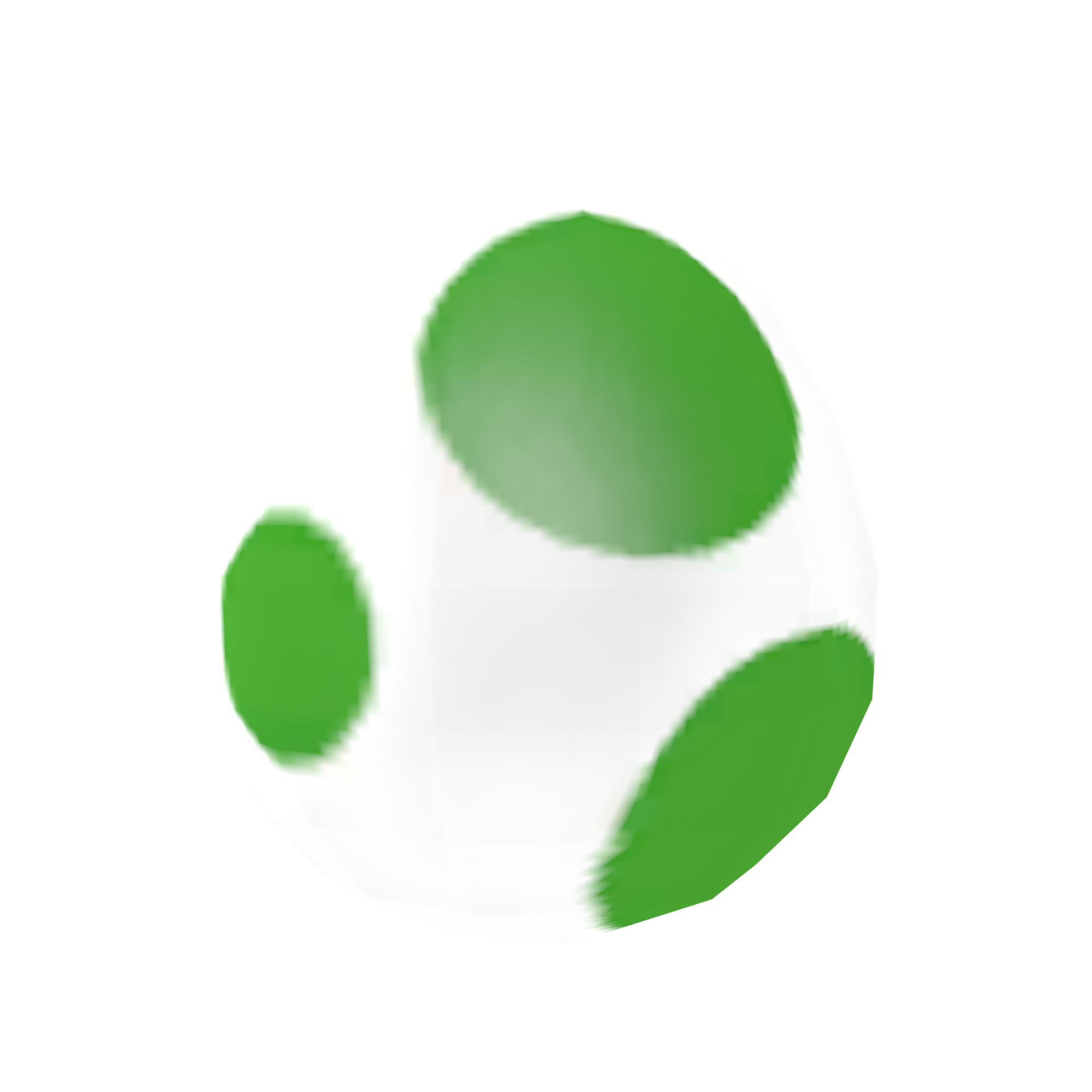
The Yoshi Egg seen during Yoshi's Egg Swing animation uses the egg texture as it's reflection, creating a glossy reflection on the green spots. It's likely that this was an oversight with assigning the reflection texture, as an actual reflection texture (similar to the ones used for the playable characters) exists within the files for the Yoshi Egg, albeit unused.
Bowser#
Challenge Mode Select Animation#
|
Challenge Mode |
Character Select |
|---|---|
|
|


Bowser uses a different animation when selecting him in Challenge Mode compared to his animation when selected on the character select screen. The Challenge Mode select animation is actually his winning animation during Exhibition mode as MVP and in a minigame, with the main difference being Bowser not looking at the camera.
Waluigi#
Challenge Mode Icon#
|
Mugshot |
Challenge Mode |
|---|---|

|

|
Walugi uses a different mugshot portrait in Challenge Mode, compared to the one used in the rest of the game. The Challenge Mode version of Waluigi's mugshot has him doing his normal stance pose, rather than standing up straight.
Toadette#
Model Size#
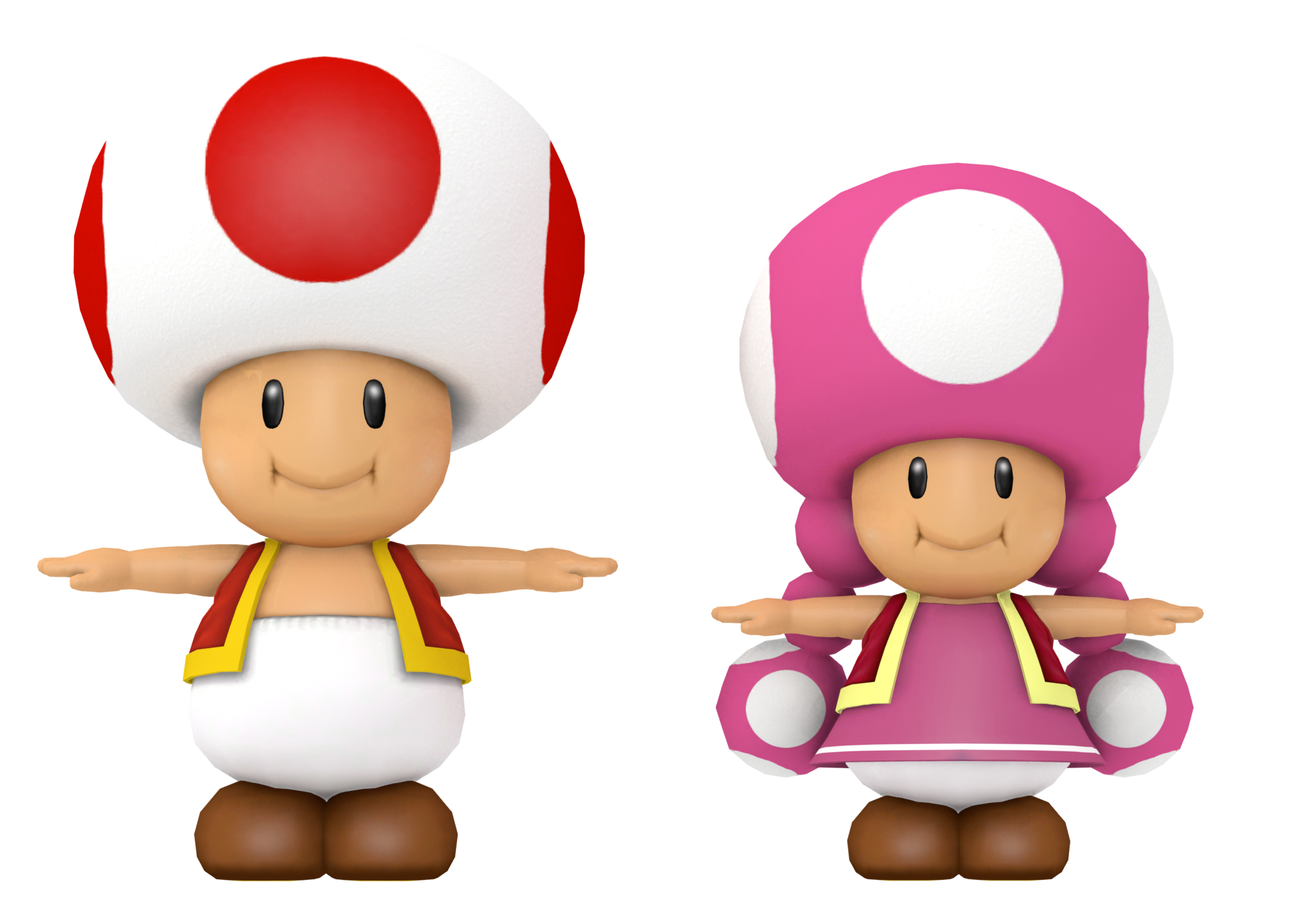
When comparing the models of Toad and Toadette, Toadette is noticeably a lot smaller than Toad. This isn't the case in most Super Mario games, as both Toad and Toadette are usually meant to be the same size.
Shy Guy#
Gray Shy Guy's Leaderboard Name#
When placing on the leaderboards of a minigame as Gray Shy Guy, his name erroneously appears as Black Shy Guy. Since he is referred to as Gray Shy Guy everywhere else in the game, this may suggest that the name was changed very late in development, and this piece of text for the leaderboards was simply overlooked during translation.
Bowser Jr.#
Star Swing Facial Expression#
|
Regular |
Replay |
|---|---|
|
|
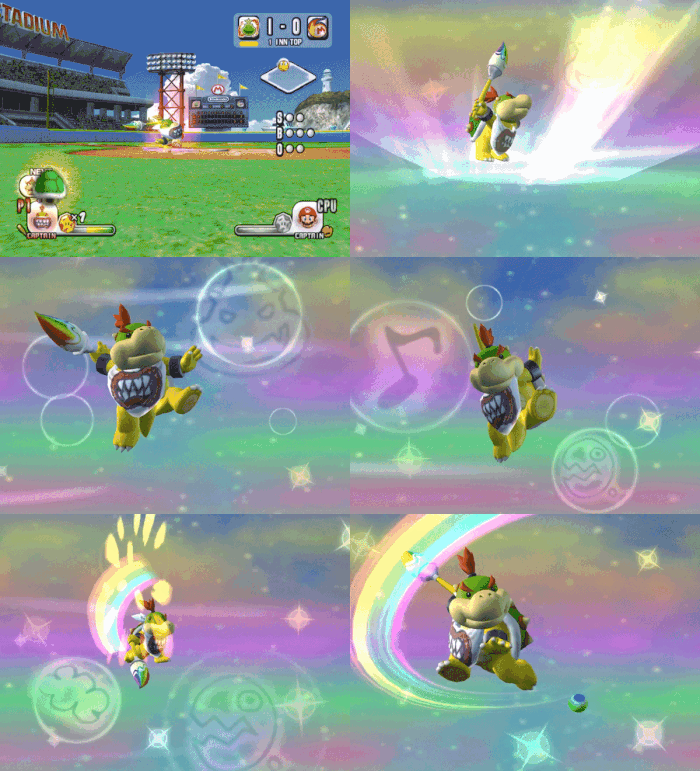
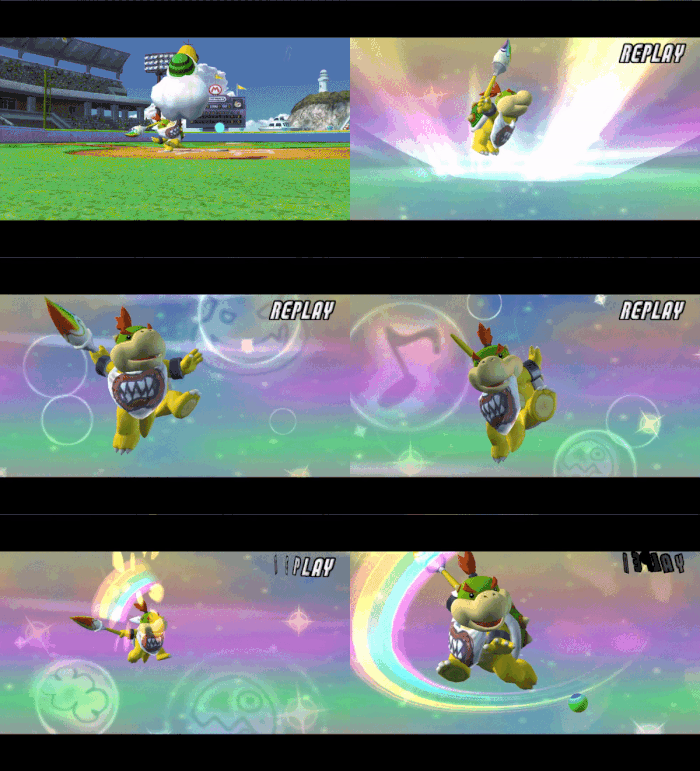
Normally, when Bowser Jr. uses Graffiti Swing, he will show a neutral expression on his face. But if a replay occurs where Bowser Jr. used Graffiti Swing in the play, he will instead have his mouth open throughout the animation.
Paratroopa#
Glove Model Rig Leftover#
|
Glove Model |
Paratroopa's Model |
|---|---|
|
|
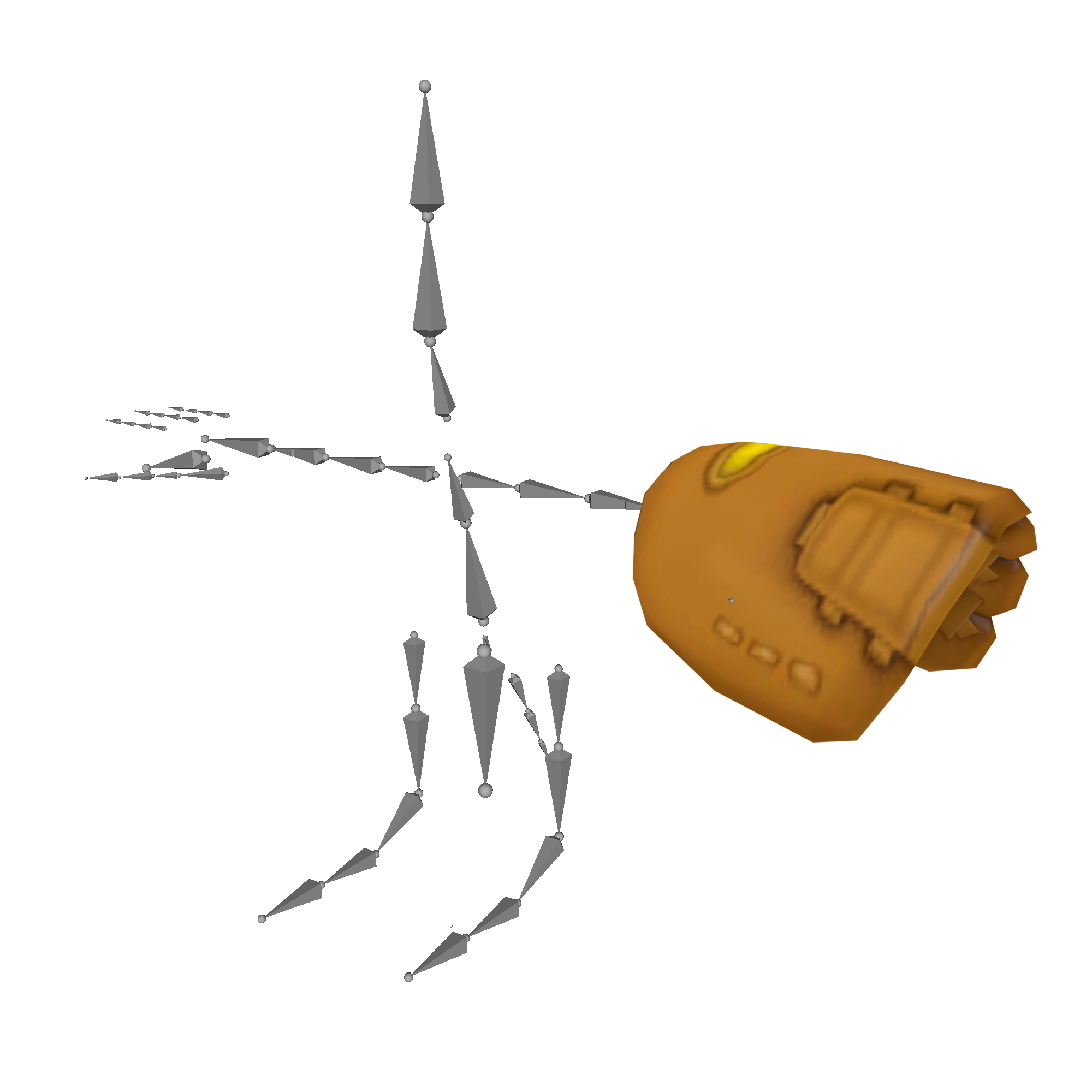
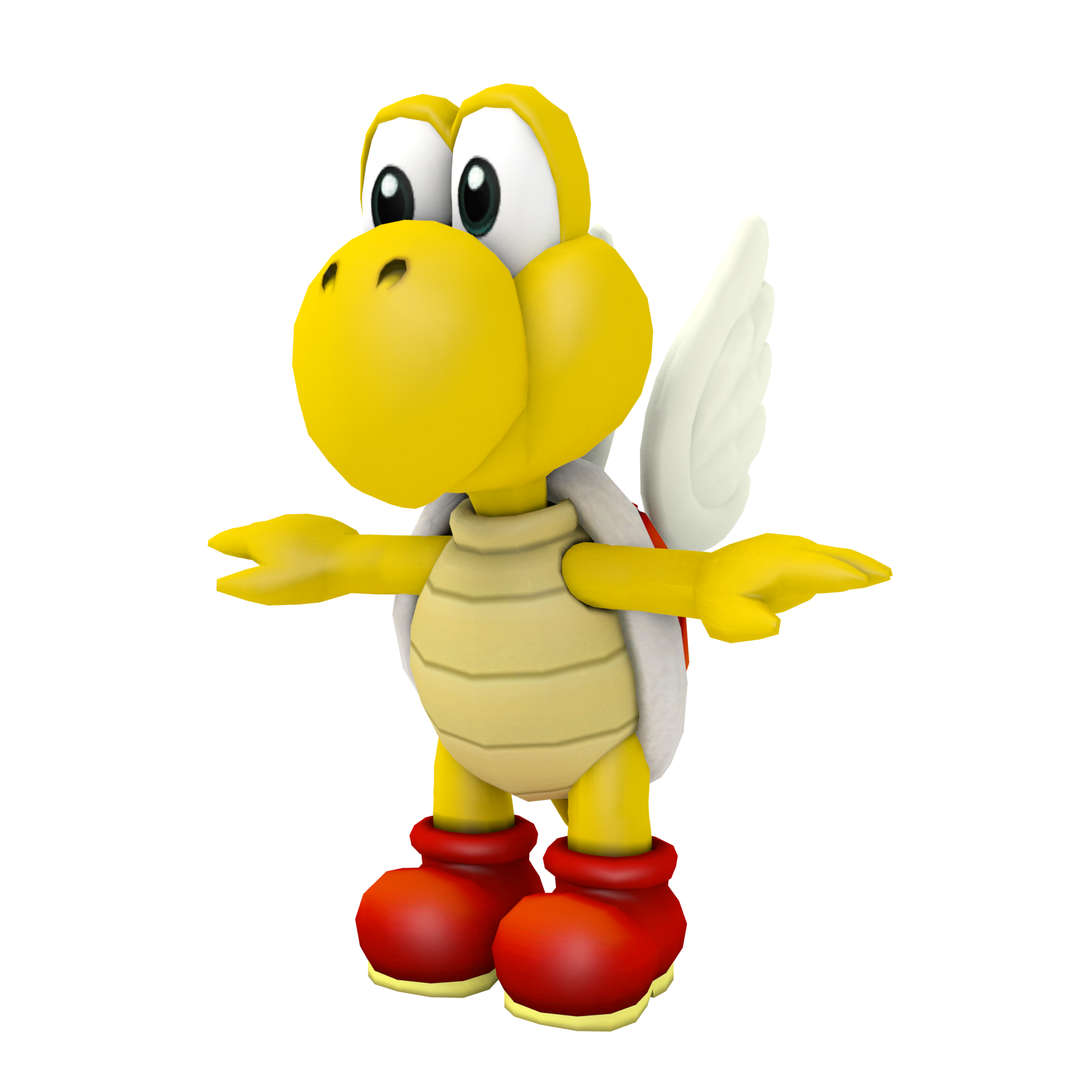
Glove models use the same bone structures as the playable characters to line up with the character's animations while fielding. However, the bone structure for Paratroopa's glove model doesn't match the one in Paratroopa's model, with the glove model missing the bones for the wings. This was likely carried over from Koopa, as Paratroopa's model was obviously built off of Koopa's model with the near identical bone structures between both characters.
Pianta#
Bat Reflection Texture#
|
Pianta |
Every other character |
|---|---|

|

|
Every character's bat reflection texture is a simple glowing white dot behind a black background. For Pianta's bat, the reflection texture is slightly darker making it a bit hard to see the reflection in-game. This is a leftover texture from Mario Superstar Baseball.
Hammer Bro#
Boomerang Bro Reflection Texture#
|
Boomerang Bro |
Hammer Bro & Fire Bro |
|---|---|

|
|
Boomerang Bro uses a different reflection texture compared to Hammer Bro and Fire Bro, instead using a darker version of the common reflection texture most characters use which makes it hard to see reflected on his model. This is a leftover texture from Mario Superstar Baseball.
Toadsworth#
Model Size#
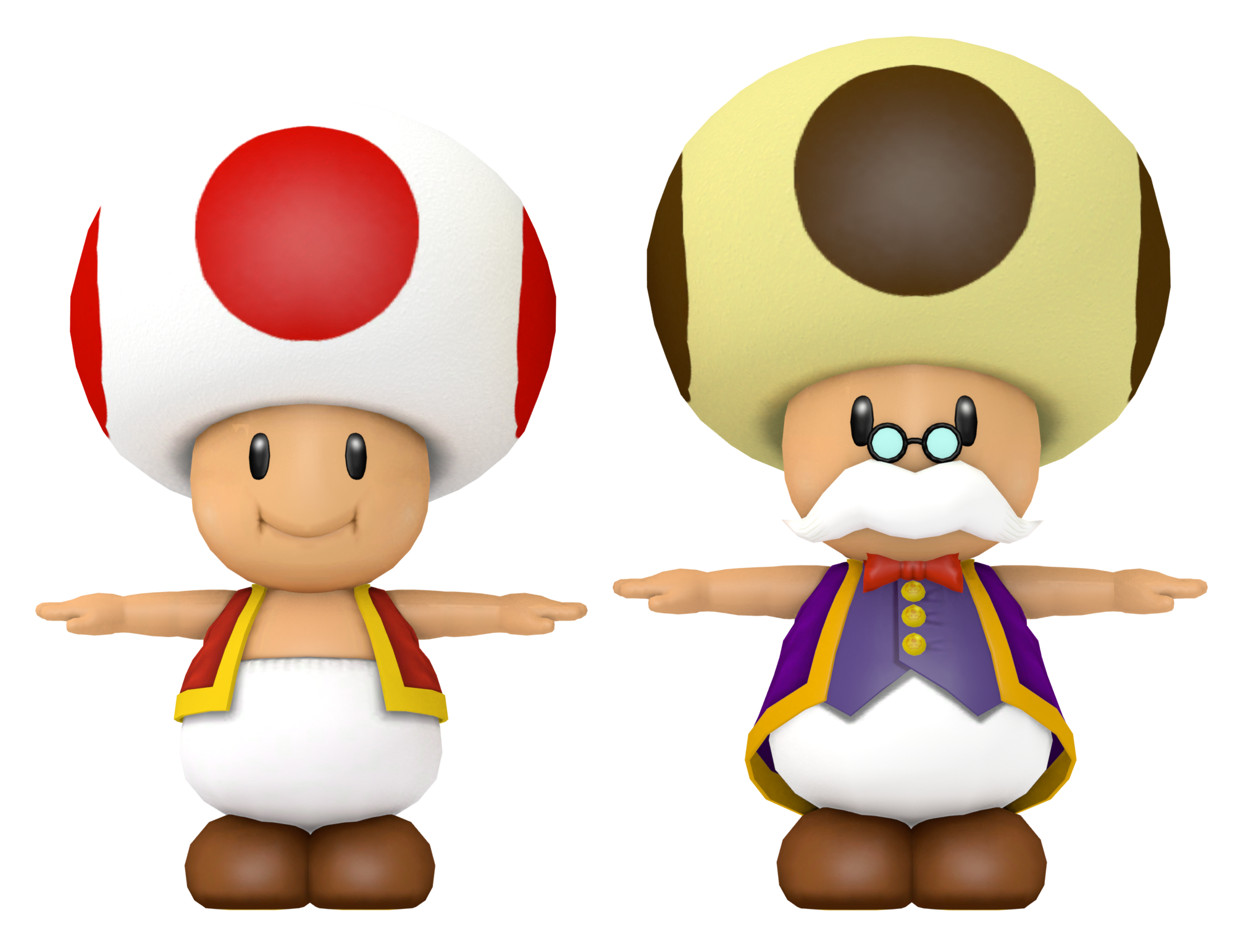

When comparing the models of Toad and Toadworth, Toadsworth is noticeably a bit bigger than Toad. This isn't the case in most Super Mario games, as both Toad and Toadsworth are usually meant to be the same size. Toadsworth's model in Mario Superstar Baseball is smaller than both Toad and Toadette in that game.
Challenge Mode Select & Unlock Animation#
|
Challenge Mode |
Character Select |
|---|---|
|
|

Toadsworth uses a different animation when selecting him or unlocking him in Challenge Mode compared to his animation when selected on the character select screen. The Challenge Mode select and unlock animation bears a resemblance to his character select animation from Mario Superstar Baseball, with the only difference being that Toadsworth rubs his mustache with his left hand, instead of his right like in Mario Superstar Baseball.
Challenge Mode Unlock Screen#
|
Every other character |
Toadsworth |
|---|---|
|
|
|
When unlocking Toadsworth in Challenge Mode, an additional sound can be heard after the character unlock jingle ends. This sound plays only for Toadsworth, as none of the rest of the character's unlock screens have this additional sound play. The sound in question is the same sound for when a character's dialogue box appears in Challenge Mode.
King Boo#
In-game Model#
|
Icons |
In-game Model |
|---|---|
|
|
|


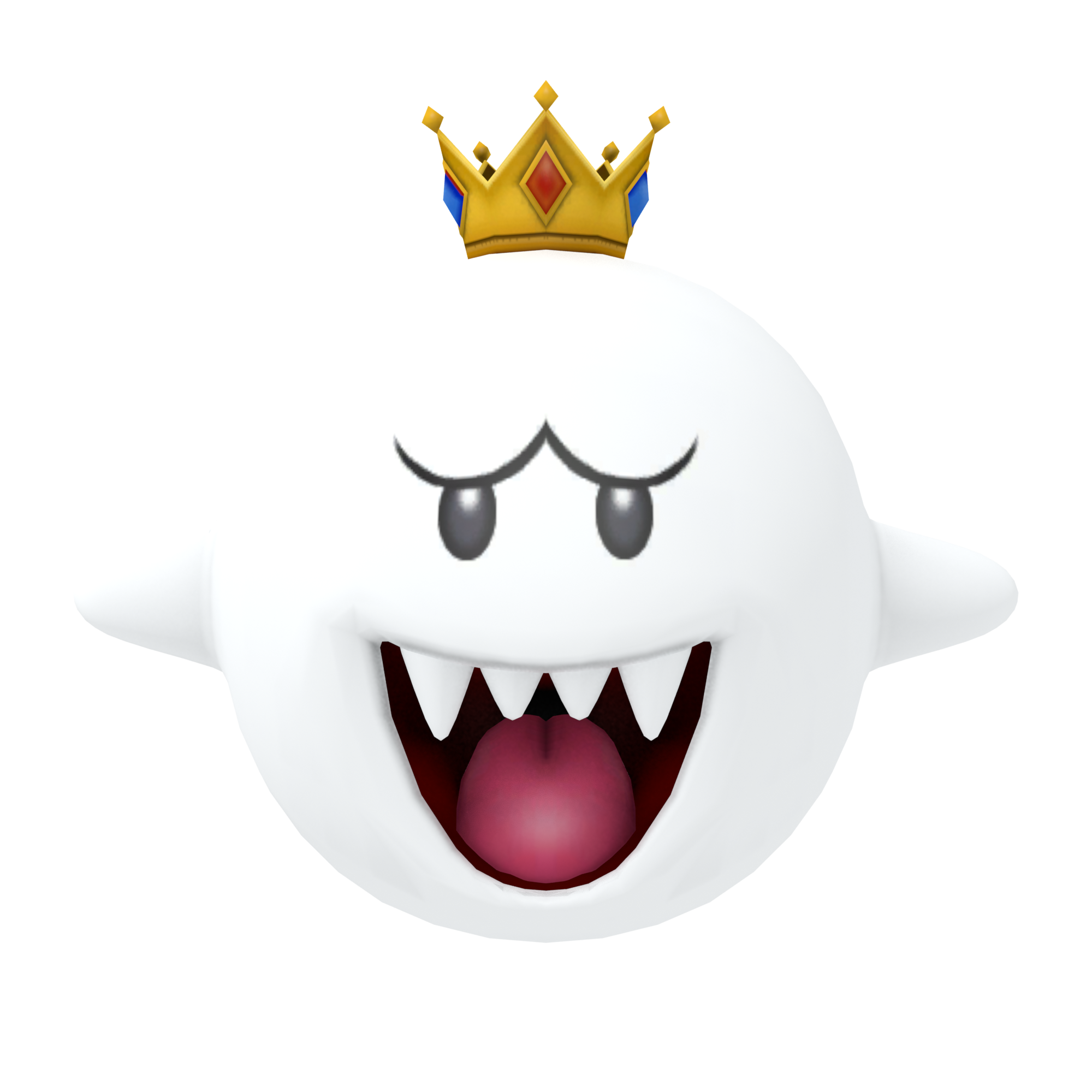
In all of King Boo's icons (as well as his official render), his crown is depicted with a blue jewel in the front and four red jewels around the sides, as it is depicted in most games, including Mario Superstar Baseball. His in-game model has this reversed, with a red jewel in the front of the crown, and four blue jewels around the sides.
Dry Bones#
Mugshots and Icons#
Icons (Dry Bones) |
In-game Model (Dry Bones) |
|---|---|
|
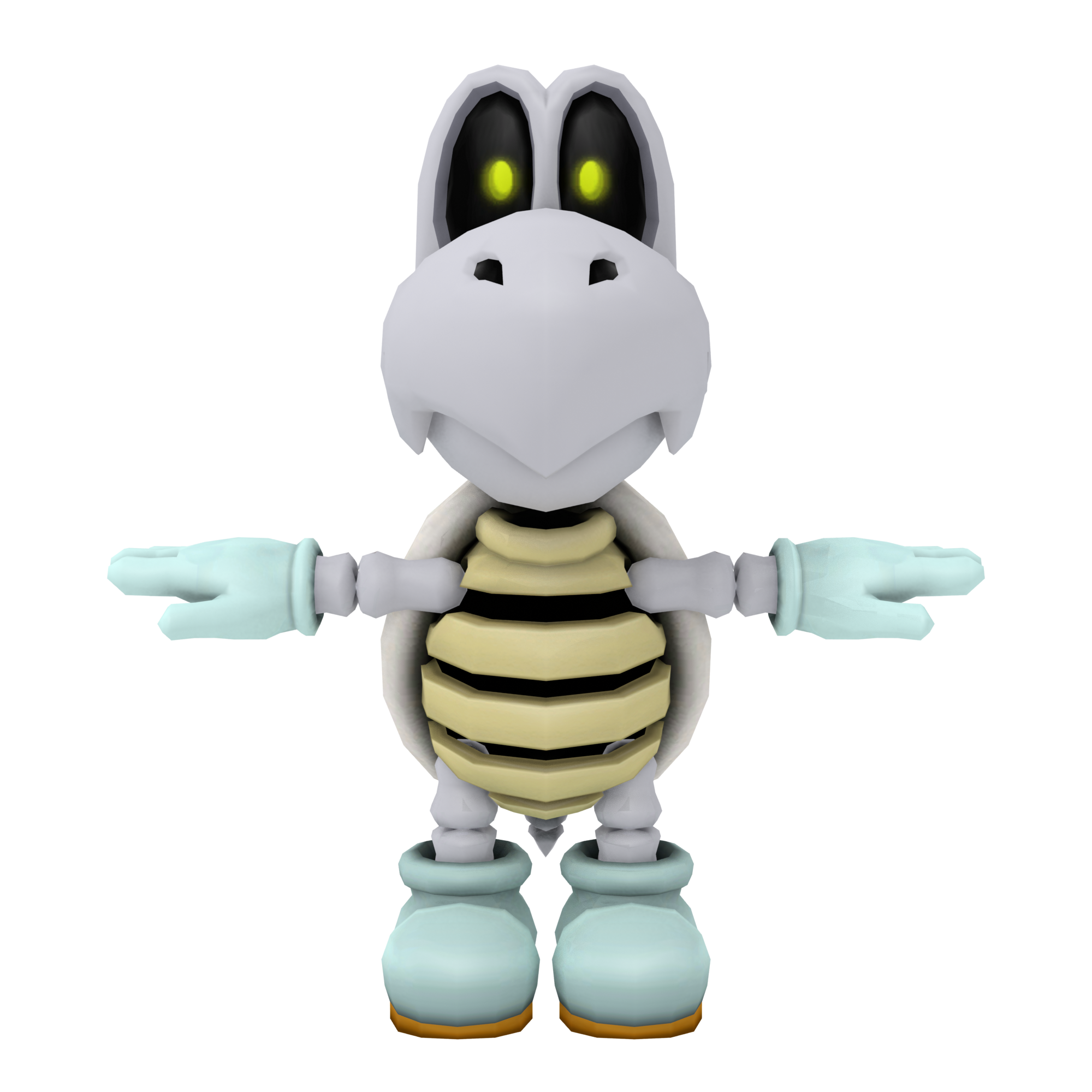 |


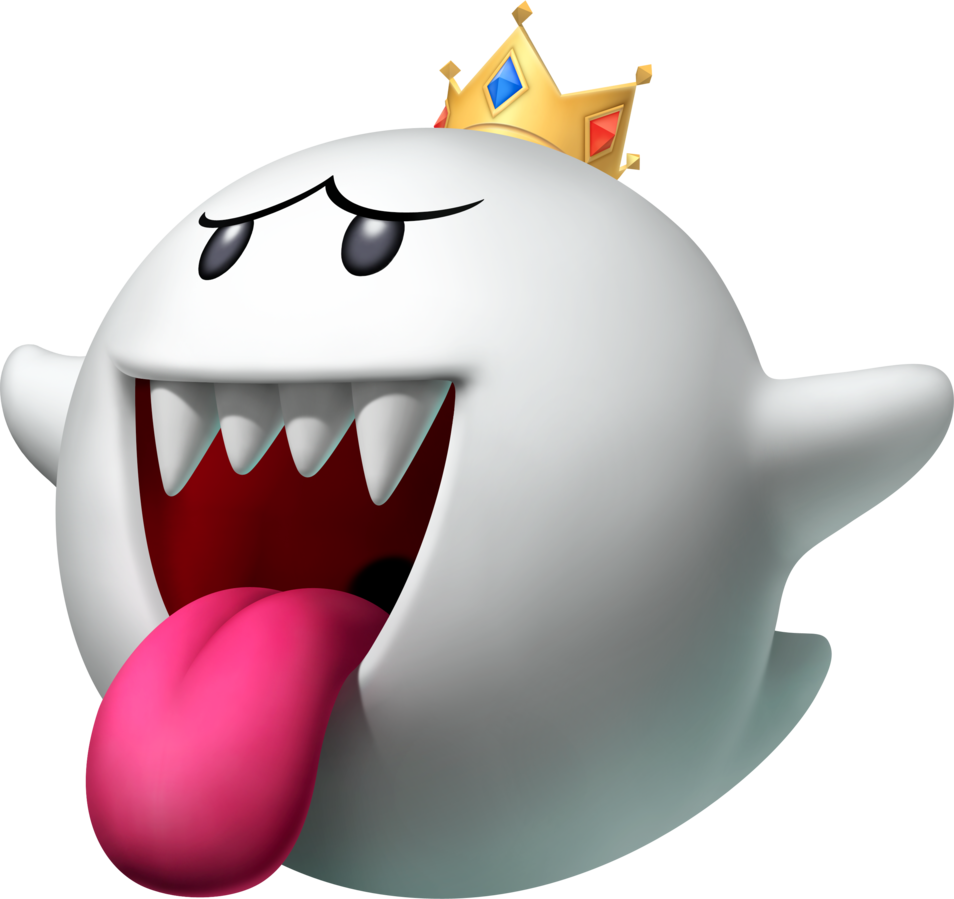
Dry Bones's icons use a slightly different design, than the one seen in-game. This is because the icons were ported directly from Mario Superstar Baseball, meaning they still use the GameCube model. This oddity goes for both alternate colors and Dark Bones as well.
Dark Bones Challenge Mode Mugshot#
|
Mugshot |
Challenge Mode |
|---|---|

|

|
In Challenge Mode, Dark Bones's mugshot has a gray rib cage and a shinier spike on it's nose, instead of a dark pale rib cage and a spike matching the color of it's skin like the mugshot icon used everywhere else in the game.
Baby Daisy#
Rattle Texture#
|
Challenge Mode |
In-game |
|---|---|

|

|
Baby Daisy's rattle found in Challenge Mode depicts a different texture for the rattle, being brighter than the one she uses to bat with in Exhibition Mode.
Other#
HUD Text#
4:3 |
16:9 |
|---|---|
 |
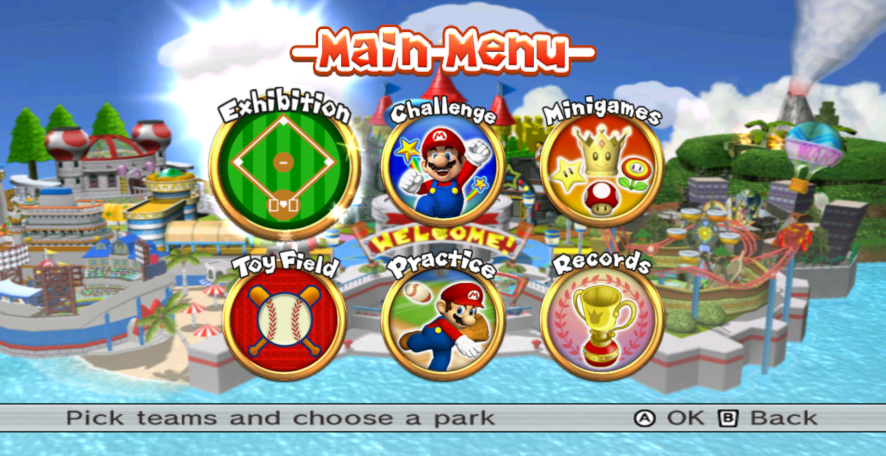 |
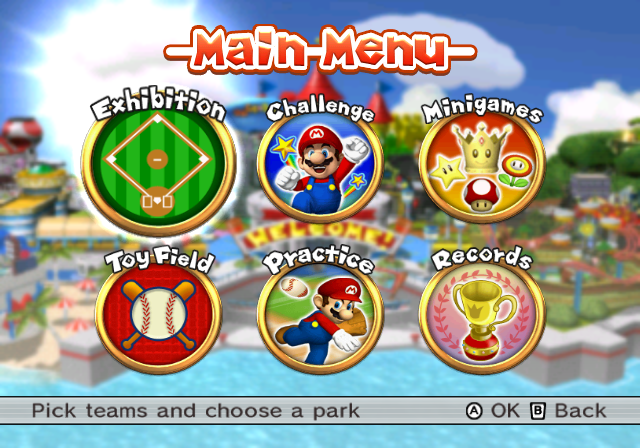
When playing the game in 16:9, the aspect ratio for the bottom text that appears in most of the menus is stretched in order to fit in widescreen.
4:3 |
16:9 |
|---|---|
 |
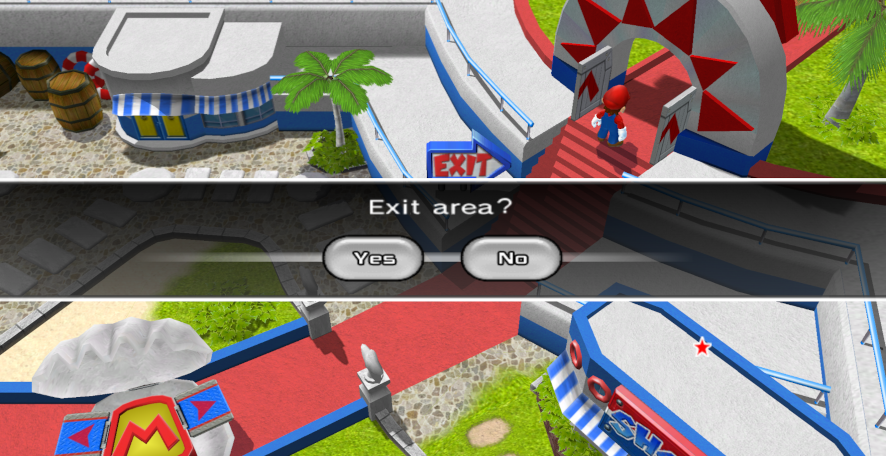 |
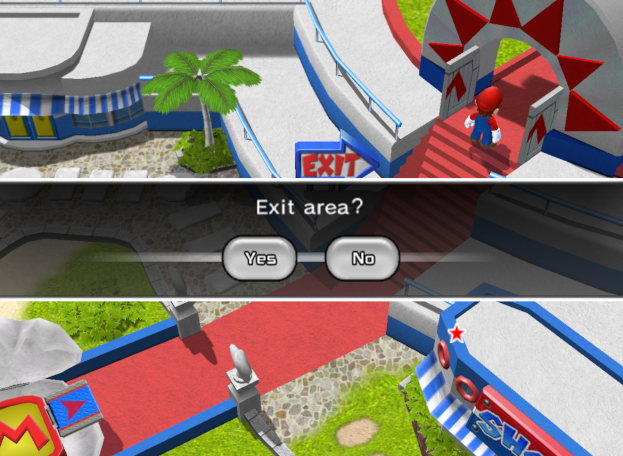
The confirmation screen in Challenge Mode also has this issue, where it is stretched to fit in widescreen.
Backface Culled Ball Outline Texture#
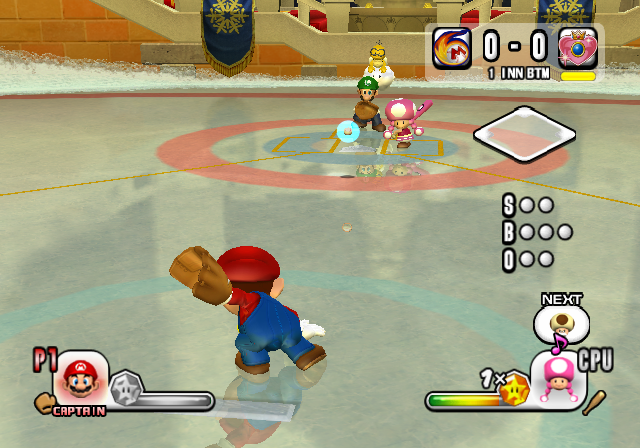
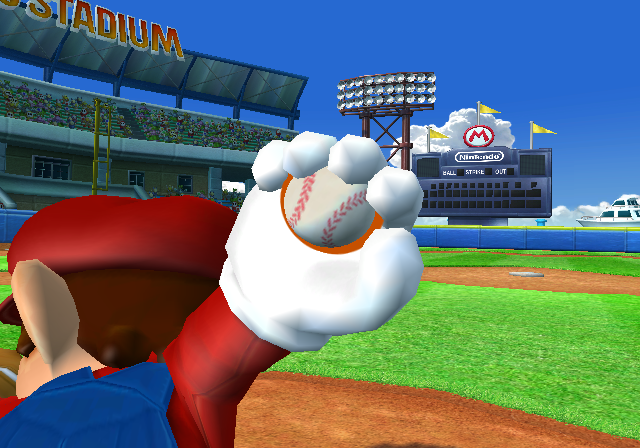
The model for the baseball contains a texture for a orange circle which normally acts as a billboard and faces the camera, making it appear as an outline for the ball. However, the ball in-game is missing the orange circle texture, leaving the ball without an outline. Using tools to modify the camera shows that the texture is present on the ball model in-game at all times, with the culled face always facing the camera. This was likely the result of the normals for the outline model being accidentally flipped, creating this issue.
There is a way to still see the outline of the ball even though it's backface is culled towards the camera. In Peach Ice Garden, the ball's reflection still shows the outline as it's in play.
Comeback Walk Off Sparkle#
|
Japan |
America |
|---|---|
|
|


When hitting a comeback walk off in the Japanese version, the text for a "Comeback walk-off grand slam" will show up with an additional sparkle for the "Homerun!" graphic. In the American version, the message is displayed as a "Comeback walk-off", with the sparkle effect meant for the "Homerun!" graphic playing, even though said graphic does not appear.
Although the sign is not present in the map model, the texture for the sign still exists for the shop sign's texture.
Challenge Mode Signboards#
Ripped Texture |
Screenshot |
|---|---|
 |
 |
 |
 |
 |
 |
 |
 |
 |
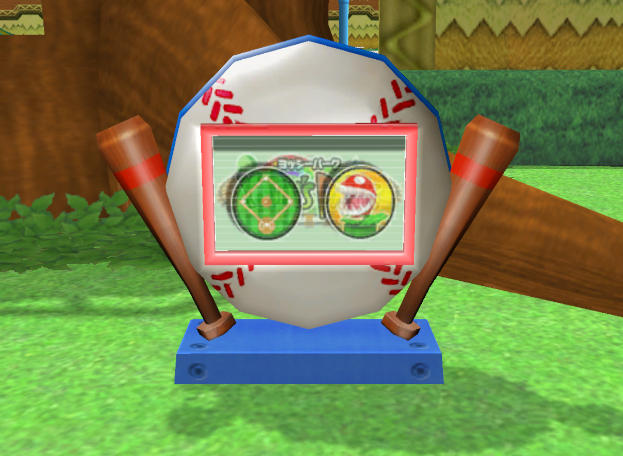 |
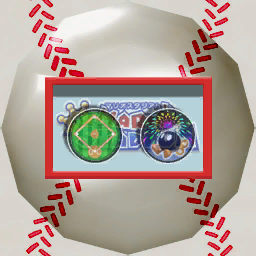
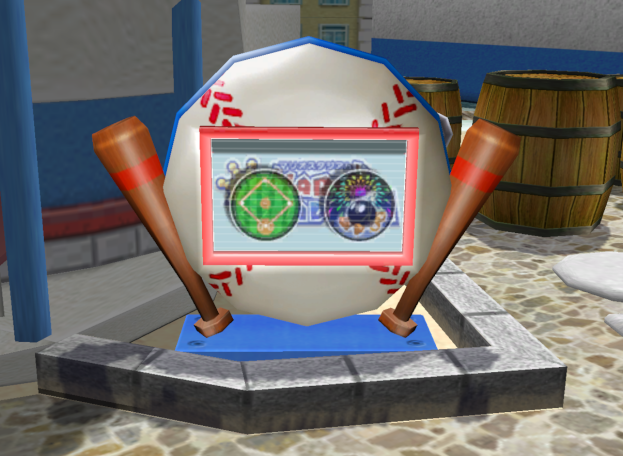
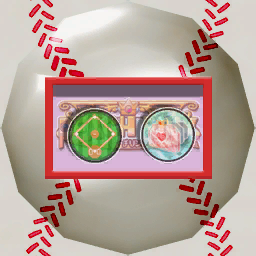
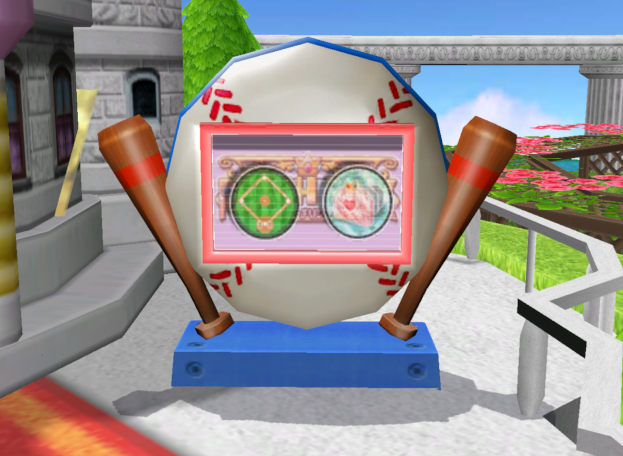
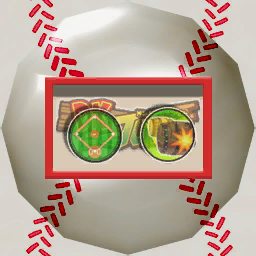
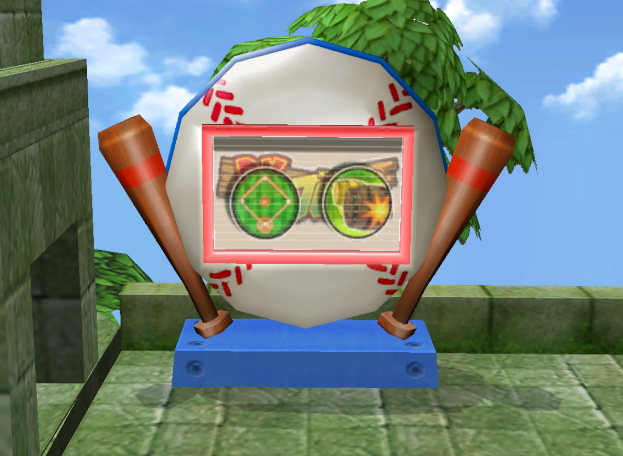
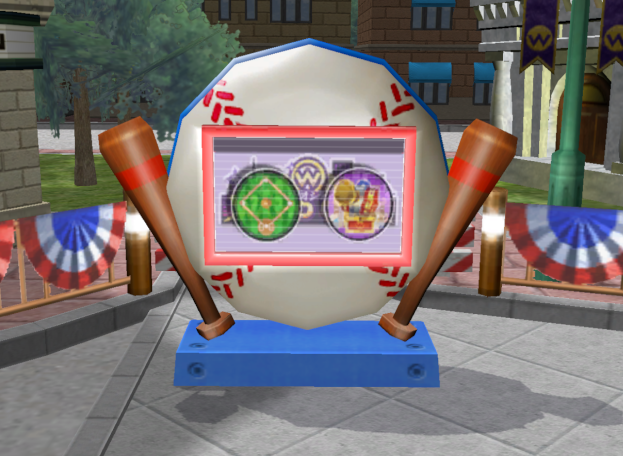
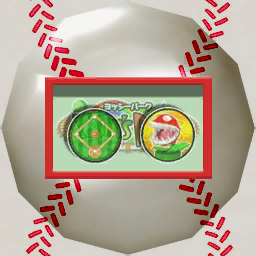
The signboards in Challenge Mode always uses the Japanese logo of it's respective stadium, despite the language or version of the game that is being played. This is supported by the fact that the Japanese names of the logos can be seen in all of the stadium logos.
While most of the logos seen in the signboard textures match it's in-game Japanese logo, the one for Yoshi Park depicts an early version of the logo, reading Yoshi's Park in the signboard texture.
Bob-omb Derby Multiplayer Roulette Screenshot#

In the English version of the game, the multiplayer control explanation screen for Bob-omb Derby uses a Japanese screenshot for stopping the slot machine as seen by the Japanese text on the slots.
Toy Field Pass Graphic#
Graphic |
Toy Field (Early) |
Toy Field (Final) |
|---|---|---|
 |
 |
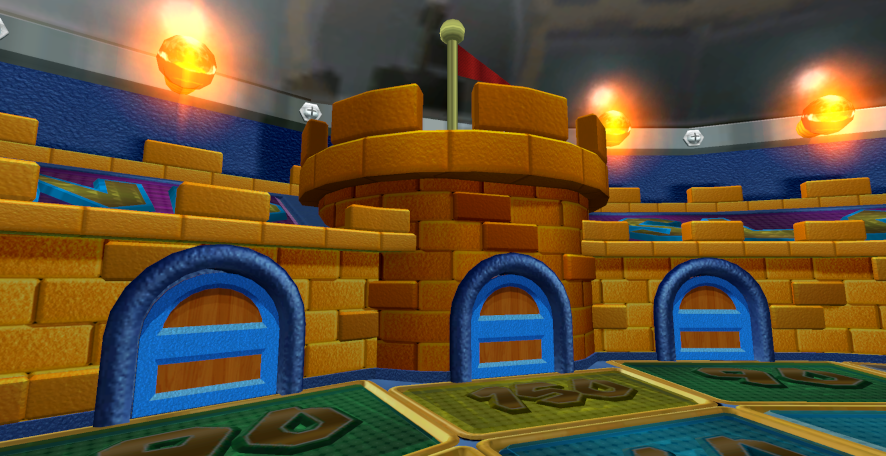 |
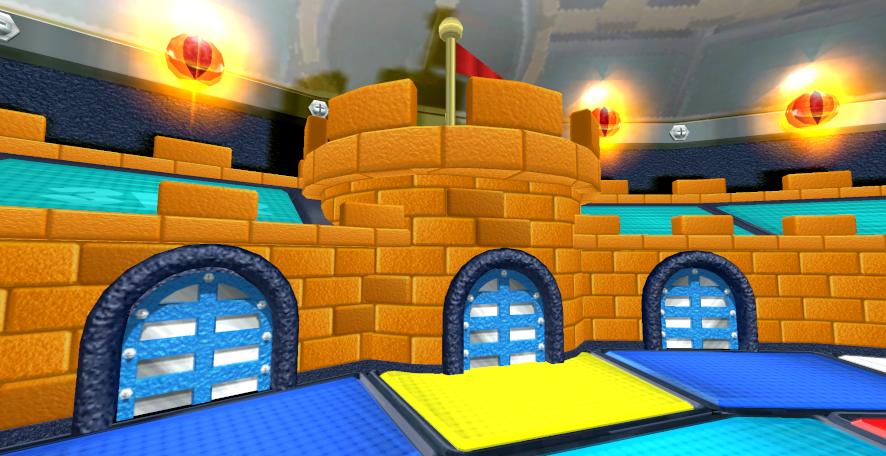
The graphic for the Toy Field Pass in Challenge Mode depicts the early version of Toy Field. This is evident by the doors on the pass graphic using it's early design consisting of light blue and white doors, instead of the wooden blue ones in the final.
Challenge Mode Filenames#
A few of the maps, objects and files in Challenge Mode have a few spelling errors and mistakes in their internal names.
Filename |
Identification |
Notes |
|---|---|---|
mario |
The model for the Mario Stadium map. |
Both the model archives and the model names for each map in Challenge Mode ends with the -map suffix. For Mario Stadium, the model archive is appropriately named mariomap, but it's model name is simply named mario. |
guimmickdoor00 |
The model of the Sea Hut's door. |
For the Sea Hut's door model, gimmick is misspelled as "guimmick". |
peachamp |
The model for the Peach Ice Garden map. |
While the model archive for the Peach Ice Garden map in Challenge mode is known as peachmap, the model of the map itself is internally known as peachamp. This is a misspelling of "peachmap". |
peace00 |
The nine hedge pieces of the Toad Flower Garden |
All nine hedge pieces of the Toad Flower Garden are internally known as peaceXX (XX being a number from 00-08 for each piece). This is most likely a transliteration error of the word "piece". |
peace01 |
||
peace02 |
||
peace03 |
||
peace04 |
||
peace05 |
||
peace06 |
||
peace07 |
||
peace08 |
||
manfole |
The models for the manholes in Peach Ice Garden, and Yoshi Park. |
While the model archives for the manholes in Peach Ice Garden and Yoshi park are spelled correctly (manhole_blue & manhole_purple), the model names are misspelled as manfole. This is most likely a translation error. |
manhol01 |
The model for the inside of the manhole in Wario City. |
Unlike the model names for the manholes in Peach Ice Garden and Yoshi Park, the ones in Wario City has the word spelt correctly. The only thing is that it is missing the "e" in "manhole", for the model of the inside of the manhole. Oddly enough, the model for the manhole cover has the word "manhole" spelt correctly (manhole00). |
tree_03 |
The models for the cardboard apple trees in Yoshi Park. |
The model name for the cardboard apple trees is tree_03, which may suggest there were multiple versions of the model, or that the model was replaced multiple times. |
jin_challenge5.brstm |
The theme when encountering one of Bowser's minions / Bowser Jr. |
The theme when encountering one of Bowser's minions or Bowser Jr. is internally named jin_challenge5.brstm. This may suggest that there were multiple versions of the jingle made, or that the jingle was replaced multiple times. |
Peach, Daisy, and Birdo's Bat#
Every playable character's bat is internally named bat. For Peach, Daisy and Birdo, their bat models are internally named L_hand. These are leftovers from Mario Superstar Baseball.
Unseen White Square#
|
Records Screen |
Sub-Menu |
|---|---|
|
|
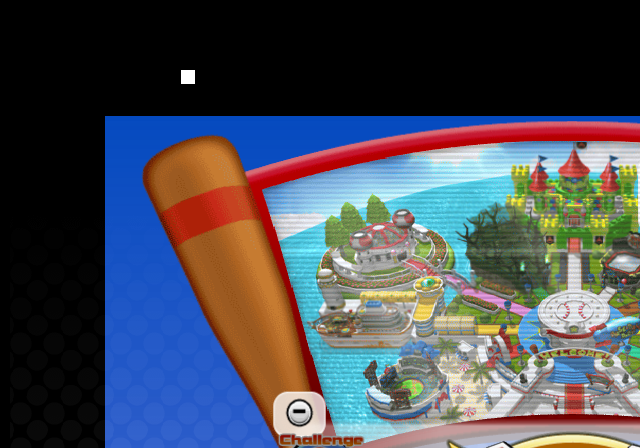
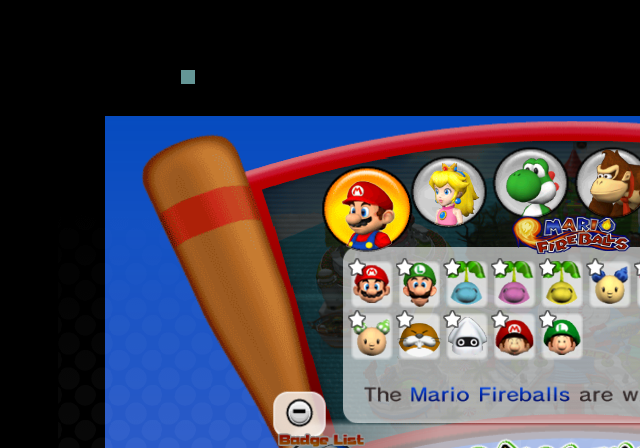
In the Records menu, there is a single white square placed above the top-left corner of the Records menu screen. When a sub-menu is selected, the white square turns dark-teal, and reverts back to being white when exiting out of a sub-menu.
Lakitu's Filename#
Lakitu's model is intenally named L_jugem. "L_" is a prefix used for the playable character's low-poly models, which suggests that Lakitu was going to have a high-poly model when up-close to the camera, in addition to having a low-poly model. Unfortunately, no models for a high-poly model for Lakitu exists.
Misspelled Name in Credits#
|
Japan |
America |
|---|---|
|
|
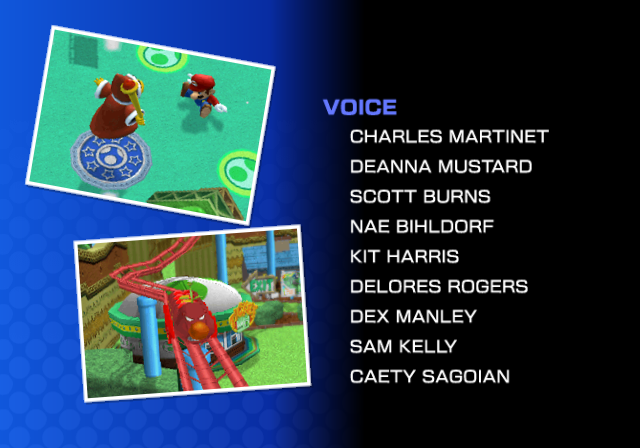
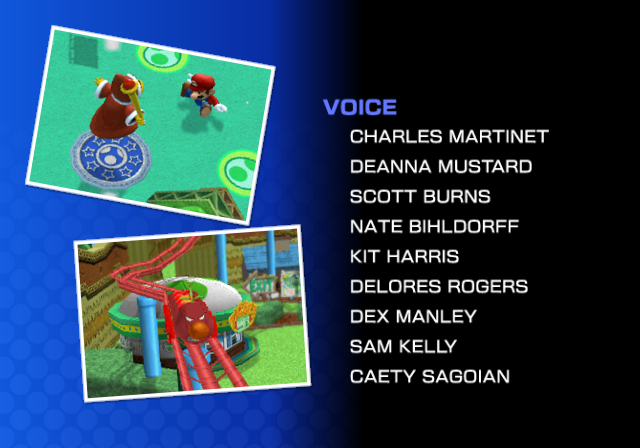
In the Japanese version of the game's credits, Nate Bihldorff (who voiced Shy Guy) has his name misspelled as "Nae Bihldorf". This error was corrected in the American version.