 This article has a talk page!
This is a sub-page of Mario Kart: Double Dash!!.

|
To do:
|
While there aren't full fledged debug menus as seen within the debug build, a sizable amount of leftovers are still present across all retail versions.
General Debug Features#
Debug Camera#
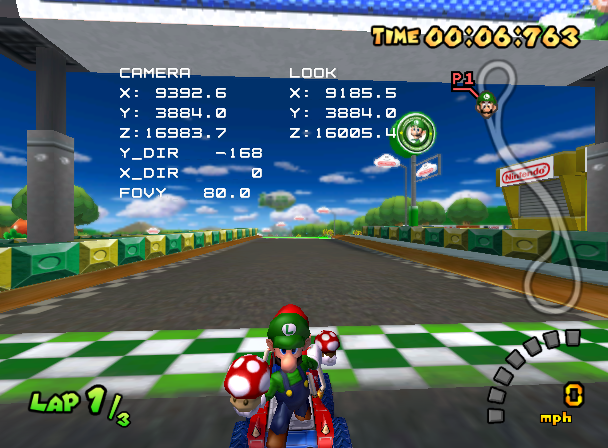
The debug camera can be controlled with a second controller plugged into port 2. To enable the debug camera, start a race and press Up on the D-Pad of the first controller plugged into port 1. To disable the camera, press Down.
Some variables will appear on screen when the debug camera is active. X, Y and Z under CAMERA display the current position of the camera, while X, Y and Z under LOOK display the current position that the camera is looking at. X_DIR and Y_DIR display the degrees that the camera is rotated to, and FOVY displays the field of view. X_DIR and FOVY are the only variables with a maximum, with X_DIR only being able to rotate the camera 80 degrees up and down, and FOVY being able to set the field of view between 1 and 180.
The controls are as follows:
- B/A: Zoom In/Out.
- Y/X: Move Up/Down.
- L/R: Rotate Left/Right.
- Z: Reset to a default position.
- Stick Up/Down: Look Up/Down.
- D-Pad Up/Down: Move Forward/Backward.
- D-Pad Left/Right: Strafe Left/Right.
The default position |
CAMERA:
|
USA |
Europe / Australia |
Japan |
|
|---|---|---|---|
Encrypted (AR) |
|
|
|
Decrypted (Gecko) |
|
|
|
Debug Process Bar#
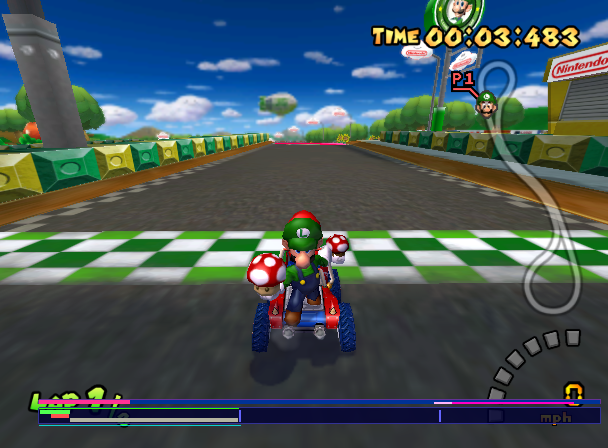
This function draws several colored bars on the bottom of the screen. This process bar works identical to the one found in the debug build, with an exception for the pink bar, which doesn't do anything, and it's unknown what it was meant to do.
USA |
Europe / Australia |
Japan |
|
|---|---|---|---|
Encrypted (AR) |
|
|
|
Decrypted (Gecko) |
|
|
|
(Source: Ralf@GC-Forever)
Item Slot Table#
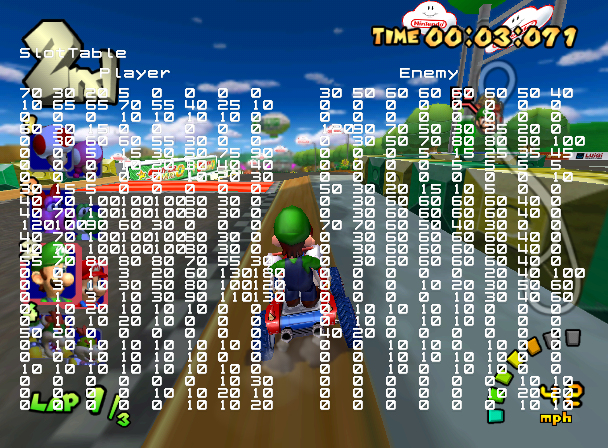
This function prints the contents of the item slot table read from itemslotlist.dat that is currently used for the current race or battle. The function that prints this is called ItemObjMgr::draw, and is also present in the debug build.
USA |
Europe / Australia |
Japan |
|
|---|---|---|---|
Encrypted (AR) |
|
|
|
Decrypted (Gecko) |
|
|
|
LAN Entry Screen Debug State#

The LAN mode connection screen has an extra debug state (which calls SceneLanEntry::debug) used to cycle through the messages. The messages can be cycled by pressing Up or Down on a controller plugged into port 1. This screen can still exited by pressing the B button.
Europe / Australia |
Japan |
USA |
|
|---|---|---|---|
Encrypted (AR) |
|
|
|
Decrypted (Gecko) |
|
|
|
SceneTest Debug Menu#

SceneTest brings up a debug menu that allows the player to select any menu present in the game. This menu was also present in the debug build and is the only functioning remnant of the debug menu, as the other submenus had most of their code removed.
The codes below will load the menu after pressing any button on the title screen.
USA |
Europe / Australia |
Japan |
|
|---|---|---|---|
Encrypted (AR) |
|
|
|
Decrypted (Gecko) |
|
|
|
Exception Handler#

If the game crashes at any point, pressing A, B, X, Y, L, R, Z in order on any controller will bring up an exception handler. After the crash has been fully processed, the screen starts autoscrolling.
(Source: @UnclePunch_)
Debug Symbol Map#
debugInfoS.MAP is a text file containing addresses and file names for some of the source files, which would have been resolved into function names if the game were to crash and the exception handler was triggered. This file is also included in the debug build, North American kiosk demo and European kiosk demo, but not present the Japanese kiosk demo. In all iterations of debugInfoS.MAP, the addresses do not align with the respective builds' executable .dol code. The debug build's debugInfoM.MAP file, however, does align with its game code.
 |
Download debugInfoS.MAP Linker Address Map File: MarioKartDD-DebugInfoS.7z (1.08mb) (info) |
Course Debug Features#
Debug Course Models#
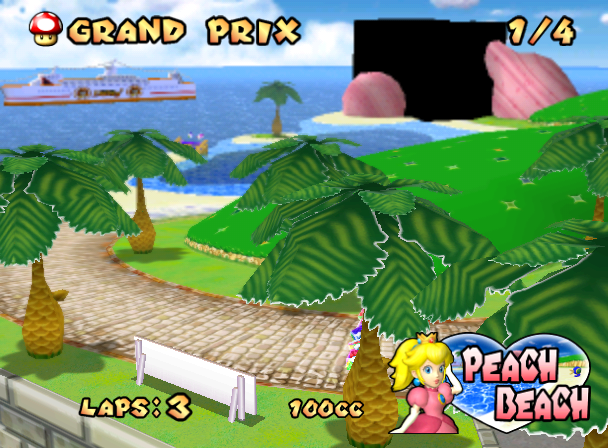
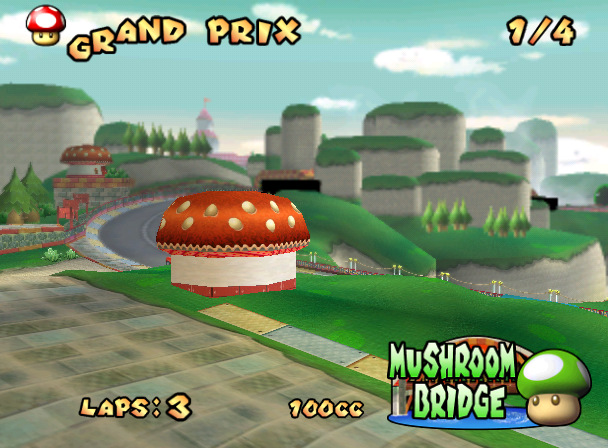
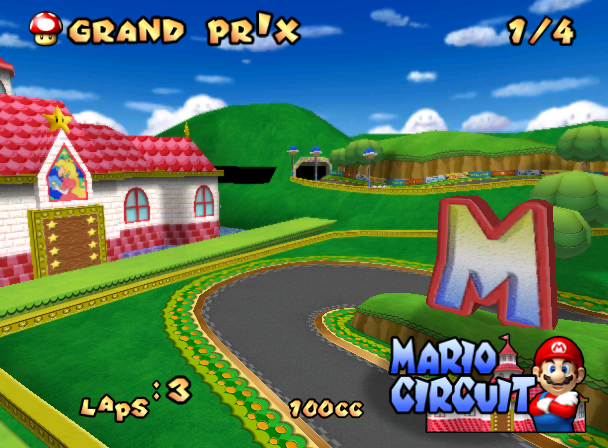
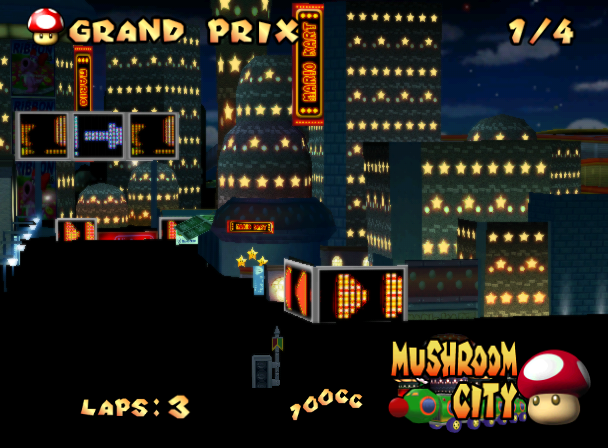
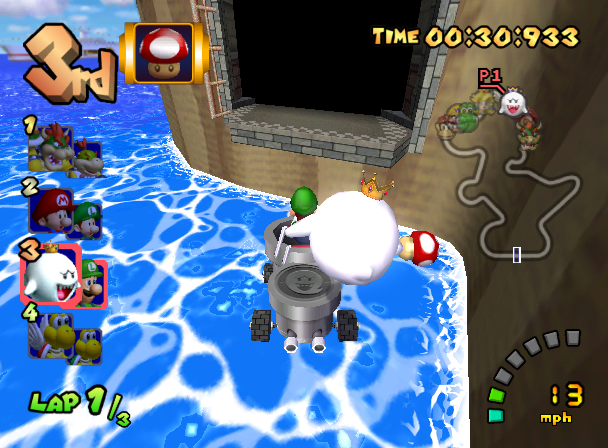
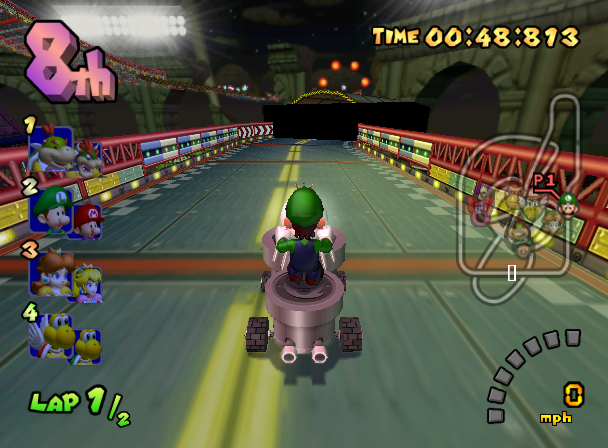
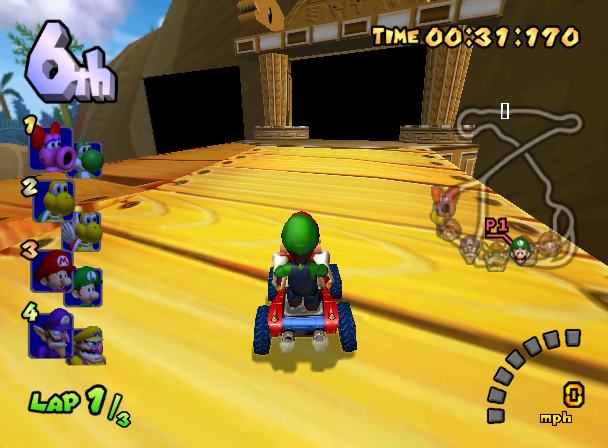
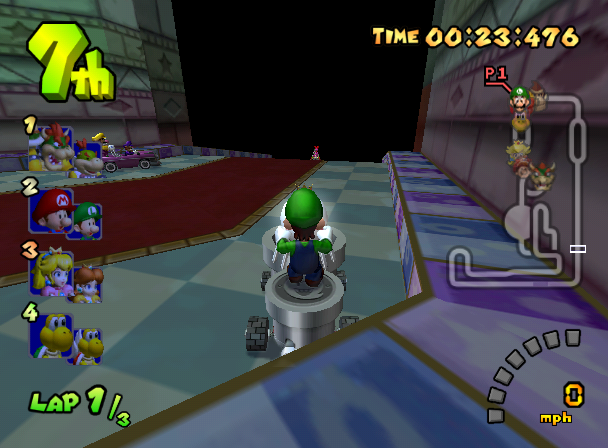
There is an unused halfword debugging variable with the symbol name Course::sDrawAreaModel. If bit 0 of this variable is set, the game will draw black cubes or cylinders in specific areas of specific courses. The function responsible for deciding when to draw the debug model and which area of the course in specific is called Course::drawModelForDebug. Debug models are present in one of nine of the following stages:

USA |
Europe |
Japan |
|
|---|---|---|---|
Encrypted (AR) |
|
|
|
Decrypted (Gecko) |
|
|
|
DK Mountain Bridge's Print Message#

The bridge on DK Mountain just before the finish line (whose object name is StringBridge) loads an .lbd file (used to configure the bridge) depending on one of the object's setting values. This can only ever be 4501, so the file loaded is always in the course's archive at path Bridge/Bridge_4501.lbd.
In StringBridge's constructor object, there is a conditional block which is entered if the requested file does not exist, which can never happen during normal gameplay. It prints the error message (by calling JSystemM::JUTReport) using a format string, as seen in the screenshot ("BridgeParam Not Found. /Bridge/Bridge_4501.lbd") if the bridge's object's setting value is 4501.
The formatted string can be found in the following locations:
USA Virtual Address |
Europe / Australia Virtual Address |
Japan Virtual Address |
|---|---|---|
0x80337b78 |
0x803419b8 |
0x80352198 |
Leftover Debug Features#
Screenshot Feature#
During development, a dedicated screenshot feature was implemented, presumably to take direct high quality captures for media purposes. This feature is mentioned by the game's debug symbol map, but otherwise no longer exists in the final game. The following functions are present in the debug symbol map:
ScrnShot::createScrnShot(int, int, _GXTexFmt)
ScrnShot::ScrnShot(int, int, _GXTexFmt)
ScrnShot::capture()
ScrnShot::saveFile()
ScrnShot::convTextureToBitmap()
ScrnShot::genMessage(JORMContext *)
ScrnShot::listenPropertyEvent(JORPropertyEvent const *)
ScrnShot::sScrnShot()
Despite this feature no longer being present in the final game, its code is present in the game's debug build.
Force Lap Functionality#
In the debug build of the game, there is functionality to force the lap count to be either 1 or 2 via button combinations. The part of code that reads button combinations to set the RaceMgr::sForceTotalLapNum variable is not present in the retail builds, however this variable is still read and can overwrite the lap count if the variable is non-zero. Since RaceMgr::sForceTotalLapNum is never written to in the retail builds, it is impossible to see this unused functionality unless the variable is written to via cheating.
The following table represents the addresses of the RaceMgr::sForceTotalLapNum halfword variable:
USA Virtual Address |
Europe / Australia Virtual Address |
Japan Virtual Address |
|---|---|---|
0x803cb7ec |
0x803d562c |
0x803e5e0c |