 Unused CutscenesHarry Potter and the video game that does not know the meaning of the word temporary.
 Unused Sound ClipsBut there's still so much pointless stuff left to say!
Unused Animations#
HPCharacters_32.ukx#
This is where most NPCs and playable characters are. They have the most complex animations.
MalfoyStandTurnLeft#

This is simply an example of a general case: for each character, default animations are present because the devs simply wanted to edit animations faster, but they never removed the animations they didn't use. Most of them are general, like walking and jumping, but they never placed the bones, so most of them have these weird faces.
It should be noted that Ron and Hermione share all of Harry's animations, but they will not be uploaded, since they're exactly the same. There are animations for falling at different heights, finding spells, checking wardrobes, etc.
Unused Player Animations#
# |
Filename |
Description |
External link |
1 |
HarryAttackHitStand |
Harry gets knocked down by a strong attack. |
|
2 |
HarryBuyBook |
Harry buying a book, presumably from Fred and George or from an unused cutscene. |
|
3 |
HarryPanelPush |
Pushing a panel. |
|
4 |
HarryCrawlCrouch |
Apparently, crawling in vents or tight spaces was going to be a thing. |
|
5 |
HarryCrawlStand |
||
6 |
HarryCrawlWalk |
||
7 |
HarryJump1m |
Harry dropping from a high place. |
|
8 |
HarryJump2m |
Harry dropping from a higher place. |
|
9 |
HarryJumpHardToLand |
A landing animation, presumably used when hitting the floor while staying in a neutral position. |
|
10 |
HarryJumpLandHardToRun |
A landing animation, presumably used when hitting the floor while moving. |
|
11 |
HarryJumpLandToStand |
A landing animation, similar to the one used when hitting the ground after using Carpe Retractum. |
|
12 |
HarryJumpVault |
Hogwarts, school of magic and parkour? |
|
13 |
HarryLandToRun |
More magic parkour. |
|
14 |
HarryLadderBottomMountDismount |
Ladders were going to be a thing apparently and the multitude of animations shows that a lot of work was done on them. |
|
15 |
HarryLadderDownMount |
||
16 |
HarryLadderUpDismount |
||
17 |
HarryLadderUpDown |
This is just pure swag. |
|
18 |
HarryLedgeDrop |
In the final game, you can't hang on a ledge, but multiple animations show that this was the case at one point. |
|
19 |
HarryLedgeIdle |
||
20 |
HarryLedgeSlipToHang |
||
21 |
HarryLedgeStop |
||
22 |
HarryWandCastFumos |
Unused spell casting animations. Most of them come from the portable Harry Potter RPGs. |
|
23 |
HarryLocomotormortisMiscast |
||
24 |
HarryMucusadnauseam |
||
25 |
HarryMucusadnauseamMiscast |
||
26 |
HarryWandCastAlohomora |
||
27 |
HarryWandCastAvifors |
||
28 |
HarryWandCastDiffindo |
||
29 |
HarryWandCastDiffindoPerfect |
||
30 |
HarryWandCastExpeliarmus |
||
31 |
HarryWandCastFlipindoFast |
||
32 |
HarryWandCastIncendio |
||
33 |
HarryWandCastIncendioPerfect |
||
34 |
HarryWandCastLapifors |
||
35 |
HarryWandCastLocomotormortis |
||
36 |
HarryWandCastLocomotormortisPerfect |
||
37 |
HarryWandCastLumos |
||
38 |
HarryWandFlick |
||
39 |
HarryWandCastLeviosa |
Very similar to the ending of a challenge, but with a hand twirl. Interestingly, the used file is named "AcquiredWizardCard" (?) |
|
40 |
HarryWandMaintainExpeliarmus |
Either a spell charging animation or a lasting effect. |
|
41 |
HarrySwordCast |
An odd name, since the only sword in the series is not in the book, movie or game. The animation is similar to the last fight against Dementors, but Harry never picks up anything. |
|
42 |
HarrySwordDrop |
Perhaps a failure to use the sword? |
|
43 |
HarryVileDrink |
Potion drinking and filling animations. Probably would have functioned like in the 2nd game. |
|
44 |
HarryVileRefilCauldron |
||
45 |
HarrySneakForward |
A sneaking animation (pure swag). |
|
46 |
HarryWandTapWallSneak |
Partially completed animation of Harry tapping his wand against a wall. |
|
47 |
HarryPropWalk |
Animations for carrying something. Only "HarryThrowOverhead" is used for the wizard firecrackers, but nothing else needs to be carried with 2 hands. |
|
48 |
HarryPropPickup |
||
49 |
HarryPropThrow |
||
50 |
HarryPropThrowRightHand |
||
51 |
HarryRunToStop |
A stopping animation. |
|
52 |
HarrySearchChest |
A bunch of searching animations, but instead we got the good old "open everything" spell because it was so easy to implement everywhere. |
|
53 |
HarrySearchChestOpen |
||
54 |
HarrySearchChestStand |
||
55 |
HarrySearchDesk |
||
56 |
HarrySearchDeskAbort |
||
57 |
HarrySearchDeskOpen |
||
58 |
HarrySearchDeskSuccess |
||
59 |
HarrySearchLowCabinet |
||
60 |
HarrySearchLowCabinetAbort |
||
61 |
HarrySearchLowCabinetCrouch |
||
62 |
HarrySearchLowCabinetStand |
||
63 |
HarrySearchLowCabinetSuccess |
||
64 |
HarrySearchTallCabinet |
||
65 |
HarrySpellBookAcquireSpell |
Probably would have functioned like in the console versions, where in the challenges, you find a book and you get the spell. |
|
66 |
HarryWalkWobble(Left/Right) |
Walking on a plank of some sort. .gif file is a combined version of "HarryWalkWobbleLeft" and "HarryWalkWobbleRight". |
|
67 |
HarryWallSneakLeft |
Scrapped sneaking mechanics. |
|
68 |
HarryWallSneakPeakLeft |
||
69 |
HarryWallSneakLeftReturn |
||
70 |
HarryWallSneakIdleWipeBrow (is this used partially in a cutscene?) |
||
Note |
*if an animation has only Left and not Right at the end, assume the other version is flipped. |
HPCharacters#
This package contains all other characters and enemies, most of which are used in cutscenes.
# |
Filename |
Description |
External link |
1 |
GlaciusBlockDrain |
An ice block, which could be frozen or unfrozen. |
|
2 |
GlaciusBlockForm |
||
3 |
GlaciusBlockmelt |
||
4 |
GlaciusBlockReform |
||
5 |
PixieFallGettup |
It seems that pixies could walk on the ground at some point, but alas they simply dissapear once dead. |
|
6 |
PixieFallLand |
||
7 |
PixieFallSit |
||
8 |
PixieRun |
||
9 |
PixieStand_Idle |
||
10 |
PixieStand_ThrowStone |
||
11 |
SiriusBlackWantedPoster |
This is used during a cutscene, but not the model itself. As it turns out, a video file plays out on the journal with a green filter (to make it black and white). |
|
12 |
NHNickfidget |
Nearly Headless Nick mostly has all his animations from Harry Potter and the Chamber of Secrets. |
[ giphy] |
13 |
NHNickFly |
[ giphy] |
|
14 |
NHNicktalkbothhands |
[ giphy] |
|
15 |
NHNicktalklefthand |
[ giphy] |
|
16 |
NHNicktalkrighthand |
[ giphy] |
|
17 |
DementorHitSwat |
The Dementors always use the same animation when stunned. This one looks similar, but faster. |
[ giphy] |
18 |
Dementorpatrol |
The Dementors also have patrolling animations. It seems they were able to move freely at some point and to call for reinforcements maybe? |
[ giphy] |
19 |
DementorReachLeft |
[ giphy] |
|
20 |
DementorReachRight |
[ giphy] |
|
21 |
DementorSilhouette |
[ giphy] |
|
22 |
DementorTurnLeft |
These combine with the static "DementorTurningLeft" and "DementorTurningRight" animations. |
[ giphy] |
23 |
DementorTurnRight |
[ giphy] |
|
RT_Box_K#
This is a generic prefab package from the Unreal 2 devkit.
# |
Filename |
Description |
External link |
1 |
BoxModelboxidle&idlecrouch |
This is the only non-static animation, which only shows the box floating up and down... |
Unused Enemies#

|
To do: |
Unused Spells#
There are unused spells in the game. Some are actually used by enemies, but can be casted from the wand. This video showcases most of them.
Debug Mode#
Additional features for testing purposes can be re-enabled by editing the hppoa.ini config file: find the following lines in the file and switch "bDebugMode=False" to "bDebugMode=True". 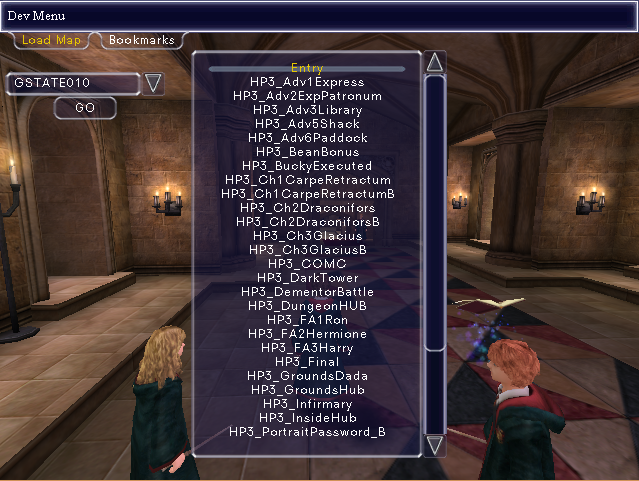
[HGame.baseConsole]
bDebugMode=False
bUseSystemFonts=True
The file is usually located in "/../Documents/Harry Potter and the Prisoner of Azkaban".
Once the debug code is activated, press one of the following keys during gameplay to activate the corresponding debug function:
- F1 - Opens the level select menu.
- F3 - Reloads the last save point and shows every actor in the map (including debug sprites, like triggers).
- F4 - Activates a debugging rotating camera around an actor in the bottom left.
- F5 - Disables the debugging camera.
- Tilde (~) - Toggles the console.
- Delete - Enables the free camera mode (Arrow keys to move forward/back; mouse to steer).
- Page Up/Page Down - Increases and decreases the game speed, respectively.
There are also a few console commands to edit certain key values, where X is any number between 1 and 9999999:
- set statusitemwiggenwell ncount X - Number of Wiggenweld Potions (This is a valid command but does not affect the game as there is no usable healing items).
- set statusitemjellybeans ncount X - Number of Jellybeans.
- set statusitemgryffindorpts ncount X - Gryffindor House Points (This is a valid command but does not affect the game as there is no calculated score).
Engine Debugger#
If the F2 key is pressed while debugging is active, a menu with tabs related to different features appears. 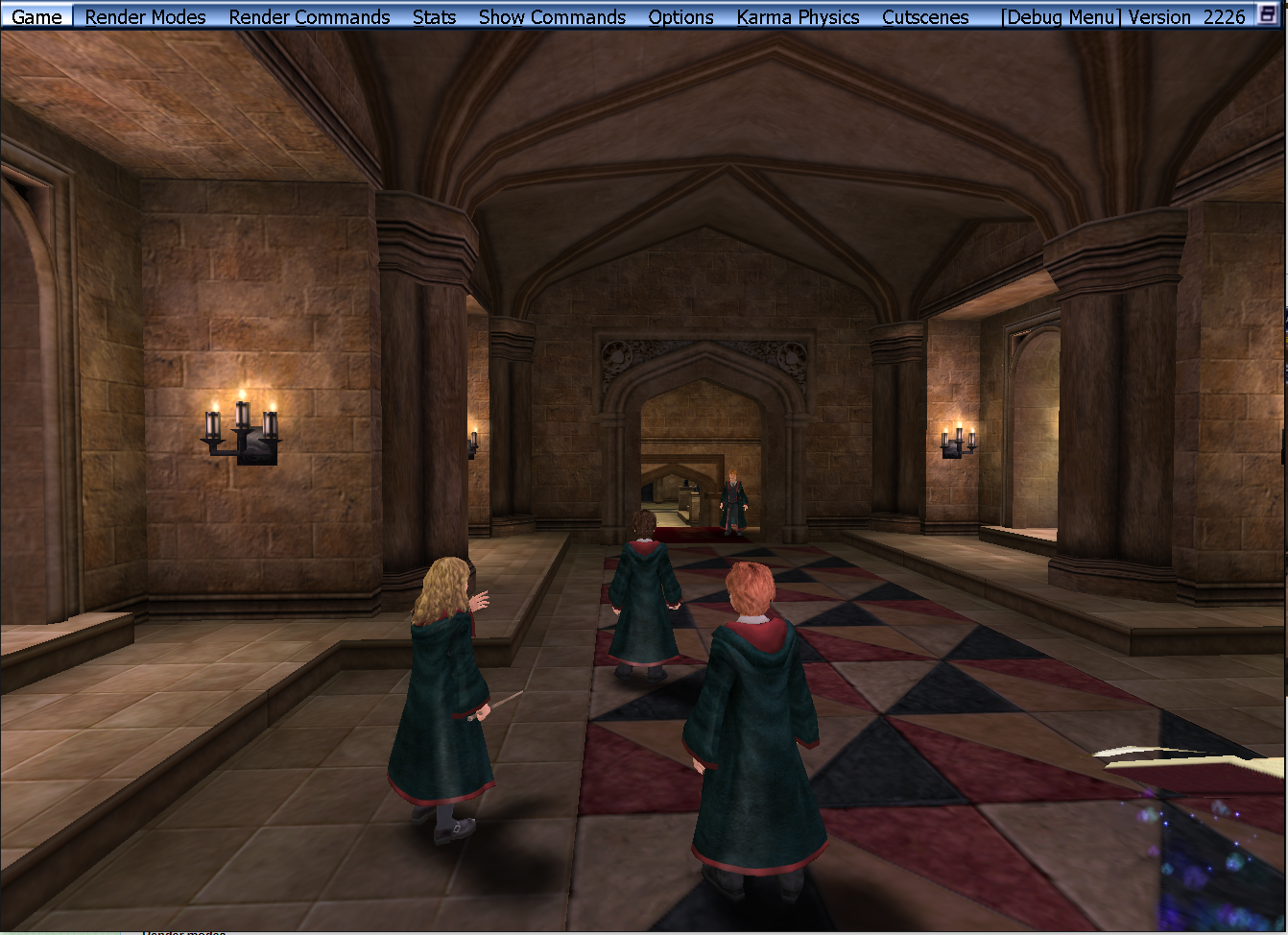
Game#
- Load New Map: Opens a simplified verison of the Level Select menu activated with F1.
- Connect to..: Connects to a server (no function).
- Screenshot: Takes a screenshot in .bmp format under Harry Potter and the Prisoner of Askaban\System.
- Flush: Flushes engine cache.
- Test GUI: Unknown.
- Exit: Quits the game.
Render Modes#
- Wireframe: Activates wireframe (no textures on polygons, only colored tris).
- Zones: Colors the different map zones by replacing all map textures with a plain color.
- Flat Shaded BSP: Uses color as reference for flat BSP shaded map textures.
- BSP Splits: Used for BSP shading (not here, replaces all map textures to white when non applicable).
- Regular: Reverts rendering to normal.
- Unlit: Removes all lighting.
- Lighting Only: Renders Only lighting (all textures are white and shaded).
- Depth Complexity: All of the screen becomes red and almost no normal 3d rendering becomes possible.
- Top Down: Activates wireframe rendering and removes the Y-Axis Rendering.
- Front: Activates wireframe rendering and removes the X-Axis Rendering.
- Side: Activates wireframe rendering and removes the Z-Axis Rendering.
Render Commands#
- Blend: Toggles Highlighting of meshes tris locations either by yellow lines (static meshes) or multiple colored dots (animated meshes).
- Bone: Toggle rendering of every bone outline for animated meshes.
- Skin: Toggles rendering of skins on every mesh.
- Actor Collision: Toggles the rendering of actor hitboxes.
- Volume: Toggles map border collision rendering.
- Collision: Toggles collision rendering of everything (if camera in range).
Stats#
- All: Shows all existing engine variables.
- None: Hides all existing engine variables.
- Show All Graphs: Shows all graphics (no real function).
- Hide All Graphs: Hides all graphics.
- Configure Graphs: Make your own graphics.
- (The rest of the options do not need documentation.)
Show Commands#
- Toggles rendering of different things.
Options#
- Video: Set resolution and brightness.
Karma Physics#
- Collision shows map collision while the rest of the options don't seem to do anything.
Cutscenes#
- CutLog: Basic console screen showing complete cutscene executions.
- Add..: Does not seem to have any effect.
- Debug: Pops up a bar at the bottom of the screen with a Run Button, but no interaction with the window is possible.
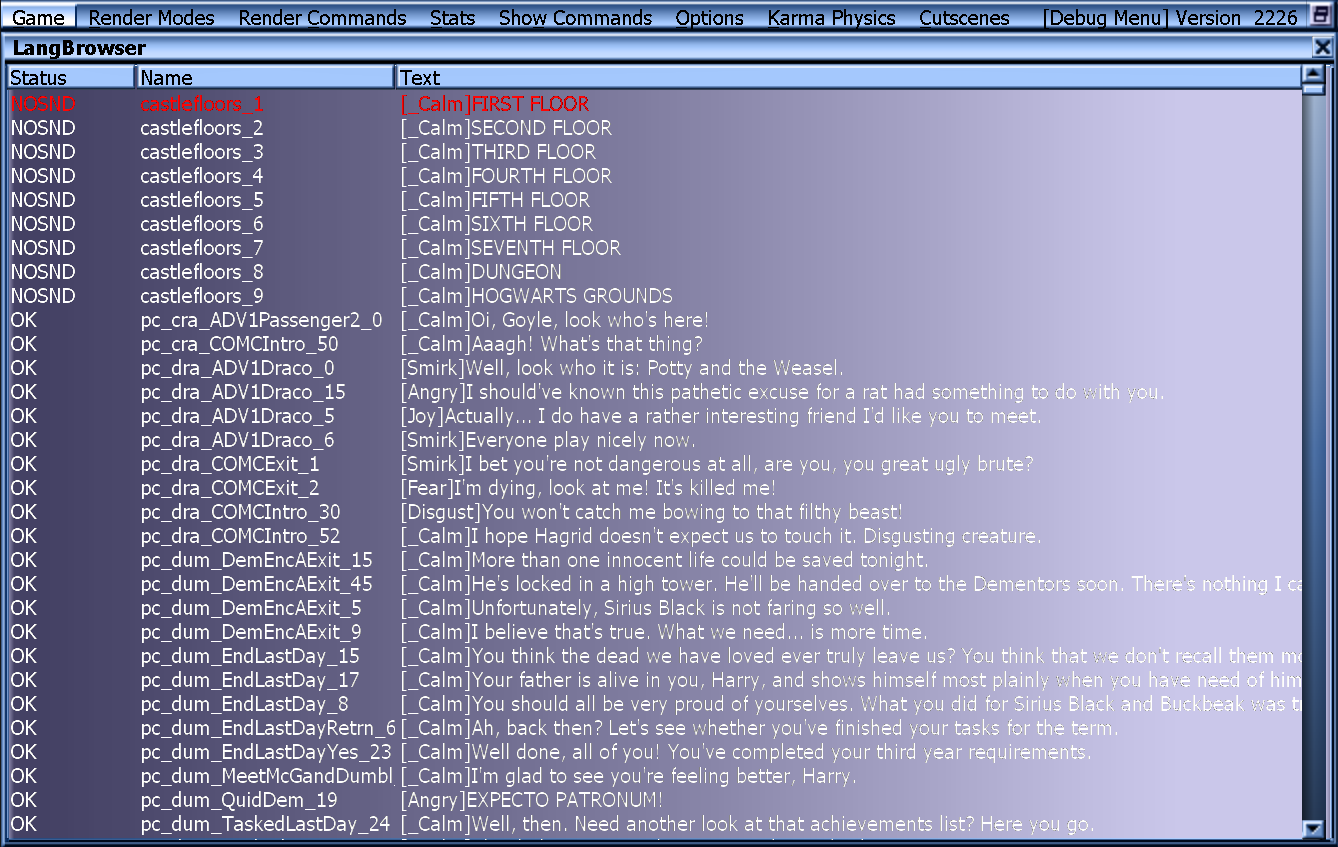
- Lang: Shows every file located in AllDialog.uax complete with facial animation prompts (calm, angry, fear) and complete documentation for grunts and shouts.
Unused Graphics#
|
|
To do: |
Editor.u#

Bad.bmp - The Bad Size marker from Sorcerer's Stone returns.
EmitterTextures.utx#

FrameAnim.animpcl.bmp - A placeholder for multi-frame animated textures.
GamePlay.u#
Filename |
Graphic |
|---|---|
S_Counter.bmp |
 |
S_SpecialEvent.bmp |
 |
sptlight.bmp |
 |
SunIcon.bmp |
 |
HGame.u#
Filename |
Graphic |
|---|---|
LumosTriggerIcon.bmp |
 |
PortraitPasswordTriggerIcon.bmp |
 |
SecretTexture.bmp |
 |
SpongifyTargetTexture.bmp |
 |
HP3_Gameplay.utx#

RictuAlpha.bmp
HP3_Placeholder.utx#


Everyone's favorite flavors of texture guides return for a third time. The blue guide appears three times under a few different names and the one at the end is new.
Brick textures with a white box and text displaying the file name.
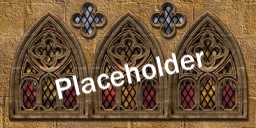

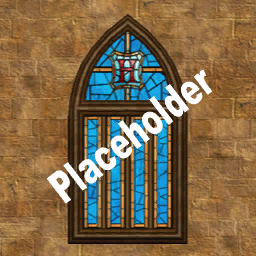

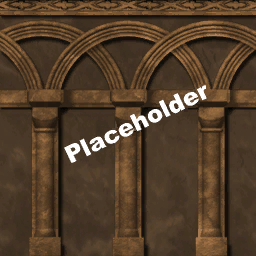

A bunch of textures with "Placeholder" slapped onto them.


Placeholder signs for levels that were still a work in progress.
Unused Models#
A few models, though there aren't a whole lot like the previous games.
BloodyBaron#
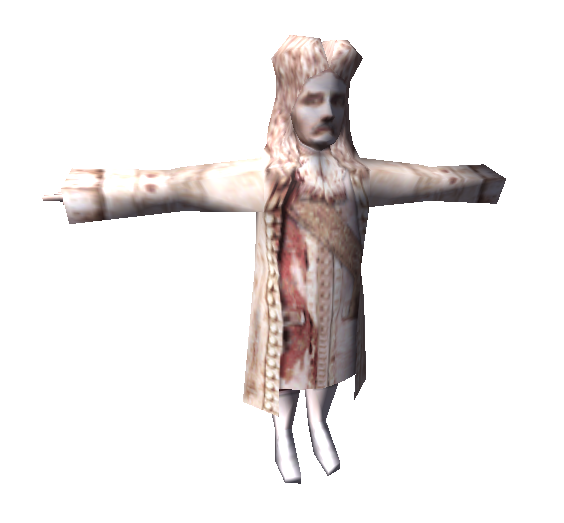
The Bloody Baron's model was ripped straight from Sorcerer's Stone in all of his Unreal 1 low poly count.
BoxModel#

A very simple untextured box from the UE2 prefabs.
CageSalamander#
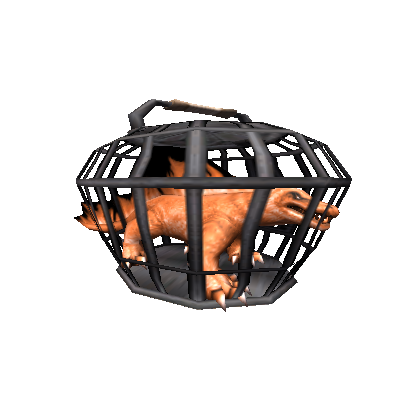
These were likely supposed to be placed in the "Animal luggage" section of the first level with the snakes and spiders.
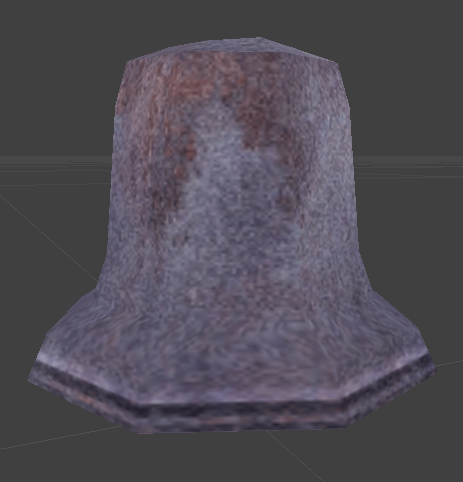

CR_bell#
|
Model |
Animation |
|---|---|
|
|
A rather simple looking bell; purpose unknown.
CR_Obelisc#

The Carpe Retractum pillars are used, but because of the effect, the sphere is never seen.
DementorDummy#
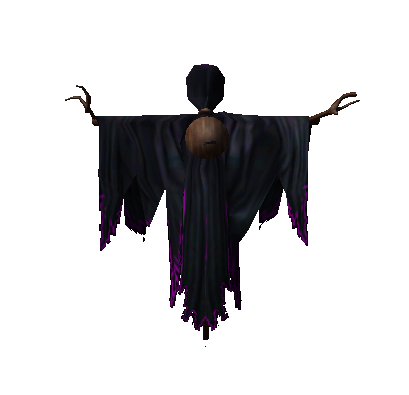
This wooden replica of a Dementor was probably used in the patronus lesson, but for some reason they swapped it for a simple target.
FatFriar#
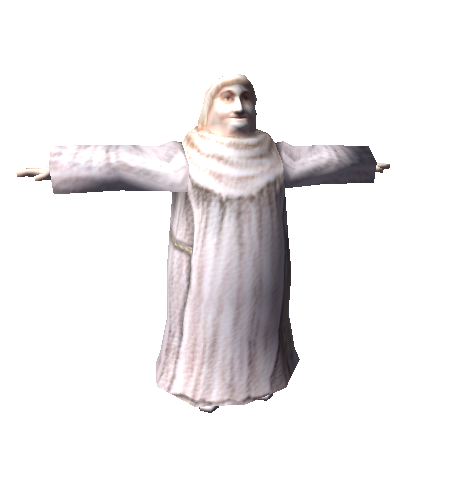
The fat friar, the ghost of the Hufflepuff house, was also ported from Unreal 1.
FirecrabStatue#
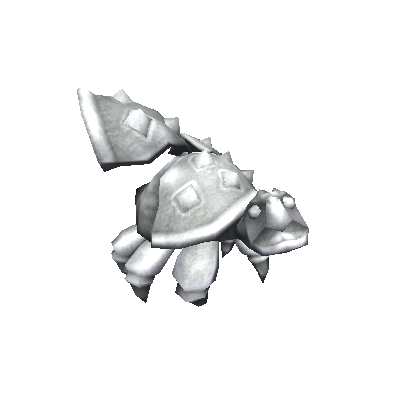
This statue is similar to the rabbit and dragon statues from the Lapifors/Draconifors challenge. Hmmm...
GlaciusBlock#
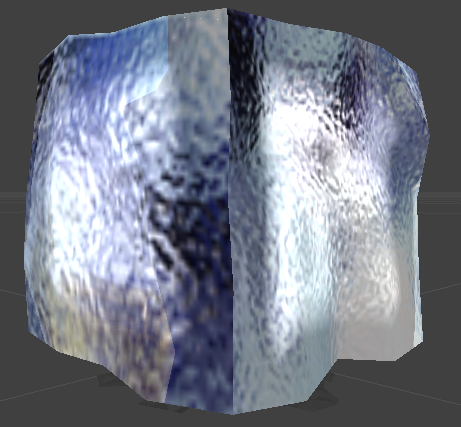
An ice block that can melt and freeze.
Gnome#

The Gnome used in the previous games was supposed to be used, but they got replaced with imps from Chamber of Secrets for some unknown reason. It has no textures at all in this game.
NHNick#
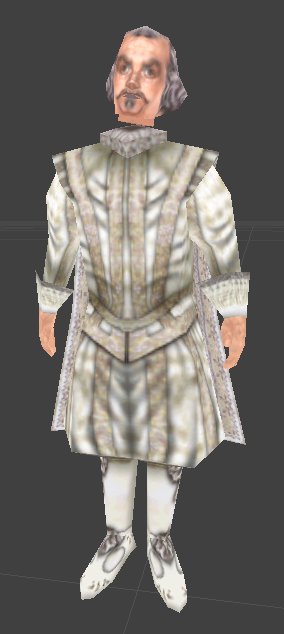
Like both of the other house ghosts, Nearly Headless Nick was also ported straight from the 1st game.
skectoblob#

A blob made out of ectoplasm. An unused spell projects this model forward.
Vase#

A simple vase, which could've been placed anywhere.
Oddities#
- Hermione always uses the "run" animation when strafing or backwalking, but her animations are present like everybody else. These unused animations look rather clunky, with her strafing animation showing her thighs clip through her skirt, so this appears to be a deliberate workaround.
- If you hold Left Shift, you can walk. It also decreases the jump height by half and affects the Lapifors and Draconisfors statue animals. This isn't a simple leftover from Unreal 2, since the characters have a separate animation from walking. The key isn't assignable in the input menu either, which means it has no use in-game and was most likely forgotten by the developers. It is worth noting that the walking animations are very similar to Harry's used walking animations in Chamber of Secrets on the PS2.
This video shows the forgotten walking feature in the game.
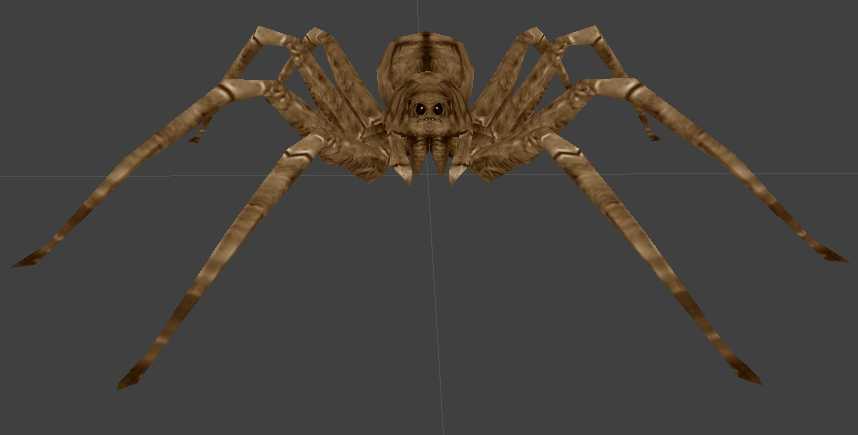
Aragog uses the same model from Chamber of Secrets and all his animations are present. He is only seen in a cage in the Dementor lesson level, downscaled to the size of a normal spider, motionless.
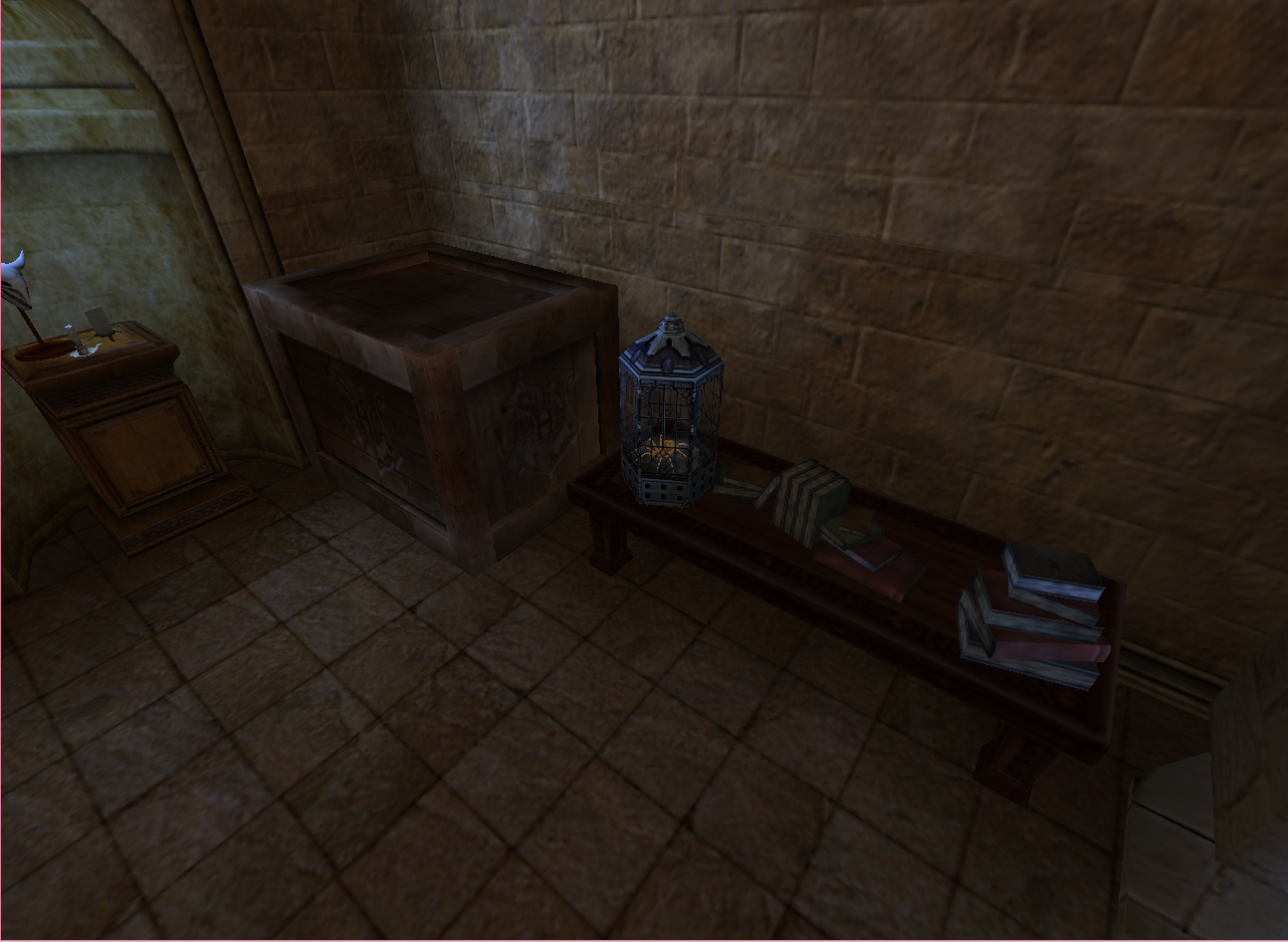
Here is where he can be seen.
Unused Music#
|
|
To do: |
Interestingly, some tracks have www.soundrangers.com in their header, which is a royalty-free music server...
beanbonus#
The used track for the bean bonus room is called beanbonus_introcutscene and never changes. It borrows a few tracks from the previous games.
fireseeds_loop_mx#
This looping track is unused in Sorcerer's Stone and also goes unused here.
lib_SM_PRV_StorybookOrch_01#
This orchestrated track from the second game (Arrival at Hogwarts) is never used in this game. It was partially used in the second game on PC and fully used in the PS2 game.
CUE5_hogwarts_intro#
This orchestral piece is similar to the theme heard in the credits, but with a few subtle differences such as missing instruments. There is also an 11 second variation called CUE5_hogwarts_intro_11_sec.
he_intro02#
Begins exactly like the previous entry, except that it blends the introduction cutscene's music piece (called he_intro01) at the end.
drac_fluffy_harp#
This short melodic track is used in the GameCube/Xbox/PS2 version of Sorcerer's Stone when Harry enters the room with Fluffy (alongside the flute heard in the PC game). How it was supposed to be used here remains a mystery, but since drac stands for "Draconfors", it was probably intended for that respective challenge.
shack_Cue_36_SM_PoA_CarpeLiftShock_01#
A suspenseful cue in the shack.
shack_SM_ARA_SpiderDrop_01_edit#
This seems a bit odd since there are no spiders in the book, film or game, but this suggests that a spider was supposed to drop from somewhere in the Shrieking Shack. Used in the PS2 version of Chamber of Secrets when Harry has to fight through spiders in the Forbidden Forest to get to Aragog.
sm_dia_AmbientLoop_01#
An orchestrated version of the menu theme from Chamber of Secrets, used in that game for Dumbledore's office.
SM_DIA_DiagonReward_01#
A short happy fanfare. Used in the console versions.
Unused Videos#
KWLogo.bik#
The Know Wonder logo intro is not present in any Harry Potter game, but it can still be found in the game's files.
LoadLevel.bik#
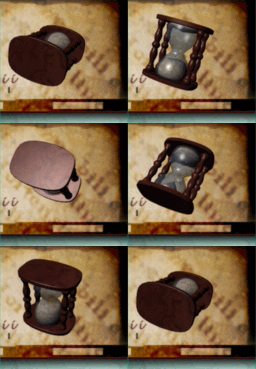
The game uses static load screens, so this is never used. A lower quality version also exists under the name "HourGlassBac".
|
The Harry Potter series | |
|---|---|
|
Windows |
Sorcerer's Stone • Chamber of Secrets (Prototype) • Prisoner of Azkaban • Goblet of Fire • Half-Blood Prince • Hogwarts Legacy |
|
Game Boy Color |
|
|
Game Boy Advance |
Sorcerer's Stone • Chamber of Secrets • Prisoner of Azkaban • Goblet of Fire • Quidditch World Cup • Collection |
|
PlayStation |
|
|
PlayStation 2 |
Sorcerer's Stone • Chamber of Secrets • Quidditch World Cup • Prisoner of Azkaban • Goblet of Fire • Half-Blood Prince |
|
PlayStation 3 |
|
|
GameCube |
Sorcerer's Stone • Chamber of Secrets
|
|
Wii |
|
|
Xbox |
Chamber of Secrets (Prototype) • Quidditch World Cup • Prisoner of Azkaban • Goblet of Fire |
|
Xbox 360 |
|
|
Nintendo DS |
|
|
PlayStation 4, PlayStation 5, Xbox One, Xbox Series X, Nintendo Switch |
|
|
iOS, Android |
|
|
LEGO | |
|
Windows |
LEGO Creator: Harry Potter • LEGO Years 1-4 • LEGO Years 5-7 |
|
Wii, PlayStation 3, Xbox 360 |
|
|
Nintendo DS |
|
|
PlayStation Portable |
|
|
Nintendo 3DS |
|
|
PlayStation Vita |
|