 This article has a talk page!
 Prototype Info
 Prerelease Info
 Unused WeaponsTest weapons, scrapped weapons, and more.
 Unused IngredientsIncludes even more resource tiers.
 Unused ConsumablesConsumables not used in the final game.
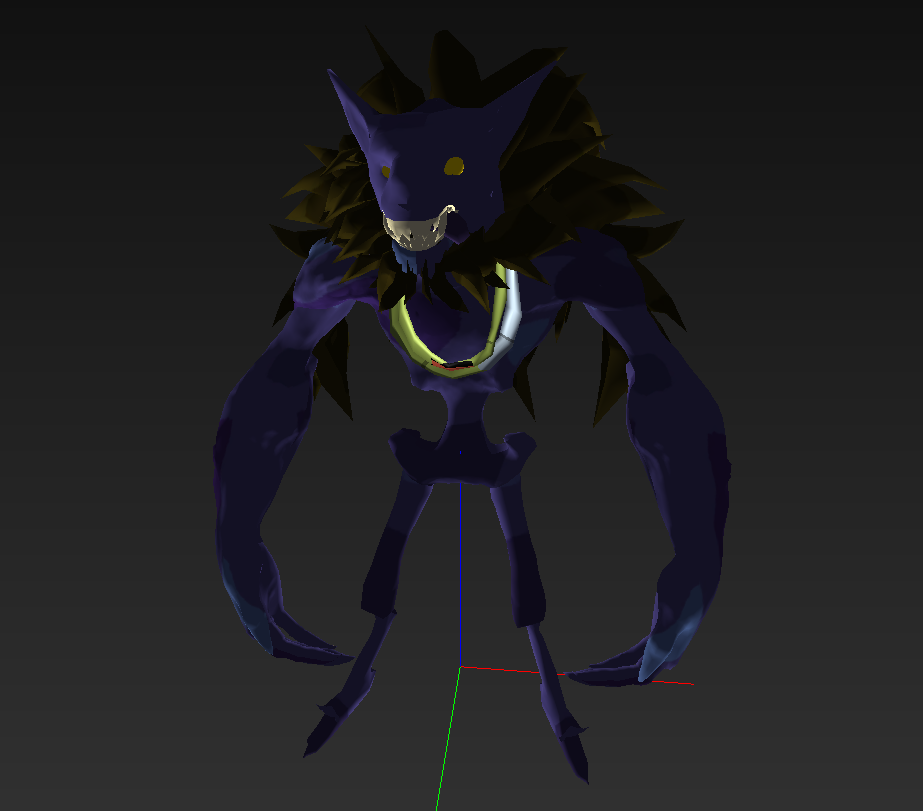 Unused CharactersUnused Husk Variants, Heroes, and their abilities.
Unused Maps/Zones#
(Video provider: @LostOfFortnite)
Zone_PerfMem
City Zone used for performance and memory testing. Mission used is Close the Gates (Fight the Storm) with three Gates (ATLASes), which spawn in predetermined locations. Player inventory is transient in this zone.
Cinematic Test Map
Map used for testing Cinematics.
TestQuest_Dynamic
Area used for testing interactable objects in Quests, as well as destructible objects.
KeepNeighborhoodProto
(Video provided by:: @Windermed_)
This map is a leftover prototype map from the Online Test builds that was meant for the now-scrapped "Keep" gamemode.
GameplayTrailer_Zone
This map was used for a gameplay trailer of Fortnite: Save the World.
Maple Tree Valley
Not a lot of information on this. Zone description: "Defend against challenging enemies from a single direction".
in v38.00, Maple Tree Valley and some Unused Alpha Content was readded, likely to be removed in the upcoming updates. 
(Picture provided by:: @archer_fortnite)
Removed Skill Tree feature#
In Fortnite: Save the World's earlier development, there was originally a skill tree system set in place for upgrading the player's stats and abilities. The player would be able to upgrade many different features about themselves, such as max HP, harvesting speed, and more. This was later replaced with the Research Lab feature, where players are able to use research points in order to upgrade max HP, Shield, Attack, and Ability/Trap damage.
An early version of the skill tree: 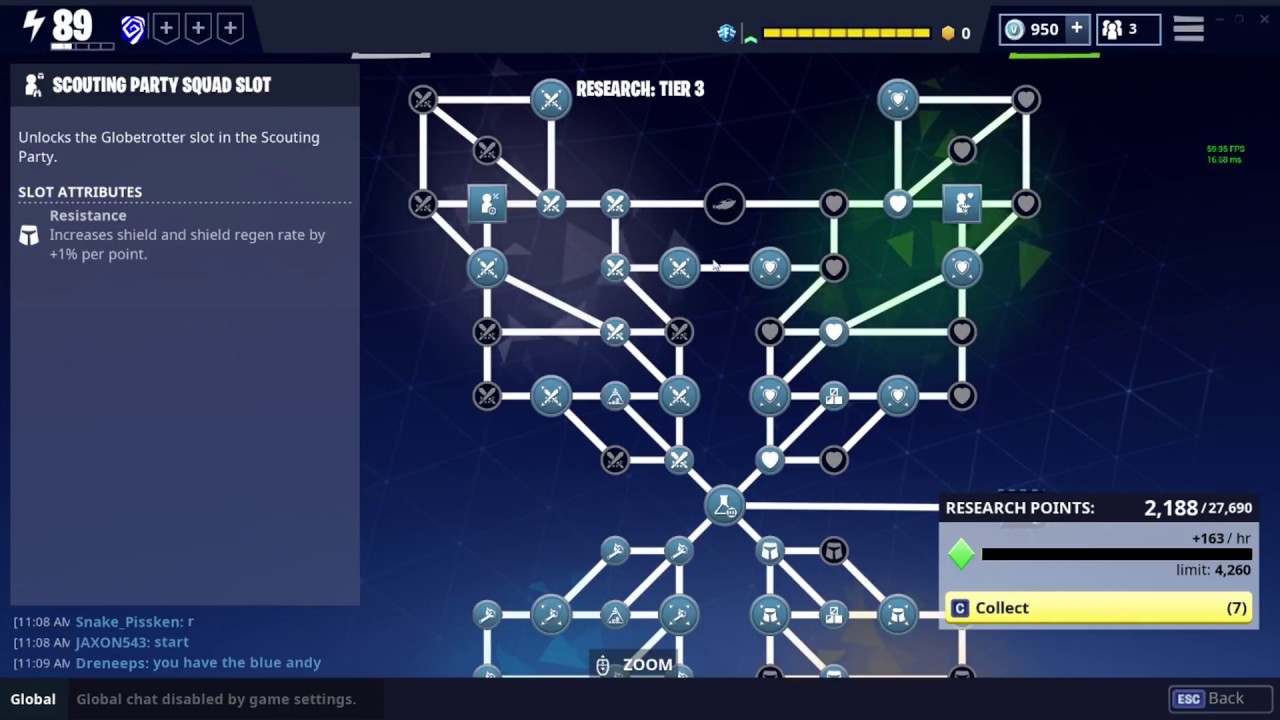
A newer version of the skill tree... before it was scrapped: 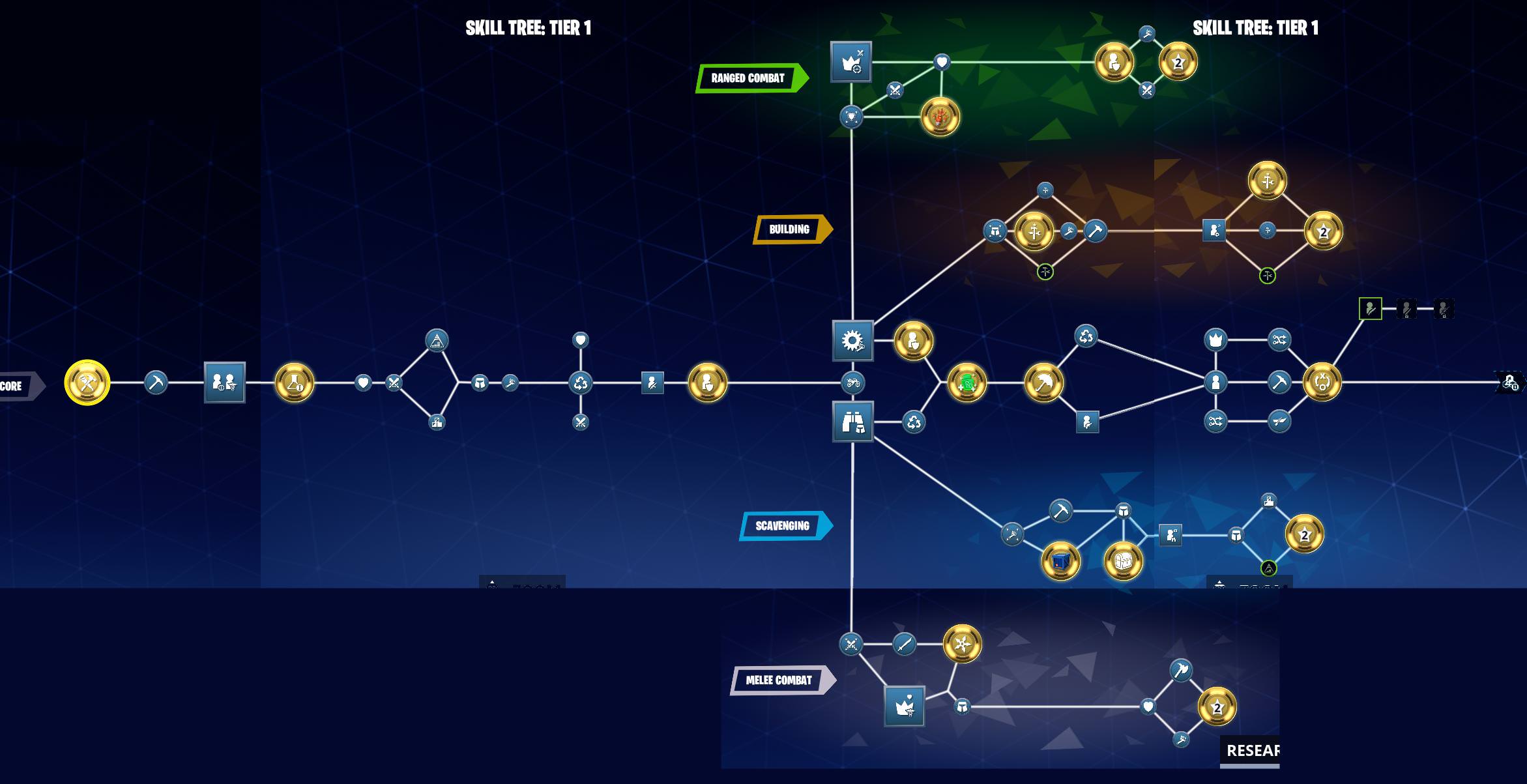
"StarterResource" Icon that would have been used with the skill tree: 
"Transform" Icon that would have been used with the skill tree: 
Altered/Unused Gadget/Stat Upgrade Preview Videos#
In Save the World, players can upgrade different special abilities and stats. Special abilities include Adrenaline Rush, an ability that heals the player, Stationary Hover Turret, a turret that flies in the air and shoots nearby monsters, and more. Stats that can be upgraded include the player's harvesting speed, building speed, and more.
With the game going through different art style and design changes, these preview videos have needed to be changed over the years.
The following videos do not currently exist in the game's files. These videos exist in an older build of the game only.
Gadget Upgrade Previews#
AirStrike.mp4 demonstrates the Level 1 variation of the Airstrike Gadget.
This version of the Airstrike gadget has a different explosion particle effect from its modern counterpart.
Preview_Gadget_Airstrike.mp4 demonstrates the Level 1 variation of the Airstrike Gadget. It includes footage of an earlier build of the game.
HoverTurret.mp4 demonstrates the Level 1 variation of the Stationary Hover Turret Gadget.
This version of the Stationary Hover Turret gadget shoots slower and has a different particle effect compared to its modern counterpart.
Preview_Gadget_Turretbot.mp4 demonstrates the Level 1 variation of the Stationary Hover Turret Gadget. It includes footage of an earlier build of the game.
PMine.mp4 demonstrates the Level 1 variation of the Proximity Mine Gadget.
This version of the Proximity Mine gadget has a different use animation and a different explosion particle effect compared to its modern counterpart.
Preview_Gadget_ProximityMine demonstrates the Level 1 variation of the Proximity Mine Gadget. It includes footage of an earlier build of the game.
Preview_Gadget_Banner.mp4 demonstrates the Level 1 variation of the Banner Gadget.
It does not demonstrate any major differences to its modern day counterpart.
Preview_Gadget_Banner.mp4 (has the same name as the previous video) demonstrates a much earlier version of the Banner gadget.
Rather than increasing the maximum hitpoints of player-built structures within a small proximity, the banner gadget would have originally upgraded surrounding player-built structures to the next valid tier.
SlowField.mp4 demonstrates the Level 1 variation of the Slowfield gadget.
This version of the Slowfield gadget uses a faster placement animation, and includes a stretched-out version of the small device that emits the field.
Preview_Gadget_SlowField.mp4 demonstrates a Level 1 variation of the Slowfield gadget. It includes footage of an earlier build of the game.
SupplyDrop.mp4 demonstrates a Level 1 variation of the Supply Drop gadget.
This version of the Supply Drop gadget takes a longer time for the supply drop to hit the ground when used. Additionally, some particle effects, and the screen-shaking effect for when the supply drop hits the ground is also not present in the final game.
Preview_Gadget_SupplyDrop demonstrates a Level 1 variation of the Supply Drop gadget. It includes footage of an earlier build of the game.
The gadget's functionality does not possess any major differences from the previous gadget preview video.
Teleport.mp4 demonstrates a Level 1 variation of the Teleporter gadget.
It does not possess any major differences from its modern counterpart; however, it is important to note that the video does not demonstrate the teleporter's ability to teleport player projectiles too.
Preview_Gadget_Teleport.mp4 demonstrates a Level 1 variation of the Teleporter gadget. It includes footage of an earlier build of the game.
Unlike the final version of the Teleporter gadget, there is no visible cooldown above the teleporter.
Unused Account Resources#
Vault Access Key
An account resource with an unknown purpose. Only the icon and name still exist within the files. The image is named T_UI_Research_Respec_Token_256 in the files.


Unused Vindertips (In-game Tutorial Videos)#
Vindertips are tutorial videos shown during Onboarding (the tutorial levels) to show new players how certain core mechanics work in the game.
Tutorial_Crafting#
This tutorial video demonstrates how breaking down objects around you can give you resources in order to craft weapons and other items. This video, and the next two videos do not exist in the game's files currently. Watch on YouTube
Tutorial_BuildForts#
This tutorial video demonstrates that building around objectives will protect them from being damaged by husks and other monsters. Watch on YouTube
Tutorial_Harvesting#
This tutorial video demonstrates how objects can be broken down into resources that can be used to create forts. Watch on YouTube
Tutorial_GatherWood_80s#
Alternative version of the previous Harvesting tutorial.
References#
- Fortnite | Download & Play For Free - Epic Games Store↩︎
- Fortnite Early Access has started for those who pre-ordered Founder's Packs | VG247. "Those who didn't pre-order the Founder's Pack, but purchased one, can dive in July 25."↩︎
|
The Fortnite series | |
|---|---|
|
Windows, Mac OS X |
Fortnite: Save the World (Prototypes) • Fortnite: Battle Royale • Fortnite Festival |