
Debug Tools#
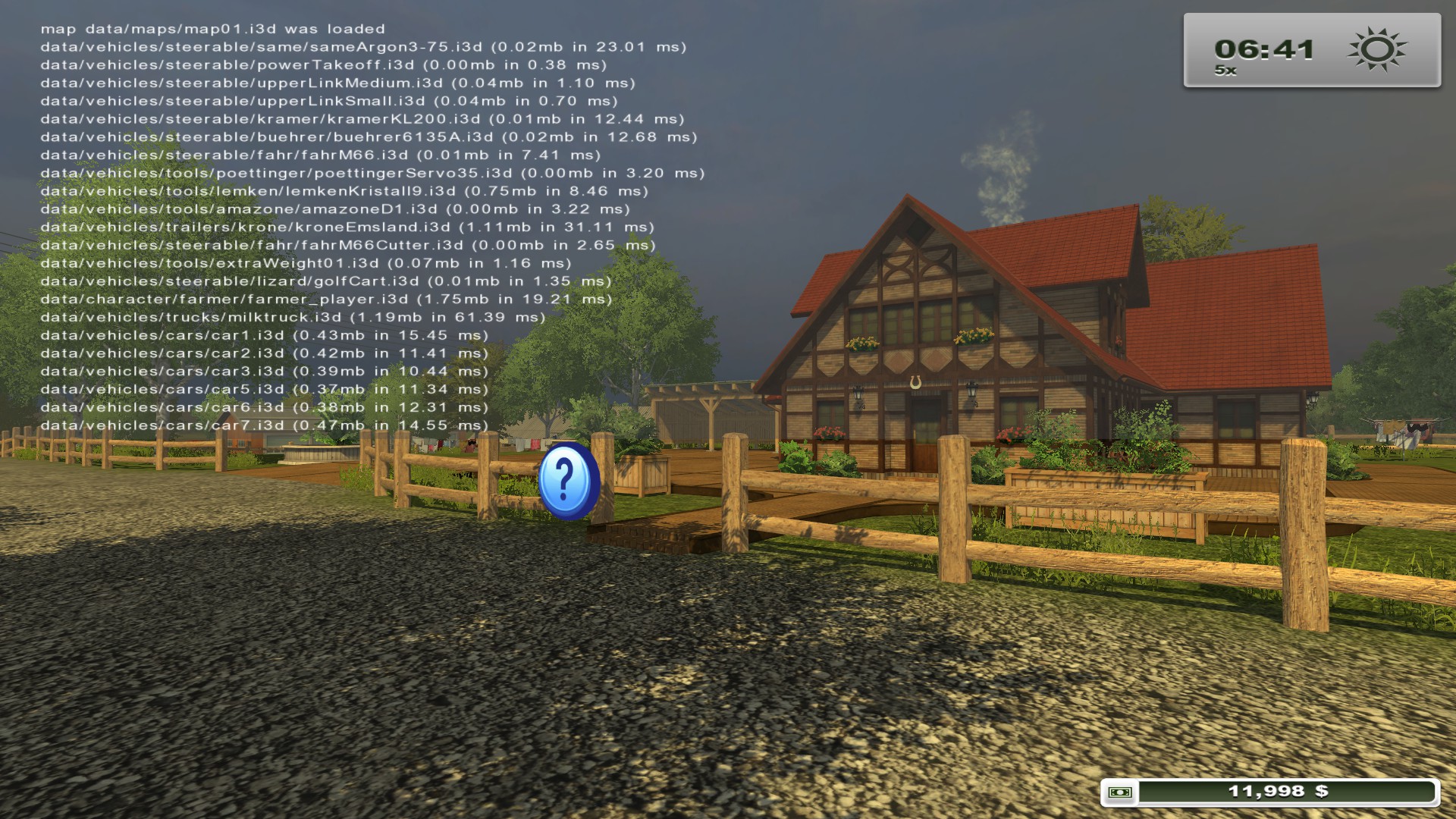
A debugging tool exists within the game and can be activated by going to Documents\My Games\FarmingSimulator2013\game.xml and under
- ~ - Toggles the console.
- F2 - Toggles a framerate counter.
- F4 - Toggles a wireframe view of every rendered 3D model.
- F5 - When pressed once, toggles a view of every hitbox. When pressed twice, toggles a view of lights.
- F7 - Toggles debugging stats about the active save game.
- F9 - Tries connecting to local Visual Remote Debugger at port 5425. Fails.
- F10 - Tries connecting to local Remote Debugger at port 61407. Fails.
Developer Commands#
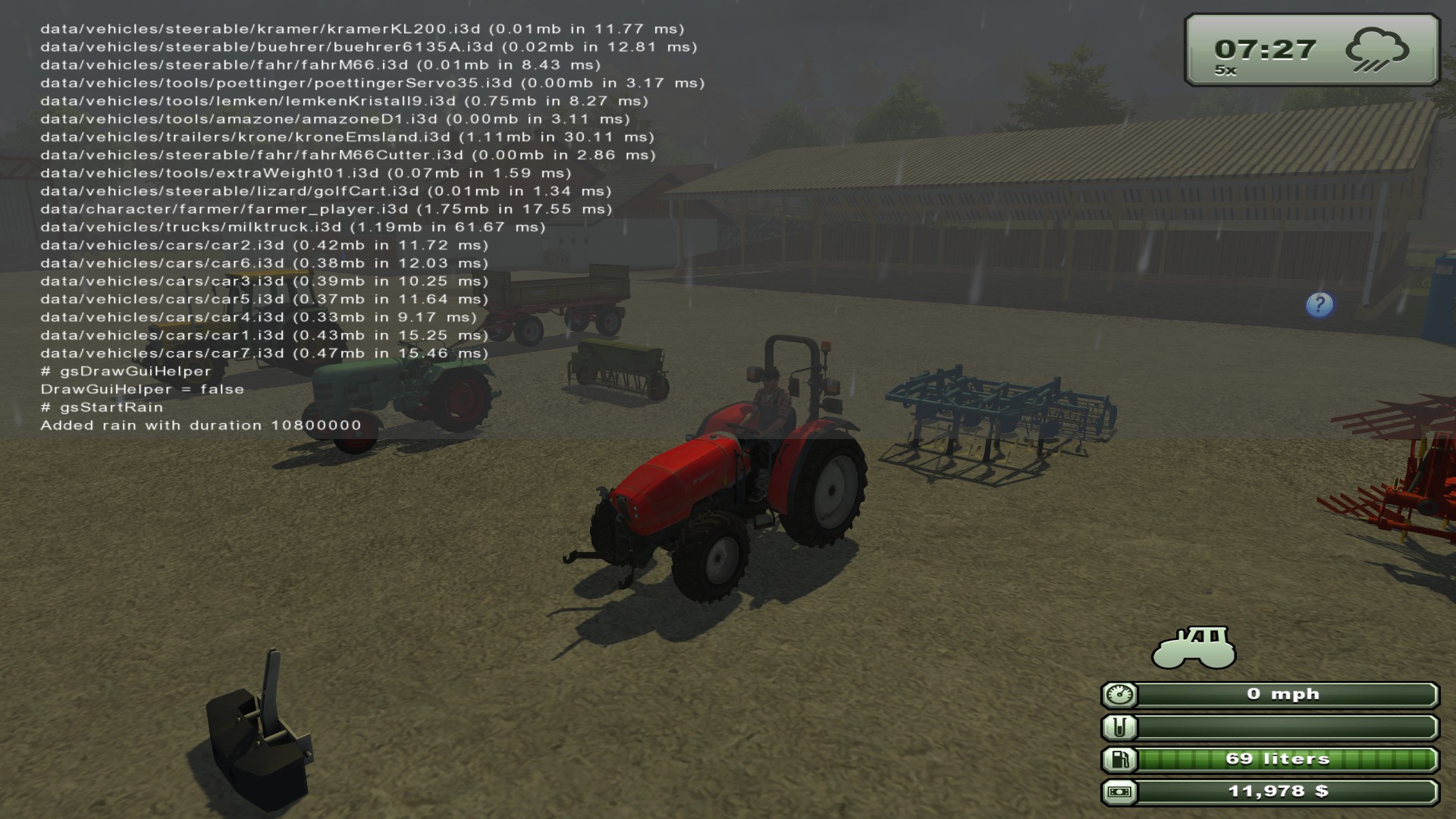
Upon opening the console, starting a line and pressing Tab ↹, The player can scroll through a selection of developer commands, such as calling in-game events or changing various statistics. The commands are executed by pressing ↵ Return.
One notable command is the gsToggleFlightAndNoHUDMode, which, as the name says gives the player the ability to disable the UI and fly when not using any vehicle. The controls are the following:
- J - Toggles mode.
- O - Toggles UI.
- Q - Fly up.
- E - Fly down.
Unused Graphics#
In the game's files, there are multiple unused images of various elements. These range from store icons to preview watermarks.
Unused Store icons#
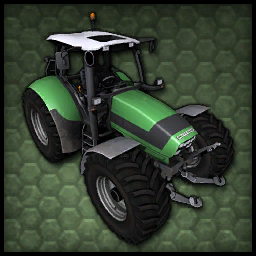
In the vehicles folder where the store icons are stored, multiple strange icons featuring unused and absent vehicles and tools are present.
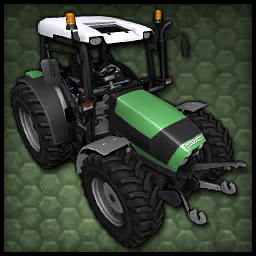
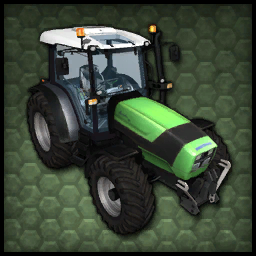


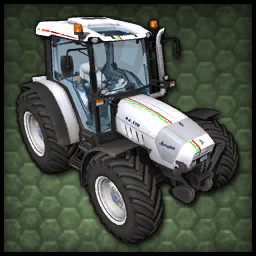
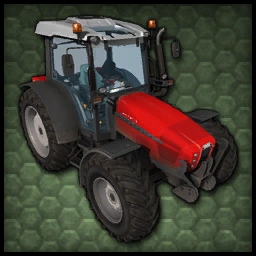
The tractor in the second icon, the Deutz-Fahr Agroplus 420, is entirely absent from the final game and its files. It's unknown as to why it never made it into the final game, but the most likely reason is GIANTS Software wanting to flesh out the presence of newcoming brands, considering the Same Explorer3 and Lamborghini R4 that got featured in the final game are its real life cousin models.
A comparison of the scrapped Deutz-Fahr Agroplus and its replacements:
Deutz-Fahr Agroplus 420 (Scrapped) |
Lamborghini R4.110 Italia (Used) |
Same Explorer3 105 (Used) |
|---|---|---|
|
 |
 |
Unused Kuhn machinery decals#
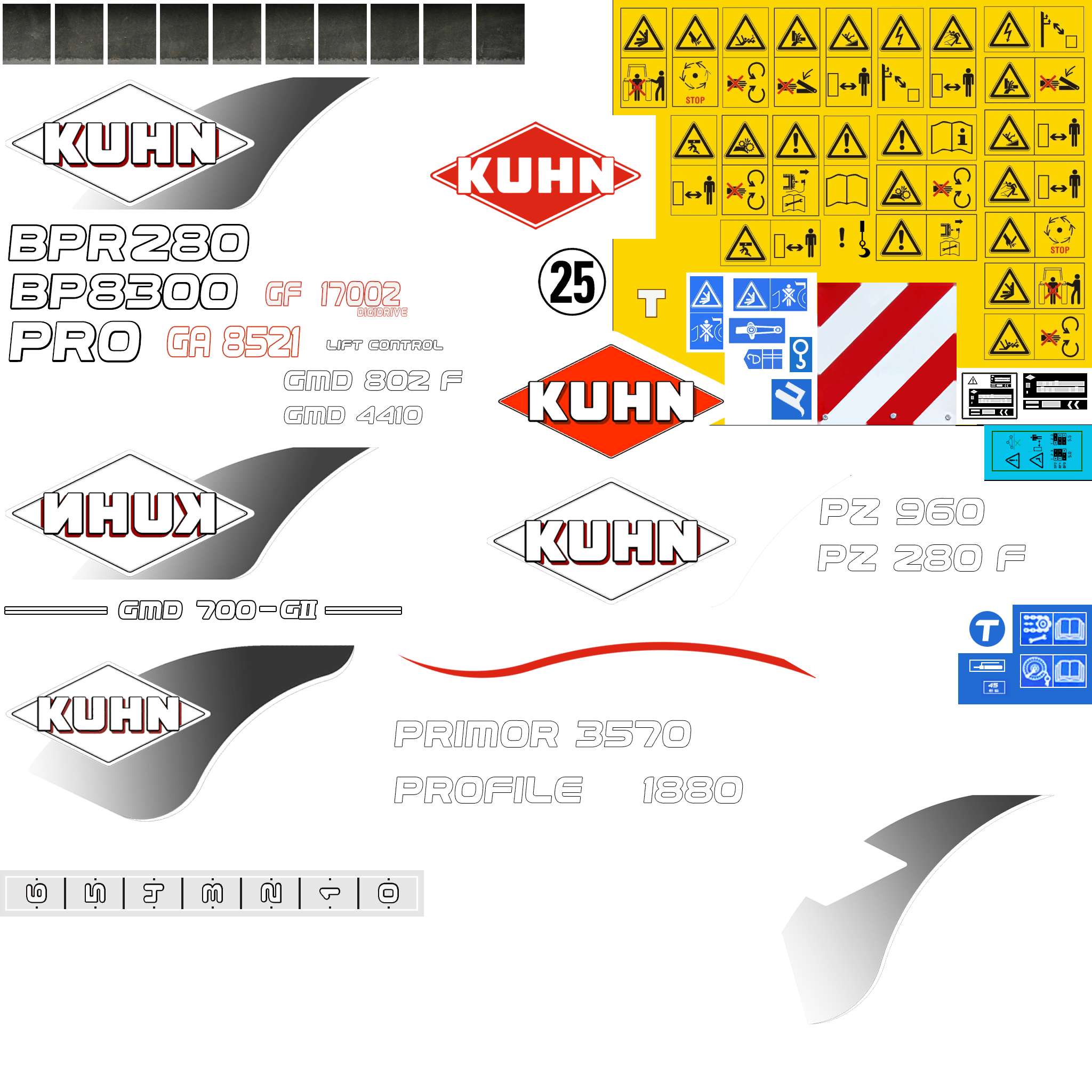
In the kuhn folder is a sprite sheet of all decals used on Kuhn machines featured in game. The strange thing is that the sprite sheet features decals for 4 mowers that are completely absent from the final release, those being the Kuhn BPR 280, Kuhn BP 3800, Kuhn GMD 802 and the Kuhn GMD 4410. Interestingly, the Kuhn GMD 4410 was featured on a trading card included in the collector's release of the game.
Unused HUD graphics#


Leftovers#
Every new Farming Simulator game is built off the previous release, hence there are numerous present leftovers from Farming Simulator 2009 and 2011. Almost all of these are found in dataS2.gar.
Leftover HUD graphics#
These are the leftover HUD graphics.



Leftover PDA icons#
Some PDA icons were also left in the files.


Leftover menu graphics#
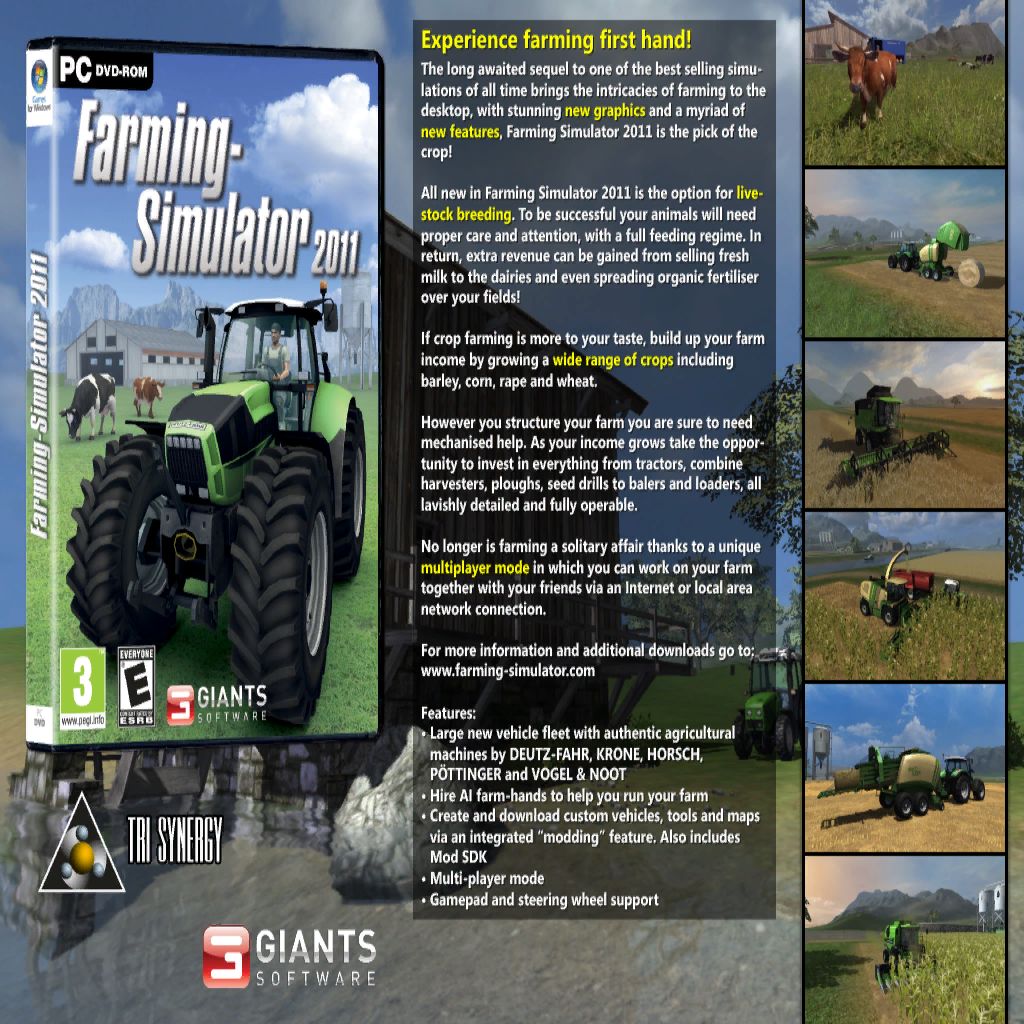
Some miscellaneous and odd menu graphics were left over from FS2011 demo versions.
Leftover sounds#
Numerous sounds were also left over, all being from FS2011.
Deutz-Fahr Agrotron L720 maximum speed sound#
This is the maximum speed sound used for the Deutz-Fahr Agrotron L720 from FS2011. This file can be found in the deutz folder in vehicles.
Lizard 422 engine stop sound#
While said to be used by the Kramer KL200, it goes unused and is a leftover from FS2011's Lizard 442. It is located in the kramer folder in vehicles
Whistling sounds#
These sounds are the ones used for the whistle action in FS2011. This function is absent from this release, leaving these sounds unused. These can be found in dataS2.gar.
Deutz-Fahr Agroplus 77 sounds#
These are the sounds used for FS2011's Deutz-Fahr Agroplus 77. These can also be found in the deutz folder in vehicles.
Self Propelled Sprayer Sounds#
While named near identically to the sounds used by the Amazone Pantera these go unused and are leftovers from FS2011's Self Propelled Sprayer found in the amazone folder in vehicles.
Unused Deutz-Fahr Agrotron M620 sounds#
This is an unused set of sounds for the Deutz Agrotron M620 found in the deutz folder in vehicles. These are also present in FS2011 and went unused there as well.
Anti-Piracy#
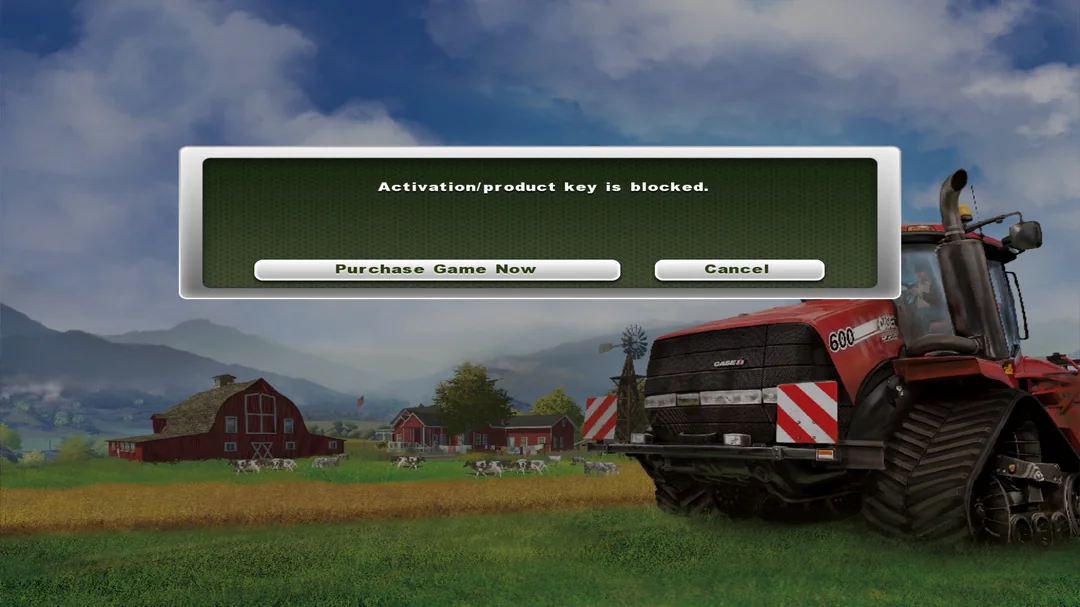
The anti-piracy system entirely depends on the game's unique product key. If the same key has been used on multiple devices at the same time, the key is banned, making multiplayer games completely inaccessible. The next time the game is booted up, the game will require a product key, and entering a banned key will grant access to the full game that works flawlessly on single-player game modes, only with the above-mentioned multiplayer ban.
Oddities#
There are a few inconsistencies in multiple places. Although nothing that will make the game unplayable, they are still worth mentioning.
Inconsistent store icons#
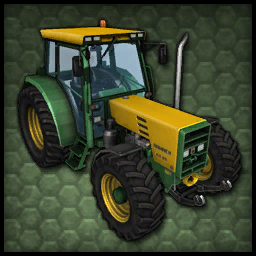
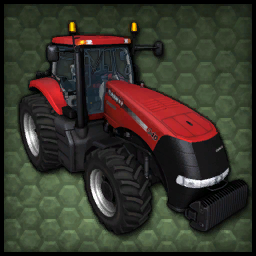
There are multiple types of how a Vehicle window texture is rendered on a store icon. The three types are shown below:
No rendered texture. (FS2011 Vehicles) |
Opaque window texture. (Base game) |
Translucent window texture. (DLC) |
|---|---|---|
 |
 |
 |
Amazone UF 1801 missing hose#
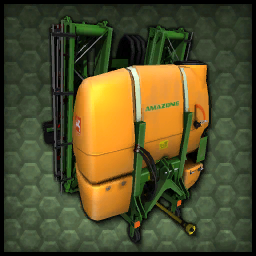
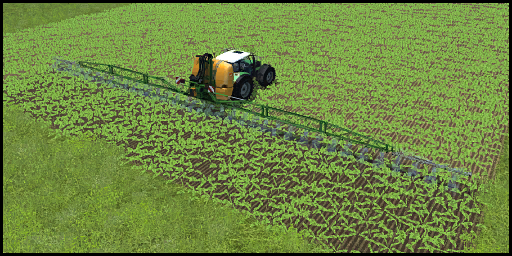
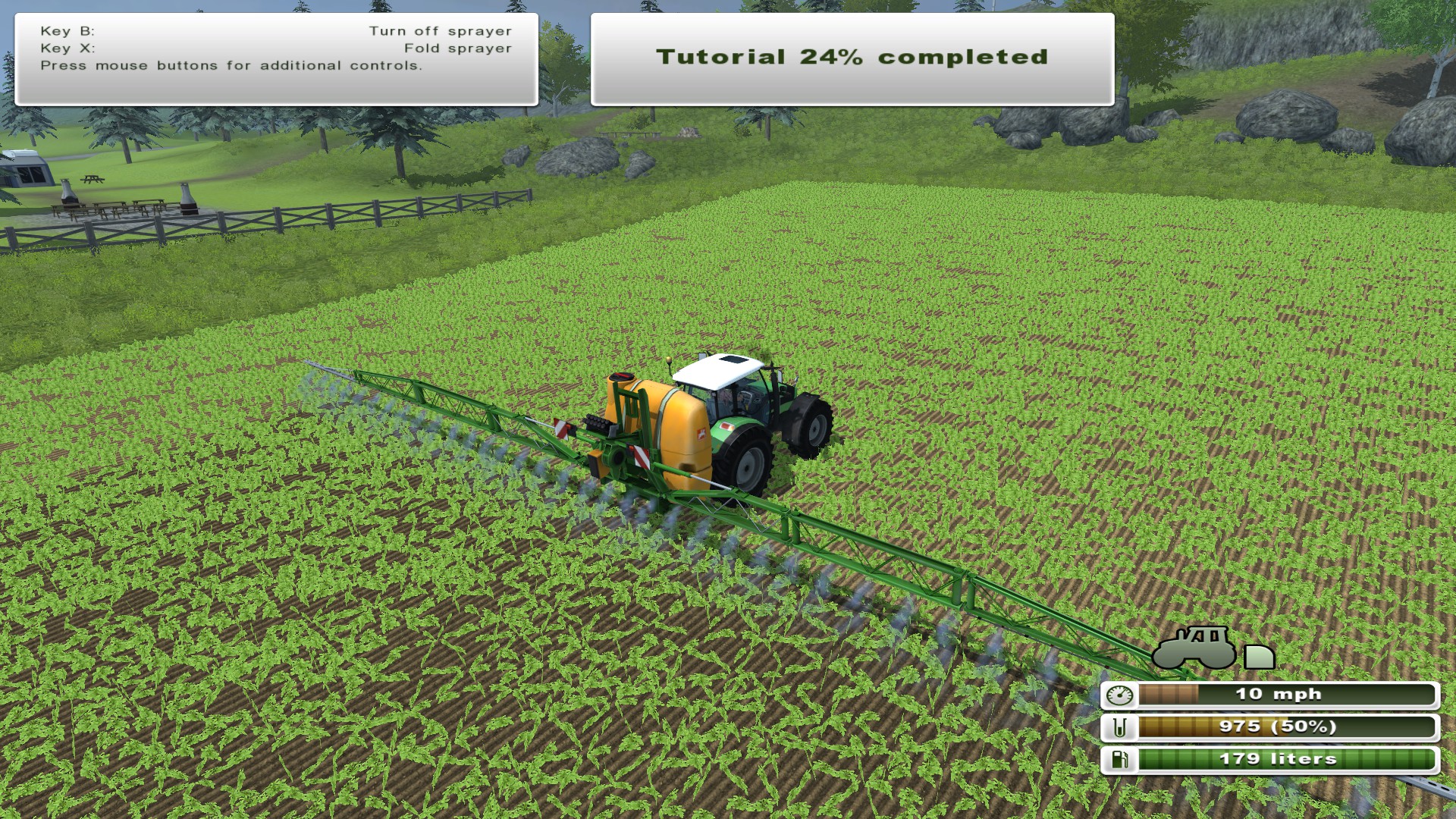
The Amazone UF 1801's store icon and mission briefing images have something the final model doesn't: The hose attaching the "wings" to the tank. It was likely scrapped due to possible animation issues. It is also worth mentioning that even when this model appeared in this game's successor, Farming Simulator 15, the model again lacks the mentioned hose.
Kroger SRB35 Cover#
The Kroger SRB35's store icon shows a red cover that isn't possible to put over the trailer in game along with some black straps running down the side of the trailer body.
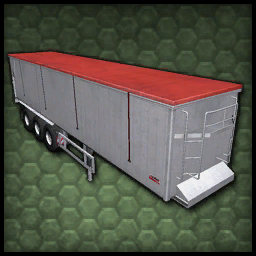
It's worth noting the textures for the trailer still include this cover.
FS2011 placeables menu graphics#
The arrow and crosshair graphic used when placing objects is directly reused from FS2011. Despite them using FS2011's translucent green style and not FS2013's dark green-white style, they were likely not replaced by anything as developers either thought they didn't need to be replaced or just forgot to do so.
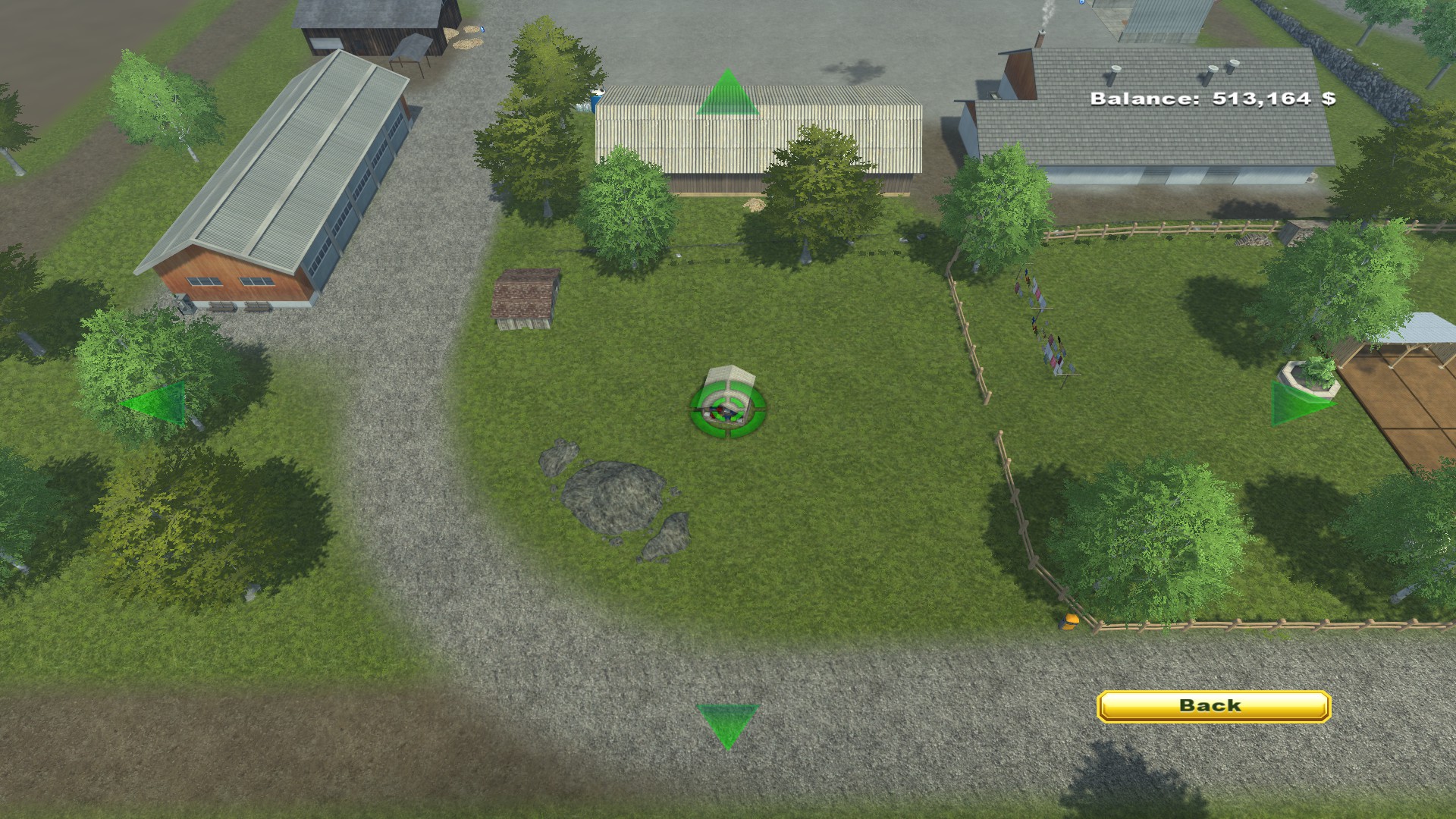
Interestingly, the Console releases of the game feature a recolored blue crosshair to fit in that version's UI style.
German box art screenshots#
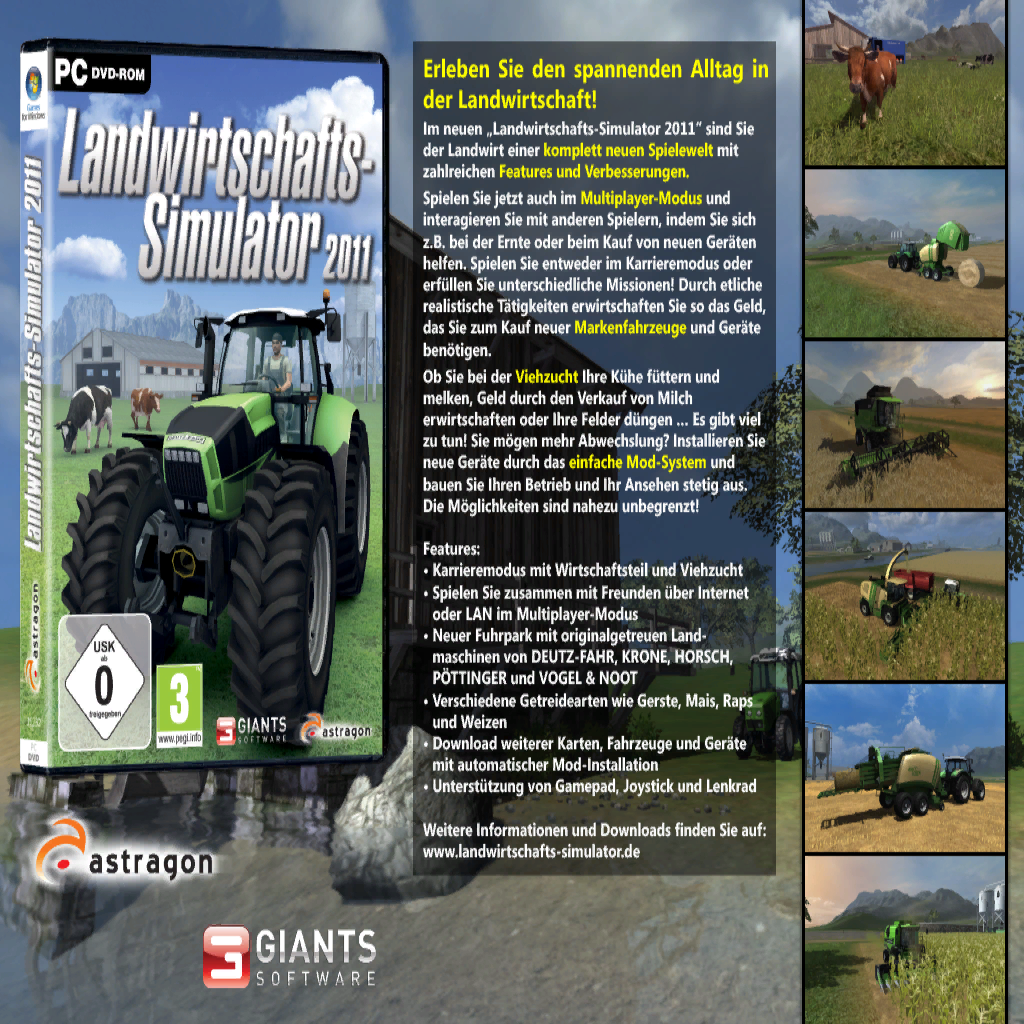
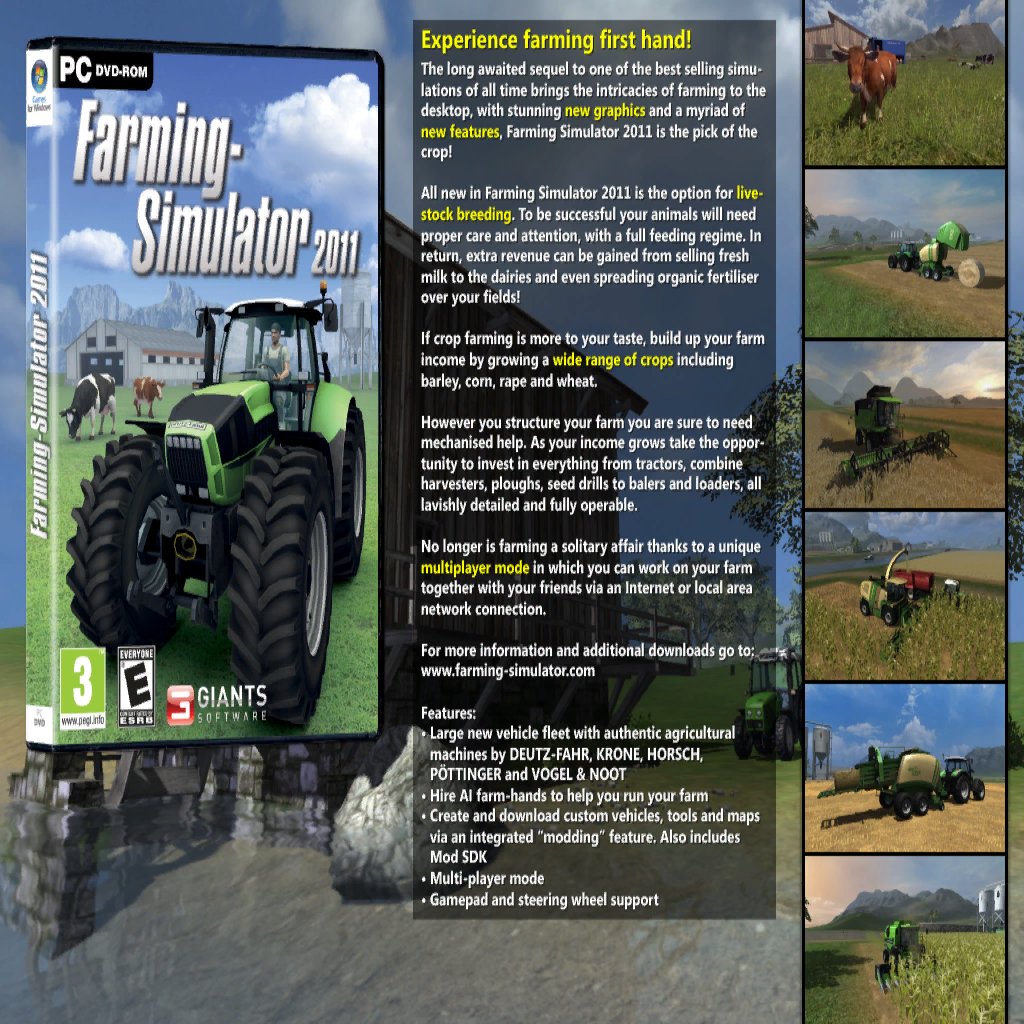
The screenshots on the back of the German version's box art showcase a few differences from the final game. 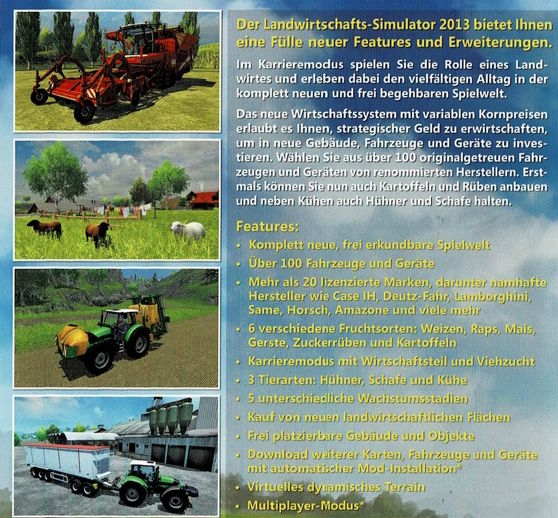
The 2nd screenshot shows three sheep near the player's house on Hagenstedt which is impossible in game, it's likely this was simply done for screenshot purposes.
The 3rd screenshot on the also shows the removed hoses of the Amazone UF 1801.
The 4th screenshot shows the "farm shop" selling point which is lacking the seed pallets that are there in the final game. It also shows the unused cover and straps of the Kroger SRB35.
Instruction Manual Oddities#
FS 2013 includes 2 separate digital instruction manuals, the first of which is found in the game's install directory, the second can be found under additional content in the library page of the steam version, they both feature some oddities and inconsistencies compared to the actual game.
The first manual is the one featured in the games files, it is based solely on the launch version of the game. On page 7 the manual mentions the icon that notifies the player they can unload a trailer. 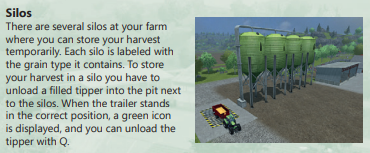
It describes the icon by stating "When the trailer stands in the correct position, a green icon is displayed" however, in the actual game this icon is white, this is likely related to the fact that this icon was green in FS2011
The second manual found through steam, is for the "Titanium Edition" expansion pack, and seems to be based on the manual included with the console version. On page 4 it shows a different version of the title screen.
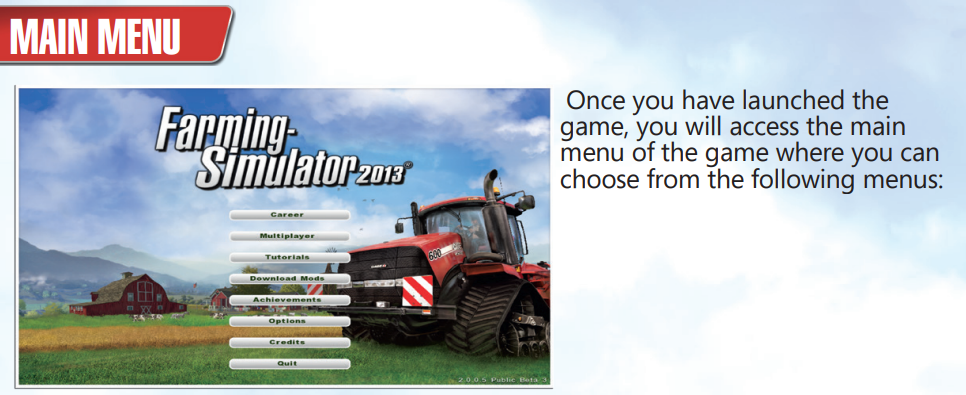
The background has been updated to the version present with the DLC that includes the red barn, however the logo lacks the "Titanium Edition" branding.
The buttons lack their subtle drop shadows and the text is a more vibrant green.
The top of page 8 explains the PDA 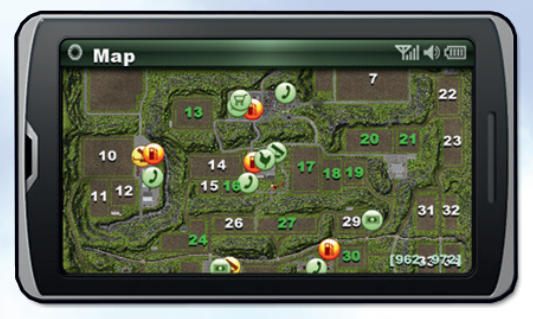
All of the icons shown here apart from the fuel and selling point icons are tinted greener than the actual game, where they more closely match the white of the 2.0 menu redesign.
Lower down on the same page the manual describes the game's interface. 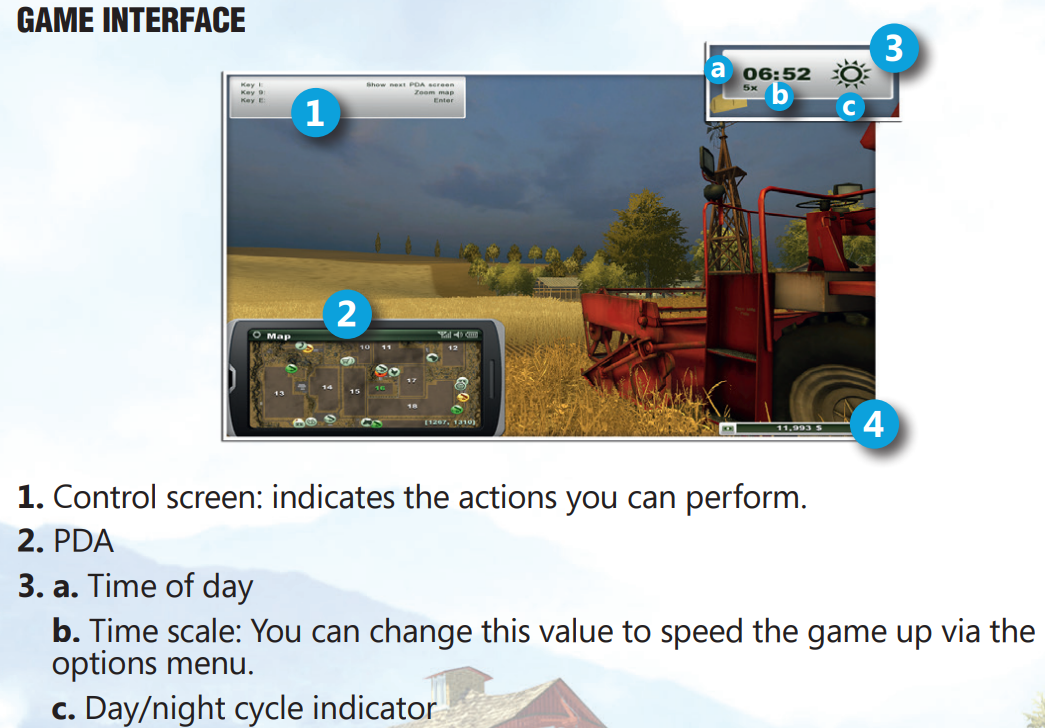
When it describes the section of the UI in the top right of the screen "3 c." It describes it as a "Day/night cycle indicator" This is incorrect as the icon shown simply displays the current weather conditions.
Page 10 of the manual is almost completely copied from the console version and has some discrepancies. 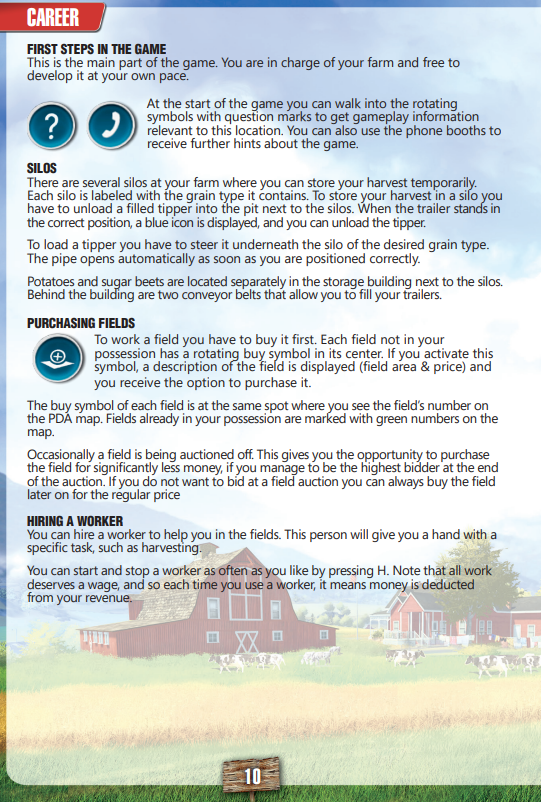
The icons it shows here are the designs from the console version, being blue matching that version's UI style.
It also coincidentally enough has an almost identical error to the release version's manual. In the section where it explains silos it states "When the trailer stands in the correct position, a blue icon is displayed" This is not true in the PC version where the icon is white.
Page 16 describes various implements and vehicle types. 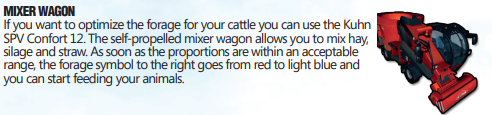
When describing forage wagons it again describes the UI of the console editions of the game, stating "The forage symbol to the right goes from red to light blue" In the PC version the hud displays 3 bars that go from tan to green when in the correct range.
Pages 18 through 21 show both of the game's maps with a legend to explain where things are. 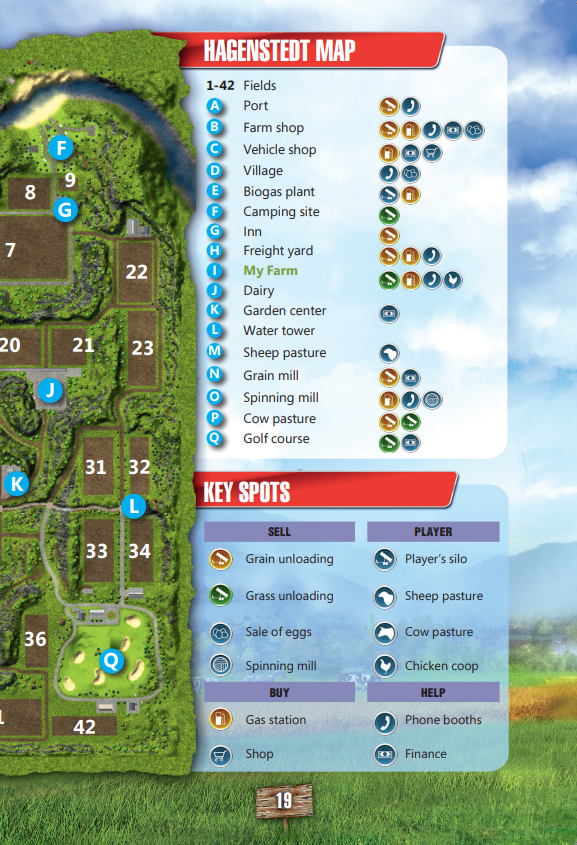
The icons here again are from the console version.
And oddly the manual itself has some extra information surrounding each page. 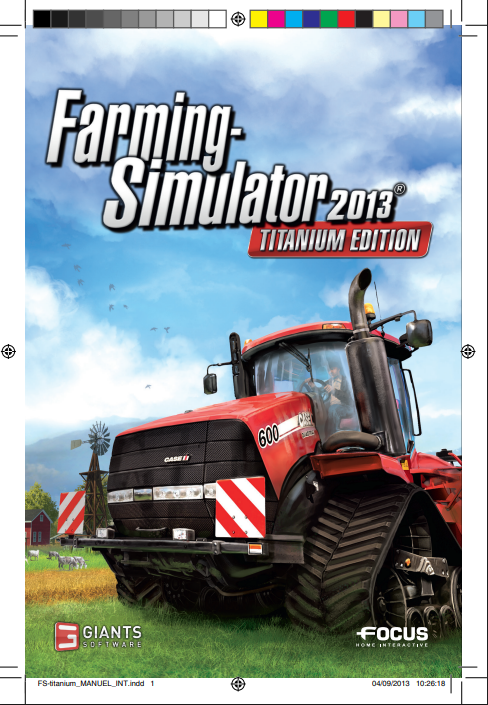
In the bottom left there is a line of text that reads "FS-titanium_MANUEL_INT.indd" which is followed by a number indicating which page of the manual this is.
What look like some kind of alignment markings.
A range of colored squares.
And an exact date and time stamp which increments by 2 minutes 20 seconds from page 1 to 24
It's possible these were intended for the printing process and would have been cut away before the manual was shipped out, why these markings are visible in the PDF version is anyone's guess.
Easter eggs#
Even Farming Simulator 2013 features a few easter eggs, all being silly and nonsensical.
At the end of the rainbow#
After collecting all 100 horseshoes on the map and waiting for a rainy day to end, a rainbow appears in the sky. If the player goes to the end of the rainbow and touches the pot of gold, they are instantly awarded with one million dollars.
(Source: Indaryn)
Regional differences#
Game logo translations#
The game's main logo was translated to 2 languages: English and German. The German one is obviously only used for the German localization, and the English one for every other. Interestingly, the German logos do not feature any copyright symbols.
|
v1.0 International logo |
v1.0 German logo |
|---|---|

|
|
|
v2.0 International logo |
v2.0 German logo |
|---|---|
|
|
|
Titanium Edition International logo |
Titanium Edition German logo |
|---|---|
|
|
|
The Farming Simulator series | |
|---|---|
|
Windows, Mac OS X |
|
|
Xbox 360, PlayStation 3 |
|