 This article has a talk page!
This page details one or more prototype versions of Metroid Prime Hunters.
Metroid Prime Hunters: First Hunt was a demo released in 2004 as a pack-in bonus with the original Nintendo DS. This demo has a massive amount of content that is not present in the retail version of the game.

|
To do:
|
Game Icon#
|
Proto |
Final |
|---|---|

|

|
The icon is completely different, being a picture of Samus with "Metroid" on top of it in the prototype. The final changes this to a Screw Attack symbol.
(Source: Original TCRF research)
Weapons#
Power Beam#
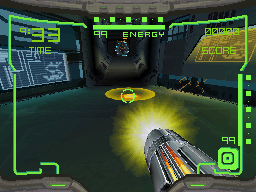
Samus' primary and iconic weapon that you start with in the game. In the demo this beam uses rechargeable universal ammunition as a source in order to efficiently and consistently maintain a moderate fire rate, and when the ammunition is depleted Samus will fire slower shots until she is able to gain more ammunition. This was a drastic change as the rest of the Metroid series allowed players to use the Power Beam freely without having to worry about ammunition. When firing the beam it acts like a charged shot due to how much damage it does on various enemies and how it impacts when shot on walls or objects.
Missiles#
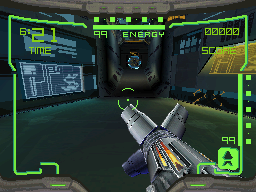
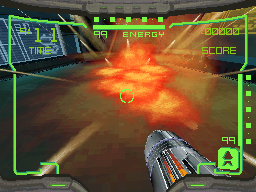
One of Samus' secondary and other iconic weapon in the game. Missiles help Samus take out enemies faster than her normal Power Beam can. Unlike the Power Beam, Missiles have an area of effect (AOE) blast radius that can take out multiple enemies at once, or damage ones near others, if they are close enough to each other. When using the Missiles, Samus' Arm Cannon splits into four panels making an "X" shape at the end of her cannon. In this demo, the Missiles use the universal ammunition pool whereas the retail version the Missiles utilized its own ammunition pool. In order to enable Missiles, you have to find and obtain a Missile Expansion Pack in either Regulator Mode, Survivor Mode, or any of the multiplayer maps.
Arm Cannon Open |
Missiles Being Fired |
|---|---|
 |
 |
Electro Lob#
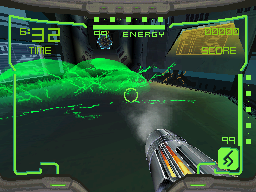
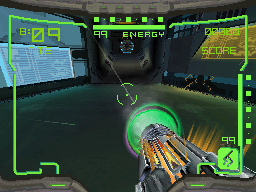
A very unique weapon that didn't make it into the retail version of Hunters and has not appeared in any Metroid game since. The Electro Lob is a mix/hybrid between the Volt Driver and the Battlehammer sub-weapons. When firing the Electro Lob you will be presented with a green arcing ball of electricity, similar to that of a grenade launcher. Just like the missiles, this weapon has an area of effect (AOE) blast radius that can take out multiple enemies at once, or damage ones near others, if they are close enough to each other. When switching to the Electro Lob, Samus' Arm Cannon doesn't change visually at all, not unless you switched from Missiles of course, which by then the four panels close back up and result in her default Arm Cannon state (visually speaking). The Electro Lob has the ability to scramble one's ability to see, allowing the opponent to take advantage of them while they visually struggle for a short period of time. This weapon can only be obtained in the Assault Cradle and Trooper Module multiplayer maps as Electro Lob Expansion Packs.
Charged Missiles#
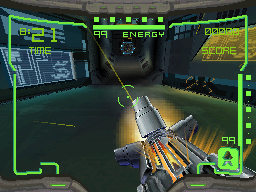
This is not considered a separate weapon but more of an upgrade to the Missiles. Grabbing two Missile Expansion Packs will enable the ability to use charged missiles. The damage of charged missiles is slightly greater than that of a normal missile shot. This allows the area of effect (AOE) blast radius to be slightly bigger on impact and increases the homing ability. This is very powerful in multiplayer against players, however it can be costly as well with ammunition. When firing a charged missile you lose 15 of your universal ammunition, thus making it easy to run out quickly if you rely on them too much. You can acquire two Missile Expansion Packs in Regulator Mode or any of the multiplayer maps.
Charged Electro Lob#
This is not considered a separate weapon but more of an upgrade to the Electro Lob. Grabbing two Electro Lob Expansion Packs will enable the ability to use the charged Electro Lob, which looks similar to the Volt Driver when charging. The damage is not any different than that of a normal Electro Lob shot when charged, however this allows you to shoot a shot straight rather than the usual arc effect, this makes it easier to hit enemies from long distances. When firing a charged Electro Lob shot you lose 10 of your universal ammunition, thus making it easy to run out quickly if you rely on them too much. You can acquire two Electro Lob Expansion Packs in the Assault Cradle and/or Trooper Module multiplayer maps.
Bombs#
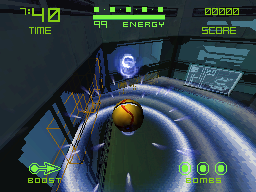
You automatically start with bombs acquired in every mode, including multiplayer. In the demo you can only lay three bombs at a time and have to wait a short period of time before laying three more. These are very powerful against enemies, however they are very weak against players in multiplayer; this led to a buff to them in the retail version of the game. You can bomb jump with these bombs if you apply the Prime series' concept of bomb jumping.
Expansion Packs#
There are two types of expansion packs in the demo: the Missile Expansion Pack and the Electro Lob Expansion Pack. Both work as you would expect them to: the Missile Expansion Pack works just like the retail version of the game, however the Electro Lob Expansion Pack was a pack that was never used in the retail version of the game nor any future titles of the series. They both not only enable but allow you to use the weapons provided by the packs respectively. Collecting two of each will allow you to use the charge ability for the respected weapons. Gaining two Missile Expansion Missiles will unlock charged Missiles, allowing the player to deal more damage and have increased homing on enemies. Gaining two Electro Lob Expansion Packs will unlock the charged Electro Lob, allowing the player to shoot straight, this is especially useful for long distance shots against other enemies.
Missile Expansion Pack |
Electro Lob Expansion Pack |
|---|---|
 |
 |
Powerups/Status Effects#
Double Damage#
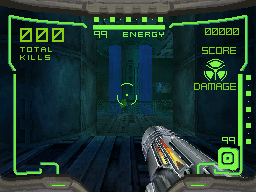
This is the only power-up in the demo, but is also in the retail version of the game. This power-up is rare and powerful as it allows the player to deal double the amount of damage dealt to enemies. Using this power-up makes an icon appear on the top right of the screen, indicating that the power-up is active. Double Damage is a timer based power-up meaning you can only use it for a certain amount of time, after the time is up the icon disappears from the top right of the screen. In the retail version of the game, you glow purple when this power-up is in use, however this effect is not present in the demo. You can find this power-up in Survivor Mode or any of the multiplayer maps.
Double Damage Power-up |
Double Damage Active |
|---|---|
 |
 |
Scrambled Vision#
This is not a power-up but an effect that the player can receive via self harm or from a player in multiplayer by the Electro Lob. When receiving this status condition you are unable to see clearly for a short period of time, allowing the opponent to take advantage of your blind state. This also scrambles the map as well, making it somewhat harder to know if you moved from one spot to another at that point in time.
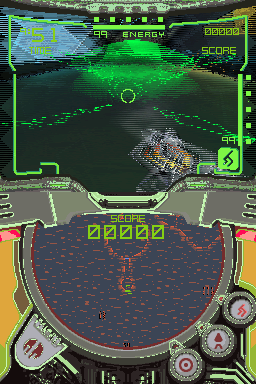
Touch Shoot Mode#
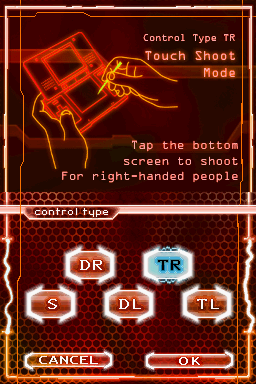
A basic control type for Samus, with a Touch Shoot Mirror Mode for left-handed players. The Top Screen and Touch Screen show the map and gameplay, respectively.
Samus is moved with the D-Pad. L jumps, while X, Y, and A change between the Power Beam, Missiles, and Electro Lob. B toggles the Morph Ball.
Tapping the Touch Screen will shoot the equipped weapon at the location the player tapped, which makes it easier to shoot enemies. However, in order to move the camera, you have to touch the Touch Screen and move the stylus around on it; this, along with it being somewhat clumsy to use the stylus and A-B-X-Y simultaneously, is probably why the control scheme was left out of the final.
Cutscene#
Watch on YouTubeAfter completing every mode in the demo, a cutscene plays with some possible early design silhouettes for the antagonists. The cutscene can be viewed again by tapping a flashing region on the title screen. The URL displayed at the end, "http://www.metroidhunters.com", was later replaced by a redirect to Nintendo of America's website, and the domain was ultimately relinquished and is now owned by an unrelated entity. The original website can still be accessed here, via Internet Archive.
Unused Weapons#
The Power Beam is capable of being charged and has associated graphics and parameters for the charge shot, which go unused since the weapon is set to use a repeat fire mode instead of charging. There is also an unused item type (which has no associated model) that, like the expansion packs for the Missile and Electro Lob, would unlock the Power Beam if it isn't already available, and would unlock its ability to charge if collected a second time.
The game's code also defines three unused variants of the Power Beam. They look and behave the same, but are bigger, slower, and more powerful compared to the Power Beam, and are colored in different shades of pink and purple. They also have charging enabled instead of repeat fire. Unlike the Electro Lob, which was directly replaced with the Volt Driver in the finished Hunters, these weapons have no equivalents in the final game.
Unused Controls#
When Metroid Prime Hunters was first revealed at E3 2004 with a playable demo, the game had a control scheme which was similar to First Hunt's Touch Shoot Mode, but also featured the ability to lock on to opponents and strafe around them, reminiscent of the console Metroid Prime games. This lock-on functionality is still implemented in the First Hunt build, but the control to activate it isn't mapped to any button in any of the control schemes.
Separately from the lock-on system, an unused control scheme flag exists to provide aim assist that gently pulls the player's reticle toward the nearest target in a narrow range. There is also an unmapped "free look" control that can be held to change a control scheme's movement inputs into button aiming inputs.
Another unmapped control was likely intended for an unused bomb attack, possibly Power Bombs. Activating the control has no visible effect, but runs some code that is mostly the same as yet separate from the code for normal Morph Ball bombs. It decrements an otherwise unused ammo variable which is set to 1 on spawn and doesn't regenerate over time like normal bombs do, and sets a cooldown of a little over 1 second. Considering the final game has an apparently repurposed Power Bomb model file, this supports the idea that Power Bombs were considered at some point in development.
Unused Models#
Filename |
Info |
Image |
|---|---|---|
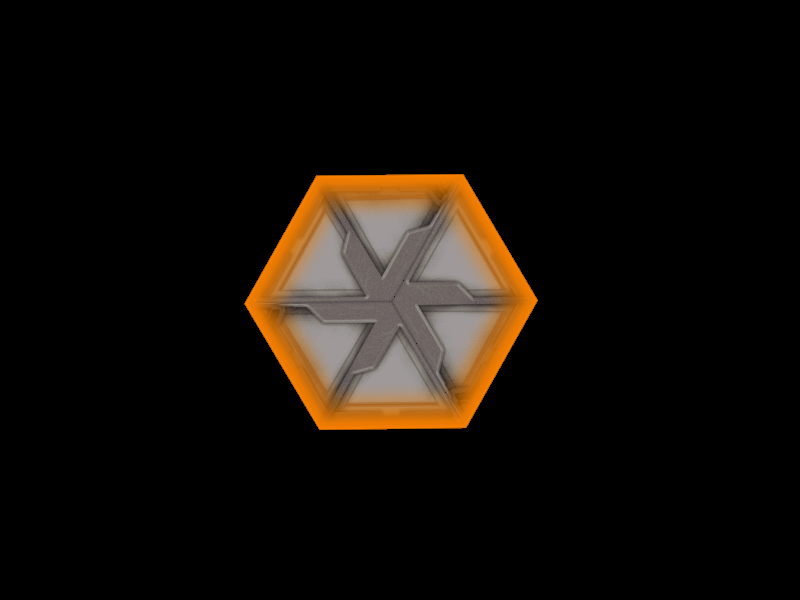
door2_Model.bin door2_Anim.bin |
An unused door model. |
 |
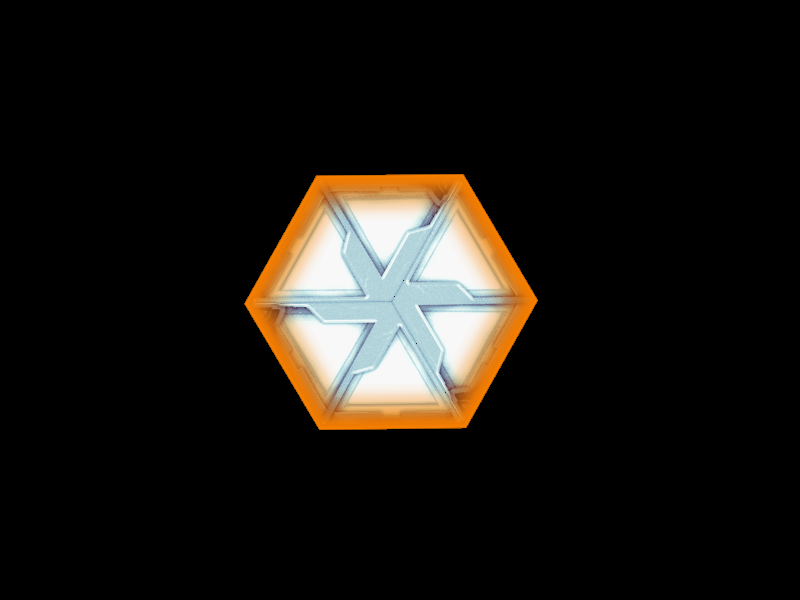
door2_holo_Model.bin door2_holo_Anim.bin |
Another unused door model. |
 |
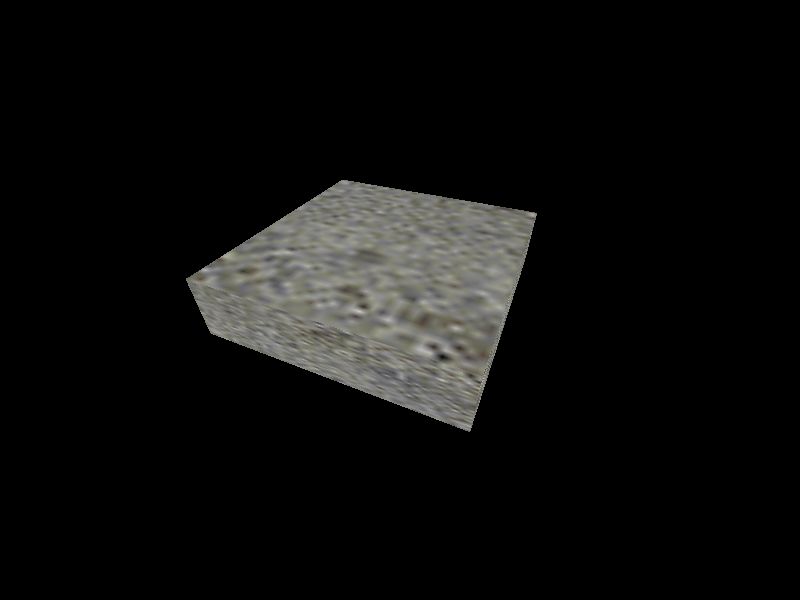
genericMover_Model.bin genericmover_Anim.bin genericMover_Collision.bin |
A generic platform. |
 |
jumpad_ray_Model.bin |
An alternate version of the jumppad_ray model. |
 |
warWasp_Model.bin warWasp_Anim.bin |
An enemy which was later used in the final game. Mostly functional when spawned. |
 |
jumpad_ray |
jumppad_ray |
|---|---|
|
 |
warWasp |
warwasp_lod0 |
|---|---|
|
 |
Unused Levels#
Level MP5#
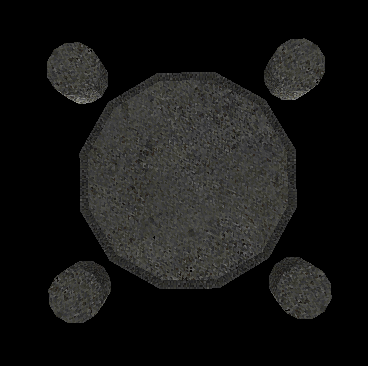
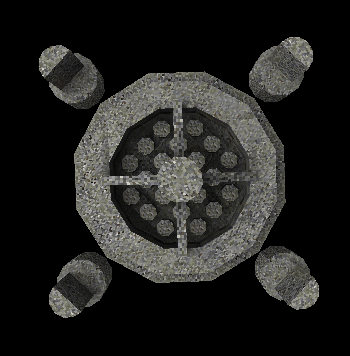
Watch on YouTubeA very early iteration of what would eventually become the Head Shot multiplayer map in the final game. The model appears to be upside-down, although the room's entities are positioned in a way that matches this orientation.
The collision file seems to be in a slightly different format than those of other rooms, and this results in a heap overwrite issue during room loading, preventing the player from spawning and causing the camera view to remain black. If the file is edited to fix this issue, the room loads, but the collision doesn't function properly and the player will fall infinitely into the void.

Level TestLevel#
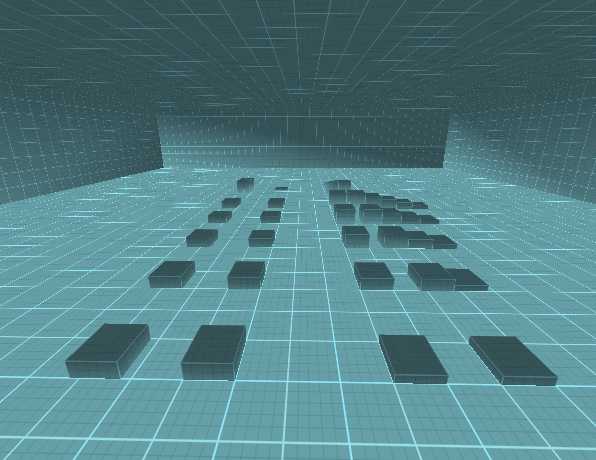
Watch on YouTubeA large square room with a grid texture used for testing purposes. The room's defined draw distance is too low for the floor geometry to render most of the time, but it is otherwise functional. Contains all the weapons, the Double Damage pickup, health pickups, all the enemies in the game, and a door that can be unlocked by defeating the nearby enemies but leads nowhere.
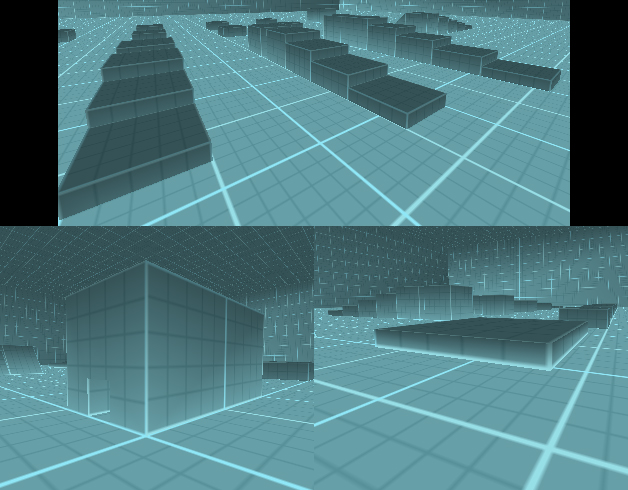
Unused Room Definitions#
Trooper Module (Level MP1) has an unused variant named "Level MP1b," which differs only in a few minor parameters, having darker fog and a different draw distance. The multiplayer version of Stasis Bunker, named "E3 level," also has its own room definition, but despite having separate entity and nodedata files from the Morph Ball mode single-player version (Level SP Morphball), the contents of the files are the same in this build.
Bots and Unused Nodedata#
In First Hunt, only one computer-controlled bot player appears as a boss fight at the end of the Regulator single-player level (whereas in the final game, bots are used both in single-player mode and as optional opponents in local wireless multiplayer). Despite this, all of First Hunt's levels include a nodedata file which defines points used by the bot AI for navigation. The only nodedata file normally used is the one for Regulator, but the other files will permit bots to function if forced to spawn in another level, including multiplayer levels, although some of the data is incomplete or not positioned correctly.
Unused Menus#
Error Menu#
An unused error menu screen that pops up when you manipulate with a certain byte in the RAM. After changing the byte and pausing the game, you are left with this error menu screen. The "Pause" banner that usually sits on the Top Screen when pausing the game is no longer there. Your only option is to choose "Okay" and get kicked back to the title screen.
As with the pause menu, there are font differences between the US and European version. In the US version the font of the words seem taller than that of the European version.
US |
Europe |
|---|---|
 |
 |
Regional Differences#
Title Screen#
|
US |
Europe |
|---|---|
|
|
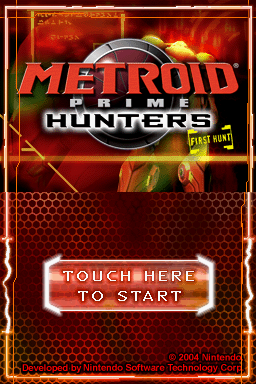
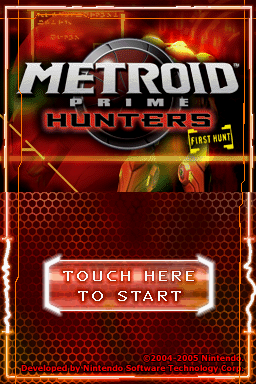
In the US version, the word "METROID" in front of an insignia is colored in red, whereas the outline for the word "HUNTERS" is colored white. The colors were swapped in the European version, with "METROID" in white and "HUNTERS" in a red outline. The copyright date was also amended.
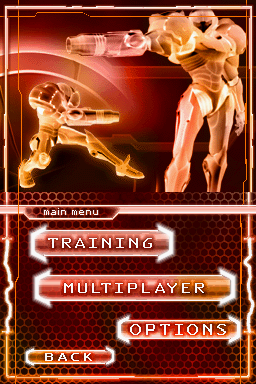
Main Menu#
|
US |
Europe |
|---|---|
|
|
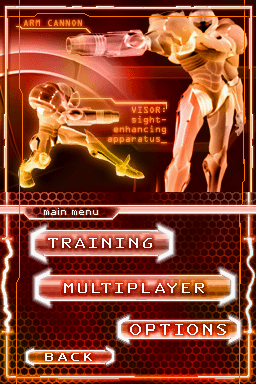
The text strings "ARM CANNON" and "VISOR: sight-enhancing apparatus_" were removed from the European version.
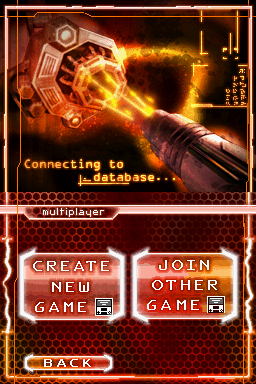
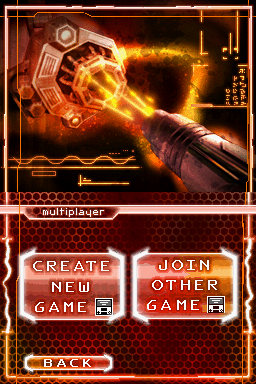
Multiplayer Menu#
|
US |
Europe |
|---|---|
|
|
The text "Connecting to database..." was also removed from the European version.
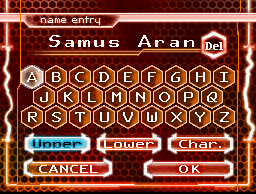
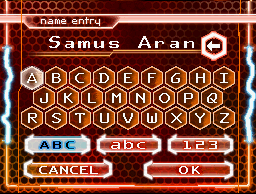
Name Entry#
|
US |
Europe |
|---|---|
|
|
Several changes were made for the European version: "Del" was changed to an arrow pointing left, while the three buttons marked as "Upper", "Lower" and "Char." were changed to "ABC", "abc", and "123".
Text Box#
|
US |
Europe (Spanish) |
|---|---|

|

|
The text box was widened for the European version to allow for the somewhat wordier translations of this string used in non-English languages.
Pause Menu#
The font seems to be taller in the US version.
|
US |
Europe |
|---|---|

|

|
|
The Metroid series | |
|---|---|
|
NES |
|
|
Game Boy |
|
|
SNES |
|
|
Game Boy Advance |
Metroid Fusion (Prototype) • Metroid Zero Mission (iQue Prototype) |
|
Wii |
|
|
Nintendo 3DS |
|
|
Nintendo Switch |
|
|
Metroid Prime | |
|
GameCube |
|
|
Nintendo DS |
|
|
Wii |
3: Corruption (Prototype) |
|
Nintendo 3DS |
|
|
Nintendo Switch |
|
|
Nintendo Switch 2 |
|