 This article has a talk page!
This is a sub-page of Proto:Gearheads (Windows).
 The demo version of Gearheads (Gearheads Demo) was distributed in magazines in the late 1990s, and was available for download on Philips Media's and R/GA's websites.12
(Source: DOSGames forum thread)
There is no date in the executable file, but it was last modified on 16 February 1996, some months before the retail version (which is dated 23 May 1996). The Computer Gaming World issue 141 (April 1996) CD has a demo of Gearheads; the executable file was last modified on 15 January 1996, and is not identical. However, there superficially does not appear to be any difference.
Differences from the Full Game#
- The Kitchen is the only level in the game (it's a demo, so this kind of thing is to be expected).
- Handy, Ziggy, Big Al, Kangaruffian, and Deadhead are the only toys available.
- There are no powerups. Whether they were removed because it's a demo or they hadn't been implemented yet is unknown, but, as the Rocket seems to have preloaded stats (see below), the former seems more likely.
- The player cannot select toys for their toybox; they are selected at random automatically. The toybox screen also looks slightly different:
|
Demo |
Full Retail |
|---|---|

|

|
- Sound differences:
:* Sound effects are in wave files in the 'wav' directory. In the full game, the sound effects are WAVE resources in gearage.dll. This explains why the full game has a folder named 'wav' despite the folder only containing midi files.
:* gearlogo.wav plays both when you quit and when you arrive at the main menu for the first time. In the final, retail game, it is only played when the game is quit.
:* There is no "ok" sound at the Philips and R/GA screens or at the Gearheads Demo title screen.
:* There is no losing or winning sound effect; the 'go!' sound plays when a match is finished regardless of who won.
|
Demo |
Full |
|---|---|
|
Demo |
Full |
|---|---|
:* The music doesn't start playing until the match actually begins (after the 'go!' disappears), and carries on playing after someone has won.
:* There is no music during attract sequences. The final game plays music here, but, ironically, the wrong music.
:* The sound and music are enabled and disabled via an in-game menu rather than the one on the window.
|
Demo |
Full Retail |
|---|---|

|

|
- The difficulty is also controlled by that screen, rather than being on the match setup screen.
- The gameplay elements (toys, arrows, gauges, and scores) don't appear until the game has actually begun. In the final, retail game, they appear during the countdown too. The countdown number is also slightly larger:
|
Demo |
Full Retail |
|---|---|
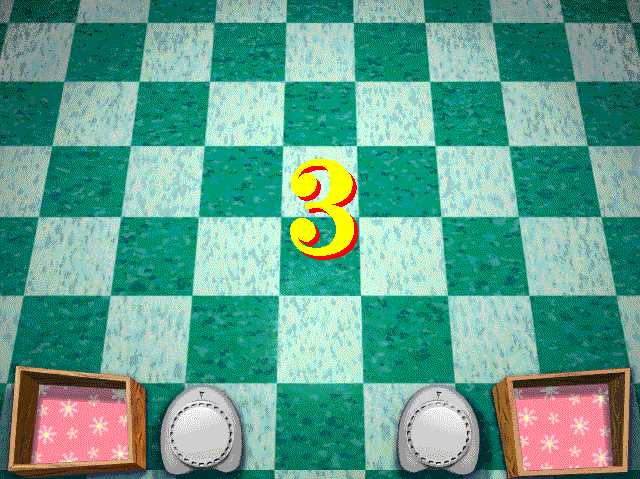
|
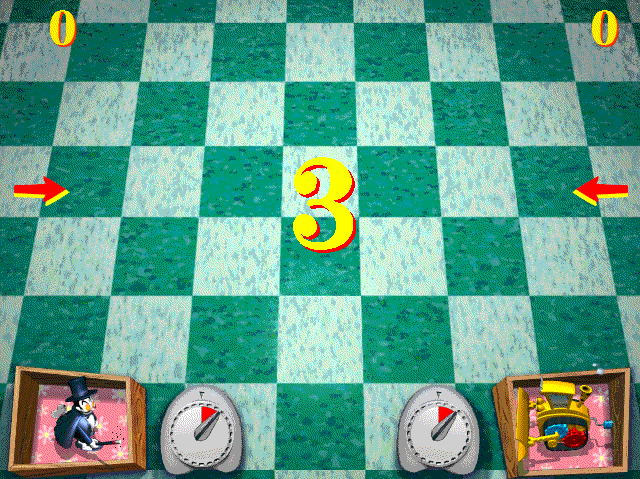
|
- Toy differences:
:* Big Al is slightly faster and has slightly less vim. As, of the toys with different stats, Big Al is the only one actually in the demo, this stats difference is the only one that's observable.
:* Zap-Bot is a little faster.
:* Walking Timebomb has more vim.
:* Krush Kringle has slightly more vim.
:* Orbit has less vim.
:* Small Fry the Rocket have almost no weight, almost no speed, and move diagonally. The Rocket also has less vim.
:* The wound-down Handy has a different graphic.
|
Demo |
Full Retail |
|---|---|

|

|
- The computer waits for the player to press a key before doing anything.
- There is no joystick support.
- There is no way to change the key configuration.
- There are five files that the final game does not have: AI0.DAT, AI1.DAT, GRIN.DAT, SCRIPT.DAT, and DEMOSCRN.DAT. The purpose of these files is unknown, though AI0.DAT and AI1.DAT likely have something to do with AI Weights and AI Stats, and may be related to AI0.TXT and AI1.TXT written by the final game's debug mode. SCRIPT.DAT may be related to the script.txt file referenced by the final game.
- Other differences:
|
Prototype |
Final |
|---|---|

|

|
|
Prototype |
Final |
|---|---|

|

|
|
Prototype |
Final |
|---|---|

|

|
Hidden Menus#
App Menu#


This can be accessed by hex-editing the string at offset 21ADF to "AppMenu" (without the quotes) suffixed with a null. This menu is very similar to the hidden Full Menu in the full retail version, and the code to load the debug dialogue boxes is present, but the dialogue boxes themselves are not, so those items do nothing. If one copies the dialogue boxes from the full version with a resource editor, they load from this menu and are fully functional. As on the full game, the App Setup dialogue box disables the sound effects. This can be fixed on this demo by replacing three octets consisting of A3 EA 63 at 47F3 on an unmodified executable file (it'll be followed by FF) with 90 90 90. This does not need to be done if you import the Gearheads Review X.42 version instead, as that has a Sound tick box, which the game reads and saves to the F/X setting.
Attract takes you back to the main menu.
The Collision Box screen only loads objects that are actually in the current match. Attempting to load something non-existent (even if it is in the demo, e.g. a toy that neither player has in their toybox) yields an arrow instead of the object. 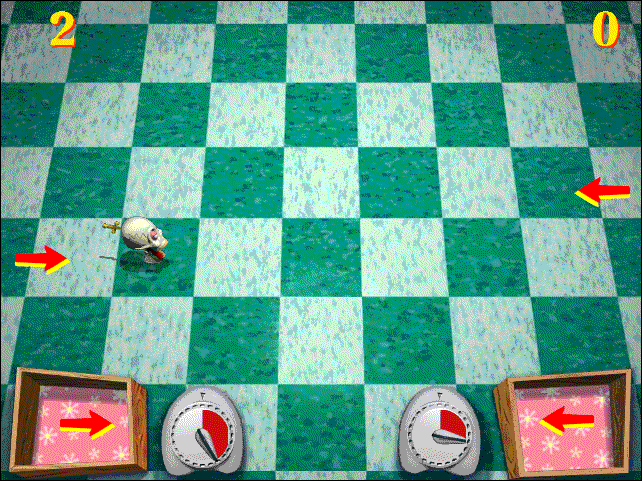 The Toybox Contents screens also work. Of course, the non-existent toys do not work; having one selected during a match results in an arrow in your toybox, and releasing the toy will fail (though the clock is still reset).
Also, Winding on Arrow (on the App Setup screen), partially works: when the selected toy is nearly fully charged, changes the arrow to one like the one seen on the first screenshot on designer Frank Lantz's Gearheads page, but it seems bit glitchy:


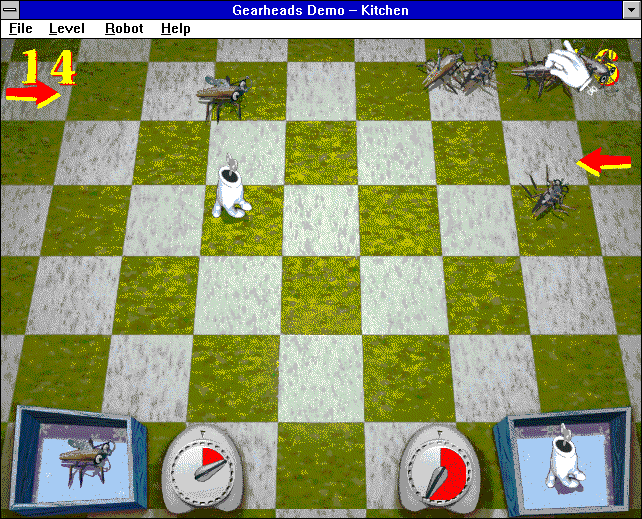 The Robot and Force Win are the same as in the full retail version. The Grey function works here, and the ReColor Playfield function recolors to a random color, unlike in the full retail version, in which it recolors between two colors depending on the level's Coloring setting.

Selecting Screens here brings up this peculiar message:

Focus Menu#

This menu's name is too long for a simple case of hex-editing. It needs to be renamed in a resource editor (which may change the offset that needs to be changed), with which this menu (or App Menu for that matter) can just be put in Demo Menu's place.
1 Player Start and 2 Player Start restart the current match in their respective mode.

These don't appear to do anything or have any connection to the Gear huh? and Gearhead difficulty settings found in the in-game menu (Gearmaster is visible but not selectable).
References#
- Gearheads Download Feedback - Philips Media, 1997↩︎
- The Work -- Gearheads - R/GA, 1996↩︎