Two Point Museum is a simulation game in which players build and manage their very own museum, filled with all manner of weird and wonderful exhibits. It is the third entry in the Two Point series, after Two Point Hospital and Two Point Campus, which is basically a successor series to Theme Hospital.
Early Item Designs#
Several unused icons exist in the game's files that depict earlier designs for certain items.
Item |
Early Design |
Final Design |
Notes |
|---|---|---|---|
Space Teleporter |
 |
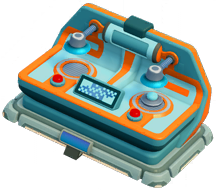 |
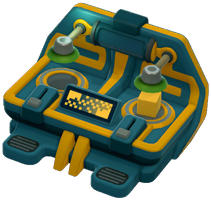
An early version of the Space Teleporter exhibit. Interestingly, it was originally intended to have been an interactive display instead of an exhibit. For the final design, the color scheme was changed, the sliders were replaced with buttons, and the base was swapped out for the common base shared by all Space-themed exhibits. |
Ticket Booth |
 |
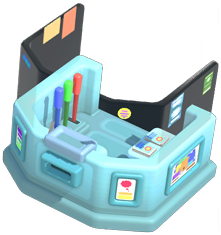 |
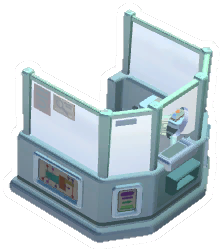
An early version of the Ticket Booth, with a grey color scheme, and a metal frame around the glass that was completely removed from the final design. The glass in the icon appears opaque, so the parts behind are sadly not visible. The early icon also features the item oriented in the opposite direction to the final icon. |
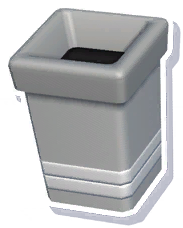
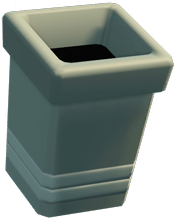
Bin |
|
 |
A few different iterations of the generic Bin, resembling the one in Two Point Hospital. The first icon is a leftover from Two Point Campus (where it goes similarly unused), but the other two icons appear to be new. The final design is much simpler, and doesn't have a lip around the top, nor stripes around the base. |
Helipad |
 |
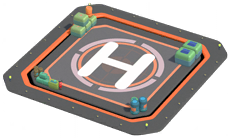 |
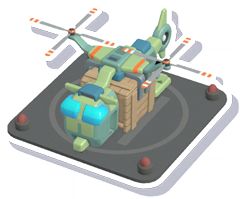
The early Helipad appears to be based on the one used in Two Point Hospital, but with four lamps added to the corners, and none of the props found in the final design. The helicopter and crate can be seen in the early icon, but were removed from the final icon to make more of the helipad itself visible. |
Camera Booth |
 |
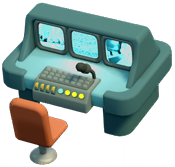 |
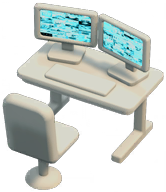
An early version of the Camera Booth, resembling a fairly ordinary workstation rather than the sophisticated console it eventually turned into. The chair model was retained in the final design. The item is entirely untextured aside from the monitor screens. A similar desk design ended up being used for the Marketing Desk. |
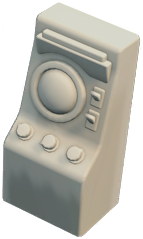
Security Radar |
 |
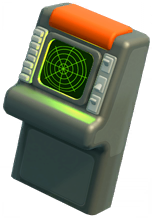 |
An early, untextured version of the Security Radar, with a very different shape to the final design. |
Security Monitors |
 |
 |
An earlier icon for the Security Monitors that doesn't actually show any design differences whatsoever, but is oddly rotated 1 degree further clockwise than the final icon. |
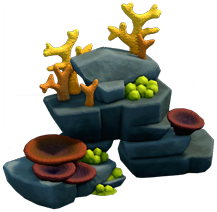
Large Aquarium Rock |
 |
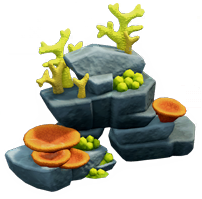 |
An earlier icon for the first variation of the Large Aquarium Rock. The lighting appears to be slightly darker, and there are minor color differences on the coral textures. The icon itself is also slightly further zoomed in than the final icon. |
Wetlantian Forum |
 |
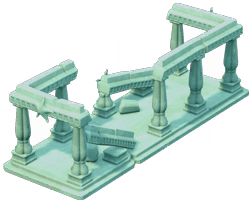 |
A placeholder icon for the Wetlantian Forum exhibit. The placeholder icon depicts a frame of a building under construction, which is used as a background prop in some maps. |
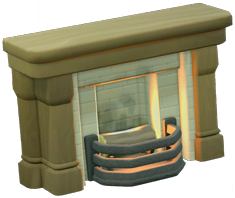
Antique Fireplace |
 |
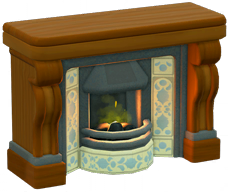 |
An early version of the Antique Fireplace for the Polterguest Room that looks fairly generic compared to the final design. The early icon also displays the item at more of a pronounced angle than the final one. |
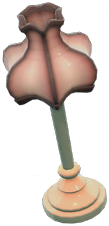
Antique Lamp |
 |
 |
An early version of the Antique Lamp for the Polterguest Room, with a strange pale texture compared to the final design. The early icon also displays the item at an odd angle, while the final item is dead upright. |
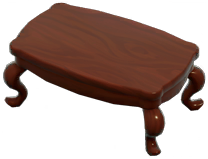
Antique Table |
 |
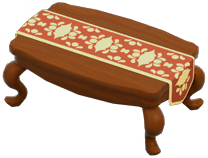 |
An early version of the Antique Table for the Polterguest Room with a slightly darker wood color, and completely lacking the tablecloth featured in the final design. |
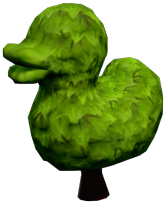
Duck Hedge |
 |
 |
The earlier icon depicts the Two Point Campus version of this item, which is visually lower quality than the Two Point Museum one. Oddly, the old icon is suffixed |
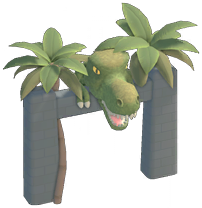
Dinosaur Archway |
 |
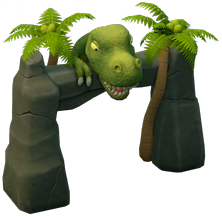 |
An early version of the Dinosaur Archway, with an identical looking dinosaur, but a very basic stone archway and different foliage. |
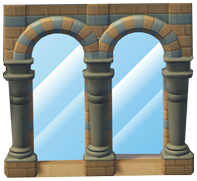
Large Window |
 |
 |
The early icon uses the Memento Mile exterior window design, while the final icon depicts the common interior window design. It also shows clearly defined, almost cartoonish-looking glass. The actual exterior window object has glass that is barely visible at all. |
Small Window |
 |
 |
The early icon uses a cartoonish design that doesn't resemble any windows found in the game. |
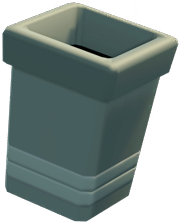
These icons are used in the released version of the game, but show early design elements that are no longer present on the actual items themselves.
Item |
Early Design |
Final Design |
Notes |
|---|---|---|---|
Cheesy Gubbins Plushies |
 |
 |
The icon for the Cheesy Gubbins Plushies stand shows the stand itself in a green color, but the actual item uses the same beige-colored stand as the regular Plushies item. |
Staff Door |
 |
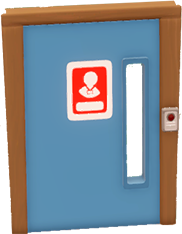 |
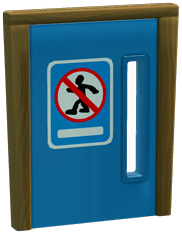
The Staff Door icon shows an earlier design for the sign on the door, a different wood texture, and is missing the lock release button. |
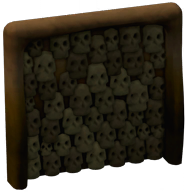
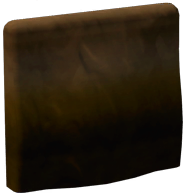
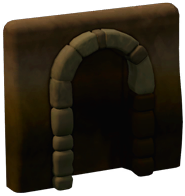
Catacomb Wall |
|
|
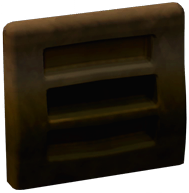
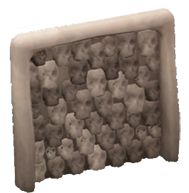
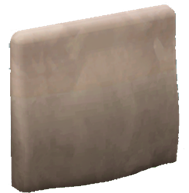
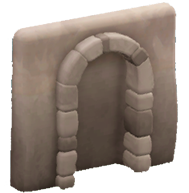
The Catacomb Wall icons for each variation have the item in a distinct brown hue, while the item itself is actually light-grey. The arch variation also has a texture error that can be seen on the right side of the arch itself. |
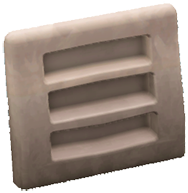
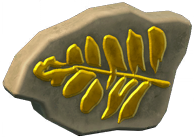
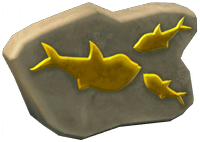
Fossil Mould |
|
|
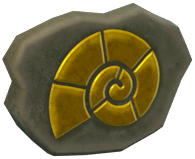
In complete contrast to the Catacomb Wall, the Fossil Mould icon shows the rock slab in grey, when it's actually light brown. |
Unused Objects#
Exhibits#
Filename |
Icon |
Name |
Description |
Notes |
|---|---|---|---|---|
Item_InteractiveDisplay_DIYArcheology |
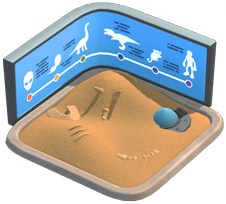 |
DIY Archaeology |
Dig it yourself. |
An interactive exhibit that is, fittingly, a sandbox filled with artifacts for guests to dig and uncover. The text for the Workstation construction menu would have read: Offer guests an archaeological adventure in one, convenient, already-excavated package. |
Item_Exhibit_ConiferStump |
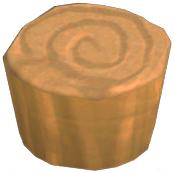 |
An icon depicting a very strange exhibit with the filename "ConiferStump", which funnily enough happens to resemble a tree stump . It might have been used as a placeholder for another exhibit. Other than the icon, no other assets relating to this object seem to exist at all. |
||
Item_Atlantis_Fish_DeepSeaOctopus_Deprecated |
Deep Sea Octopus |
This exhibit seems to be an early version of the Beach Owl (which shares the same internal name) that was evidently started over from scratch at some point. |
Sponsor Deals#
A few more Sponsor Deals exist than what is available in-game. Additionally, sticker book icons exist for all of the implemented sponsor items, despite sponsor deal exhibits not appearing in the sticker book at all.
Filename |
Icon |
Item Name |
Item Description |
Item Offer Text |
Notes |
|---|---|---|---|---|---|
Item_Exhibit_Sponsor_JumboMcNally |
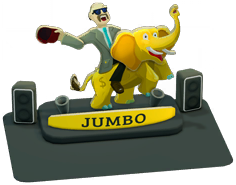 |
Jumbo McNally Cutout |
It's like he's right here with us (unfortunately). |
Jumbo Mega Corp are concerned that their CEO is coming across "a little cold and heartless". They think this piece of talking cardboard will help humanise him - and, while true, that's kinda sad. |
A General-themed sponsor deal exhibit. Viewing the item can cause guests to experience the negative "Jumbo Fatigue" Feeling. |
Item_Utility_General_VendingMachine_Orb |
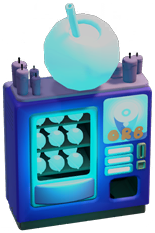 |
Borble Tea Machine |
The subliminal taste of coercion, straight from the Orb Foundation. |
The Orb Foundation are looking for a loophole to sell their new and not-especially-legal drink, Borble Tea. They call it "refreshingly persuasive", which sounds pretty alarming, albeit refreshing. |
A vending machine that would be given as part of a sponsor deal. Drinking tea from the machine can cause guests to experience the negative "Borble Queasy" Feeling. |
Item_Utility_General_VendingMachine_MorselMen |
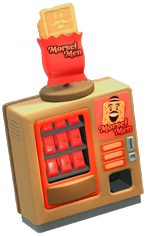 |
Morsel Men Machine |
Collect them all (in your mouth). |
Morsel Men are asking us to stock their collectable snack in the museum. There are hundreds of different, amusing characters to find, especially if you keep eating them... |
This item is actually used in the game as regular vending machine, but it was originally intended to be given as part of a sponsor deal, making the offer text go unused. There's no sign of what Feelings, if any, were planned to be associated with it. |
Item_Exhibit_Sponsor_OrbFoundation |
 |
Orb Foundation Statue |
An impressive statue of the orb foundation's founder |
In their latest subscription drive, the Orb Foundation are looking for a museum to host a statue of their founder. The statue also explains the foundation's history and its affordable membership tiers. |
A statue exhibit was planned, but all that exists is a placeholder icon of an empty plinth. Placeholder text can be found in the |
Item_Vending_Machine_Sponsored_RoachJuice |
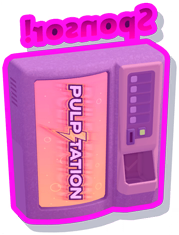 |
Roach Juice Vending Machine |
Cans of pulped roaches. Now sugar-free! |
A placeholder icon, name, and description can be found for a planned "Roach Juice" vending machine sponsor deal, which presumably would be related to the Roach Burger franchise. The icon depicts the Pulpitation vending machine seen in previous games, but with a purple highlight and "Sponsor!" in mirrored text at the top. No other assets for this item seem to exist, though it may have been superseded by the Borble Tea Machine. |
Items#
Filename |
Icon |
Name |
Description |
Notes |
|---|---|---|---|---|
Item_Utility_General_BinOval |
 |
Round Bin |
Hungry for more. |
The round bin from previous games was planned to reappear, though weirdly the filename labels the shape of it as "oval". A placeholder name and description can be found in the item's file. The icon appears to be new, but is probably just a placeholder since the object is rendered with overly bright lighting. |
Item_General_Hand_Sanitiser |
 |
Hand Sanitiser |
Makes you clean; makes you sticky. |
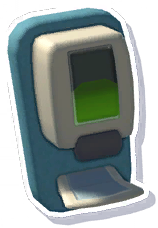
The wall-mounted Hand Sanitiser dispenser from previous games was planned to return, with the icon from Two Point Campus being reused. A placeholder name and description can be found in the item's file. A freestanding version of the object with a brand new design was added for this game. Since the new one can be placed anywhere, and isn't limited to being placed against a wall, this version was likely deemed redundant. |
Item_Seat_Chair |
 |
Wooden Chair |
Made with human beings in mind. |
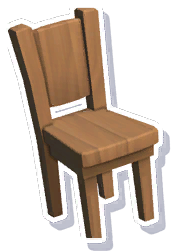
Another item from previous games that was planned to reappear. A placeholder name and description can be found in the item's file. |
Item_LS_Bench |
 |
Outside Bench |
A lovely place to sit outside |
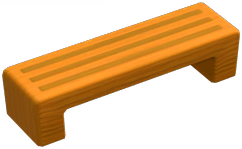
A wooden bench reused from Two Point Campus, but with a new icon. It was intended to appear as a background scenery prop. There is a placeholder name and description in the item's file. |
Item_LS_Bench_Curved |
 |
Curved Bench |
Curves in all the right places. |
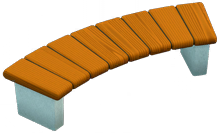
A curved wooden bench reused from Two Point Campus, but with a new icon. It was intended to appear as a background scenery prop. There is a placeholder name and description in the item's file. |
Item_LS_Bench_Lodge |
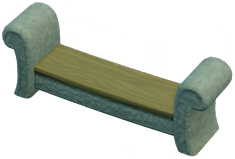 |
Lodge Bench |
A lovely place to sit outside |
A spooky stone bench that appears to have been intended as a scenery prop for Wailon Lodge, but ultimately goes used. There is a placeholder name and description in the item's file. |
Item_LS_Bench_Park |
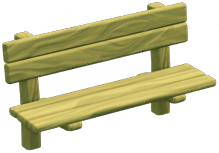 |
Park Bench |
Not for cars |
A wooden bench reused from Two Point Campus, but with a new icon. It does appear in the game as background scenery. It has a placeholder name and description in the item's file. |
Item_LS_Bench_Slab |
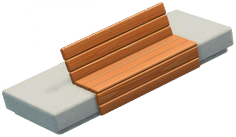 |
Concrete Bench |
A delightful concrete masterpiece. |
A concrete slab bench reused from Two Point Campus, but with a new icon. It was intended to appear as a background scenery prop. There is a placeholder name and description in the item's file. |
Item_LS_Bench_Slab_Alt |
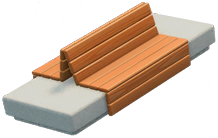 |
Ultimate Bench |
A masterclass in concrete seating design. |
A concrete slab bench reused from Two Point Campus, but with a new icon. It was intended to appear as a background scenery prop. There is a placeholder name and description in the item's file. |
Item_Knowledge_InfoScreen_Upgrade_V2 |
 |
Information Screen II |
A wall-mounted digital information board that guests can interact with to learn about exhibits. A placeholder name and description can be found in the item's file. It was planned to be upgradable, though curiously the level 1 version is missing. Only the level 2 and 3 versions of the item still exist. |
|
Item_Knowledge_InteractiveBoard_Upgrade_V2 |
 |
Interactive Board II |
A freestanding digital information board that guests can interact with to learn about exhibits. A placeholder name and description can be found in the item's file. Like the Information Screen, it was also planned to be upgradeable, and only the level 2 and 3 versions seem to exist. |
|
Item_General_Canvas_Nostalgia |
|
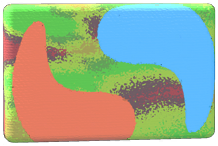
Icons for three variants of an abstract canvas painting, labeled "Nostalgia", "Sea", and "Station" respectively. No other assets exist for this item. A similar item appears in Two Point Campus, but with totally different texture designs to these. |
||
Item_Decoration_Generic_Sculpture |
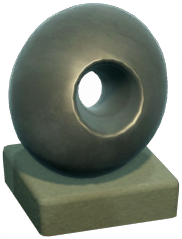 |
Nondescript Sculpture |
Anonymous artwork, unaccredited and unclaimed. |
True to its name, it's a nondescript, round decorative sculpture. It looks somewhat similar to the Olive Statue showcase exhibit. |
Item_Donation_Stand_NEW |
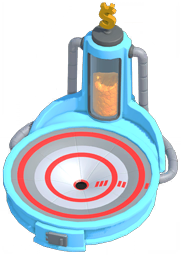 |
A high-tech looking donation stand, that's even bigger than the Large Donation Stand. Only the icon seems to exist. |
||
Item_GiftShop_Stand_Onesie_Generic |
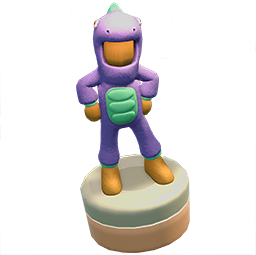 |
An icon for a General-themed variant of the Onesies stand. When selecting the item, the player is prompted to choose a variant before it can be placed. Therefore, this is most likely a dummy item used to facilitate this, rather than intended to be an item in its own right. |
||
Item_GiftShop_Stand_Plushie_Tails |
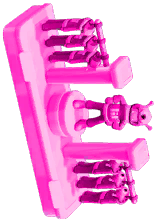 |
Found in the files of the Sonic pre-order pack is a placeholder icon for a planned Tails variant of the Gift Shop Plushies stand. The icon is the Space Onesies stand rotated sideways with a pink highlight. The inclusion of this item would make sense, considering the pack has a Tails-themed Onesies stand, as well as a Tails costume for staff to wear. Sonic and Shadow have both of these as well as their own Plushies stands. |
||
Item_GiftShop_Stand_Paintings |
 |
A placeholder icon for a planned paintings stand for the Gift Shop, which didn't seem to progress at all beyond this. The Posters stand is a similar item in the game, so it may have been reworked into that. |
||
Item_CameraRoom_Panel_Computer |
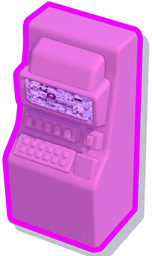 |
An untextured computer item for the Camera Room, with a similar shape to the early Security Radar design. Only the icon still exists. |
||
Item_Enhancer_TestObject |
Leafy Enhancer |
Grown to enhance! |
An unknown object that would cryptically "enhance" exhibits in some fashion. A placeholder name and description can be found in the item's file. Given that the speaker items and the Scent Situator share similar internal names, this was likely an early prototype for items that can boost exhibit stats. |
|
Item_Enhancer_TestObject |
Dino Head Enhancer |
Enhancer that looks like a dino head |
Same as above, but appearing as a dinosaur head, apparently. There's a Dino-Head decoration, so it may have used the same assets. A placeholder name and description can be found in the item's file. |
|
Item_InteriorWall_Fence_Curb_Procedural |
Curb Partition |
Just a hint of a boundary. |
A short curb partition fence that was intended for interior use. The object lacks an icon, but is otherwise complete. |
|
Item_Editor_Scenery_LS_Fence_Concrete_Procedural |
 |
Fence Concrete (Procedural) |
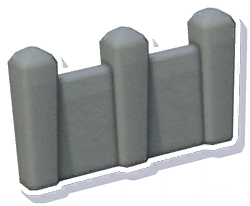
A concrete fence for outdoor use, which is reused from Two Point Campus with the same icon. It does get used for background scenery though. |
|
Item_Editor_Scenery_LS_Fence_Stone_Procedural |
 |
Fence Stone (Procedural) |
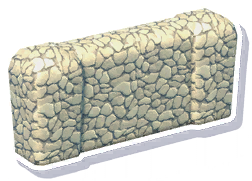
A stone fence for outdoor use, which is reused from Two Point Campus with the same icon. Like with the concrete fence, this one does get used for background scenery though. |
|
Item_LS_Fence_Wood_Panelled_Procedural |
 |
Wooden Fence |
The classic barrier |
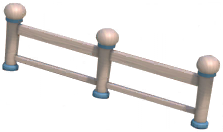
A wooden fence, also reused from Two Point Campus but with a new icon. Unlike the other two, it looks like this one may have been intended to be available to the player. |
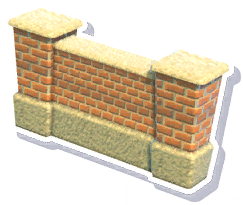
Item_LS_Wall_Low_High_Procedural |
 |
High Wall |
The ultimate barrier |
A tall brick wall that can be placed outside, taken from Two Point Campus. This can actually be seen to be used within museum plots in some pre-release screenshots, as well as certain loading screen images, but ultimately is only used as background scenery. |
Item_LS_Wall_Low_Procedural |
|
Low Wall |
Short and sweet. |
A short brick wall from that can be placed outside, taken from Two Point Campus. It's can be seen surrounding the various subway entrances around the inner-city museums. As with the above wall, this one can actually be seen within museum plots in some pre-release screenshots and loading screen images. |
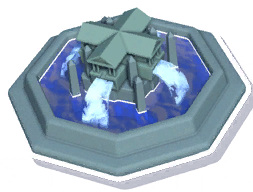
Item_Fountain_Atlantis |
 |
Atlantis Fountain |
This is the end, beautiful friend, the end. |
A fountain with a very elaborate design, taken from Two Point Campus. The placeholder menu name and description suggests it was intended to be used as a background prop for Passwater Cove. |
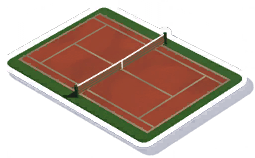
Item_LS_Sport_Tennis |
 |
Tennis Court |
Sport Tennis |
A tennis court that was used as a background prop in Two Point Campus. It's either a leftover, or was planned to be used similarly in this game. Oddly, multiple icons of this object with missing textures also exist. |
Item_Research_Pod |
Research Pod |
Research Pod. |
The Research Pod used in previous games was evidently going to return in this one. There's some evidence that the same research system was initially planned for this game, before being split into the separate Analysis and Workshop rooms. A placeholder name and description can be found in the item's file, but no other assets exist at all. |
|
Microwave |
Hot food in two shakes of a water molecule. |
Intended for the Staff Room, but the only trace of its existence is a name and description found in A similar item exists in Two Point Campus, but with a completely different name and description, so this is evidently not a leftover from that game. |
||


Cargo Modules#
Filename |
Icon |
Name |
Description |
Notes |
|---|---|---|---|---|
CargoItems_ExhibitDuplication |
 |
Exhibit Duplication |
Exhibit Duplication |
An icon for an unused cargo item labeled "Exhibit Duplication" can be found. Notably, the various net cargo items that can be crafted in the game will duplicate exhibits found on expeditions, but can only be used for fish. This item may have been an early prototype to test that functionality, since those items share similar internal names. |
CargoModule_RemoveDropTableNullify |
 |
Remove Drop Table Nullify |
Remove Drop Table Nullify |
An icon for an unused cargo item labelled "Remove Drop Table Nullify" can be found. This was most likely an item used as a prototype, or for debugging expeditions. |
Unused Rooms#
Lecture Theatre#
Although at first glance this may seem like a leftover from Two Point Campus, there appear to have been plans for this room type to be properly implemented in Two Point Museum.
A duplicate of the icon used in Two Point Campus exists, but a new icon was created, along with variations intended to appear in the sticker book.




There are also various remnants of a qualification intended for Experts who work in this room: Give Talk. An icon can be found for this, as well as a monochrome one for the Job Assignment interface.


Items#
Filename |
Icon |
Name |
Description |
Notes |
|---|---|---|---|---|
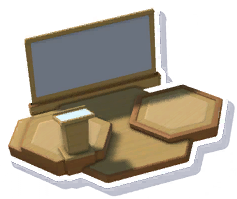
Item_Lecture_Lectern |
 |
Lectern |
Something to hide behind. |
A lectern for the Lecture Theatre. Lacks a name and description, but placeholder text can be found. The object appears to otherwise be complete, though it's effectively a duplicate of the same item in Two Point Campus. |
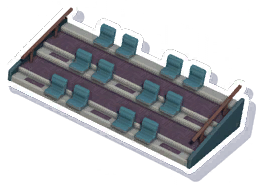
Item_Lecture_Seats_Static |
 |
Lecture Seats |
Lecture Seats that fold |
Only the object data, icon, name, and description exists, with no meshes or textures to be found anywhere. The item depicted in the icon is a duplicate of the same item in Two Point Campus, but the description is different to the one used in that game. The filename describes the object as "static", despite the description saying that the seats fold. |
Voice lines#
Unused tannoy voiceover lines asking for Experts to attend an unmanned Lecture Theatre. These exist for all 3 supported voice languages.
Filename |
Language |
Transcription |
Audio |
|---|---|---|---|
Tannoy_UnmannedStation_Lecture_1 |
English |
"Expert needed to take lecture. Thank you." |
|
Tannoy_UnmannedStation_Lecture_2 |
English |
"Museum lecture requires an Expert, and their expertise." |
|
Tannoy_UnmannedStation_Lecture_3 |
English |
"Attention, Expert is late for lecture." |
|
Tannoy_UnmannedStation_Lecture_1 |
German |
"Experte für Vortrag benötigt. Vielen Dank." |
|
Tannoy_UnmannedStation_Lecture_2 |
German |
"Experte mit Expertise für Museumsvortrag benötigt." |
|
Tannoy_UnmannedStation_Lecture_3 |
German |
"Achtung, Experte wird bei Vortrag erwartet schon seit einer Weile." |
|
Tannoy_UnmannedStation_Lecture_1 |
Mandarin |
||
Tannoy_UnmannedStation_Lecture_2 |
Mandarin |
||
Tannoy_UnmannedStation_Lecture_3 |
Mandarin |
Animations#
A fair amount of related animations can still be found in the game's files:
Lectern_Video_Loop
Lectern_Lecture_Loop
Lectern_Closed_Idle
Lectern_Close_Lecture
ANIM_M_Lecture_Sit_Idle
ANIM_M_Lecture_Sit_Idle_Look
ANIM_M_Lecture_Sit_Idle_Look_001
ANIM_M_Lecture_Sit_Idle_Look_002
ANIM_M_Lecture_Sit_Idle_Look_003
ANIM_M_Lecture_Sit_Idle_Look_004
ANIM_M_Lecture_Sit_Idle_Look_005
ANIM_M_Lecture_Sit_Idle_Look_006
ANIM_M_Lecture_Sit_Idle_Look_007
ANIM_M_Lecture_Sit-Idle_Look_008
ANIM_M_Lecture_Sit_Idle_Look_Alt
ANIM_M_Lecture_Sit_Idle_Wave_001
ANIM_M_Lecture_Sit_Into
ANIM_M_Lecture_Sit_Listen_001
ANIM_M_Lecture_Sit_Listen_002
ANIM_M_Lecture_Sit_Listen_003
ANIM_M_Lecture_Sit_Listen_004
ANIM_M_Lecture_Sit_Out
ANIM_F_Lecture_Sit_Idle
ANIM_F_Lecture_Sit_Idle_Look
ANIM_F_Lecture_Sit_Idle_Look_001
ANIM_F_Lecture_Sit_Idle_Look_002
ANIM_F_Lecture_Sit_Idle_Look_003
ANIM_F_Lecture_Sit_Idle_Look_004
ANIM_F_Lecture_Sit_Idle_Look_005
ANIM_F_Lecture_Sit_Idle_Look_006
ANIM_F_Lecture_Sit_Idle_Look_007
ANIM_F_Lecture_Sit-Idle_Look_008
ANIM_F_Lecture_Sit_Idle_Look_Alt
ANIM_F_Lecture_Sit_Idle_Wave_001
ANIM_F_Lecture_Sit_Into
ANIM_F_Lecture_Sit_Listen_001
ANIM_F_Lecture_Sit_Listen_002
ANIM_F_Lecture_Sit_Listen_003
ANIM_F_Lecture_Sit_Listen_004
ANIM_F_Lecture_Sit_Out
Take 001
Meanwhile, these animations are likely placeholders or leftovers from Two Point Campus:
Lectern_Video_Loop_LEGACY
Lectern_Open_Lecture_LEGACY
Lectern_Lecture_Loop_UpAndDown_LEGACY
Lectern_Lecture_Loop_LEGACY
Lectern_Closed_Idle_LEGACY
Lectern_Close_Lecture_LEGACY
Research Room#
Some data for an unused Research room can be found in Room_ResearchRoom with a placeholder description: Develop facilities with new gear, upgrades and perks.
The room appears in previous games, but the description suggests that in this game it would have filled the same role as the separate Analysis and Workshop rooms. It was likely split early on in development.
Interactive Workshop#

An icon for an object named Item_Workshop_Interactive_Display_Workstation can be found, though it's just a placeholder depicting an empty plinth. A mesh for this object (but no textures) can be found in Workshop_Inter, which is unlike anything else in the game.
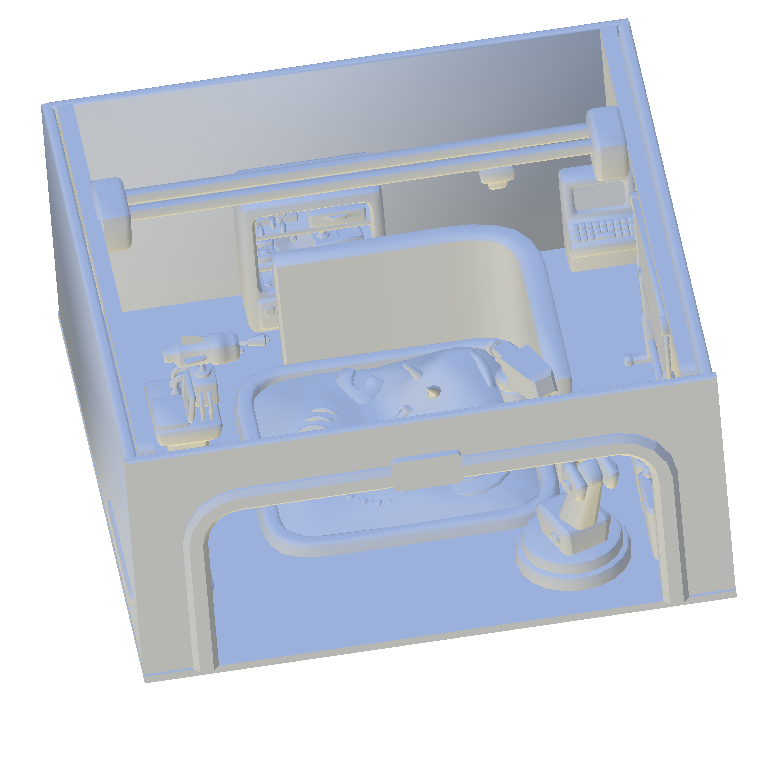
The mesh consists of a room enclosed with walls, but with a wide open archway or window at the front. A fabricator is built into the structure of the room, and appears to be in progress of constructing the unused DIY Archaeology interactive display. The room is decorated with several props, such as a worktable and bin that looks similar but not the same as the Workshop Table and Workshop Bin items that can be used in the game. There's also a shelving unit and control console at the back of the room, which don't resemble any other items in the game.
It's not clear what exactly this object was intended to be. In the released game, guests are able to interact with the Workshop by peering through the windows of the room. Therefore, it's possible that this object was an early iteration of the concept, implemented as an item rather than a room.
Unused Feelings#
Feeling |
Description |
Notes |
|---|---|---|
Steady Meal |
Ate a microwaved meal in the Staff Room. |
Would likely have been acquired by staff members using the cut Microwave item. |
Jumbo Fatigue |
Sick of seeing Jumbo McNally. |
Acquired by guests seeing the unused Jumbo McNally Cutout exhibit. |
Borble Queasy |
Nauseous from drinking Borble Tea. |
Acquired by guests drinking tea from the unused Borble Tea Vending Machine. |
Pertorbed |
Concerned about the Orb Foundation. |
Acquired by guests seeing the unused Orb Foundation Statue exhibit. |
Oddities#
Flambuoyant Fish#

The Flambuoyant Fish has a chance to be generated with one of two different patterns, and can appear with varying colours. An icon showing the alternate patterned Flambuoyant Fish exists, but is completely unused.
Coffee Kiosk#
The icon for the Coffee Kiosk item is named UI_InGame_T_Icon_Item_Cafe_Coffee, sharing the same naming convention as all other Cafeteria items. In the released game, the kiosk cannot be placed in the Cafeteria at all.
Cafeteria Walls#
For no discernible reason, most wall objects are unable to be placed in the Cafeteria. This room type appeared in Two Point Hospital and Two Point Campus with short barriers in place of walls. It's possible that the room was originally going to have short barriers in this game too, but the logic wasn't updated properly when full-height walls were incorporated.
Shadow Onesies Icon#
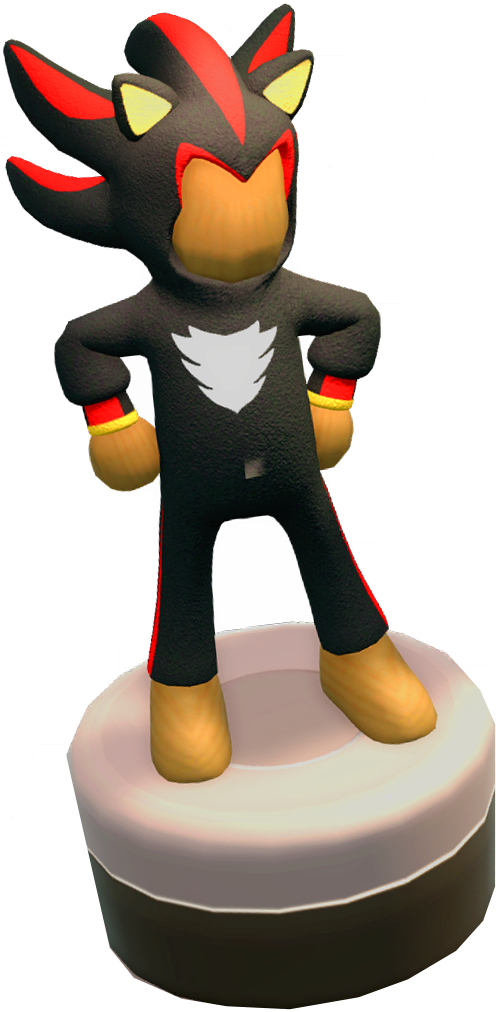
For whatever reason, the icon used for the Shadow Onesies stand is of a significantly larger resolution than any other item icon in the game.
Explorer's Map#
The filename of the icon (UI_InGame_T_Icon_Item_Staff_Room_MapTable) labels the item as a "MapTable", suggesting it was originally going to be a table with a map on it, rather than a globe.
Orb Foundation Subcategory#
The game's code lists the Orb Foundation as a subcategory for the General theme (ExhibitSubcategory_Generic_OrbFoundation). The only exhibit related to them is an unused and unfinished sponsor deal item, which likely would have fallen under the Sponsor Deal category anyway.
The subcategory also has a modifier associated with it that would increase cash flow, which would be consistent with the benefits granted by the Orb Club in Two Point Campus.
Future Content Updates#
References to several planned but unreleased free content updates can be found in I2LS_Unlockables. Additionally, quite a lot of assets from some of these future updates can be found in the initial release of the game.
Unlockables/Community1/Community1_DisplayName=Community 1
Unlockables/Community2/Community2_DisplayName=Community 2
Unlockables/Community3/Community3_DisplayName=Community 3
Unlockables/Community4/Community4_DisplayName=Community 4
Unlockables/Summer2025/Summer2025_DisplayName=Summer 2025
Unlockables/Halloween2025/Halloween2025_DisplayName=Halloween 2025
Unlockables/Winter2025/Winter2025_DisplayName=Winter 2025
Unlockables/Valentines2026/Valentines2026_DisplayName=Valentines 2026
Unlockables/Spring2026/Spring2026_DisplayName=Spring 2026