 This article has a talk page!

|
To do:
|

The Incredibles: Rise of the Underminer is the sequel to The Incredibles video game, taking place right where the movie left off with the Underminer arising (but not the game which ends after the last Omnidroid was destroyed).
This game was basically Incredibles 2, thirteen years before the real movie came out (dropping the "The" was extremely important), and completely retconned this game.
Unused Textures#
temp.RW3.RWTX

A temporary texture. It can also be found in SpongeBob: Battle for Bikini Bottom.
temp_exit.RW3.RWTX

A temporary graphic for exits, even though there are no exits in the final game.
ui_DEMO_I2_Splash_Screen_6_24.TEXS
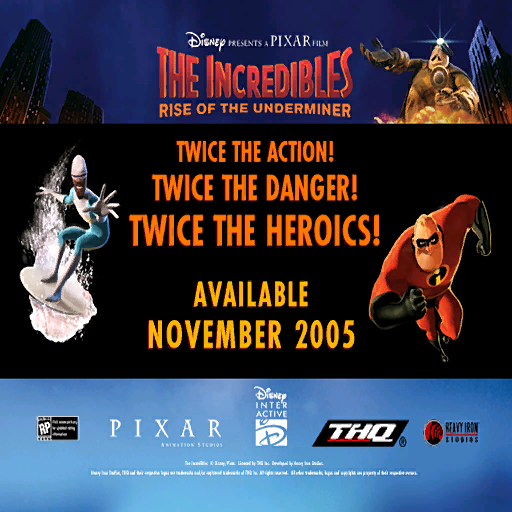
A splash screen leftover from a demo. It can be found in mnui.hip.
Unused Models#


Unused rock shrapnel found in dd01.HOP.
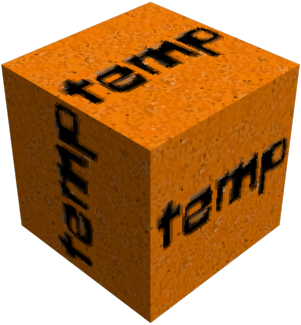

Unused throwable "rocks" also found in dd01.HOP.

A diamond using the exit texture.
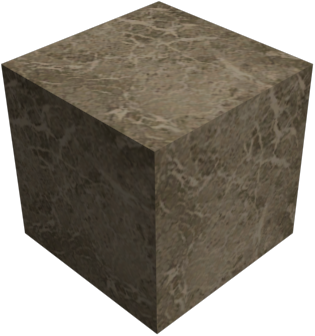
temp_primative_cube.MODL is a temporary cube model that uses a marble texture.


Unused shrapnel for destructibles.

A temporary large drill found in ut01.HOP.

A temporary platform.
Unused Music#
mnui.hip#
UI_MUSIC_FT01_End_02b is a track leftover from The Incredibles.
Unused Text#
Build Date#
A build date can be found inside INCROTU.exe at offset 0x2E9760.
The Incredibles: Rise of The Underminer
PC build FC0013
Oct  5 2005
INI Files#
A bunch of the .ini files contain developer comments, along with some commented-out data.
explode.ini:
# Explosion types.  Note: Motes are fire and/or smoke particles.  The scale of
# a mote is based on 3 factors: it's random initial scale (scale_min to
# scale_max), its fire/smoke scale (scale_fire and scale_smoke), and its
# animated scale (in the anim frame values).

# Textures.  These textures must exist in the scene for the explosion to work properly.

# Animation key frames.  Each value specifies the alpha, scale, heat, and rise
# of a mote during a particular time in its life, represented as a fraction of
# its total life.  Time values (t) should be sorted, from 0 to 1. The values
# for each time are linearly interpolated between key frames.  alpha and scale
# are multipliers on the base mote alpha and scale.  heat controls the blend
# between fire and smoke (0 all smoke, 1 all fire).  rise specifies an
# additional upward velocity applied to the mote.
# Animation       t     alpha scale heat rise glow

#sound          = mysound

#warp.type      = Shockwave     # Currently supported: Warble, Lens, Ripple, Shockwave, Heat Shimmer

#texture.spark  = spark_single2

///// Below is Kirk's Mr. I effects test /////

# texture.fire  = ExplosionFlash_Tan_64         # Fire texture id.
# texture.smoke = ExplosionFlash_Smoke_tan_64   # Smoke texture id.
# texture.streak    = spark_single2                 # Streak texture id.  Remove to disable streaks.

# texture.glare = LensFlare01                   # Screen glare texture id.  Remove to disable glare.
# texture.decal = WallCrackDecal # Decal texture id. Remove to decals.in2.ini:
# All the levels for soak tests (leave commented out)
# BOOT = BB01 CC01 DD01 MM01 MT01 RF01 UT01 UW01 A101 A102 A103 A201 A202 A203 A301 A302 A303 B101 B201 B301
# BOOT = TL01 TL04 TL05 TL20 TL22 TL24 TL25 TL26 TL30 TL44 TL50 TL51 TL52 TL80 TL81 TL82 TL83 TL85 TL86 TL87 TL88 TL89 TL90 TL94 TL96
# E3 Levels Soak
# BOOT = UT01 DD01 A201 A202 A203

#cut!
#ScenePlayerMapping = A401 PLM1 PLF1
#ScenePlayerMapping = A402 PLM1 PLF1
#ScenePlayerMapping = A403 PLM1 PLF1
#ScenePlayerMapping = A404 PLM1 PLF1

# test levels
ScenePlayerMapping  = TL01 PLM1
ScenePlayerMapping  = TL02 PLM1 PLF1
ScenePlayerMapping  = TL04 PLM1 PLF1
ScenePlayerMapping  = TL05 PLM1
ScenePlayerMapping  = TL20 PLM1
ScenePlayerMapping  = TL22 PLM1 PLF1
ScenePlayerMapping  = TL24 PLM1
ScenePlayerMapping  = TL25 PLY8
ScenePlayerMapping  = TL26 PLM1
ScenePlayerMapping  = TL28 PLM1
ScenePlayerMapping  = TL30 PLM1
ScenePlayerMapping  = TL35 PLM1 PLF1
ScenePlayerMapping  = TL40 PLM1 PLF1
ScenePlayerMapping  = TL44 PLM1
ScenePlayerMapping  = TL50 PLM1 PLF1
ScenePlayerMapping  = TL51 PLM1 PLF1
ScenePlayerMapping  = TL52 PLM1 PLF1
ScenePlayerMapping  = TL53 PLM1 PLF1
ScenePlayerMapping  = TL54 PLM1 PLF1
ScenePlayerMapping  = TL55 PLM1 PLF1
ScenePlayerMapping  = TL71 PLM1 PLF1
ScenePlayerMapping  = TL72 PLM1 PLF1
ScenePlayerMapping  = TL73 PLM1 PLF1
ScenePlayerMapping  = TL80 PLM1 PLF1
ScenePlayerMapping  = TL81 PLM1 PLF1
ScenePlayerMapping  = TL82 PLM1 PLF1
ScenePlayerMapping  = TL83 PLM1 PLF1
ScenePlayerMapping  = TL84 PLM1 PLF1
ScenePlayerMapping  = TL85 PLM1 PLF1
ScenePlayerMapping  = TL86 PLM1 PLF1
ScenePlayerMapping  = TL87 PLM1 PLF1
ScenePlayerMapping  = TL88 PLM1 PLF1
ScenePlayerMapping  = TL89 PLY9
ScenePlayerMapping  = TL90 PLM1 PLF1
ScenePlayerMapping  = TL91 PLY9
ScenePlayerMapping  = TL92 PLM1 PLF1
ScenePlayerMapping  = TL94 PLM1
ScenePlayerMapping  = TL95 PLM1 PLF1
ScenePlayerMapping  = TL96 PLM1 PLF1
ScenePlayerMapping  = TL99 PLY8
ScenePlayerMapping  = TL?? PLM1 PLF1

# the right-hand-side is LEVEL_NAME, MRI_DAMAGE_GOAL, FROZONE_DAMAGE_GOAL, LEVEL(s)_UNLOCKED

#-----------------------------------------------------------------
# XP & Health for Kills
# Normal - When the player is between the upper and lower threshold
# Below  - When the player is below the lower threshold
# Above  - When the player is above the upper threshold
# HealthReward - the amount of health distributed to the players
#-----------------------------------------------------------------

#-----------------------------------------------------------------
# XP for Combo Kills
# Normal - When the player is between the upper and lower threshold
# Below  - When the player is below the lower threshold
# Above  - When the player is above the upper threshold
#-----------------------------------------------------------------splash.ini:
# Mist particle parameters.  Mist particles are generated on the leading
# edge of the splash cone.

# Ring particle parameters.  These are small flat rings generated at the
# bottom of the splash cone.

# Splash streaks.  These are streak particles that are generated at the
# bottom of the splash cone and move out along the cone edge.mnui_US.hip#
Descriptions and titles for most of the test levels exist inside mnui_US.hip. None of these test levels exist anymore so trying to access them will crash the game on the loading screen.
Identifier |
Title |
Description |
|---|---|---|
TL01 |
Test Arena (TL01) |
Mr. Incredible in the arena |
TL04 |
Multiplayer (TL04) |
Frozone and Mr. Incredible in the arena |
TL05 |
Ally NPCs (TL05) |
NPC Ally test (made from FT04) |
TL20 |
Camera Spline Test (TL20) |
Camera Spline Test |
TL22 |
Camera Binary Curve Test (TL22) |
Test for a binary camera with the second target on a spline. |
TL24 |
Player Mesh Test (TL24) |
Added a level where there's a big open nav mesh and the player starts on it |
TL25 |
Dash Test Late For School (TL25) |
Added a test level for Dash |
TL26 |
Incredi-Ball (TL26) |
Added an incrediball test level |
TL27 |
Throw Test (TL27) |
Throw test level |
TL28 |
New Throw Test |
Matt's new throw test level |
TL30 |
Lightmap Test (TL30) |
Apartment Inferno level |
TL31 |
PS2 Light Test (TL31) |
PS2 Light Test |
TL44 |
Water test (TL40) |
Water water everywhere |
TL50 |
Camera Test - mcoohill (TL50) |
camera test level for mCoohill |
TL51 |
Camera Test - rpulurian (TL51) |
camera test level for rPulurian |
TL52 |
Camera Test - tfiorella (TL52) |
test level so Tony can try some camera stuff |
TL80 |
Hall Test (TL80) |
Hall Test level |
TL81 |
Plat Test (TL81) |
Plat Test level |
TL82 |
Sidescroll Test (TL82) |
Sidescroll Test |
TL83 |
Atrium Test (TL83) |
Atrium Test |
TL84 |
Navmesh Test (TL84) |
Navmesh Test |
TL85 |
Grid Test (TL85) |
Grid Test |
TL86 |
Vista Test (TL86) |
Vista Test |
TL87 |
Parking Lost Test (TL87) |
Parking Lost Test |
TL88 |
Scope Test (TL88) |
Scope Test |
TL89 |
Incrediball Park (TL89) |
Incrediball Park |
TL90 |
Waterfall Arena (TL90) |
Waterfall Arena |
TL94 |
Edna's Lab (TL94) |
Edna's Lab |
TL96 |
Dash Jumptest (TL96) |
Dash Jumptest |
TL99 |
Lots of bad guys (TL99) |
Lots of bad guys |
XXXX |
Test Level |
This level is a work in progress |
Error Messages#
A few error messages can be found scattered in the executable:
Unable to finding a valid landing position on the nav-mesh for NPC: %s (0x%X). The NPC will not jump. This message will appear once.
Ent (0x%X) needs to have frame to use zEntIntersectsTrigger function!
Trying to drive NPC %s with driver %s. The driver is not a platform nor a drivenBy simple object!
Trying to drive guard position with an object (%s) that is not a plaform or simple object.
The drivable object %s was used to drive the guard point for Helper AI. The object has been destroyed. Reverting to default state.
Tried to unlock scene %c%c%c%c, but scene doesn't exist
The model %s has single pass UV animation info. but it is not specified with the UVANIM flag in pipespec. To fix the problem add MATFX=UVANIM to the model's pipespec.Miscellaneous#
A couple of other strings also found in the executable:
0x2B84E4
--TakeMeToYourLeader--
0x2F5670
This is the ultimate key!!!
Regional Differences#
- On non-NTSC versions, the Disney Interactive logo is replaced by Buena Vista Games.
|
The Incredibles series | |
|---|---|
|
GameCube, PlayStation 2, Xbox |
|
|
Windows |
When Danger Calls • The Incredibles • Rise of the Underminer • LEGO The Incredibles |
|
Game Boy Advance |
|
|
Nintendo DS |
|
|
Mac OS Classic |
|
|
Mac OS X, PlayStation 4, Xbox One, Nintendo Switch |
|