 This article has a talk page!
This is a sub-page of Sonic Heroes.

|
To do:
|
Sonic Heroes was the first (proper) multiplatform Sonic game, being first developed for the GameCube before it was ported to Xbox, which itself served as the basis for the PlayStation 2 release (according to leftover Xbox HUD elements in the 9.28 prototype). Then, after it released for consoles in late-2003/early-2004, it was ported to Windows, likely being forked from Xbox while also having quirks specific to PS2 and GameCube.
Needless to say, this leaves the game with a ton of changes between versions.
General Differences#
- Screens and warnings that appear on startup differ for each version.
- The GameCube version displays a pulsing emblem, followed by the Sega logo, and the title screen. Only after pressing start will it check for a memory card.
- The Xbox version will check for save data on the internal hard drive on the loading screen. If there isn't, the title screen will display as normal, but you will be prompted to create save data.
- The PS2 version will check for a controller and a memory card after loading. If a controller isn't detected, the game will lock up on an error screen telling the player to connect a controller. If a memory card isn't detected, it will prompt you to insert a memory card to save. If the player ignores the latter, the game will continue to the title screen, but the data select will check for a memory card again. If one still isn't detected and the message is ignored, the main menu will load, but saving in any way will be disabled.
- The PC version checks for Disc 2 on startup. If it isn't detected, the game will throw an error message and close. If it is detected, the game will continue as normal.
- Load times are different between all versions. The Xbox version loads the fastest in about 5 seconds, the GameCube version loads slightly slower in about 10 seconds, while PS2 takes the longest in about 15-20 seconds. The PC version can take anywhere from 5 seconds to 20 seconds to load, depending on how you launch the game.
- The "NOW LOADING" text is not present on GameCube. On other versions, when booting up the game, the text displays before any warnings and the title screen. On GameCube, it opts for a pulsing emblem before the title screen. When starting a level, the text is displayed on the top right before the loading screen fades in. On GameCube, the emblem animates briefly before disappearing as the actual loading screen appears.
- A Free Camera mode, like Sonic Adventure DX's, was added to the Windows version; however, unlike DX, it doesn't use full dual-analog control. All versions of the game allow the player to move the camera left and right with the right analog stick, but if the stick is moved up or down while standing still, the player enters first-person mode. This still occurs when Free Camera is enabled. The addition of the new option forced a redesign of the pause menu.
- Team Dark’s Chaos Control lasts 5 seconds on PS2, while it lasts 10 seconds in the other versions.
- L & R Camera rotation on GameCube utilizes the triggers, however it is significantly slower than the other versions.
- The PC version lacks stage speed cap; this makes it rather easy to clip through walls, especially in automated sequences (mainly in loops).
- Speed characters, (Sonic, Shadow, Amy, and Espio) lack a damage stun after getting hit in the PC version, only losing rings, making them harder to defeat in Team Battles.
- The framerate is locked to 30 FPS on PlayStation 2, and hits a lot of slowdown throughout the game. The GameCube, Xbox, and PC version (when set to 60 FPS in settings) run at 60 FPS, but the Xbox version has some sections of slowdown. The GameCube version is the most stable version throughout the entire game.
- The PC version allows setting different FPS targets in either 60 FPS, 30 FPS, 15 FPS, or 10 FPS.
- The PC version comes with bonus features on Disc 1, allowing for custom cursors or wallpapers. This is not present on any other version.
- The Xbox version can detect if the controller was disconnected. If this happens, a pop-up will show and the game will pause, prompting you to reconnect the controller to continue. The PS2 version only checks for the controller on startup, while GameCube does not check for a controller unless if 2P Play is started without a controller inserted in port 2.
- When disc-related errors occur, each version handles errors differently.
- The GameCube version is the only version that handles game errors properly. If the console's cover is opened, a message prompts the player to close the cover. If the disc is removed, much like other GameCube games, a message prompts the player to insert the disc again. If a disc read error occurs or the game crashes, the standard GameCube disc/system error message is displayed.
- The Xbox version will simply restart the console if the disc is removed. If a disc read error occurs or the game crashes, the game will simply lock up and the player cannot continue playing.
- The PS2 version will stop the music and stop loading the level if the disc is removed. Any system errors will simply crash the game completely, forcing a power cycle.
- The PC version will simply close if any errors occur.
Menu Differences#
PlayStation 2 |
GameCube |
|---|---|
[Progressive Scan isn't available on PS2] |
 |
 |
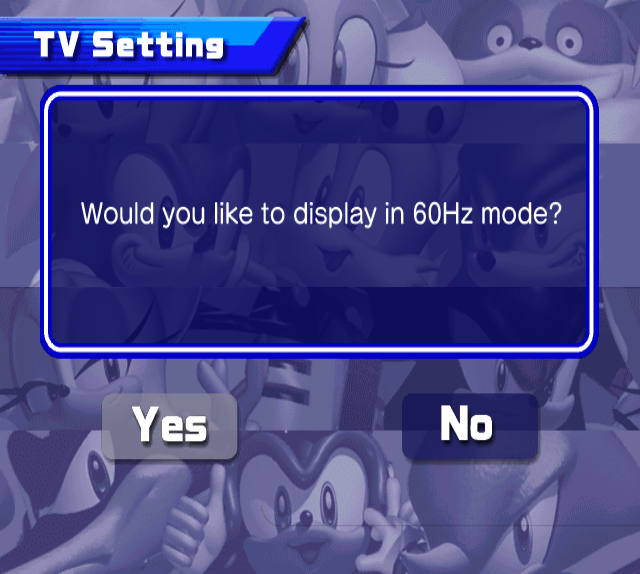 |
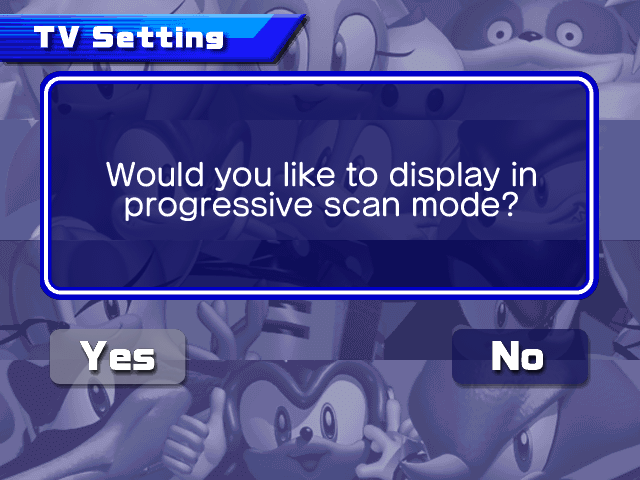
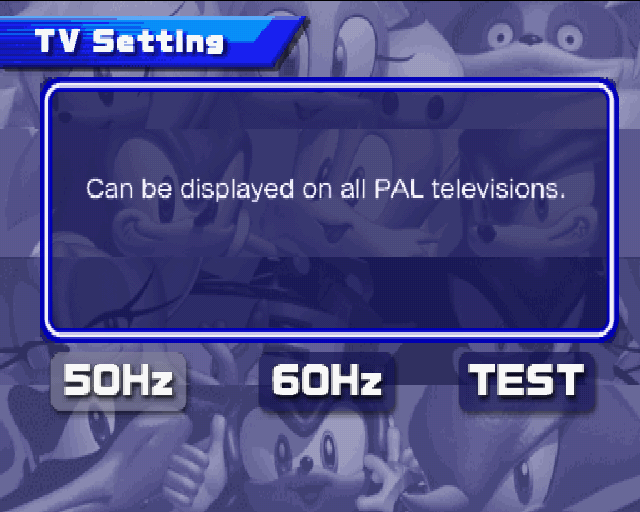
The TV setting screen differs between European PS2 and GameCube releases; the GameCube version lacks the "TEST" option that the PS2 version has (similar to the Sonic Adventure games) and can only be accessed by holding B on startup, while the European PS2 version automatically begins at the TV setting screen. The Japanese and North American GameCube versions are also the only releases to have a proper Progressive Scan screen (also accessed by holding B on startup); the Xbox bases both settings off the console's dashboard. The PS2 screen is present in the PC version, but is unused; none of the options function anymore, even the TEST screen, as pressing Start will just return the player to the title screen.
GameCube |
PlayStation 2 |
Xbox |
Windows |
|---|---|---|---|
 |
 |
|
 |
 |
 |
|
|
 |
 |
|
|
 |
 |
 |
The console version includes screens for the Sega, Sonic Team, ADX and Sofdec, and finally, Dolby (either Digital or Surround Pro Logic II) logos. The Windows version only includes the screen for the Sega logo, with a different (and, strangely, earlier) graphic to boot. This causes the lyrics to kick-in with different timing on Windows, playing when the Sonic Heroes logo appears, rather than the main trio appearing. The Xbox version uses Dolby Digital, while GameCube uses Dolby Surround Pro Logic II, and PS2 uses Dolby Digital Pro Logic II. The PS2 version also displays the screen at a lower resolution.
GameCube |
PlayStation 2 |
Xbox |
Windows |
|---|---|---|---|
 |
 |
 |
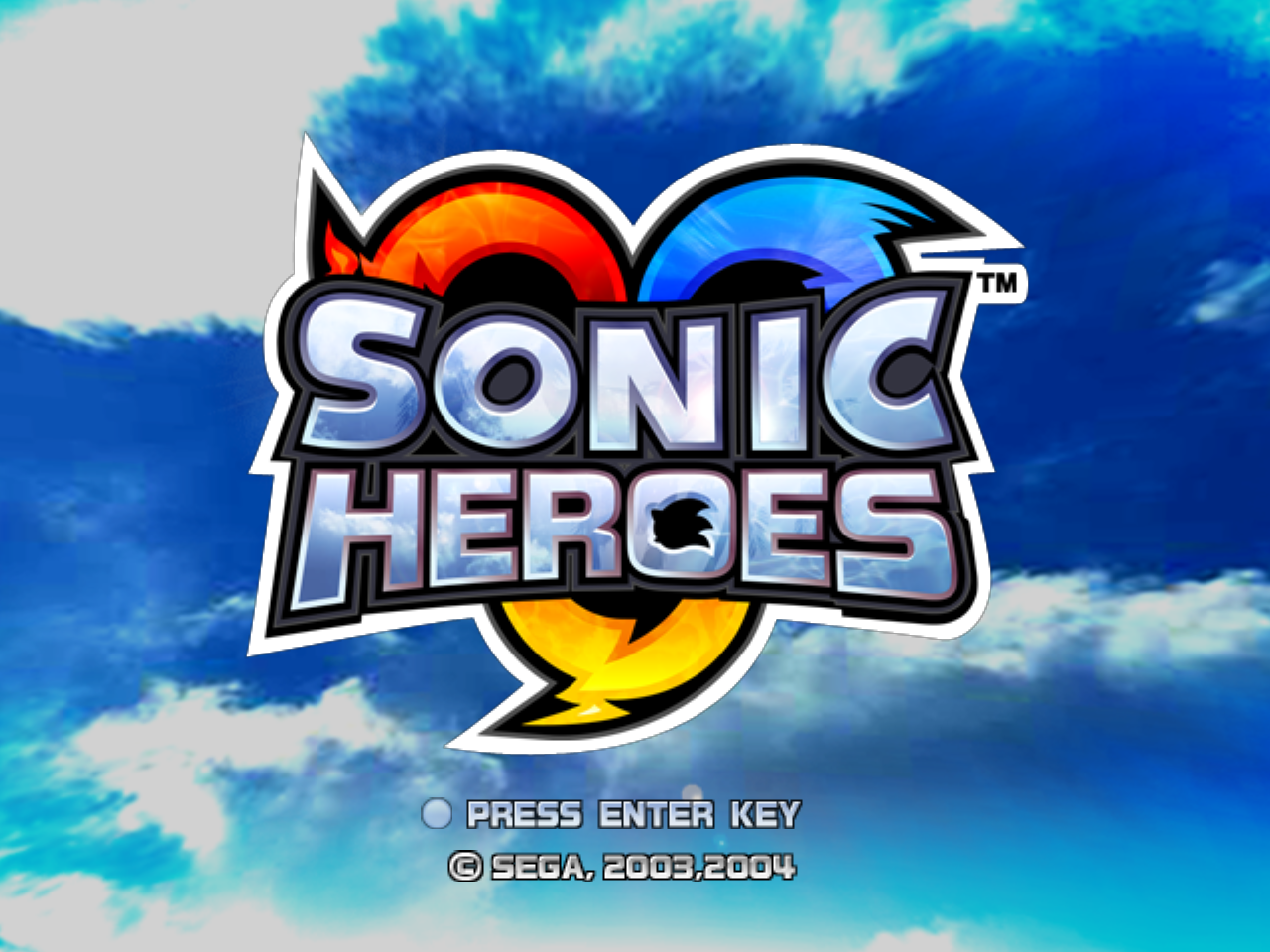 |
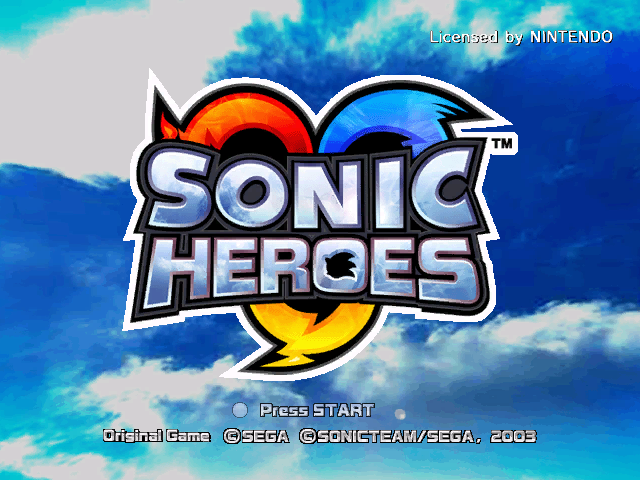
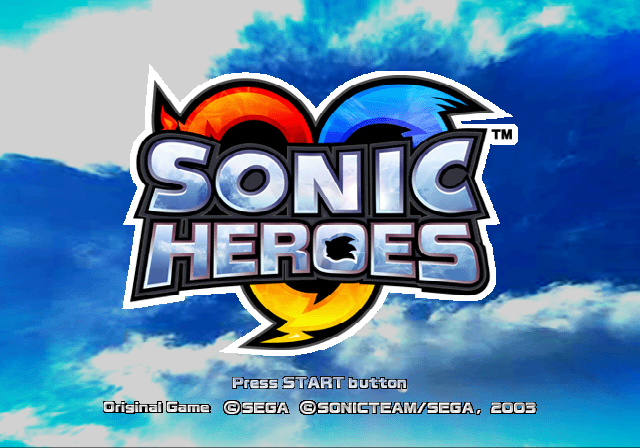
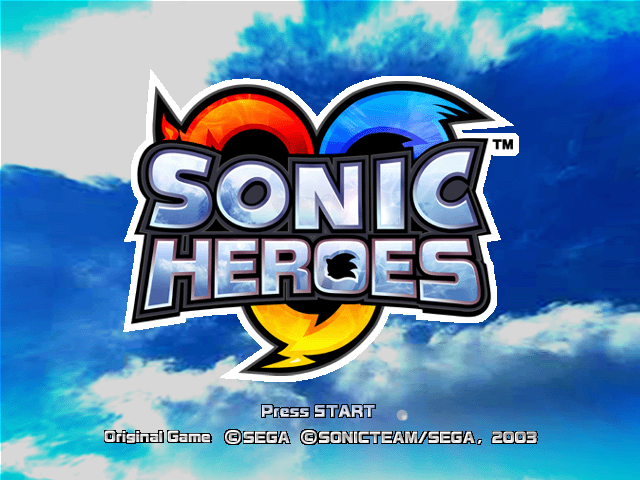
- The title screen varies between releases:
- The PlayStation 2 version labels the start button text as "Press START button", like the Sonic Adventure games. The Xbox and GameCube versions instead label it as "Press START", while the Windows version labels it as "PRESS ENTER KEY".
- For obvious reasons, the "Licensed by NINTENDO" text is only present in the GameCube version.
- The copyright on the Windows version is simplified and has an additional 2004 date, due to it releasing considerably later than all other versions.
- For some unknown reason, the GameCube version will not detect the start button as being pressed until after the Sonic Heroes logo appears. The other releases allow pressing the button the second the screen loads in.
- The GameCube and NTSC PlayStation 2 versions lack music in the File Select screen, although the PS2 will not stop the options music if the File Select is entered from there.
- No music plays in the Options menu in the GameCube version.
GameCube |
PlayStation 2 |
Xbox |
Windows (Japanese) |
|---|---|---|---|
 |
 |
 |
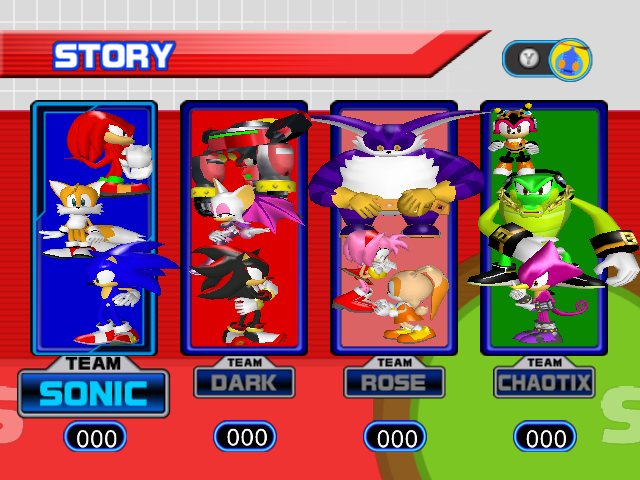 |
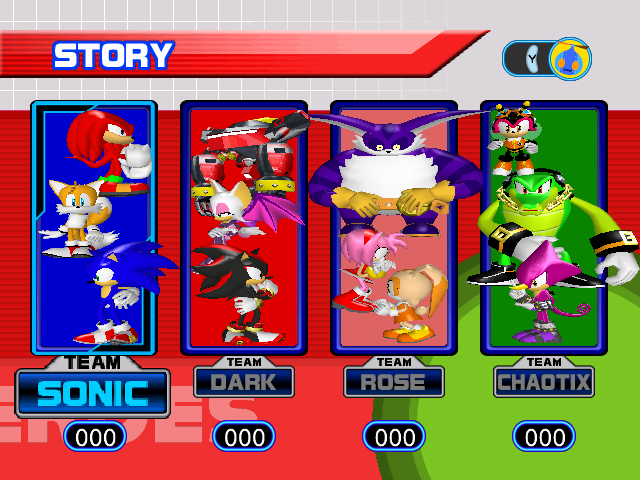
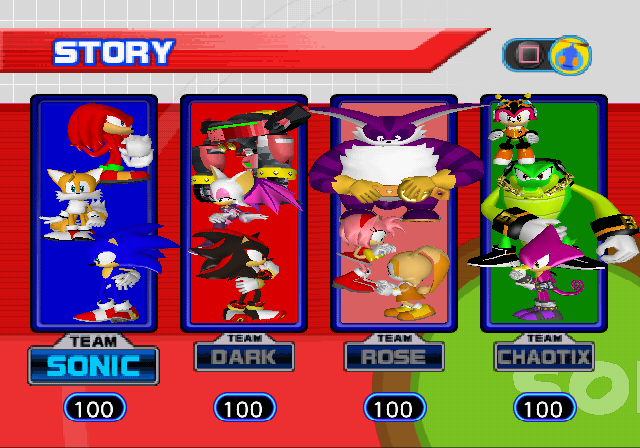
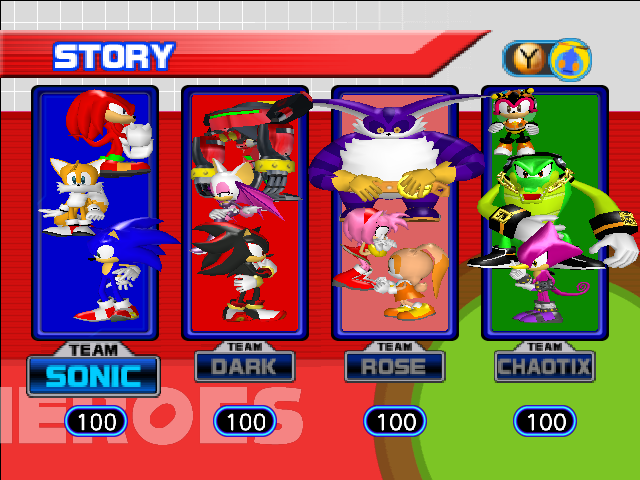
The lighting on the Story and Challenge screens is different in the PlayStation 2 version, coming from beneath the characters. Big also uses different textures on PS2 menus specifically, which seems to match up with renders made by VisionScape (who created the FMVs), suggesting it was a leftover from earlier versions that was never updated. Omega's eyes are yellow for the GameCube menus along with the appearance of different texture colors on the back. Additionally, the menu is higher on Xbox.
- In the Japanese Windows version, Tails uses a higher poly model on the Team Select screen
GameCube |
PlayStation 2 |
Xbox |
Windows |
|---|---|---|---|
 |
 |
 |
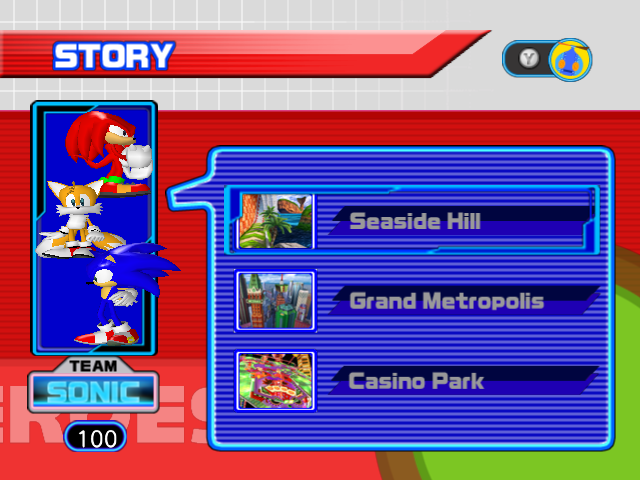 |
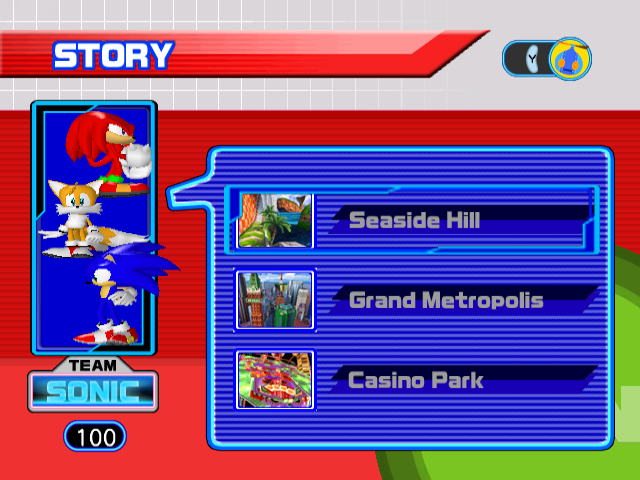
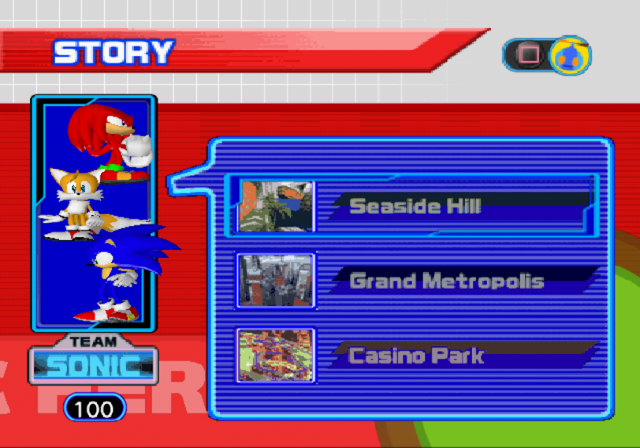
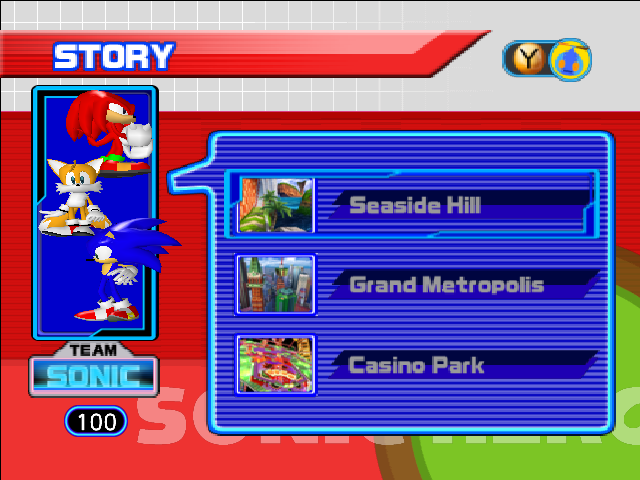
The scene select icons are notably a lower resolution and more pixelated on PlayStation 2, and the menu is slightly higher on Xbox.
GameCube |
PlayStation 2 |
Xbox |
Windows |
|---|---|---|---|
 |
 |
 |
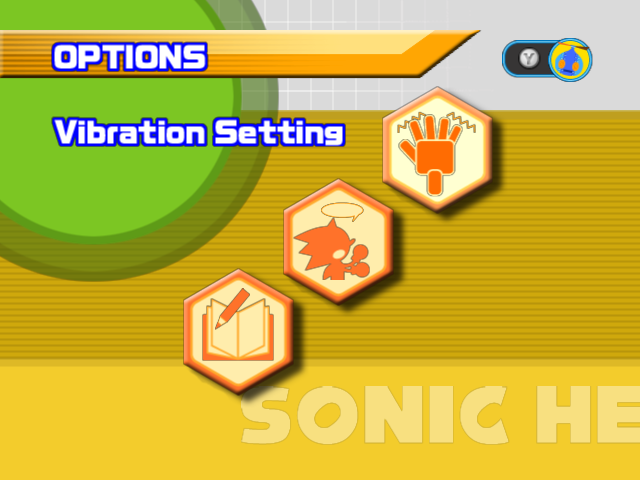 |
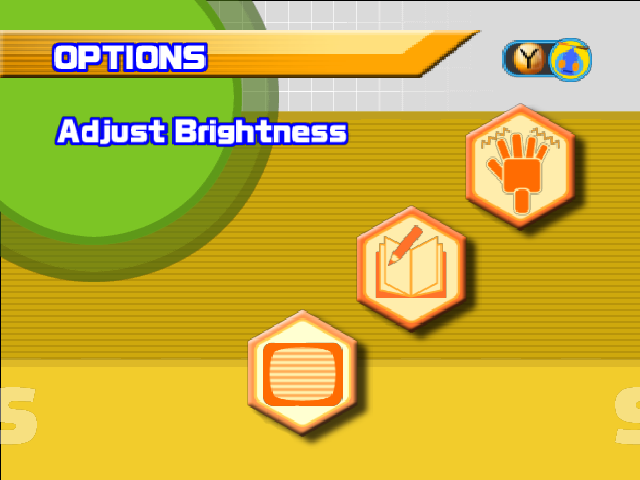
The Options menu is considerably cut down on Xbox and Windows to account for fixed settings in the system dashboard, or would otherwise be unnecessary for computers.
- The GameCube version has an option to enable the hardware's Deflicker feature (meant to prevent flickering when played in 480i), while the Xbox version instead has an option to adjust the brightness.
PlayStation 2 (NTSC) |
GameCube |
Windows |
|---|---|---|
 |
 |
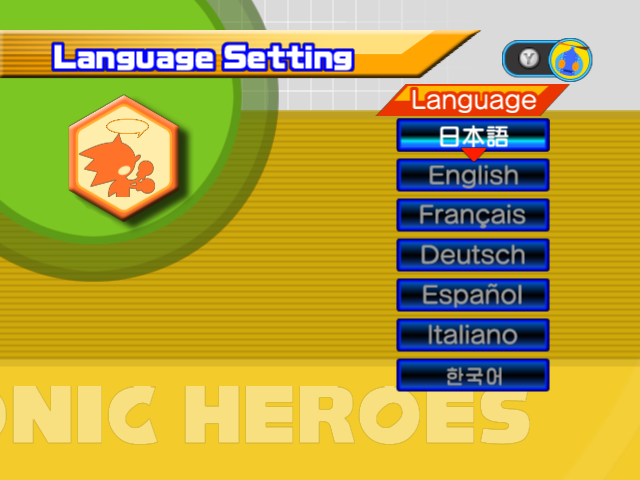 |
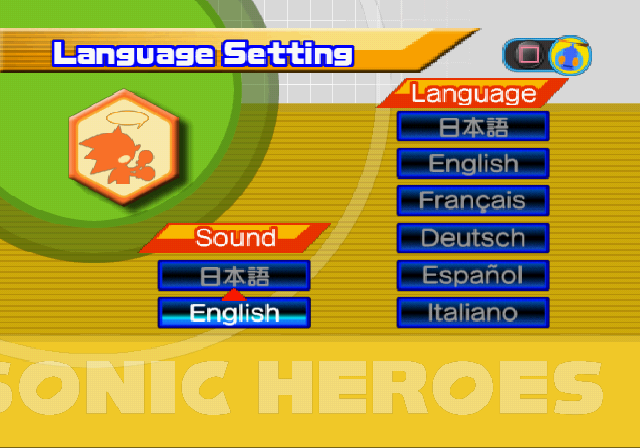
Due to space limitations, the GameCube and Windows version only have one voice track per region. The PlayStation 2 and Xbox versions include both the Japanese and English dubs, however only the NTSC PlayStation 2 version allows freely switching between either, while the Xbox version instead uses the system's dashboard settings to load either. The PAL PlayStation 2 version completely removes Japanese support, despite it still being on the disc.
- A Korean localization is available in the Windows and Korean PlayStation 2 version. Interestingly, the Korean localization exists in all versions of the game, including Xbox and GameCube, despite neither version making it to South Korea.
- The Vibration Setting is renamed to "Rumble Setting" in the GameCube version to fit with the different terminology. However, the French and Spanish translations still call it Vibration, and strangely, Omochao's voice clip will refer to it as Vibration when the text language is set to Japanese.
- In the background, the outer circles are fully opaque on GameCube, and transparent on all other releases.
|
Console |
Windows |
|---|---|
The credits are extended in the Windows version, adding the Windows porting team between the Sega of Europe and Special Thanks sections, and once again altering the copyright to be simplified and adding the 2004 date. However, the speed of the credits scroll was not adjusted, causing the music to end too early on Windows.
Text Differences#
Language |
GameCube |
PlayStation 2 |
Xbox |
|---|---|---|---|
English |
Saving. Do not touch the Memory Card in Slot A or the POWER Button. |
Autosaving data. Do not remove the memory card (PS2) in MEMORY CARD slot 1, controller, or reset/switch off the console. |
Saving Game Data. Please don't turn off your Xbox console. |
Japanese |
ゲームデ一夕を保存しています |
オートセーブ中です。 スロット1のメモリーカード(PS2)を 抜いたり、電源を切ったり、リセットを しないでください。 |
ゲームデータを保存中です。Xbox 本体の電源を切らないでください。 |
French |
Sauvegarde en cours. Ne touchez pas à la Memory Card dans le Slot A, ni au bouton POWER. |
Auto-sauvegarde en cours. Ne pas tetirer la memory card (PS2) dans la fente pour MEMORY CARD N°1, ou la manette ni redémarrer our éteindre la console. |
Sauvegarde en cours des données de jeu. Ne pas éteindre la console Xbox. |
German |
Es wird gespeichert. Bitte nicht Speicherkarte ays Stecjokatz A entfernen oder den POWER-Schalter drücken. |
Automatische Datenspeicherung. Memory Card (PS2) in MEMORY CARD-Steckplatz 1 nicht entfernen, und die Konsole nicht zurückstellen oder abschalten. |
Spieldaten werden gespeichert. Bitte Ihre Xbox-Konsole nicht ausschalten. |
Spanish |
Guardando. No toques la Memory Card de la Ranura A ni el Botón POWER. |
Guardando. No extraigas la memory card (PS2), ni el mando. No reinicies ni apagues la consola. |
Guardando los datos de partida. No apagar la consola Xbox. |
Italian |
Salvataggio in corso. Non toccare la Memory Card nello Slot A o il pulsante POWER. |
Autosalvataggio in corso... Non rimuovere la memory card (PS2) né il controller e non resettare/spegnere la console! |
Salvataggio dati di gioco. Non spegnere Xbox. |
Korean (Unused) |
The "Saving" messages were altered on each system to fit the changes. This applies to all language variants, which also have formatting differences. The PC version does not include a message, however.
Language |
GameCube |
PlayStation 2 |
Xbox |
PC |
|---|---|---|---|---|
English |
The Game Data on the Memory Card in Slot A is corrupted and must be deleted. |
The Game Data on the memory card (PS2) in MEMORY CARD slot 1 is corrupted. Please delete the Game Data using the console's internal browser. |
Unable to load Game Data. Press A button to continue. |
Unable to load Game Data. |
Japanese |
このゲームデータは壊れているので No. 使用することができません。 ゲームデータの消去を行ってください。 (スロットA) |
このゲームデータは壊れているので 使用することができません。 "PlayStation2"本体の ブラウザ画面で、ゲ-ームデータの消去を 行ってください。 (スロット1) |
ゲームデーー夕を読み込めません。A ボタンを持甲して続けてください。 |
ゲームデーー夕を読み込めません。 |
French |
Les données de jeu sur la Memory Card dans le Slot A sont corrompues et doivent être effacées. |
Les données de jeu sur la memory card (PS2) dans la fente pour MEMORY CARD N°1 sont corrompues. Effacer les données de jeu à l'aide du navigateur interne de la console. |
Impossible de charger les données de jeu. Appuyer sur A pour continuer. |
Impossible de charger les données de jeu. |
German |
Die Spieldaten auf der Memory Card in Steckplatz A sind fehlerhaft und müssen gelöscht werden. |
Die Spieldaten auf der Memory Card (PS2) in MEMORY CARD-Steckplatz 1 sind fehlerhaft. Bitte löschen Sie die Spieldaten mit Hilfe des internen Browsers der Konsole. |
Spieldaten können nicht geladen werden. Weiter mit A-Taste. |
Spieldaten können nicht geladen werden. |
Spanish |
La partida de la Memory Card de la Ranura A contiene datos dañados y hay que borrarla. |
Los datos de juego de la memory card (PS2) de la ranura para MEMORY CARD 1 contiene datos dañados y hay que borrarla. Borra los datos de juego con el navegador interno de la consola. |
Impossible cargar los datos de la partida. Presionar A para continuar. |
Impossible cargar los datos de la partida. |
Italian |
I dati di gioco nella Memory Card nello Slot A sono corrotti e devono essere cancellati. |
I dati di gioco sulla memory card (PS2) inserita nell'ingresso MEMORY CARD 1 sono corrotti. Cancellare i dati di gioco utilizzando il browser interno della console. |
Impossible caricare i dati di gioco. Premi A per continuare. |
Impossible caricare i dati di gioco. |
Korean (Unused) |
게임 데이터를 불러올 수 없습니다.. |
Ditto, but for save data corruptions. The GameCube and PC versions are the only versions that allow for deleting the corrupted data within the game, but GameCube is the only version that properly handles this, as the PC version will just throw another error if the player attempts to delete the data. Oddly, the GameCube version uses the regular select sound effect while the other versions use the "invalid" sound effect when selecting a damaged file.
Language |
GameCube |
PlayStation 2 |
Xbox |
PC (Unused) |
|---|---|---|---|---|
English |
There is insufficient space to save a new Game Data on the Memory Card in Slot A. SONIC HEROES requires 1 file and 2 blocks to save. To manage the contents of your Memory Card, use the Memory Card Screen. |
There is not enough space on memory card (PS2) in MEMORY CARD slot 1. If you wish to save new Game Data, insert a memory card (PS2) with at least 110 KB of free space. Proceed anyway? |
Your Xbox doesn't have enough free blocks to save Game Data. You need to free [blocks] more blocks. |
Your Xbox doesn't have enough free blocks to save Game Data. You need to free %2d more blocks. |
Japanese |
||||
French |
||||
German |
||||
Spanish |
||||
Italian |
||||
Korean (Unused) |
Same, but for running out of storage. Interestingly, the PC version uses the Xbox version's text, which normally can't be seen unless the player tries to fill up the disk space as much as possible.
Graphical Differences#
GameCube |
PlayStation 2 |
Xbox |
Windows |
|---|---|---|---|
 |
 |
 |
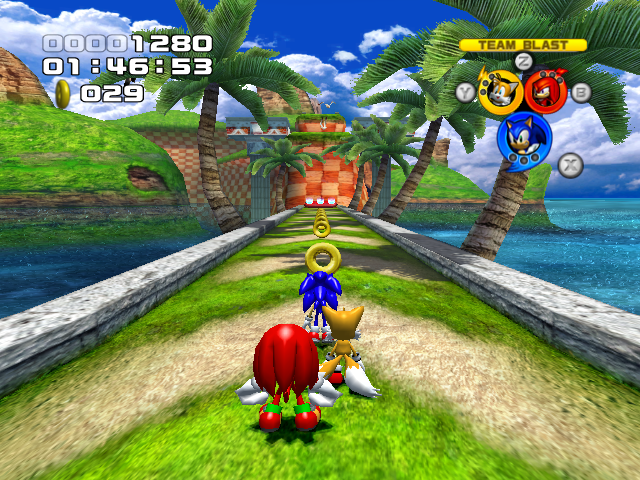 |
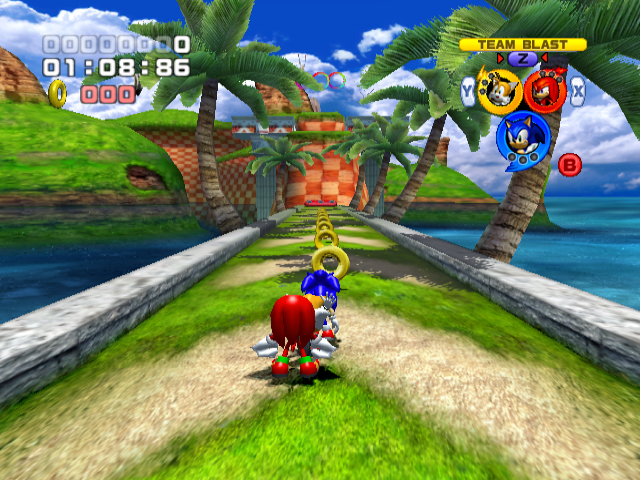
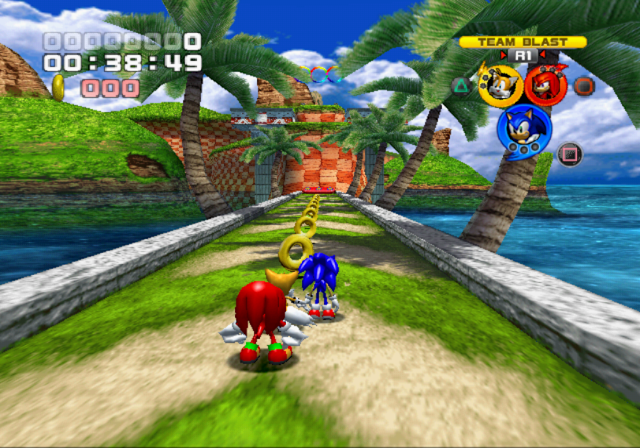
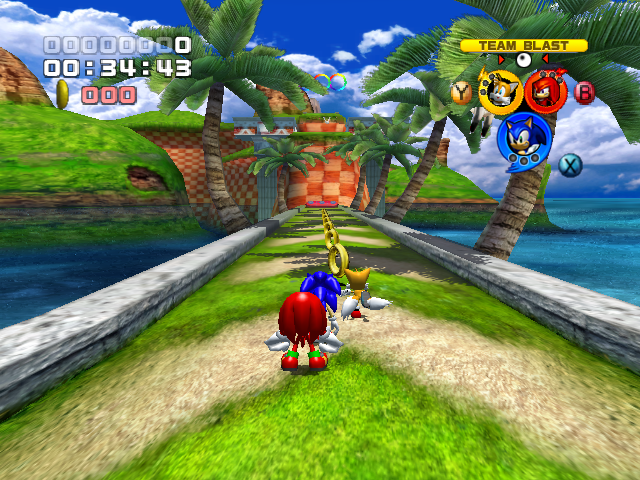
- The PlayStation 2 version is only capable at running at 640x448i at 30 frames per second, with frame drops still occurring with that cap in mind. The GameCube and Xbox versions can run at 480p60, however the Xbox version can slow down at times. The Windows version, being a Windows game, can run from 480p15 to 960p60 depending on the launcher settings.
- Interestingly, the back of the Xbox version claims it can run at 720p60, however this isn't the case.
- Texture filtering is considerably poorer in the PlayStation 2 version, which also lacks any mipmapping, results in a rather pixelated look. The GameCube and Xbox versions tend to apply too much filtering to distant objects, resulting in a muddy look, while the Windows version has the best texture filtering, as well as built-in Anisotropic filtering, helping clean up the image.
- The Xbox version uses higher resolution FMVs. In the Windows version, these were replaced with lower quality FMVs taken from the GameCube version due to space concerns.
- The Windows version added fog to many stages where there originally wasn't any.
- The GameCube and Xbox versions use real-time shadows for characters, while the PlayStation 2 version uses simple textured shadows. The Windows version is capable of switching between both, depending on the settings.
PlayStation 2 |
Xbox |
GameCube |
Windows |
|---|---|---|---|
 |
 |
 |
 |
- Texture quality varies greatly between releases:
- The PlayStation 2 version generally uses higher quality textures for characters, however others such as the menus and levels tend to be more compressed.
GameCube/Xbox/PlayStation 2 |
Windows |
|---|---|
 |
 |
The HUD numbers differ between consoles and windows. The ones from GameCube, Xbox and PlayStation 2 ports are 128px and are flat, compared to Windows which is 256px and uses the correct font size. However, the game renders these wrong and stretches the numbers in the end-view.
- This is presumably why we see in console ports the numbers flatten in the file yet correct in the game, but correct in the PC port's file yet stretched in the game: The developers must have edited the image file instead of editing the game's code so it wouldn't mess with most of the game HUD assets.
|
PlayStation 2/Windows |
GameCube/Xbox |
|---|---|
|
|
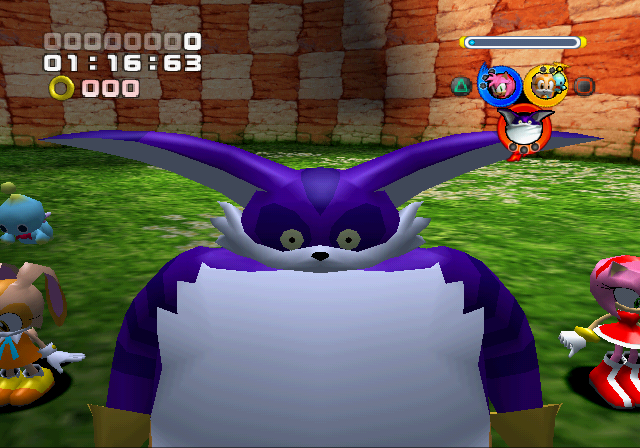
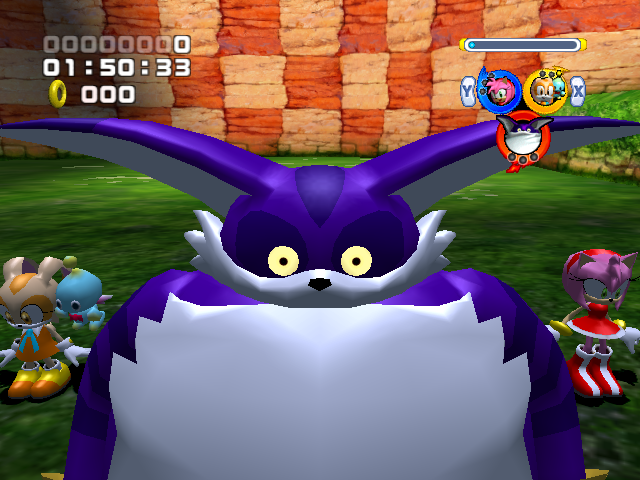
Big's eyes glow in the dark on GameCube and Xbox ports, similarly seen in the Dreamcast port of Sonic Adventure, This is due a special console material applied in their models that can only be used in GameCube and Xbox and it's not present in the PlayStation 2 and Windows ports as there is no support for those special materials.
- In both the Rail Canyon and Egg Fleet opening cutscenes, Big’s eyes and ears move on PlayStation 2 and Windows, but they strangely do not on Xbox and GameCube.
|
Consoles |
Windows (in-game) |
|---|---|
|
|
|


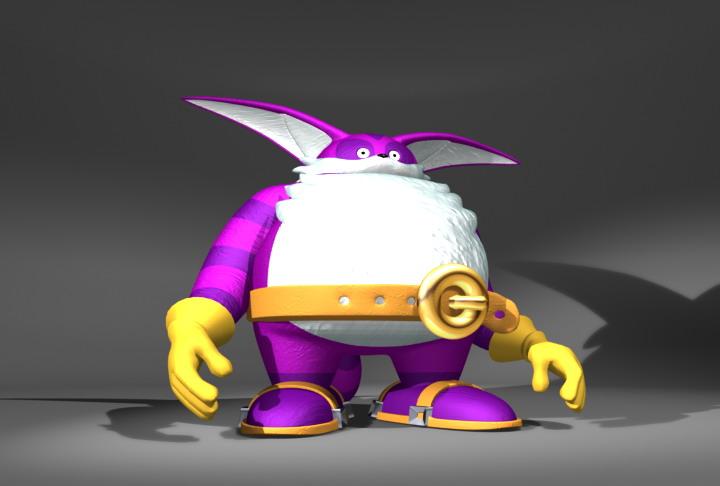
Big's gameplay texture on PC is using the old version (also present on the PlayStation 2 menu files). His umbrella has a lighter look to it, however it also incorrectly contains a duplicate of his darker fur color, making it appear he has no stripes at all in gameplay. The menus still use the original texture.
GameCube |
PlayStation 2 |
Xbox |
Windows |
|---|---|---|---|
 |
 |
 |
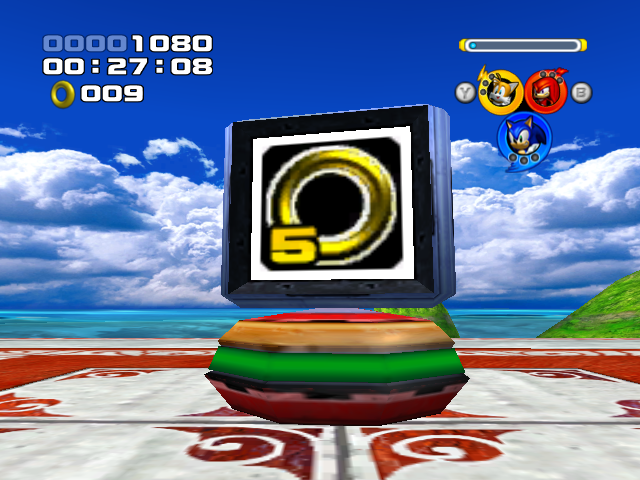 |
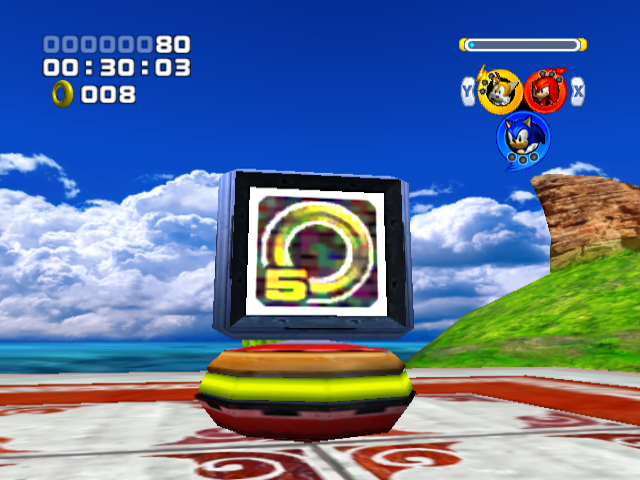
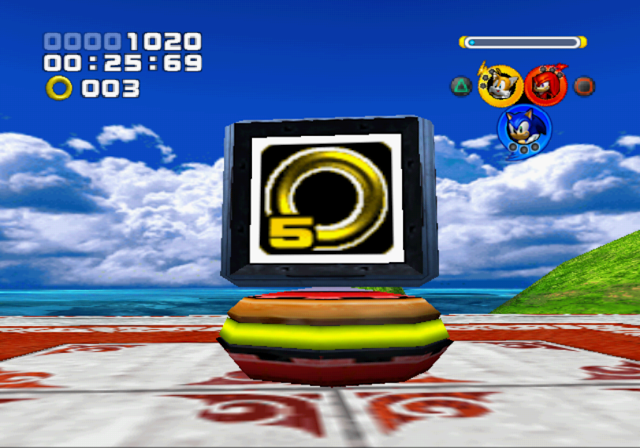
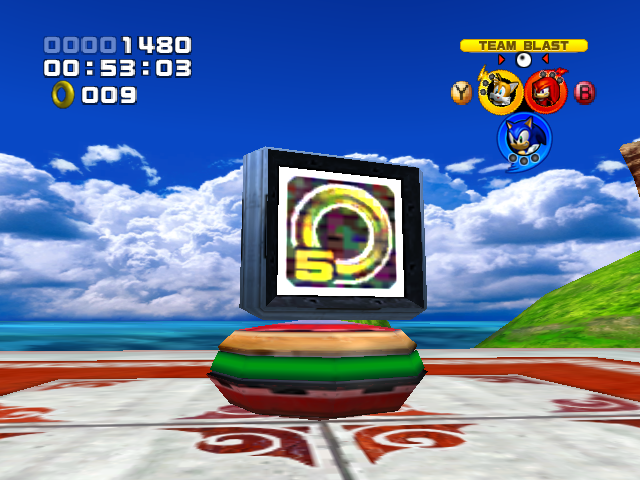
Item Boxes, Formation Signals and Formation Change Gates have a static effect that is missing in the PlayStation 2 and Windows ports.
GameCube |
PlayStation 2 |
Xbox |
Windows |
|---|---|---|---|
 |
 |
 |
 |



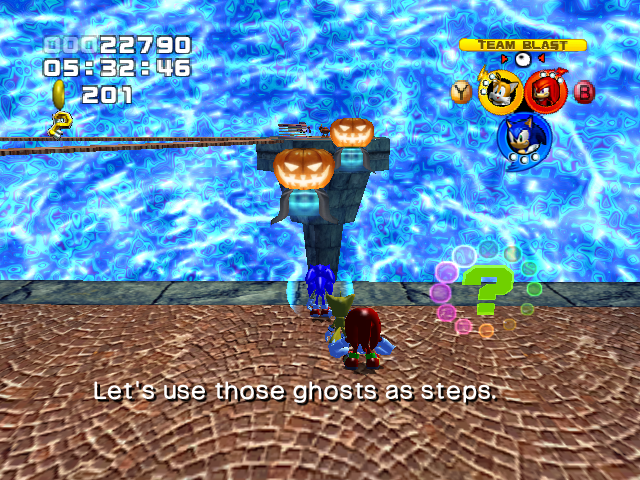
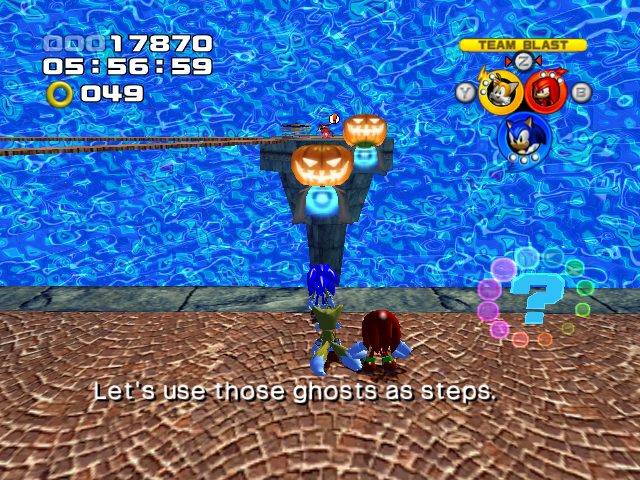
Water effects are considerably cheaper looking on PlayStation 2 compared to other platforms. The GameCube and Xbox ports use a shader effect called "indirect shading" to draw the water's surface, while the PlayStation 2 port opts for a looping texture animation; the Windows port uses a similar shader effect, but has more contrast and it's less dynamic giving the special console materials that GameCube and Xbox can use.
- Interestingly, the PC port contains both indirect shaders and texture animations on the game files. This last one goes unused however, It would possibly mean there were plans to be a toggle.
GameCube |
PlayStation 2 |
Xbox |
Windows |
|---|---|---|---|
 |
 |
 |
 |

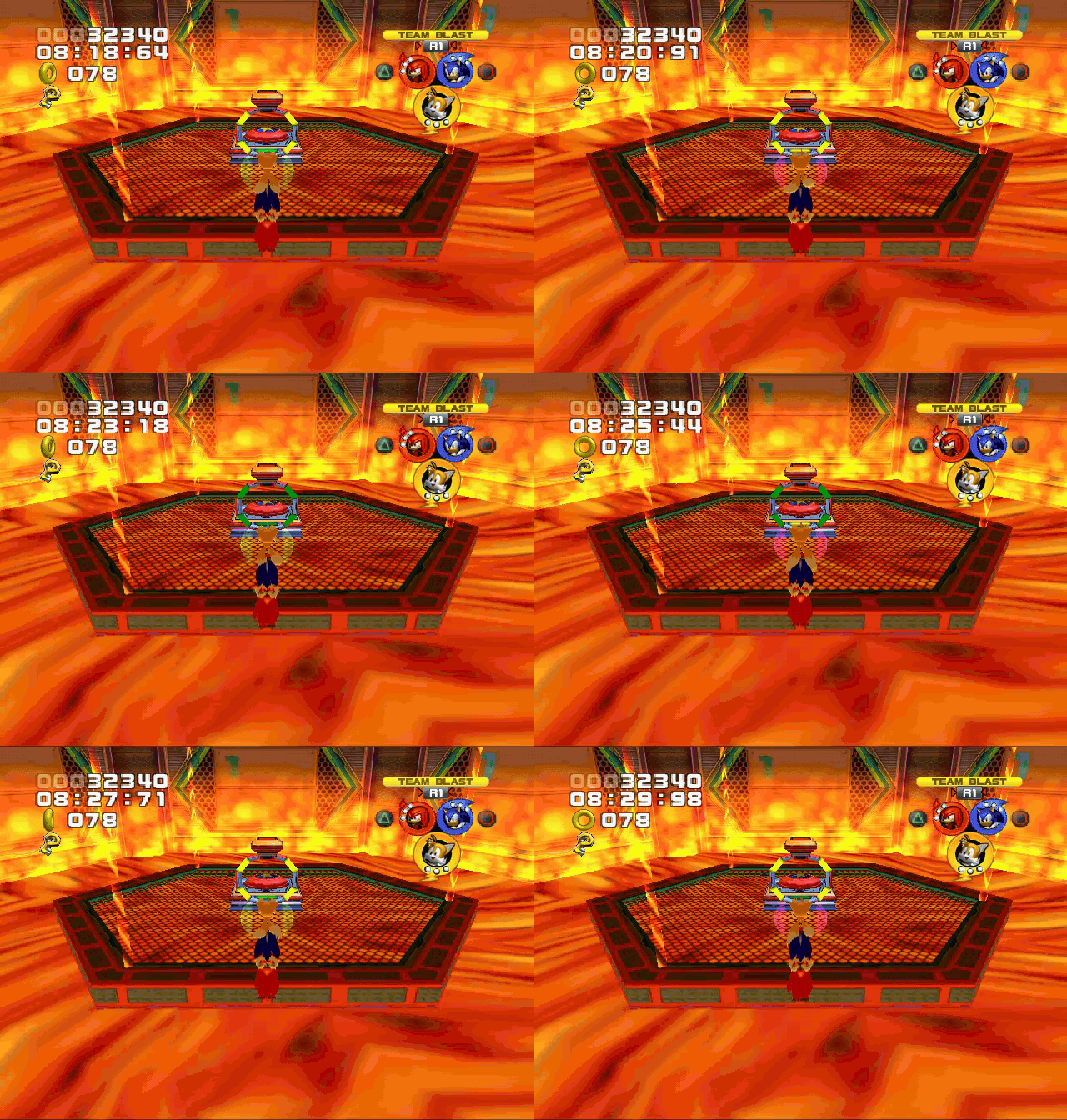
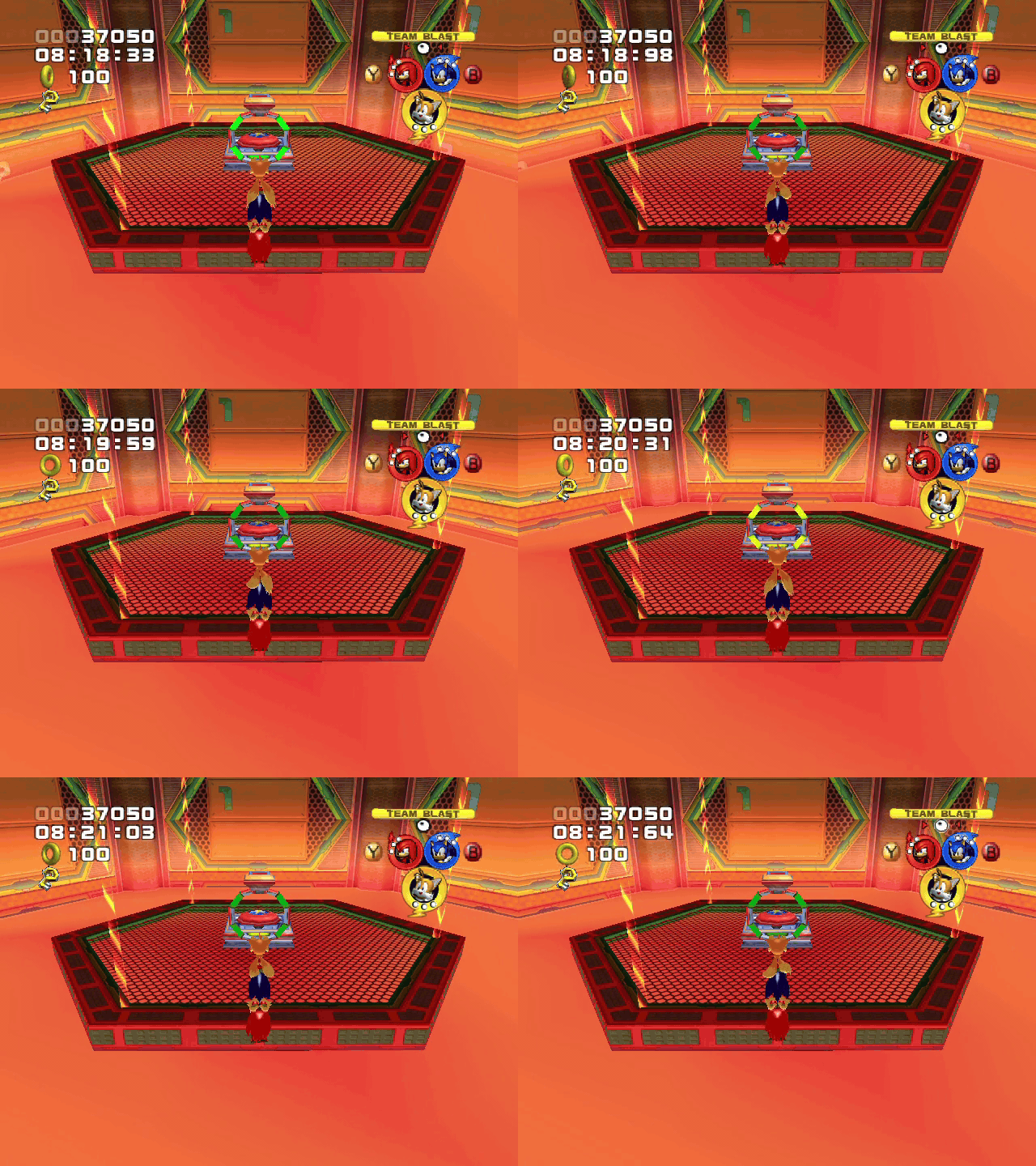
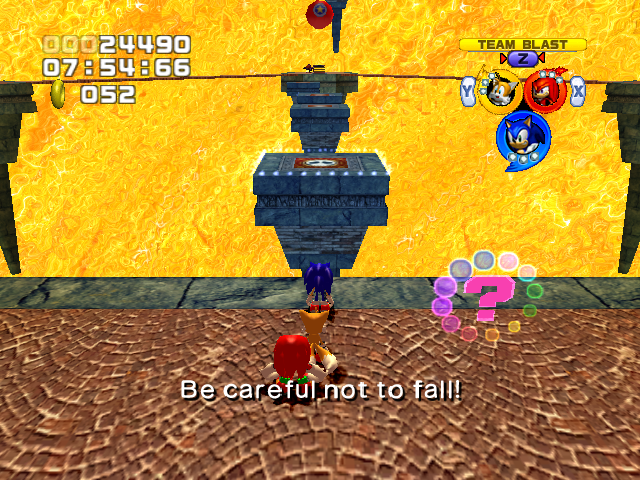
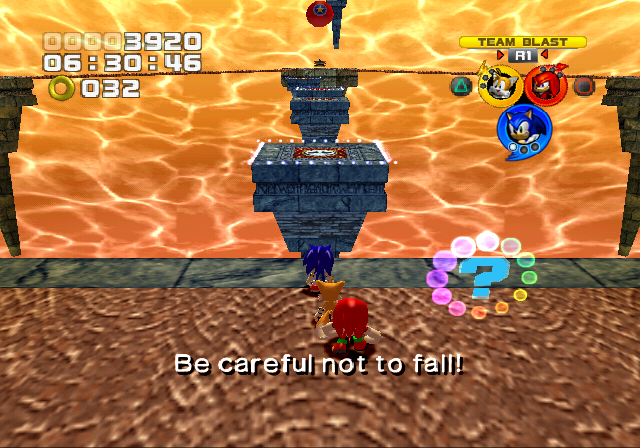
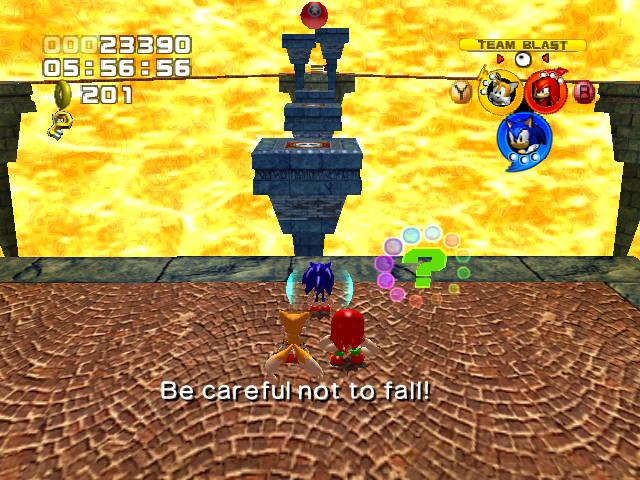
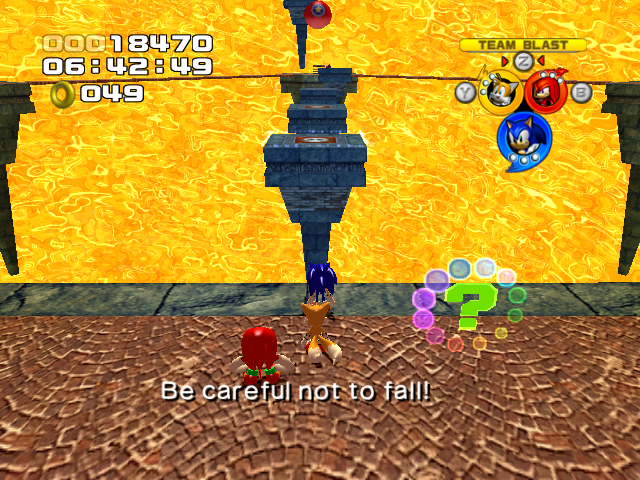
Despite only appearing in one zone, lava appears different between versions. Lava is cheaper looking on PlayStation 2 and Xbox compared to GameCube and Windows. GameCube uses the same shader effect as water and energy accelerator paths to draw the lava's surface, and the Windows version has more contrast, while the PlayStation 2 and Xbox versions leave the lava untextured.
GameCube |
PlayStation 2 |
Xbox |
Windows |
|---|---|---|---|
 |
 |
 |
 |
|
PlayStation 2/Xbox |
GameCube/Windows |
|---|---|

|

|
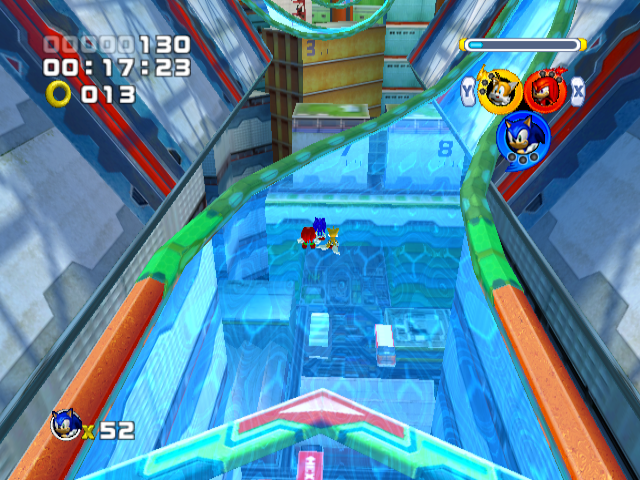
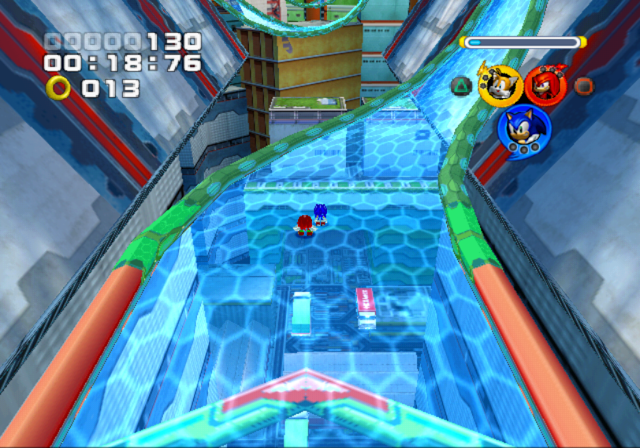
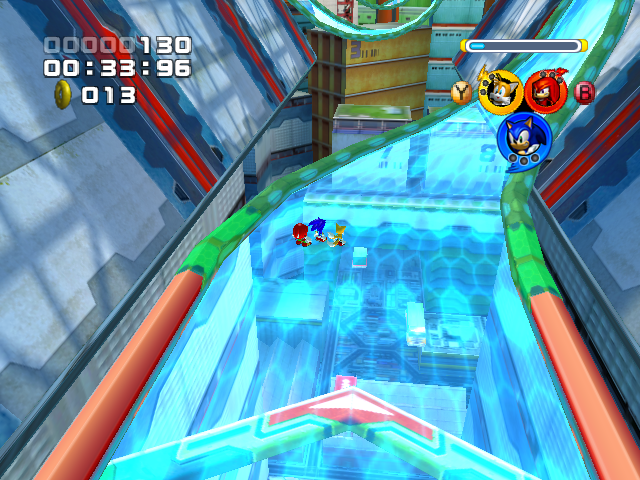
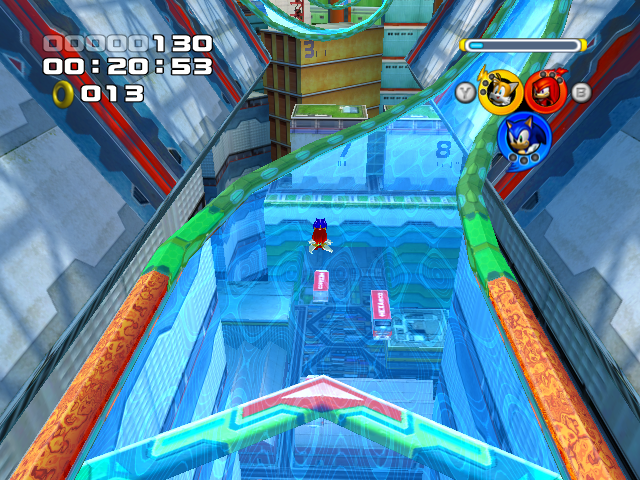
Energy Accelerator Paths in Grand Metropolis and Power Plant are static in the PlayStation 2 and Xbox versions, which use a brighter texture to compensate. On GameCube, the indirect effect leaves the floor unaffected, creating a rather odd visual effects, while the Windows port animates the whole field.
GameCube |
PlayStation 2 |
Xbox |
Windows |
|---|---|---|---|
 |
 |
 |
 |
GameCube |
PlayStation 2 |
Xbox |
Windows |
|---|---|---|---|
 |
 |
 |
 |
GameCube |
PlayStation 2 |
Xbox |
Windows |
|---|---|---|---|
 |
 |
 |
 |
GameCube |
PlayStation 2 |
Xbox |
Windows |
|---|---|---|---|
 |
 |
 |
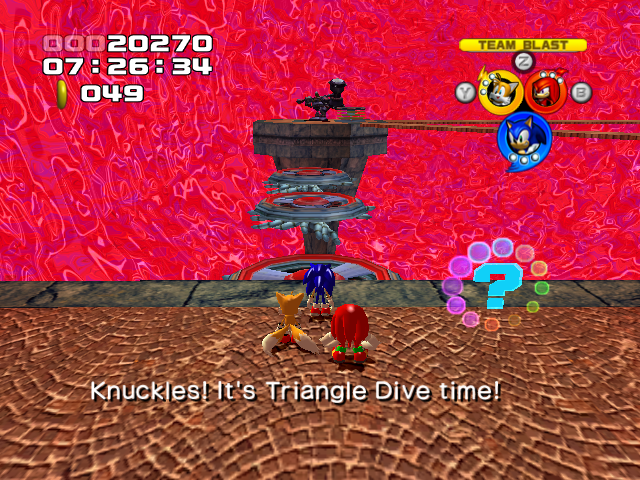 |
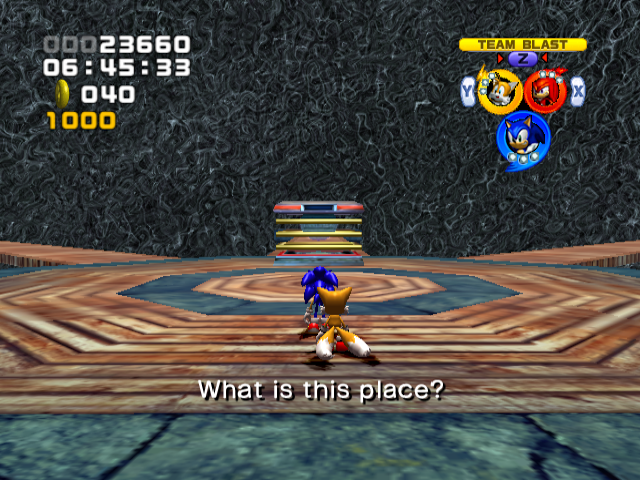
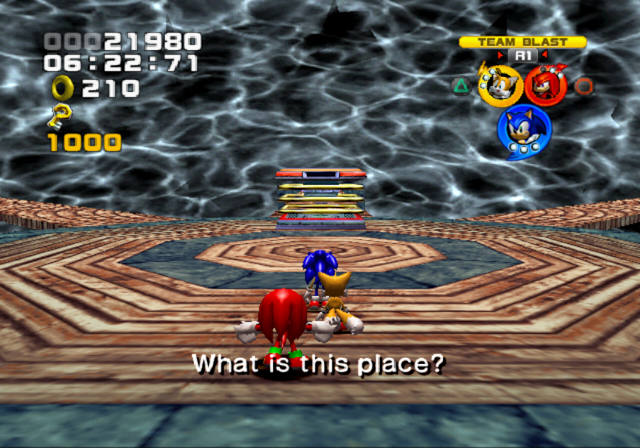
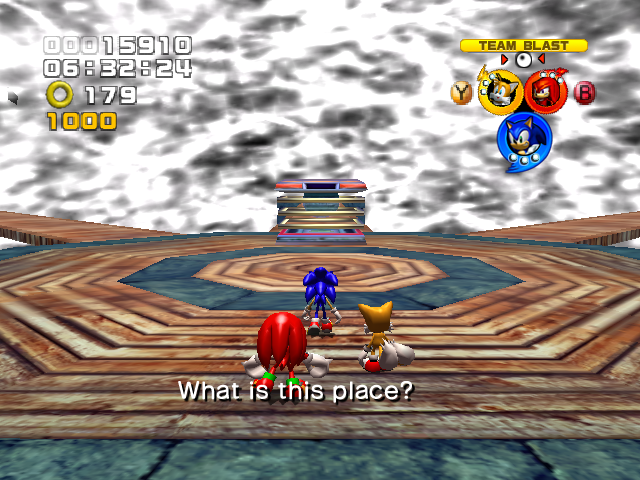
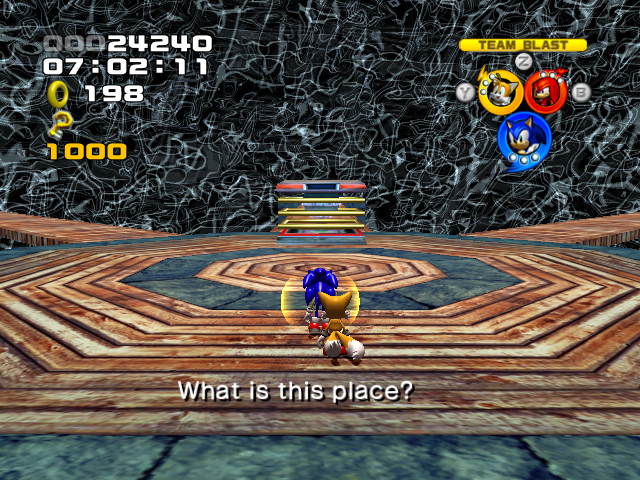
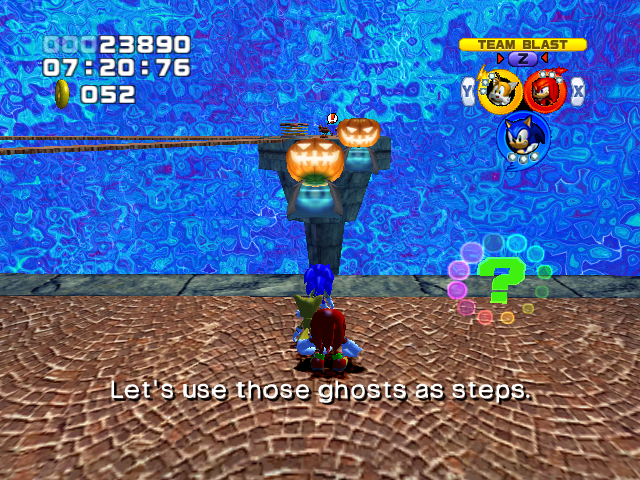
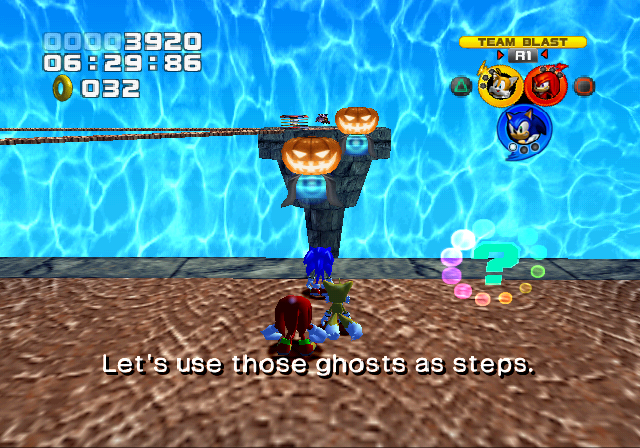
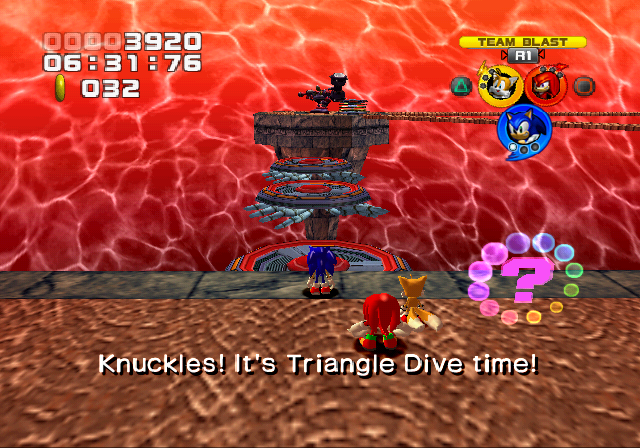
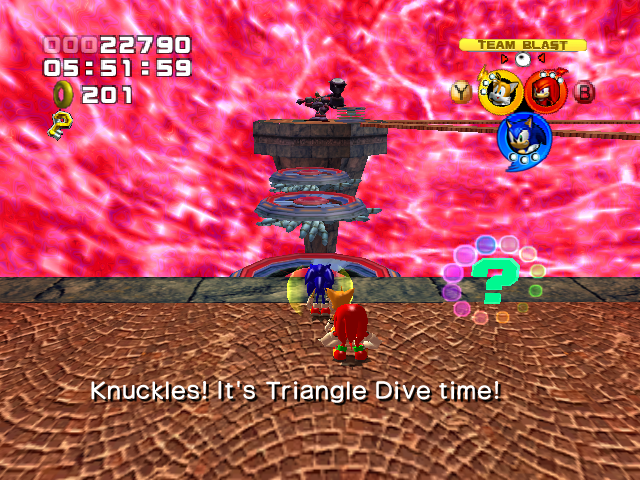
The pocket dimension in Mystic Mansion has entirely different shader effects for each port.
GameCube |
PlayStation 2 |
Xbox |
Windows |
|---|---|---|---|
 |
 |
 |
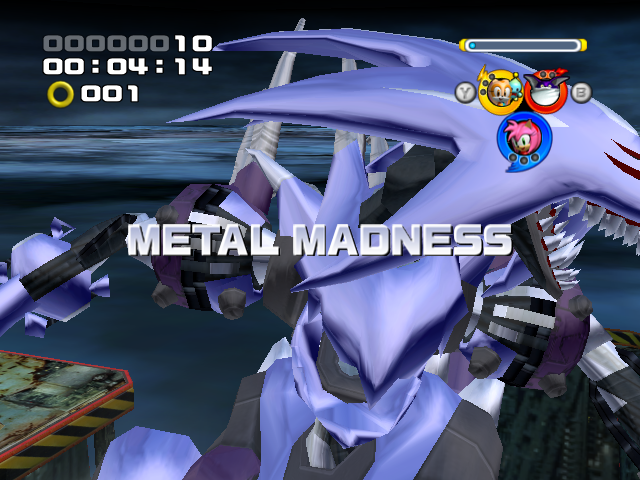 |
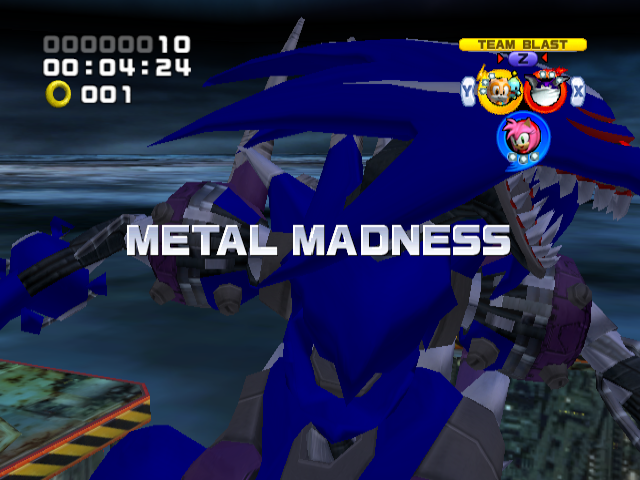
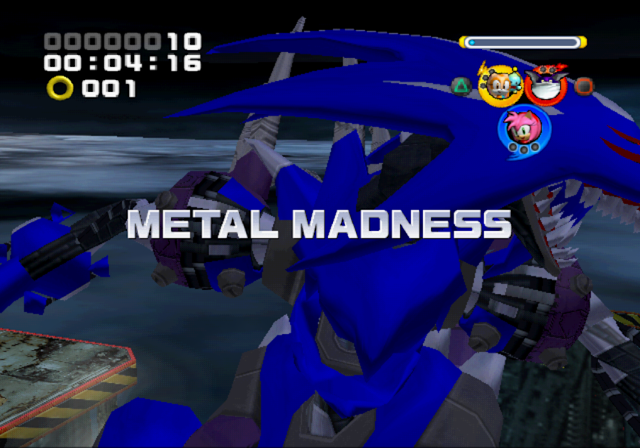
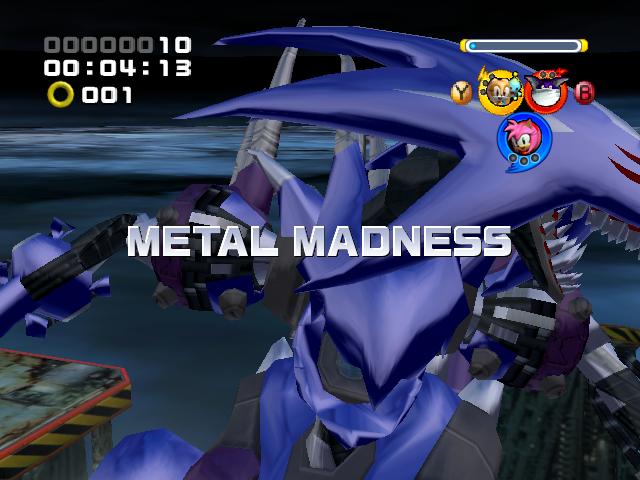
Metal Madness/Metal Overlord has no environmental mapping texture in the PlayStation 2 and GameCube ports, compared to Xbox and PC.
Audio#
General#
- Sound mixing in the various versions differ, although the Xbox version tends to be the best balanced:
- In-game voice clips (i.e. those not played during stage intro/outros) are significantly quieter on GameCube, to the point of being barely audible.
- Sound effects are significantly louder on GameCube and Windows, with the opening cutscene to Hang Castle being near-completely inaudible on the latter.
- In the PlayStation 2 version, several sound effects are of noticeably muffled quality, making them difficult to hear over the music. This affects, among other things, rainbow rings, Team Rose's jump sound, and several common character clips.
- In the Xbox port, the sound effects and common character voices are slightly low pitched compared to other ports.
- In the GameCube version, the Chao in the Special Stages are quieter.
- Each version supports different forms of surround sound. The PlayStation 2 version supports Dolby Digital Pro Logic II, where pre-rendered cutscenes run in Dolby Digital 5.1 while the rest of the game runs in matrixed Dolby Pro Logic II. The Xbox version supports discrete Dolby Digital 5.1 for the entire game. The GameCube version supports matrixed Dolby Pro Logic II for the entire game. The Windows version supports up to 7.1 surround sound.
- Pre-rendered cutscenes have their audio encoded in stereo ADX and 5.1 Dolby Digital on PlayStation 2, stereo and 5.1 ADX on Xbox, and stereo ADX on GameCube.
Music#
|
PlayStation 2, GameCube, Windows |
Xbox |
|---|---|
The ADX audio files in the Xbox version have a sample rate of 48000 Hz. In the other versions, the audio is downsampled to 32000 Hz.
Voice#
Consoles#
- Team Sonic's selection voice over only fully plays on GameCube. All other versions cut Knuckles off midsentence, or fade out at the exact moment he finishes his sentence. None of the other Teams are cut off in other versions, but the fadeout is faster. In the 2P Battle mode, if Player 1 picks Team Sonic, the other team would cut off Knuckles during his phrase. In the GameCube version, this doesn't happen, and the response takes longer.
PlayStation 2 |
Xbox |
GameCube |
|---|---|---|
R2 button and L2 button activate camera rotation. |
Right trigger and Left trigger activate camera rotation. |
R button and L button activate camera rotation. |
Voice clips for lines have different variations, depending on the controls of the platform used. For example, Omega explaining how activating the camera rotation works states to use the L2 and R2 buttons on PlayStation 2, Right and Left triggers on Xbox and PC, and L and R buttons on GameCube. When explaining the controls, characters refer to movement as the Left Analog Stick on PlayStation 2, Left Thumbstick on Xbox and PC, and Control Stick on GameCube. Characters refer to the action button as the Square Button on PlayStation 2, X Button on Xbox, and B Button on GameCube. With that said, it's not without interesting, yet weird, differences:
PlayStation 2 |
Xbox |
GameCube |
|---|---|---|
Warning: loud! Press the X button to stop the reels from spinning when inside the |
Press the A button to stop the reels from spinning when inside the big slot machine. |
Press the A button to stop the reels from spinning when inside the big slot machine. |
One of Omega's hint for Casino Park, bizarrely enough, gets cut off by a buzz sound in the PlayStation 2 version, which did not occur in the 9.28 prototype.
- When pulling a switch handle with Tails, in the PlayStation 2 version, he uses his hurt voice line. In all other releases, he uses a higher pitched grunt.
Windows#
- The PC version blanked out many in-game audio clips, includng Cream's A-rank line and Amy's hints for explaining the Target Switch and how to use the Cannon in power formation, a hint for the trolley controls in Hang Castle and her line when going through the first train tunnel section in Bullet Station. Despite this, the subtitles for these lines still show up.
Filename |
Audio |
Character |
Transcript |
|---|---|---|---|
|
Cream |
I’m so happy I want to tell everyone! |
|
|
Amy |
Obviously, we're supposed to hit that target for some reason. |
|
|
Target direction depends on formation. Press the A button to fire, and the B button to cancel when in power formation. Change cannon direction with the Control Stick. |
||
|
The trolley controls are the same as the bobsled. Make sure to dodge the ghosts. |
||
|
Phew, that was something else. |
- A voice line on Rouge starting Grand Metropolis gets repeated and uses a voice line when they see the energy being sucked by the barrier devices/energy caps.
Platform-Specific Bugs#
GameCube |
PlayStation 2 |
Xbox |
Windows |
|---|---|---|---|
 |
 |
 |
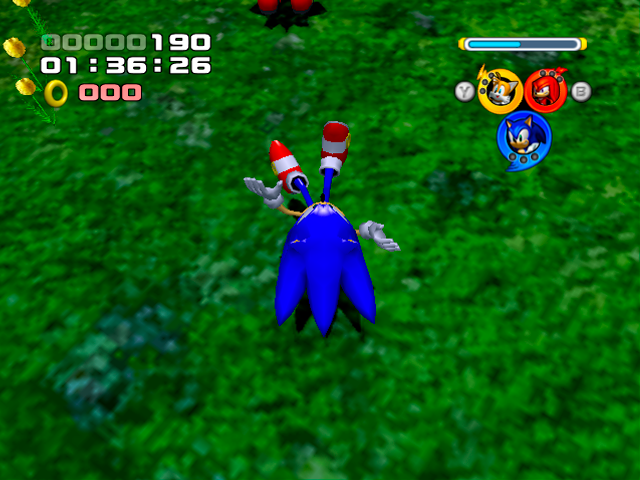 |
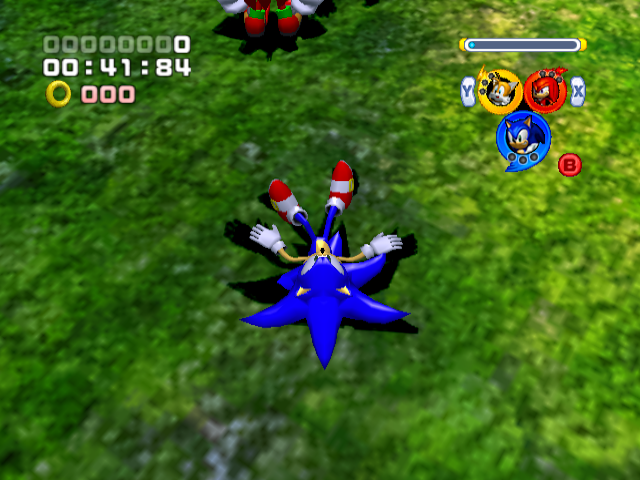
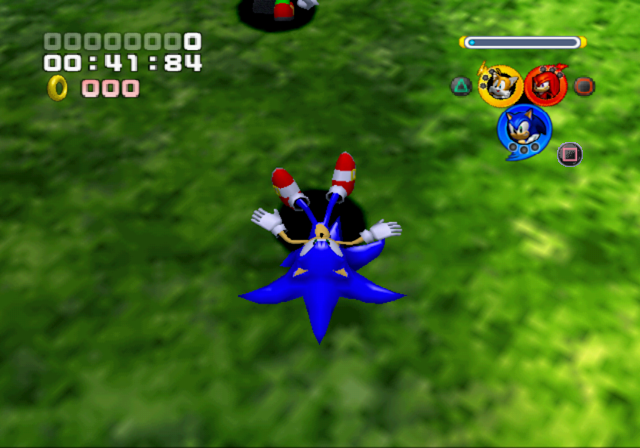
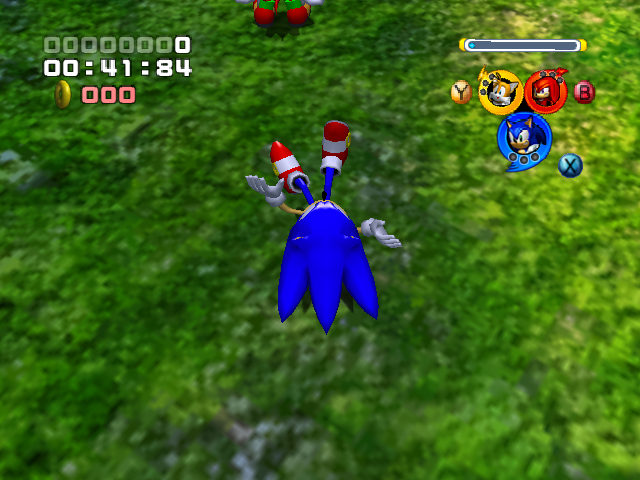
Oddly, the death animation does not render properly in the Xbox and Windows versions, where the character will get stuck in their falling animation. On all other releases, the character will lie flat on the ground, similar when running into a wall at high speeds.
Re-releases#
Sonic PC Collection DRM#
The European PC Version of Sonic Heroes, released in the Sonic PC Collection, removes the SafeDisc DRM. SafeDisc was disabled in Vista around 2007 for security reasons, and does not work at all in Windows 10 and up, meaning it'd be impossible to play the game on these systems.
However, instead of a recompiled version with the DRM safely removed, they took Reloaded's cracked version, removed the Reloaded credit, and used that for the collection.
The Korean version lacks SafeDisc, opting for a disc check instead.
Xbox 360 (Backwards Compatibility)#
Sonic Heroes was one of 462 original Xbox games to be given official backwards compatibility on the Xbox 360. However, as with many other games, it has issues running on the hardware:
- FMVs have stuttering issues, often only running at 15 FPS.
- Several HUD elements have issues, having jagged edges or looking slightly corrupted.
- Credits run slower, and any sound from the FMVs shown will be incorrectly played rather than being mute, overriding the team's theme.
- Saving takes slightly longer.
PlayStation 3 (PlayStation Classics)#
Sonic Heroes was also released as a PS2 Classic on the PSN Store for PlayStation 3 in Europe and Japan. Due to being an emulated re-release, it has minor differences compared to the original PS2 version:
- Load times are significantly shorter than on PS2, only being on average around 7 seconds compared to the PS2's 16 seconds.
- A minor visual bug is present with boss names, with the first letter remaining on screen after it's meant to disappear.
- The frame rate appears to be more stable compared to PS2, with some instances of slowdown being absent on PS3.