 This article has a talk page!
Silpheed: The Lost Planet is a direct sequel to Silpheed on the Sega CD.
Debug Modes#
If you plan on using the codes in the following sections on a console, activate the following master code for your version of the game.
USA Master Code
9025ACE0 0C096ADE
JP Master Code
9025B3E0 0C096C9E
Sound Information Display#
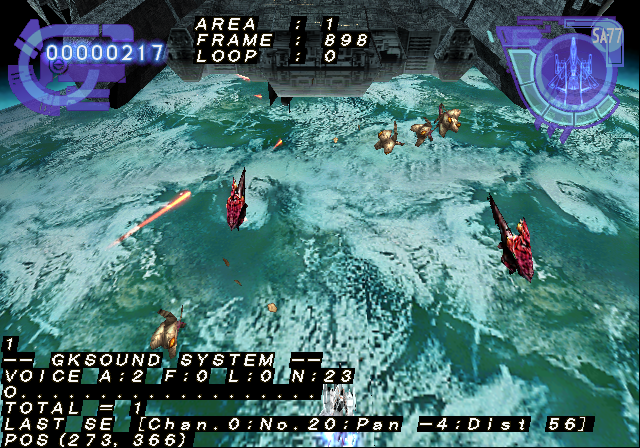
The following code will enable sound related information while in-game. It will show the stage you are on, and the position of the latest sound played at.
USA Code:
Enable Sound Information Display
20190358 0C094D0A
(Source: Original TCRF research)
Lighting Editor#
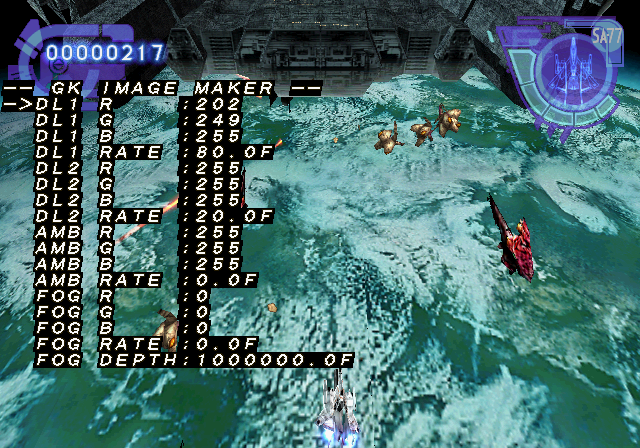
This debug option allows you to edit various lighting elements for stages. Apply the code below and press Select button while in the pause menu to access it. Press Start to exit.
USA Code
Enable Lighting Editor (Press Select in pause screen, Start to exit)
D08CAB42 0000FFFE
202B874C 00233220
D08CAB42 0000FFF7
202B874C 00240070
(Source: Original TCRF research)
Level Select#

Apply the code below and press Select + Left at the title screen to display the level select menu. Press Start + Select to exit this menu.
USA Code
D08CAB42 0000FF7E
20137AD4 0C062FFC
D08CAB42 0000FFF6
20137AD4 0C058498

JP Code
Enable Level Select
D08CAB42 0000FF7E
20137BA4 0C062FA6
D08CAB42 0000FFF6
20137BA4 0C0584B8
(Source: Original TCRF research)
Pad Test#

Apply the code below and press Select + Right at the title screen to display the pad test screen. This also enables another debug menu when pressing Select. Press Start + Select to exit this menu.
USA Code
D08CAB42 0000FFDE
20137AD4 0C063096
D08CAB42 0000FFF6
20137AD4 0C058498
201701D0 8E020010
201701D8 8E030010
201701DC 8E040014
201701E0 3042FFFF
201701E4 3063FFFF
201701EC 3084FFFF

JP Code
Enable Pad Test
D08CAB42 0000FFDE
20137BA4 0C063040
D08CAB42 0000FFF6
20137BA4 0C0584B8
201700B8 8E19000C
201700BC AE190024
(Source: Original TCRF research)
Debug Window#

Pressing Select from the Pad screen will display another debug menu. Normally, this would be activated by pressing Select on controller 2, however controller 2 isn't read properly. This menu also is very touchy. It will take several attempts at getting the cursor where you want it to go.
Sub Menu

This menu will allow you to enable various debug displays and open up a texture viewer.
Performance enabled:

Live unit enabled:

Sys Status enabled:

Texture View enabled:
Texmtr enabled:

BGM Check

This menu allows you to play all the music in the game.
Controls:
- Circle to play music. This will take about two seconds to load a song.
- X to stop music.
- Triangle to fade out music.
- Left / Right to change channel. 0 is mono, and 1 is stereo.
Debug Flag

This menu allows you to change various in-game settings.
Edit Flag

Another menu that allows you to edit flags. It is unclear what these represent.
SE Check

Much like the BGM test, this is for the sound FX in the game.
Regional Differences#
Despite being published by Working Designs, very few changes were made to the game for the North American version. The European version is largely similar to the North American version.
- Support for analog control was added.
- The frame rate issues in the Japanese version were mostly eliminated.
- The GameArts and Capcom logo animations were replaced by static screens for GameArts and Working Designs/Swing Entertainment. The Treasure logo was added to the international versions.
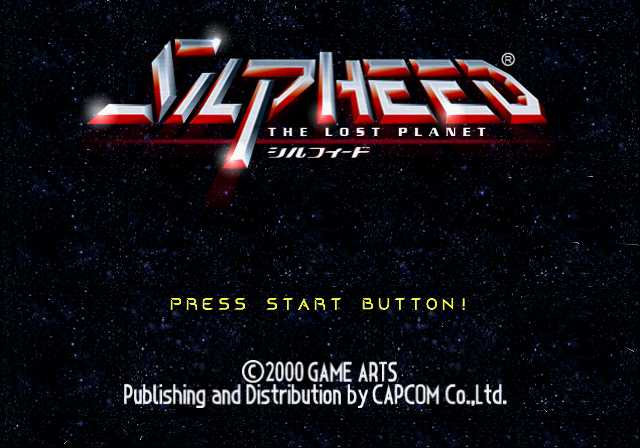
- The title screen's copyright info was changed to reflect the change in publisher, though the publisher note is dropped in the European version. For some reason, the logo in the title screen for the international version loses the "The Lost Planet" subtitle, even though the game is still referred to as such.
|
Japan |
International |
|---|---|
|

|
|
The Silpheed series | |
|---|---|
|
PC-88 |
|
|
DOS |
|
|
Sega CD |
|
|
PlayStation 2 |
|