 This article has a talk page!
Math Blaster: Master the Basics is a platforming math game with a classic unexpected-hero-taking-down-the-robot-empire-that-has-enslaved-humanity cliché story.
Cheats#
Various cheats exist that may have been used to aid the developers in the developing process, though some of them seem like they were just fun.
They can be accessed setting DebugOn to Phil in MathBlaster.ini.
Keys#
Pressing various keys will unlock certain cheats and features.
Key(s) |
Function |
|---|---|
B/N |
Make the Blaster character larger/smaller. Doesn't change hitbox size, but Orbs seem to abide by this new size despite that, implying that they use a different collision system. |
+/- |
Changes camera perspective angle - only seems to be useful in chase levels. |
Z/X |
Decrease/increase camera distance. Making this negative moves the camera past the player character. |
W |
Open the door and trigger the end of level sequence in combination lock levels. |
J/H |
Used to Increase/Decrease jump power of the player. Unfortunately, there seems to be some hard limit on how high the player can actually jump. |
A/S |
Increase/Decrease the speed of the player. |
C |
Toggle free camera mode. |
O/P |
Shrink/grow the number orbs. This doesn't affect their hitbox. |
G |
Toggle a grid rendered at y=0. |
F |
Toggle framerate part of the debug HUD. |
I |
Toggle debug HUD. |
Q |
Toggle muting the audio. |
L/K |
Add/Remove extra brightness of the health bar. Capped between normal lightness and completely white. |
\ |
Beep at 750hz for 0.3 seconds, halting the entire program while doing so. Likely an indicator of stripped functionality. |
LShift+Tab |
Warps to next stage. |
PgDown |
Attempts to return to the main menu, but doesn't always function properly. |
Level Select Keys |
|---|
Function Key |
F1 |
F2 |
F3 |
F4 |
F5 |
F6 |
F7 |
F8 |
F9 |
F11 |
Free Camera#

|
To do: |
The free camera can be activated by pressing C with cheat keys active.
When trying this make sure Number Lock is on.
Numpad Controls |
|---|
Num Lock |
7 |
4 |
1 |
0 |
Mouse Controls |
|---|
Left Mouse |
Left+Right Mouse |
Pressing C again disables the free camera and snap it back to its normal position.
Console#
|
|
To do: |
The console can be opened with the `/~ key, though this doesn't seem to work in levels like CubeQuest, where other stuff is likely on top of it.
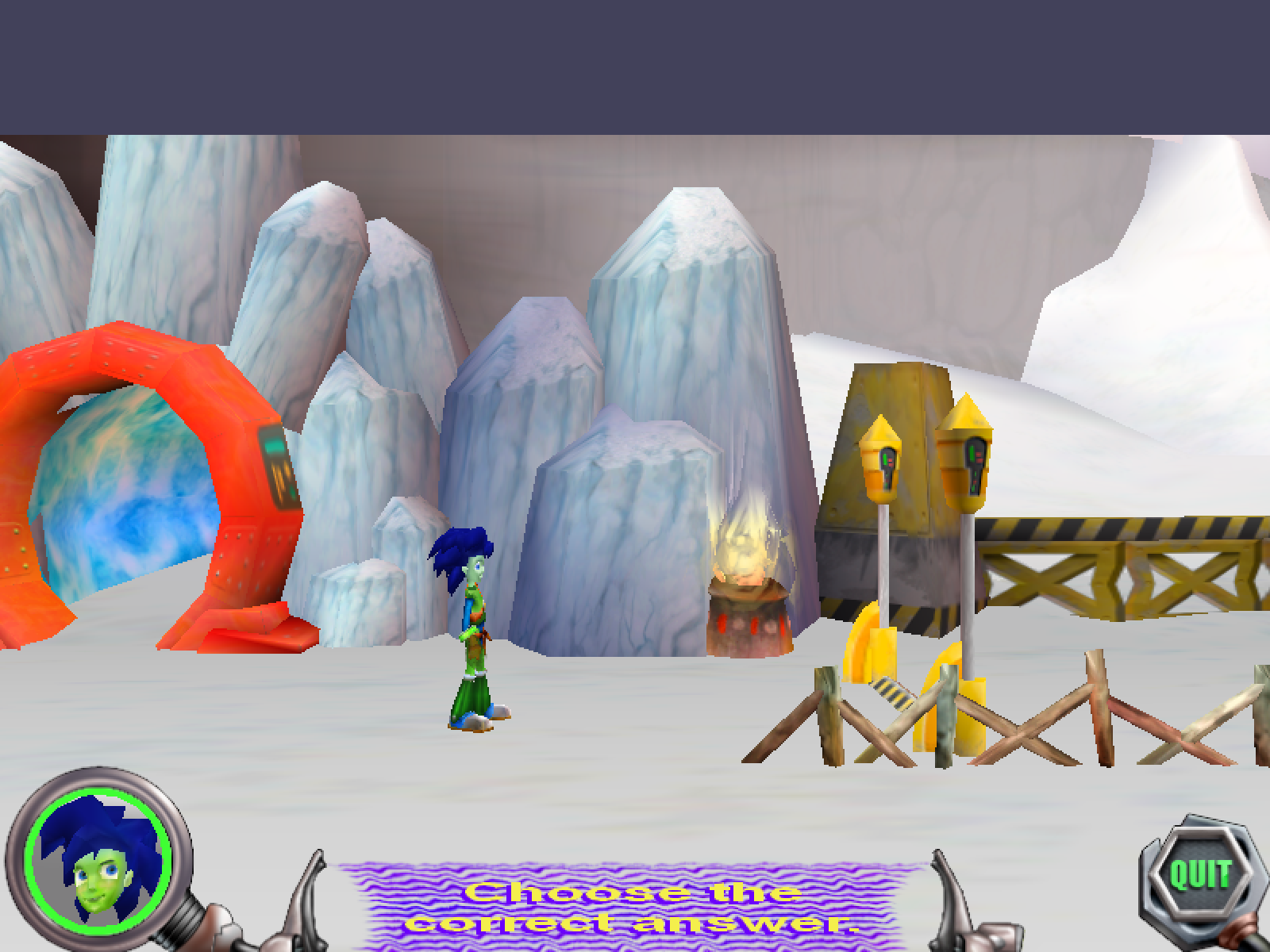
Various commands are listed below.
Command |
Result |
|---|---|
|
Opens the following menu:
|
|
Sets Blaster's position to the specified percent on the spline. |
|
Unknown |
|
Unknown |
|
Loads the specified level. |
Debug HUD#
Parts of the debug HUD can be toggled with I, V, and F, and shows various info about the game. This menu also tanks the framerate.
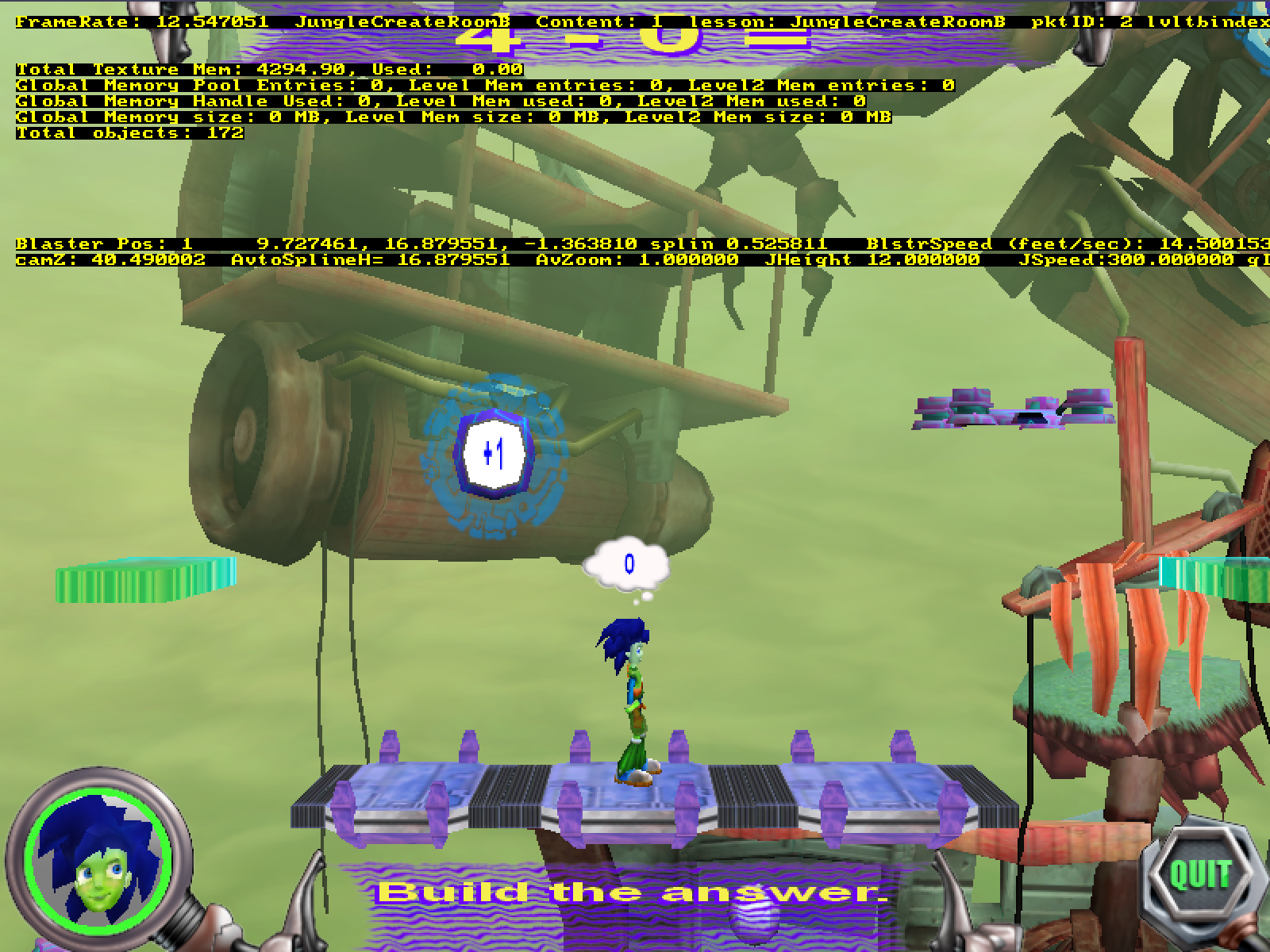
Name |
Info Shown |
Description/Notes |
||
|---|---|---|---|---|
Framerate |
Also shown when toggled with |
|||
Current Level |
Describes the current level - usually level name. |
|||
Content |
Index of current dataset, starting from 1. |
|||
lesson |
Current Lesson |
|||
pktID |
Some integer |
|
||
lvltbindex |
Lesson position in database |
|||
campos |
Position of Camera on a Spline |
Only appears in the map and the final boss battle. |
||
answers correct |
Number of gates beaten |
Only appears in final boss battle. |
||
The Answers |
Answers to the questions |
Only appears in CubeQuest levels. |
||
AimVal |
Unknown, changes when robot shoots NPC |
Only appears in EWB levels. |
||
Memory |
||||
Total Texture Mem |
Allocated and Used Texture Memory |
|||
Used |
Unknown |
Always seems to be 0. Perhaps unimplemented or broken? |
||
Global Memory Pool Entries |
||||
Level Mem entries |
||||
Level2 Mem entries |
||||
Level Mem Used |
||||
Level2 Mem Used |
||||
Global Memory Handle Used |
||||
Global Memory size |
||||
Level Mem size |
||||
Level2 Mem size |
||||
Camera |
||||
Camera Orientation |
Rotation in Radians(?) |
Only shown when toggled with |
||
Camera Position |
||||
Blaster |
||||
Blaster Pos |
Whether Blaster is on the ground, followed by position |
|||
Inv |
Valueless label indicating whether the player has invulnerable enabled. |
|||
splin(sic) |
Blaster's position on movement spline |
|||
BlsterSpeed (feet/sec) |
Blaster's current movement speed |
|||
camZ |
Camera current distance |
Not equivalent to the camera's actual Z position. |
||
AvtoSplineH |
Blaster's Y offset to movement spline |
|||
AvZoom |
Size of Blaster |
Usually 1, but can be changed with the cheat keys above. |
||
JHeight |
Jump Height |
|||
JSpeed |
Jump Speed |
|||
gID |
ID of last GameObject Blaster stood/is standing on |
|||

Developer Text#
There are messages in the code for the math problem generators informing developers to alert someone named Kris that something went wrong.
Tell KRIS: GenOddEvenMC not generating enough correct answers
Tell KRIS: 5 digits and up not supported for expanded form yet!
Tell Kris: GenExpFormMC distracters not customized for numbers over 999
Tell KRIS: GenPlaceValueMC not generating enough correct answers
Tell Kris: GenPlaceValueMC distracters not customized for numbers over 999 References#
|
The Blaster Learning System series | |
|---|---|
|
Math Blaster | |
|
DOS |
|
|
SNES |
|
|
Windows |
Episode I: In Search of Spot • Ages 7-9 • Master the Basics • Math Blaster (Online) |
|
Mac OS Classic |
|
|
Unity Web Player, Android, iOS |
|
|
Reading Blaster | |
|
Windows |
Invasion of the Word Snatchers • Reading Blaster Jr. • Word Blaster • Ages 5-7 |
|
Mac OS Classic |
|