 This article has a talk page!

|
This page is rather stubbly and could use some expansion. |

|
This needs some investigation.
|
A year and a half after its initial release, Gex was ported to Windows 95 by the same team that made the PC ports of Earthworm Jim and Pitfall: The Mayan Adventure.
Level Select#

While on any map screen, bring up the remote menu and type hoosierbuddy to access a level select menu for all of the main worlds of the game.
Interestingly, the unused levels from the 3DO game have all been intentionally removed from the list.
Planet X Level Select#
The game's secret world, Planet X, is accessible through a separate level select cheat. At the title screen, type partyatroswell to access it.
As with the normal level select, the unused boss fight (SL71) has been removed from the list.
Unused Music#
Located in the "MUS" folder, "GEX112.MUS" is a short, vaguely sci-fi-sounding track found nowhere in the game. It may have been intended for the cut boss fight in Planet X.
Restore Debug Context Menu Items#
 |
File: GEX_Debug_Context_Menu.zip (260 B) (info) |
When the game starts, it deletes these menu items. The patch above prevents the game from doing that.
Show VRAM#
When activated, it shows the VRAM window. 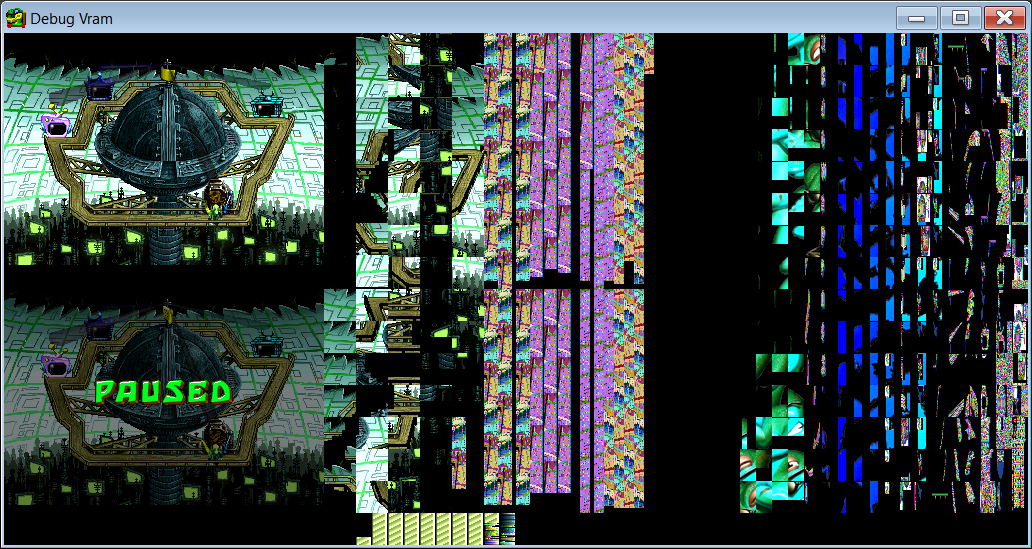
Show Debug Info#
When activated, this menu item only prints to a debugger, like "DebugView" on Windows. 
Show Functions#
This menu item does nothing.
Show Framerate#
When activated, a red framerate count appears at the top-middle of the screen. 
|
The Gex series | |
|---|---|
|
3DO |
|
|
PlayStation |
Gex • Gex: Enter the Gecko • Gex 3: Deep Cover Gecko (Prototypes) • Gex Jr. |
|
Sega Saturn |
|
|
Nintendo 64 |
|
|
Game Boy (Color) |
|
|
Windows |
|
|
PlayStation 5, Windows, Xbox Series X and S, Nintendo Switch |
|