
Unused Models#

|
To do: |
Image |
Filename |
Description |
|---|---|---|
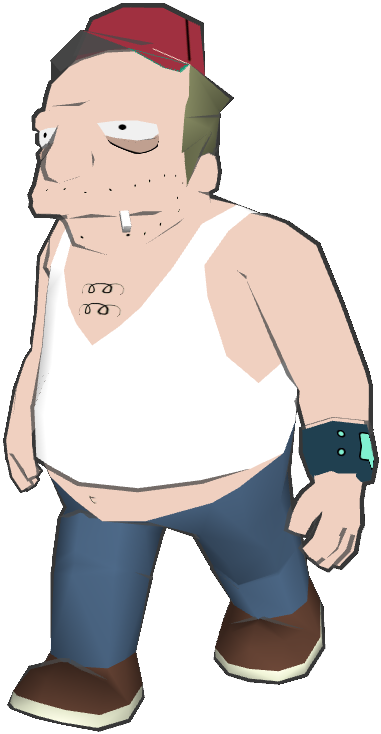 |
sal.ucf |
A model of Sal. Although he makes an appearance in the FMV cutscenes, he doesn't appear in-game, so this model goes unused. |
 |
larry.ucf |
Larry, who also appears in the FMV cutscenes but doesn't appear in-game. |
 |
aquafish.ucf |
A fish in the Reverse Scuba Suit from the episode "A Big Piece of Garbage". |
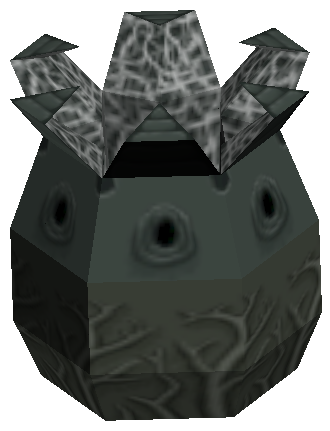 |
alien_pod.ucf |
Probably an unused enemy. |
 |
mosquito.ucf |
A mosquito. |
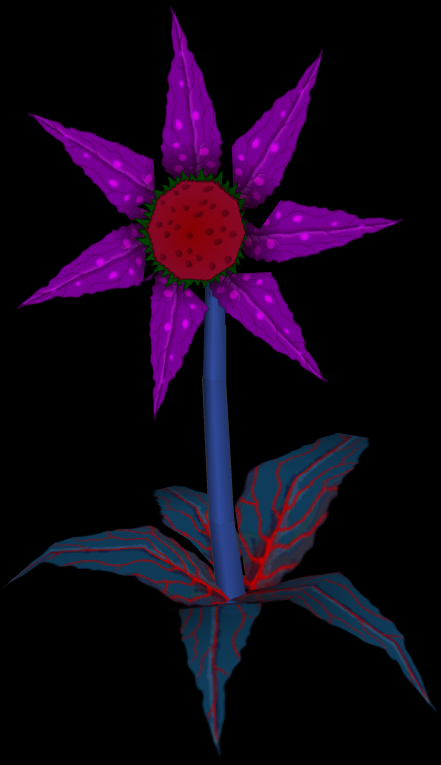 |
flowerplant.ucf |
A flower which, according to its animation headers, is able to attack. |
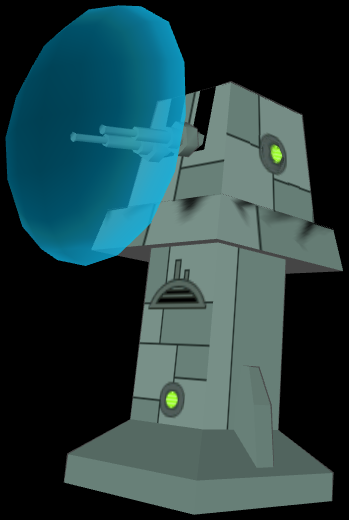 |
gunturret.ucf |
A turret with a shield. |
 |
bender_.ucf |
A model of Bender which includes a bottle of Olde Fortran Malt Liquor and a cigar. The liquor does appear in-game as a pickup, but the cigar isn't used anywhere. |
Unused Areas#
theroom3.nif#
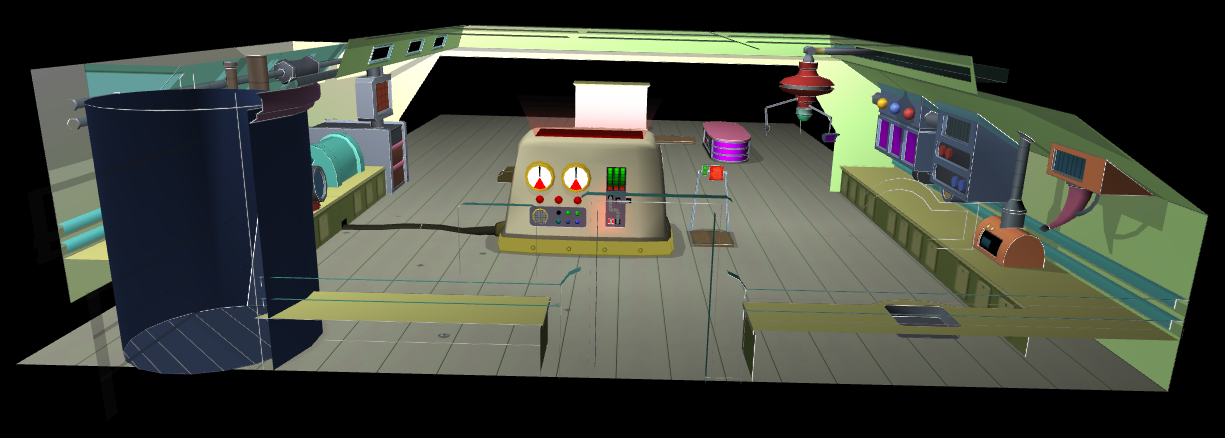
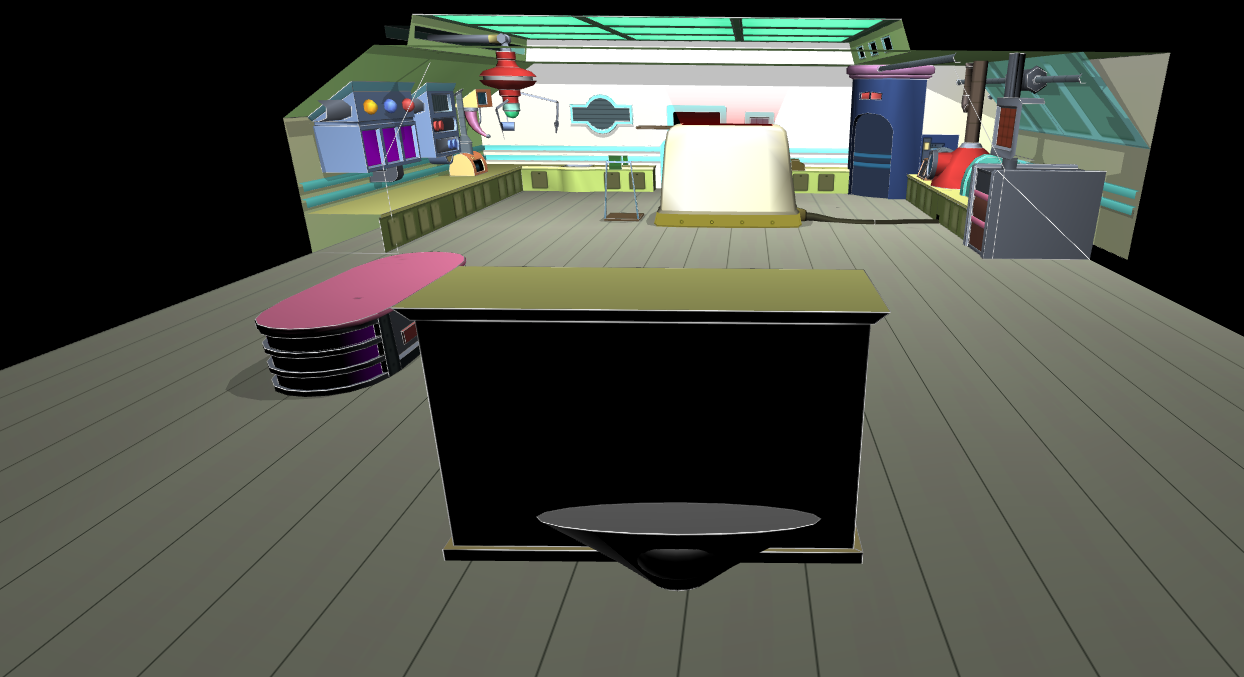
theroom3.nif is only present in the Xbox version. It is a test room with the same layout as the lab in the Planet Express level except with the following differences:
- The desk isn't next to the reanimator
- There's a treadmill-like machine next to the reanimator
- A machine is hanging from the ceiling
- The reanimator has a wire attached to it
- The reanimator is glowing at the top
- There is an unknown piece of furniture at the far end of the room. Behind it is an object resembling a satellite dish
Courtyard Level#
Watch on YouTubeAn unused version of the Temple Courtyard level can be played by swapping its files (level3-5) with those of the used level (level3-6). The objective of the level is to complete one of the symbol puzzles to exit the hallway, then defeat all enemies to gain access to the next stage. The game's data indicates that there would have been two Courtyard levels, with the unused version taking place between the Left Wing and Right Wing levels and the used version taking place as it does in the final game.
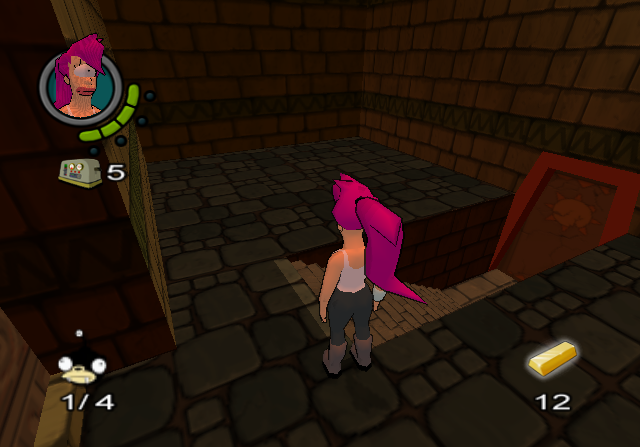
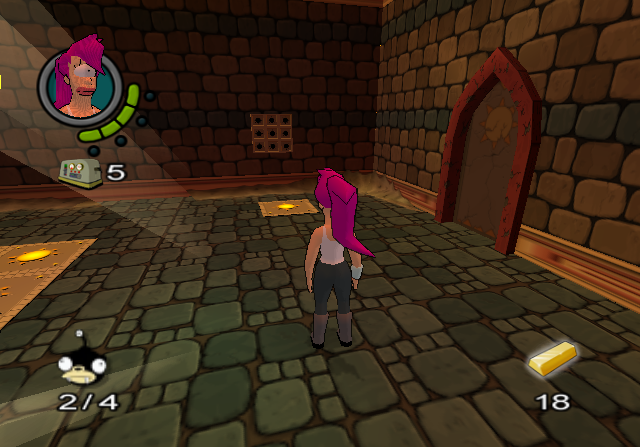
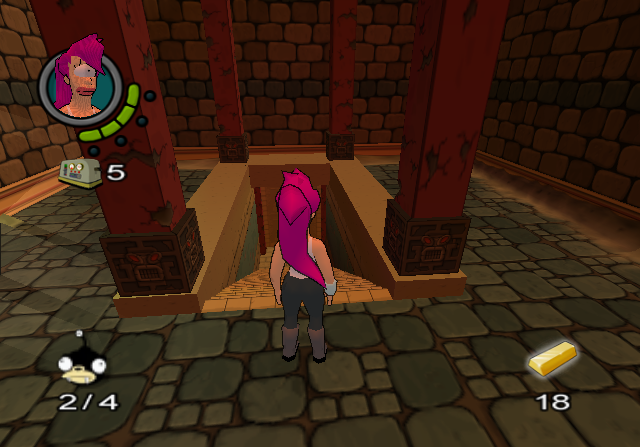
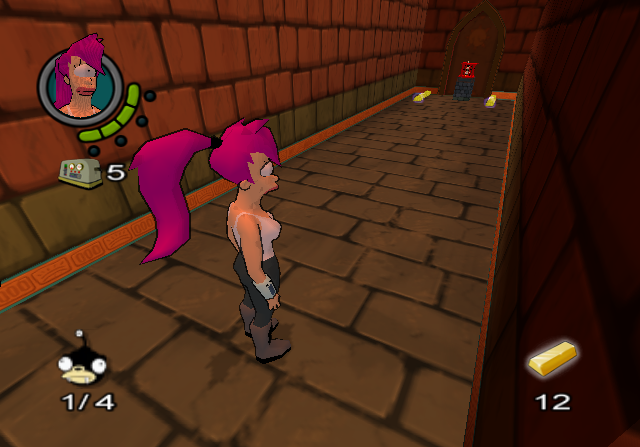
There are a number of key differences to the used level: The temple door is unreachable due to the level taking place before it has been revealed, and there are two areas which are inaccessible in the used level. The first area is the hallway at the start which is directly opposite the one in the used level. The general layout is the same, except the stairs are at the side of the room instead of the end and the puzzle must be completed in a different order. The second area is the room at the end of the level which contains one of the memory puzzles and starts off the Right Wing level.
The level has a number of oddities due to being incomplete including no background music, 22 gold bars instead of the standard multiple of 25, and no Nibblers.
Unreachable Areas#
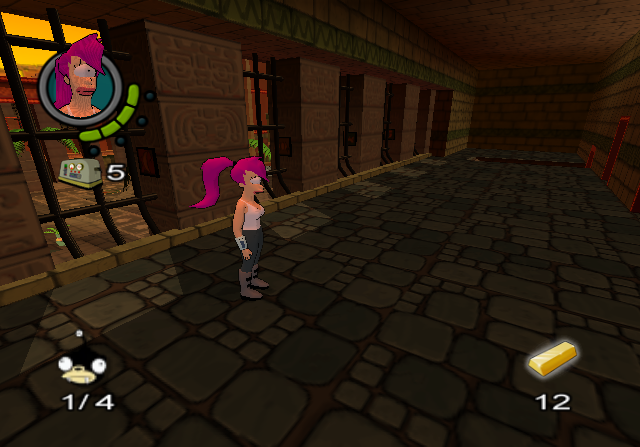
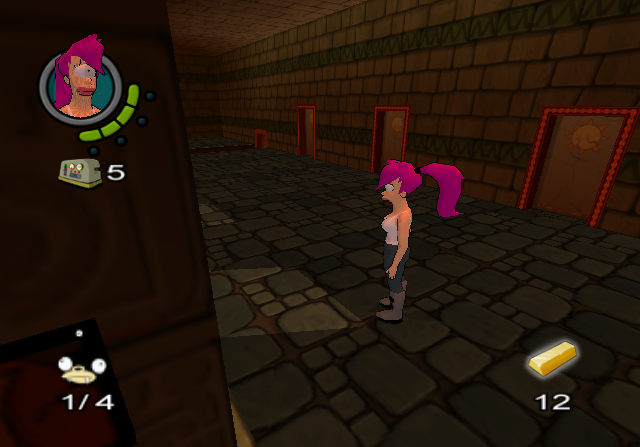
Although unreachable, the aforementioned courtyard areas exist in the used level and can be entered by memory editing the game to teleport into them. The puzzles in both areas cannot be interacted with and some parts aren't solid, which will cause Leela to fall through them. In the second area, the light rays from the windows are glitched as they cause certain textures to disappear when looked through.
First area:
Second area:
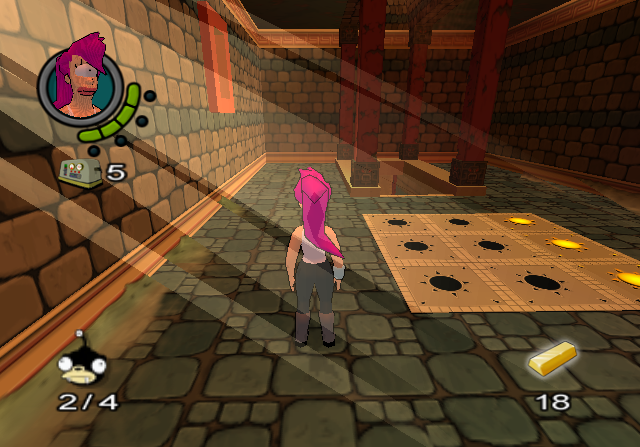
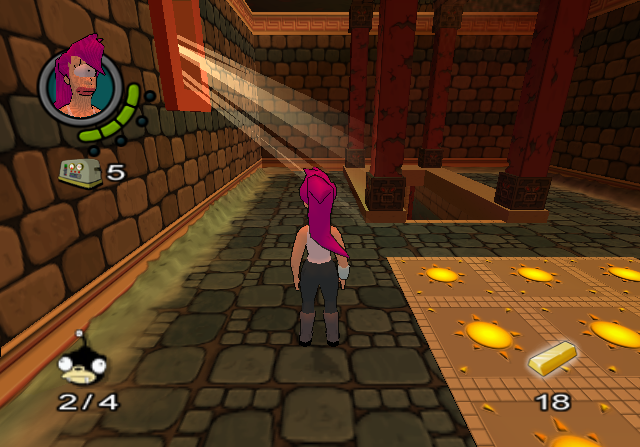
Entrance to the second area:
Unused Dialogue#
Sound File |
Character(s) |
Filename |
Line |
Notes |
|---|---|---|---|---|
Bender |
2br25.vag |
Another gun? This day just gets better and better! |
Suggests that Bender was at some point going to have access to guns. This is supported by the game's cover art, which shows some of Bender's fingers converted into a gun. |
|
Fry |
frytest0001.vag |
And I guess now maybe, I can get to know the real Lucy Liu. |
Placeholder dialogue taken from the episode "I Dated a Robot". |
|
Destructor |
speech-iwill.vag |
I will destroy you! |
Placeholder dialogue taken from the episode "Raging Bender". |
|
Two robots |
stdial1w_temp.vag |
Robot 1: So how was your power down time? |
Audio from a cutscene in the Uptown level, but the first robot uses a placeholder voice. |
|
Two robots |
stdial2w_temp.vag |
Robot 1: Does this casing make me look fat? |
Audio from a cutscene in the Red Light District level, but the first robot uses a placeholder voice and the second robot's line appears to use a different recording. |
|
Unknown |
lev 5 st dial#1.vag |
Character 1: I love you. |
Dialogue between someone named Frank and an unknown character. |
|
Unused Music#
File |
Filename |
Notes |
|---|---|---|
01 - front-end-shorted.vag |
A different version of the title screen music. Although this version is shorter than the used theme, its opening is extended. |
|
endoflevel_remix.vag |
Filename suggests it would have been used at the level-end screen. |
|
placeholder2.vag |
A three second placeholder music loop. |
|
theme22.vag |
The Futurama opening theme, in PAL speed. |
|
Unused Graphics#
cash_icon.nif, goldbar_icon.nif, and ruby_icon.nif each contain the same placeholder image.

weapons_bg.nif appears to be an early HUD graphic for weapons.

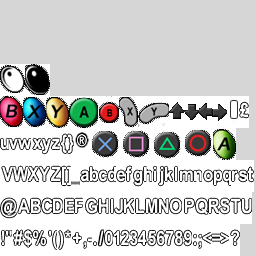
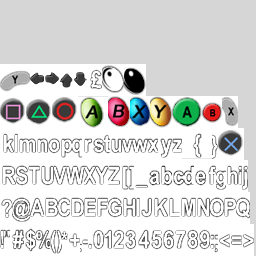
A number of font graphics include buttons for the cancelled GameCube release.




leaveme.nif is a picture of Dr. Zoidberg.

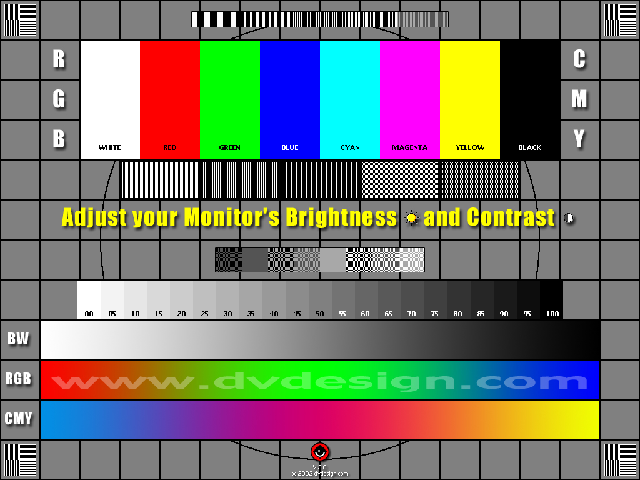
testscreen.nif is a test screen.
Leftover screens from the game's demo releases.
Unused screens for SCi Games, Vivendi Universal Games, and NetImmerse.



Unused Animations#

The chef robot in the Uptown level has an unused death animation with the header dying1.
Easter Eggs#
|
|
To do: |
Video |
Level |
Description |
Unlock Method |
|---|---|---|---|
Planet Express |
A giant glowing literal Easter egg is hidden behind a wall of the corridor between the employee lounge and conference room. The egg is surrounded by rapidly-moving yellow dots, which create the illusion of the egg moving through a star field. (Source: LarryLemmy - Discovery) The wall serves as a door which opens after the player completes the correct steps. Once the wall is opened, the egg can be hit with the hammer, which will cause it to wiggle. (Research: SlippySlides & JayFoxRox) |
(Source: JayFoxRox) |
|
Old New York |
In the Scrap Bar, behind the hidden room with Nibbler inside is another hidden room containing bumper sticker messages and a picture of a car. (Source: i don't have a nose reviews) |
|
|
Red Light District |
The hallway that the player enters in the second area of the level contains a secret room with the game's developers as Futurama-style heads in jars. When the heads are approached their names are displayed, with some also including quotes. Some of the heads can be interacted with by attacking or pressing Triangle (PS2)/Y (Xbox). (Source: Gejke) |
Interact with the two adjacent dumpsters in the first area of the level in the following pattern:
If done successfully, a sound will play and the text "Show me the magic!" will appear. Once the hallway is entered, the door labeled "Mark" will open to reveal the hidden room. (Source: JayFoxRox) |
|
One of the window silhouettes above the "Alien Peep Shows" sign will move in a more suggestive manner. (Source: ToxicPinHead) |
Using first-person view, shoot the three window silhouettes in the following order when the aim has turned red:
|
||
The Mine Facility |
The first crusher machine on the conveyor belt in the second area of the level will open up to reveal a silhouette of a monkey on a typewriter, who will then look at the player and close the machine. (Source: ToxicPinHead) |
After first entering the area before reaching the point when the cutscene plays, stand facing the side of the machine for 20 seconds. |
|
Left Wing |
Leela will grow larger accompanied by the mushroom pickup sound effect from Super Mario Bros. The player will also be able to spawn fireballs by punching, but they will harm Leela. (Source: JayFoxRox) |
In the left building across from the gondola, the door will open to reveal an enemy. Enter the building and kick or punch the back wall ten times. |
|
Fry Fights Back |
The room will vibrate, the computer screen textures will be replaced with an image of CATS from Zero Wing, and his famous line "All Your Base Are Belong To Us" will play. (Source: JayFoxRox) |
In the first room after escaping Destructor's target practice area, the player must enter each corner of the room in a specific pattern. The order from the point of view of when the room is first entered:
|
|
Credits for two of the developers will appear on a computer screen. (Source: JayFoxRox & LarryLemmy) |
In the room opened with Keycard 5, enter the room to the right of the entrance. Stand facing the wall of the computer screen to the left of the door. |
||
Hidden Executables#
|
|
To do: |
In the folder \fonts\ in futurama.img, is a program called fonttool.exe which assigns graphics to text, used by the developers to enable the creation of fonts. In the subfolder \fonts\kanji\ is a program called raw2bit.exe.
Unused Text#
Text in the file intro.ldb:
You imbecile you! Huh, what?! I said only brown M&M's but I can see a yellow one in there! Fre: Imbecile Fre: Huh, what Fre: Brown M&M's Ditt jäkla dumhuvud Uhm, va?! Vad fan, jag sa ju till om enbart bruna M&M's men jag ser en gul en därDevelopment Text#
build.txt#
Build 1.15readme.txt#
Instructions for fonttool.exe.
Font tool documentation (and font stuff in general )
----

The font tool takes as input a tga file containing the images for all the characters that this font will contain ( referred to as 'glyphs' ). It also takes a file that contains the characters (and ascii literals) so it knows which glyph to connect to which character in a string. It'll be obvious in a minute. I hope.

It also takes a couple of command line parameters, some are optional.
fonttool.exe <options> <input tga file>

 -o <filename>      (optional) Specify the output filename. Dont specify the extension
            as these will be automatically added. For example, using
            -o c:\my_font  will create c:\my_font.tga and c:\my_font.spec
            The default is "output" and in the current directory.

 -t <tolerance value>   (optional) Give it a number of pixels to add/remove from the autocropping,
            If the result has characters spaced too far apart, try a
            tolerance value of -2 or -3 to crop them a little tighter.

 -s <pixel value>       (required) Horizontal space value. Tells the tool the width
            of a space in pixels. This should normally be about the width
            of a character, experiment. It is also used as the width of
            ALL characters when the font system in game is forced into
            fixed width mode. It will automatically shrink/stretch chars
            to this value.

 -h <height value>  (required) Specify the height of a character in pixels. All characters
            must be this height.

 -v <vertical space>    (required) Amount of space between top of one row and top of next
            row of printed text. If your font is spaced out too much on the
            vertical, pass in a smaller number here. Note, setting this
            lower than the height could result in letters in one row
            intersecting letters in another row.

 -c <filename>      (required) The character list file. See below


Character List File
----
The character list file tells the font system what characters / glpyhs to connect to, or in other words, how to make sense of the input tga file.
Its easiest explained by an example, say the font tga contains only upper case letters and the numbers, in that order, the character list file should look like
A  \\ upper case letters
B
C
...
X
Y
Z
0  \\ numbers
1
2
3
.. and so on. Anything after and including the '\\' is treated as a comment and ignored.

The program reads one of these characters, and then cuts the corresponding piece out of the input tga file. If the order in the character list is differnet than the input tga, all kinds of off behaviour will result :)

Also, the character list file can specify non-printable ascii chars, to be used as special cases. Say for example the font input tga file has a glyph representing the 4 buttons on a Playstation controller, which we want to treat like regular font characters. We simply pick some unused place in the ascii table (everything from 180-220 look pretty useless to me) and indicate it in the spec file by &<ascii num>
So, if we wanted the four Playstation button glyphs associated with the ascii chars 180-184, we just place in the character list file
&180  \\ Playstation X
&181  \\ Playstation Triangle
&182  \\ Playstation Square
&183  \\ Playstation Circle

Now, all you need to do is have those ascii values in a string somewhere, somehow, and print the string for the button glyphs to appear onscreen. If the string says "Press (X)" where (X) is the playstaion X glyph, the string in ascii should read
80 114 101 115 115 32 180
thats it! Hope you arnt too confused :)
Version differences#
|
|
This page is rather stubbly and could use some expansion. |
The Xbox version has higher quality audio.
|
The Futurama series | |
|---|---|
|
PlayStation 2, Xbox |
|
|
Android, iOS |
|