 This article has a talk page!
Dark Cloud is a Zelda-style action-RPG where the player is tasked with rebuilding the world, by way of collecting parts, the Georama system, and weapon-upgrading mechanics.
 Prototype Info
 Notes
Regional DifferencesDid you know that Toan starts off with a different attack animation in the JP version?
Notes
Regional DifferencesDid you know that Toan starts off with a different attack animation in the JP version?Debug Modes#
Applying the codes below for each respective version will enable the debug options shown below:
Master Codes (Only needed for cheat devices on PS2 hardware):
USA / EU |
JP / JP Demo |
|---|---|
90116A20 0C045A30 |
901163D8 0C04589E |
Run-time debug menu codes:
USA |
EU |
JP |
JP Demo (PAPX-90501) |
|---|---|---|---|
00141A48 00000007 |
0014198C 00000007 |
001410D0 00000007 |
00141138 00000007 |
Dungeon debug menu codes:
USA |
EU |
JP |
JP Demo (PAPX-90501) |
|---|---|---|---|
D1C749C2 0000FFFD |
D1C772C2 0000FFFD |
D1C56F02 0000FFFD |
D1C56C82 0000FFFD |
Item debug menu codes:
USA |
EU |
JP |
JP Demo (PAPX-90501) |
|---|---|---|---|
D1C749C2 0000FFF7 |
D1C772C2 0000FFF7 |
D1C56F02 0000FFF7 |
D1C56C82 0000FFF7 |
The following debug options only work outside of dungeons.
Press L3 for debug camera codes:
USA |
EU |
JP |
JP Demo (PAPX-90501) |
|---|---|---|---|
D1C749C2 0000FFFD |
D1C772C2 0000FFFD |
D1C56F02 0000FFFD |
D1C56C82 0000FFF7 |
Press X for debug levitate codes:
USA |
EU |
JP |
JP Demo (PAPX-90501) |
|---|---|---|---|
202A273C 00000001 |
202A504C 00000001 |
20285514 00000001 |
20285294 00000001 |
Disable HUD codes:
USA |
EU |
JP |
JP Demo (PAPX-90501) |
|---|---|---|---|
202A2734 00000001 |
202A5044 00000001 |
2028550C 00000001 |
2028528C 00000001 |
Hide player model codes:
USA |
EU |
JP |
JP Demo (PAPX-90501) |
|---|---|---|---|
202A2738 00000001 |
202A5048 00000001 |
20285510 00000001 |
20285290 00000001 |
(Source: Original TCRF research)
Run-time Debug Menu#


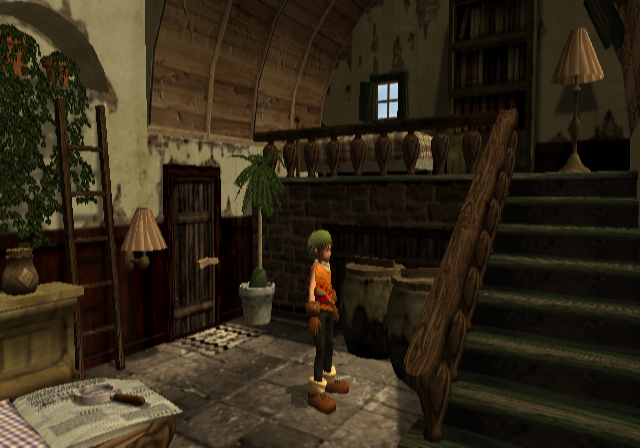
This menu will appear at startup. It enables you to view events, jump to any map, enter dungeons, change the language of the game, or simply start the game normally.
The option interior tries to load a map with the ID of 0x63, which is a map with no exit whatsoever. Attempting to exit by forcefully removing the debug menus will load nothing and send the player into a dark void. The map is located at the second floor of Basker's Store. Without the correct Georama completion flags checked, it'll crash when loading the interior.

Dungeon Debug Menu#
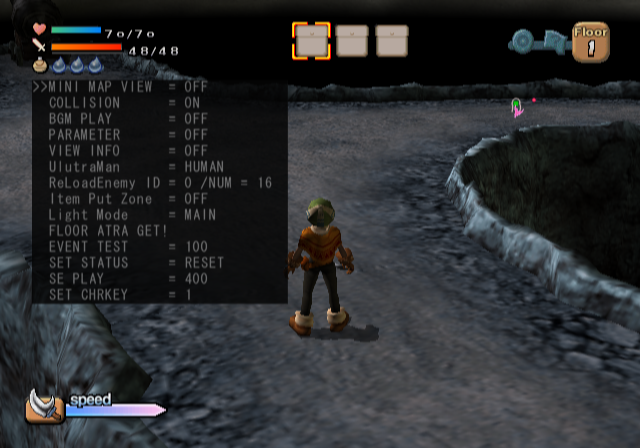
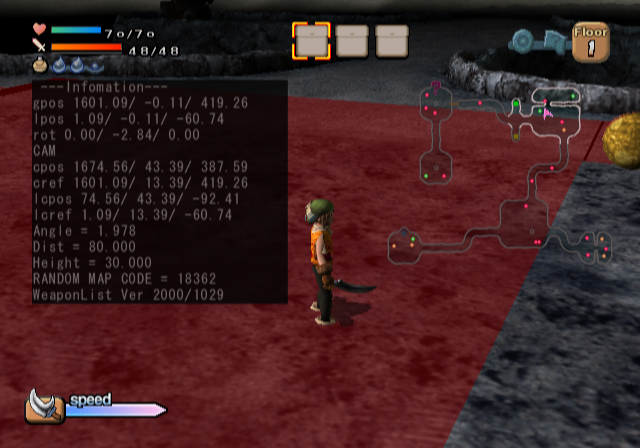
Pressing L3 in a dungeon map display this menu with options to turn on debug information, turn off collision, fully open the mini-map, and more. You can also listen to music and sounds. Press R3 to exit the menu.
- Turning the COLLISION option off will allow you to pass through walls. Pressing Square will also increase running speed.
Item Debug Menu#
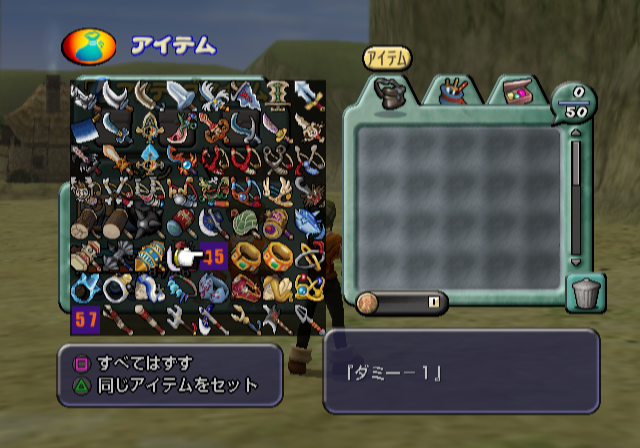
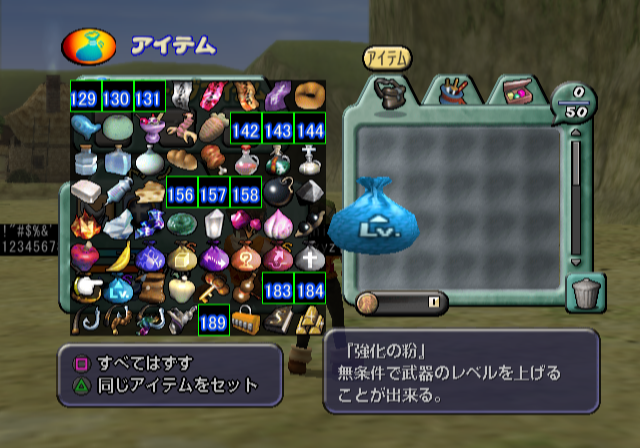
Pressing Start in the item menu will display this menu that allows you to instantly obtain any item. Several unused items remain, such as, but not limited to, the Medusa Powder, Save Book and Pedometer. All unused items lack any gameplay functionality.
Pressing Select will either enable debug information, or allow you to view the item model, which can be rotated with the Right Analog Stick. It should be noted that pressing Select could potentially cause the game to crash.
Debug Camera#
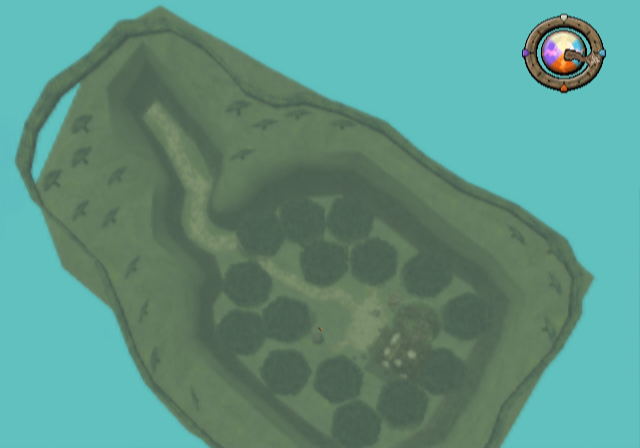
Outside of a dungeon, pressing L3 will enable a debug camera, which can be moved with the D-Pad Up / Down and the Right Analog Stick. This camera allows for free movement in every cutscene except the introduction cutscenes, both of which have pre-programmed camera angles.
Event Debug Camera#
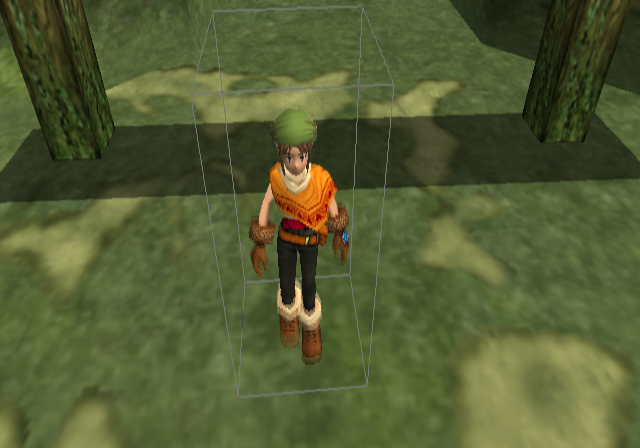
Another debug camera exclusively for event scenes, except for the attract demo, main menu and introduction cutscenes. The camera can be moved anywhere and characters can also be moved around on the map.
USA Code:

L3 to Enable Debug Camera. R3 to Disable.
20170250 00000000
D1C749C2 0000FFFD
002A2A28 00000001
D1C749C2 0000FFFD
202A1F24 00000001
D1C749C2 0000FFFB
002A2A28 00000000
D1C749C2 0000FFFB
202A1F24 00000000
Controls:
- L1 pans left.
- R1 pans right.
- D-Pad Up once to enter character placement mode. Pressing D-Pad Up again will allow you to change the camera focus point. Pressing D-Pad Up once more will return to free camera mode.
- D-Pad Left / Right to cycle through selectable objects in character placement mode.
- Triangle to center camera on the currently selected object.
- Hold X to increase camera speed.
- Hold Square to increase selected object speed.
- Select will try to open a file called debug.txt from host0:debug.txt, which doesn't exist.
(Source: Original TCRF research)
Unused Graphics#
Character Portraits#
Some unused character portraits. Notably, an earlier portrait of Ruby showcasing a previous design, and a portrait for Seda, implying that you could name him, similar to the rest of the playable cast.


Textures#
The cursed dancer's facial texture is noticeably more rough and less refined to her appearance in the final version. The mouth movements for dialogue go unused.

(Source: Hiddencastle's Dark Cloud Compendium Research)
Georama Menu#
An early Georama menu. This differs even from the earliest version seen at Tokyo Game Show 1999, and is more simplistic in comparison.

(Source: https://darkcloud.forumcommunity.net/?t=54079567 Dark Cloud Forum Community Console Dev & Seide)
Also, in the same folder labeled as "old", an earlier dungeon HUD with a green level up circle. This was from earlier builds that were shown off to the press.


(Source: Word of Wind)
Placement#
A cactus can be found in the Norune Village's Georama tileset. It is possible to place it down while in Georama mode if it's hacked into the game.

(Source: Word of Wind)
Locations#
There are several village title cards that go unused, which suggests that these area names underwent several name changes throughout the development process:


(Source: Hiddencastle Dark Cloud Compendium)
Earlier Fishing Sign#
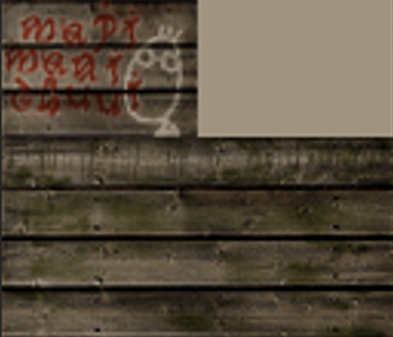
In the game's data exists an earlier fishing sign that goes unused.
Unused Areas#
Early Dungeon Tiles#
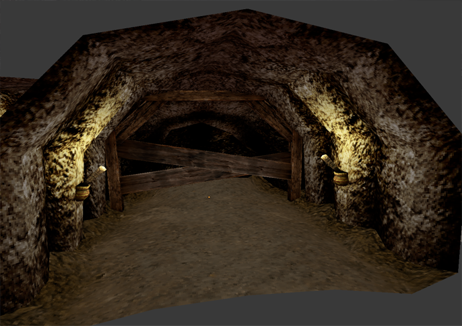
This tile would likely be used to mark a dead end in Divine Beast Cave.

(Source: Hiddencastle Dark Cloud Compendium])
Demon Shaft#
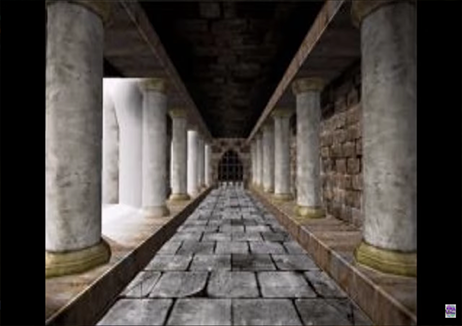
An alternate version of the Demon Shaft with antiquated structures and somber hallways, which resemble Roman architecture. The overall look is brighter and less muted than in the final version. This unused texture may have been intended for the menu that appears between floors, asking the player to continue. For now, this texture seems to be found only in the international versions, which include this dungeon.
(Source: Hiddencastle Dark Cloud Compendium)
Unused Items#
There are many unused items that can be found through the debug menu:
 Medusa Powder: Temporarily petrifies enemies.
 Hardening Powder: Can harden a bottomless marsh.
 Powder of Teleportation: Lets you teleport to a different location on the same floor.
 A previous design of the Auto Repair Powder.
 Early design of the Fishing Rod.
- Fishing Rod with Worm as Bait.
- Fishing Rod with Prickley as Bait.
 The Pedometer went unused in Dark Cloud. Descriptionː Counts Every Step.
- Save Book: Allows you to save when moving to another floor.
 Another icon of the Save Book.
- Magical Lamp: A lamp meant for summoning Ruby the Genie.
- Shell Ring: A memento of Rando and the Queen.
 Early Fire Crystal Design: Stone with the power of Fire. Causes flame-based damage in dungeon.
 Early Thunder Crystal Design: Stone with the power of Thunder. Causes thunder-based damage in dungeon.
 Early Ice Crystal Design: Stone with the power of ice. Causes ice-based damage in dungeon.
 Early Wind Crystal Design: Stone with the power of wind. Causes wind-based damage in dungeon.
 Dran’s Horn: Lets you ride on Dran to another map.
- Moon Flute: A flute that can call the moon boat.
 Early Gourd design.
 Unused Spirit Water: Water from the Spring of the Spirit. Fully quenches your thirst.
 Healing Water: Water from Miraculous Peaks. Recovers your body.
 Siren's Tear: Fully recovers your body.
 Early Design for Queens Hook: Gatekey.
 Early Design for King’s Slate: Gatekey.
 Unused Gold Statue: Gatekey.
- Unused Flame Key: Gatekey.
 Unused Flame Dungeon Key.
 Unused Flame Backfloor Item.
 Early Design for Flapping Fish: Backfloor Item in Shipwreck.
 Early Design for Rotten Flapping Fish: Yuck, it’s rotten!
 Early Design for Sun and Moon Temple Dungeon Key.
- Unused World Map: Use to teleport to new areas.
 Icon for a Water bottle went unused.
 Unknown.
 Unknown.
There's an earlier icon of Gilda Bag present in the game.
|
Previous design. |
Seen in the game. |
|---|---|

|

|
Unused Text#
Localized Name Changes#
Found in the data is a file that contains romaji names for the game's major characters, along with a short description for each character. Interestingly, it says that Seda has an appreciation for the God of Magic, an entity that is not mentioned anywhere in the story segments. Early on, several press outlets referred to Toan as "Toran", and Seda as "Sheeda".
@201
 "TORAN"
A Young Boy who has the unique
ability to extract
"fragments of the world".
@202
 "TORO"
Training to be hunter, Toro lives
in the Village of Mataragi.
@203
 "SEIDE"
A mysterious warrior with a ma-
gic sword.He has an extreme ap-
preciation for the God of Magic.
@204
 "RUBY"
A sorceress imprisoned inside
a lamp.Her magic is very power-
ful.
@205
 "UN-GARA"
A strong warrior of the desert
people.Has the power to control
the winds.
@206
 "SHIAO"
A young girl magically trans-
formed from a cat to a human be-
ing.She has the ability to
change back into a cat.- TORAN became Toan
- TORO became Goro
- SEIDE became Seda
- UN-GARA became Ungaga
- SHIAO became Xiao
(Source: https://darkcloud.forumcommunity.net/?t=54079567 Dark Cloud Forum Community Console Dev & Seide)
Weapon Attributes#
The Japanese version has unreferenced text that describes two weapon stats that went unused in the final version. These upgrades would have been used to improve the player's luck and growth stat for their weapon. The functionality is non-existent. The textures for these Attatchments are still leftover in all releases of the game, and even made their way into the sequel, Dark Cloud 2, where they also remain unused.
- Growth +1
- Growth +2
- Growth +3
"Obtain greater experience by attaching to a weapon."
- Luck +1
- Luck +2
- Luck +3
"Increase luck by attaching to weapon."
(Source: Word of Wind)
Buster#
An unused Insect-type weapon attachment is present in the files. It lacks any functionality and it is unknown why it was removed.

(Source: Word of Wind)
Chara Coin#
Unused character dialogue hints at an early method the player would have recruited new playable allies. Initially when the new ally joins your party, they would offer Toan an item called a Chara Coin so they could be summoned in the dungeon. Although this text was removed from gameplay, the Chara Coin functionality is still present, and can be seen in the game when quickly swapping characters.
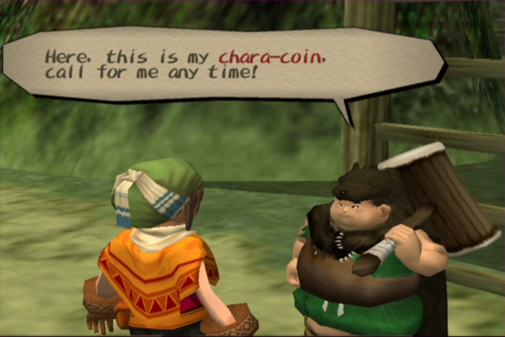
(Source: Word of Wind)
References#
|
The Dark Cloud series | |
|---|---|
|
PlayStation 2 |
|
|
Related | |