 This article has a talk page!
This is a sub-page of Proto:The Legend of Zelda: Ocarina of Time Master Quest/Audio Editor.
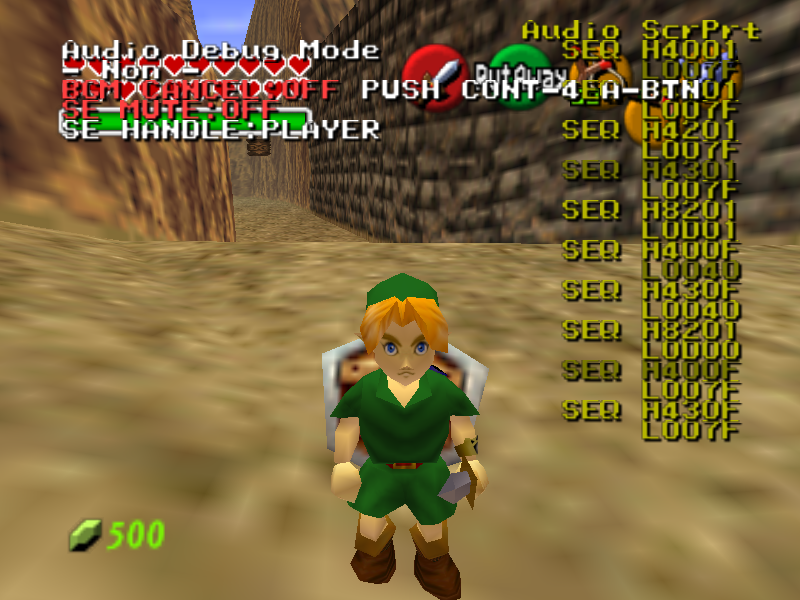
The Audio Debugger is used for testing the game's audio, such as sound effects and background music.
Access#
To turn on the Audio Debugger using the Memory Editor, perform the following steps with Controller 2.
- Press L + C-Left to activate RS in the Memory Editor.
- Press L + C-Left twice more to reach page 3.
- Use D-Down to scroll to RS36.
- Use D-Right to set RS36 to 1, displaying the audio debugger.
- Press L + C-Left four more times to exit RS, so only the audio debugger is displayed on the screen.
The debugger can also be displayed by using the Gameshark code 81210B2F 1111.
Controls#
The Audio Debugger is controlled with Controller 4.
Button |
Effect |
|---|---|
L |
Next Page |
R |
Previous Page |
Z |
Change Display Text Color |
Page 1 - Non#
xxx
Controls#
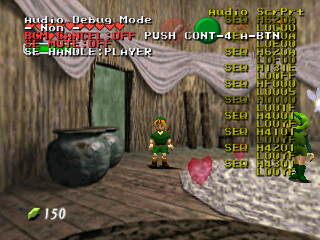
Press A on Controller 4 to set BGM CANCEL to ON, which disables the background music.
Press B on Controller 4 to set SE MUTE to ON, which disables the sound effects.
Legend#
Audio Debug Mode
- Non -
BGM CANCEL: [OFF] PUSH CONT-4 A-BTN
SE MUTE: [OFF]
SE HANDLE: [PLAYER]
Page 2 - Free Area#
xxx
Controls#
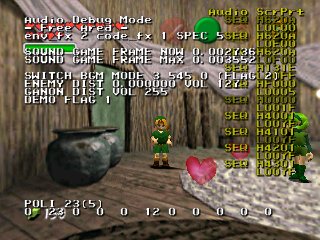
This info page doesn't appear to have any controls.
Legend#
- Free Area - |
|---|
Function |
env_fx |
code_fx |
SOUND GAME FRAME NOW |
SOUND GAME FRAME MAX |
SWITCH BGM MODE |
(FLAG) |
ENEMY DIST |
VOL |
GANON DIST VOL |
DEMO FLAG |
POLI |
Page 3 - Scroll Print#
This page displays the options for the Audio Scroll Print (abbreviated to Audio ScrPrt) that appears on the right side of the screen. The Scroll Print identifies which audio sequences are currently being played.
Controls#

A + B |
D-Pad |
|
|---|---|---|
A |
Reset Audio ScrPrt Position |
D-Left |
D-Down |
||
B |
Clear Audio ScrPrt |
D-Right |
D-Up |
||
Legend#
The various options allow you to turn it on or off, set which actions are logged, and set the log length. You can also use the C buttons to move the log around the screen.
- Scroll Print - |
|---|
Function |
Swicth |
Lines |
Color |
PLAYER |
ITEM |
ENVRONM |
ENEMY |
SYSTEM |
OCARINA |
VOICE |
SEQ ENT |
Page 4 - SE Parameter Change#
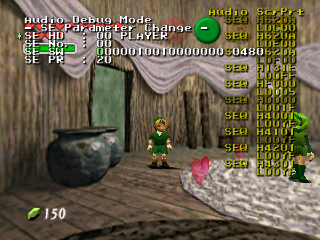
This page serves as a sound test, and an editor for sound effects.
Controls#
A + B |
D-Pad |
|
|---|---|---|
A |
Play Selected Sound Effect |
D-Left |
D-Down |
||
B |
- |
D-Right |
D-Up |
||
Legend#
There are 7 sound banks to choose from: PLAYER, ITEM, ENVIROMENT, ENEMY, SYSTEM, OCARINA, and VOICE.
- SE Parameter Change - |
|---|
Function |
SE HD |
SE No. |
SE SW |
SE PR |
While the Sound Effect No. goes up to 1ff, not all of these values are used. Setting SE No. to an unused value may cause the game to crash.
One Sound Effect No. may contain several sounds. For example, SE No. 00 in the VOICE bank contains several sword slashing sound effects.
SE SW is changed by flipping the bits in a 16 digit binary number. A hexadecimal representation of the number appears to the right of the option.
Page 5 - Ocarina Test#
Ocarina Test records some Ocarina data. PLAY INFO displays what note you are playing, and how many notes you have already played.
Controls#
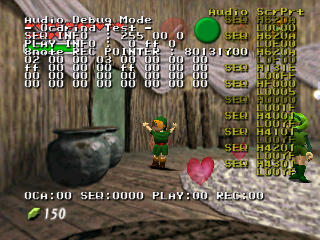
This page doesn't appear to have any controls.
Legend#
- Ocarina Test - |
|---|
Function |
SEQ INFO |
PLAY INFO |
8note REC POINTER |
OCA |
SEQ |
PLAY |
REC |
Page 6 - Natural Sound Control#
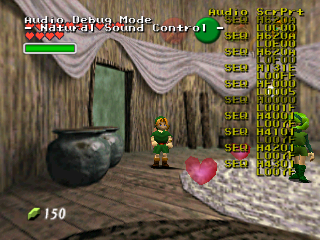
This page displays no information. It may no longer be used.
Page 7 - Block Change BGM#
This page allows you to play any music in the game. The first option selects the music, and the second option selects the part for soundtracks with multiple parts (like Hyrule Field).
Controls#
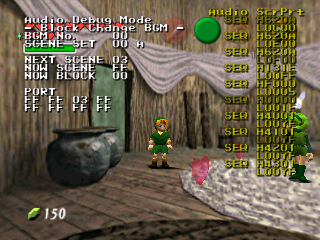
A + B |
D-Pad |
|
|---|---|---|
A |
Play Selected BGM Track |
D-Left |
D-Down |
||
B |
Stop Selected BGM Track |
D-Right |
D-Up |
||
Legend#
- Block Change BGM - |
|---|
Function |
BGM No. |
SCENE SET |
NEXT SCENE |
NOW SCENE |
NOW BLOCK |
PORT |
Page 8 - SE Flag Swap#
SE Flag Swap's purpose is unknown. You can edit the various fields using the A button and the D-Pad, but it appears to have no effect.
Controls#
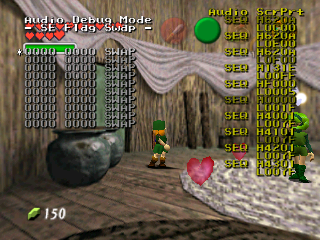
A + B |
D-Pad |
|
|---|---|---|
A |
Select Line |
D-Left |
D-Down |
||
B |
Reset values in current field |
D-Right |
D-Up |
||
Legend#
There are 10 fields that let you enter in two 4-digit hex numbers, and decide between SWAP and ADD for that field.
Page 9 - Interface Info#
This page displays various information about the sound effects currently being played. Be aware that this page will make the console lag quite a lot. The last column of numbers for each sound effect appears to match what appears in the Audio ScrPrt.
Controls#
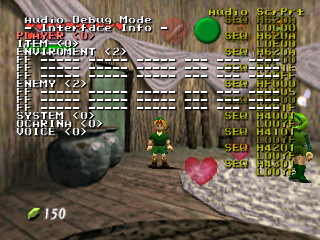
A + B |
D-Pad |
|
|---|---|---|
A |
Select Line |
D-Left |
D-Down |
||
B |
Reset Interface Position |
D-Right |
D-Up |
||
Legend#
- Interface Info - |
|---|
Function |
PLAYER |
ITEM |
ENVIROMENT |
ENEMY |
SYSTEM |
OCARINA |
VOICE |
Page 10 - Channel Info#
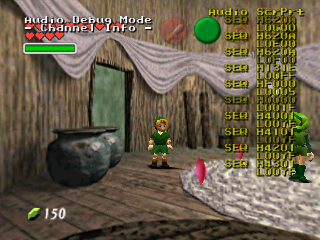
This page displays no information. It may no longer be used.
Page 11 - Sub Track Info#
This page displays various information about the current background music. Ocarina playing can be found in group track 2, subtrack D.
Controls#
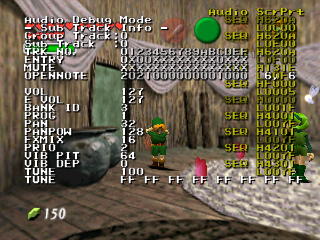
A + B |
D-Pad |
|
|---|---|---|
A |
- |
D-Left |
D-Down |
||
B |
- |
D-Right |
D-Up |
||
Legend#
- Sub Track Info - |
|---|
Function |
Group Track |
Sub Track |
TRK NO. |
ENTRY |
MUTE |
OPENNOTE |
VOL |
E VOL |
BANK ID |
PROG |
PAN |
PANPOW |
FXMIX |
PRIO |
VIB PIT |
VIB DEP |
TUNE |
TUNE |
Page 12 - Grp Track Info#

This page displays no information. It may no longer be used.
Page 13 - Heap Info#
This page displays unknown information.
Controls#
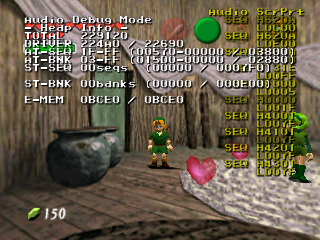
This page doesn't appear to have any controls.
Legend#
- Heap Info - |
|---|
Function |
TOTAL |
DRIVER |
AT-SEQ |
AT-BNK |
ST-SEQ |
ST-BNK |
E-MEM |
Page 14 - Spec Info#

This page displays no information. It may no longer be used.
Page 15 - Sound Control#
Sound Control allows for some advanced audio options. The first two options both allow you to play any soundtrack in the game (you can use both simultaneously if you wish, and will actually work). The next two options allow you to play any sound effect in the game. The third option selects the sound effect type, the fourth one the sound effect number. S-Out sets the sound type (Stereo, Headphones, 3D, Mono). Na Snd allows you to play various nature sounds (like the sandstorm sound FX, etc.).
Controls#
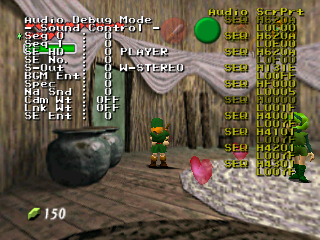
A + B |
D-Pad |
|
|---|---|---|
A |
Activate Value (Sounds, Music, S-Out) |
D-Left |
D-Down |
||
B |
Cancel highlighted sound effect/music |
D-Right |
D-Up |
||
Legend#
- Sound Control - |
|---|
Function |
Seq 0 |
Seq 1 |
SE HD |
SE No. |
S-Out |
BGM Ent: |
Spec |
Na Snd |
Cam Wt |
Lnk Wt |
SE Ent |
Extra#
PLAYER
ITEM
ENVIROMENT
ENEMY
SYSTEM
OCARINA
VOICE
W-STEREO
HEADPHONE
3D SOUND
MONO
SWAP
STBY