 This article has a talk page!
This is a sub-page of Proto:Resident Evil 4 (GameCube).

General Differences#
- The opening screen with the Warning message and the Capcom logo is different. The Sofdec and Dolby Pro Logic II logos were also missing.
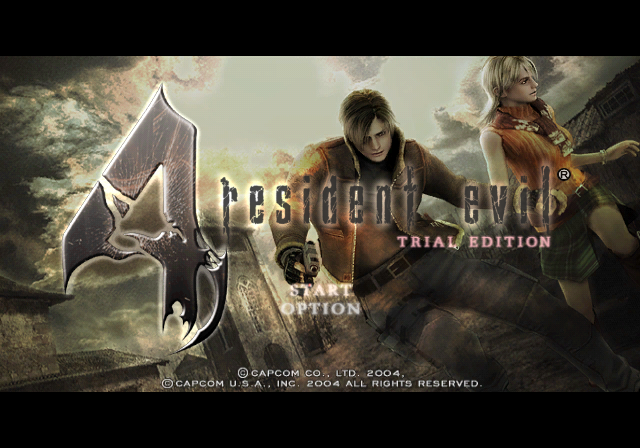
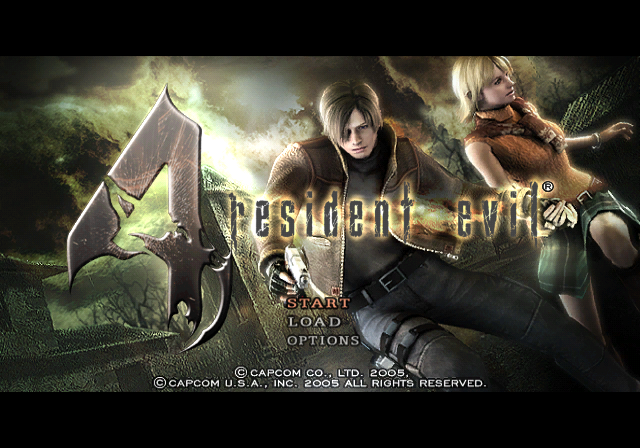
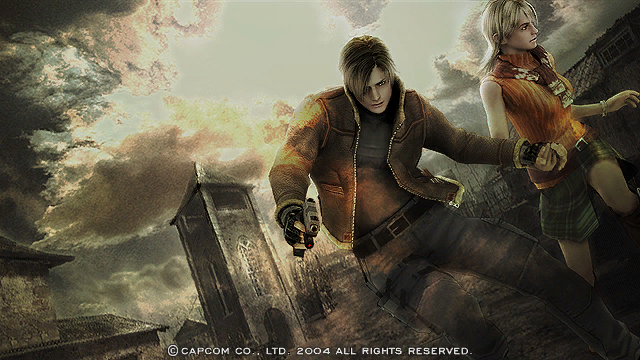
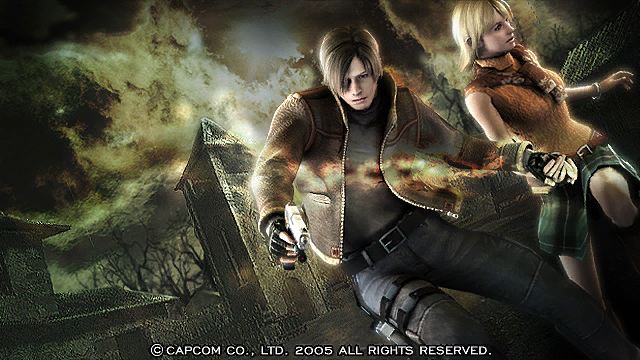
- The background image of Leon and Ashley displayed on the title screen is different in the demo. The title "Trial Edition" is also present.
Prototype |
Final |
|---|---|
 |
 |
 |
 |
- The options menu only has an option for inverting aim, and nothing else. More standard options are actually available in the debug menu featured below.
- Since this is a demo, it is not possible to save the game in the typewriter. Upon inspection of the typewriter, the following text appears:
There's an old typewriter.
I can't save my progress in this version.- The Demo ends after the Church bell rings, ending with the ambush of the Ganados and the demo itself.
Gameplay#
- There are no Quick-Time-Events prompts in this build. However, when grabbed by an enemy, the final game's method of breaking free works identically, even though no prompt is shown.
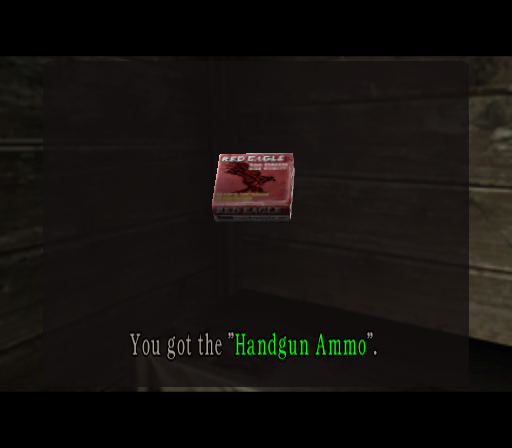
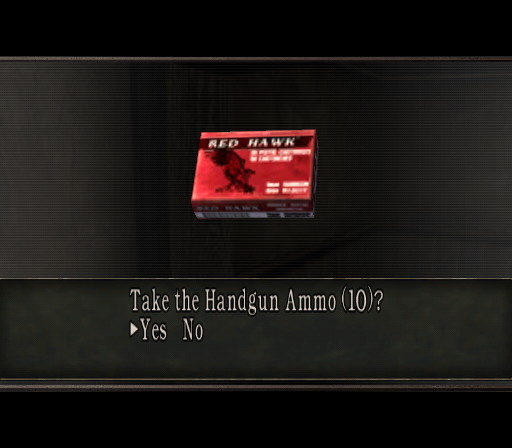
- There is no yes/no prompt to take items. It is immediately taken upon interaction.
Prototype |
Final |
|---|---|
 |
 |
- The camera cannot be moved in the same manner as the final release; in the final, the camera can be aimed in any direction the player points the analog stick, and snaps back once the stick is released. In the demo, the camera can only be pointed up or down, and does not return to a neutral position until the player sprints or manually puts the camera back. The camera is also more prone to sudden shifts up or down depending on Leon's position, such as on top of the roofs of the village area.
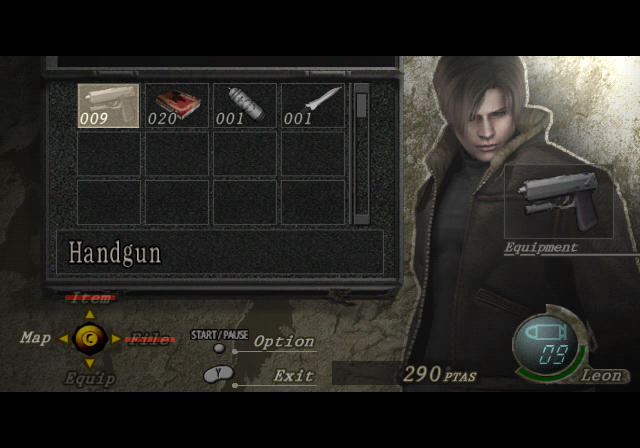
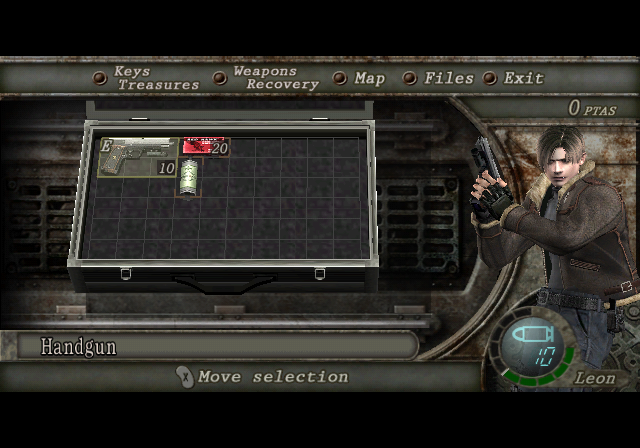
- The Inventory selection screen is radically different, resembling the one-slot-per-item grid inventory system from prior RE games.
- All items occupy one slot each, including treasures.
- Weapons do not have any stats listed anywhere in the interface.
- The inventory screen uses a static render of Leon rather than an animated model wielding whatever's equipped at the moment, with an equip slot layered on top of said render to signify what weapon is currently equipped.
- The C stick is used to switch between File, Item, Map, and Equip. Only the Map and Equip options are functional in this build.
- Much like in older Resident Evil titles, weapons can be reloaded from the inventory screen, bypassing the reload animations entirely. This can be done either by selecting the weapon and choosing "Reload" from the drop-down menu, or by selecting the same option after selecting the proper ammunition type.
- Leon’s Knife is not mapped to its own button, as it is considered its own weapon in this build, and must be equipped from the pause menu, just like in older games. Considering how much of a game changer RE4 was by mapping the knife to its own button and removing its inventory space requirement, this can take players aback.
- The Z button is instead mapped to the Binoculars, which are only ever used in one scene in the final game as a context sensitive action. In this version, it appears the developers intended for the binoculars to be an important element of the gameplay design, but scrapped it later on as it was too niche.
- The knife has a quantity counter that does not change.
- The knife also appears to do less damage.
- The base shotgun holds 7 shells in its clip as opposed to 6 in the final.
- The shotgun has a somewhat tighter spread than the final, resulting in worse crowd control capabilities.
- The available treasures are different than any found in the final game: Onyx Stone (Small) , Onyx Stone (Large) , Amethyst Stone (Small) , and Amethyst Stone (Large). Each size class is represented by a similar model with altered colors, and the large stones can only be obtained by defeating each Dr. Salvador. It's likely they were replaced by the Spinel, Velvet Blue, and Ruby, though there is no obvious equivalent for one of the large stones. Given their monetary value and location in the game, possible candidates include the Pearl Pendant, Antique Pipe, or Brass Pocket Watch.
- The loading screen between areas is quite long in this build.
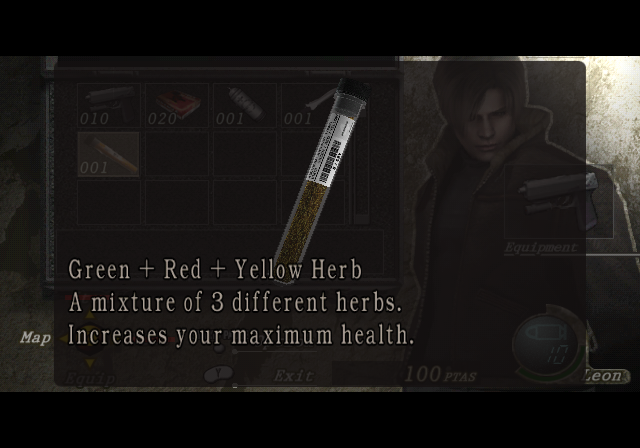
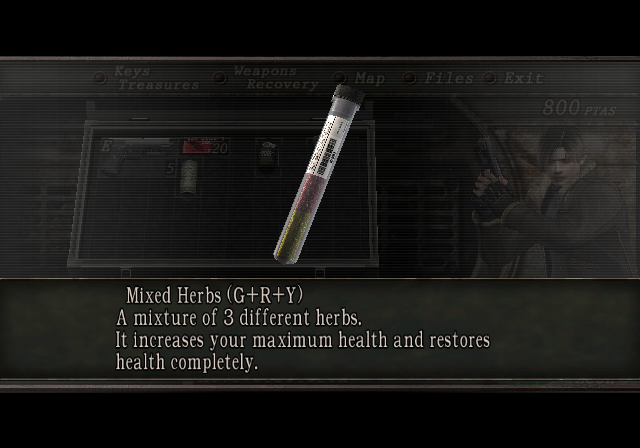
- Yellow Herbs function very differently, and are functionally identical to red herbs. However, if the player combines all colors of herbs, the mixture can extend their health bar by a much larger amount than the final does with the yellow herb. Yellow and red herbs cannot be combined on their own and must be combined with a green herb first.
- Items on the inventory screen cannot be moved around, unless by combining them.
- Items, objects, and enemy placements are different compared to the final, but the core geometry of the first two areas is very similar, if not identical.
- There are no female Ganados to fight in the demo. The one that is normally sifting hay in the village is replaced by one of the male Ganados models instead.
- There are no radio calls with Hunnigan in this build, and no associated cutscenes as a result. Because of this, after the truck crashing cutscene, the spawning position of Leon immediately afterwards has him placed by the window instead of in the middle of the dining room.
- The overhead swing of enemies with hatchets is noticeably slower than in the final.
- Enemies in general are slower.
- Dr. Salvador, AKA the chainsaw wielding Ganado is easier to stun with the pistol.
Visual#
- There are various typos in this build, including one during the opening text.
- The pillar of light effect on items is more transparent, making them harder to see.
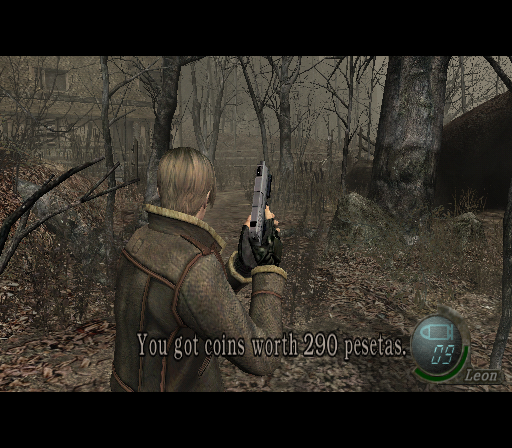
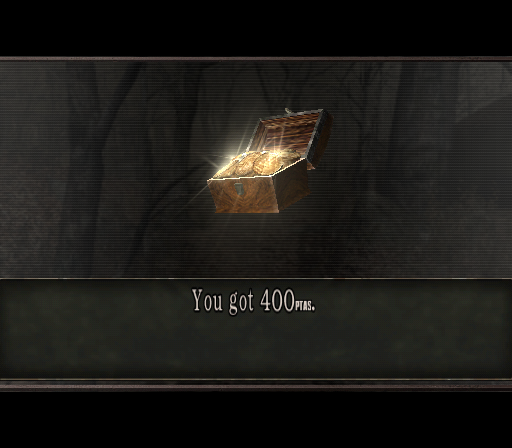
- When picking up Pesetas, the game states that Leon "Picks up coins worth X Pesetas", rather than the item popup of the pesetas in question with the "You got X ptas" info box.
- When picking up items on the ground, only text is displayed detailing what you've picked up. If the item is on a table or other object, the game shows an unpolished version of the item preview like in the final.
Prototype |
Final |
|---|---|
 |
 |
- The inventory screen is radically different using a grid more similar to prior RE games. No ability to move selections to a separate inventory.
Prototype |
Final |
|---|---|
 |
 |
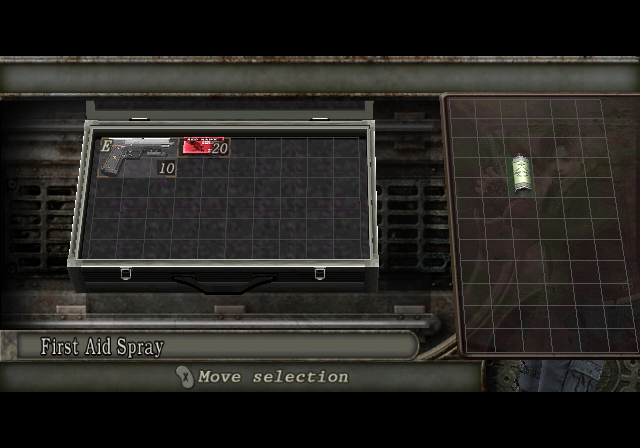 |
- The icons for herbs and other items are radically different compared to their final versions, and look very unfinished.
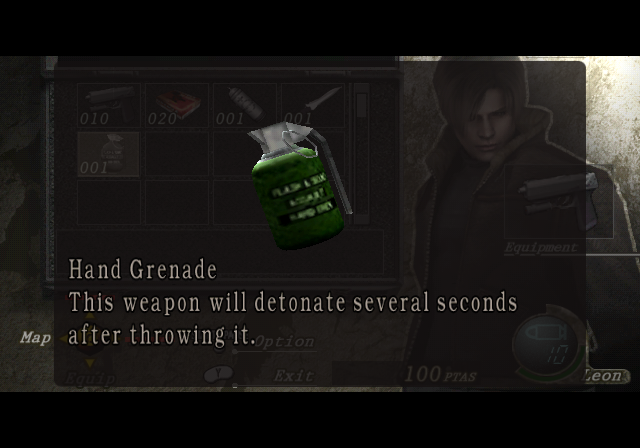
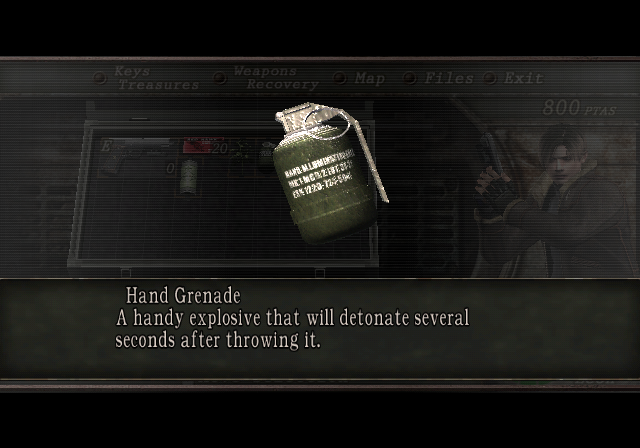
- Grenades are more saturated in color than they are in the final.
Prototype |
Final |
|---|---|
 |
 |
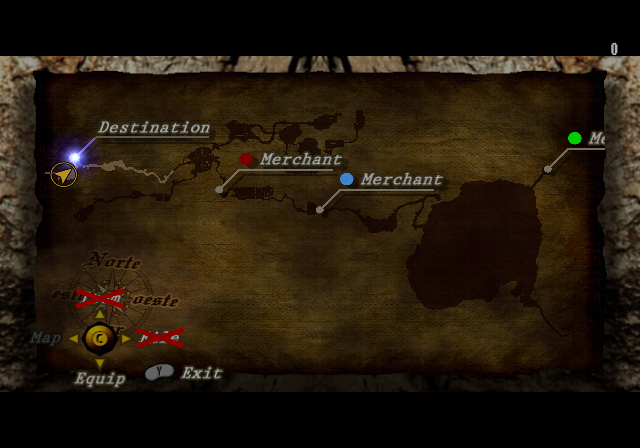
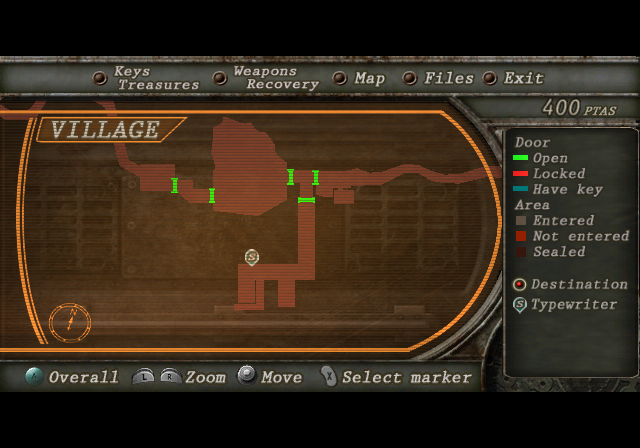
- The Map Screen is completely different, and looks more like a physical paper map than the GPS/PDA appearance of the final game. It features Spanish cardinal direction labels as well.
Prototype |
Final |
|---|---|
 |
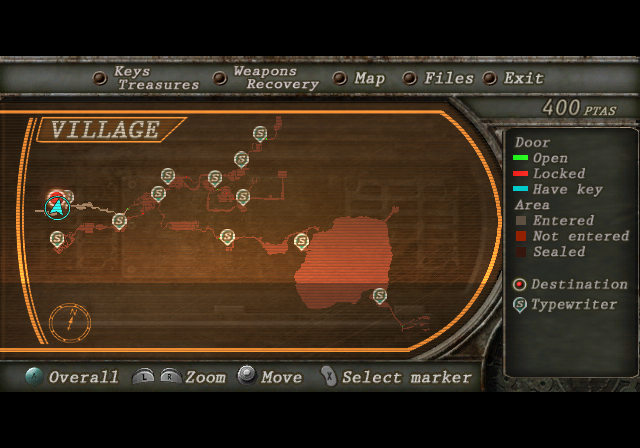 |
- Instead of a large red dot showing where to go on the map screen, there is a flashing blue light with a line pointing at it labeled, "Destination".
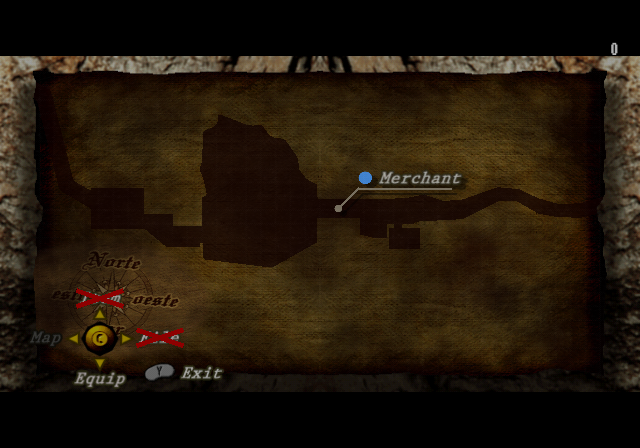
- The map in this build varies slightly from the final, particularly in the south western section of the map, where the bridge section near where the player meets the Merchant appears to be missing or altered.
Prototype |
Final |
|---|---|
 |
 |
- The HUD that displays Leon's current and maximum health has a simpler appearance, only displaying the current maximum as a solid bar rather than displaying the theoretical maximum HP at all times with segments in the bar.
Prototype |
Final |
|---|---|
- When you run out of throwable weapons, the "EMPTY" icon was different. Originally, "EMPTY" was displayed above the current weapon icon.
Prototype |
Final |
|---|---|
 |
 |
- The model for the dog that Leon rescues appears to be slightly different.
- When combining the three types of herbs, the jar would turn completely yellow, instead of showing a combination of all three colors.
Prototype |
Final |
|---|---|
 |
 |
- Several animations are different, including Leon’s jump-thru-window animation, which lacks animation on Leon's upper body and head.
- Leon's melee kick attack against kneeling stunned enemies reuses the animation of him kicking down a door, rather than the unique animation seen in the final build.
Prototype |
Final |
|---|---|


- Leon's knife swing animation reuses Chris' knife swing, once again from the Resident Evil remake. This behavior can cause the knife to miss targets that are at point blank range. Its hitbox appears to be smaller as well, sometimes not registering a hit when compared to a similar position in the final.
Prototype |
Final |
|---|---|
 |
 |
- In this version, Leon can't jump from ladders in high places (like the village tower). You must stand in front of the ladder, and Leon will lower it manually. In the final version, you can jump from any ledge near the ladder. Camera angles are different.
Prototype |
Final |
|---|---|


- When an enemy knocks Leon down, his get-up animation is different.
Prototype |
Final |
|---|---|
 |
 |
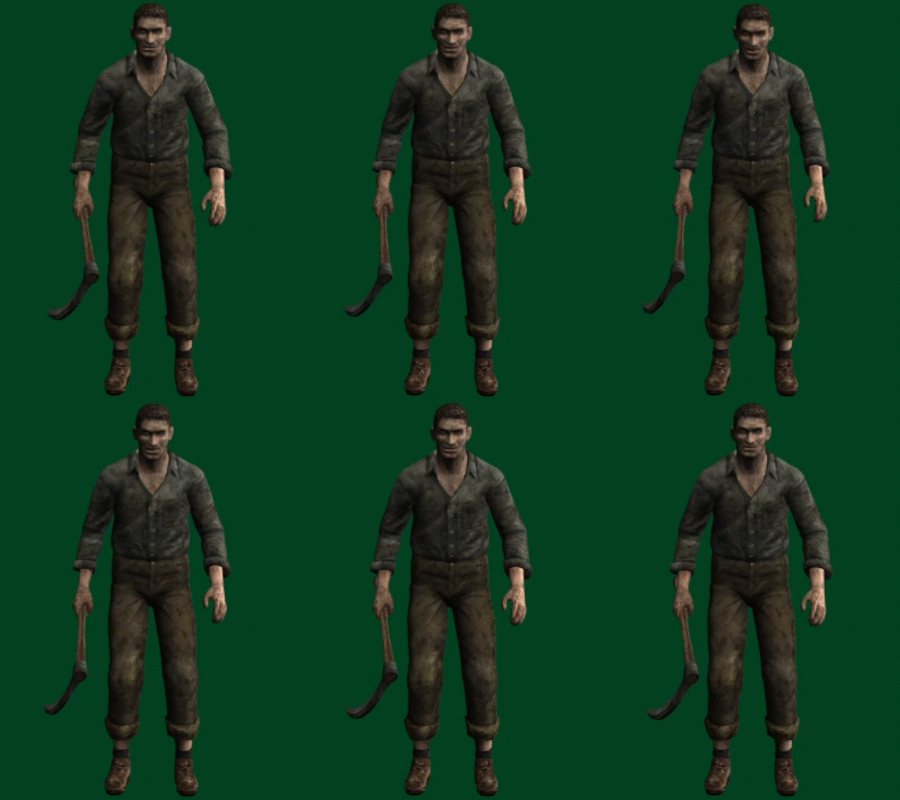





- The idle animation for the Ganados was much simpler and more static in the demo. Interestingly, the animation when holding a weapon with one hand (Or if they don't wear anything) is quite similar to the idle animation Krauser has in The Mercenaries mode.
Prototype |
Final |
|---|---|
 |
 |
 |
 |
 |
 |
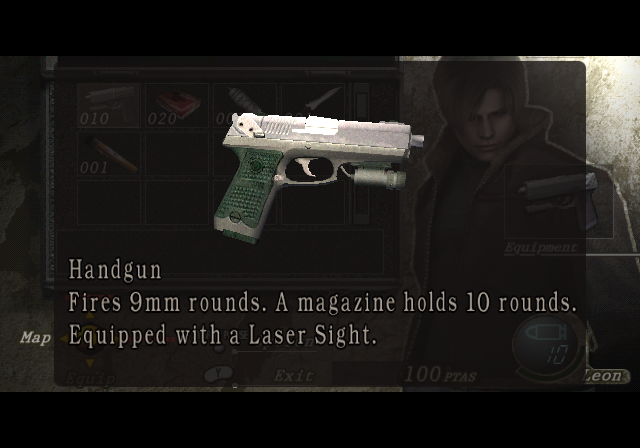
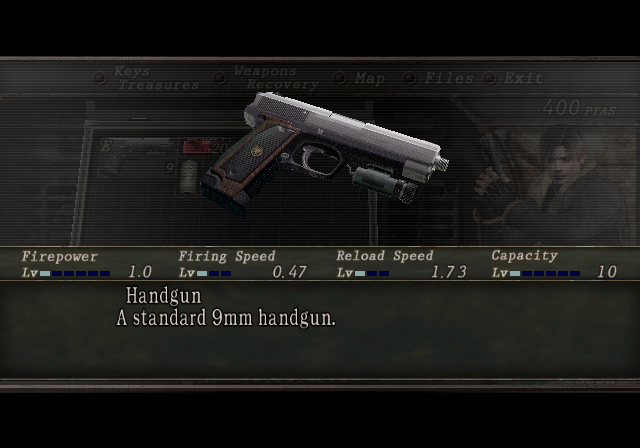
- The starting handgun is a Ruger KP94 rather than the final game's "Silver Ghost" USP-Ruger-S&W Sigma mashup. The sprite for the weapon shows it with a design more close to the final.
Prototype |
Final |
|---|---|
 |
 |
- When inspecting various objects, the camera behaves differently from the final, having a slow zoom in effect on signs, and panning down when inspecting the first villager's corpse.
- The photo of Ashley that Leon shows to the villager at the beginning is completely different from the final; it is identical to that seen in the unused prerendered image on the main page.
Prototype |
Final |
|---|---|
 |
 |
Audio#

|
This page or section needs more audio. |
- Leon’s voice acting is slightly different; while it's still the voice of Paul Mercier, his voice actor from this game up to Darkside Chronicles, his delivery/direction is different, and some lines are either muffled or very quiet, particularly when he is swearing or talking to himself.
- Attempting to shoot at the cops in the car doesn't elicit any reaction from them.
- Leon has no grunt sound when jumping through a window.
- Gunshots and reload sounds are different from the final; the handgun's firing noise is reused from the first game's remake while the shotgun has a louder reload sound effect.
- Enemy Ganados use some of the same lines as in the final but there are a few lines that aren’t heard in the final game. This is most obvious to the player with the first enemy after the introduction of traps, as well as the dialogue in the village prior to combat.
- There are no pickup sound effects for items.
- There are no SFX for cycling through or selecting options on the main menu.
- The critical headshot sound is slightly different.
Debug Menu#
By using the following AR code, it's possible to bring up an incomplete, partially-functional debug menu.
$Enable Debug Menu

8C110794 7FC3F378

0411072C 60000000

04110750 60000000

04110784 60000000

041107A4 48000048
In-Game Debug Menu |
|---|
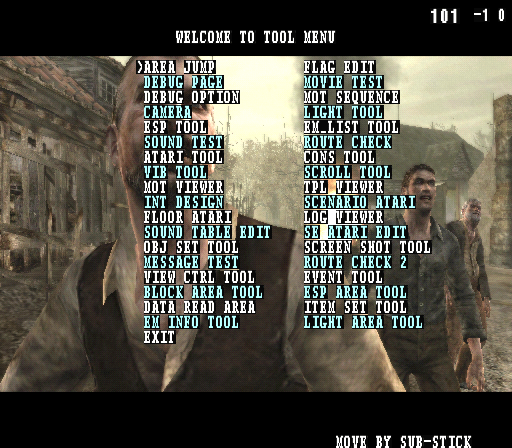 |
The Debug Menu allows the player to edit various in-game flags, enabling them to manipulate certain game elements. For instance, it's possible to make the player invincible, granting immunity to enemy attacks and damage. One of the best features of the debug menu is the ability to alter camera paths. This allows players to explore the game's environments from different angles, giving a unique perspective like doing the [https://youtu.be/fn7W3PPDNg8| Fixed PSX Camera] . With the debug menu, the player can disable the game's background music at any given moment, disable enemy targeting, give infinite ammo, change player position, and many other things. Trying to teleport yourself to other maps will freeze the game, the only functional maps are 100 & 101. It is essential to understand that the debug menu may not function as intended due to missing game files. While some features remain accessible and usable, many functionalities may be disabled or partially functional. This limitation arises from the fact that the debug menu was primarily designed for development purposes and not intended to be accessed in a preview disc.
Inventory Debug Menu |
|---|
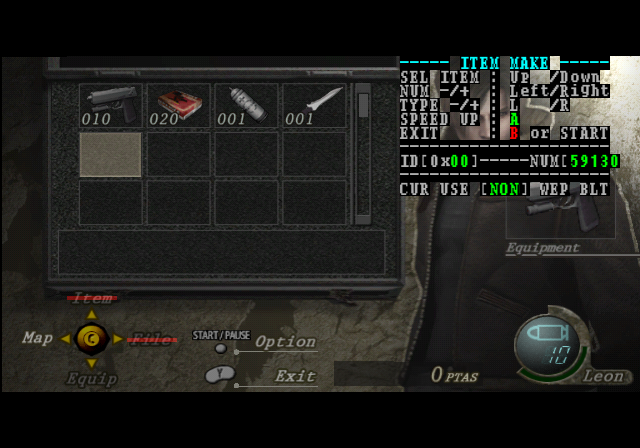 |
The inventory Debug Menu can be activated by pressing the Z button. It allows the player to change the amount of pesetas and add items to the inventory. Unfortunately, almost none of the weapons can be used since most of the files are missing. Although it's still interesting to see the placeholder icons of the weapons.