 This article has a talk page!
This is a sub-page of Prerelease:Street Fighter 6.
There have been many fighting games with user interface design styles of their own through the years, but with each new game brings their own inspirations for in-game interface design. Street Fighter 6 has hip-hop as one of the key themes in the game, so Capcom's design team developed a new look for the game's UI, called "UI Street". They've did some of the memorable creation conceptions for the new title, and some were ideas that didn't get used in the final game.
Behind the User Interface#
Tobita was the lead UI designer for Street Fighter 6, and supervised and produced the graphics and implementation of the entire UI for this game. The team created the UI while keeping in mind this motto "easy to understand and easier to play". Tobita went into the UI design of SF6 to make it easy to play for people coming from Street Fighter V and for people playing Street Fighter for the first time, hoping that everyone can enjoy the game without worrying about the UI. The second person involved in the UI is Ueda, who is primarily focused on producing the graffiti that's a staple of the world of this game. Ueda was in charge of producing the graffiti for the game. In addition to the background and UI, Ueda was also in charge of creating all of the character names in graffiti, and also created the game's graffiti for various game shows, exhibits and collaboration products.
The typeface of Street Fighter 6 is "SF6 College", a new urban-styled font (similar in design to the font typeface used in the credits of the 1994 live-action Street Fighter film) that matches in line with the game's hip-hop culture and influences, which was first seen on the game's early logo in the teaser trailer, and is used prominently in-game. A lot of graffiti art appears in this title, as you can even see it in the Fighting Ground's character select screen, and a lot of players have already noticed it.

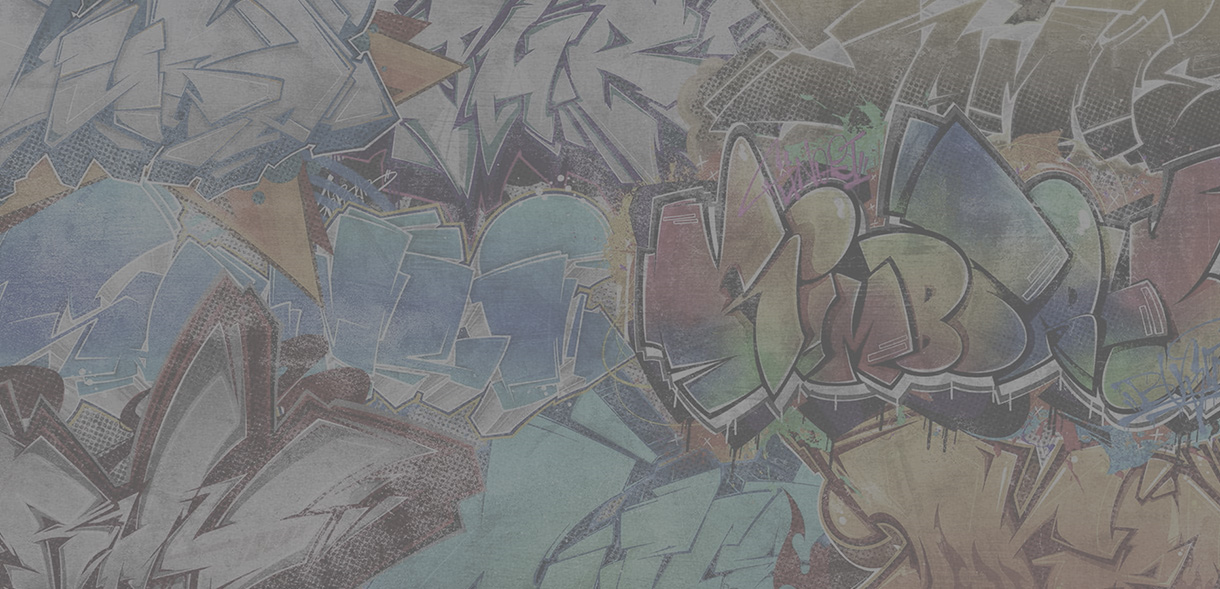
Each character in the game's roster has their own character font and graffiti logos for the game in general. Character font is a term that refers to a unique font used to display a character's name in things like key visuals, promotional art, and cutscenes in World Tour. Character graffiti is graffiti that represents the character it inspired, capturing everything about it in a really cool way and can be seen on merchendise for Street Fighter 6. It could take lots of design ideas to finally find one that's perfect, with many proposals never seeing the light of day in the final release, so most designers learn to not get too attached to any one thing they make.
While developing the new UI for Street Fighter 6, the team used eye tracking technology (that tracks the movement of the pupils, and is called "gaze measurement" in Japanese). This was mainly used in the early stages to verify the gauge layout during battle.
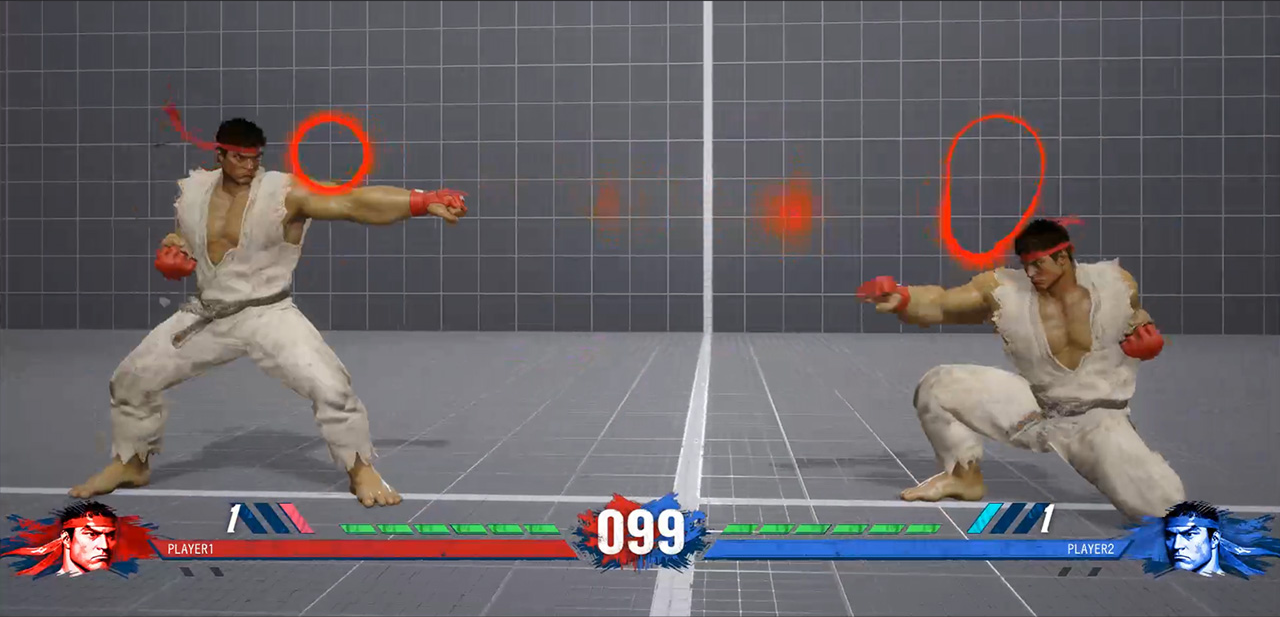
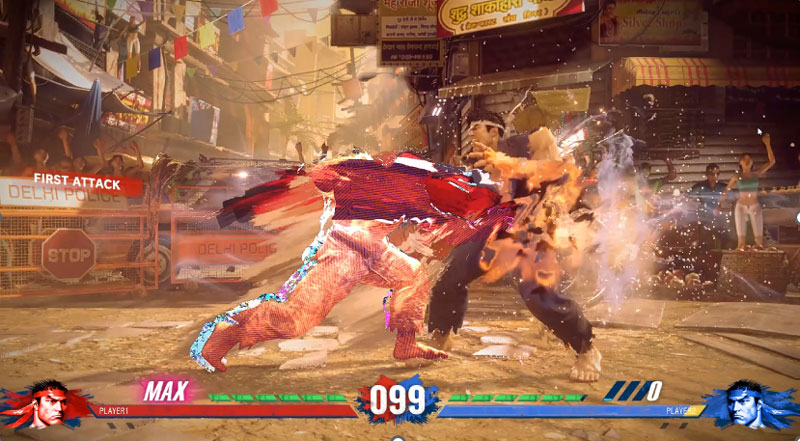
The red circular display in this prototype screenshot shows the appearance of eye tracking (visualization of gaze). As you can see, all elements such as the health gauge, drive gauge, and SA gauge were grouped at the bottom of the screen. This layout was not in the series itself, and it was an attempt that began with the prediction that by having the gauges that you need to look at during battle in one place, your gaze will not be scattered and the playing experience will be improved.
There were a few things the team learned from their testing. The first was that when the gauges are grouped together, you move your gaze less and you can concentrate on playing. Secondly, when comparing beginners and advanced players of fighting games, the team found that beginners look at their own characters while advanced players look at the center of the screen. From the first result, it can be said that it would be better to group the gauges together, but if you look at the games that are currently released, they have a layout similar to the traditional series. So why was the layout that grouped the gauges in one place not adopted?
The first reason is that if the gauges are at the bottom, they will overlap with the character's display, making it difficult to see crouching or low attacks, and if you lower the camera to avoid this difficulty, it will be difficult to see the character on the ground when you jump next. As a countermeasure, the team tried various tests such as pulling the camera back only during jumps or keeping the camera pulled back all the time, but in all cases the character becomes smaller and loses impact, which leads to a poor gaming experience. The second reason is that, as introduced in the tracking test results, the result was that "advanced players look at the center of the screen and grasp the whole screen", so even if the gauges are not grouped in one place, they can be seen with the corner of the eye. Therefore, the traditional gauge layout was adopted for the final game.
Early Prototype Build 1 |
Early Prototype Build 2 |
|---|---|
 |
 |
Early Prototype Build 3 |
Final |
|---|---|
 |
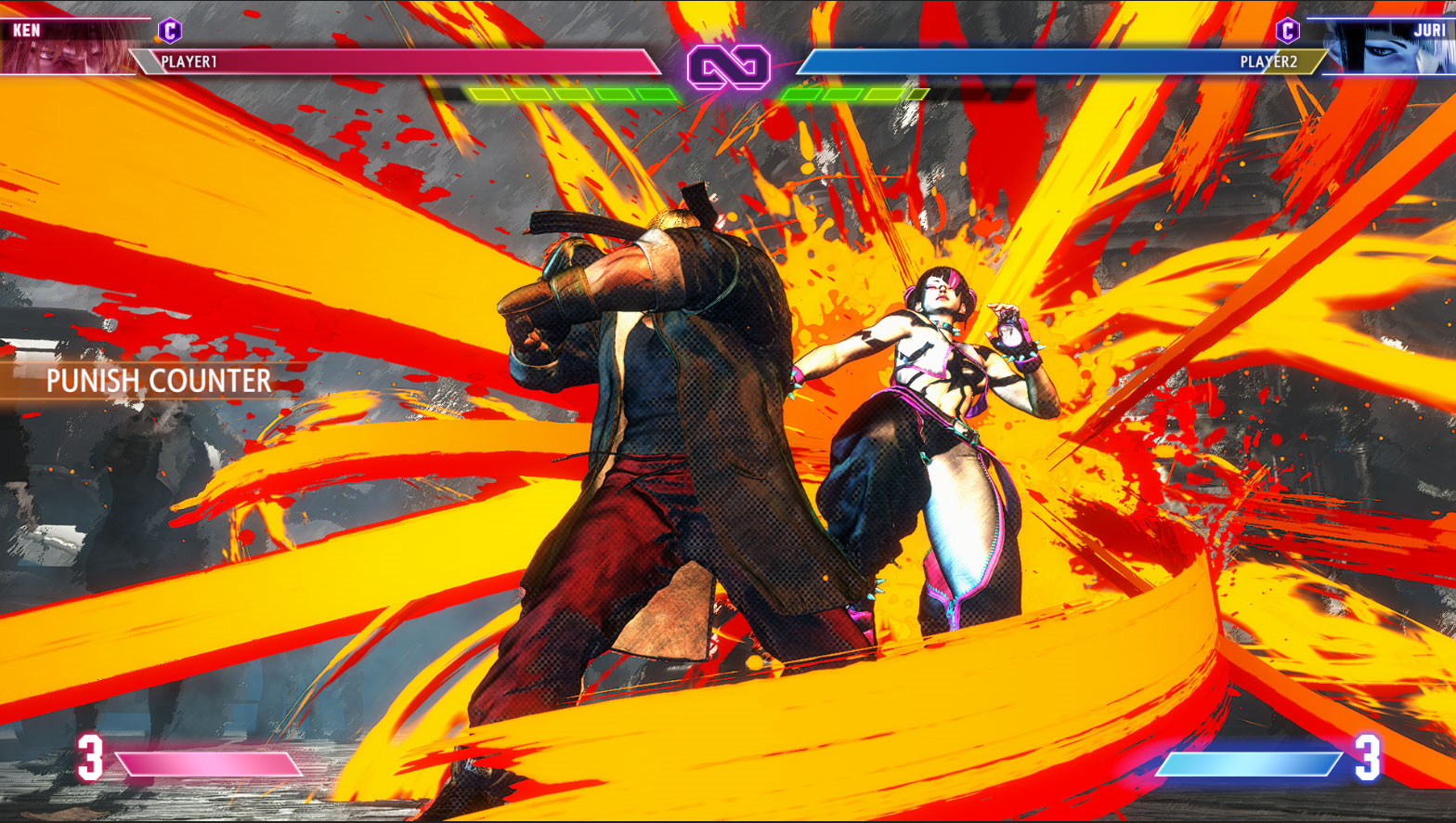 |
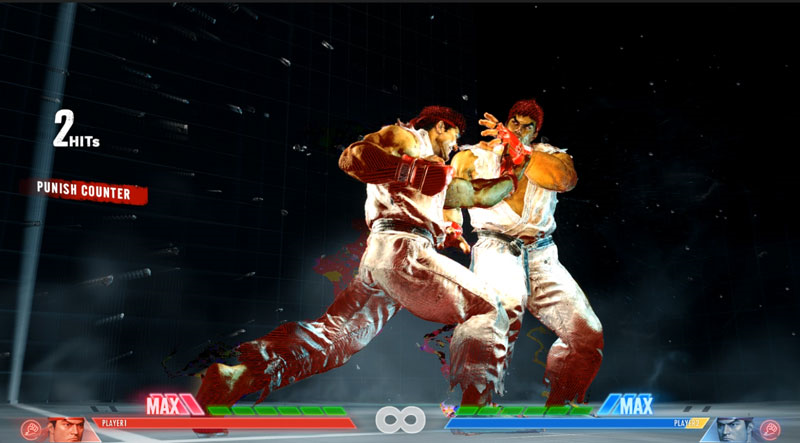
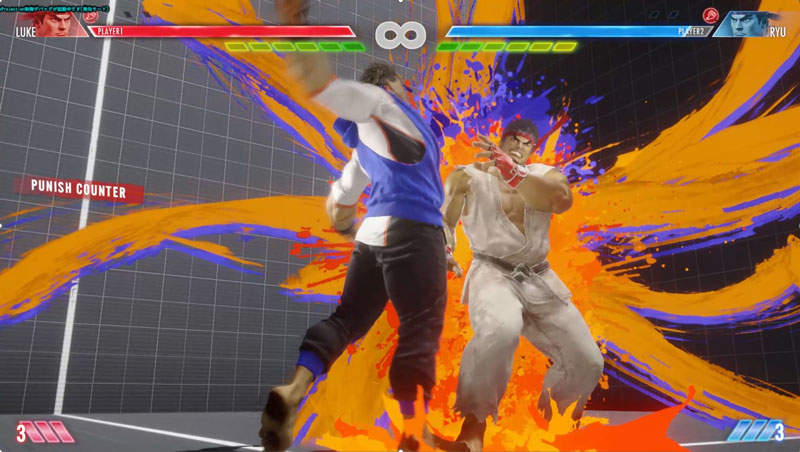
In screenshots of the earliest pre-release prototype builds, there were three of some planned designs for the in-game UI that were never used in the Final game.