 This article has a talk page!
Despite being released around the same time as the second X-Men movie and having Hugh Jackman's likeness on promotional materials, this game was in fact developed as an original title unrelated to the films. Notably featuring a story penned by writer Larry Hama and the vocal talents of Patrick Stewart and Mark Hamill.
Sub-Page#

Debug Modes#
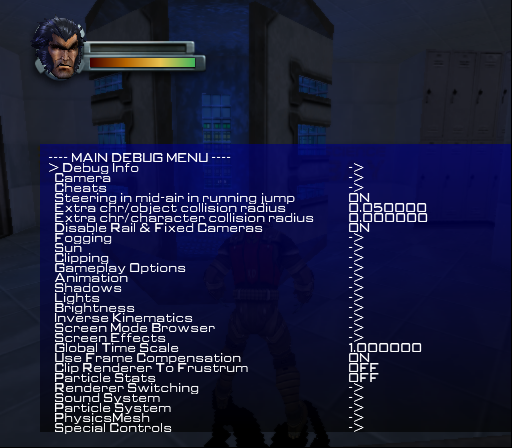
A debug menu can be enabled in this game, however it does not appear you can move through the menu with a controller on any port. A keyboard does not work either rendering this massive debug menu useless, unfortunately. However, all of their functions can be enabled with codes listed below. The debug menu enable code is below if someone would like to try and see how to move through options. All of the codes on this page are for the US version of the game.
Main Debug Menu Enable (cannot move through options)
2035FBA8 00000001
(Source: Original TCRF research)
Debug Cheats#
This section is the cheat options inside the main debug menu.
Enable Code (for console only)
902CD188 0C0B340A
Code |
Effect |
|---|---|
20361690 00000001 |
Disable Collisions. This disables object collision making it so Wolverine can pass through them. |
203ACE74 00000001 |
One Hit Kills. Wolverine can kill enemies with one hit. |
203A120C 00000001 |
Freeze Objects. Freezes objects and AI. |
20360EE8 00000001 |
Full Inventory. It is unclear what this does. |
20360B10 00000001 |
Unlock All Doors. This unlocks all doors in the game. |
20360824 00000001 |
Wolvie Invulnerable. Grants invulnerability. |
2035FBDC 00000001 |
Wolvie Invisible. Enemies cannot see you with this on. |
20360828 00000001 |
Baddies Stand Still. This doesn't appear to work anymore. |
203ACE78 00000001 |
Disable HUD. Disables the HUD. |
203ABD60 00000003 |
Full Strike Level. Gives Wolverine all moves. |
(Source: Original TCRF research)
Debug Fog Options#
This section is the fog options inside the main debug menu.
Code |
Effect |
|---|---|
20360774 0000000x |
Enable fog on or off. 0=off. 1=on. |
202E7B70 xxxxxxxx |
Fog red color. Max is 50000000. Default is 3F800000 |
202E7B74 xxxxxxxx |
Fog green color. Max is 50000000. Default is 3F800000 |
202E7B78 xxxxxxxx |
Fog blue color. Max is 50000000. Default is 3F800000 |
202E7B7C xxxxxxxx |
Fog intensity. Default is 3F800000. Medium amount is 42500000. A lot is 43000000. |
(Source: Original TCRF research)
Rendering Debug Options#
This section is related to how the game renders map data inside the main debug menu.
Code |
Effect |
|---|---|
2035FC00 0000000x |
Environment rendering. 0=off. 1=on. |
2035FBF4 0000000x |
Character rendering. 0=off. 1=on. |
2035FBF8 0000000x |
Object rendering. 0=off. 1=on. |
2035FBF0 0000000x |
Particle rendering. 0=off. 1=on. |
2035FC0C 0000000x |
Texture rendering. 0=off. 1=on. |
2035FBC0 0000000x |
Shadow rendering. 0=off. 1=on. |
2035FC04 0000000x |
Effect rendering. 0=off. 1=on. |
2035FC08 0000000x |
HUD rendering. 0=off. 1=on. |
2035FBFC 0000000x |
Transparencies rendering. 0=off. 1=on. |
20360934 0000000x |
Animated light rendering. 0=off. 1=on. |
20360A28 0000000x |
Screen effects. 0=off. 1=on. |
(Source: Original TCRF research)
Debug Information Display#
These codes display various information about the game.
Code |
Effect |
|---|---|
20360C38 00000001 |
Show Nearest Guns Data. It's unclear what this does. |
2035FBE8 00000001 |
Show Last Animation Path. Displays yellow lines of where you last performed a STRIKE attack. |
2035FBE4 00000001 |
Show Last Camera Path. Displays the camera path that was used for a mini cutscene, such as a STRIKE attack. |
20360AE4 00000001 |
Show Camera Bounding Boxes. Draws a box near Wolverine. It moves with the camera. |
2035FC10 00000001 |
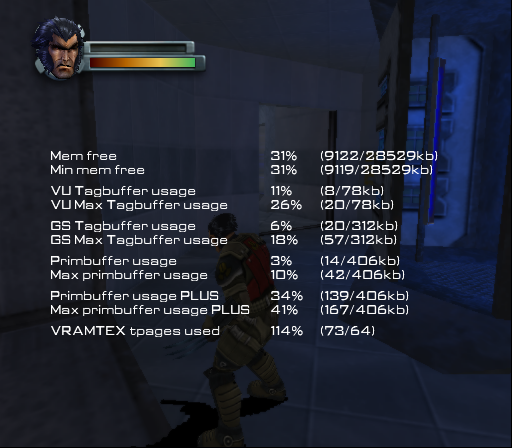
Show Memory Profiles. This displays all of the free RAM types in the game. |
20360A24 00000001 |
Show Full Character Cylinder. It's unclear what this does. |
20360A20 00000001 |
Show Character Collision Volumes. This makes all characters invisible. |
2035FBCC 00000001 |
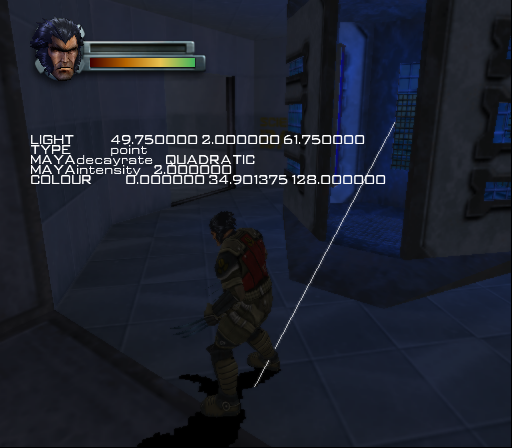
Show Nearest Light. Shows information about the light in the map and the current direction of it. |
2035FBB8 00000001 |
Show IK axes. Shows a ton of debug lines on characters. |
2035FBBC 00000001 |
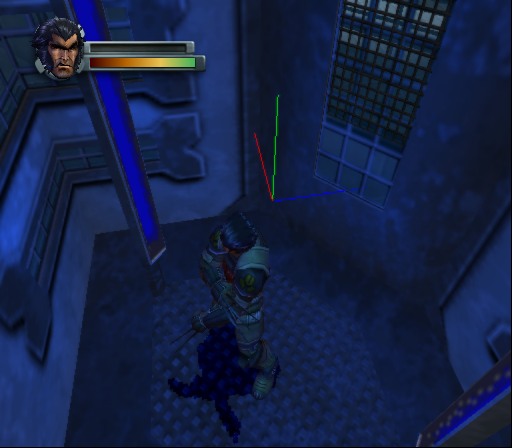
Show lights. This shows debug lines over light sources in maps. |
2035FBB4 00000001 |
Show Skeleton. Shows a ton of debug lines on characters and can freeze the game as it requires a lot of VRAM. |
2036082C 00000001 |
Show Pathfinding Routes. This displays debug lines the AI takes. |
2035FBE0 00000001 |
Show NPC LOS Line. Displays a red line on what the AI is looking at. |
2036081C 00000001 |
Show NPC View Cones. Displays an assortment of information over characters. |
20360814 00000001 |
Show Performances. Shows a ton of debug information relating to the game, such as CPU, and camera information. |
2035FBD8 00000001 |
Show Mount Points. This appears to show debug lines over objects mounted to props. |
20361168 00000001 |
Show Sound System Status. Shows sound channels in use by the game. |
2036116C 00000001 |
Show Sound Emitters. Shows debug boxes over places that emit sound. |
2036116C 00000001 |
Draw Bounding Boxes. It's unclear what this does, if anything at all. |
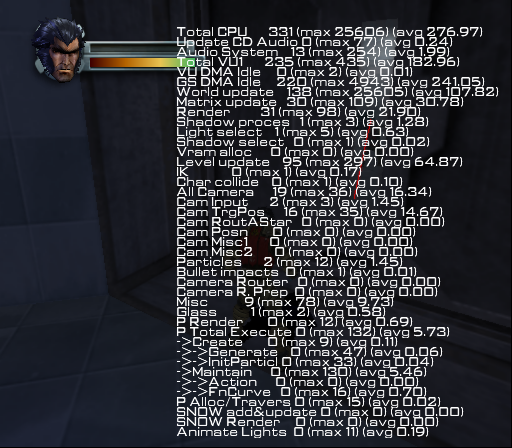

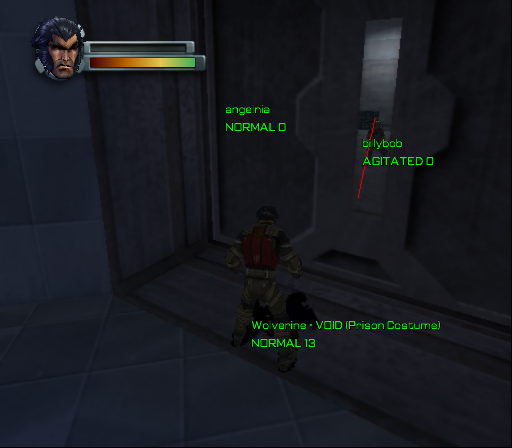

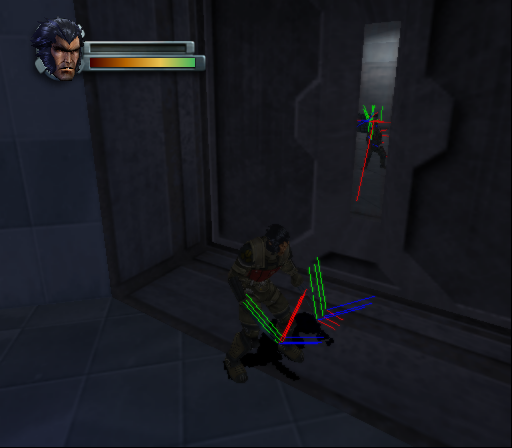
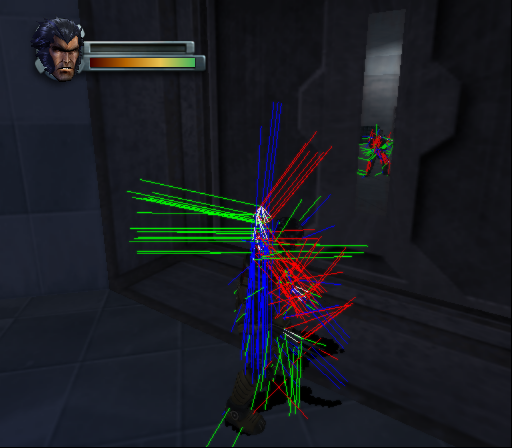
(Source: Original TCRF research)
References#
|
The X-Men series | |
|---|---|
|
NES |
|
|
Arcade |
|
|
Genesis |
X-Men • X-Men 2: Clone Wars (Prototypes) • Spider-Man and the X-Men in Arcade's Revenge |
|
SNES |
Mutant Apocalypse • Spider-Man and the X-Men in Arcade's Revenge |
|
32X |
|
|
Sega Master System |
|
|
Game Gear |
|
|
DOS |
|
|
Game Boy (Color) |
|
|
Game Boy Advance |
|
|
PlayStation 2 |
|
|
GameCube, Xbox |
|
|
Plug & Play |
|
|
Nintendo DS |
|
|
J2ME |
|
|
Wolverine | |
|
Genesis |
|
|
Game Boy Color |
|
|
Game Boy Advance |
|
|
PlayStation 2 |
|
|
Nintendo DS |
|
|
See Also | |