 This article has a talk page!
Top Gear Rally is the first rally game in the Top Gear series of video games.
Cheats#
The following cheat is widely published as "D-Pad Left, C-Down, D-Pad Right, D-Pad Down, Z", but this includes a mistake. The initial "D-Pad Left" input is not needed for the cheat to work.
Button Inputs |
Reward |
|---|---|
C-Down, D-Pad Right, D-Pad Down, Z |
Toggles on and off an alternate replay in the Credits (in the options menu). |
(Source: Punk7890)
Regional Differences#
Build Dates#
When holding all four C-buttons at the title screen, the build date is revealed.
Region |
Build Date |
|---|---|
US |
|
EU |
|
JP |
|
Intro Demo#
The three versions each feature a different intro demo.
- The North American demo shows a calm drive through the Desert track. It is the only version published by Midway, thus the only version to show the Midway logo.
- The European and Japanese versions show a much more exciting drive through the Mountain track, however the Japanese demo is extended and features a series of quick edits at the end. The Japanese version also features a significantly different game logo.
Title Screen#
The game uses high resolution (640x480) for the title screen and menus, click on the images to see the correct size.
US |
Europe |
Japan |
|---|---|---|
 |
 |
 |
Controller Pak Saving#
The North American version can only save to the Controller Pak. The European and Japanese versions added EEPROM saving, but still support saving to the Controller Pak. The Controller Pak is required on all versions for saving custom car decal data.
Vehicles#
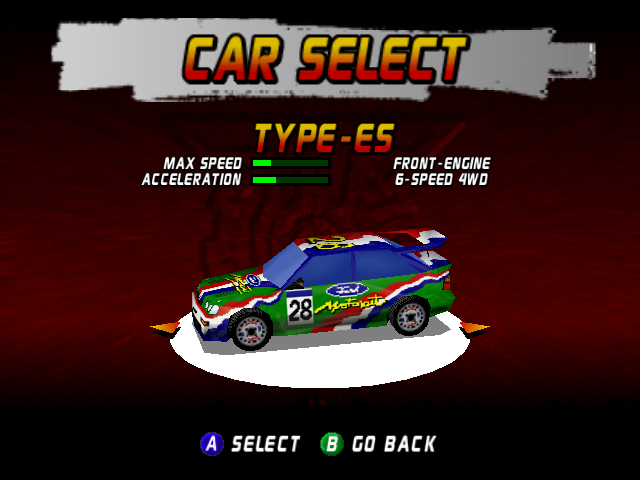
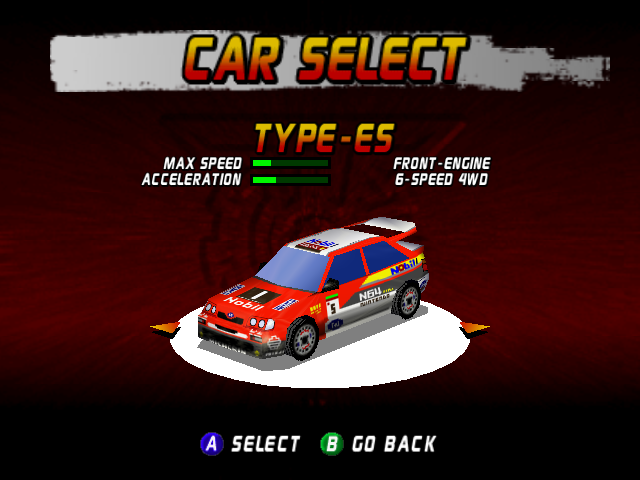
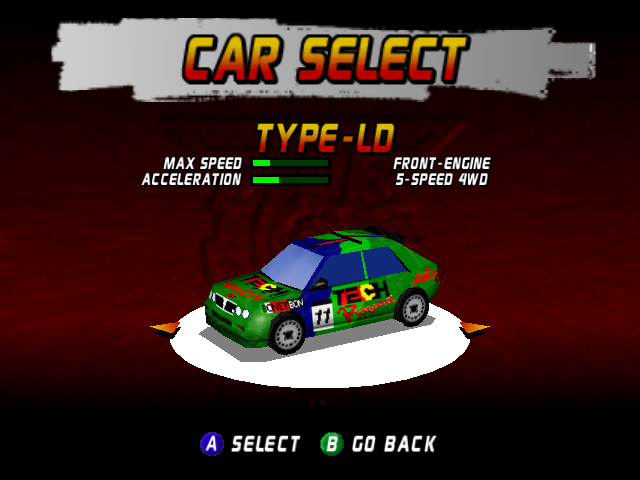
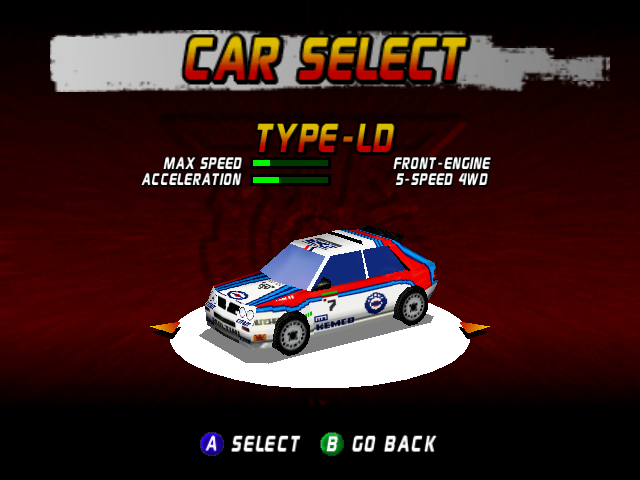
All versions feature vehicles clearly based on real cars, but the Japanese version makes those resemblances even more apparent, as the decals were changed to resemble the liveries of the real rally cars they're based on.
US/Europe |
Japan |
|---|---|
 |
 |
 |
 |
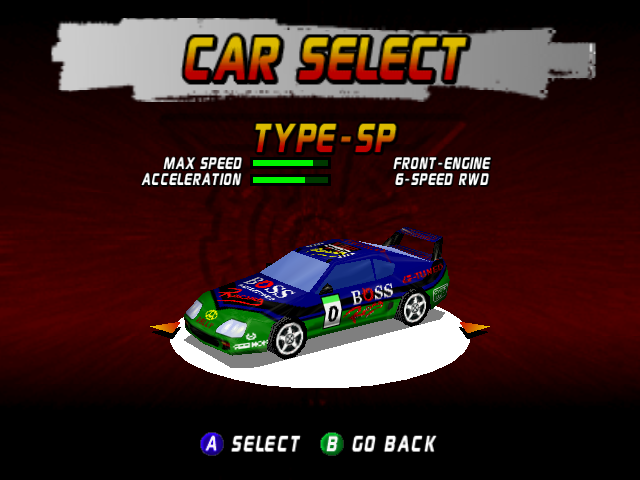 |
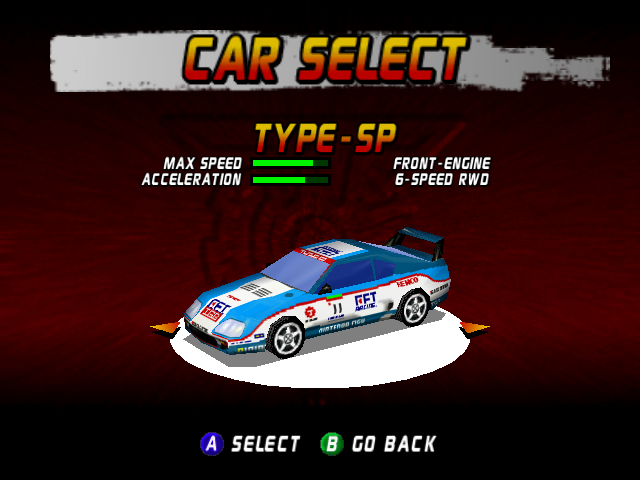 |
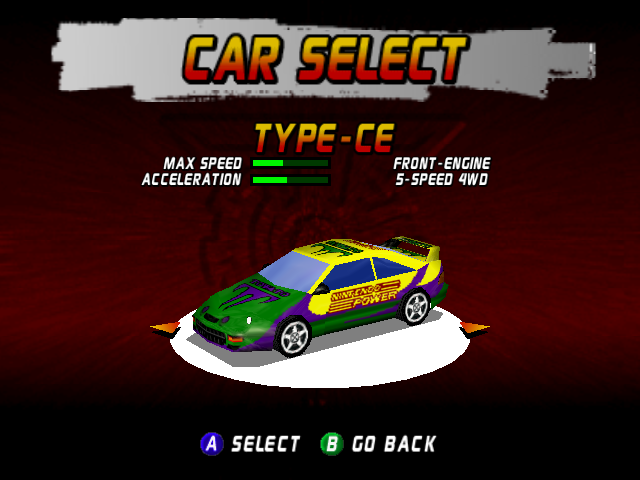 |
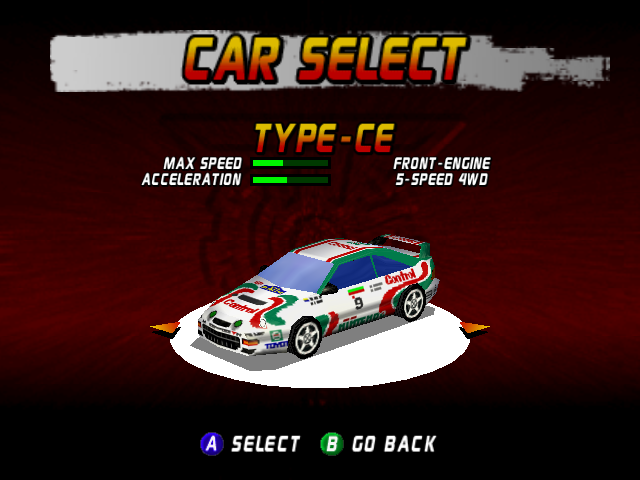 |
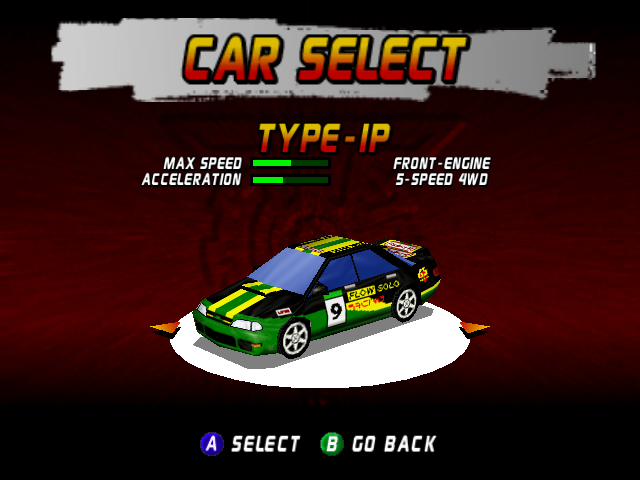 |
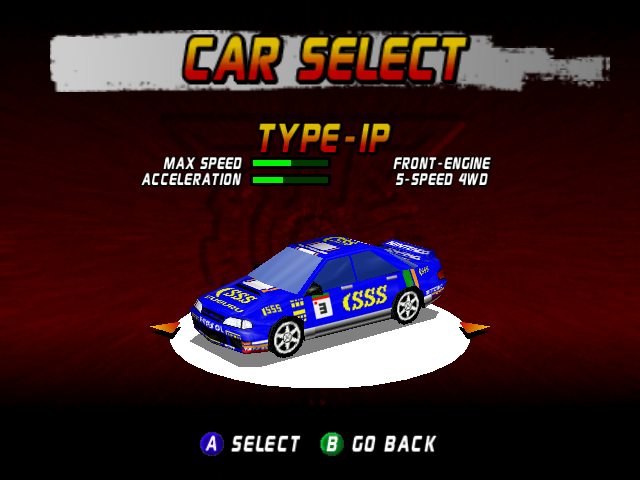 |
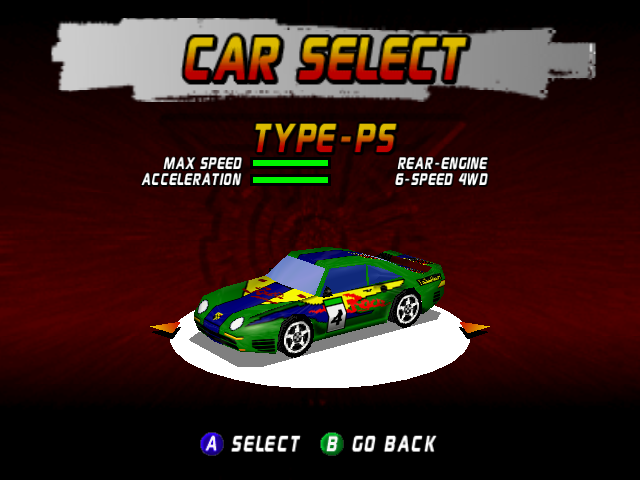 |
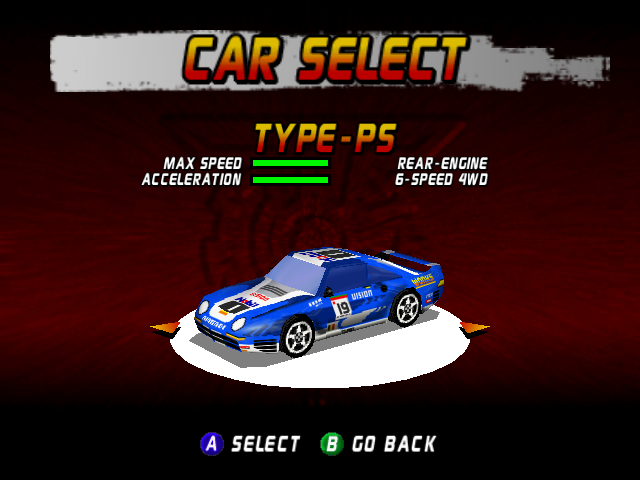 |
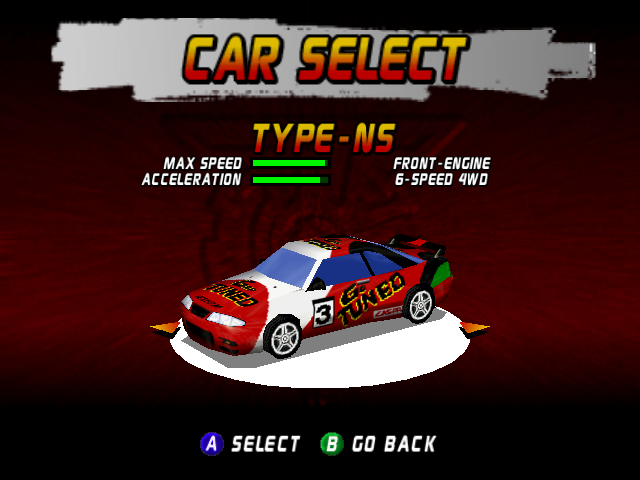 |
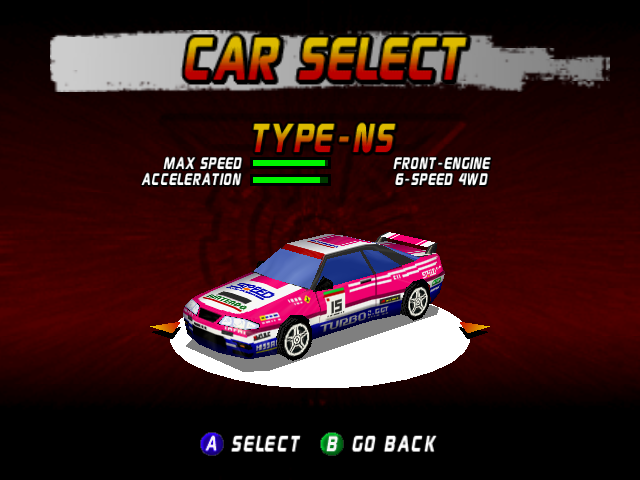 |
It also changed the default color of the Milk Truck, from green to the more fitting white.
US/Europe |
Japan |
|---|---|
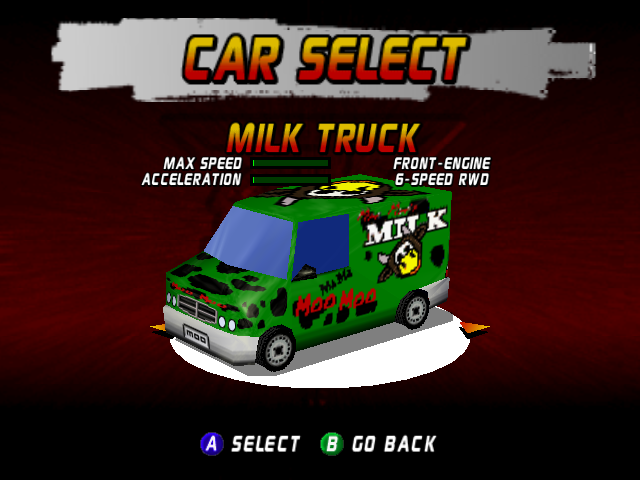 |
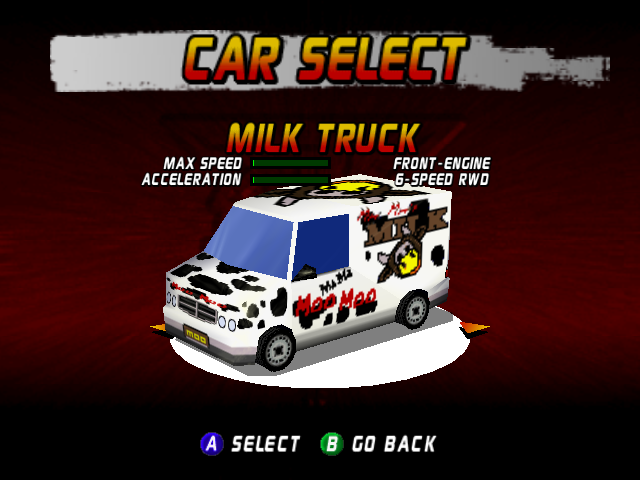 |
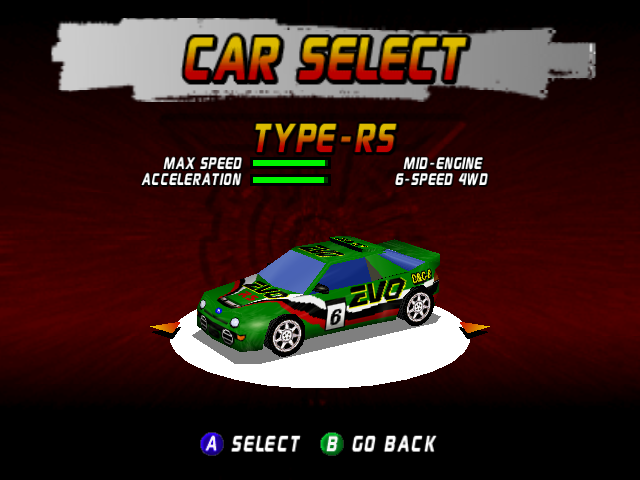
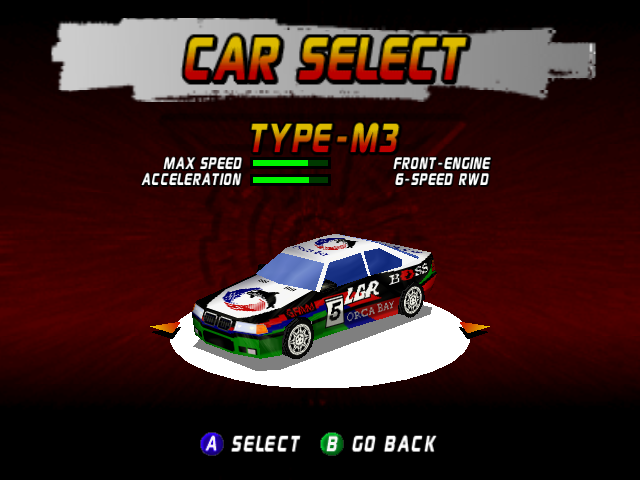
While all of these original cars simply got different decals on the Japanese version, three others were replaced with entirely new ones.
US/Europe |
Japan |
|---|---|
 |
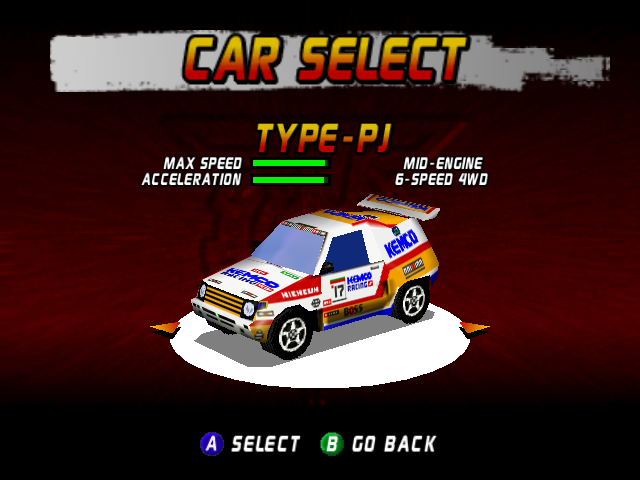 |
First is the Ford RS200 lookalike "Type-RS" getting replaced with a vehicle resembling the Mitsubishi Pajero, made more apparent by the "Type-PJ" name.
US/Europe |
Japan |
|---|---|
 |
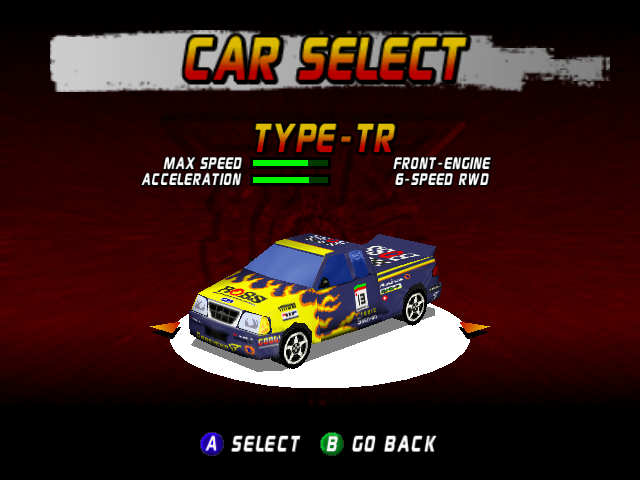 |
Then there's the BMW M3 lookalike "Type-M3" replaced with the "Type-TR" truck, which resembles a Ford utility truck.
US/Europe |
Japan |
|---|---|
 |
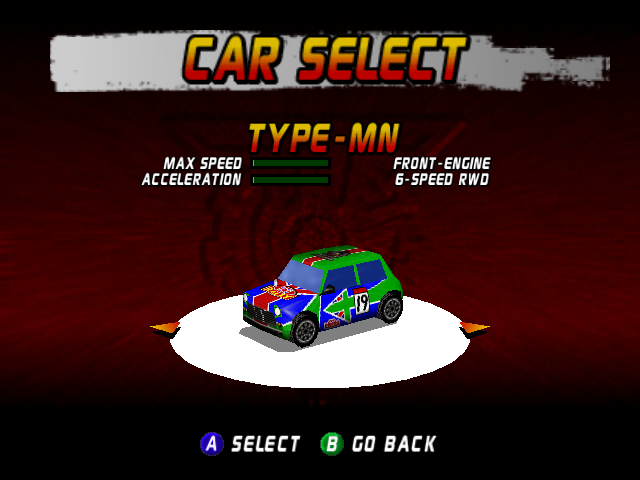 |
Finally there's the goofy bonus car Helmet replaced with a Mini Cooper. Despite this, the car still has the same clipping data as the original car, so it doesn't appear to touch walls, for instance.
The other bonus cars, the Cupra and Beach Ball, remain identical across all versions.
Interestingly, the three new cars would later be present on Boss Game Studios' 1999 PC title Boss Rally (essentially a port of Top Gear Rally minus the Top Gear name) alongside all the original cars, complete with altered paintjobs.
AI Cars#
Computer-controlled cars in the European version are faster in the Desert and Jungle tracks. In the case of Jungle, the problem is exponential with faster cars, as they often produce lap times not humanly possible.
Japanese Version#
- In all regions, the default car color of Player 1's car is green, and Player 2's is orange, however the player can choose any color. In the Japanese version however, the car's color will return to the default at the lap times screen after a race.
- Some text has been translated into Japanese, and some into Engrish.
- "KPH" and "MPH" have been replaced with "KM/H" and "MILE/H" respectively.
- E-Brake has been changed to H-Brake.
- Instructions on how to change the number of laps, as well as the BGM/SFX volume, have been removed.
- The three car handling types (Type 1, Type 2, Type 3) have been renamed to Slow, Normal, and Quick respectively.
- The Slippy/Grippy tire options and the Softer/Harder suspension options have been renamed to Slip/Grip and Soft/Hard respectively.
Title Screen and Menu Music#
From composer Barry Leitch: "Top Gear Rally for the N64, probably the only N64 game ever to use 8 bit samples... Overall the audio design for this game was pretty bad, the poor listener was forced to listen to the same tune again and again while they tried to qualify for the next round... Poor buggers..."
"For some reason I was asked to do a mellow title tune for the game"
"Then suddenly for the Japanese release I was asked to do a more up tempo one. "
(The European version also uses this theme.)
(Source: Barry Leitch)
Development Text#
Starting at 0xA7410 in the ROM is a bunch of development related text.
sizeof(UltraCarHeader)=%d
sizeof(Vehicle)=%d
sizeof(Enemy)=%d

savedRecordingLength = %d
WRONG TRACK (%d!=%d)
TRACK=%d
PLAYLIMIT=%d
specials: %d
airplanePathLeft = %08x
airplanePathRight = %08x
airplane = %d
airplanetrigger = %d
waterfall = %d
# Format SB BitSize 24 Rows %d Columns 1
%.02x %.02x
%d: %d<%d=%d || %d!=%d=%d || %d<=%d=%d
veh[%d]->recIndex[%d] = %d
bestNumber = %d, bestIndex = %d

Allocating %d bytes for data_buf

ERROR: unhandled texture size: %d
HUGE GLIST ERROR
Initializing controller pak
Car %d too big (%d vs. %d)
Loading car %d (%d / %d)
Track %d too big (%d vs. %d)
Loading track %d (%d / %d)
hmm = %04x %04x
Scalars: %d/%d
ERROR: instances (%d) > MAX_INSTANCES (%d)
ERROR: Track header size mismatch! (%d!=%d)
=> faultproc - got a fault message

Matrix4Inverse: singular matrix

gate for %d(%d): %d.%d (dist=%f)
enemy %d loses slot %d (dist=%f)
saving lap (%d/%d) and gate (%d/%d)
init slot %d to being open
enemy %d acquires slot %d
restoring lap (%d/%d) and gate (%d/%d)
%d went backwards, from gate %d to gate %d
Hmm %d == %d %% %d && %d < 0 ? %d
lapping %d forward to -1
%d went forward, from gate %d to gate %d
moved ahead one gate, getting %f seconds
veh->lapTimeFinal[%d]=%f
lapping %d back to 0 (a)
******* LAP #%d ********
veh->lapTimeFinal[%d]=%f
granting technically-earned lap %d/%d to %d
lapping %d back to 0 (b)
VAR SAVE OVERFLOW (%d avail, %d used)
SAVING LAST LAP INFO
ERROR: Sound buffer allocation overflow on car sound %d
Car sound effect space used: %d/%d
Car sound effect overflow

BAD VTX DL
Bad Final Matrix: in=%d (%s), s=%f
----
%f %f %f %f.%f %f %f %f.%f %f %f %f.%f %f %f %f
----
%f %f %f %f.%f %f %f %f.%f %f %f %f.%f %f %f %f
----
%f %f %f %f.%f %f %f %f.%f %f %f %f.%f %f %f %f
----

invalid block type
invalid stored block lengths
too many length or distance symbols
invalid bit length repeat
1.0.4
unknown compression method
invalid window size
incorrect header check
need dictionary
incorrect data check
oversubscribed dynamic bit lengths tree.incomplete dynamic bit lengths tree
oversubscribed literal/length tree
incomplete literal/length tree
oversubscribed literal/length tree
incomplete literal/length tree
invalid literal/length code
invalid distance code
invalid literal/length code
stream end
file error
stream error
data error
insufficient memory
buffer error
incompatible version
Insufficient memory for zcalloc
Insufficient interface memory (need %d, have %d)
ERROR: AllocPaintShopGfxMem given image %dx%dx%d = %d bytes but uncompressed rom image is %d bytes
Allocating %d bytes (x2) for decal buffers

Initializing controller pak
Loading decal %d
Saving decal %d
Loading color palette
Saving color palette
Color palette loaded successfully!
Color palette saved successfully!
err_code = %d

Length = %d
Restartfrom = %d
%d Patterns found
%d Instruments found
Now doSamples
WANKER fuck off no 16bit, no Ping fucking pong
Sample Space used = %d bytes
Real Frequency is = %d
%1.7f
Creating I entries
Creating Note Frequency entries
Starting Mod
Force = %10.4f, %10.4f, %10.4f, %10.4f, %10.4f, %10.4f
F/T = %10.4f, %10.4f, %10.4f, %10.4f, %10.4f, %10.4f
----%d-------------------------------
dotp = %f
-- Stand Dist = %f
-- Stand Vel = %f
-- Stand Point = %f
Wank CT1 case
Triangle Edge to CubeFace
Cube Edge to Triangle Face
Resistive collision %10.3f
Standing on it's F'in Nose damnit|
The Top Gear series | |
|---|---|
|
SNES |
|
|
Genesis |
|
|
Game Boy Color |
|
|
Nintendo 64 |
Top Gear Rally • Top Gear Rally 2 • Top Gear Overdrive • Top Gear Hyper-Bike |
|
Game Boy Advance |
|
|
Related Games | |
|
Nintendo DS |
|
|
See Also | |