This is a sub-page of The Sims 2 (GameCube, PlayStation 2, Xbox).

|
To do: |
Present in the game are a lot of developer options that can still be enabled. Some of which enable debugging info and allow you to use debug objects to place on a map. Apply the codes below for the appropriate platform and region of the game to enable them.
(Source: Punk7890, Edness)
General Options#

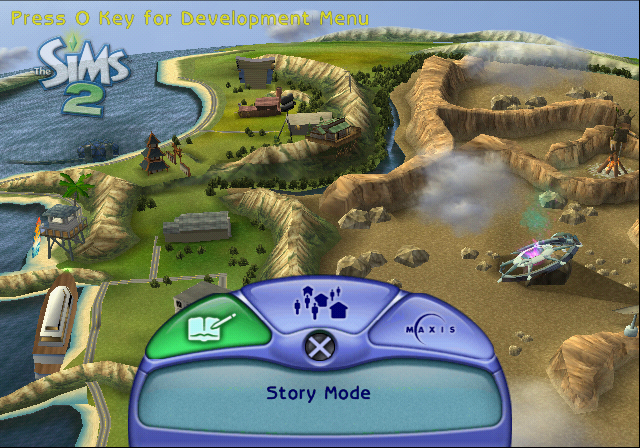
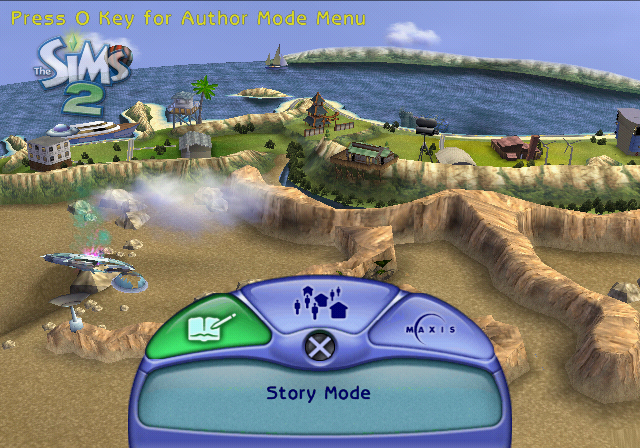
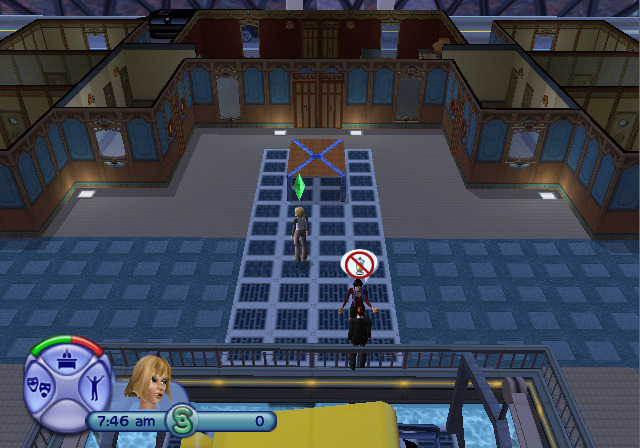
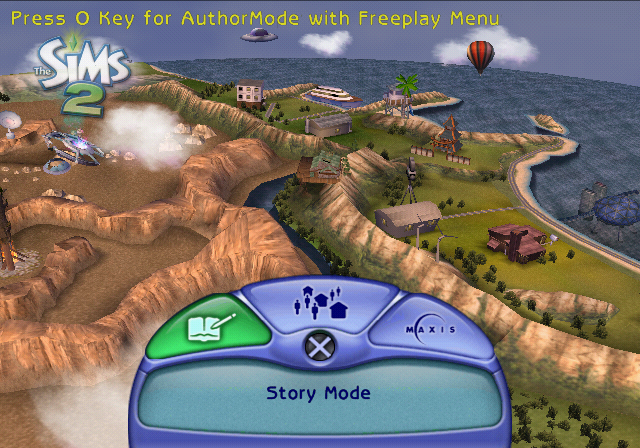
enable_development_menu#
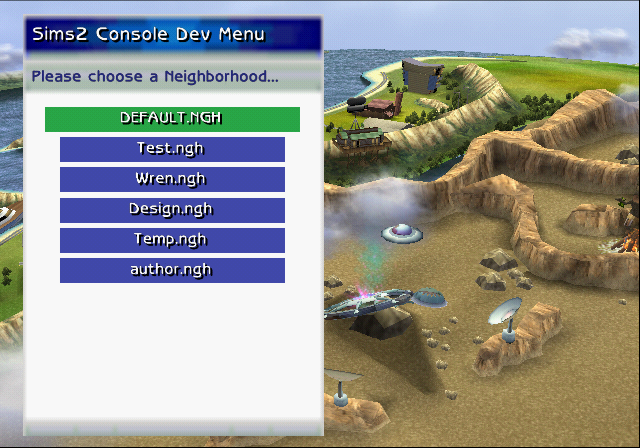
If enabled, development menu is available on main menu.
EUR |
USA |
|
GCN |
004762D3 00000001 |
004761D3 00000001 |
PS2 |
005205D0 00000001 |
00520FD0 00000001 |
Xbox |
003BC6E7 01 |
003BACE7 01 |
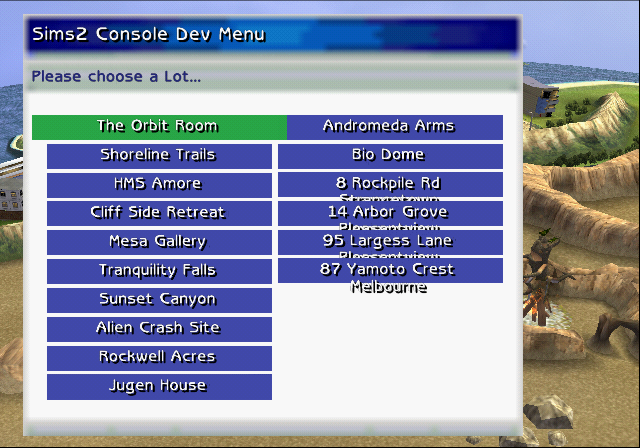
This enables a level select menu when pressing O on PlayStation 2 and Y on GameCube and Xbox at the main menu. The PlayStation 2 and Xbox disc only has DEFAULT.NGH, but GameCube also has test.NGH and wren.NGH. Only test.NGH can be loaded though, since wren.NGH causes the game to freeze.
Attempting to load any of the nonexistent files on PlayStation 2 will simply load from DEFAULT.NGH, on GameCube will crash the game and on Xbox will display the dirty disc error.
Most of the lots in test.NGH remain more or less the same as final, with the exception of Bio Dome which has an early design also seen in pre-release builds, and The Orbit Room not having anything at all, except the floor. Other minor details can also be seen, such as the bathroom Rockwell Acres having a slightly different design, that's also seen in early builds.
There are also two other modes for this development menu which can be enabled - Author Mode Menu and AuthorMode with Freeplay Menu.
Author Mode Menu#
Author Mode Menu seems to be broken, as in if you try to enter any lot from it, the game will get stuck infinitely loading.
Note: This option requires the 1st Development Menu code to be active as well!
EUR |
USA |
|
GCN |
00475D77 00000001 |
00475C77 00000001 |
PS2 |
00520064 00000001 |
00520A64 00000001 |
Xbox |
003BC2A3 01 |
003BA8A3 01 |
AuthorMode with Freeplay Menu#
AuthorMode with Freeplay Menu works in the sense that it will throw you into the Freeplay menu after selecting an .NGH file and put you in your selected lot with the clock and all Sims frozen in place, letting you freely edit the lot.
Note: This option requires both the Development Menu and Author Mode codes to be active alongside!
EUR |
USA |
|
GCN |
00475D6F 00000001 |
00475C6F 00000001 |
PS2 |
0052005C 00000001 |
00520A5C 00000001 |
Xbox |
003BC2A1 01 |
003BA8A1 01 |
The other developer options that are toggled by these two Author modes are enable_free_items, enable_object_catalog, enable_clothing_catalog, enable_all_objects_moveable, enable_build_buy, enable_unlock_all_lot_shopping_items, disable_player_inventory_requirements.
Create-A-Sim Options#
A bunch of options affecting the Create-A-Sim section of the game. The options will have PlayStation 2 button text even on GameCube and Xbox, which means to press R1, for example, you have to instead press R. Similarly with L1 corresponding to the L button on GameCube & Xbox and so on.
enable_clothing_catalog#
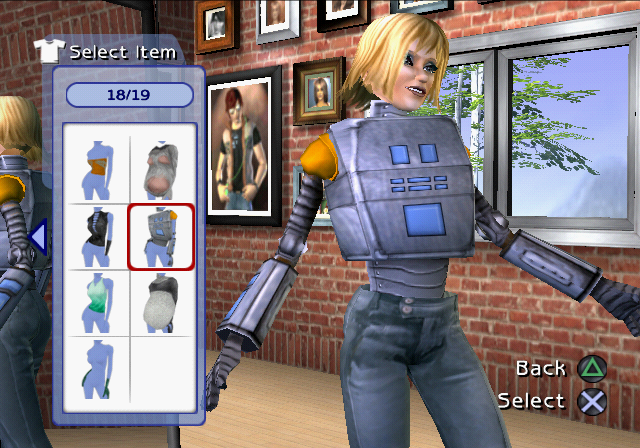
If enabled the CAS has all the clothing in the game available.
EUR |
USA |
|
GCN |
00476297 00000001 |
00476197 00000001 |
PS2 |
00520594 00000001 |
00520F94 00000001 |
Xbox |
003BC6D5 01 |
003BACD5 01 |
Gives additional items to choose from in the Create-A-Sim that wouldn't be normally accessible.
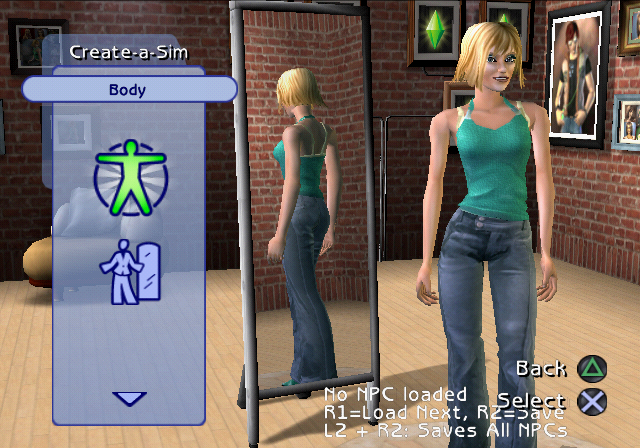
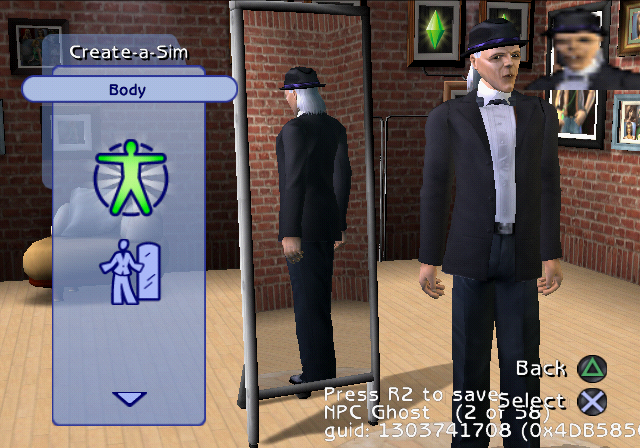
enable_npc_editing#
If true, NPC configuration options will be available in CAS.
EUR |
USA |
|
GCN |
004762EB 00000001 |
004761EB 00000001 |
PS2 |
005205E8 00000001 |
00520FE8 00000001 |
Xbox |
003BC6F9 01 |
003BACF9 01 |
Lets you press cycle through and choose any Sim that exists in the world and edit their appearance.
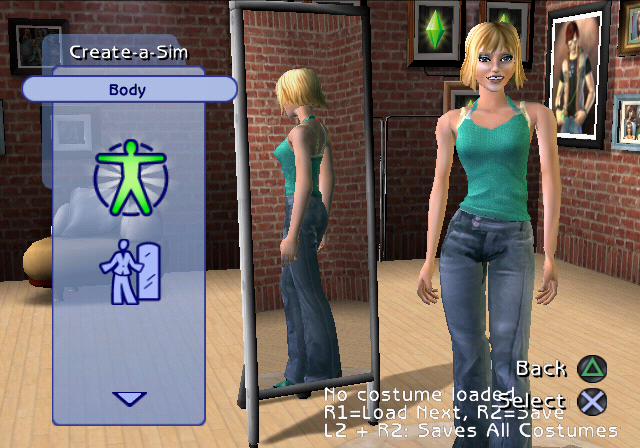
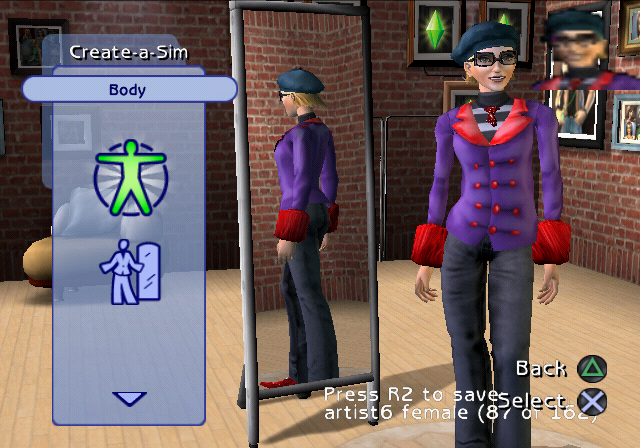
enable_costumes_editing#
If true, costumes configuration options will be available in CAS.
EUR |
USA |
|
GCN |
004762F3 00000001 |
004761F3 00000001 |
PS2 |
005205F0 00000001 |
00520FF0 00000001 |
Xbox |
003BC6FB 01 |
003BACFB 01 |
Similar to the enable_npc_editing option above, except this one lets you edit the different outfits that your own Sim would use, such as job outfits and pajamas.
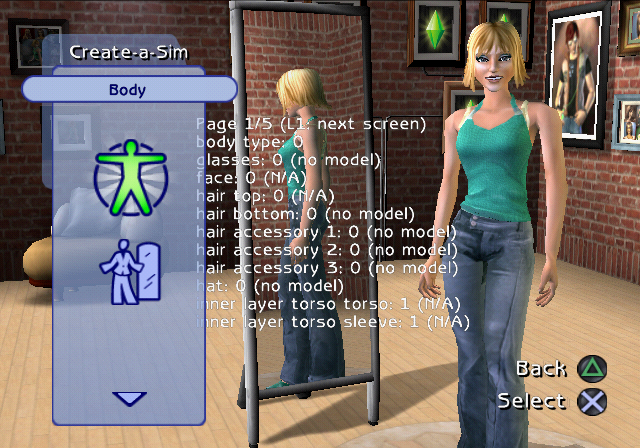
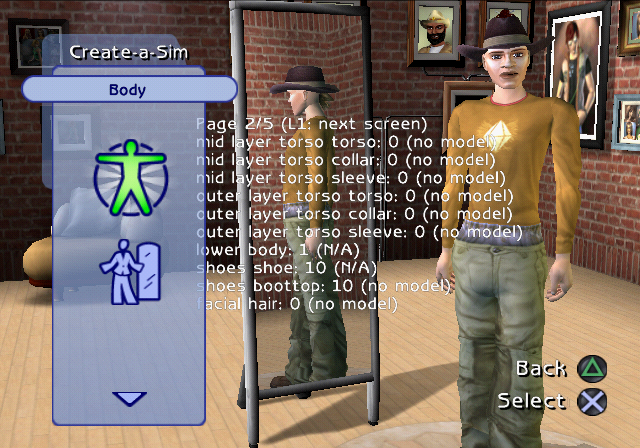
enable_cas_extra_debug_info#
Enable the availability of extra CAS debugging info, including the L1 debug menu.
EUR |
USA |
|
GCN |
004762FB 00000001 |
004761FB 00000001 |
PS2 |
005205F8 00000001 |
00520FF8 00000001 |
Xbox |
003BC6FD 01 |
003BACFD 01 |
Goes through five pages of debugging information about the current Sim that's being edited.
Gameplay Options#
Various options affecting the gameplay in one way or another.
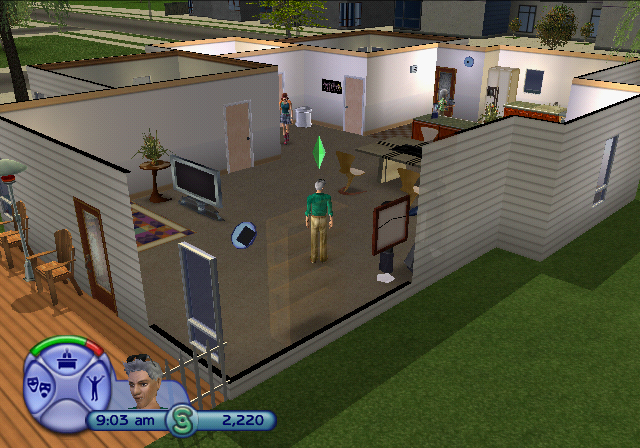
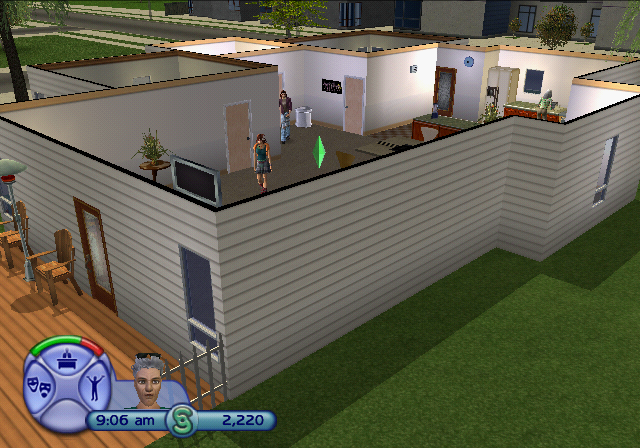
enable_3d_wall_fade#
If enabled the 3D wall fade system is used instead of 2D system.
EUR |
USA |
|
GCN |
0047620B 00000000 |
0047610B 00000000 |
PS2 |
00520508 00000000 |
00520F08 00000000 |
Xbox |
003BC6A9 01 |
003BACA9 01 |
Fades the objects nearby the currently selected Sim. This option is enabled by default, but can be disabled.
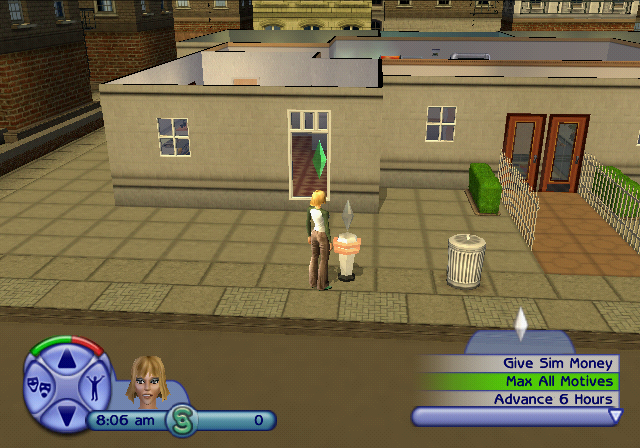
enable_all_player_cheats#
If enabled, gnome is revealed and all player cheats are enabled.
EUR |
USA |
|
GCN |
004762CF 00000001 |
004761CF 00000001 |
PS2 |
005205CC 00000001 |
00520FCC 00000001 |
Xbox |
003BC6E6 01 |
003BACE6 01 |
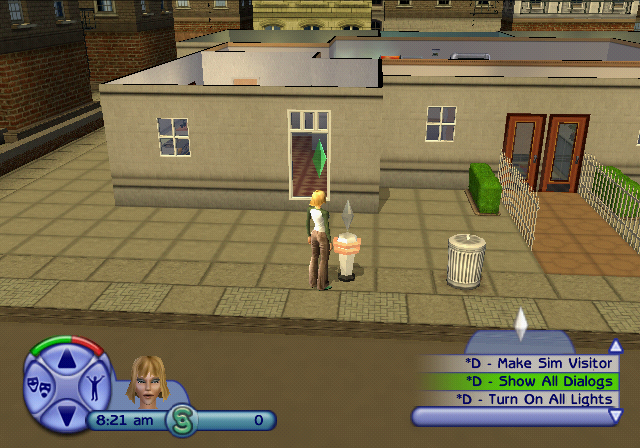
Spawns the Cheat Gnome with all of the cheats, that can also be toggled through various cheat codes, enabled. While it doesn't have much of a use in the final game, it does come in handy in the Demo builds.
enable_edith_debug_interactions#
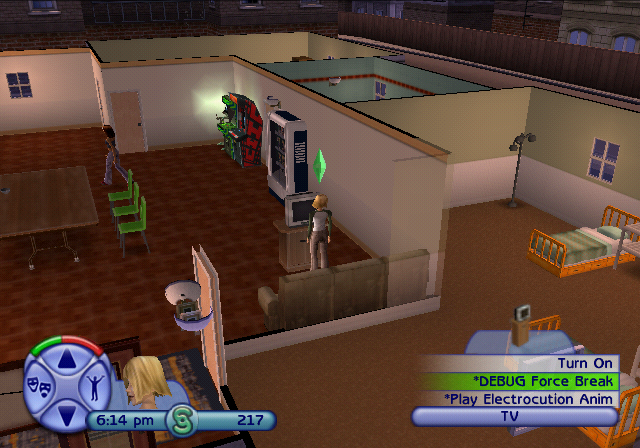
If enabled all edith interactions flagged as debug only will be available.
EUR |
USA |
|
GCN |
004762A7 00000001 |
004761A7 00000001 |
PS2 |
005205A4 00000001 |
00520FA4 00000001 |
Xbox |
003BC6D9 01 |
003BACD9 01 |
Gives a ton of debugging options in both the Cheat Gnome and in most interactable objects.
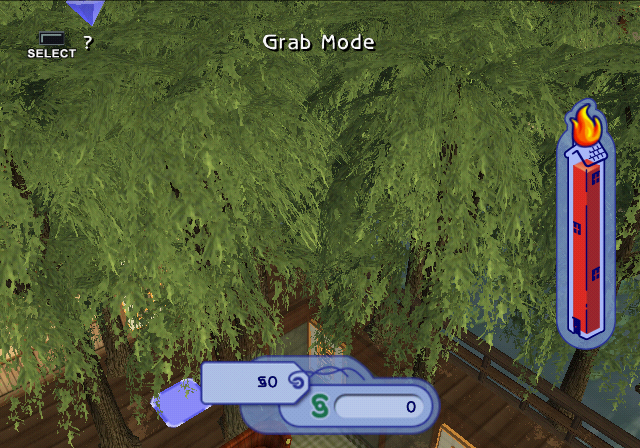
enable_build_past_fire_code#
If enabled can build without regard to fire code.
EUR |
USA |
|
GCN |
0047626B 00000001 |
0047616B 00000001 |
PS2 |
00520568 00000001 |
00520F68 00000001 |
Xbox |
003BC6C1 01 |
003BACC1 01 |
enable_all_objects_moveable#
If enabled all objects can be moved.
EUR |
USA |
|
GCN |
004762AB 00000001 |
004761AB 00000001 |
PS2 |
005205A8 00000001 |
00520FA8 00000001 |
Xbox |
003BC6DA 01 |
003BACDA 01 |
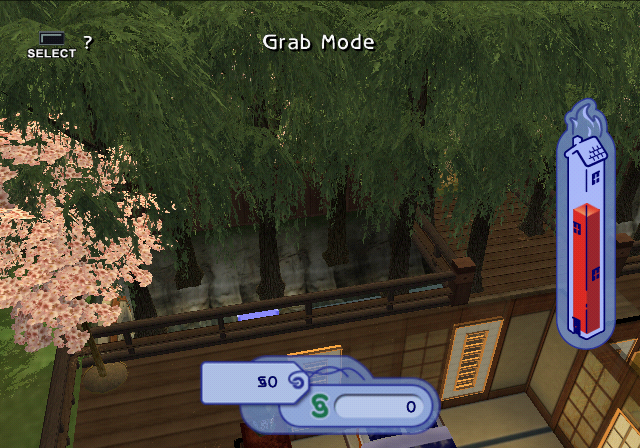
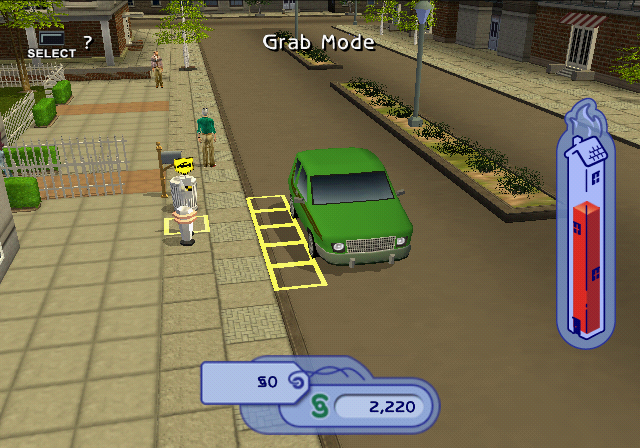
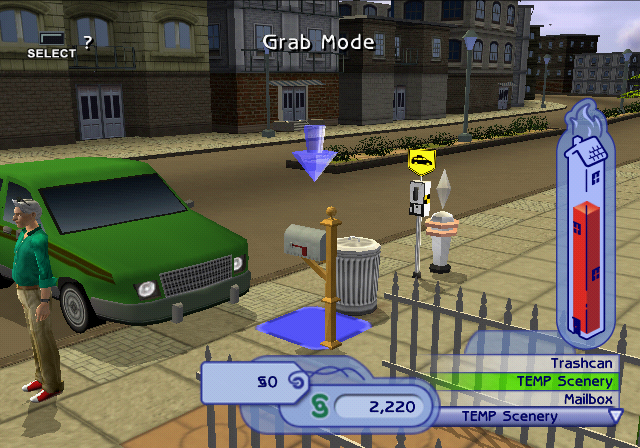
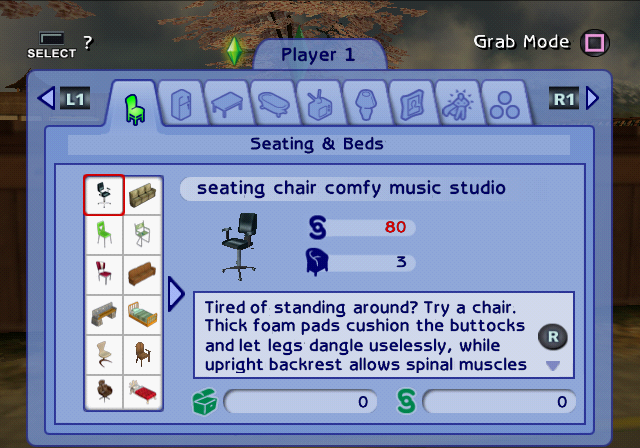
Lets you both move around objects you normally aren't allowed to, as well as lets you place objects in spots you also normally can't.

show_selector_names#
If true, the build buy dialog shows selector names.
EUR |
USA |
|
GCN |
00476293 00000001 |
00476193 00000001 |
PS2 |
00520590 00000001 |
00520F90 00000001 |
Xbox |
003BC6D4 01 |
003BACD4 01 |
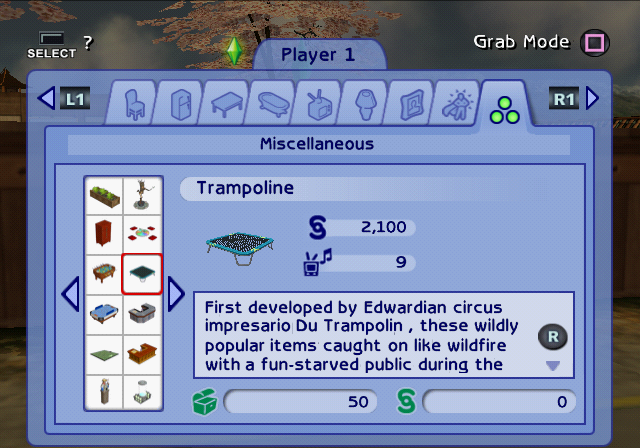
Displays the internal name for all objects.

enable_object_catalog#
If enabled the build/buy has all the objects in the game available.
EUR |
USA |
|
GCN |
0047628F 00000001 |
0047618F 00000001 |
PS2 |
0052058C 00000001 |
00520F8C 00000001 |
Xbox |
003BC6D3 01 |
003BACD3 01 |
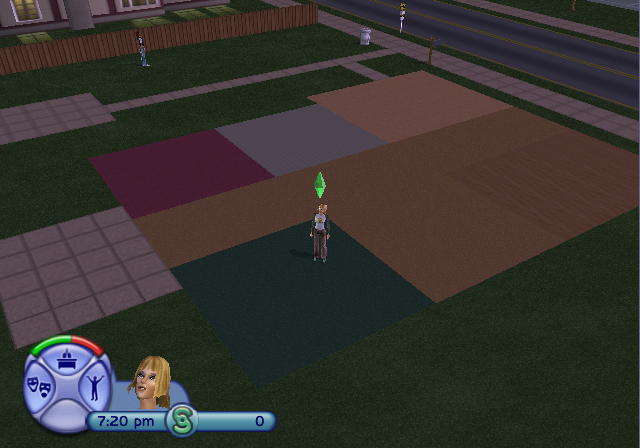
Removes the aspiration lock for all objects as well as gives a few additional floorboards. Some are just debug floorings but others seem like patterns that went unused.

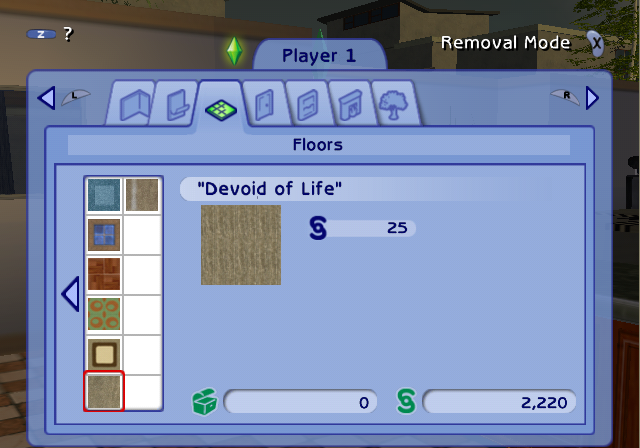 Some floorings lack a proper preview texture on PlayStation 2, but they at least are displayed correctly on GameCube and Xbox.
The extra added floors from this option are as follows:
- DEBUG NPC advertisement toggler
- Grass
- Invisible Tile - Wood
- Invisible Tile - Metal
- DEBUG Editoggler
- Invisible Tile - Grass
- DEBUG Route Toggler
- Invisible Tile - Concrete
- Invisible Tile - Dirt
- Naturally Abrasive Dirt Tile
- "Devoid of Life"
- "Down and Dirty"
enable_free_items#
If enabled all items don't cost any money when bought.
EUR |
USA |
|
GCN |
0047628B 00000001 |
0047618B 00000001 |
PS2 |
00520588 00000001 |
00520F88 00000001 |
Xbox |
003BC6D2 01 |
003BACD2 01 |
force_rain#
Used to force rain effects on.
EUR |
USA |
|
GCN |
004762C3 00000001 |
004761C3 00000001 |
PS2 |
005205C0 00000001 |
00520FC0 00000001 |
Xbox |
003BC6E0 01 |
003BACE0 01 |
Visual Options#
Camera Information#
EUR |
USA |
|
GCN |
0047389B 00000001 |
0047379B 00000001 |
PS2 |
0051DB04 00000001 |
0051E504 00000001 |
Xbox |
003BB1CB 01 |
003B97CB 01 |
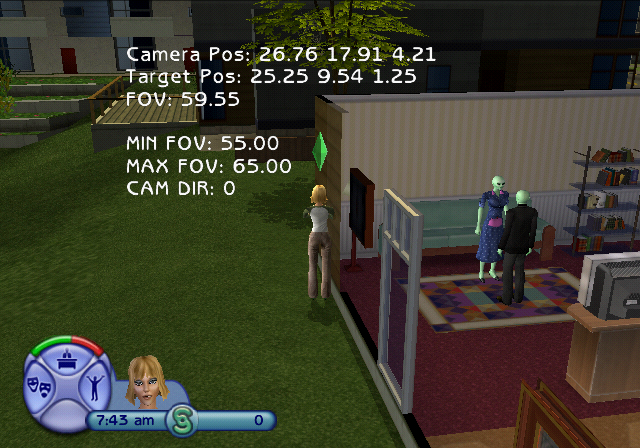
Displays information about the camera and target position, current, minimum and maximum allowed FOV and the state of Camera Director.
Render Information#
EUR |
USA |
|
GCN |
004FF30F 00000001 |
004FF20F 00000001 |
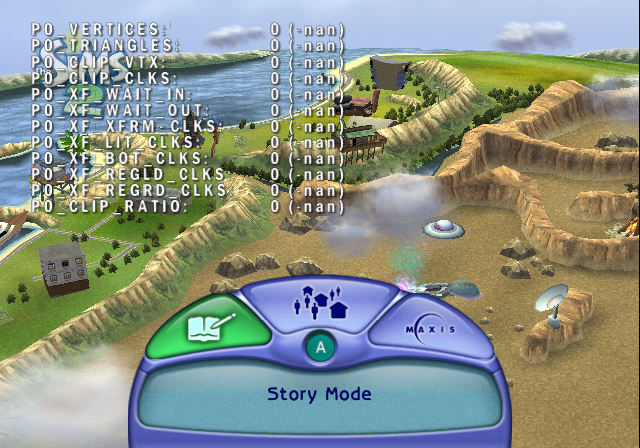
Attempts to display a bunch of information about the current rendering process, but seems to always stay at 0 (-nan). This is only present in the GameCube version.
display_performance_metrics#
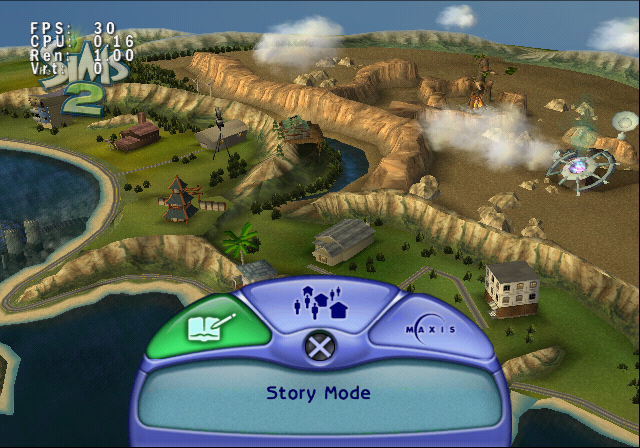
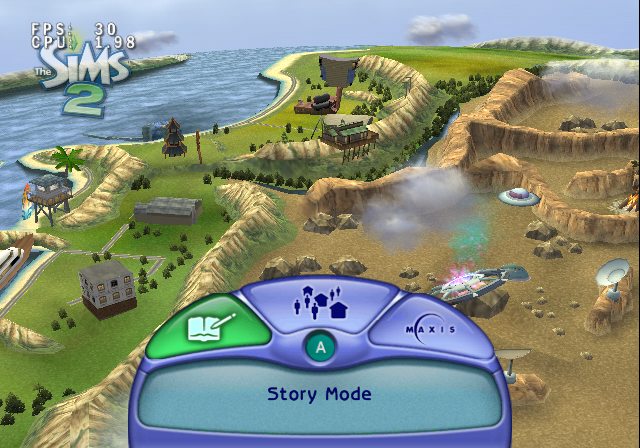
Used to display the FPS and CPU.
EUR |
USA |
|
GCN |
0047620F 00000001 |
0047610F 00000001 |
PS2 |
0052050C 00000001 |
00520F0C 00000001 |
Xbox |
003BC6AA 01 |
003BACAA 01 |
This enables a simple performance debug display in the top left corner of the screen.
The GameCube and Xbox version only displays the FPS and CPU, but the PlayStation 2 version also displays Ren and Vrt stats.
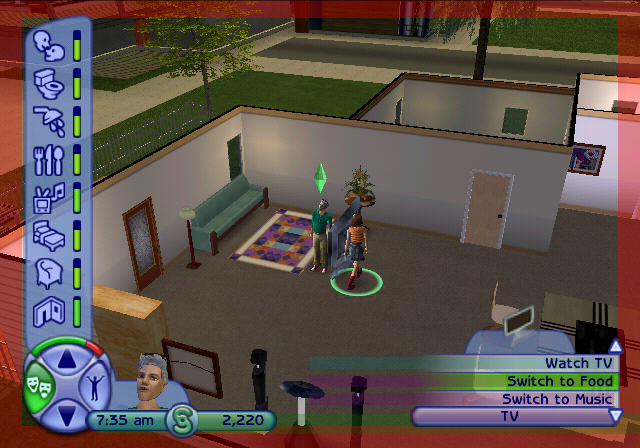
display_text_boundaries#
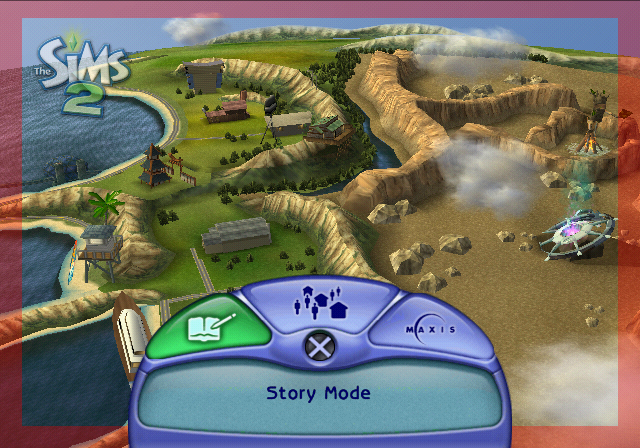
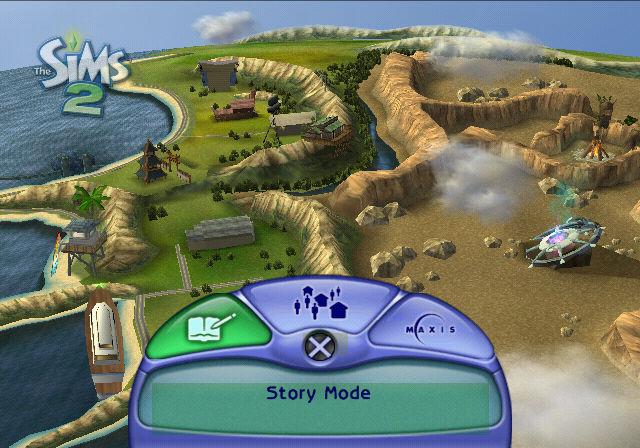
Used to highlight the boundaries on the TV where text can't touch.
EUR |
USA |
|
GCN |
00476213 00000001 |
00476113 00000001 |
PS2 |
00520510 00000001 |
00520F10 00000001 |
Xbox |
003BC6AB 01 |
003BACAB 01 |
Displays a red border around the screen, that would likely be hidden due to overscan on older TVs.
enable_flash_bounding_boxes#
Enable colored bounding boxes used by flash text.
EUR |
USA |
|
GCN |
0047623F 00000001 |
0047613F 00000001 |
PS2 |
0052053C 00000001 |
00520F3C 00000001 |
Xbox |
003BC6B6 01 |
003BACB6 01 |