This is a sub-page of The Simpsons Game (PlayStation 2, PlayStation Portable, Wii).

|
To do: |
This game had a rather extensive debug menu during development, it's no surprise a decent amount of the options can still be found and re-enabled in the final release.
Some options may work better if they're toggleable with certain manually bound controller inputs.
For example, to bind the Player.FlyCamera PS2 EUR option to R3+UP for enabling it and R3+DOWN to disable it using the Player 1 controller, you'd write something like this:
D05A1722 0000FFEB
003D68DF 00000001
D05A1722 0000FFBB
003D68DF 00000000
(Source: Edness)
Gameplay-Related Options#
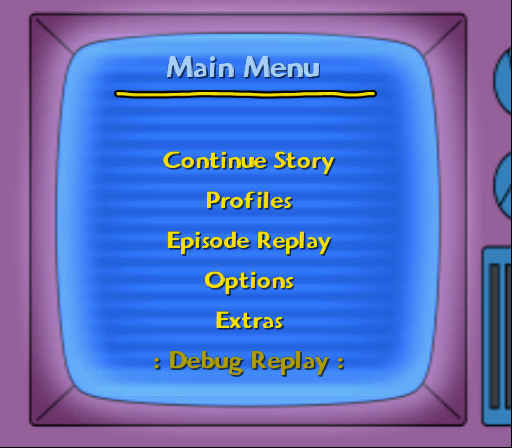
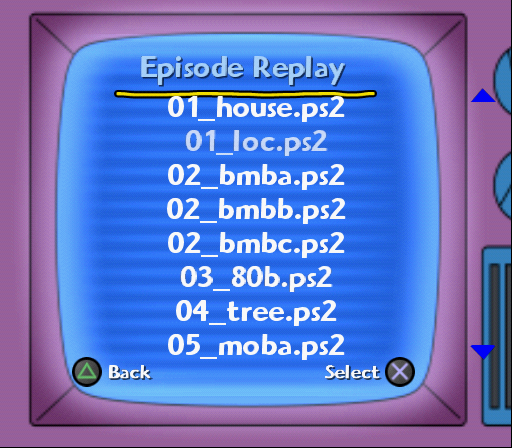
Menu.DevMode#
EUR |
USA |
|
PS2 |
003D878C 00000001 |
003D818C 00000001 |
PSP |
004060A8 00000001 |
00406128 00000001 |
Wii |
0062CCEB 00000001 |
0062D0CB 00000001 |
This option adds a : Debug Replay : button on the main menu, which lets you select and load any level that exists on the disc.
The PS2 version also includes two test maps that aren't present in the final releases disc and the PSP version for some reason includes the language files in the list. Attempting to load either of these will crash the game!

Player.FlyCamera on PSPPlayer.FlyCamera#
EUR |
USA |
|
PS2 |
003D68DF 00000001 |
003D635F 00000001 |
PSP |
0040475A 00000001 |
004047DA 00000001 |
Wii |
0062C986 00000001 |
0062CD66 00000001 |
Lets you freely move the camera around the currently loaded environment.

Player.FlyPlayer / -WithoutCollisions on PSPPlayer.FlyPlayer#
EUR |
USA |
|
PS2 |
003D68DC 00000001 |
003D635C 00000001 |
PSP |
0040475D 00000001 |
004047DD 00000001 |
Wii |
0062C983 00000001 |
0062CD63 00000001 |
Lets you fly around the current environment.
Player.FlyPlayerWithoutCollisions#
EUR |
USA |
|
PS2 |
003D68DD 00000001 |
003D635D 00000001 |
PSP |
0040475C 00000001 |
004047DC 00000001 |
Wii |
0062C984 00000001 |
0062CD64 00000001 |
Just like above, except this time you won't be restricted by invisible barriers and walls.
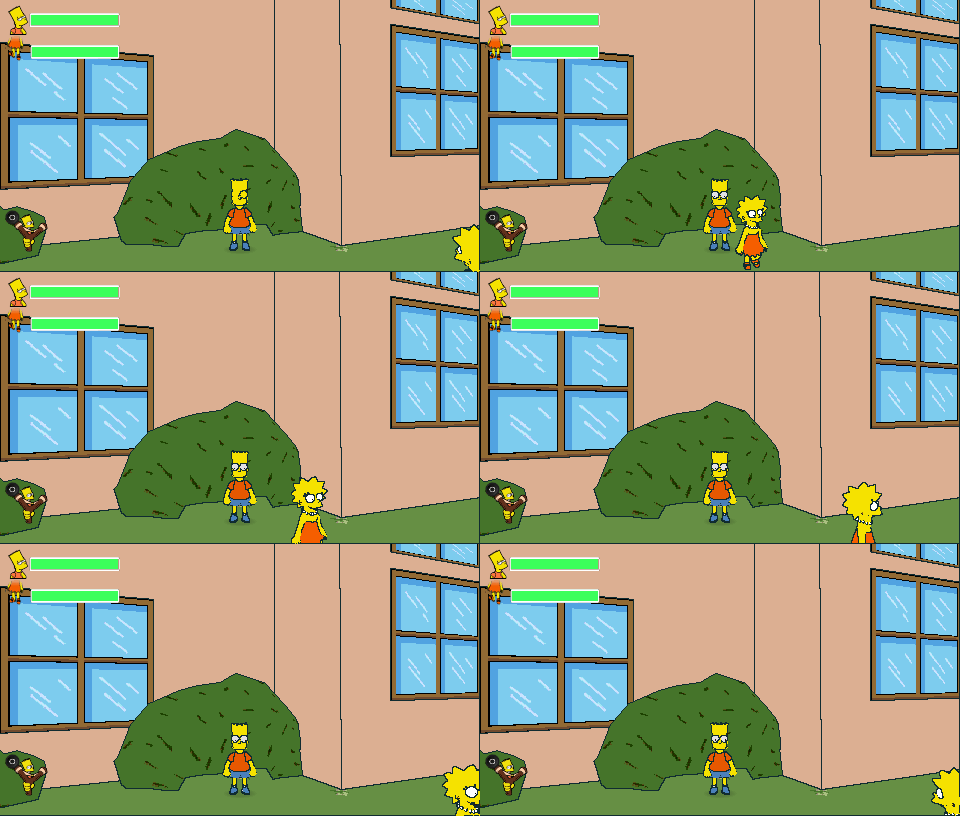
Player.TeleportFriendliesToMe on PSP, teleporting Lisa towards BartPlayer.TeleportFriendliesToMe#
EUR |
USA |
|
PS2 |
003D68DE 00000001 |
003D635E 00000001 |
PSP |
0040475B 00000001 |
004047DB 00000001 |
Wii |
0062C985 00000001 |
0062CD65 00000001 |
When toggled, it Teleports all the friendly characters currently available to the selected Simpson.
Game.TimeScale#
EUR |
USA |
|
PS2 |
203D83C0 xxxxxxxx |
203D7DC0 xxxxxxxx |
PSP |
202E480C xxxxxxxx |
202E488C xxxxxxxx |
Wii |
0462C3F0 xxxxxxxx |
0462C7D0 xxxxxxxx |
Note: The value is a floating point number!
The default value is 3F800000 (1). Changing this value affects the game speed, AI, speech frequency and just about everything that depends on the speed of the game.
Visual-Related Options#


Rendering.EnableLines#
EUR |
USA |
|
PS2 |
003D7701 00000000 |
003D7181 00000000 |
PSP |
002DC484 00000000 |
002DC504 00000000 |
Wii |
0062AA38 00000000 |
0062AE20 00000000 |
Enabled by default.
Disabling it doesn't work properly on PSP and Wii, but when disabled on PS2 it correctly disables all the lines without much discoloration.
...Marges hair turns green for some reason


Rendering.Outline.ForceNoOutline#
EUR |
USA |
|
PSP |
00407A02 00000001 |
00407A82 00000001 |
Hides all the outlines in the game, only available for the PSP version.
And in stark contrast to the ForceNoOutline and EnableLines options, there's another PSP exclusive option that outlines pretty much everything in the world. It doesn't seem to have any actual debug name.
EUR |
USA |
|
PSP |
00407A00 00000001 |
00407A80 00000001 |

LineMaskDistanceThreshold with a low threshold on PSPRendering.MaskTreshold#

|
This needs some investigation. |
This option has a different name in each release:
PS2: Rendering.LineAlphaMaskThreshold
PSP: Rendering.Outline.LineMaskDistanceThreshold
Wii: Rendering.MaskTreshold
EUR |
USA |
|
PS2 |
103D7AE8 0000xxxx |
103D7540 0000xxxx |
PSP |
202DC66C xxxxxxxx |
202DC6EC xxxxxxxx |
Wii |
0262A53C 0000xxxx |
0262A924 0000xxxx |
Note: The value is a floating point number on PSP!
On PS2 and Wii it's some unusual 4 byte type, where the upper half doesn't seem to even matter. (Needs more investigation™)
It reduces the distance from the camera for objects that need to hide outlines, such as the characters.
PlayStation 2#
The default value is 0020 (32), setting it higher will eventually remove all outlines but if it's too high, it'll outline more sections. Setting it lower will also just make more outlined sections.
PlayStation Portable#
The actual threshold level seems to change every now and then, but the default stored value is 41F00000 (30) and its effects start becoming visible on the currently selected Simpson if the value is set to around 6 (40C00000) or lower.
Nintendo Wii#
Similar to PlayStation 2, but the default value is 0080 (128).
LineMaskDistanceThresholdEnable#
There's also a LineMaskDistanceThresholdEnable option for the PSP which is enabled by default, but disabling it will prevent any of the effects of the float values from becoming visible.
EUR |
USA |
|
PSP |
002DC670 00000000 |
002DC6F0 00000000 |

Rendering.Outline.ShowDepthBuffer on PSPRendering.Outline.ShowDepthBuffer#
EUR |
USA |
|
PSP |
00407A01 00000001 |
00407A81 00000001 |
PSP exclusive. If this option is enabled simultaneously with ForceNoOutline, it doesn't produce any effect and is overridden by the No Outline effect instead.

Rendering.RemapPalette on PSPRendering.RemapPalette#
EUR |
USA |
|
PSP |
002DC6A8 00000000 |
002DC728 00000000 |
This option is enabled by default and disabling it gives some interesting results. Also PSP exclusive.