This is a sub-page of Sonic Adventure (Dreamcast).

|
To do:
|
Level Select#

In all versions of the game, a level select menu exists. To access it, change the value of the following address to 02:
- Japanese: 8C7694D0
- US 1.0: 8C7649F0
- US 1.1: 8C760970
- Europe: 8C7608B0
- International: 8C7622F0
Pressing X or B will change your character. The stage list is not visible in the versions of the game with an animated title screen (US 1.1, European, and International), but the character option can still be seen, the cursor can still be moved and stages can be accessed.
Japanese Level List#
In each version of the game, there is a Japanese level list in the main executable (pointer table at 1B3EF4 in US Dreamcast 1ST_READ.BIN, 50A250 in US PC sonic.exe), which is not referenced by any code.
 プラクティス         (Practice)
 エメラルドコースト          (Emerald Coast)
 ウィンディバレー       (Windy Valley)
 トゥインクルパーク      (Twinkle Park)
 スピードハイウェイ      (Speed Highway)
 レッドマウンテン       (Red Mountain)
 スカイデッキ             (Sky Deck)
 ロストワールド            (Lost World)
 アイスキャップ        (Icecap)
 カジノ            (Casino)
 ファイナルエッグ       (Final Egg)
 きのこ                  (Mushroom)
 ホットシェルター       (Hot Shelter)
 ジャングル          (Jungle)
 砂漠         (Desert)
 カオス0           (Chaos 0)
 カオス2           (Chaos 2)
 カオス4           (Chaos 4)
 カオス6           (Chaos 6)
 カオスFINAL               (Chaos FINAL)
 エッグモービル1       (Egg Mobile 1)
 エッグモービル2       (Egg Mobile 2)
 エッグモービル3       (Egg Mobile 3)
 ZERO           (ZERO)
 E-101          (E-101)
 E-101改             (E-101 Mk.II)
 シューティング1       (Shooting 1)
 シューティング2       (Shooting 2)
 砂ボード           (Sandboard)
Notable items include:
- Hedgehog Hammer listed as プラクティス (Practice)
- Three empty level slots listed as きのこ (Mushroom), ジャングル (Jungle), and 砂漠 (Desert)
- Adventure Fields and Twinkle Circuit listed as empty strings
Collision Display#
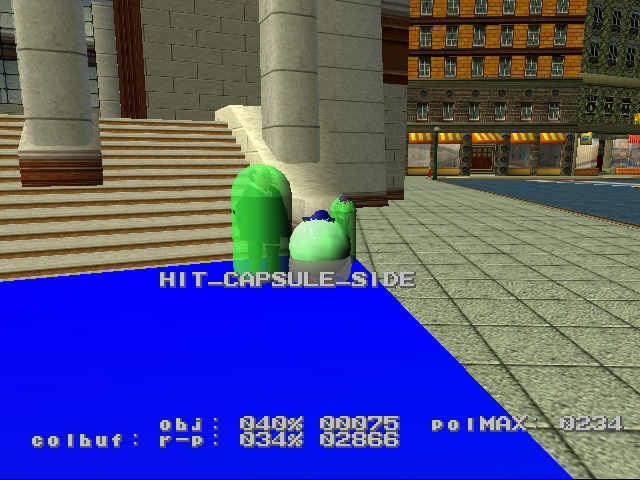
A debug display that shows active collision near the player can be found by changing the value of following address to 0:
- Japanese: 8C75B740
- US 1.0: 8C756C5C
- US 1.1: 8C752BDC
- Europe: 8C752B1C
- International: 8C75455C
The display also lists information such as which side of an object the player is colliding with.
Activity Displays / "SPR Task"#
A debug feature with 3 displays showing various in-game information. Changing the value of the following address to 1, 2 or 3 switches between displays.
- Japanese: 8C1D487C
- US 1.0: 8C1C1D10
- US 1.1: 8C1BDFD8
- Europe: 8C1BDF18
- International: 8C1BE3B8
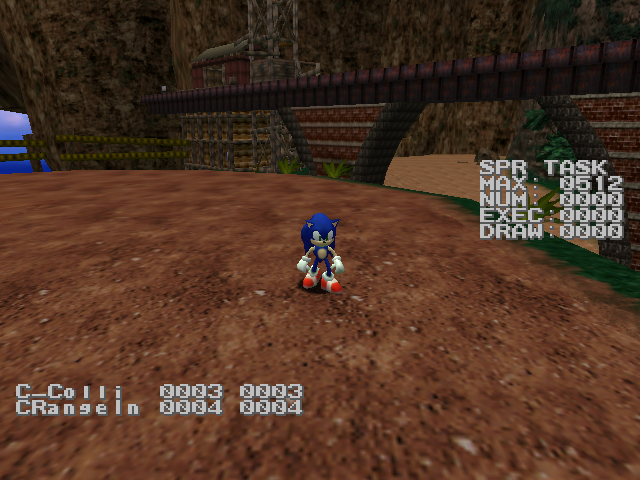
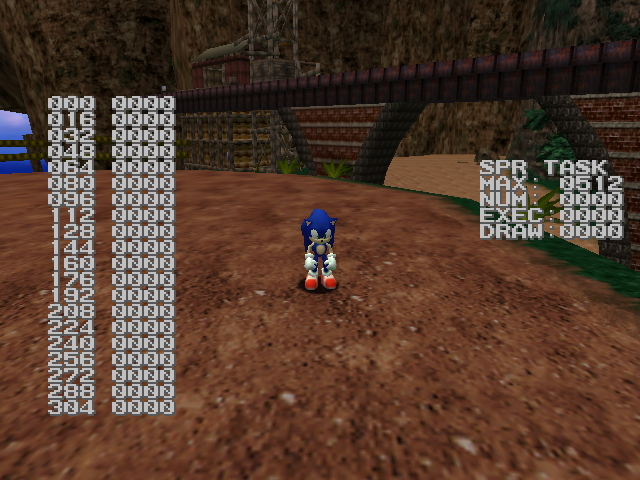
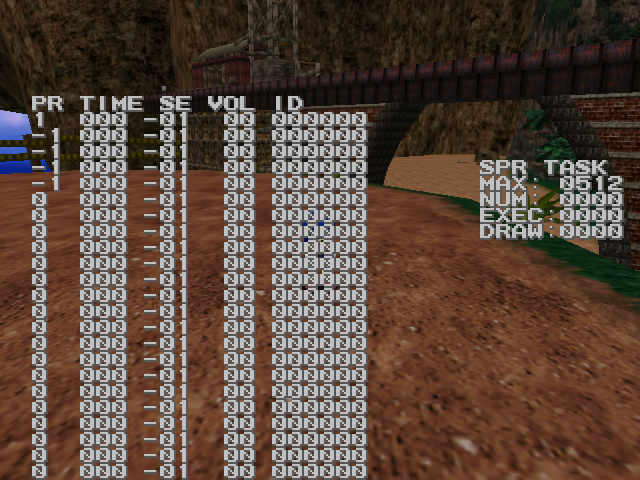
"SPR TASK" stands for Sprite Task. It gives the number of 2D particle effects currently active and being drawn, as well as the size of the sprite buffer. It is the only display that shows up regardless of the value (as it only checks for it being non-zero). All of these displays were removed in Sonic Adventure DX with the exception of SPR TASK.
Demo Recorder#
There is a mostly functional demo recorder present within the game. These demo files are the KEYXXYY.BIN files (XX is for the stage's ID and YY is for the stage's segment ID) in the game's data;.
Demos are recorded and played back only if the value at 8C1B1840 (for Japanese) is 01. The current demo read/write location is stored as 4 bytes at 8C1B0848. Setting 8C1B083C to 02 stops demo recording and playback, and prints the current read/write location of the demo to the screen.
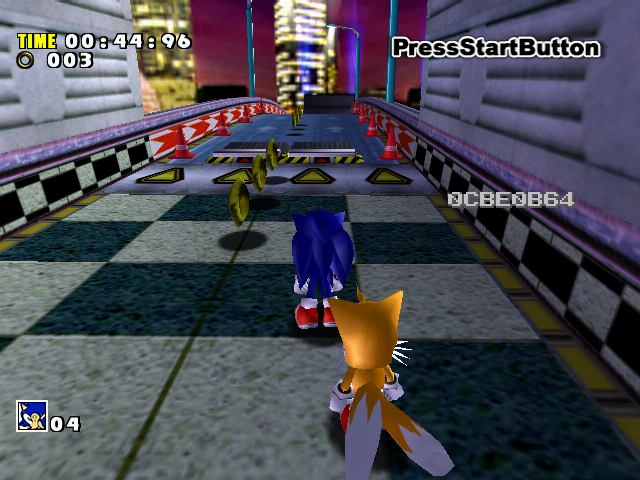
Sound Test#
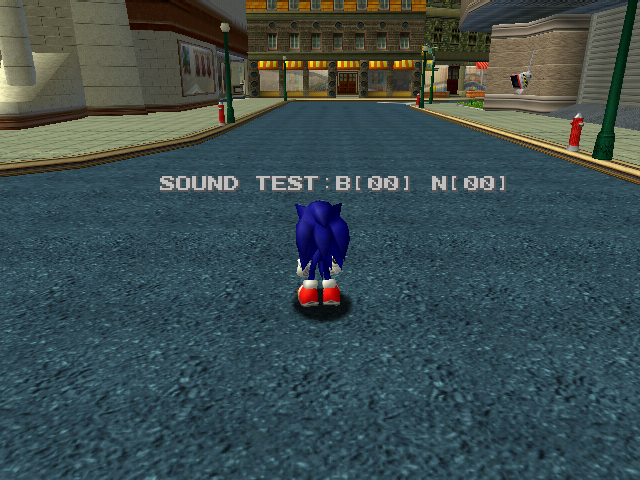
A menu that plays any currently loaded sound effect can be re-enabled through hacking.
The controls are as follows:
D-Pad Left/Right = Navigate the bank ID.
D-Pad Up/Down = Navigate the sound ID.
X = Play the selected sound.
Free Movement Mode#
There is a Free Movement mode that can be used to fly around. It can be found in the Dreamcast version by changing the Action ID to 83 for Sonic, 53 for Knuckles and 49 for Amy. In Sonic Adventure DX, these values are 87 for Sonic, 57 for Knuckles and 53 for Amy.
The controls are as follows:
Analog Stick = Move
Analog Stick + X = Move Up/Down
A = Exit Free Movement mode.
B = Go to the current character's start position.
Free Movement mode seems to be partially removed from the game. Big's Free Movement can be seen by setting his action to 55 (59 in Sonic Adventure DX), but the only remaining feature of it being the way his arms move when pressing the buttons to move up or down. Tails and Gamma don't have free movement mode at all.
Leaving Free Movement mode puts the character in an action natural for the current stage. For example, in Icecap and Sand Hill the player will regain their board upon leaving free movement mode. This is the same for stages such as Perfect Chaos, which drops the player as Super Sonic.
Button Combos#
Some leftover debug features can be found in the game by pressing buttons, usually Y.
Camera Zoom#
Watch on YouTubeThe default camera can infinitely zoom by holding Y and L/R. Usually this camera is overwritten by data placed where the player spawns in but there are a few ways to put the camera in a state where it works again:
- Standing in areas with no cameras, such as restarting from a checkpoint.
- Using the light speed attack on a boss.
The boss method was fixed in Sonic Adventure DX, but the first one works in all versions.
Casinopolis#
Pressing the Y button in one of the pinball boards activates Sonic/Tails' pinball mode (as long as you're not on a path or rolling). This can't normally be seen due to pinball mode activating on loading the map. There are 2 ways (via hacking) to see the behavior:
- Changing the player's action to a regular one.
- Playing NiGHTS Pinball as Tails. (NiGHTS Pinball, unlike the Sonic one, only initializes the player in Pinball mode if they're Sonic).
Egg Walker#
Pressing the Y button during the Egg Walker fight will cause the Egg Walker to advance to the next cycle of its attack. For example, pressing the button while the boss is stamping its feet on the ground will instantly cause it to walk over to the other side of the arena.
(Source: Sonic Retro)
Error Messages#
There are a number of error messages that can appear if the player manages to do things they can't normally do through hacking or other means.
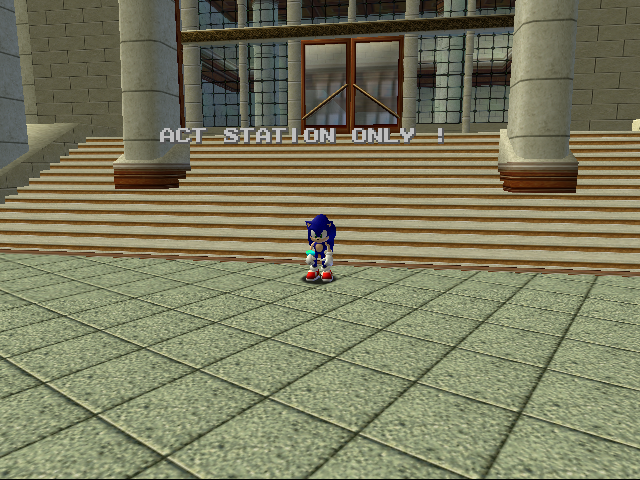
Some objects will only load in certain Acts of Station Square. If the Act ID is somehow changed through cheating, these objects will refuse to load and a message will show up saying "ACT STATION ONLY !".
Likewise, if the player does this in the Casino area it will say "ACT CASINO ONLY !" instead.

This error message will appear when the Menu ID is set to 9.
TGS History Marker#

Present only on the Tokyo Game Show character selection is a - History - text marker (only available through hacking), which tracks the current completion with Play and Clear variables; Play increments upon completing a stage (with it tracking it by character), while Clear increments whenever a story is completed (tracked globally).
This feature is also present in the AutoDemo, although there, Clear increments just like Play due to the story being removed.
(Source: MainJP)