
|
This page contains no introduction. |

|
This needs some investigation. |
Debug Mode#
A hidden debug mode can be activated by entering a sequence of character names at the protagonist name entry screen. Follow the steps listed below to enable this mode.
- While at the name entry screen, enter SYSD as a first name then EBUG as a last name. Don't hit Yes, instead press the X button or hit No.
- Now enter システム and デバッグ as a first and last name. Press the X button or hit No again.
- Lastly, enter しすてむ and でばっぐ as a first and last name. Again, press the X button or hit No.
- Enter any name and start a new game.
If done correctly, a correct chime SFX should play. This opens the following options:
- Allows skipping of all text with L1.
- Start + Circle toggles debug info. This also opens Voice Test in the Sound Test menu, however you will need to have the debug mode code active as this deactivates itself when returning to the main menu.
- Opens a debug option under the System menu in-game.
- This mode also saves to the Memory Card.
(Source: Original TCRF research)
Debug#
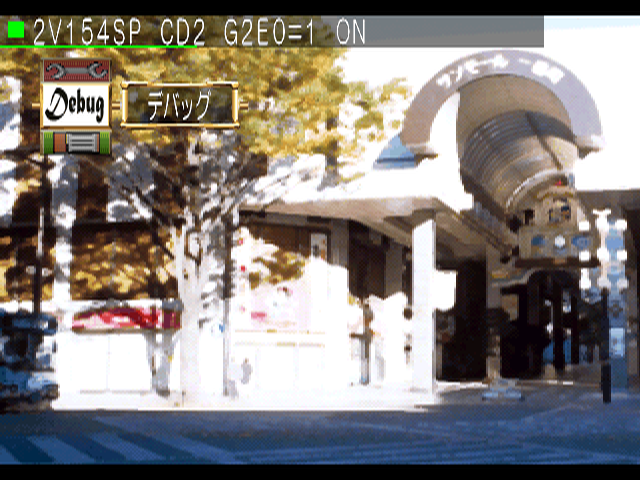
Entering the System menu while in-game adds an extra option. Select "Debug" to enter the main debug menu.
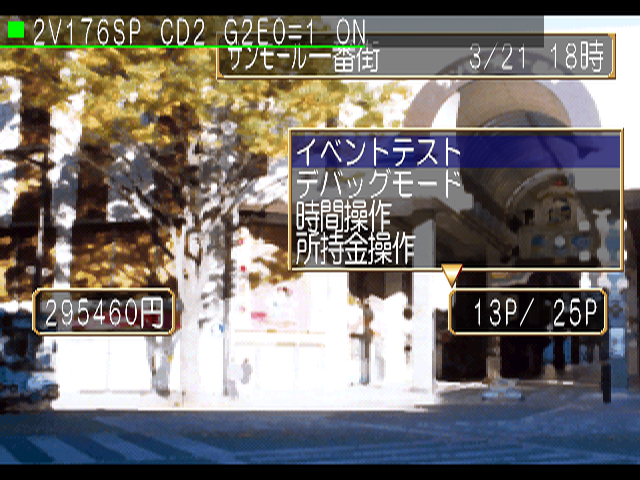
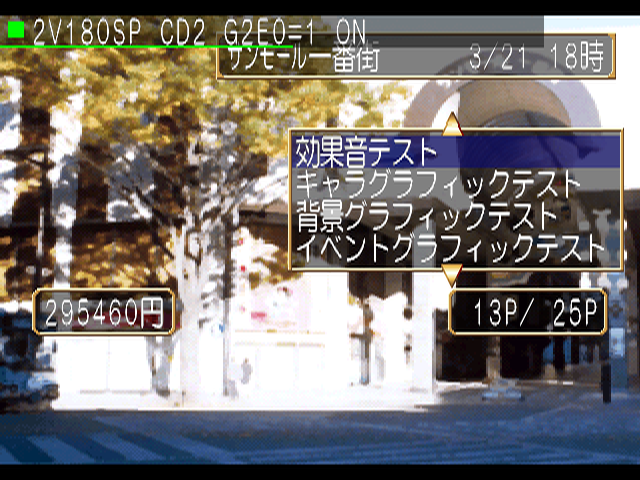
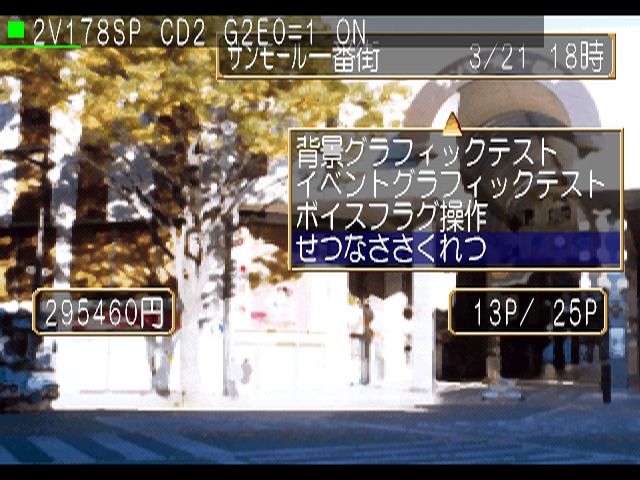
Text |
Translation |
|---|---|
イベントテスト |
Event Test |
デバッグモード |
Debug Mode |
時間操作 |
Time Management |
所持金操作 |
Money Management |
効果音テスト |
Sound Effect Test |
キャラグラフィックテスト |
Character Graphic Test |
背景グラフィックテスト |
Background Graphic Test |
イベントグラフィックテスト |
Event Graphic Test |
ボイスフラグ操作 |
Voice Flag Management |
せつなささくれつ |
Setsunasasakuretsu |
Event Test#
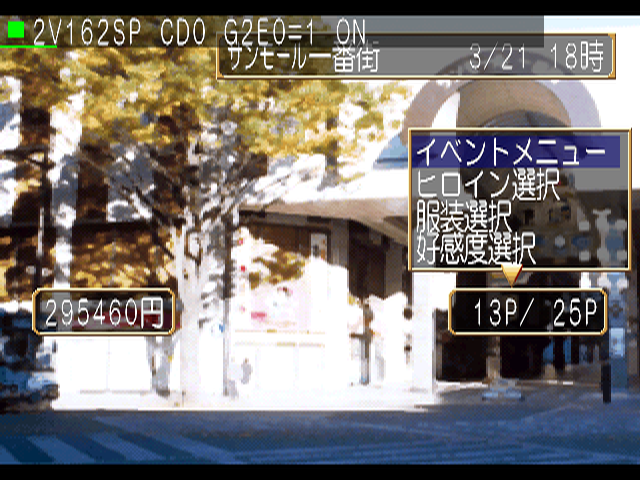
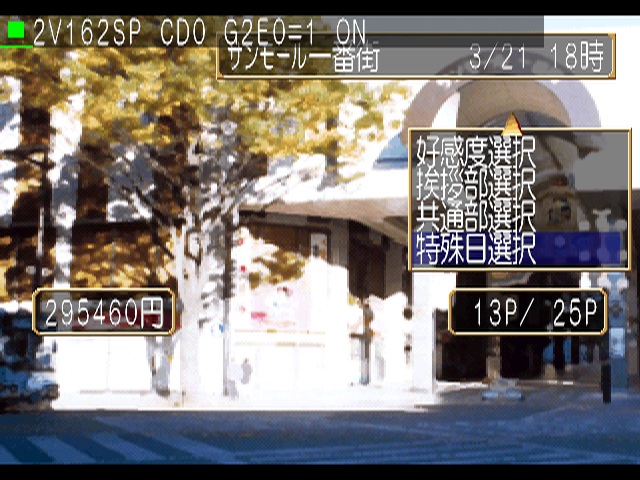
Allows selection of events with various settings.
Text |
Translation |
|---|---|
イベントメニュー |
Event Menu |
ヒロイン選択 |
Heroine Select |
服装選択 |
Outfit Select |
好感度選択 |
Intimacy Selection |
挨拶部選択 |
Greeting Selection |
共通部選択 |
Common Selection |
特殊日選択 |
Special Day Selection |
Debug Mode#
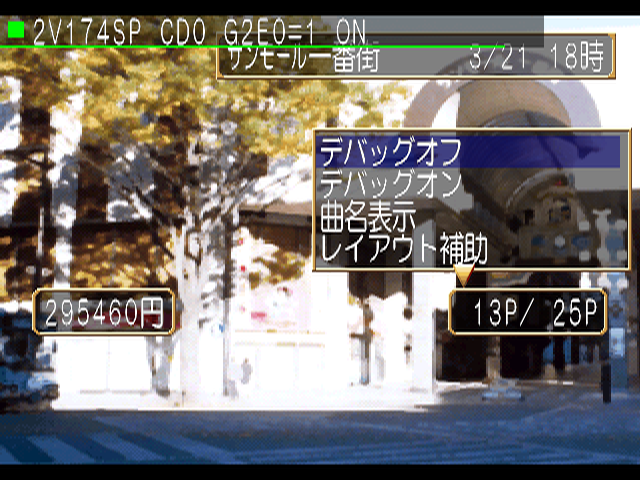
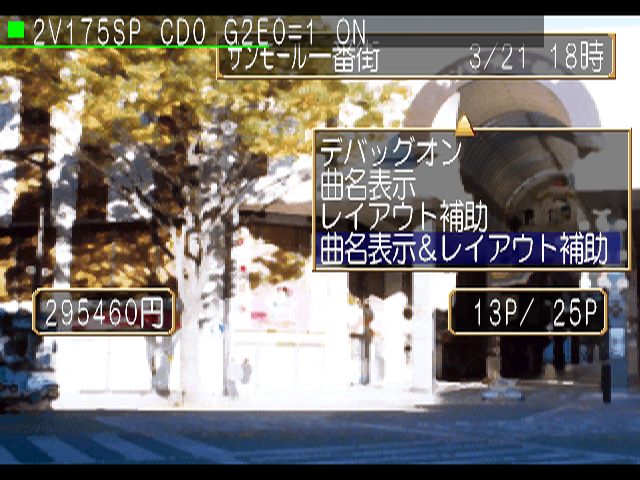
Allows setting of a few unknown parameters. Debug On and Debug Off toggle the debug display which can also be configured with Start + Circle. It's unknown what the rest of the options do, if anything.
Text |
Translation |
|---|---|
デバッグオフ |
Debug Off |
デバッグオン |
Debug On |
曲名表示 |
Song Display |
レイアウト補助 |
Layout Aid |
曲名表示&レイアウト補助 |
Song Display & Layout Aid |
Time Management#
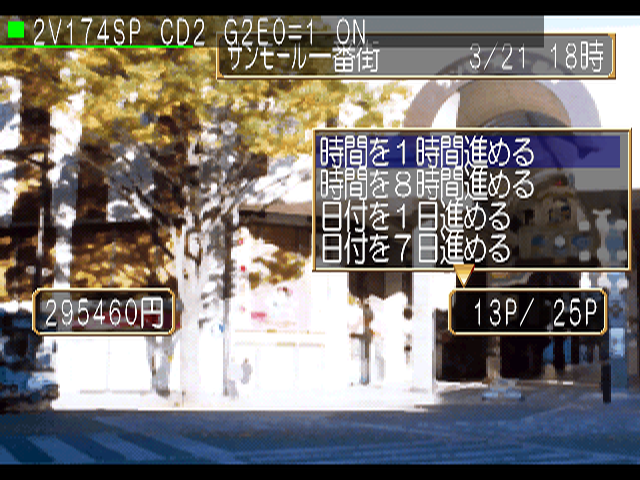
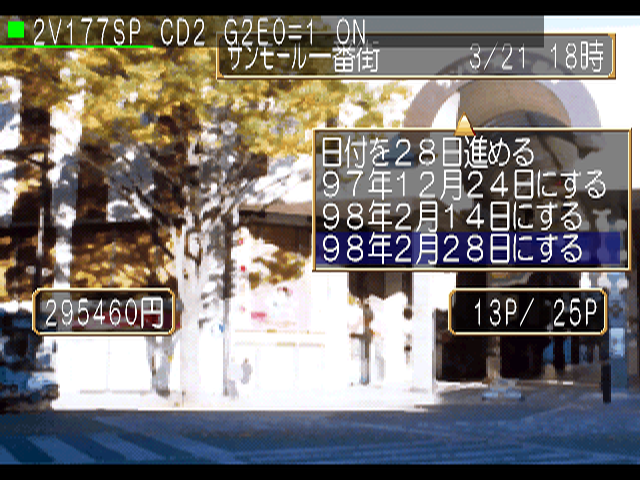
Allows manually setting of time.
Money Management#
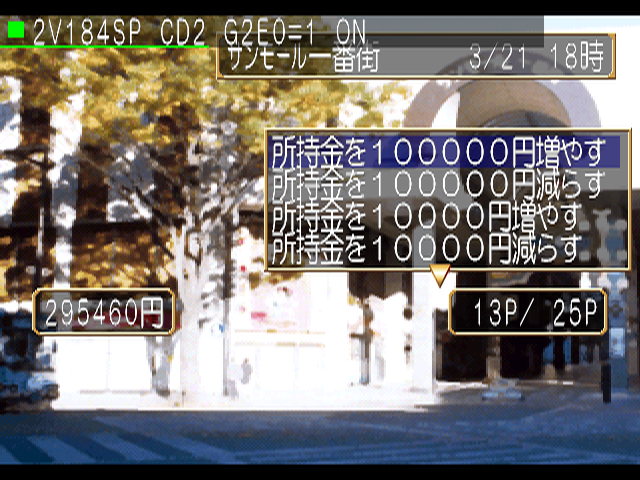
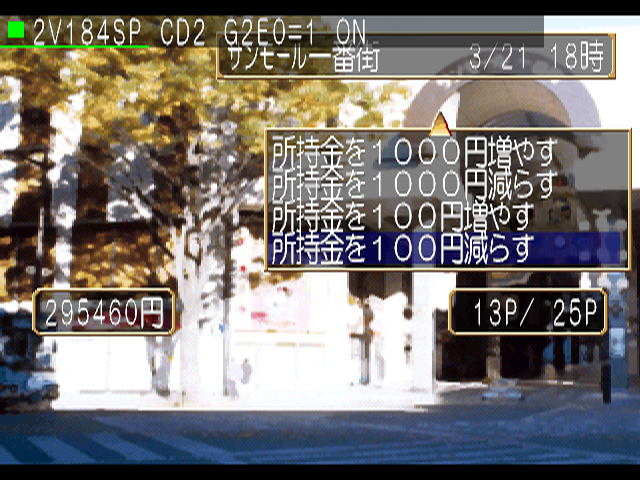
Allows manually setting of money.
Sound Effect Test#
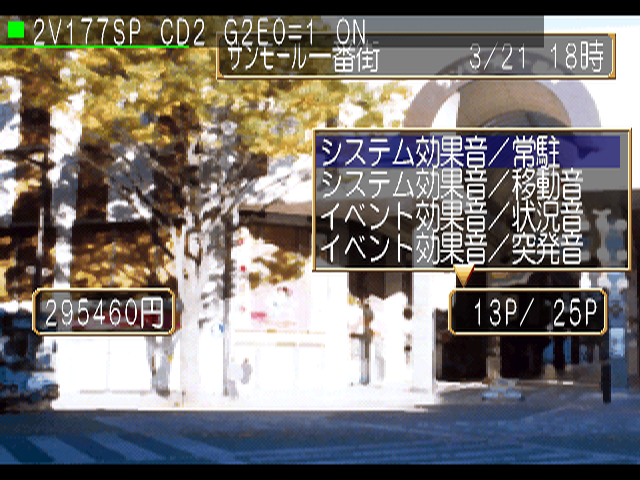
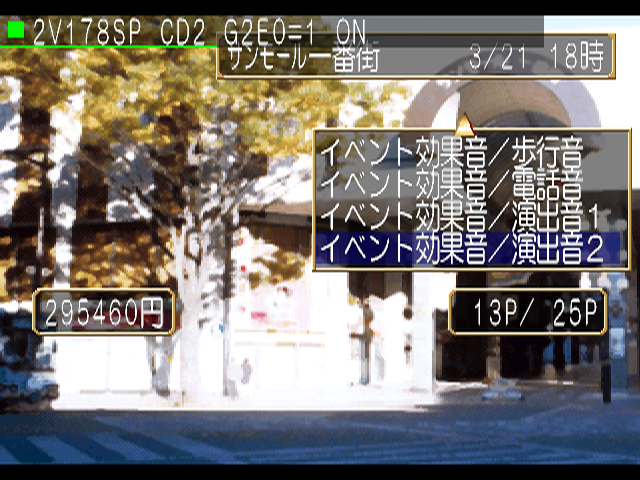
Allows listening to sound effects.
Character Graphic Test#
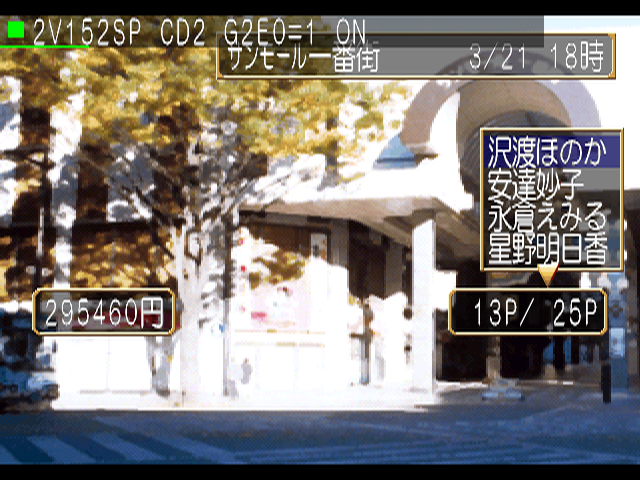
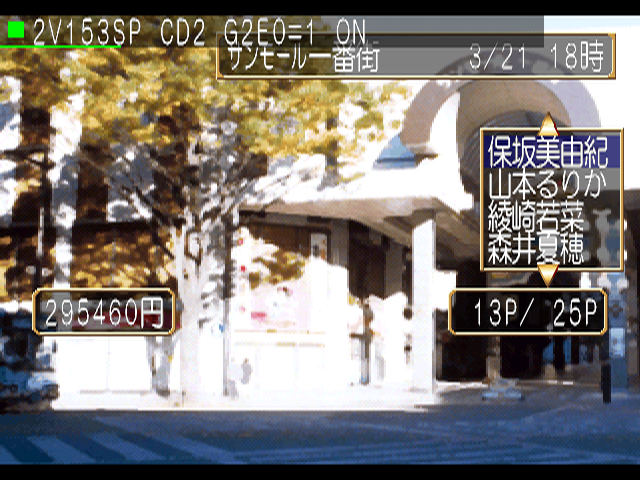
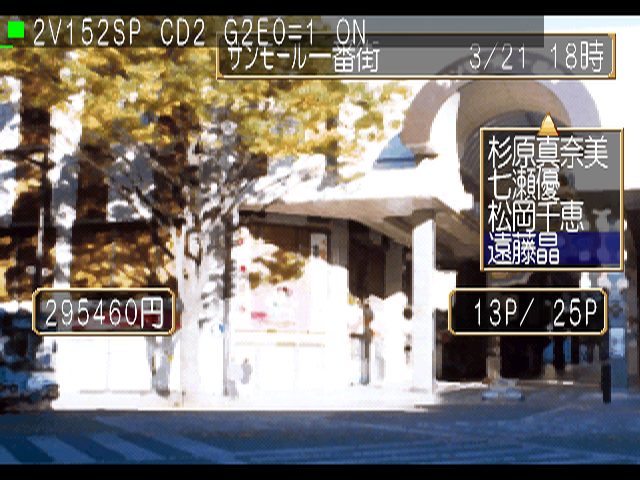
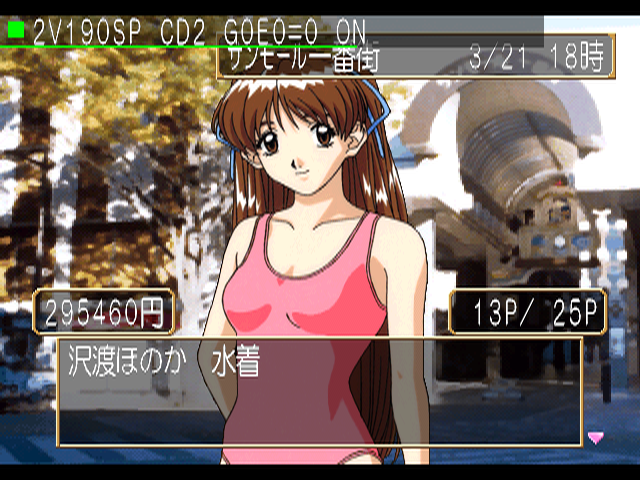
Allows viewing of character images.
Background Graphic Test#
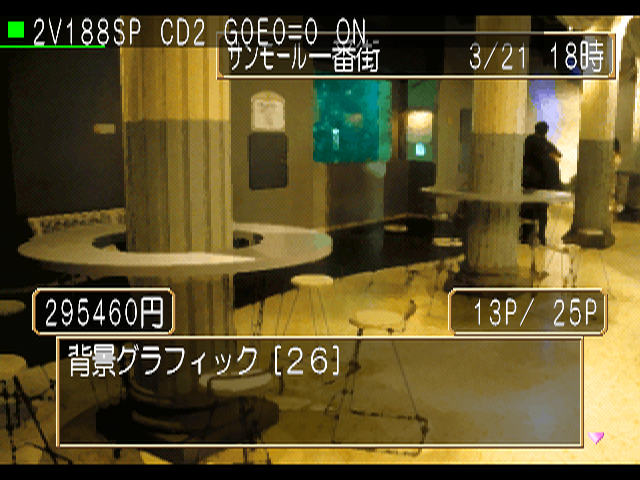
Allows viewing of background images.
Event Graphic Test#
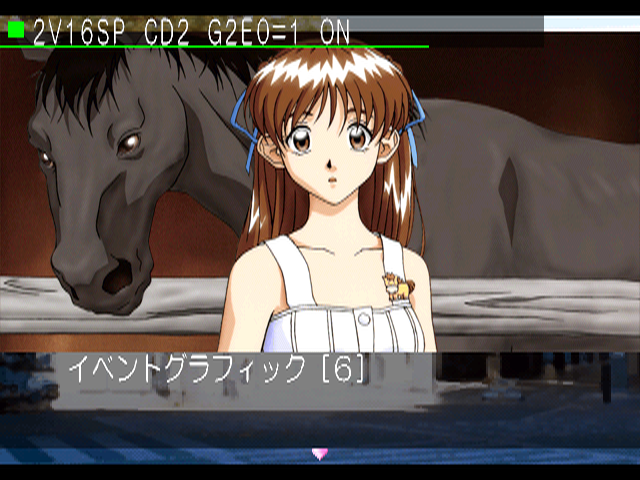
Allows viewing of event images.
Unused Voice Test Option#
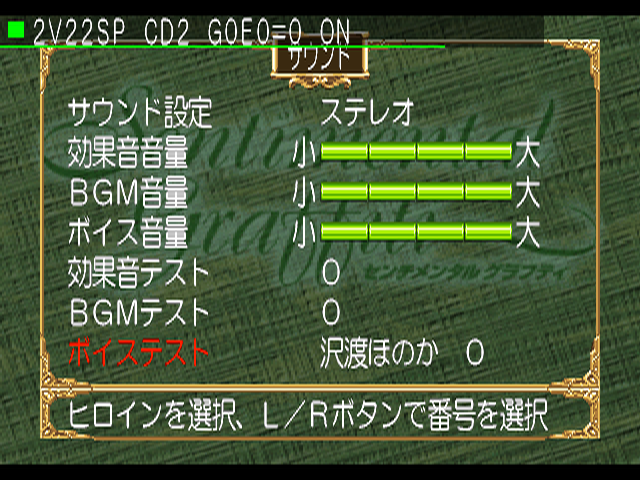
The main menu's Sound Test has a debug-exclusive feature, but this is normally unseen since the debug mode disables itself upon returning to the main menu. Apply the below GameShark code to the original release of the game to re-enable this. Make sure to press Start + Circle before entering this menu to make this option appear.
Apply Debug Mode Always
80095EAE 0001
(Source: Original TCRF research)
|
The Sentimental Graffiti series | |
|---|---|
|
Sega Saturn |
|
|
Dreamcast |
|
|
PlayStation |
|
|
PlayStation 2 |
|