 This article has a talk page!

|
This needs some investigation.
|
Sakura Wars: So Long, My Love is the fifth mainline game in the Sakura Wars series. This time, it takes place in the Big Apple, focusing on a new set of characters alongside a returning character from the 2001 movie. Unlike the previous games in the series, this game was the first to be released in North America, nearly five years after its original Japanese release. NIS America did the honors, releasing a nice special edition with dual audio; they also released a port for the Wii, with English-only voice acting, which was also released in Europe.
Unfortunately, poor sales of this game led to the mainline series being dormant for many years, with subsequent games consisting of a spin-off title for the DS, a PSP remake of the first two games and many mobile games. In 2019, a soft reboot titled Sakura Wars was released worldwide for the PlayStation 4.
Unused Voices#
|
|
This needs some investigation. |
Both discs of the English version contain a large number of voice files still in Japanese. Most of these are related to the SRPG portion of the game, where two copies of each voice file are present. In the English voice disc, one copy is dubbed into English. In the Japanese voice disc, they are duplicates, but not identical files. This is true of both the original 2005 release and the English version.
Test Line Readings#
Voice IDs 100400-100465 are all of the characters pronouncing the Japanese syllables a-i-u-e-o. They are present on both discs, but no English versions exist.
ID |
Audio |
|---|---|
100400 |
|
100401 |
|
100402 |
|
100403 |
|
100404 |
|
100405 |
|
100406 |
|
100407 |
|
100408 |
|
100409 |
|
100410 |
|
100411 |
|
100412 |
|
100413 |
|
100414 |
|
100415 |
|
100416 |
|
100417 |
|
100418 |
|
100419 |
|
100420 |
|
100421 |
|
100422 |
|
100423 |
|
100424 |
|
100425 |
|
100426 |
|
100427 |
|
100428 |
|
100429 |
|
100430 |
|
100431 |
|
100432 |
|
100433 |
|
100434 |
|
100435 |
|
100436 |
|
100437 |
|
100438 |
|
100439 |
|
100440 |
|
100441 |
|
100442 |
|
100443 |
|
100444 |
|
100445 |
|
100446 |
|
100447 |
|
100448 |
|
100449 |
|
100450 |
|
100451 |
|
100452 |
|
100453 |
|
100454 |
|
100455 |
|
100456 |
|
100457 |
|
100458 |
|
100459 |
|
100460 |
|
100461 |
|
100462 |
|
100463 |
|
100464 |
|
100465 |
(Source: The Opponent)
Debug Mode#
Just like Sakura Taisen: Atsuki Chishio Ni, this game also has a debug mode, which can be enabled by pressing the following, on Controller 2, at any time in the main menu or in-game:
Press R3, then hold Select and press and hold the following:
+R1 (continue holding),
+L2 (continue holding),
+L1 (continue holding),
(release R1),
+R2 (continue holding),
(release R2),
+R2 (continue holding),
(release L2),
(release L1),
(release R2),
(release Select).
Then, press the following while not holding any button:
D-Pad Up,
D-Pad Right,
D-Pad Down,
Circle,
Square,
Triangle,
D-Pad Up,
D-Pad Right,
D-Pad Down,
Circle,
Square,
Triangle,
L3.
A sound will play to confirm the debug mode is enabled. For the Japanese version, replace the two Circle inputs with X.
In order to activate any option in the debug menu, you must use Controller 2 while pressing any of the buttons below.
(Source: Original TCRF research)
Scenario Select#


With debug mode on, you will come across this screen when entering a game mode. The menu items 1005, 1006, and 1007 are not present in the US version.
Mode Set Menu#
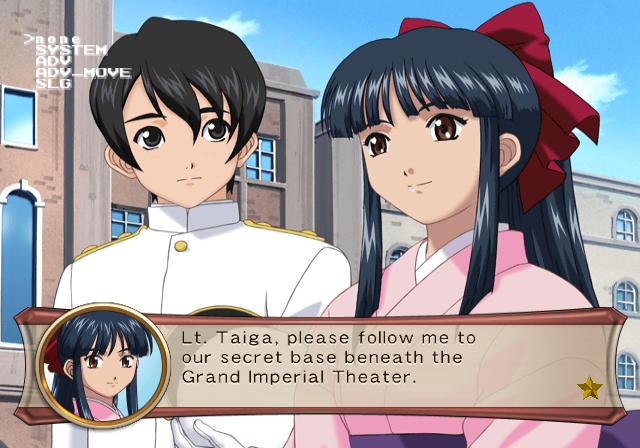
Pressing Select will open this menu. Here, you can set the game into various sub-debug modes.
SYSTEM
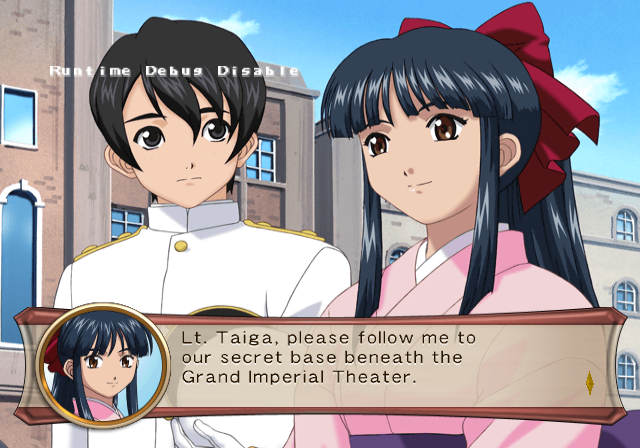

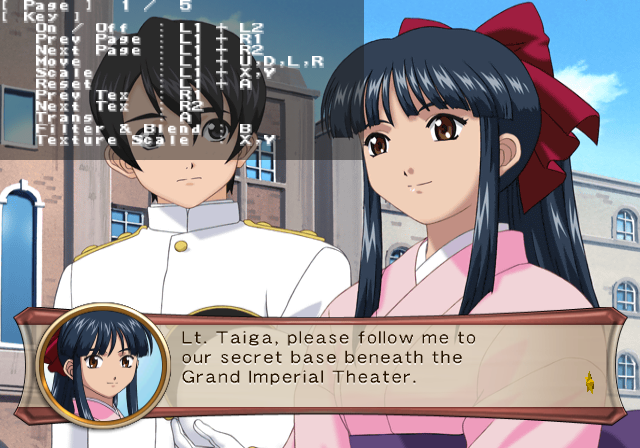
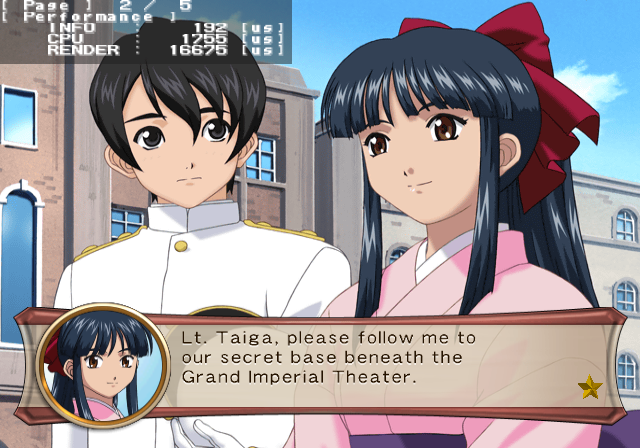
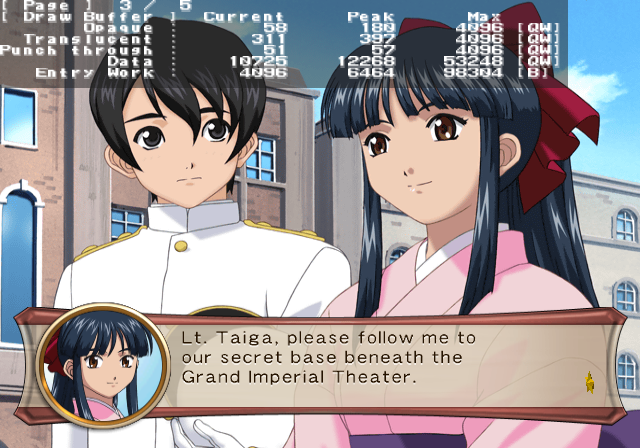
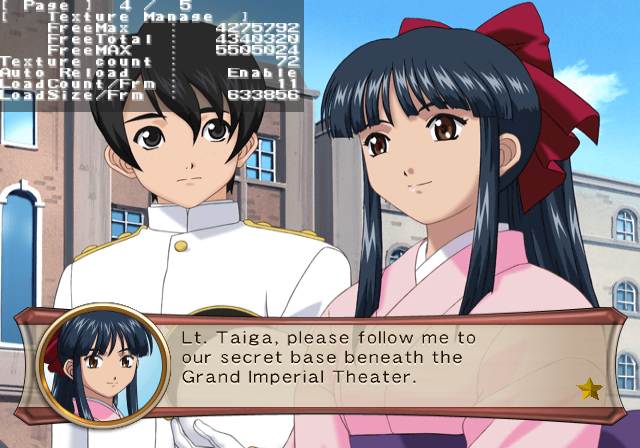
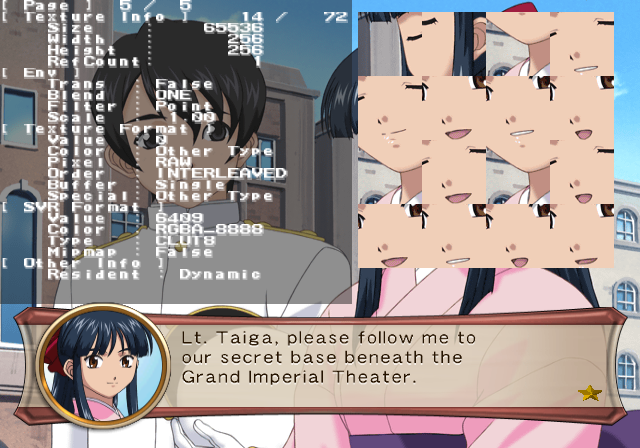
This mode enables various system tasks and resource information. Press the following buttons below to enable various options:
- Pressing L2 + L1 will disable or enable Runtime Debug. This enables or disables background debug logging.
- Pressing Square or Triangle will enable debug information.
- Pressing L3 will open a resource window. On the very last page, you can press X to change graphic transparencies, Square or Triangle to increase / decrease the size of the graphic, or R2 / R1 to change the graphic displayed.
ADV
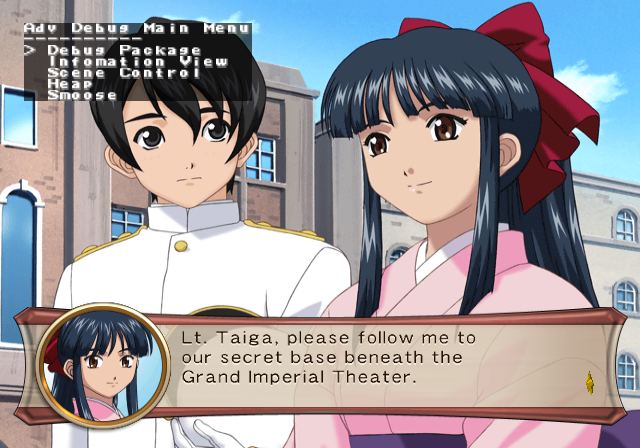
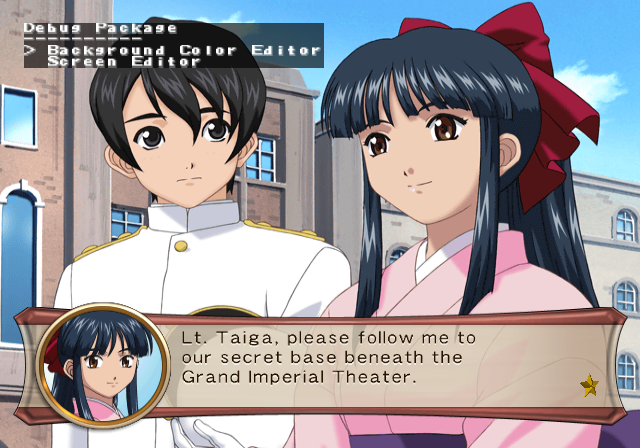
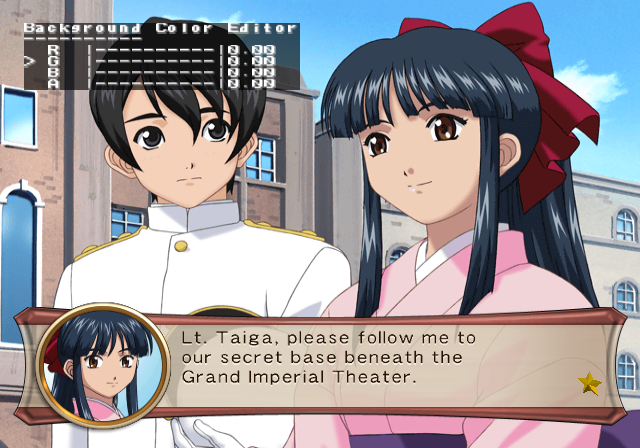
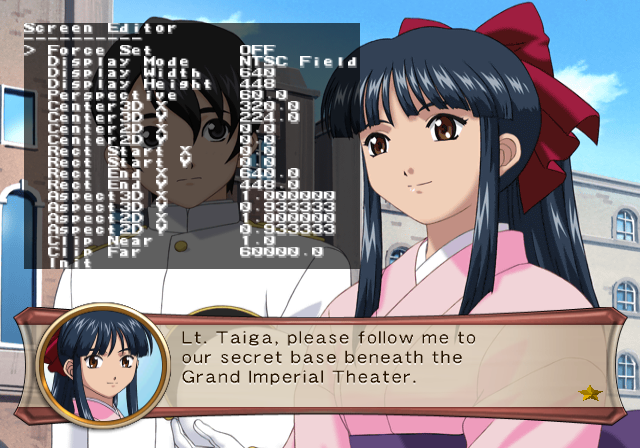
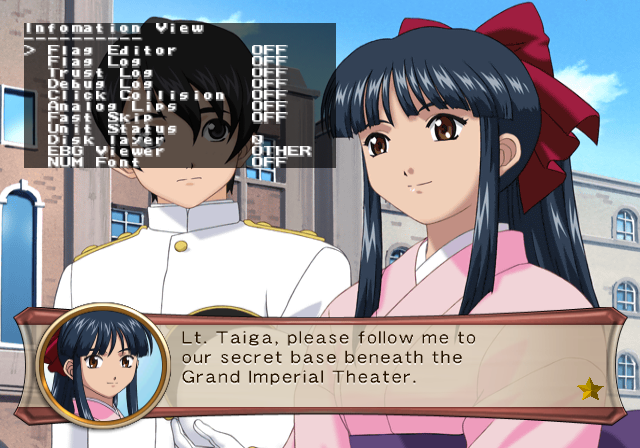
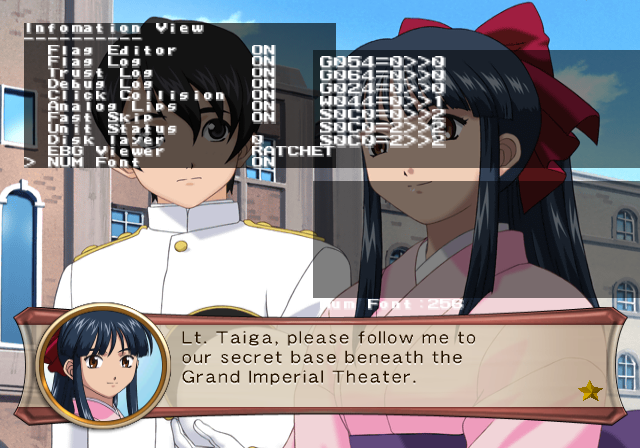
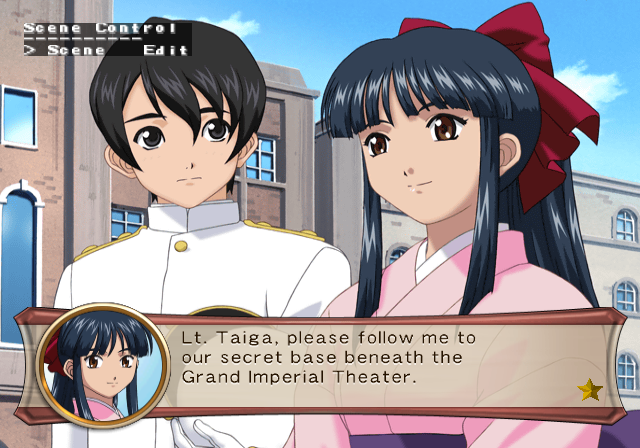
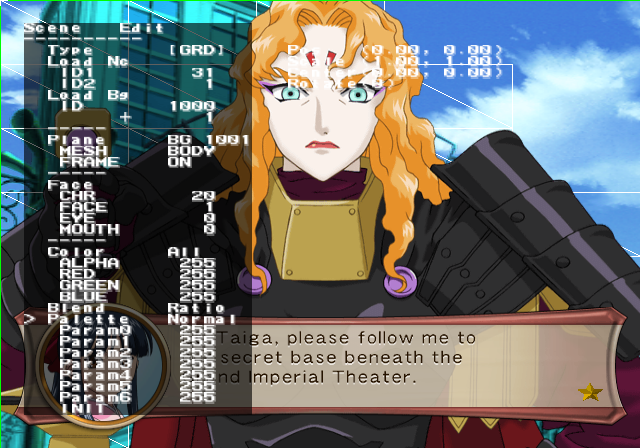
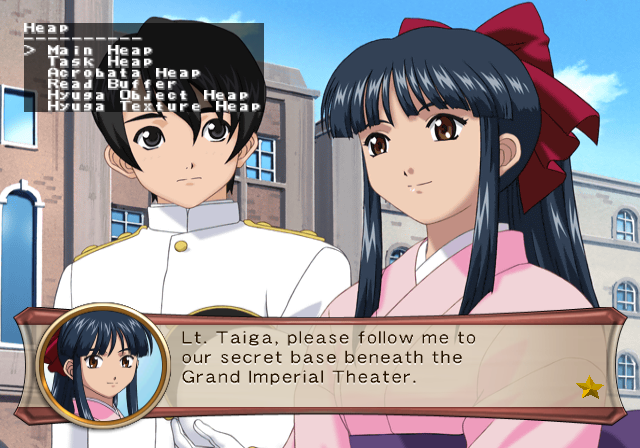
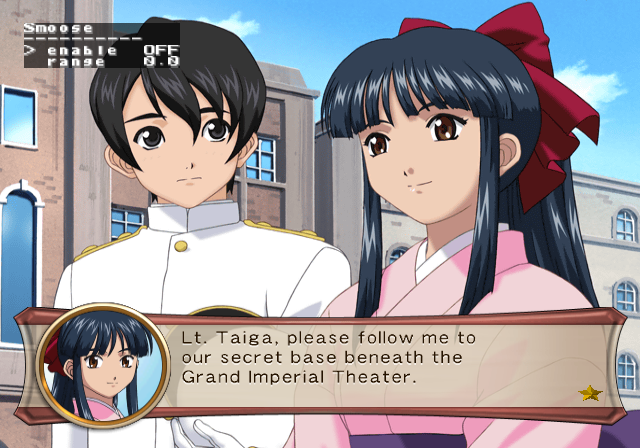
Press L2 + L1 here to open an exclusive menu to this mode. This allows you to display various debug information on-screen, print certain information in the background of the game engine (to a PlayStation 2 debugging unit, or an emulator). This also gives you the ability to edit the scenario you are currently in (the graphics displayed on-screen such as character art or background images).
There is also a menu that allows you to change the internal resolution. It isn't advised to change anything there.
Version Differences#
The North American version is a two-disc set. Disc 1 has English audio, which changes many character names, and Disc 2 has Japanese audio, which refers to the characters by their original names.
|
The Sakura Wars series | |
|---|---|
|
Sega Saturn |
Sakura Taisen • Sakura Taisen 2: Kimi, Shinitamou Koto Nakare |
|
Dreamcast |
Sakura Taisen • Sakura Taisen 2: Kimi, Shinitamou Koto Nakare • Sakura Taisen 3: Paris wa Moeteiru ka (Movie Disc) • Sakura Taisen 4: Koi Seyo, Otome |
|
Windows |
Sakura Taisen 3: Paris wa Moeteiru ka • Sakura Taisen 4: Koi Seyo, Otome |
|
PlayStation 2 |
Sakura Taisen: Atsuki Chishio Ni (Prototype) • Sakura Taisen Monogatari: Mysterious Paris • Sakura Taisen 3: Paris wa Moeteiru ka • Sakura Taisen V Episode 0: Kouya no Samurai Musume • Sakura Wars: So Long, My Love |
|
PlayStation Portable |
|
|
Wii |
|
|
PlayStation 4 |
|
|
Miscellaneous | |
|
Sega Saturn |
Hanagumi Taisen Columns • Sakura Taisen Jouki Radio Show • Sakura Taisen Teigeki Graph |
|
Dreamcast |
Hanagumi Taisen Columns 2 • Ogami Ichiro Funtouki: Sakura Taisen Kayou Show "Benitokage" Yori • Sakura Taisen Kinematron Hanagumi Mail • Sakura Taisen Dream Passport 3 • Sakura Taisen Online |
|
Game Boy Color |
|
|
PlayStation 2 |
|
|
Arcade |
|